Documentserver: Saving a document changes text background colour to white
Do you want to request a feature or report a bug?
Bug.
What is the current behavior?
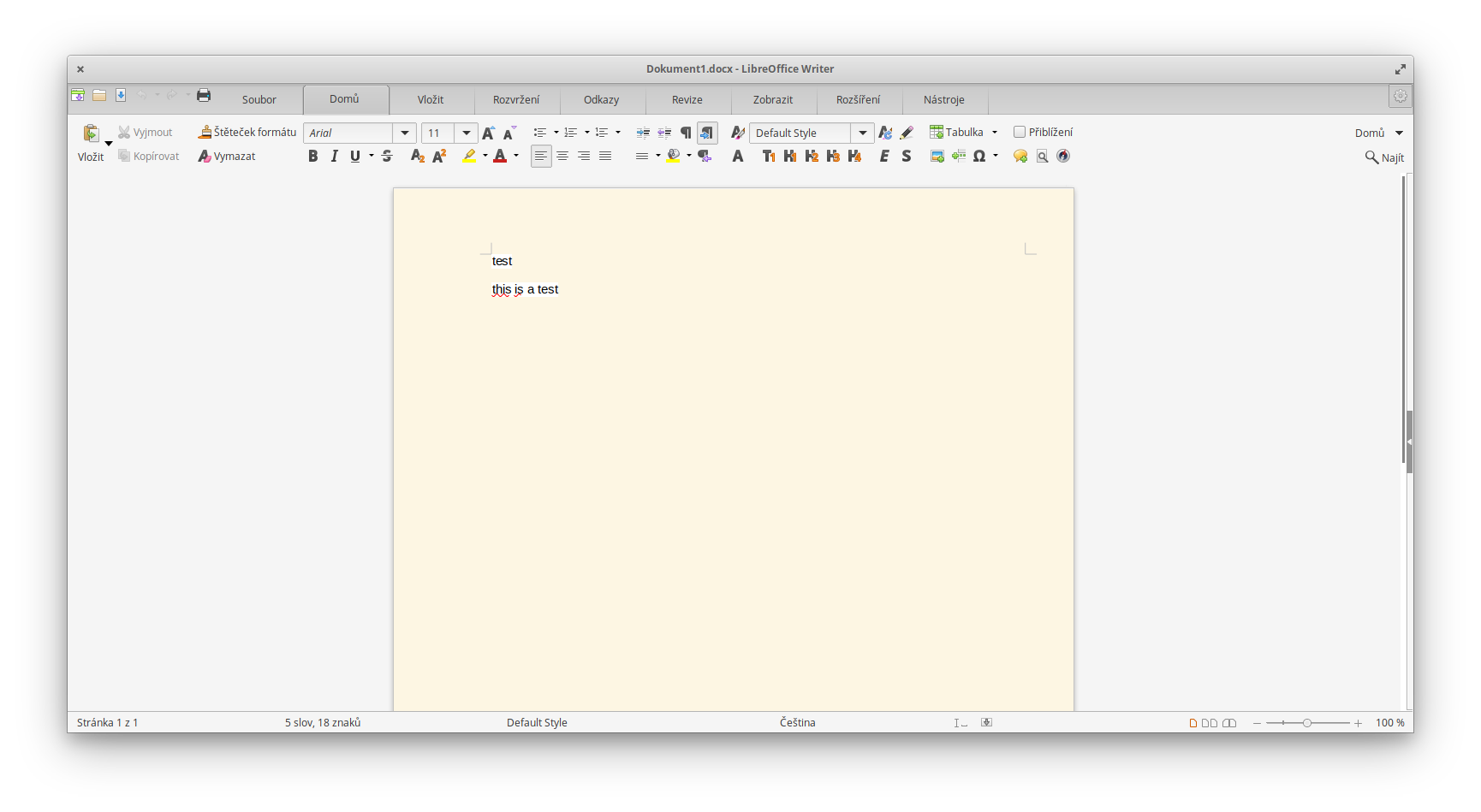
If I open or create any document (tested with .docx) and save it, the background of the text is changed from transparent to white.
If the current behavior is a bug, please provide the steps to reproduce and if possible a minimal demo of the problem.
- Create new document, type text, save it. Alternatively, open existing document (created by other office suite) with transparent background of text and just save it without editting.
- Open the same document in another editor, that supports Eye protection or changing UI background colour (WPS Office & LibreOffice can do this, both are free).
- The page has background set by the UI settings (i.e. Eye protection or LO custom background), while the background of the text is set to white.
WPS Office with Eye protection:

LibreOffice with UI customised to emulate Eye protection feature:
What is the expected behavior?
The background of the text should be transparent. Also, format of opened documents should not change without explicit user action (like changing background).
Which versions of DesktopEditors, and which OS are affected by this issue? Did this work in previous versions of DesktopEditors?
I tried this in Linux version with both flatpak and snap packages (both version 5.6.4).
 janxkoci
All 8 comments
Hello, @janxkoci.
Could you attach file with problem?
 Rita-Bubnova
on 1 Oct 2020
Rita-Bubnova
on 1 Oct 2020
I've attached three files:
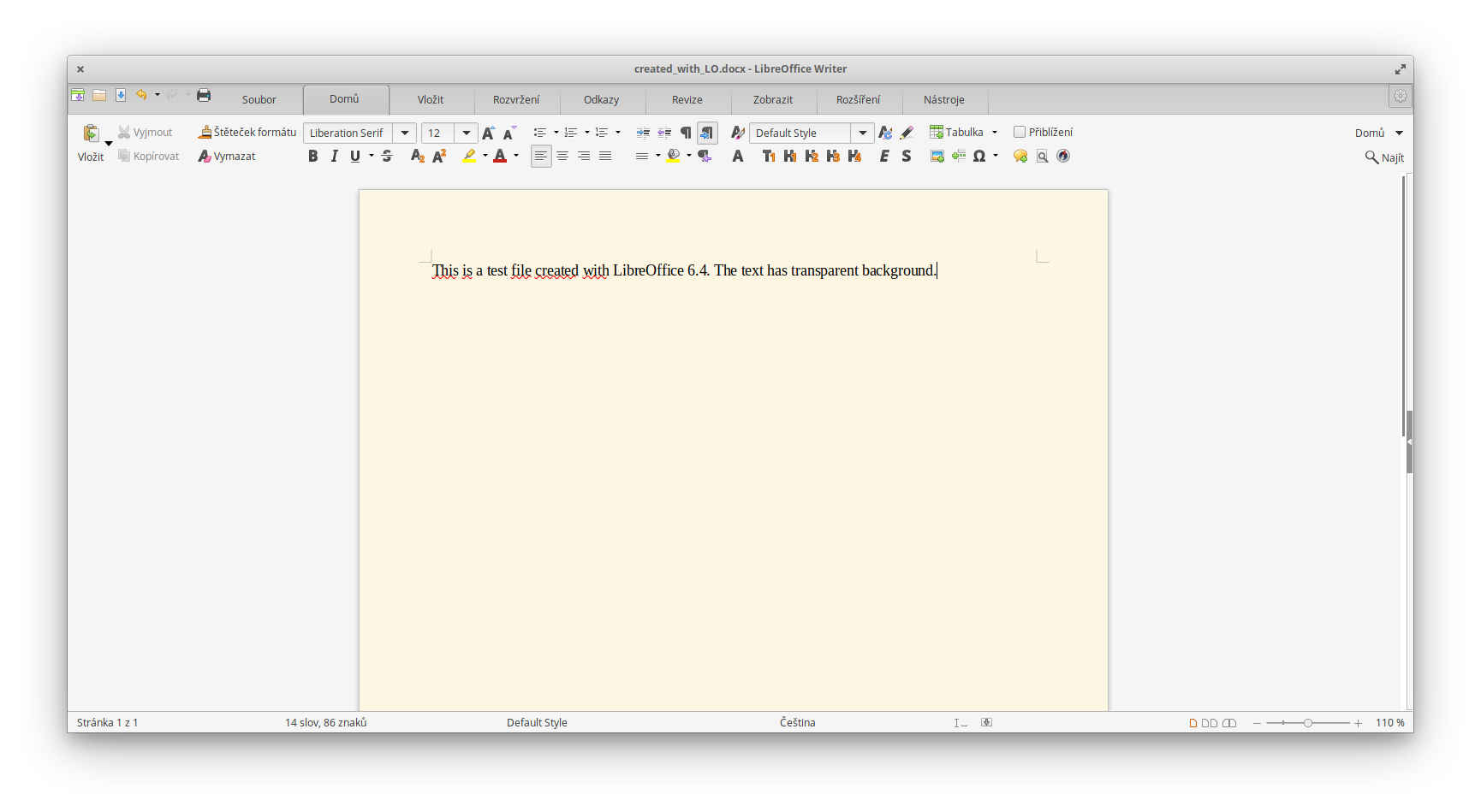
A file created with LibreOffice:
created_with_LO.docx
Screenshot of this file opened in LO:
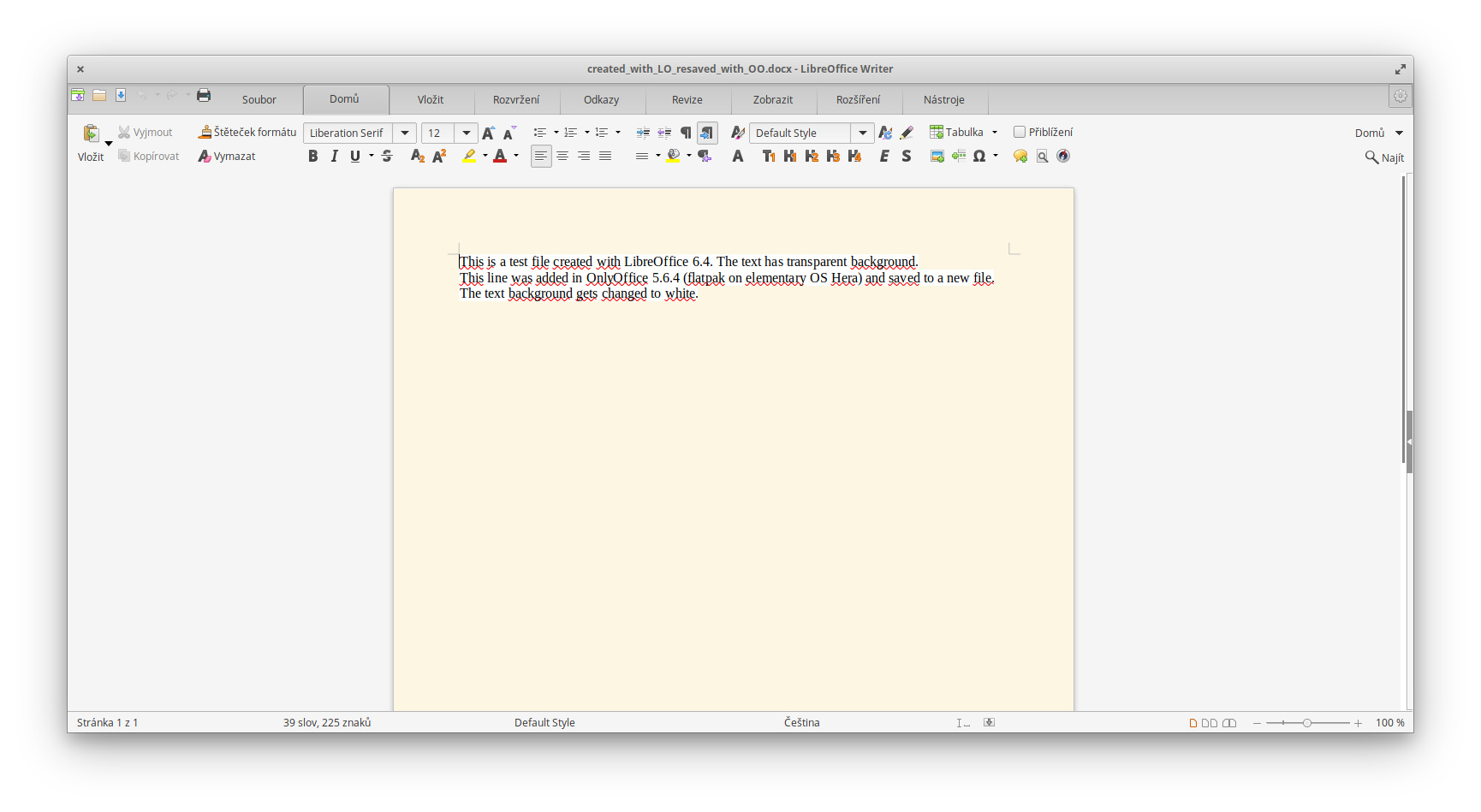
The same file from LibreOffice as above opened in OnlyOffice, edited and resaved:
created_with_LO_resaved_with_OO.docx
Screenshot of this file opened in LO:
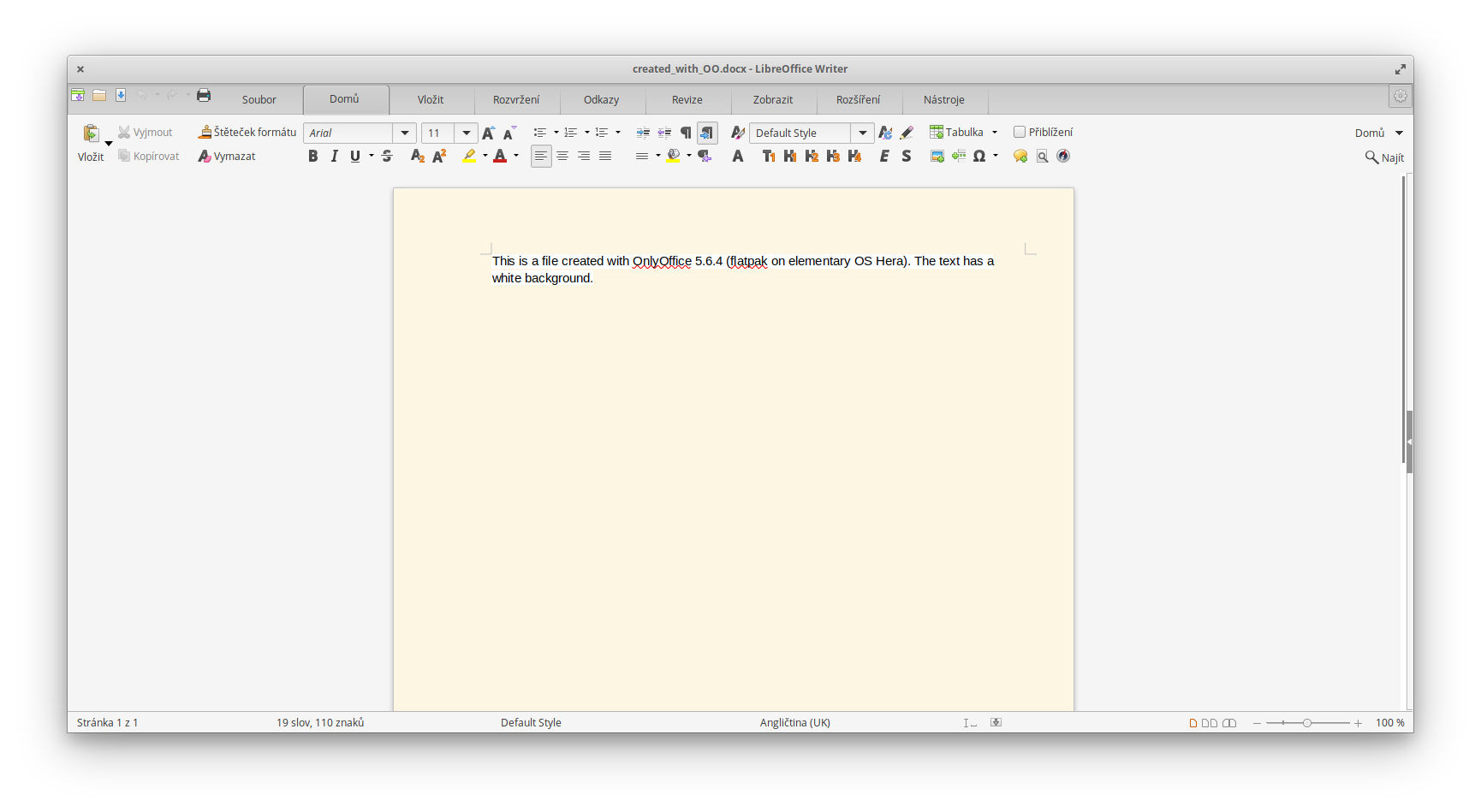
A file created with OnlyOffice:
created_with_OO.docx
Screenshot of this file opened in LO:
To help testing (and to protect my eyes), I did this small change in LO settings - under Application colours, I changed only the bachground colour (the first one on top of the list) to the bg colour of Solarized Light theme:
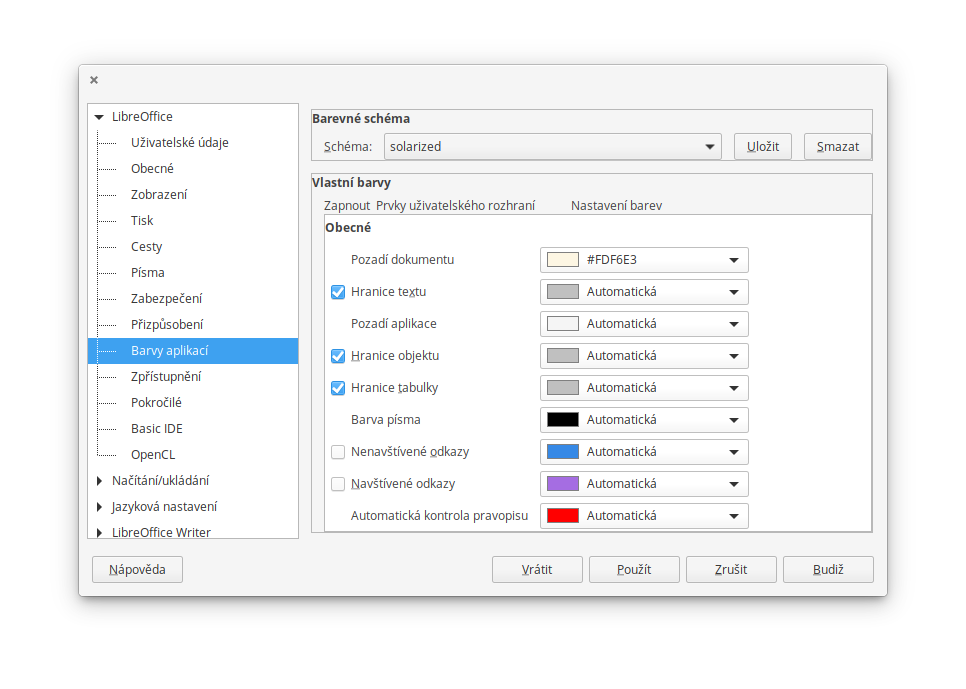
Note that the colour of the page is still white, the setting just applies to UI of LibreOffice, not the documents. The same document opened in different office suite will have normal white page colour. Same for exported PDFs etc.
janxkoci
on 6 Oct 2020
Thank you for report.
Problem reproduced in Document Server.
I can confirm - bug reproduce in Document Server version 5.6 and 6.0.
In the test Document Server version 6.1.0 (build:5), the problem is not reproduced.
This issue fixed in future major release, but currently I have no ETA for this release.
Rita-Bubnova
on 7 Oct 2020
Moved this issue to DocumentServer, since it's our base product and problem actual there too
 ShockwaveNN
on 7 Oct 2020
ShockwaveNN
on 7 Oct 2020
Thanks. Looking forward to the next release. Since it's resolved, I think the issue can be closed (it doesn't need tracking anymore, right?).
FYI this issue does not seem to be in effect when using the ODT format.
janxkoci
on 8 Oct 2020
@janxkoci Hi, in our workflow we leave issue opened until we release version with fix to general public
ShockwaveNN
on 8 Oct 2020
FYI: I still see the bug after updating to 6.0.0.
janxkoci
on 2 Nov 2020
@janxkoci This is correct, as @Rita-Bubnova said earlier this bug currently fixed on 6.1.0, which is currently in testing stage
ShockwaveNN
on 2 Nov 2020
Related issues
 forteller
·
9Comments
forteller
·
9Comments
 cpot
·
8Comments
cpot
·
8Comments
 joe733
·
4Comments
joe733
·
4Comments
 poVoq
·
5Comments
poVoq
·
5Comments
 jcklpe
·
9Comments
jcklpe
·
9Comments
Most helpful comment
@janxkoci Hi, in our workflow we leave issue opened until we release version with fix to general public