Documentserver: Much too small UI when using a Hi-PPI screen
Do you want to request a feature or report a bug?
bug
What is the current behavior?
UI is much too small
If the current behavior is a bug, please provide the steps to reproduce and if possible a minimal demo of the problem.
- Install Onlyoffice Document server
- plug it in to nextcloud
- The Onlyoffice UI is much too small
What is the expected behavior?
The UI should be bigger so that it is not that small. and better usable from normal distances.
Did this work in previous versions of DocumentServer?
don't know
DocumentServer version:
don't know. Docker install, so probably the newest version
Operating System:
Windows 10
Browser version:
Chromium 79 based browser
Here is a Screenshot:
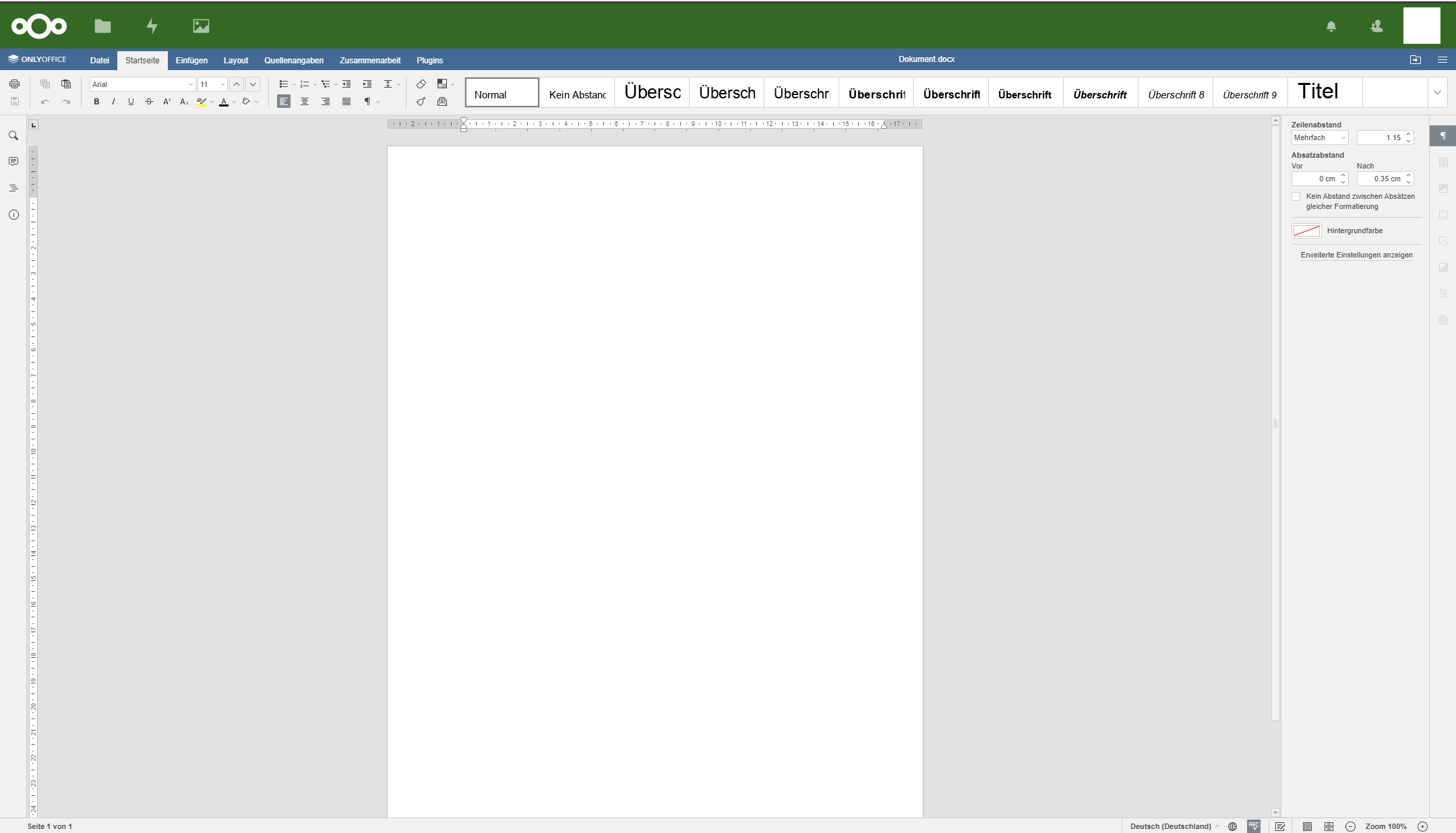
(just compare the Nextcloud App icons, that have a normal, usable size and the Onlyoffice-UI size in comparison. That shows all problems with that imo. (this is on a 13" inch laptop, and near to unusable state")
 szaimen
>All comments
Thanks, this is a known issue. We'll try to fix it in future releases, but cannot give any ETA.
Related issue for DesktopEditors https://github.com/ONLYOFFICE/DesktopEditors/issues/53
 ShockwaveNN
on 20 Jan 2020
ShockwaveNN
on 20 Jan 2020
Related issues
 ceeazy
·
4Comments
ceeazy
·
4Comments
 RomaricMourgues
·
9Comments
RomaricMourgues
·
9Comments
 plinss
·
5Comments
plinss
·
5Comments
 RuslanGabbasov
·
9Comments
RuslanGabbasov
·
9Comments
 decentral1se
·
5Comments
decentral1se
·
5Comments
Most helpful comment
Thanks, this is a known issue. We'll try to fix it in future releases, but cannot give any ETA.
Related issue for DesktopEditors https://github.com/ONLYOFFICE/DesktopEditors/issues/53