Docs: Don't use transparent backgrounds in images
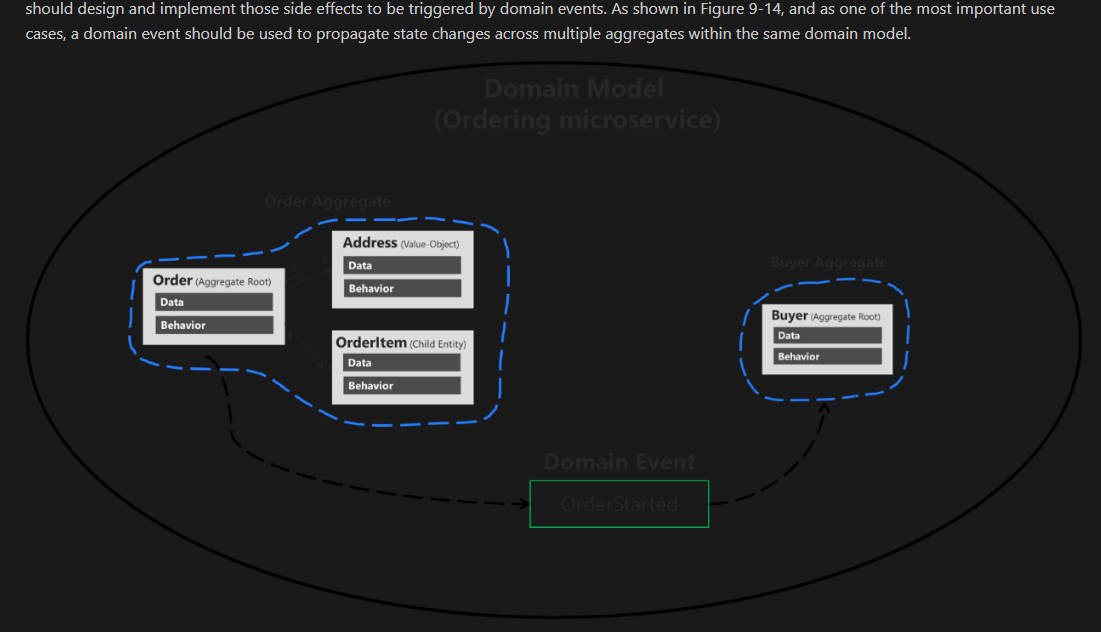
The diagrams are impossible to read in Dark mode because they contain black text and shapes on a transparent background.
Document Details
⚠ Do not edit this section. It is required for docs.microsoft.com ➟ GitHub issue linking.
- ID: d432d5bb-24a7-3bec-1e17-910c8129226e
- Version Independent ID: e41af96d-f015-a8e0-4449-7a508d7bccc8
- Content: Domain events. design and implementation
- Content Source: docs/architecture/microservices/microservice-ddd-cqrs-patterns/domain-events-design-implementation.md
- Product: dotnet
- Technology: dotnet-ebooks
- GitHub Login: @nishanil
- Microsoft Alias: nanil
 StevenLiekens
All 15 comments
Thanks for your feedback @StevenLiekens.
@CESARDELATORRE can we generate non-transparent versions of the images for the e-books? It does look bad on Dark mode indeed:
 mairaw
on 19 Jul 2018
mairaw
on 19 Jul 2018
@CESARDELATORRE where we can get new images from? We need to make sure that the images for docs are generated with a background to not cause issues with dark theme. It has been a consistent feedback for the e-book on docs.
mairaw
on 25 Aug 2018
Suggestion: fix it with a style instead of replacing all the images.
.theme_night img {
  background-color: white;
}
@StevenLiekens Let me check my engineering team what they think. Thanks for the suggestion!
mairaw
on 30 Aug 2018
@mairaw, could you find out if it's possible to change the css?
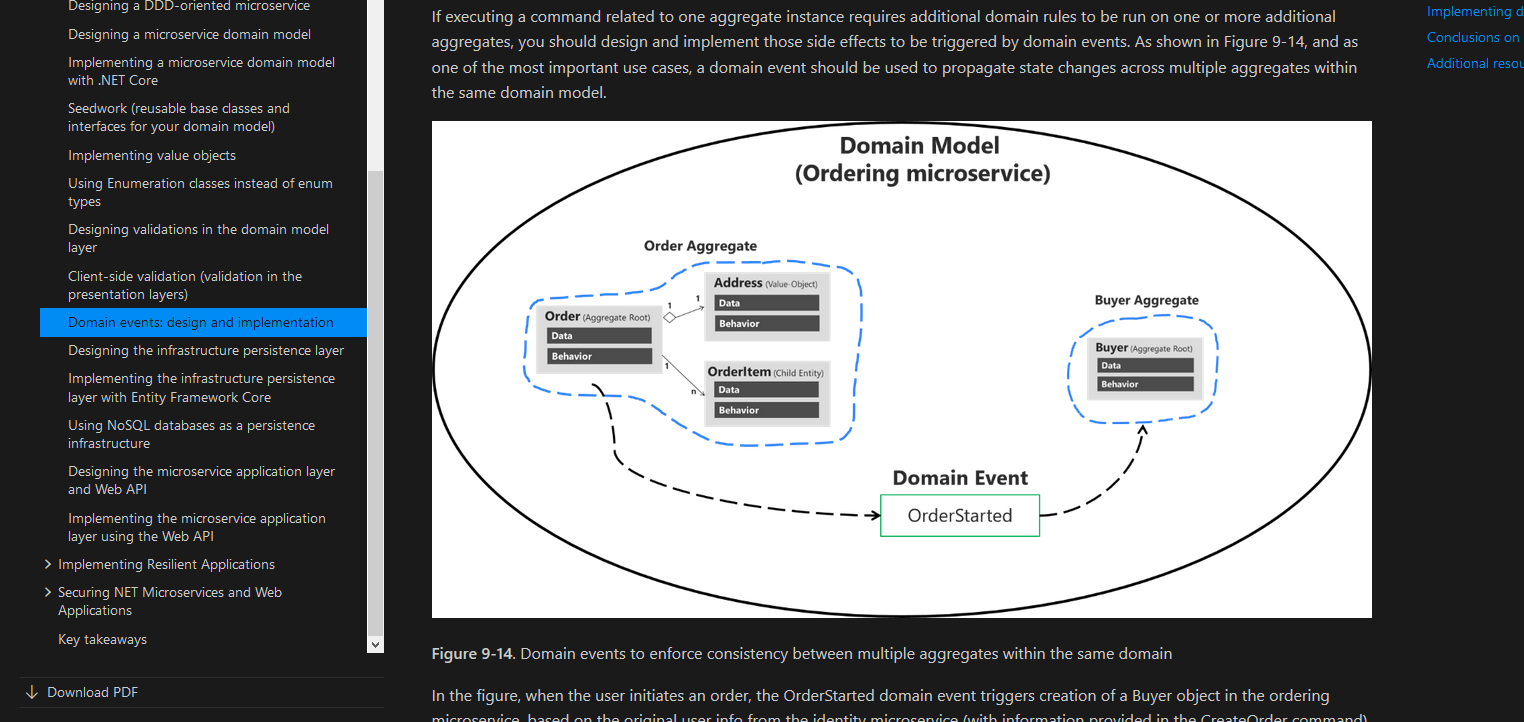
I verified @StevenLiekens' solution and it would solve the issue:
 mvelosop
on 20 Sep 2018
mvelosop
on 20 Sep 2018
I haven't received a response yet. @adkinn @DuncanmaMSFT can you please take a look at this suggestion?
mairaw
on 20 Sep 2018
@adkinn @DuncanmaMSFT new ping on this. I'd like to know if we can fix this on the engineering side instead of replacing all images.
mairaw
on 18 Jan 2019
Also tagging @nishanil per @CESARDELATORRE's comment
https://github.com/dotnet/docs/pull/8827#issuecomment-437480235
mairaw
on 18 Jan 2019
Another solution could be adding the style as html in the markdown, we should try first if the style added like this works: (haven't actually tried it)
<style>
    .theme_night img {
      background-color: white;
    }
</style>
@mairaw unfortunately there is nothing currently available to help with this. You could work with @dend to get a new feature request submitted.
 adkinn
on 18 Jan 2019
adkinn
on 18 Jan 2019
Thx @adkinn, it's a pity 🙁
@mairaw do you want to test including the above style in a page? If it works we'd have to update all the pages, but it's waaay easier and faster that updating all images 😓
mvelosop
on 21 Jan 2019
@mvelosop we also don't allow custom CSS like that, sorry :/
/cc @mairaw
adkinn
on 22 Jan 2019
Thanks for the info @adkinn.
Anyway I found the ImageMagick tool that can batch process all images to set a white background when transparent, so @mairaw let's just wait for the whole book to be merged and then I'll process all images into a single PR.
I'll leave the tested command here:
for %f in (media\*.png) do magick %f -background white -alpha remove media-fixed\%~nxf
You have to create the media-fixed folder for the new images.
mvelosop
on 22 Jan 2019
A coworker just referred the same tool to me @mvelosop:
consider https://imagemagick.org/script/index.php to script something like convert in.png -alpha off out.png or convert in.png -background black -alpha remove -alpha off out.png
Sounds like a plan!
mairaw
on 22 Jan 2019
Great 😊
mvelosop
on 22 Jan 2019
Related issues
 svick
·
3Comments
svick
·
3Comments
 FrancescoBonizzi
·
3Comments
FrancescoBonizzi
·
3Comments
 stjepan
·
3Comments
stjepan
·
3Comments
 mekomlusa
·
3Comments
mekomlusa
·
3Comments
 LJ9999
·
3Comments
LJ9999
·
3Comments
Most helpful comment
I haven't received a response yet. @adkinn @DuncanmaMSFT can you please take a look at this suggestion?