According to the admin page Nextcloud 19 requires the bcmath module for php:
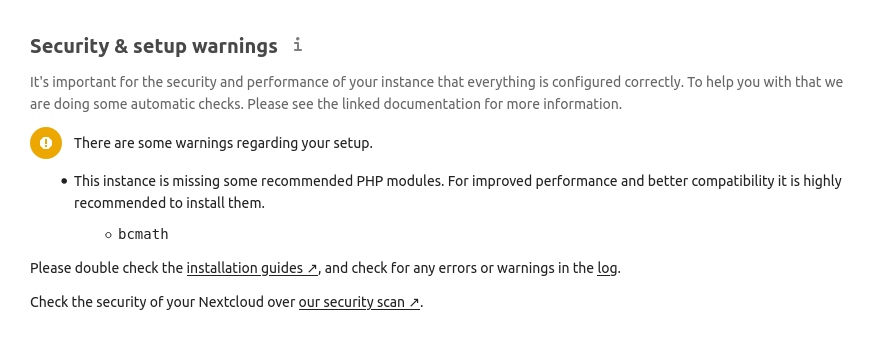
Could this please be added to the Dockerfile? Should be php-bcmath if installed using apt.
 KopfKrieg
All 14 comments
Hi there !
I managed to add the missing module by issuing a docker-php-ext-install -j "$(nproc)" bcmath in the container and then restart. I guess merely adding a bcmath \ L57 in the Dockerfile would solve the problem...
 fondemen
on 4 Jun 2020
fondemen
on 4 Jun 2020
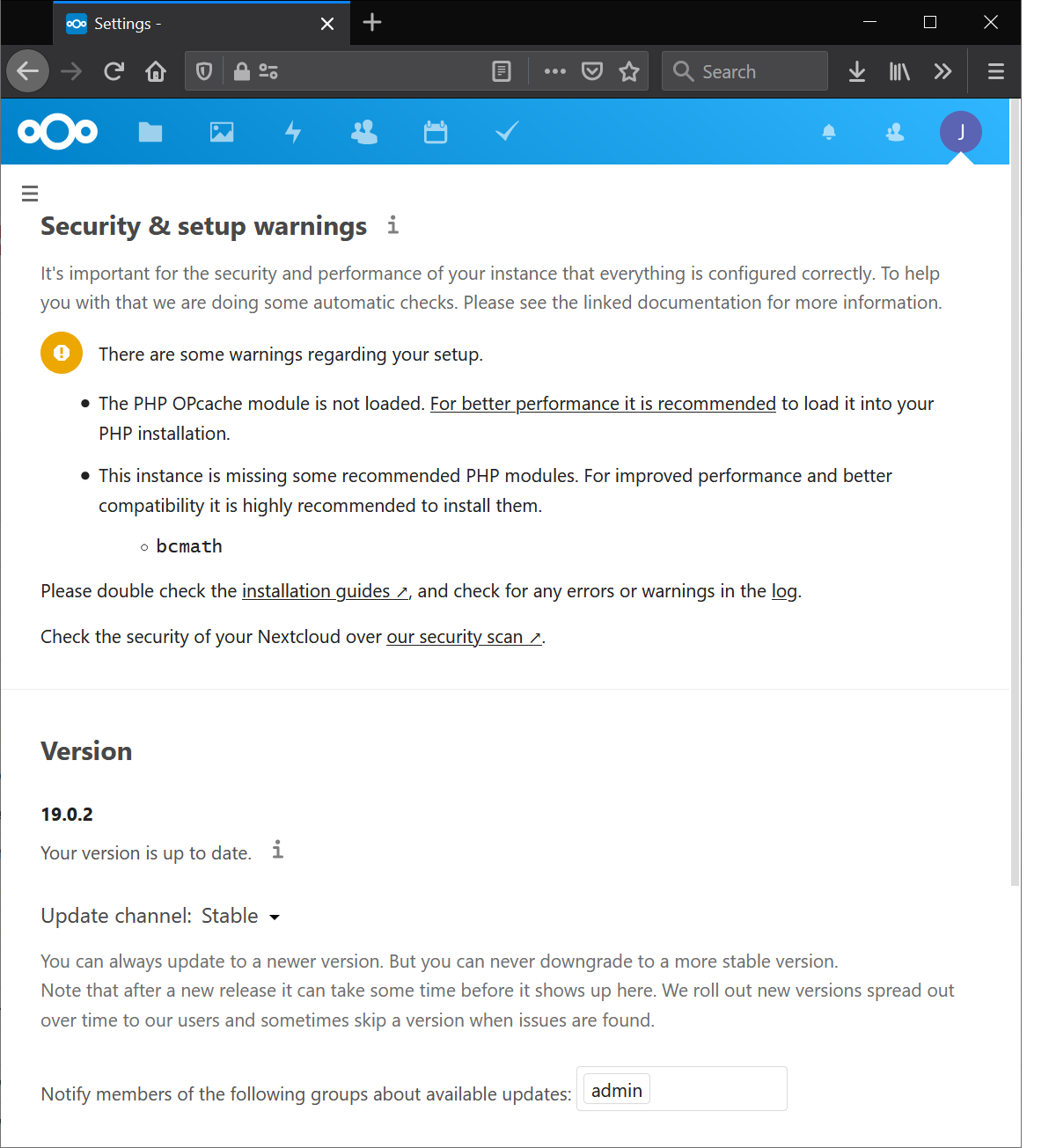
@J0WI I am still getting the same issue (and "The PHP OPcache module is not loaded. For better performance it is recommended to load it into your PHP installation.") on nextcloud:stable-fpm-alpine (19.0.2)
 l0calh05t
on 4 Sep 2020
l0calh05t
on 4 Sep 2020
Have you tried docker pull nextcloud:stable-fpm-alpine?
 J0WI
on 5 Sep 2020
J0WI
on 5 Sep 2020
@J0WI I pulled a few hours before my post (or to be more precise: watchtower did)
l0calh05t
on 5 Sep 2020
I cannot reproduce this with current stable-fpm-alpine (19.0.2).
J0WI
on 5 Sep 2020
@J0WI That is, however, what I am running, as far as I can tell. The image hash is sha256:282013a58b5e5bcabb787017f1fdcd18549012fb1fdf8c098eedd7c2ce2208a8.
l0calh05t
on 5 Sep 2020
I can't find this hash. For amd64 the current image is nextcloud@sha256:d823e942a5d89d35e38887eff5a4890d2fb775e461d5bd839e2c9eda6f98d2fa
It should not be older than a few days or even hours.
J0WI
on 5 Sep 2020
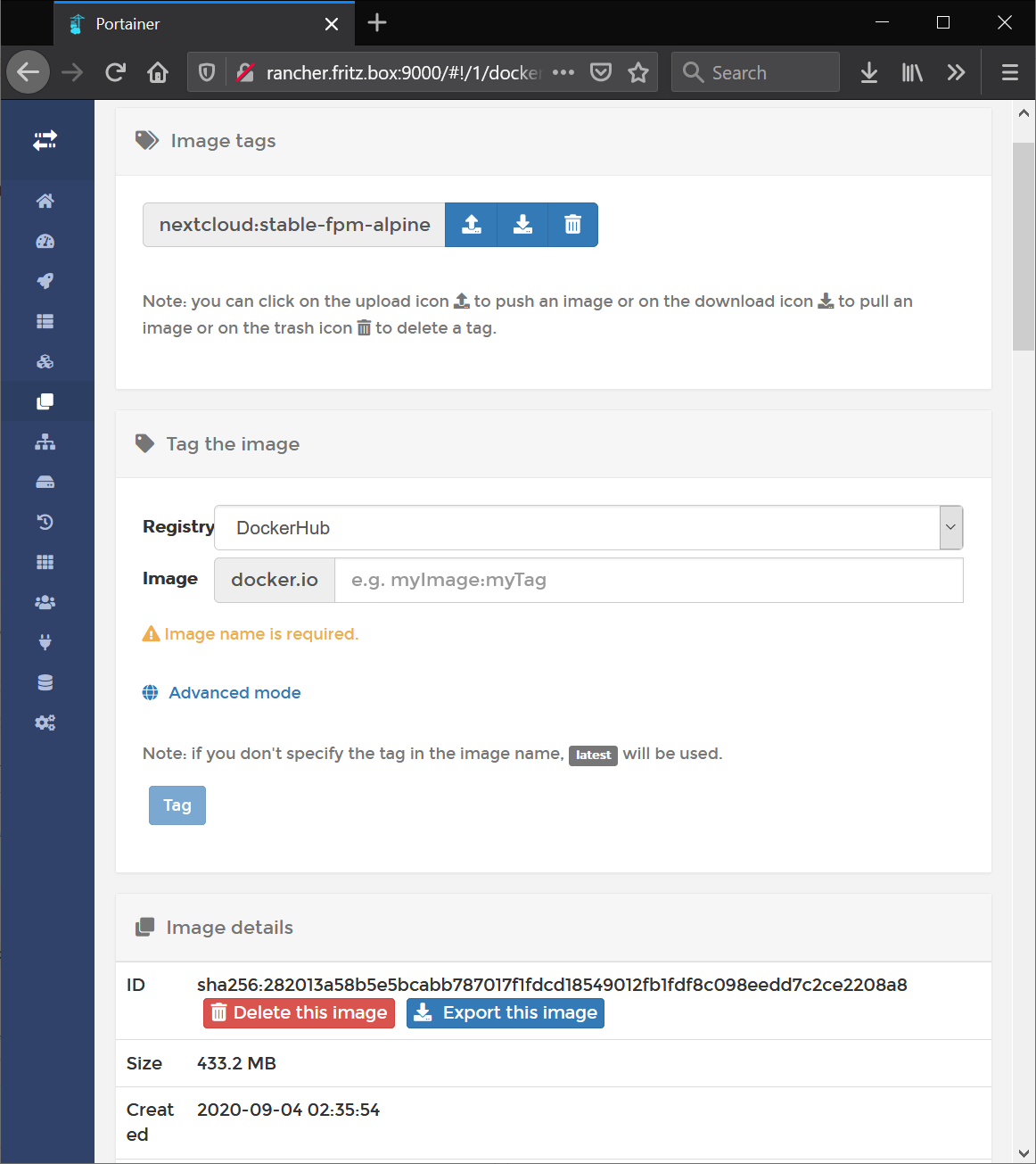
Tried pulling just now and still have this hash.
l0calh05t
on 5 Sep 2020
I can't find this hash. For
amd64the current image isnextcloud@sha256:d823e942a5d89d35e38887eff5a4890d2fb775e461d5bd839e2c9eda6f98d2faIt should not be older than a few days or even hours.
Ok, I believe the hash you mean is the "Digest" hash displayed when running docker pull. The one I posted is the Image ID.
In any case, I am on the same version you mean.
l0calh05t
on 5 Sep 2020
Is /usr/local/etc/php/conf.d/docker-php-ext-bcmath.ini loaded when you run php --ini?
J0WI
on 5 Sep 2020
It doesn't appear to be loaded, no:
var/www/html $ php --ini
Failed loading /usr/local/lib/php/extensions/no-debug-non-zts-20180731/opcache.so:  Error loading shared library /usr/local/lib/php/extensions/no-debug-non-zts-20180731/opcache.so: No such file or directory
Configuration File (php.ini) Path: /usr/local/etc/php
Loaded Configuration File:         (none)
Scan for additional .ini files in: /usr/local/etc/php/conf.d
Additional .ini files parsed:      /usr/local/etc/php/conf.d/docker-php-ext-apcu.ini,
/usr/local/etc/php/conf.d/docker-php-ext-exif.ini,
/usr/local/etc/php/conf.d/docker-php-ext-gd.ini,
/usr/local/etc/php/conf.d/docker-php-ext-gmp.ini,
/usr/local/etc/php/conf.d/docker-php-ext-imagick.ini,
/usr/local/etc/php/conf.d/docker-php-ext-intl.ini,
/usr/local/etc/php/conf.d/docker-php-ext-ldap.ini,
/usr/local/etc/php/conf.d/docker-php-ext-memcached.ini,
/usr/local/etc/php/conf.d/docker-php-ext-opcache.ini,
/usr/local/etc/php/conf.d/docker-php-ext-pcntl.ini,
/usr/local/etc/php/conf.d/docker-php-ext-pdo_mysql.ini,
/usr/local/etc/php/conf.d/docker-php-ext-pdo_pgsql.ini,
/usr/local/etc/php/conf.d/docker-php-ext-redis.ini,
/usr/local/etc/php/conf.d/docker-php-ext-sodium.ini,
/usr/local/etc/php/conf.d/docker-php-ext-zip.ini,
/usr/local/etc/php/conf.d/memory-limit.ini,
/usr/local/etc/php/conf.d/opcache-recommended.ini
Whatever version you are using, this is not what we build for nextcloud:stable-fpm-alpine :confused:
J0WI
on 5 Sep 2020
Whatever version you are using, this is not what we build for
nextcloud:stable-fpm-alpine😕
It is however exactly what I get when I run docker pull nextcloud:stable-fpm-alpine 😕
l0calh05t
on 5 Sep 2020
Whatever version you are using, this is not what we build for
nextcloud:stable-fpm-alpine😕It is however exactly what I get when I run
docker pull nextcloud:stable-fpm-alpine😕
Ok... figured it out, for some reason the php conf.d folder was in a named volume shared with the cron container. I have no idea why that was in the docker compose file... if there ever was a reason I can't remember. So in essence: the image was the correct/current one, but some files were old.
l0calh05t
on 7 Sep 2020
Related issues
 happinesslijian
·
3Comments
happinesslijian
·
3Comments
 DisasteR
·
3Comments
DisasteR
·
3Comments
 ghost
·
3Comments
ghost
·
3Comments
 pr4xx
·
4Comments
pr4xx
·
4Comments
 tanja84dk
·
3Comments
tanja84dk
·
3Comments