Docker: any example or procedure runing on window10?
Using docker in windows can encounter many problems.
I can just use owncloud in windows10 with its official docker-compose files. It works.
But they use the volume in docker , that means all the data are in the HyperV.
Any solutions to use folder in windows to store the data ?
For the specificity of docker in windows, it's worth to list some points in the read me file for windows users.
for example, how to use , the limitations ?
Thank you!
 vancky
All 3 comments
I installed nextcloud on docker4win just now.
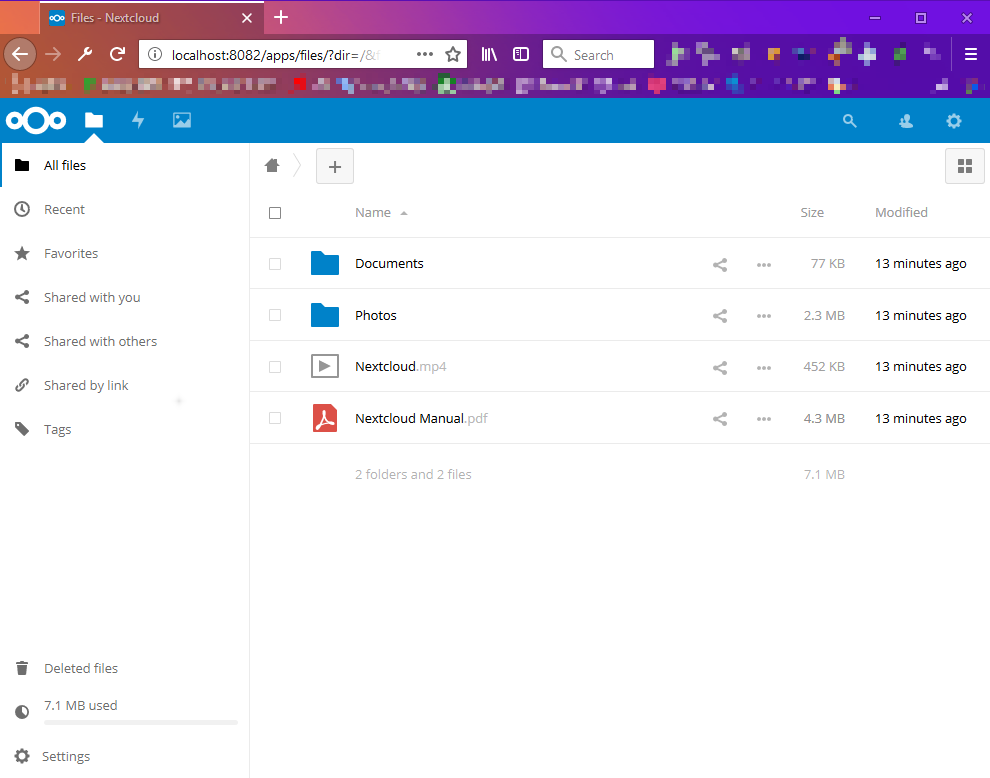
Docker:18.03.1-ce-win65 (17513);
Database:MySQL.
Database is on my host,port 3306./data volume is storage on G:/nextcloud.
Here is my installation:
- Download nextcloud image
```powershell
docker pull nextcloud
```
- Create container
powershell docker create --name nc -p 8082:80 -v g:/nextcloud/:/var/www/html -e MYSQL_DATABASE='DATABASENAME' -e MYSQL_USER='MYSQLUSERNAME' -e MYSQL_PASSWORD='MYSQLPASSWORD' -e MYSQL_HOST=host.docker.internal:3306 -e NEXTCLOUD_TABLE_PREFIX=nc_ nextcloud- Check container whether created
powershell docker container ls -a- Start container
powershell docker start nc- Visit http://127.0.0.1:8082/
- Register your admin account
- It shows
Error Your data directory is readable by other users.Please change the permissions to 0770 so that the directory cannot be listed by other users.Open fileconfig.phpunder directory:/var/www/html/config(for this instance :G:\nextcloud\config) .- Add
'check_data_directory_permissions' => false,before the closing parenthesis);
You can find more info in theconfig.sample.php
Ref: #236- Restart container
powershell
docker restart nc
1.Done
 ygxxii
on 9 May 2018
ygxxii
on 9 May 2018
I'm getting Error response from daemon: Drive is unshareable on step 2. any ideas?
 MaxiTOR994
on 25 Oct 2018
MaxiTOR994
on 25 Oct 2018
I'm getting
Error response from daemon: Drive is unshareableon step 2. any ideas?
g:/nextcloud/
"G" drive in your PC ???
 Azmandios
on 8 Feb 2020
Azmandios
on 8 Feb 2020
Related issues
 SQGE
·
3Comments
SQGE
·
3Comments
 DrMurx
·
4Comments
DrMurx
·
4Comments
 christianvw
·
3Comments
christianvw
·
3Comments
 mahnunchik
·
3Comments
mahnunchik
·
3Comments
 raimund-schluessler
·
3Comments
raimund-schluessler
·
3Comments
Most helpful comment
I installed nextcloud on docker4win just now.

Docker:18.03.1-ce-win65 (17513);
Database:MySQL.
Database is on my host,port 3306.
/datavolume is storage on G:/nextcloud.Here is my installation:
```powershell