Docker-stacks: "Invalid Credentials" when using password
Good evening,
I am using datascience-notebook and trying to use password authentication instead of token auth. I am starting my instance with the command:
docker run --rm -d --name jupyter -p 8888:8888 -v `pwd`:/home/jovyan/cs534 jupyter/datascience-notebook
When accessing localhost:8888, I am greeted with the following screen:
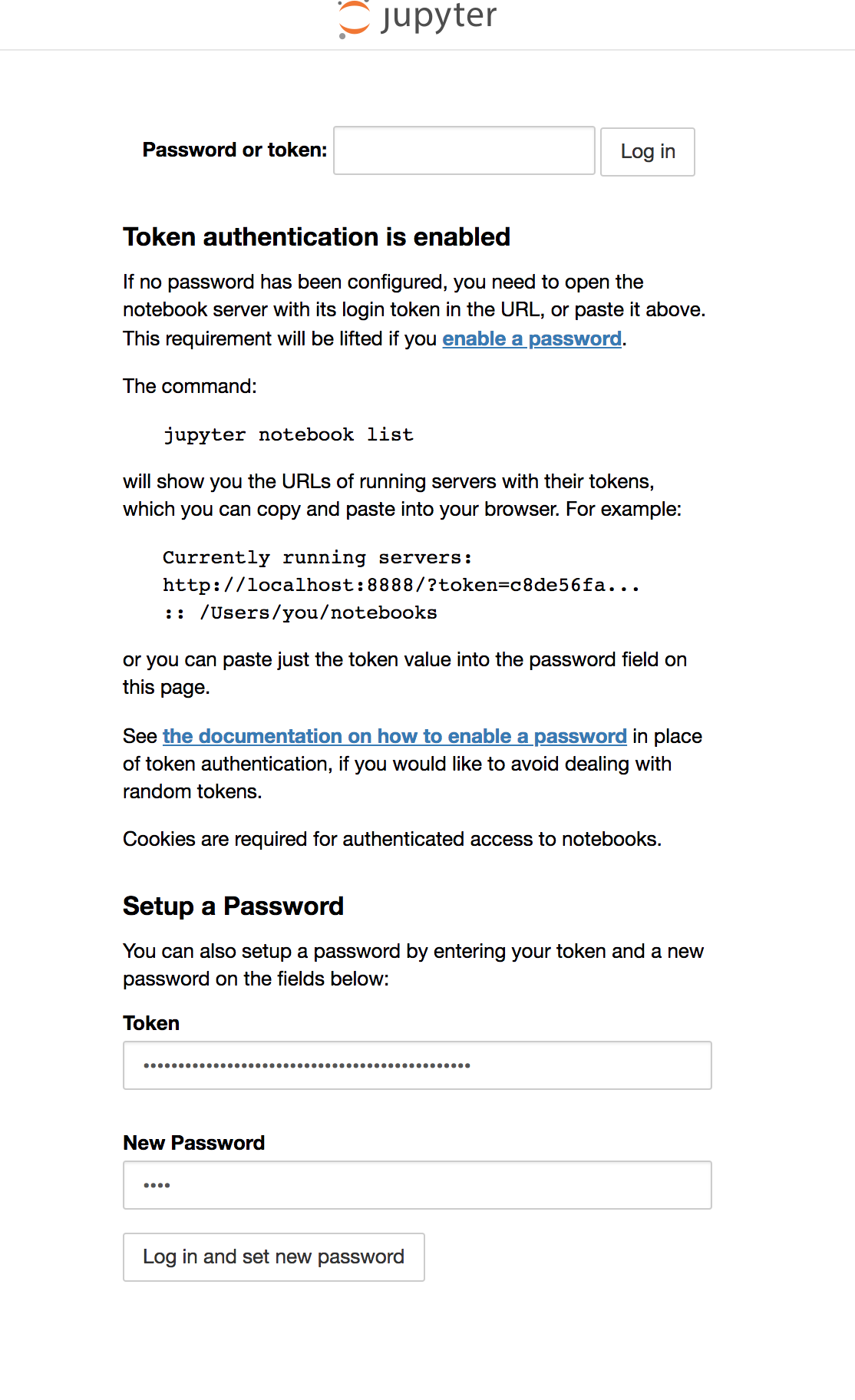
And I can login!
However, when I try to login with the same password again, I get an "Invalid Credentials" error, as shown below:

I've looked into the logs, and the .json file seems to be getting written to. I even ran jupyter notebook password with no avail.
I probably just messed up my docker command, but any help would be greatly appreciated.
 agupta231
All 5 comments
I'm can confirm the same issue with tensorflow-notebook.
 gshau
on 26 Sep 2018
gshau
on 26 Sep 2018
After entering the token and my desired password, and then looking in the container I see:
jovyan@1239db1889fb:~/.jupyter$ cat jupyter_notebook_config.json
{
  "NotebookApp": {
    "password": "sha1:d4fb03e677bf:565c02659323fcf7d294b0713a02b73ae09fab29"
  }
When I logout and back in again, I agree, my desired password does not work. However, the notebook server only reads its configuration files on startup, so I'd expect the password to only take effect on the next notebook server start. In an ephemeral container without a persistent volume mount, the configuration will be lost as soon as the notebook server shuts down.
Proving this out with a host volume mount:
mkdir -p /tmp/home/.jupyter
cd /tmp/home/
docker run --rm -it --user root -p 8888:8888 -e NB_UID=$(id -u) -v `pwd`:/home/jovyan jupyter/datascience-notebook

# Visit localhost:8888
# Enter the token and my desired password in the browser
# Ctrl-C to shutdown the container

# Run the container again
docker run --rm -it --user root -p 8888:8888 -e NB_UID=$(id -u) -v `pwd`:/home/jovyan jupyter/datascience-notebook

# Visit localhost:8888
# See only the password login box now
# Password works
 parente
on 27 Sep 2018
parente
on 27 Sep 2018
That works!
Adding the .jupyter folder and restarting twice seemed to have done the trick. I believe that my issue came from the fact that I wasn't mounting my working directory to the home folder of the jouyan user.
Cheers!
agupta231
on 30 Sep 2018
In case someone is here looking for a fix to this issue in the future - make sure you don't already have a Jupyter instance running locally. That was my issue and solved by a comment in a solution to this thread https://stackoverflow.com/q/44030678/4590385 by user3780173 "That will interfere with the token input since both will be on port 8888." Shut down your local instance for the fix.
 discdiver
on 11 Nov 2020
discdiver
on 11 Nov 2020
Or, you can use another port for the docker version as well. Then everything should be fine with 2 simultaneous jupyter instances.
 mathbunnyru
on 11 Nov 2020
mathbunnyru
on 11 Nov 2020
Related issues
 codingbutstillalive
·
3Comments
codingbutstillalive
·
3Comments
 maresb
·
4Comments
maresb
·
4Comments
 MridulS
·
4Comments
MridulS
·
4Comments
 statiksof
·
4Comments
statiksof
·
4Comments
 yttty
·
4Comments
yttty
·
4Comments
Most helpful comment
I'm can confirm the same issue with tensorflow-notebook.