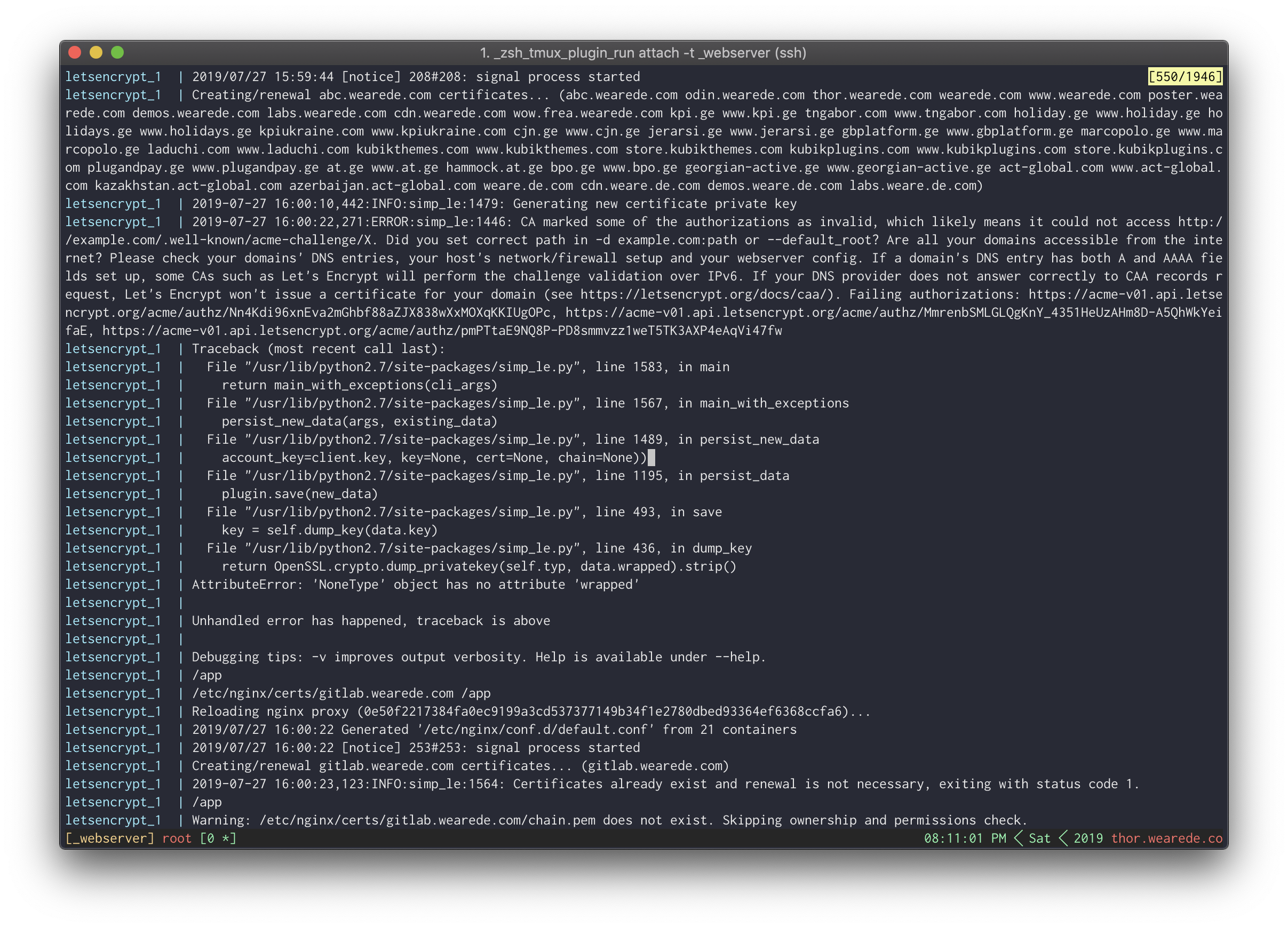
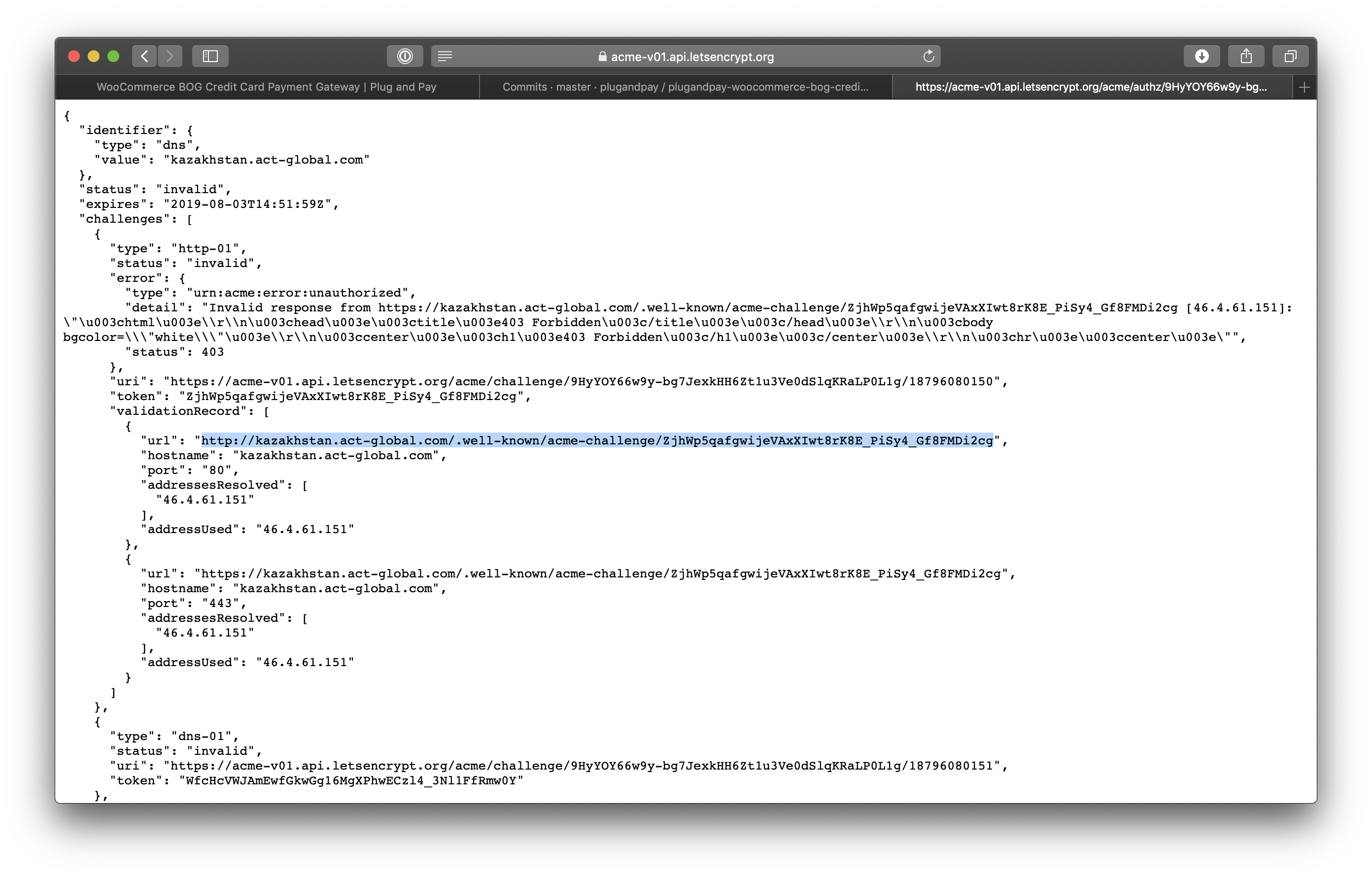
Docker-letsencrypt-nginx-proxy-companion: config not generated/added for asterisk domain

As a result, certificate generation fails for those subdomains.
 sandrodz
All 11 comments
Hi, thanks for reporting this, I'm working on it.
 buchdag
on 2 Aug 2019
buchdag
on 2 Aug 2019
Can you pull and try duch/letsencrypt-nginx-proxy-companion:561 to see if the fix work for you ?
If yes I'll make a PR and merge this branch.
I made the location configuration work as follow. Let say the domain is foo.bar.baz.example.tld:
- if a config file with the exact same name as your domain (
foo.bar.baz.example.tld) is present, use it. - else try every corresponding wildcard domain, from most qualified to least qualified, first ascending through the labels to the base domain (
*.bar.baz.example.tld,*.baz.example.tld,*.example.tld) then descending (foo.bar.baz.example.*,foor.bar.baz.*,foo.bar.*,foo.*). The first matching config file will be used. - if no wildcard location config file was found either, use the
defaultlocation config file.
buchdag
on 2 Aug 2019
ping @sandrodz
buchdag
on 7 Aug 2019
Hey, I'm at loss, how would I test this? I cannot find this image: duch/letsencrypt-nginx-proxy-companion:561
sandrodz
on 8 Aug 2019
Sorry, last week push seem to have failed without me noticing it.
I pushed the image again, it's now available : https://cloud.docker.com/repository/docker/duch/letsencrypt-nginx-proxy-companion/tags
buchdag
on 9 Aug 2019
I also need some guidance for this. I trying to get gitlab pages working. I tried your image but it still doesn't work. Here is my docker compose file:
If you need any logs, please let me know.
version: '3'

networks:
  nginx_default:
    external: true

volumes:
  config:
  logs:
  data:

services:
  gitlab:
    image: gitlab/gitlab-ce:latest
    container_name: gitlab
    restart: unless-stopped
    #hostname: git.team.softec.uni-due.de
    networks:
      - nginx_default
    environment:
      VIRTUAL_HOST: git.mydomain.net,*.pages.mydomain.net
      LETSENCRYPT_HOST: git.mydomain.net,*.pages.mydomain.net
      GITLAB_OMNIBUS_CONFIG: |
        external_url 'http://git.mydomain.net'
        letsencrypt['enabled'] = false # disable because nginx-proxy-letsencrypt is handling the certificates
        gitlab_pages['enable'] = true
        pages_external_url 'http://pages.mydomain.net'

    ulimits: # from https://gitlab.com/gitlab-org/omnibus-gitlab/issues/1350, still warnings because gitlab cannot change them in the container but parameters should be sound
      sigpending: 62793
      nproc: 131072
      nofile: 60000
      core: 0
    expose:
      - 80
    volumes:
      - config:/etc/gitlab
      - logs:/var/log/gitlab
      - data:/var/opt/gitlab
 smartens
on 22 Aug 2019
smartens
on 22 Aug 2019
@smartens This is a different issue.
letsencrypt-nginx-proxy-companion does not allow you to generate wildcard certificates, so LETSENCRYPT_HOST: *.domain.tld won't work no matter what.
See https://github.com/JrCs/docker-letsencrypt-nginx-proxy-companion/issues/319
buchdag
on 22 Aug 2019
@sandrodz bump
buchdag
on 5 Sep 2019
@buchdag I will test this today, sorry for delay.
sandrodz
on 10 Sep 2019
@sandrodz did you have the opportunity to test the fix ? This is still hanging.
buchdag
on 8 Oct 2019
Yes, tested it, works as expected.
sandrodz
on 9 Oct 2019
Related issues
 maitrungduc1410
·
5Comments
maitrungduc1410
·
5Comments
 nwallace
·
5Comments
nwallace
·
5Comments
 SuperRoach
·
5Comments
SuperRoach
·
5Comments
 DatAres37
·
5Comments
DatAres37
·
5Comments
 erikverheij
·
5Comments
erikverheij
·
5Comments
Most helpful comment
@sandrodz did you have the opportunity to test the fix ? This is still hanging.