Discordchatexporter: Issues running the project with `dotnet run`
(MacOS 10.14.5, Terminal 2.9.5)
If you use -c for channel it will not work, same for -f for format as those are predefined for the terminal for "-c, --configuration
-f, --framework
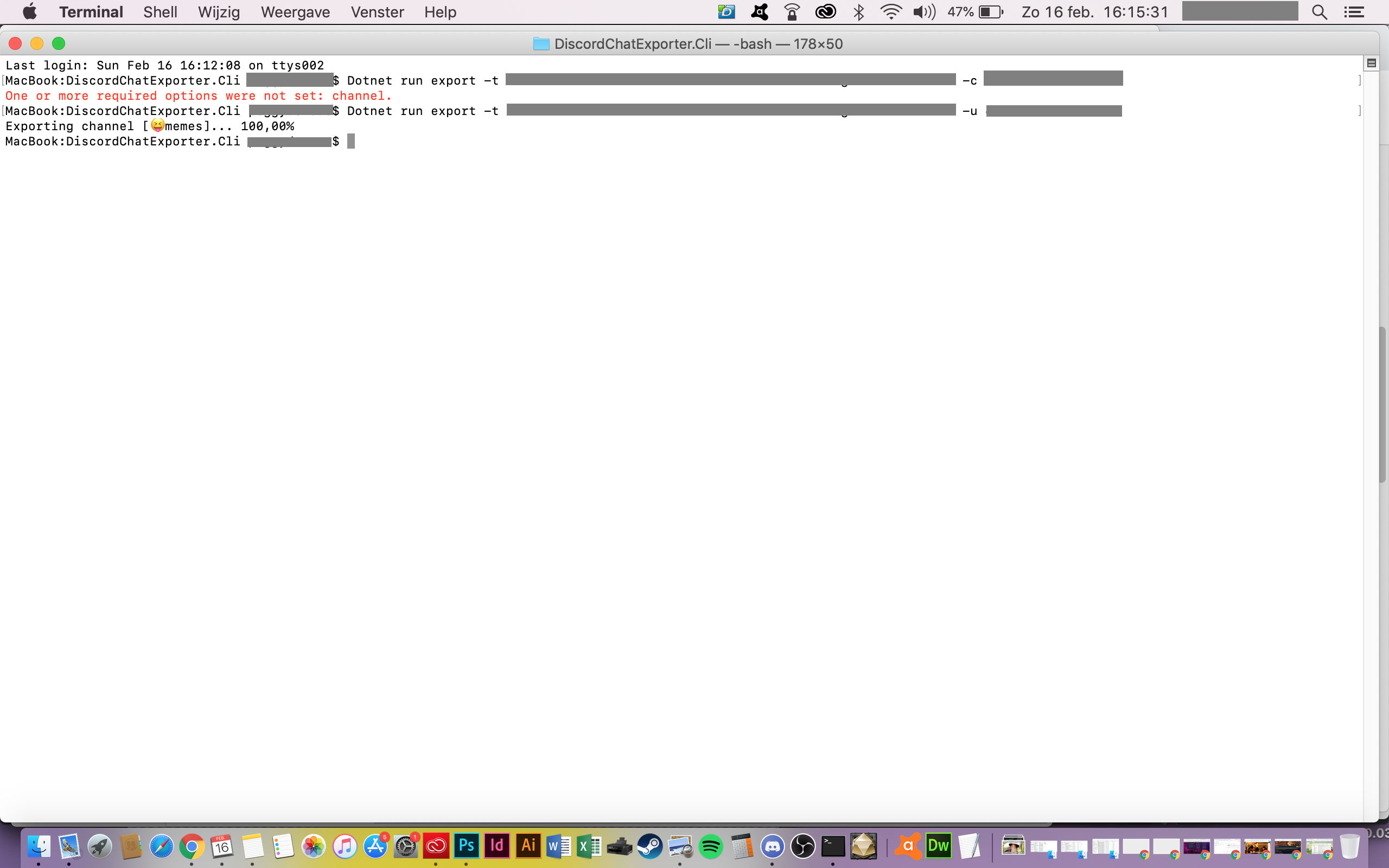
So each time you try "dotnet run export -t (actual token) -c (actual channel)" you get the error: "One or more required options were not set: channel."
Anyway, easy fix by going into the commands files and giving the channel another unique letter (I used -u for channel)
Just posting this for mac-users who are ripping their hair out getting the same error message.
 madtwinsis
All 19 comments
Could you show us the exact command you're using? Don't forget to redact sensitive data.
 Yudi
on 16 Feb 2020
Yudi
on 16 Feb 2020
When you use dotnet run, you have to separate the arguments passed to that command from the arguments passed to the actual application with two dashes (--). Example:
dotnet run -- export -t ... -c ...
Otherwise you will encounter ambiguities, like you mentioned. Note, this is only relevant if you're running the project from the source code. For compiled binaries you just use dotnet ... without run or dashes and it will be fine.
 Tyrrrz
on 16 Feb 2020
Tyrrrz
on 16 Feb 2020
But you can run it without the run like dotnet DCE.dll export and it’ll work normally
Yudi
on 16 Feb 2020
Yeah, I updated my comment to mention that. You only use dotnet run when running from source code.
Tyrrrz
on 16 Feb 2020
Well, actually I'm not used to use the terminal at all as I never needed it before (I just needed to backup the channels of my discord server) and there is NO WHERE a decent how-to for mac, you just get the how-to for windows and you have to wing it from there on. I did follow the steps given, that does not work for Mac. Hence me looking for why it just didn't work at all. All I can say is, my small adaptation fixed it and now runs smoothly. I'm super grateful to have a way to backup my channels.
So please bare with me if I'm giving stupid answers to your questions/remarks. ;-)
madtwinsis
on 16 Feb 2020
Well "dotnet" or "dotnet run" both gave the same issue for me.
madtwinsis
on 16 Feb 2020
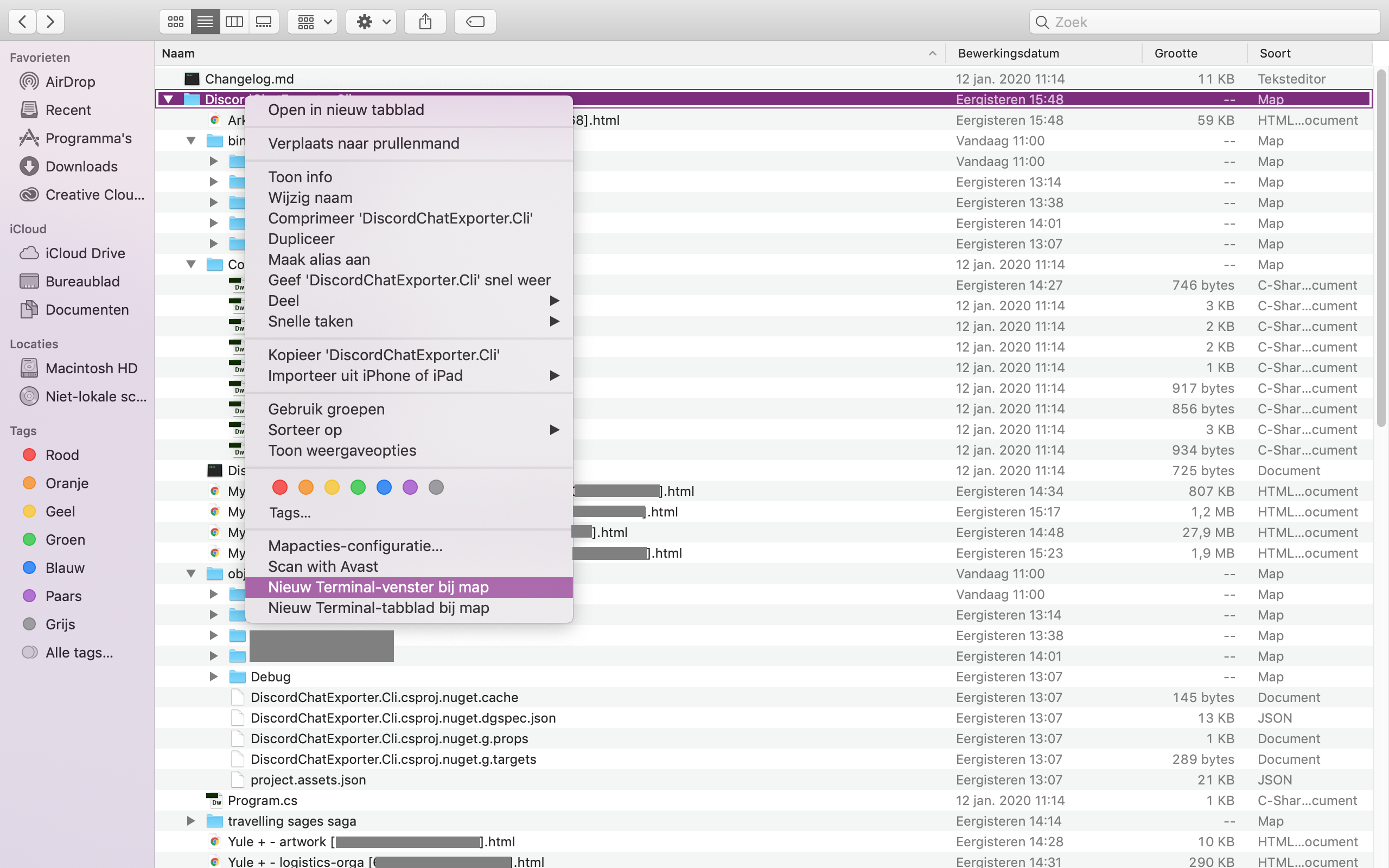
Hm. Have you looked at these instructions? If yes and you found them insufficient, what is it that you would like to see added?
Tyrrrz
on 16 Feb 2020
madtwinsis
on 16 Feb 2020
Hm. Have you looked at these instructions? If yes and you found them insufficient, what is it that you would like to see added?
well if you follow those you get the error channel not set. Hence me looking for solutions ;-)
madtwinsis
on 16 Feb 2020
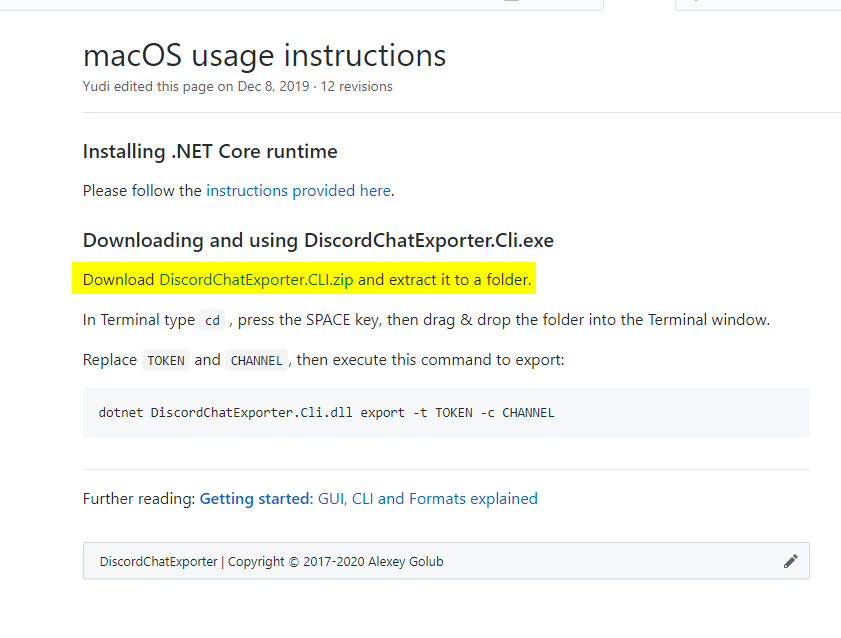
But you downloaded the source code instead of the release artifacts. The instructions tell you exactly what you need:
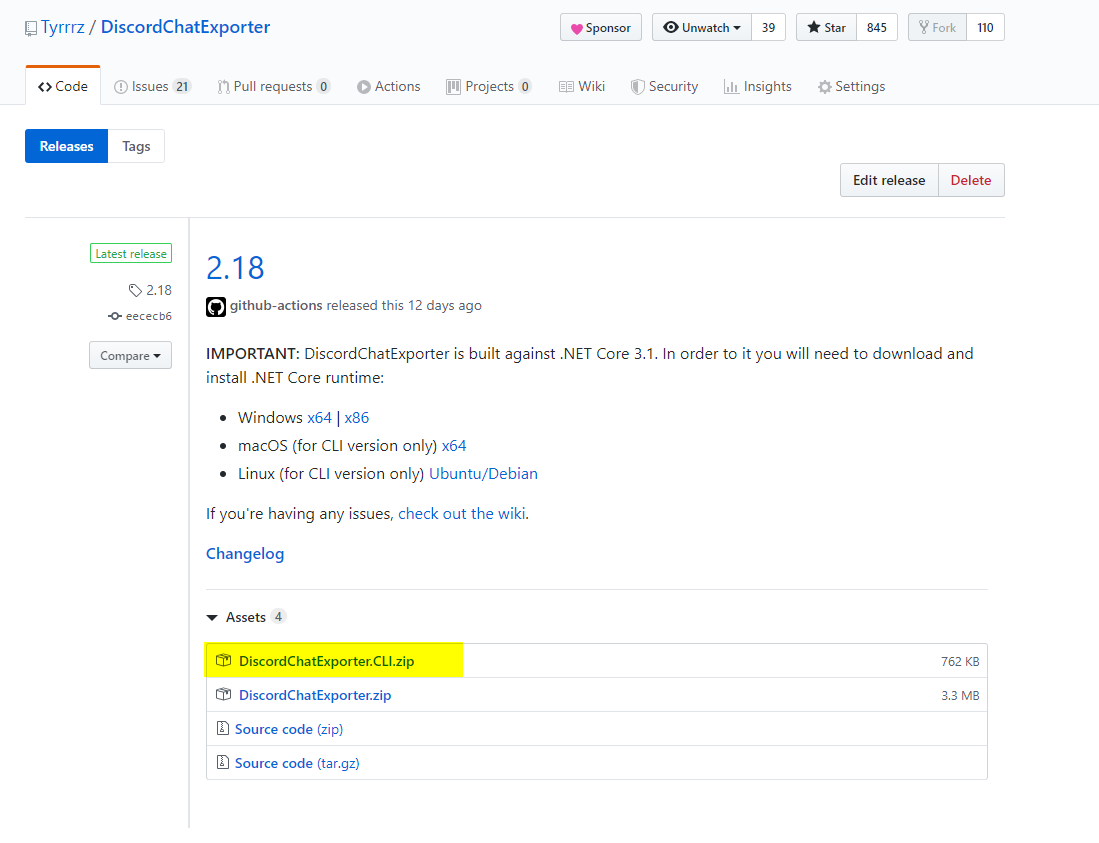
If you use that instead, you should be able to use dotnet without dotnet run and there shouldn't be any conflicts.
Tyrrrz
on 16 Feb 2020
But you downloaded the source code instead of the release artifacts. The instructions tell you exactly what you need:
If you use that instead, you should be able to use
dotnetwithoutdotnet runand there shouldn't be any conflicts.
But I did that and it did not work! Otherwise I would not have gone looking for a solution to my by then pressing issue.
madtwinsis
on 16 Feb 2020
If you follow the instructions of the link you provide to the letter: https://github.com/Tyrrrz/DiscordChatExporter/wiki/macOS-usage-instructions
it just doesn't do a thing at all. Nothing. So or there are some steps missing to the instructions or it doesn't work like that for macOS. My way works just fine, only you can't use the "-c" or "--c" for channel.
added: I followed your instructions to the letter and then once more with the dotnet run... both don't work that way for me.
No where on my whole computer is the html file to be found of the channel I just wanted to download

madtwinsis
on 16 Feb 2020
Oh I see. A sec.
Yudi
on 16 Feb 2020
You should press ENTER/RETURN after dropping the folder, before writing the command.
I fixed the wiki.
Yudi
on 16 Feb 2020
well then you get this

madtwinsis
on 16 Feb 2020
Don’t dotnet run, just dotnet without the run. Example:
dotnet DiscordChatExporter.dll export -t MYTOKEN -c MYCHANNEL
Oops, sorry.. indeed now it works! Thanks! Please add that step to the instructions ;-)
wow... when a noob is not noob enough to try the simple things first :-D

madtwinsis
on 16 Feb 2020
No problem! I’ll edit the wiki to try to make it a bit more noob-friendly.
Yudi
on 16 Feb 2020
Again thank you!
Super grateful you made it possible to export the channels!
madtwinsis
on 16 Feb 2020
Related issues
 calderJamNet
·
5Comments
calderJamNet
·
5Comments
 ealgase
·
4Comments
ealgase
·
4Comments
 NNNIIndia
·
4Comments
NNNIIndia
·
4Comments
 Latias4Ever
·
4Comments
Latias4Ever
·
4Comments
 chibiusagi
·
4Comments
chibiusagi
·
4Comments
Most helpful comment
No problem! I’ll edit the wiki to try to make it a bit more noob-friendly.