Directus: Email verification link not working
Trying to reset my password from the back end. Email configured to use SMTP. After I get email, there is no project logo display (image not found) and the link is: mail://admin/reset-password?token=....
Actual: no prefixed project URL at the beginning, link fails to open:
Expected: link should have project URL, etc. https://example.com/admin/reset-password?token=....
Project details
Directus Version: 9.0.0-rc.24
Environment: production
OS: Linux 5.4.0-58-generic
Node: 14.15.2
Running in Docker
 andriusign
All 3 comments
Additionally, if the host is replaced for the correct one, there is a route error.
{"errors":[{"message":"Route /reset-password doesn't exist.","extensions":{"code":"ROUTE_NOT_FOUND"}}]}
 juancarlosjr97
on 7 Jan 2021
juancarlosjr97
on 7 Jan 2021
@andriusign Make sure you have the PUBLIC_URL env var set correctly
 rijkvanzanten
on 7 Jan 2021
rijkvanzanten
on 7 Jan 2021
Indeed you are right. I thought it was enough to have "/" for a value. Updated my _.env_ file:
- before PUBLIC_URL=/
- now PUBLIC_URL=http://localhost:8055
- later PUBLIC_URL=https://example.com/api
Note there is no trailing slash "/" for the URL. I got an email with the correct link afterwards. Thanks.
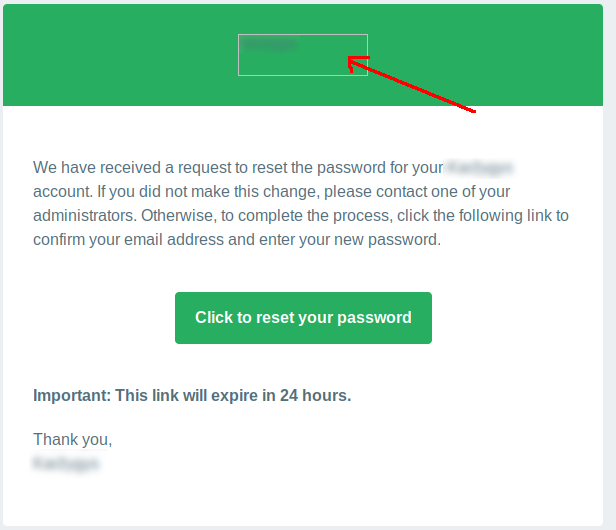
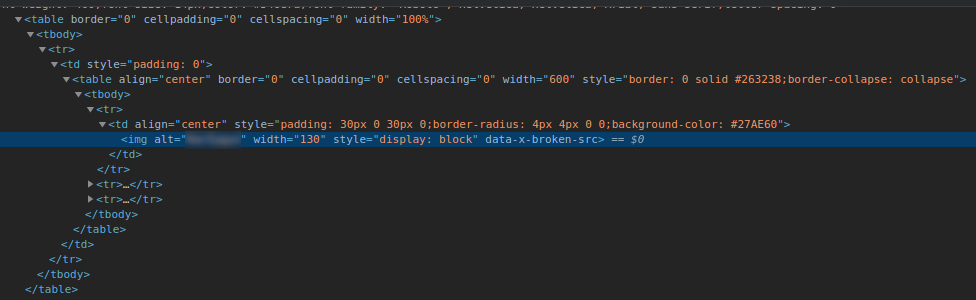
However I have noticed in this email template that the image is missing. Tried setting .svg and .png file as project logo. Inspecting the email shows _img_ tag with no _src_.
andriusign
on 7 Jan 2021
Related issues
 Varulv1997
·
4Comments
Varulv1997
·
4Comments
 altezza04
·
4Comments
altezza04
·
4Comments
 lluishi93
·
3Comments
lluishi93
·
3Comments
 dfgkzhang
·
4Comments
dfgkzhang
·
4Comments
 christiaangoossens
·
4Comments
christiaangoossens
·
4Comments