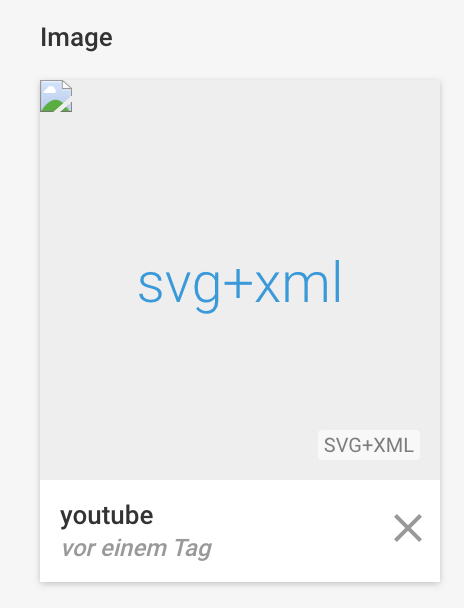
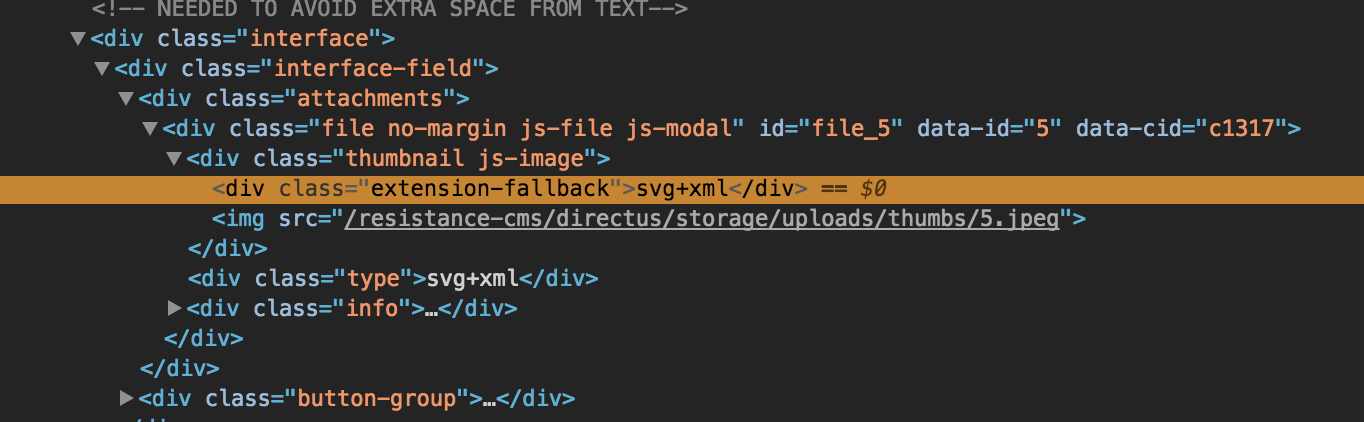
Directus seems to try to load a JPEG preview image from the SVG.
In the focused view, the image displays correctly but it is not centered.

 Tscheffrey
All 19 comments
relevant code: https://github.com/directus/directus/blob/de567596e4fdde0ec48ef498516ddb2455dc5e0e/api/core/Directus/Filesystem/Files.php#L465-L471
 DanielRuf
on 15 Feb 2018
DanielRuf
on 15 Feb 2018
DanielRuf
on 15 Feb 2018
DanielRuf
on 15 Feb 2018
We have three options:
- Directly use the original SVG but show it smaller / rescale it using CSS. (recommended)
- resize svg
- or generate a div wrapper with the needed size
- Show a fallback / default / placeholder image
- Or generate a png file from it
<?php

$usmap = 'https://dev.w3.org/SVG/tools/svgweb/samples/svg-files/410.svg';
$svg = file_get_contents($usmap);

/////////////////// MODIFY THE MALFORMED SVG ///////////////////////

$dom = new DomDocument();
$dom->loadXML($svg);
foreach($dom->getElementsByTagName('image') as $image) {
    $encoded = $image->attributes->getNamedItem('href')->value;
    if(!empty($encoded)) {
        $binary = base64_decode(substr($encoded,strpos($encoded,'base64,') + 7));
        $info = getimagesizefromstring ($binary);

        $image->setAttributeNS('http://www.w3.org/1999/xlink','xlink:href','data:'.$info['mime'].';base64,' . base64_encode($binary));
    }
}

$svg = $dom->saveXML();

/////////////////// MODIFY THE MALFORMED SVG ///////////////////////

$im = new Imagick();
//$im->setBackgroundColor(new ImagickPixel('transparent'));
$im->readImageBlob($svg);
$im->setImageFormat("png32");
$im->setImageCompressionQuality(100);
$base64=base64_encode($im);
file_put_contents('image.txt', $base64);
$im->clear();
$im->destroy();
Code is taken from https://stackoverflow.com/a/34001825/753676
DanielRuf
on 15 Feb 2018
Hey @DanielRuf! Thanks for the heads up 🙂
At the moment, all core developers are working fulltime on the next major version of the platform, so I'll have to leave this open as a help-wanted. If anyone is inclined to take a swing at fixing this, a PR is very welcome 😄
 rijkvanzanten
on 19 Feb 2018
rijkvanzanten
on 19 Feb 2018
I could provide a PR.
DanielRuf
on 19 Feb 2018
What approach should we choose?
Directly use the original SVG but show it smaller / rescale it using CSS. (recommended)
- resize svg
- or generate a div wrapper with the needed size
Show a fallback / default / placeholder image
Or generate a png file from it
DanielRuf
on 22 Feb 2018
Hey @DanielRuf I believe the ideal approach will be using the thumbnail otherwise use the placeholder text. (current logic)
Using the SVG sounds like a good option, but here lies the problem that the original file (the svg) needs to be loaded and the size varies and can take longer to load, plus may not be a squared dimension.
What do you think?
 wellingguzman
on 22 Feb 2018
wellingguzman
on 22 Feb 2018
can take longer to load
Ehm, SVG is very small in practice. Also bitmap images with many different colors are also quite big due to the compression algorithms.
I believe the ideal approach will be using the thumbnail
There is currently no thumbnail. Generating a bitmap image from a SVG comes with several issues and drawbacks.
plus may not be a squared dimension.
An image can be easily centered and used with object-fit. Generating a squared bitmap image from a SVG might be a bit tricky.
DanielRuf
on 22 Feb 2018
My opinion is that we should use the raw SVG _as_ the thumbnail (not generating a bitmap version). The SVG "thumbnail" would need to be contained/centered within the thumb dimensions (eg: 200x200) and should not exceed a max filesize (to avoid overloading the page with some crazy blueprint or something).
The only issue I can think of is: do we _copy_ the original file to the thumbs folder, or write SVG specific conditional to use the original for this mime type?
 benhaynes
on 22 Feb 2018
benhaynes
on 22 Feb 2018
You are thinking about the web app only, having multiple files (listing page) can take up to loading all files slower, it can be small, but it can be huge, while is likely no matter how many colors or algorithm it uses the thumbnail (say jpg) are like to have a range or size.
Okay now to the point of using the svg directly, remember this is a xml file, we can't tell what's inside of it. can this be used as attack or break the design? can you just write script inside a svg? My suggestion is: no svg, but an actual file if it's possible.
wellingguzman
on 22 Feb 2018
My opinion is that we should use the raw SVG as the thumbnail (not generating a bitmap version). The SVG "thumbnail" would need to be contained/centered within the thumb dimensions (eg: 200x200) and should not exceed a max filesize (to avoid overloading the page with some crazy blueprint or something).
Right.
The only issue I can think of is: do we copy the original file to the thumbs folder, or write SVG specific conditional to use the original for this mime type?
This is my current question boiled down.
DanielRuf
on 22 Feb 2018
You are thinking about the web app only, having multiple files (listing page) can take up to loading all files slower, it can be small, but it can be huge, while is likely no matter how many colors or algorithm it uses the thumbnail (say jpg) are like to have a range or size.
Okay now to the point of using the svg directly, remember this is a xml file, we can't tell what's inside of it. can this be used as attack or break the design? can you just write script inside a svg? My suggestion is: no svg, but an actual file if it's possible.
Never saw big SVG files in the wild. Illustrator, Sketch and so on are good at compressing them when they export them for web.
SVG can contain text and other things that can not be converted to bitmap images.
DanielRuf
on 22 Feb 2018
We store the filesize of all files in the DB, so if it's too big we can simply not return the SVG file and it would default to the type (SVG) instead of a thumbnail.
I'm not too worried about someone hacking code into an SVG... we have accountability, so if someone did this it could easily be tracked back to them. Remember, this is a closed-system CMS that is intended for invite-only access. Not random/public people uploading things. If it's setup to allow external uploads, then the user's project application should do sanitization and file checking.
In my experience, almost all SVGs are very small in filesize (usually smaller than a bitmap equivalent). I still vote for returning the original SVG if the filesize is less than "x".
benhaynes
on 23 Feb 2018
At the moment, all core developers are working fulltime on the next major version of the platform, so I'll have to leave this open as a help-wanted. If anyone is inclined to take a swing at fixing this, a PR is very welcome 😄
rijkvanzanten
on 20 Mar 2018
I might provide a PR when I find the time but it's good to add the help wanted badge in general as I am focusing on Foundation Sites at the moment =)
DanielRuf
on 20 Mar 2018
Awesome @DanielRuf!
rijkvanzanten
on 20 Mar 2018
To other users concerned about the SVG preview:
If your use of Directus involves a lot of SVGs then this may cause you a symptom of extreme slowness if you visit a table which attempts to show the thumbnail in the table row listing. This is because (it would seem) the lack of a preview incurs a fresh attempt _each time_ to generate a preview. (The content returned to the browser is HTML).
As I don't have the skills to complete the task of creating the SVG thumbnail (or merely returning not available placeholder), I have worked around the performance problem in the following way - I am writing this up here, in case it helps any others.
I am proxying access to directus with nginx. So in nginx I change the reverse proxy to cache the thumbnail URL pattern. As images are immutable this seems like a safe approach and generally removes load from Directus. Here's the code:
proxy_cache_path /thumbsCache levels=1:2 keys_zone=thumbsCache:8m max_size=100m inactive=2w use_temp_path=off;

server {
    .... other settings here...

    location /storage/uploads/thumbs {
        proxy_set_header Host $host;
        proxy_set_header X-Real-IP $remote_addr;
        proxy_pass http://directus;

    proxy_cache thumbsCache;
        proxy_ignore_headers X-Accel-Expires;
        proxy_ignore_headers Expires;
        proxy_ignore_headers Cache-Control;
        proxy_cache_valid any 24h;
        proxy_ignore_headers set-cookie;
        add_header X-Cache-Status $upstream_cache_status;
    }
 andrewliles
on 19 May 2018
andrewliles
on 19 May 2018
Kamino cloned this issue to directus/api
benhaynes
on 25 Oct 2018
Kamino closed and cloned this issue to directus/directus-6-legacy
benhaynes
on 25 Oct 2018
Related issues
benhaynes
·
4Comments
 vormatt
·
4Comments
vormatt
·
4Comments
 pvshum
·
4Comments
pvshum
·
4Comments
 lluishi93
·
3Comments
lluishi93
·
3Comments
 altezza04
·
4Comments
altezza04
·
4Comments
Most helpful comment
We store the filesize of all files in the DB, so if it's too big we can simply not return the SVG file and it would default to the type (
SVG) instead of a thumbnail.I'm not too worried about someone hacking code into an SVG... we have accountability, so if someone did this it could easily be tracked back to them. Remember, this is a closed-system CMS that is intended for invite-only access. Not random/public people uploading things. If it's setup to allow external uploads, then the user's project application should do sanitization and file checking.
In my experience, almost all SVGs are very small in filesize (usually smaller than a bitmap equivalent). I still vote for returning the original SVG if the filesize is less than "x".