Dim: Trouble loading in Microsoft Edge
Beginning this week, DIM seems to have trouble loading properly in Microsoft Edge. I tested this on two different PCs I own. I get this error message:
DIM hasn't loaded. Something may be wrong with it, or with your browser (maybe you have a content blocker, or have disabled JavaScript, or your browser is too old). Try force reloading to make sure (Ctrl-F5 or Cmd-R).
If I clear the browser cache, I then get this screen (force-refreshing again then gets me the above message):
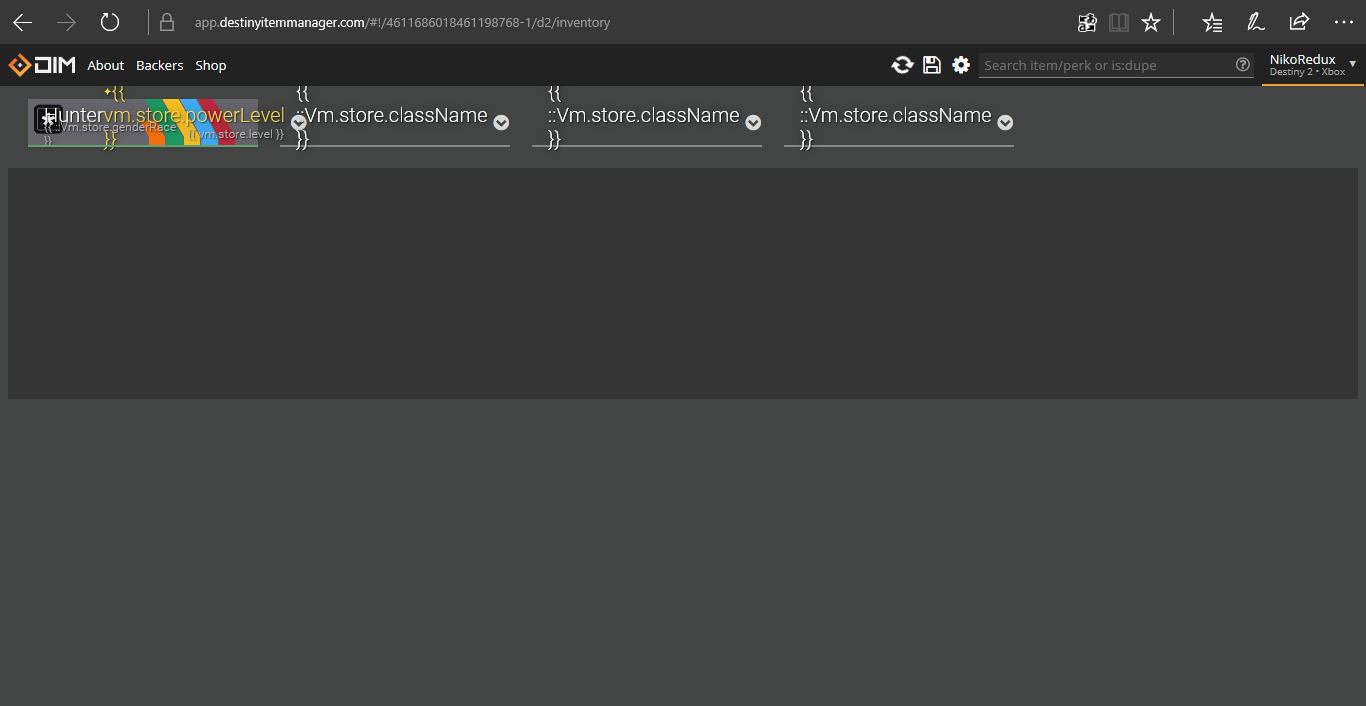
Repeatedly clearing the cache sometimes fixes it for an hour or so, then it reverts to the "unable to load" message above. I checked the debugger and there seem to be a lot of "out of memory" messages in the console. DIM appears minified, so there isn't much in the way of identifying info.
Both PCs are using the most up-to-date version of Windows 10 Pro.
 corsairmarks
All 25 comments
I also have the same issue at about the same time, tried a few different PC's and also in Internet Explorer compatibility mode, still get the same issue as described above.
 roland46
on 20 Nov 2017
roland46
on 20 Nov 2017
This issue is still present in 4.26.0
corsairmarks
on 28 Nov 2017
Do you have any extensions? What version of Edge? I'm able to load DIM in Edge via BrowserStack. Edge 16.16299. 15.15063 works too.
I do think Chrome or Firefox would perform better overall though.
 bhollis
on 28 Nov 2017
bhollis
on 28 Nov 2017
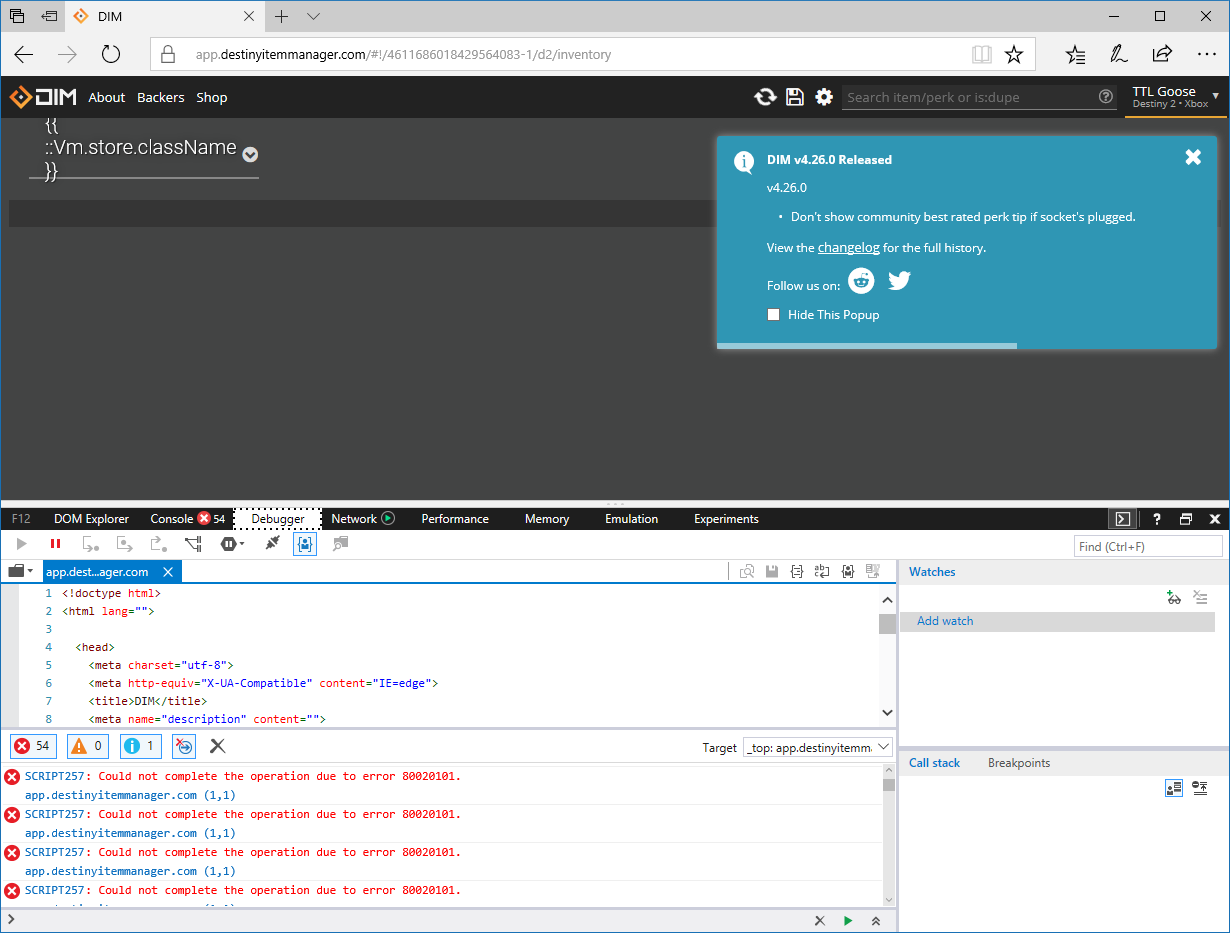
No extensions here.
Microsoft Edge 40.15063.674.0
Microsoft EdgeHTML 15.15063
 SunburnedGoose
on 28 Nov 2017
SunburnedGoose
on 28 Nov 2017
The crash is severe. I can't even get the debugger to work when the crash occurs.
SunburnedGoose
on 28 Nov 2017
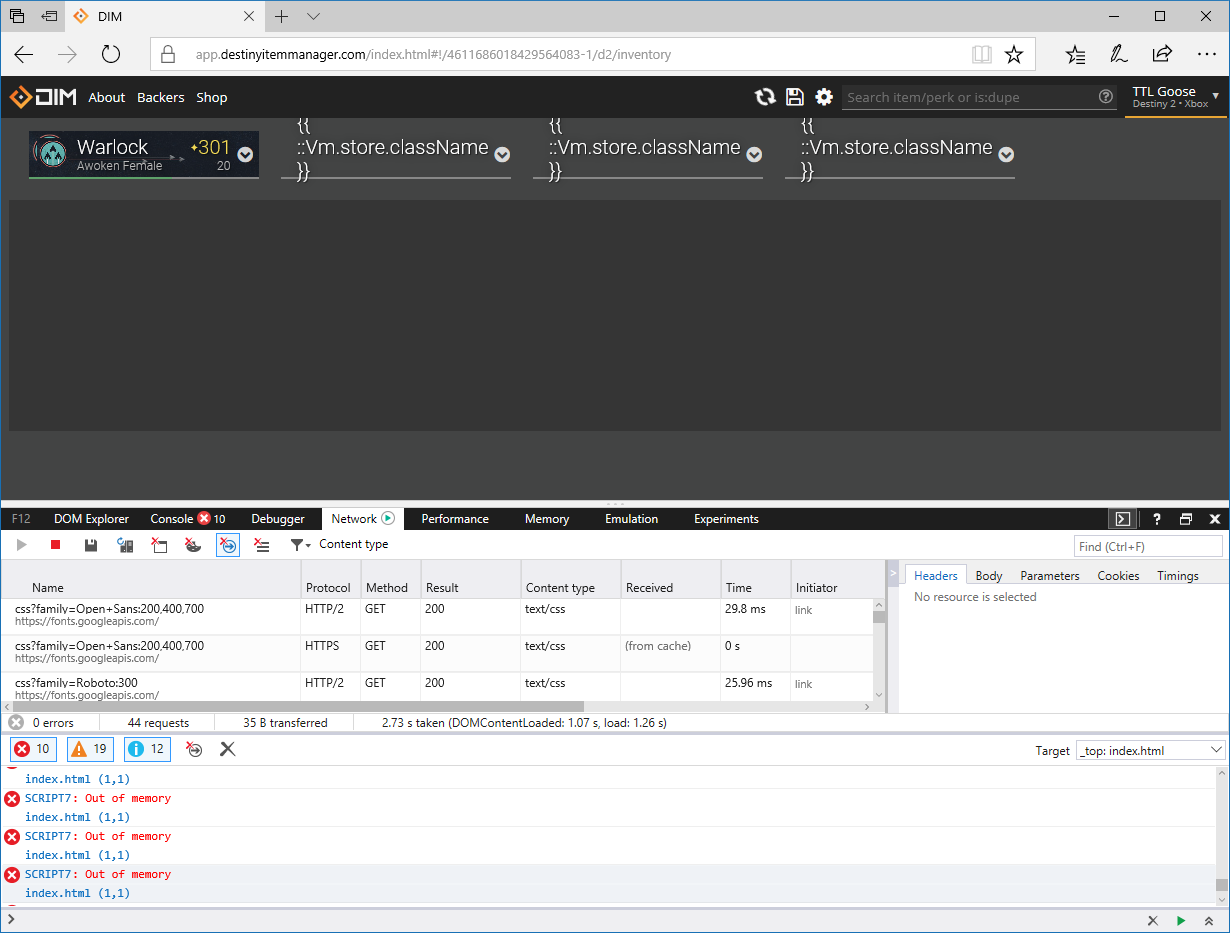
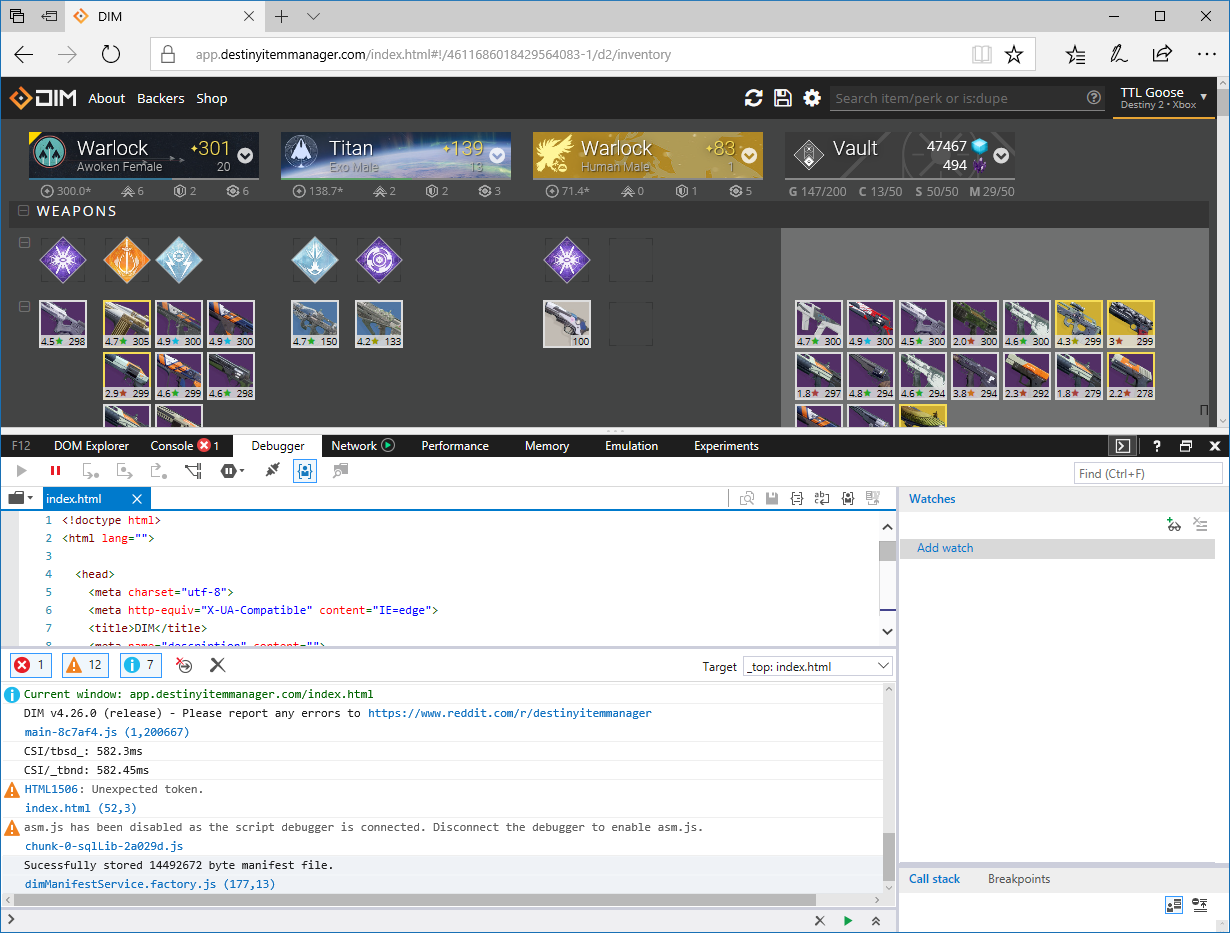
Looks like there is an issue with asm.js and sql.js on Edge. When the debugger is present, it prevents asm from loading and DIM works. Disabling the debugger causes the error since asm loads. I had to clear my cache from settings, close edge, and reauth to get it to work.
SunburnedGoose
on 28 Nov 2017
@bhollis Is there a way to disable asm.js for Edge in the app? Should I look for a away?
SunburnedGoose
on 28 Nov 2017
I'm a bit confused. We have a way to fall back from WASM to asm.js, but asm.js is the fallback case - we always try WASM if it's available. If asm.js is unavailable too, we're just screwed.
It may mean that it's not able to use asm.js optimized mode (Firefox used to do that) but there's no way to flip that bit from our side as far as I know.
I'm surprised that we're not able to get WASM mode working though (chunk-0-sqlLib shouldn't even be loading!) since WebAssembly is supposed to be supported in Edge 16/17.
The other option is to try recompiling sqlite with a newer emscripten in case there's an Edge-specific bug that's been fixed, but I'm not hopeful.
bhollis
on 28 Nov 2017
FWIW over BrowserScope I was able to load the site without the debugger / F12 tools attached.
bhollis
on 28 Nov 2017
Hi, i am not technical, but still get the issue, see below.
No extensions installed and PC has 16GB of memory and the issue happens with just edge running or edge and other apps, so i think the out of memory is not really true, I have tried this on a windows 10 edge pc with 8GB of ram and get the same issue.

roland46
on 28 Nov 2017
@SunburnedGoose the other weird thing is we haven’t changed anything about the SQLite stuff in quite a while. I don’t know why it would’ve just started happening.
I wonder if one of our other dependencies has introduced a bug, or maybe some of the reviews stuff triggers an Edge-specific memory leak.
bhollis
on 28 Nov 2017
@SunburnedGoose I agree that Chrome or Firefox generally perform better. As a workaround, I've been running a single Chrome tab with DIM and the rest of my browsing in Edge. I've been trying to live in Edge so I can fully appreciate the default experience for Windows 10 users (I'm a web and also C# application developer).
I also was running into the issue where the debugger wouldn't even load in Edge. It did seem that opening another site (e.g. google.com), then the debugger, and finally browsing to DIM does allow me to safely load the site after clearing the "cached data and files" as Edge describes it.
Versions:
- Microsoft Edge 40.15063.674.0
- Microsoft EdgeHTML 15.15063
corsairmarks
on 28 Nov 2017
A quick search about WASM and Edge revealed this blog post: https://blogs.windows.com/msedgedev/2017/04/20/improved-javascript-performance-webassembly-shared-memory/
I've enabed the "Experimental JavaScript features" that includes WASM in Edge (about:flags) and we'll see how that goes.
corsairmarks
on 28 Nov 2017
It may be a version thing...
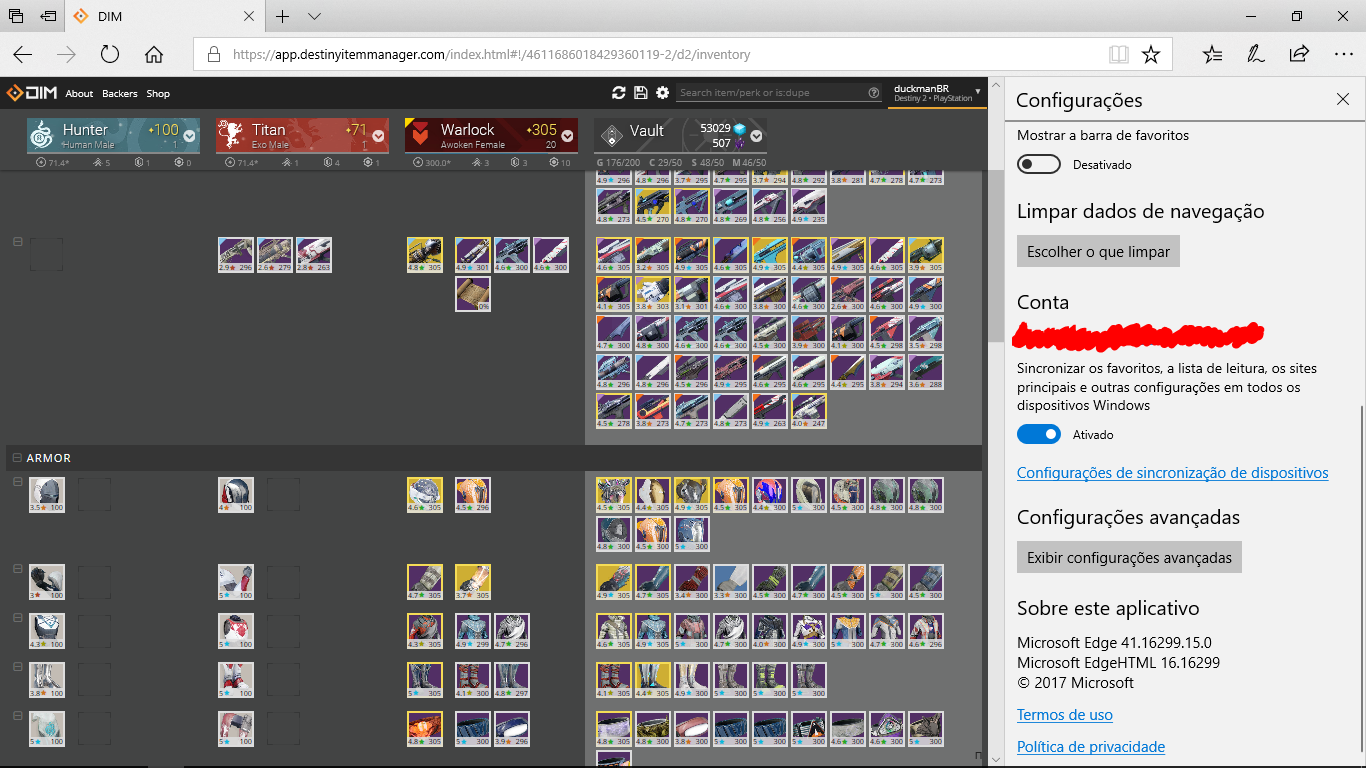
Microsoft Edge 41.16299.15.0
Microsoft EdgeHTML 16.16299
And I reloaded, changed settings, moved items, split stacks, and apparently no errors.
 duckmanBR
on 28 Nov 2017
duckmanBR
on 28 Nov 2017
A quick git bisect would find the commit that broke things quite easily. I’d do it myself but I can’t easily reproduce the issue.
bhollis
on 29 Nov 2017
After enabling the WASM features in Edge, I'm not seeing any further issues (yet). Do we know if WASM is enabled by default in version 41.whatever?
@duckmanBR is that version (41.whatever) only available on the fast ring of updates? I run both my laptop and home PC on the standard RTM updates for Windows 10 (both are using Win 10 Pro). There are no updates pending and both seem to be at version 40.whatever. [edit] And now apparently it has found that I need to upgrade to Windows version 1709.
@bhollis As much git wizardry as I've done before, I've never used the bisect function. Docs look straightforward. Do you have recommendations for what hash I could start with for a known "good" commit?
corsairmarks
on 29 Nov 2017
Hmm, maybe start with the tag from the last version that worked for you-maybe a couple releases back?
bhollis
on 29 Nov 2017
Non technical, Where is WASM enable option in edge, I am using this version Microsoft Edge 40.15063.674.0.
Thanks for any help and guidance
roland46
on 29 Nov 2017
@corsairmarks afaik that notebook is on RTM too, because my wife is the main user (I use that less than once a week). Sunday/Monday my wife said that something updated when she turn the note on, so probably was this version 1709...
duckmanBR
on 29 Nov 2017
Microsoft is doing a very slow rollout of new versions, so the latest may not be offered to you for months.
-Ben
On Nov 29, 2017, at 3:45 AM, duckmanBR notifications@github.com wrote:
@corsairmarks afaik that notebook is on RTM too, because my wife is the main user (I use that less than once a week). Sunday/Monday my wife said that something updated when she turn the note on, so probably was this version 1709...
—
You are receiving this because you were mentioned.
Reply to this email directly, view it on GitHub, or mute the thread.
bhollis
on 29 Nov 2017
I'll pull tonight and see how it goes @bhollis
SunburnedGoose
on 29 Nov 2017
After I installed update 1709, I now have (these versions match with duckman):
- Microsoft Edge 41.16299.15.0
- Microsoft EdgeHTML 16.16299
I'm satisfied that between the updated version and enabling WASM everything is working. I can re-open if I continue experiencing issues. [edit] In order the reproduce this for development, it will probably require a machine (virtual recommended of course) with the 1703 or possibly even 1607 version.
@roland46 - here's how to enable those features. WASM stands for Web Assembly, and its a new feature that developers can leverage to help script-heavy browser applications run faster.
- Browse to
about:flagsin the address bar (note the lack of the http:// protocol) - Scroll down to the "Standards Preview" section
- Ensure the checkbox for "Enable experimental JavaScript features" is checked
- Close the
about:flagstab - (optional) Open the ... menu in Edge, select "Settings," select "Choose what to clear," then check only "Cached data and files," and finally press "Clear"
- Close all Edge windows (you can safely save your tabs for later using the "Set these tabs aside" button)
- Re-open Edge and browse to https://app.destinyitemmanager.com/
- (optional) Restore your previous tabs from "Tabs you've set aside"
corsairmarks
on 30 Nov 2017
I've pulled every tag since 4.21 and I can't replicate with dev builds @bhollis
SunburnedGoose
on 1 Dec 2017
Weird. Can you repro on the tip of master though?
bhollis
on 1 Dec 2017
@corsairmarks
Nick,
Thanks, just making that change has it working again.
Roland.
roland46
on 1 Dec 2017
Related issues
 michabbb
·
4Comments
michabbb
·
4Comments
 InstaSteve
·
4Comments
InstaSteve
·
4Comments
 kyleshay
·
7Comments
SunburnedGoose
·
3Comments
kyleshay
·
7Comments
SunburnedGoose
·
3Comments
 cbcrouse
·
4Comments
cbcrouse
·
4Comments