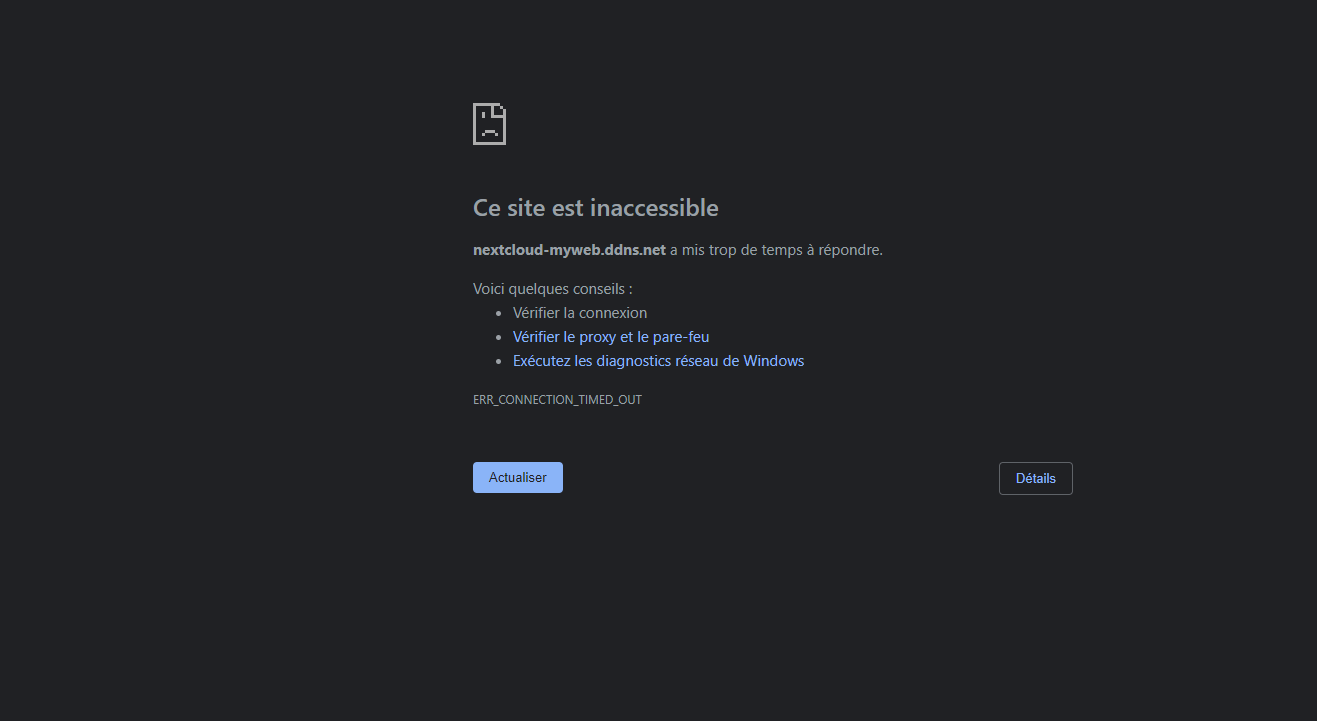
helloI'm no longer at my nerxcloud.
https://nextcloud-myweb.ddns.net/index.php/login
 ludji49
All 22 comments
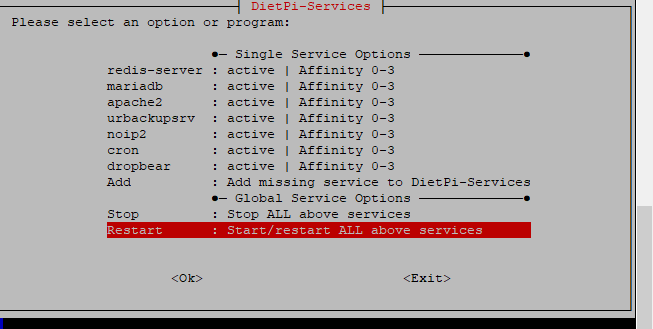
pls can you check in your device if all the required services are still running like redis-server, mariadb, php and webser (eg lighttpd). This can be done using dietpi-services and should looks like this
●─ Single Service Options ─────────────●
redis-server : active | Affinity 0-0
mariadb      : active | Affinity 0-0
php7.3-fpm   : active | Affinity 0-0
lighttpd     : active | Affinity 0-0
If one if the services is down, pls try to restart
 Joulinar
on 7 Jan 2020
Joulinar
on 7 Jan 2020
I get that.
ludji49
on 7 Jan 2020
As far as I can see you are using a DDNS service to connect. pls can you try to open NextCloud from your local network using the local IP for your DietPi device
http://192.168.0.13/nextcloud
as well you could try to restart all services.
Joulinar
on 7 Jan 2020
no it's impossible to open
ludji49
on 7 Jan 2020
usually you should be able to reach the default page of your Apache web server like http://<yourDietPiAddress>
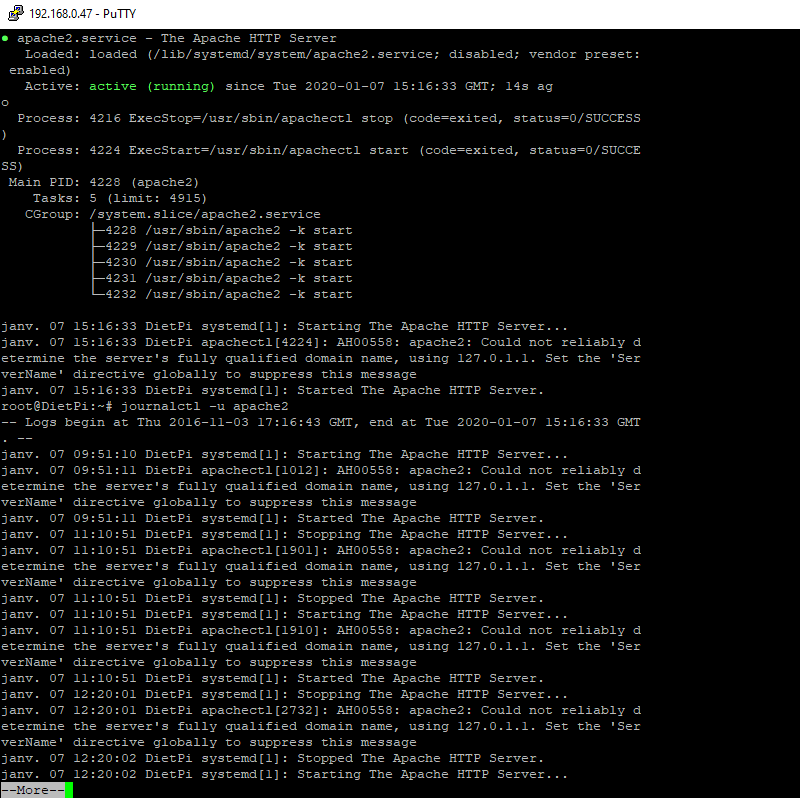
if not pls can you try to restart Apache systemctl restart apache2 and past the output of
systemctl status apache2
journalctl -u apache2
still unable to open the page
ludji49
on 7 Jan 2020
@ludji49
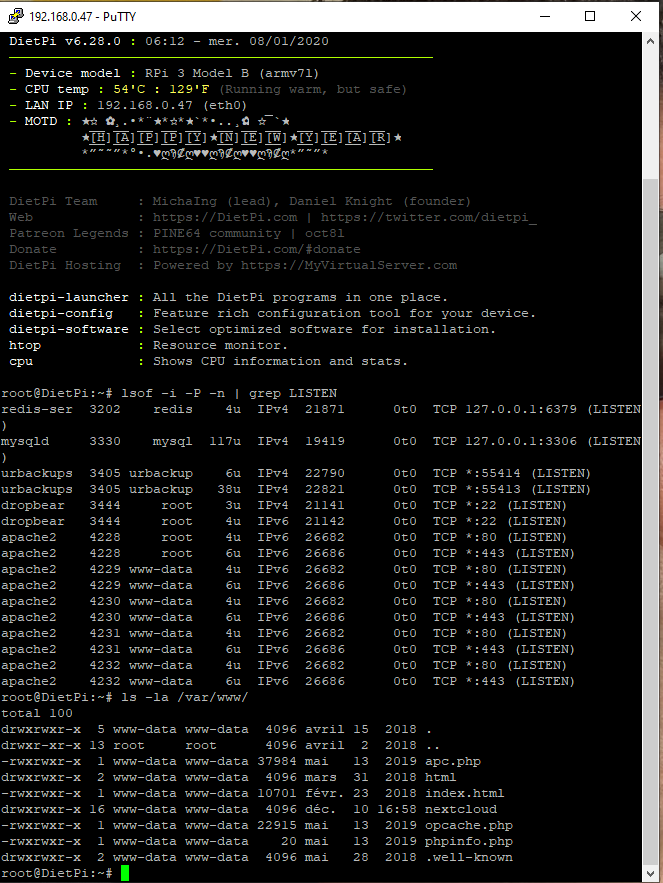
hmm strange. Apache seems to be starting but your are not able to connect. Pls can you past output of lsof -i -P -n | grep LISTEN. This will show us if Apache is listen on Port 80 as it should be. As well pls can you check availabile content within the webserver root dir ls -la /var/www/
Joulinar
on 7 Jan 2020
here's the result
ludji49
on 8 Jan 2020
hmm there are quite a lot of Apache processes. Did you tried to restart your system in meantime to clean it up? Because it's quite strange as your webserver is running and listen on port 80 but you still did not get anything if you open the following web page http://192.168.0.47
Joulinar
on 8 Jan 2020
I get nothing from the address
ludji49
on 8 Jan 2020
what about the restart of the whole system?
Joulinar
on 8 Jan 2020
qu'en est-il du redémarrage de l'ensemble du système?
how does that
ludji49
on 8 Jan 2020
type reboot on OS layer. after 1-2 minutes you should be able to login again
Joulinar
on 8 Jan 2020
after the reboot I still can't open the page.

ludji49
on 8 Jan 2020
pls can you try using the IP Address of you DietPi System and not use the DDNS name
Joulinar
on 8 Jan 2020
@ludji49
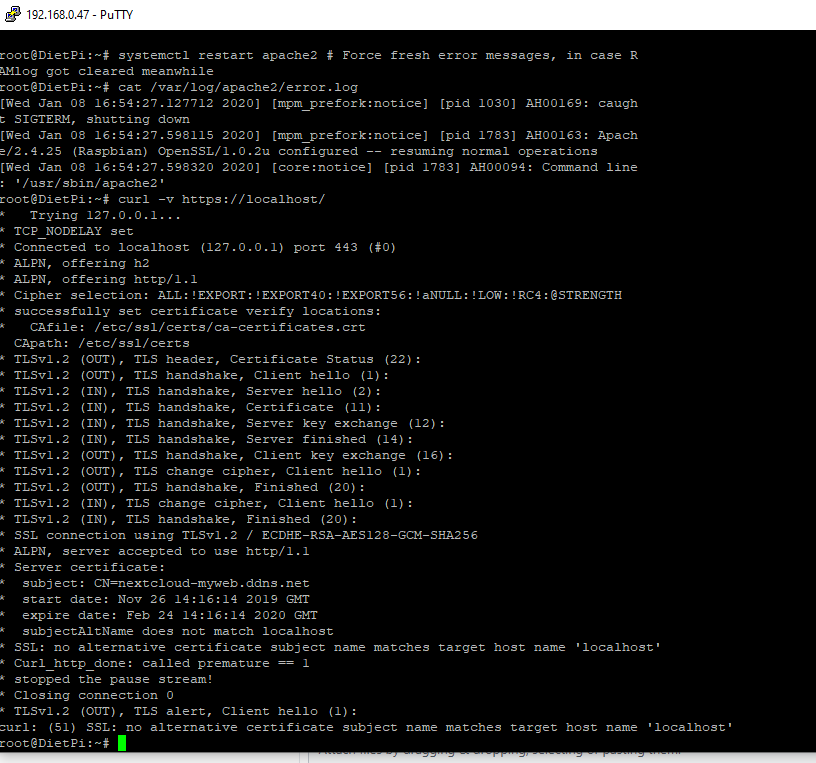
Also, the systemctl/journal logs does not contain all binary error messages, please to the following to get binary errors, in case:
systemctl restart apache2 # Force fresh error messages, in case RAMlog got cleared meanwhile
cat /var/log/apache2/error.log
@Joulinar
The amount of Apache2 processes/port binds is btw correct. It is one child each CPU thread + additional ones for each active connection. Hence on RPi (4 cores), its 4 times on port 80 + port 443 (SSL enabled), hence 8 lsof entries are totally expected.
And before having any confusion, I remember @ludji49 that you changed your webroot to the Nextcloud subdir to have it accessible without /nextcloud on plain domain: #1554
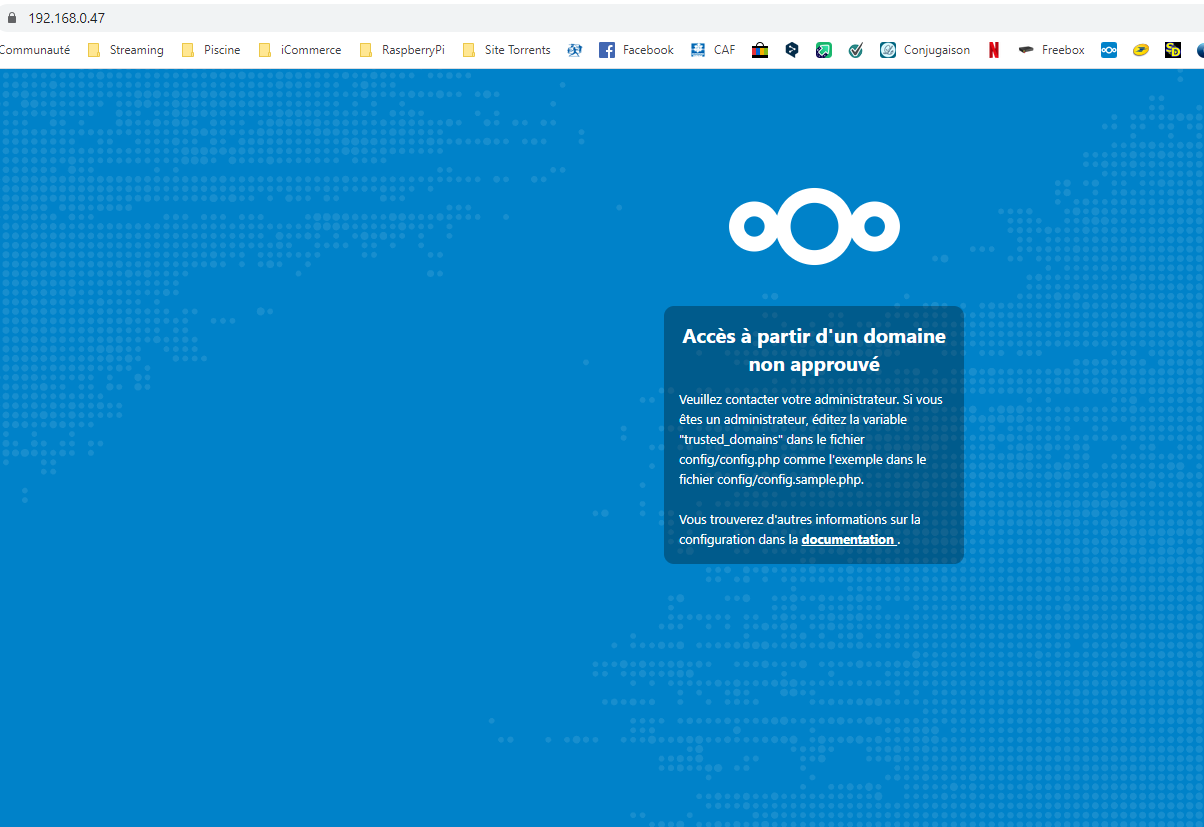
So Nextcloud should be reacheble from the same local network via: https://192.168.0.47/
A reasonable debug step would be as well to test access from the DietPi machine itself:
curl -v https://localhost/
 MichaIng
on 8 Jan 2020
MichaIng
on 8 Jan 2020
I don't have access
ludji49
on 8 Jan 2020
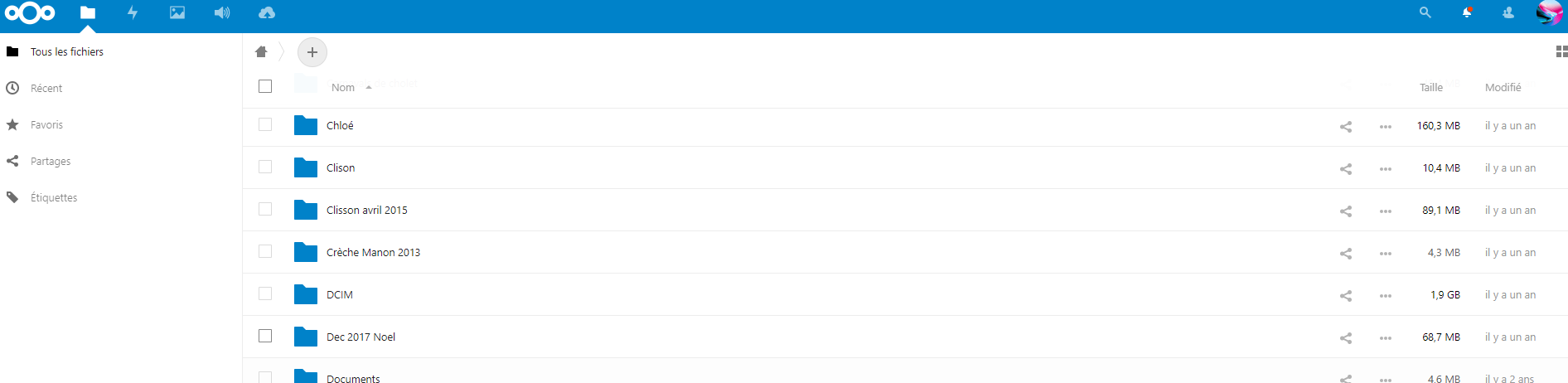
I have access to the website
thanks for your support
ludji49
on 8 Jan 2020
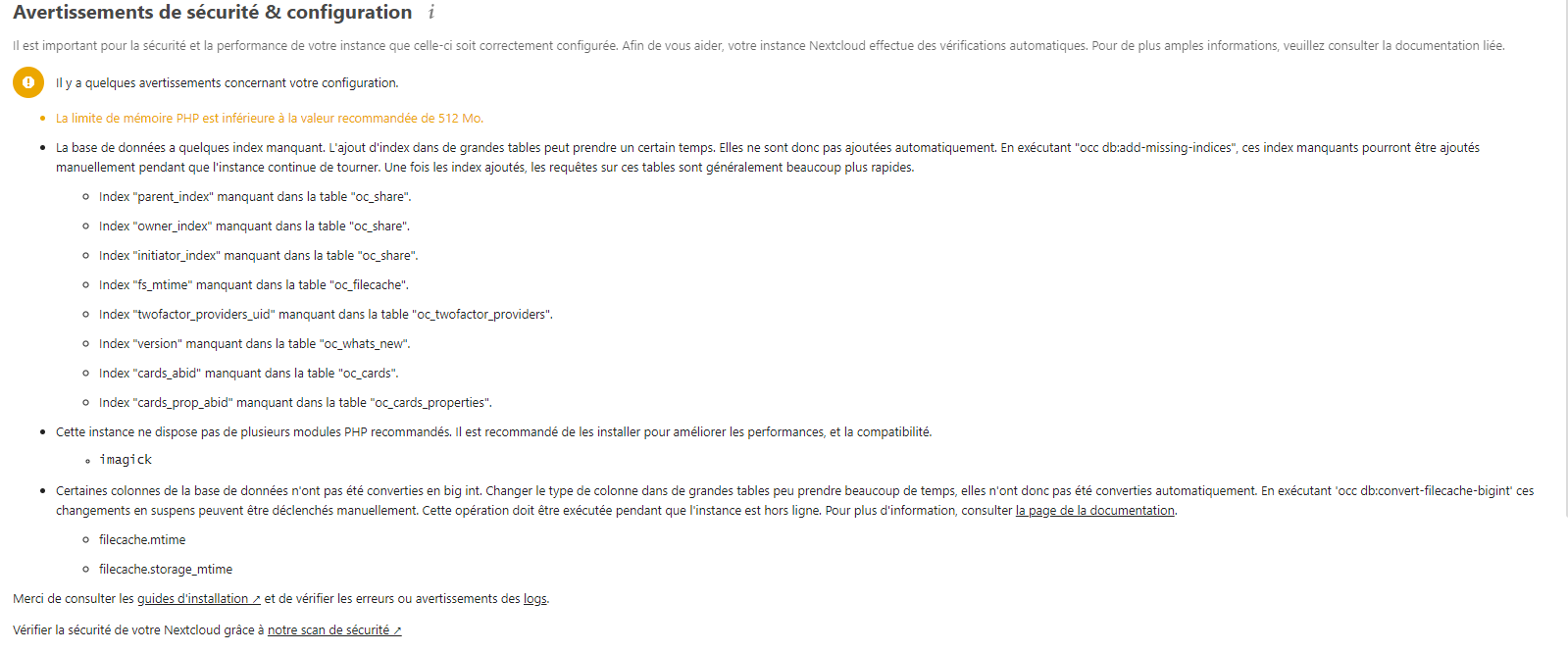
I've got this mistake
ludji49
on 8 Jan 2020
@ludji49
Great, though not sure what changed? The curl was successful, since SSL cert is only valid for real domain, the SSL error is expected.
First Nextcloud UI screen looks like you removed the asterisk * from valid domains in config.php, which is generally a good idea but breaks access via any other domain or IP as the explicitly listed ones.
Whatever changed, great it works again, hence I mark this issue as closed. Feel free to reopen if required.
I've got this mistake
Please run the following two commands in console:
ncc db:add-missing-indices
ncc db:convert-filecache-bigint
Generally just follow what those warnings suggest, but use ncc command instead of occ, which we implemented as alias to invoke php with the correct user to call /var/www/nextcloud/occ.
MichaIng
on 8 Jan 2020
probably I misunderstood the entire issue as I was at the impression that the websever was somehow running but there where an issue to get something displayed while calling the website. But good that it is solved for now, even we don't know how 🙈
Damn I was fighting with the issue and you solved it in an hour @MichaIng
Joulinar
on 8 Jan 2020
@Joulinar
Damn I was fighting with the issue and you solved it in an hour
No solution provided by me either, probably the forth and back with Apache restarts solved something we could not see in the logs anymore. Sometimes its just playing around a bid and magically things are working again... Network not 100% predictable :slightly_smiling_face:.
MichaIng
on 8 Jan 2020
Related issues
 k-plan
·
3Comments
k-plan
·
3Comments
 pfeerick
·
3Comments
pfeerick
·
3Comments
 Fourdee
·
3Comments
Fourdee
·
3Comments
k-plan
·
3Comments
Fourdee
·
3Comments
Fourdee
·
3Comments
k-plan
·
3Comments