DietPi-Software | X.org: Still failing on XU4 with stretch image
Creating a bug report/issue:
MATE desktop still cannot run
Xorg still giving error
Required Information:
- DietPi version | 6.19.7
- Distro version | debian stretch
- Kernel version | Linux Dietpi 4.14.66+ #1 SMP PREEMPT thu Aug 23 2018 armv71 GNU/Linux
- SBC device | Odroid XU4
- Power supply used | 5v4A adaptor supply
- SDcard used | 64gb SanDisk ultra
Additional Information (if applicable):
- Software title | MATE desktop
- Was the software title installed freshly or updated/migrated? fresh install
- Can this issue be replicated on a fresh installation of DietPi? yes
dietpi-bugreportID 8153d478-a18b-49a0-b210-302136fb49aa
Steps to reproduce:
- fresh install of dietpi on Odroid XU4
- install MATE desktop using dietpi-software
- set to autostart into MATE desktop
Expected behaviour:
- should autostart into MATE desktop on reboot
Actual behaviour:
-for autostart into MATE, black blank screen with loading cursor ( stuck indefinitely until power is cut)
-if not set to autostart into MATE, will get xorg error once u try to use "startx" or "startx &"
Extra details:
added the picture showing the server error

added the picture showing autostart error

as a side note. i recevied these errors when i was installign MATE desktop on both raspberry pi 3B+ and the odroid XU4


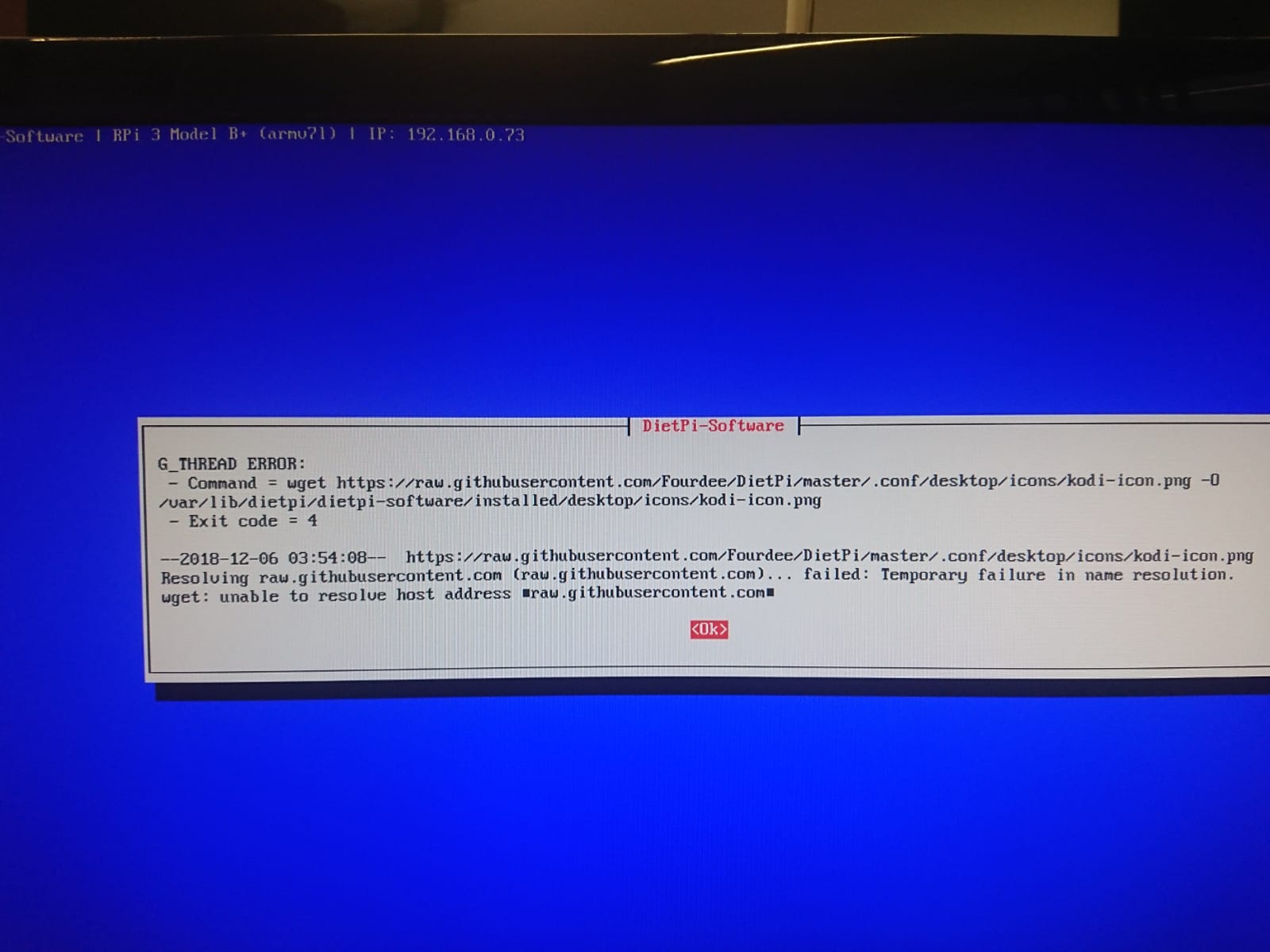
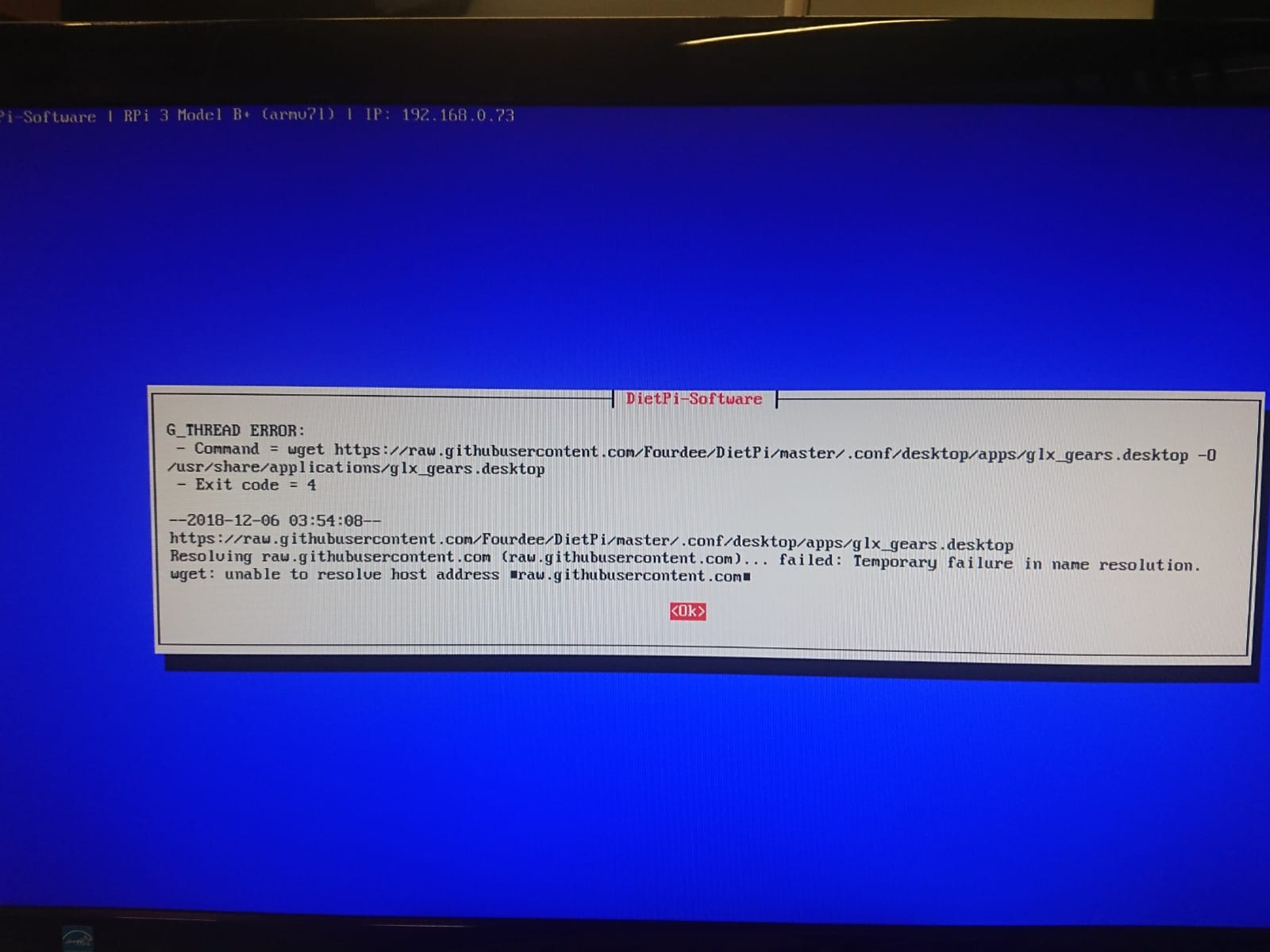
thanks for looking into this.
 elleto
All 9 comments
more info : additional errors when installing MATE on odroid xu4


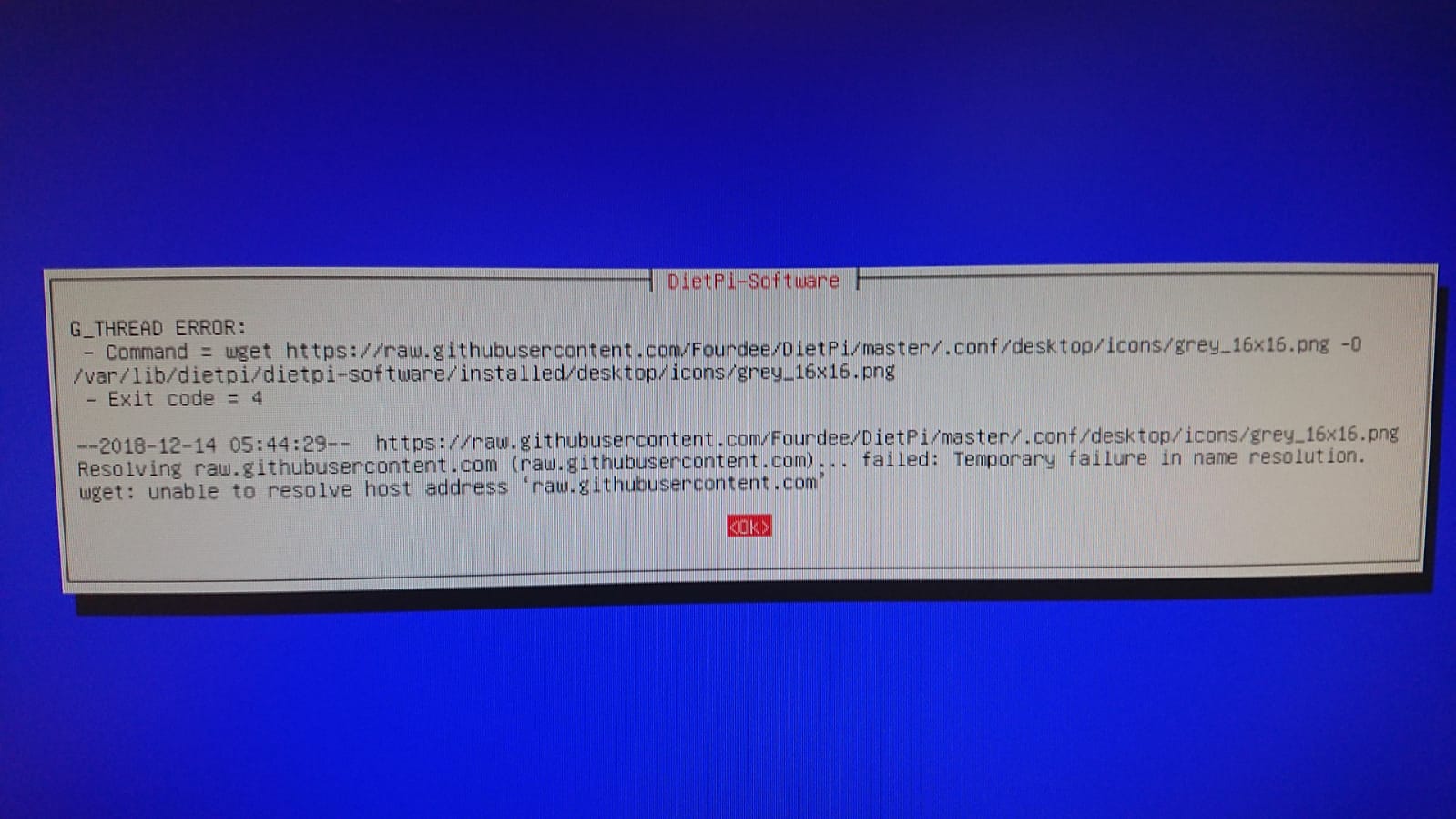
elleto
on 14 Dec 2018
@elleto
Thanks for your report.
In the first place there seem to be an issue with the DNS settings, since the URLs are definitely available, e.g.: https://raw.githubusercontent.com/Fourdee/DietPi/master/.conf/desktop/wallpapers/dietpi-logo_1080p.png
- Please verify that also
ping raw.githubusercontent.comfails with name resolution. - How did you setup your network, DHCP or static IP?
- If DHCP, please verify that you have a valid entry in
cat /etc/resolv.conf, which should be in most cases the IP of your router, in some cases an external DNS server. You can check by web searching the IP. Also verify in this case that this DNS server IP can be accessed viaping.
- If somehow the DHCP server does not serve a valid DNS entry, please try to apply a static IP (also setting your DHCP server/router to assign always this same IP to the XU4.
- If you chose static IP, please verify the static DNS entry in
diepti-config>Network Options: Adapters>Ethernet|Wifiis set correctly to either your router IP or a valid external one.8.8.8.8(Google DNS) should always work in case.
Actually this name resolution error should have already a failure when downloading the xorg.conf: https://raw.githubusercontent.com/Fourdee/DietPi/dev/.conf/dps_6/xorg_xu4.conf
- This would then be a good reason for desktop to fail.
- On the other hand,
dietpi-softwareshould have cancelled already earlier then 🤔. Perhaps it is also just a temporary issue with the DNS server.
However please check the above and, if ping raw.githubusercontent.com succeeds, try to reinstall the desktop: dietpi-software reinstall 24
 MichaIng
on 14 Dec 2018
MichaIng
on 14 Dec 2018
ok will try it and get back to you
thanks
elleto
on 17 Dec 2018

i checked the ping and have no issue reaching out to the githubuser content, DNS server and google.
after which i tried to reinstall MATE with the command given.

still having the same issue of a list of stuff is not downloaded.
elleto
on 17 Dec 2018
i managed to bypass the download issues by using a different wan network. but i still end up with the xorg error.

and if i use dietpi-autostart i get this

elleto
on 17 Dec 2018
@elleto
Okay, according to the error message, it is not related to the previous issue #2130
Due to lack of XU4 I can't test here, hope @Fourdee finds some time soon.
About the download issues:
Do you have an idea about the reason for name resolution errors with your prior WAN? If is simply has an outdated or unreliable DNS table, then similar things should happen to all other devices. Since GitHub (+sub domains) should be really well known I don't know about any other reason why it throws errors there.
MichaIng
on 25 Dec 2018
@elleto
Coming back after a long time, sorry for that.
Your issue, if still present, might be related to: https://github.com/MichaIng/DietPi/issues/2584
Something about the mali/mesa drivers for Odroid (XU4) has been changed and seems to be incompatible with out xorg.conf. If is possible to reset it by let it being overwritten with the one from the xf86-video-armsoc-odroid package. Try:
apt-get dist-upgrade # Assure everything is up-to-date
apt-get install --reinstall xf86-video-armsoc-odroid
If this also solves the desktop start issue, I believe we should skip placing custom xorg.conf files and instead rely on the ones now created/updated by the above package.
MichaIng
on 2 Mar 2019
Commit to resolve: https://github.com/MichaIng/DietPi/commit/8633f623320e1f32c03e924ecf96811a8c6770be
Requires testing to verify.
 Fourdee
on 3 Mar 2019
Fourdee
on 3 Mar 2019
Testing passed, Mate running fine 🈯️
Resolved and patched in v6.22.
Fourdee
on 3 Mar 2019
Related issues
Fourdee
·
3Comments
 bhaveshgohel
·
3Comments
bhaveshgohel
·
3Comments
MichaIng
·
3Comments
Fourdee
·
3Comments
bhaveshgohel
·
3Comments
bhaveshgohel
·
3Comments
MichaIng
·
3Comments
Fourdee
·
3Comments