Hi Fourdee
Bugreport id: f356d26d-a01a-4490-98d9-24eed509a7b0
I just made fresh Dietpi installation on my CS2, because of a corrupted Partition.
The Dietpi cloudshell script has some issues displaying the correct amount of ram
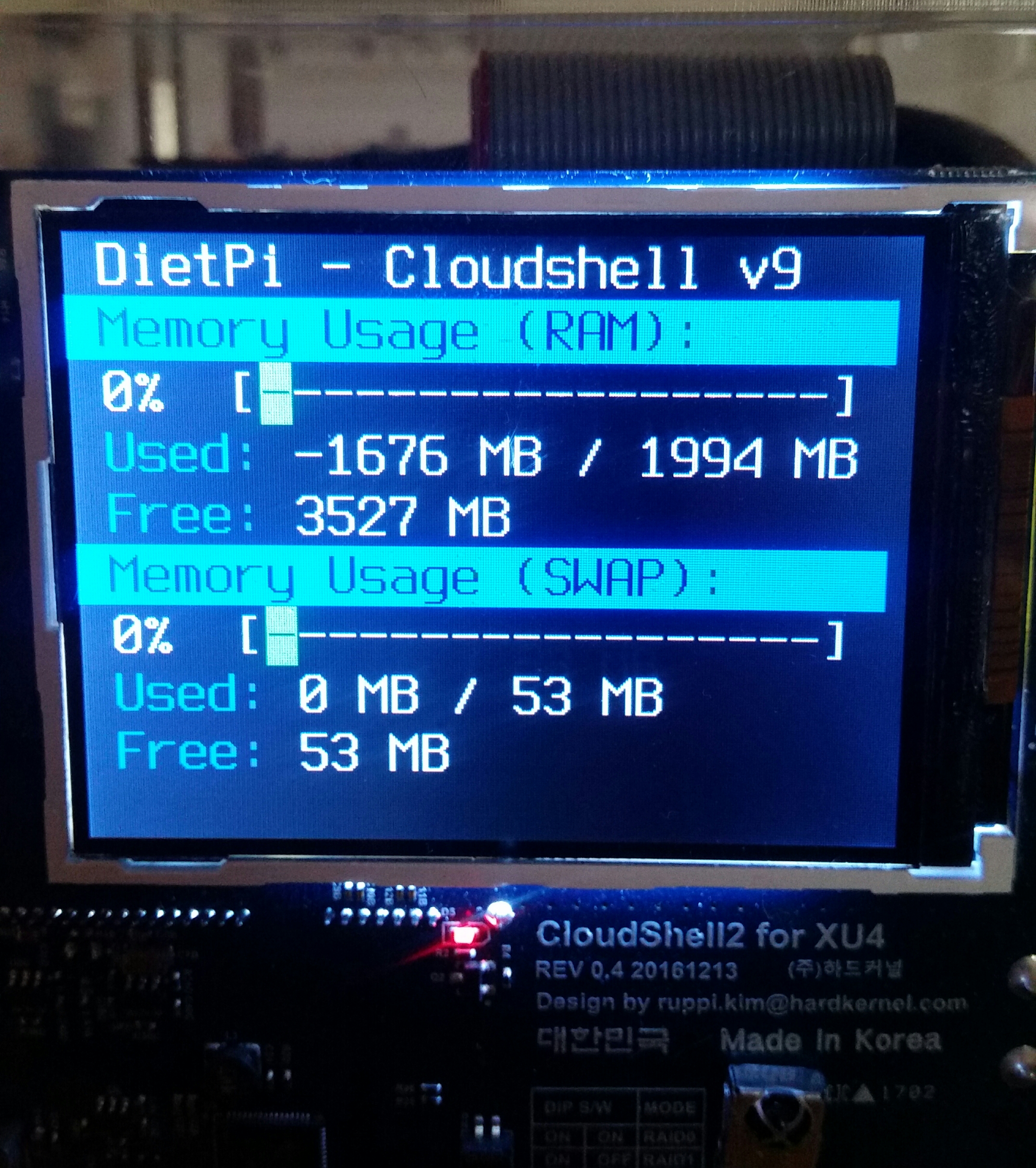
It was also at my last install, but there is thought the reason could be a broken Uninstaller of zram.
Sometimes the Screen just goes blank but the backlight is still staying on.
Greetings from Germany ^^
 docgalaxyblock
All 5 comments
@potter-91
Many thanks for the report 👍
I'll take a look.
 Fourdee
on 12 Sep 2018
Fourdee
on 12 Sep 2018
- Confirmed bug with
free -mresult. Appears cached result has moved back 1awk free -malso excludes the cache now, in usage result, but not in the free result!:
root@DietPi:~# free -m
              total        used        free      shared  buff/cache   available
Mem:           1727          92        1004           7         630        1607
Swap:           320           0         320
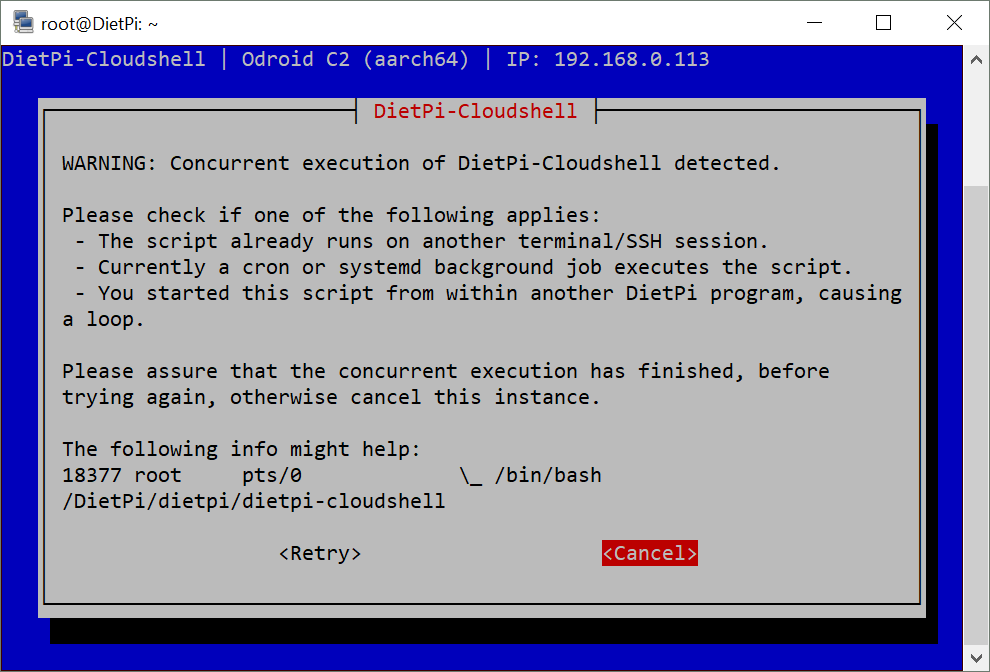
- Also bug with running on same screen
Fourdee
on 12 Sep 2018
@potter-91
Sometimes the Screen just goes blank but the backlight is still staying on.
Sounds like screen-blanking not being set, i'll have this applied during init.
Fourdee
on 12 Sep 2018
RAM and a few other issues resolved.
@potter-91
In regards to the screen blanking (i'am assuming) this should also be resolved, however, if problems persist, please let us know so we can investigate further.
v6.15 (with this fix) will be released today.
Fourdee
on 12 Sep 2018
Hi
Tonight the backlight stays on
docgalaxyblock
on 22 Sep 2018
Related issues
 1021683053
·
3Comments
1021683053
·
3Comments
 and09
·
3Comments
and09
·
3Comments
 oshank
·
3Comments
oshank
·
3Comments
 aesirteam
·
3Comments
Fourdee
·
3Comments
aesirteam
·
3Comments
Fourdee
·
3Comments
Most helpful comment
Hi
Tonight the backlight stays on