hello i want to convert the Dietpi image to use with berryboot and also a pre-made image with eg wifi hotspot to berryboot image pre-installed, but the suggested conversion in this post under is not working
https://github.com/Fourdee/DietPi/issues/671
and also the official method is not working
http://www.berryterminal.com/doku.php/berryboot/adding_custom_distributions
Any help Pleease?
Thanks
 symbios24
All 9 comments
Official Method is not working suggested method in #671 post is not working neither for Jessie or for Stretch boot is halted and i get the following errors:
failed to start dietpi-ramlog
failed to start dietpi-ramdisk
dependency failed for /etc/rc.local compartibility
dependency failed for Dietpi-Boot
symbios24
on 22 Feb 2018
@symbios24
Hmm... DietPi BerryBoot Image for RPi is a project by Alex Goldcheidt.
https://berryboot.alexgoldcheidt.com/
... so I’ve decided to convert as many OS images as I can and keep them updated.
You must know that I’m not part of the Berryboot project nor its developer team, I’m just a web developer with a Raspberry Pi 2 and an Odroid C2.
I’ve tested (on a Raspberry Pi 2) every OS image before public availability.
@Fourdee have help a little bit out, to get this up and running for dietpi_all_rpi_2016.12.28_berryboot.img
Not less, not more.
It is not offered on http://dietpi.com/#download
You can find a download link in gitbub post or https://berryboot.alexgoldcheidt.com/search-downloads/?dl_cat=0&dl_search=dietpi
Quick checked the offered dietpi_v6.0_stretch_all_rpi_2018.01.20_berryboot.img by @agoldcheidt with berryboot-20170527-pi0-pi1-pi2-pi3 and it works.
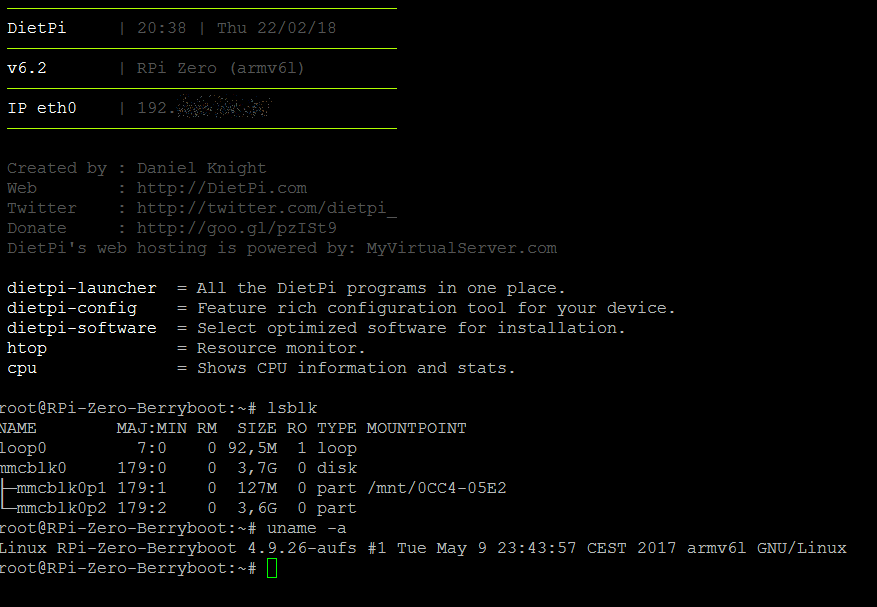
https://berryboot.alexgoldcheidt.com/about-the-os-images/
I test every OS image before public availability. I cannot offer full support for these OS images and some official websites don’t offer it too. However, if you find issues, please contact me and I’ll look into it.
I mean to say, your question, how to conversion a Berryboot image, which he has build, will be better covered on his website or his facebook group.
Sorry.
BTW: - we normally don't put software and settings direct into images, we use dietpi.txt DietPi-Automation or Automation_Custom_Script.sh to do such things.
 k-plan
on 22 Feb 2018
k-plan
on 22 Feb 2018
Hi @symbios24, alright a pre-made WiFi hotspot image based on DietPi? I like the idea, I'll be glad to add it on my website list. So, there's no specials steps to convert DietPi for Berryboot, you can use this ones. I believe that the issue is on your end. Just one quick question, what output do you see when you execute this command line: kpartx -av dietpi_image.img
 agoldcheidt
on 22 Feb 2018
agoldcheidt
on 22 Feb 2018
i had made many pre made images and trying to convert them to berryboot but it keeps failing
i convert all images using a raspberry pi within raspbian, do you convert them using a normal computer?
maybe the raspberry (raspbian) is the problem?,i will be glad to give you this image or any other.
symbios24
on 23 Feb 2018
After the command
mount /dev/mapper/loop0p1 /mnt/loopp1
i get an error saying; mount: special device /dev/mapper/loop0p1 /mnt/loopp1 does not exist
this is were i stuck
symbios24
on 23 Feb 2018
Hi @symbios24, ok, when you execute this command line: sudo kpartx -av image_you_want_to_convert.img you must see something like this:
add map loop0p1 (252:5): 0 117187 linear /dev/loop0 1
add map loop0p2 (252:6): 0 3493888 linear /dev/loop0 118784
Is that correct?
You have to verify that /dev/mapper/loop0p2 it is available on your end, example: it can be loop1p2, loop2p2, loop3p2 and so on.
agoldcheidt
on 23 Feb 2018
Bingo i did it thank you,i will give you the Hotspot soon
its configured to use external usb wifi you can change that easy by typing dietpi-config going into network options and set the onboard wifi to enabled, for use the onboard on a rpi3/zeroW.
one question the sed -i 's/^\PARTUUID/#\0/g' /mnt/loopp2/etc/fstab its only for dietpi stretch?
or for any os that is based on raspbian stretch?
symbios24
on 23 Feb 2018
Hi @symbios24, I'm glad to hear that you successfully create your custom image, I have it, I'll test it and add it on my website list during this weekend.
Yes, the command line: sed -i 's/^\PARTUUID/#\0/g' /mnt/loopp2/etc/fstab will work on all Stretch based distributions.
agoldcheidt
on 23 Feb 2018
i will send you more when i can.see you
symbios24
on 23 Feb 2018
Related issues
 Fourdee
·
3Comments
Fourdee
·
3Comments
 oshank
·
3Comments
oshank
·
3Comments
 Kapot
·
3Comments
Kapot
·
3Comments
 bhaveshgohel
·
3Comments
k-plan
·
3Comments
bhaveshgohel
·
3Comments
k-plan
·
3Comments
Most helpful comment
Hi @symbios24, ok, when you execute this command line:
sudo kpartx -av image_you_want_to_convert.imgyou must see something like this:Is that correct?
You have to verify that
/dev/mapper/loop0p2it is available on your end, example: it can be loop1p2, loop2p2, loop3p2 and so on.