Dietpi: NZBget requires filesystem permissions to run (eg: EXT4)
Moved all userdata to my USB stick then installed NZBget
ps -A | grep nzbget
shows nothing
Cannot connect to port 6789
Made a config file out of the template but it seems to be not running. In HTOP I see nothing.
 Invictaz
All 8 comments
@Invictaz
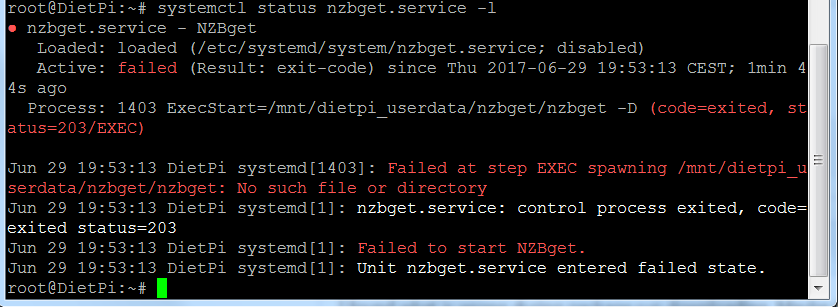
Lets check service status:
systemctl status nzbget.service -l
 Fourdee
on 29 Jun 2017
Fourdee
on 29 Jun 2017
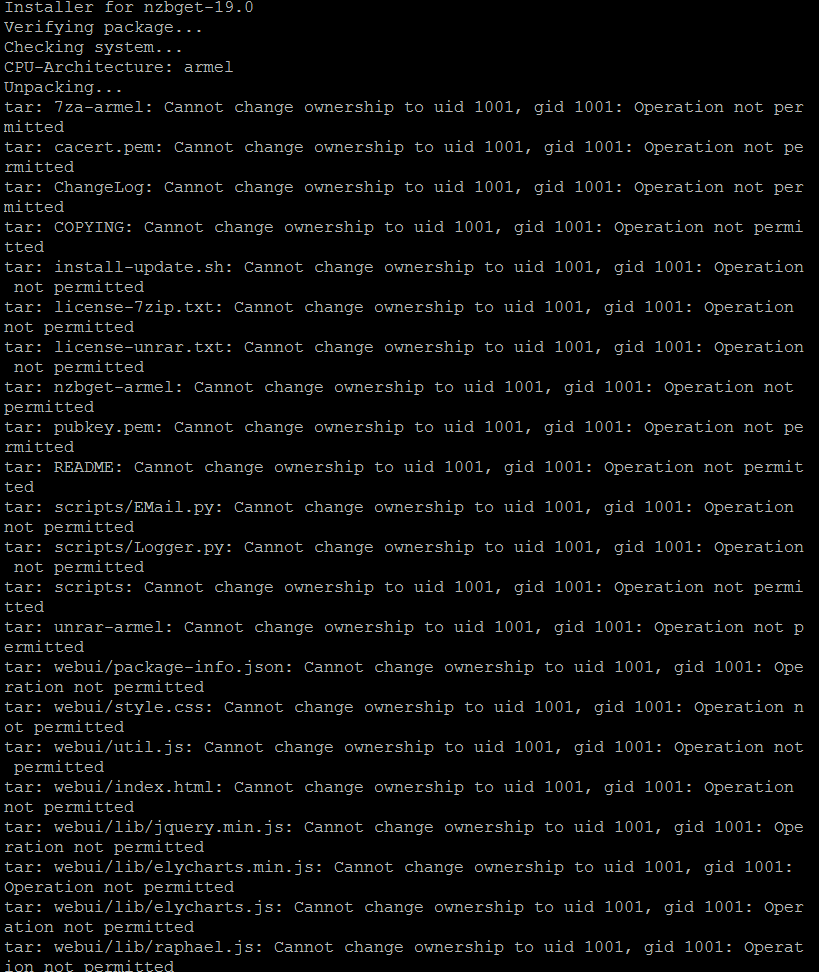
I found what is wrong during package.run downloading. Maybe it's because it's installing on a FAT32 USB stick? Need to fix this.
tar: Exiting with failure status due to previous errors
ERROR: Unpacking failed.
Invictaz
on 29 Jun 2017
@Fourdee
Invictaz
on 29 Jun 2017
Dietpi userdata is now on /mnt/USB_1/dietpi_userdata and not on /mnt/dietpi_userdata/
So a redirect is missing somewhere (also).
Invictaz
on 29 Jun 2017
I changed mount mode from /dev/UUID to /dev/SD in Drive Manager since FAT does not seem to support users. This did not work.
Invictaz
on 29 Jun 2017
@Invictaz
FAT16/32 does not support file permissions. We do not recommend using it for user data.
You'll need to move your userdata back to RootFS. Then format USB drive with ext4. Then you can transfer user data back to USB drive.
Fourdee
on 29 Jun 2017
@Fourdee Thanks for the quick reply. Not exactly the solution I was hoping for but understandable.
Invictaz
on 29 Jun 2017
@Invictaz
Yep, permissions will reduce filesystem performance, however, the majority of software requires them to function. So, we recommend avoiding FAT 16/32 for user data location.
I'll mark this as closed. Please reopen if required.
Fourdee
on 30 Jun 2017
Related issues
 and09
·
3Comments
Invictaz
·
3Comments
and09
·
3Comments
Invictaz
·
3Comments
 bhaveshgohel
·
3Comments
bhaveshgohel
·
3Comments
 aesirteam
·
3Comments
aesirteam
·
3Comments
 k-plan
·
3Comments
k-plan
·
3Comments