Dgraph: Importing movies dataset breaks Dgraph v1.1.0-rc1 on Windows 10
If you suspect this could be a bug, follow the template.
What version of Dgraph are you using?
Dgraph v1.1.0-rc1
Have you tried reproducing the issue with latest release?
Dgraph v1.1.0-rc1 is the latest release
What is the hardware spec (RAM, OS)?
16 GB RAM, WIndows 10 v1903, slow HD
Steps to reproduce the issue (command/config used to run Dgraph).
- Download Dgraph v1.1.0-rc1 windows version
- Start in empty directory
- Run
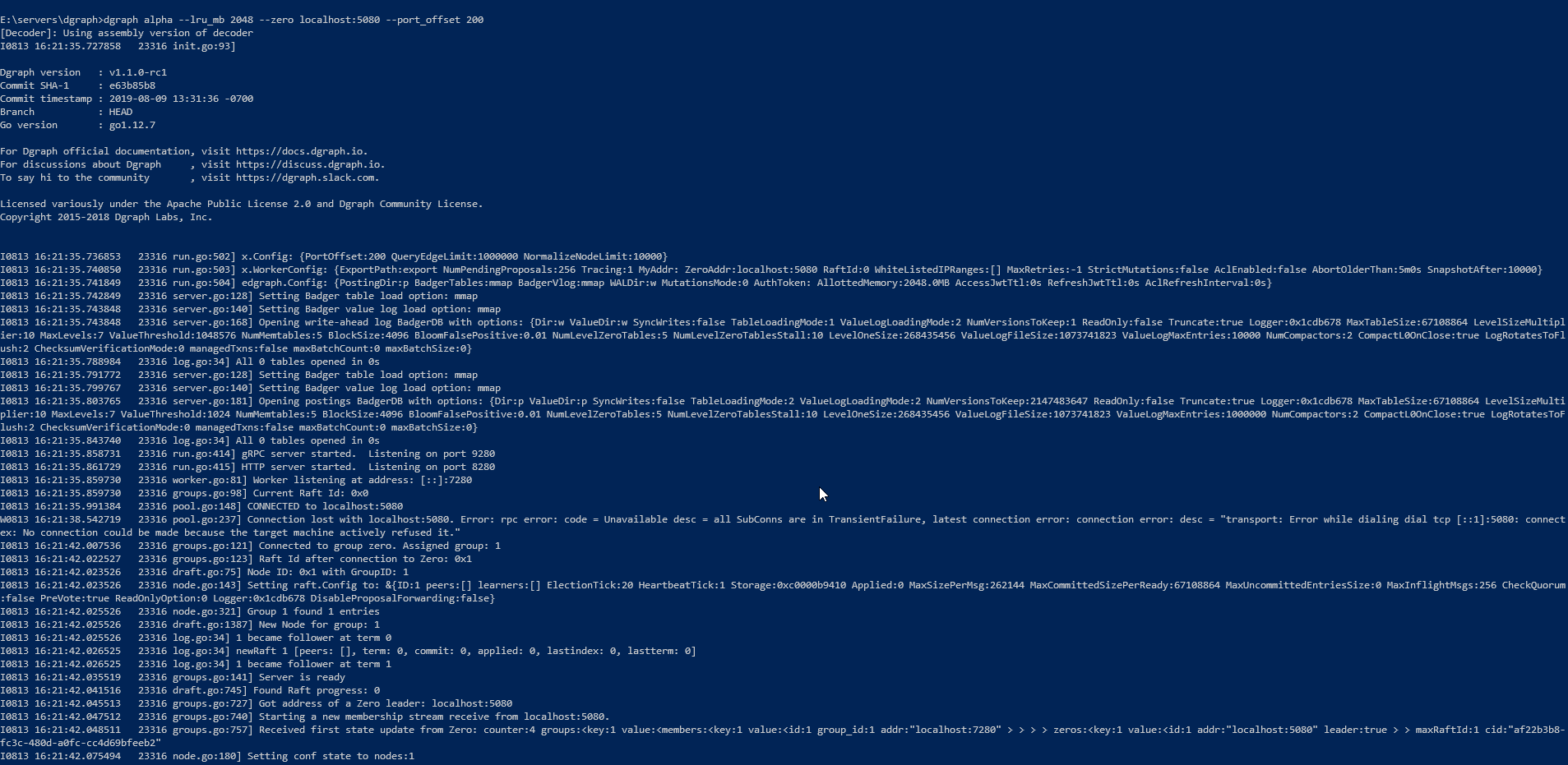
dgraph alpha --lru_mb 2048 --zero localhost:5080 --port_offset 200 - Run
dgraph.exe zero - Run
dgraph-ratel.exe - Open ratel
- Alter the schema based on this https://tour.dgraph.io/master/moredata/1/#
- Get https://github.com/dgraph-io/tutorial/tree/master/resources/1million.rdf.gz
- Extract the zip file
- Run
.\dgraph.exe live -f .\1million.rdf -a localhost:9280
Expected behaviour and actual result.
Expected that the live loading works fine.



 dodyg
dodyg
All 13 comments
Same here.
OS specs:
Operating System: Arch Linux
Kernel: Linux 5.2.0-arch2-1-ARCH
Architecture: x86-64
8Gb RAM
SSD Samsung Evo 970 Plus 256gb
 gugahoa
on 16 Aug 2019
gugahoa
on 16 Aug 2019
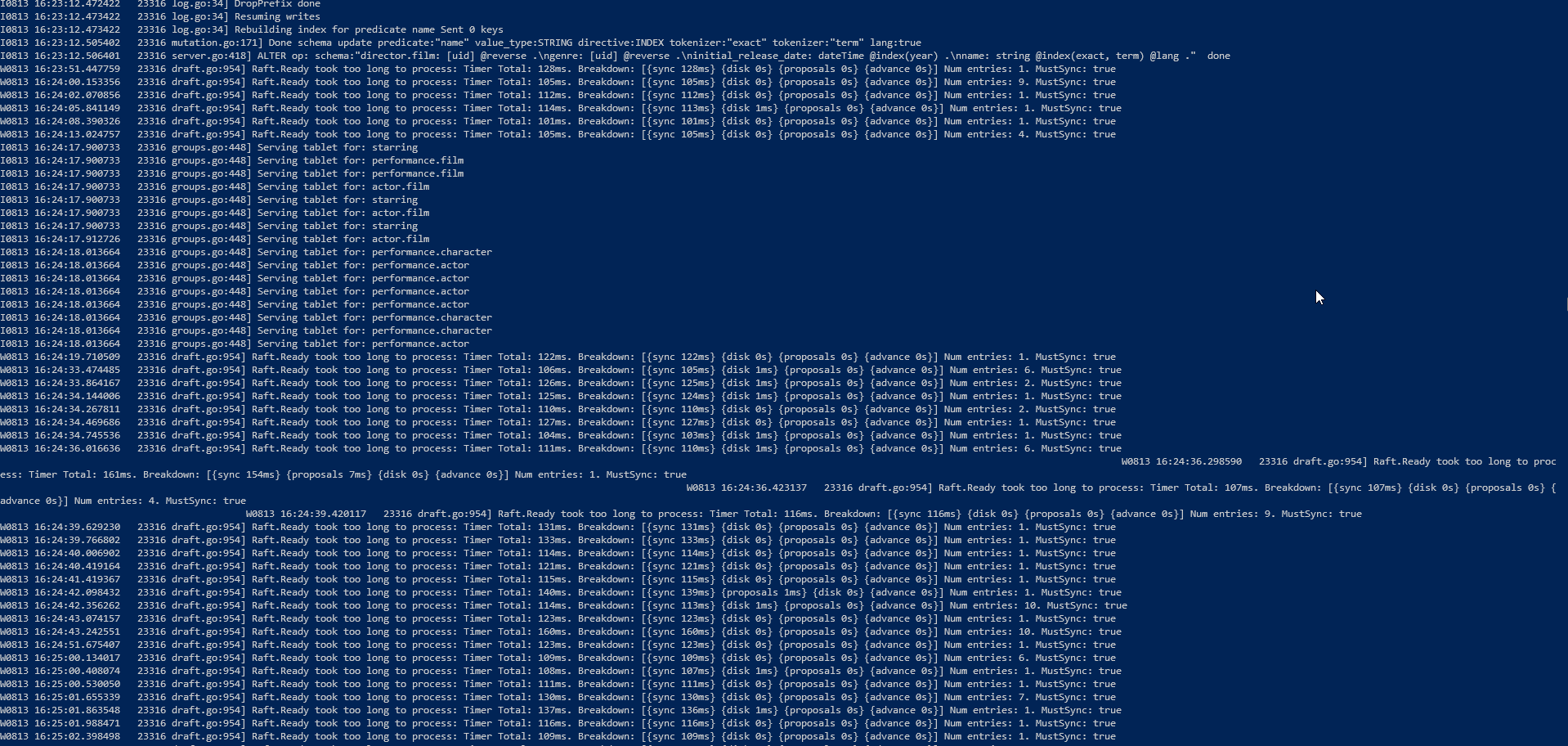
@dodyg I'm not sure about your logs, It seems okay to me. Are you having some other issue? After the live load are you able to use it?
 MichelDiz
on 16 Aug 2019
MichelDiz
on 16 Aug 2019
A user at Slack kindly explained that the error is caused by following along the Tour of DGraph for version 1.0.16 while running the master branch locally. The same error I was receiving got solved by changing the Tour of DGraph version to master.
gugahoa
on 16 Aug 2019
Yeah, @gugahoa It was me. His case seems to be different, but his logs don't help.
MichelDiz
on 16 Aug 2019
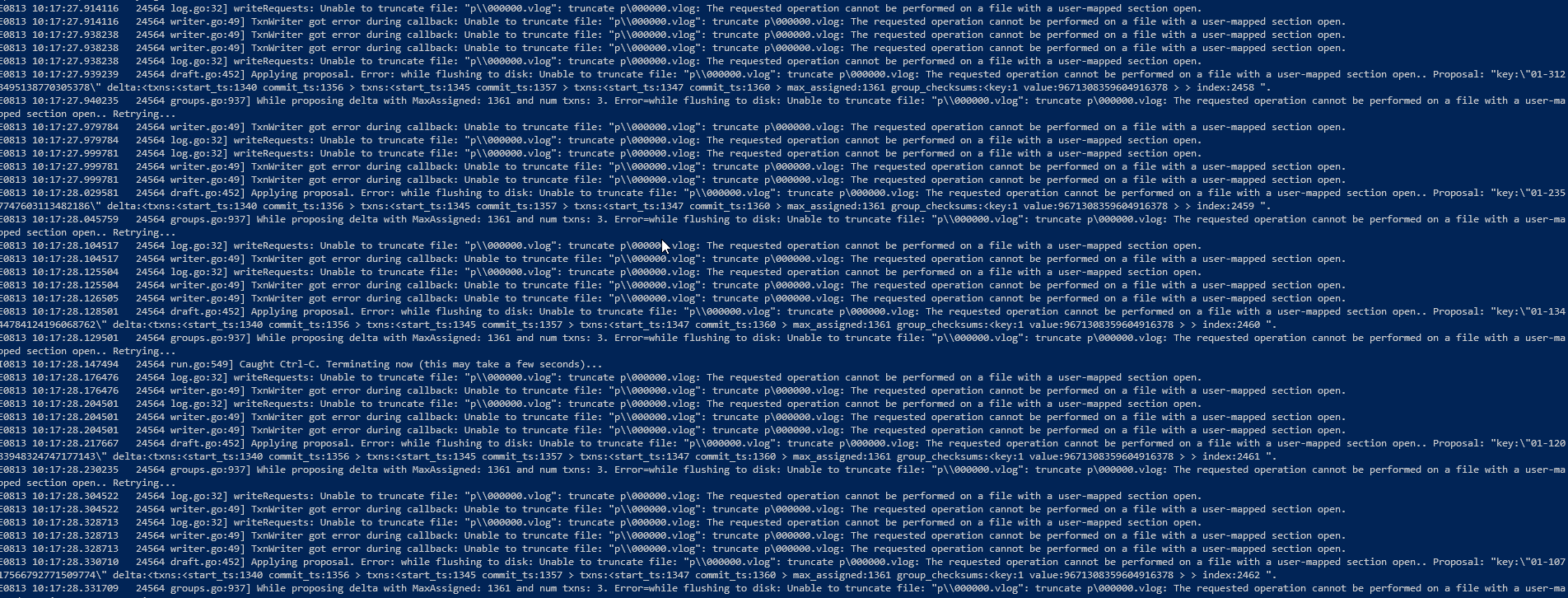
Oh, just found his comment in discuss with the logs I needed
So I can confirm that I can reproduce the issue. But is recommended to use Docker for now. Because Dgraph is aimed at UNIX systems. There must be something about the Windows file system.
MichelDiz
on 16 Aug 2019
The loading of live data works well in Dgraph v1.0.16 as far as I remember.
dodyg
on 19 Aug 2019
I tried it with https://discuss.dgraph.io/t/dgraph-v1-1-0-rc2-release-candidate/4954 (RC2) and same problem.
dodyg
on 24 Aug 2019
We are checking this, this seems to be related to BadgerDB and the Windows System File. So it need to be solved there first. In this case you could use, until the fix, the Docker version.
MichelDiz
on 24 Aug 2019
This is indeed not working on Windows.
 campoy
on 4 Sep 2019
campoy
on 4 Sep 2019
I reproduced it on a VM on GCP.
This didn't require any setup, simply running zero was enough.
.\dgraph.exe zero
[Decoder]: Using assembly version of decoder
I0904 13:49:39.668276    2364 init.go:98]

Dgraph version   : v1.1.0
Dgraph SHA-256   : da23a00e333176e5e7ef5dcc1280d09193b1eb5a72450e0cc34e7ddd1cee463f
Commit SHA-1     : ef7cdb28
Commit timestamp : 2019-09-04 00:12:51 -0700
Branch           : HEAD
Go version       : go1.12.7

For Dgraph official documentation, visit https://docs.dgraph.io.
For discussions about Dgraph     , visit https://discuss.dgraph.io.
To say hi to the community       , visit https://dgraph.slack.com.

Licensed variously under the Apache Public License 2.0 and Dgraph Community License.
Copyright 2015-2018 Dgraph Labs, Inc.


I0904 13:49:39.671208    2364 run.go:102] Setting up grpc listener at: 0.0.0.0:5080
I0904 13:49:39.674148    2364 run.go:102] Setting up http listener at: 0.0.0.0:6080
badger 2019/09/04 13:49:39 INFO: All 0 tables opened in 0s
2019/09/04 13:49:39 truncate zw\000000.vlog: The requested operation cannot be performed on a file with a user-mapped section open.
During db.vlog.open
github.com/dgraph-io/dgraph/vendor/github.com/dgraph-io/badger/y.Wrapf
        /tmp/go/src/github.com/dgraph-io/dgraph/vendor/github.com/dgraph-io/badger/y/error.go:82
github.com/dgraph-io/dgraph/vendor/github.com/dgraph-io/badger.Open
        /tmp/go/src/github.com/dgraph-io/dgraph/vendor/github.com/dgraph-io/badger/db.go:323
github.com/dgraph-io/dgraph/dgraph/cmd/zero.run
        /tmp/go/src/github.com/dgraph-io/dgraph/dgraph/cmd/zero/run.go:208
github.com/dgraph-io/dgraph/dgraph/cmd/zero.init.0.func1
        /tmp/go/src/github.com/dgraph-io/dgraph/dgraph/cmd/zero/run.go:73
github.com/dgraph-io/dgraph/vendor/github.com/spf13/cobra.(*Command).execute
        /tmp/go/src/github.com/dgraph-io/dgraph/vendor/github.com/spf13/cobra/command.go:702
github.com/dgraph-io/dgraph/vendor/github.com/spf13/cobra.(*Command).ExecuteC
        /tmp/go/src/github.com/dgraph-io/dgraph/vendor/github.com/spf13/cobra/command.go:783
github.com/dgraph-io/dgraph/vendor/github.com/spf13/cobra.(*Command).Execute
        /tmp/go/src/github.com/dgraph-io/dgraph/vendor/github.com/spf13/cobra/command.go:736
github.com/dgraph-io/dgraph/dgraph/cmd.Execute
        /tmp/go/src/github.com/dgraph-io/dgraph/dgraph/cmd/root.go:68
main.main
        /tmp/go/src/github.com/dgraph-io/dgraph/dgraph/main.go:33
runtime.main
        /usr/local/go/src/runtime/proc.go:200
runtime.goexit
        /usr/local/go/src/runtime/asm_amd64.s:1337
Error while opening WAL store
github.com/dgraph-io/dgraph/x.Checkf
        /tmp/go/src/github.com/dgraph-io/dgraph/x/error.go:49
github.com/dgraph-io/dgraph/dgraph/cmd/zero.run
        /tmp/go/src/github.com/dgraph-io/dgraph/dgraph/cmd/zero/run.go:209
github.com/dgraph-io/dgraph/dgraph/cmd/zero.init.0.func1
        /tmp/go/src/github.com/dgraph-io/dgraph/dgraph/cmd/zero/run.go:73
github.com/dgraph-io/dgraph/vendor/github.com/spf13/cobra.(*Command).execute
        /tmp/go/src/github.com/dgraph-io/dgraph/vendor/github.com/spf13/cobra/command.go:702
github.com/dgraph-io/dgraph/vendor/github.com/spf13/cobra.(*Command).ExecuteC
        /tmp/go/src/github.com/dgraph-io/dgraph/vendor/github.com/spf13/cobra/command.go:783
github.com/dgraph-io/dgraph/vendor/github.com/spf13/cobra.(*Command).Execute
        /tmp/go/src/github.com/dgraph-io/dgraph/vendor/github.com/spf13/cobra/command.go:736
github.com/dgraph-io/dgraph/dgraph/cmd.Execute
        /tmp/go/src/github.com/dgraph-io/dgraph/dgraph/cmd/root.go:68
main.main
        /tmp/go/src/github.com/dgraph-io/dgraph/dgraph/main.go:33
runtime.main
        /usr/local/go/src/runtime/proc.go:200
runtime.goexit
        /usr/local/go/src/runtime/asm_amd64.s:1337
I was also able to reproduce it with badger directly.
.\badger.exe bank test --dir b
Listening for /debug HTTP requests at port: 8080
2019/09/04 13:54:56 Opening DB with options: {Dir:b ValueDir:b SyncWrites:true TableLoadingMode:2 ValueLogLoadingMode:2 NumVersionsToKeep:2147483647 ReadOnly:false Truncate:false Logger:0xd90670 MaxTableSize:4194304 LevelSizeMultiplier:10 MaxLevels:7 ValueThreshold:1 NumMemtables:2 BlockSize:4096 BloomFalsePositive:0.01 NumLevelZeroTables:2 NumLevelZeroTablesStall:10 LevelOneSize:268435456 ValueLogFileSize:1073741823 ValueLogMaxEntries:1000000 NumCompactors:2 CompactL0OnClose:true LogRotatesToFlush:2 ChecksumVerificationMode:0 managedTxns:false maxBatchCount:0 maxBatchSize:0}
badger 2019/09/04 13:54:56 INFO: All 0 tables opened in 0s
Error: During db.vlog.open: truncate b\000000.vlog: The requested operation cannot be performed on a file with a user-mapped section open.
Usage:
  badger bank test [flags]

Flags:
  -s, --check_stream       If true, the test will send transactions to another badger instance via the stream interface in order to verify that all data is streamed correctly.
  -w, --check_subscriber   If true, the test will send transactions to another badger instance via the subscriber interface in order to verify that all the data is published correctly.
  -c, --conc int           Number of concurrent transactions to run. (default 16)
  -d, --duration string    How long to run the test. (default "3m")
  -h, --help               help for test
  -m, --mmap               If true, mmap LSM tree. Default is RAM.
  -v, --verbose            If true, the test will print all the executed bank transfers to standard output. This outputs a lot so it's best to turn it off when running the test for a while.

Global Flags:
      --dir string        Directory where the LSM tree files are located. (required)
      --vlog-dir string   Directory where the value log files are located, if different from --dir

During db.vlog.open: truncate b\000000.vlog: The requested operation cannot be performed on a file with a user-mapped section open.
This should be fixed with v1.1.1, as the fix has already been sent by @jarifibrahim
Hey, Ibrahim could you add a link to the PR fixing this?
campoy
on 13 Sep 2019
The issue was fixed in badger via https://github.com/dgraph-io/badger/commit/cbdef65 and added to dgraph via https://github.com/dgraph-io/dgraph/pull/4007.
I'll close this issue once https://github.com/dgraph-io/dgraph/pull/4007 is merged.
 jarifibrahim
on 17 Sep 2019
jarifibrahim
on 17 Sep 2019
Related issues
 ShawnMilo
·
4Comments
ShawnMilo
·
4Comments
 xhochipe
·
3Comments
xhochipe
·
3Comments
 janardhan1993
·
3Comments
janardhan1993
·
3Comments
 armaneous
·
3Comments
armaneous
·
3Comments
 marvin-hansen
·
4Comments
marvin-hansen
·
4Comments
Most helpful comment
The issue was fixed in badger via https://github.com/dgraph-io/badger/commit/cbdef65 and added to dgraph via https://github.com/dgraph-io/dgraph/pull/4007.
I'll close this issue once https://github.com/dgraph-io/dgraph/pull/4007 is merged.