Devilbox: please provide Setup Instructions (an Install Guide) in the docs for Ghost - Headless CMS
ISSUE TYPE
- Feature request
SUMMARY
Could you please provide Setup Instructions (an Install Guide) in the docs for Ghost - Headless CMS at Github (Ghost - Headless CMS website) ?
Goal
Run Ghost headless CMS with an 11ty (Eleventy) static frontend.
Similar to what is described here : Eleventy and Ghost: Use your favourite static site generator!
 BobbyBabes
All 30 comments
Hello!,
I would like to take a stab at this if I may.
 gunnard
on 18 Jun 2020
gunnard
on 18 Jun 2020
@gunnard That would be cool. Thanks a lot.
BobbyBabes
on 23 Jun 2020
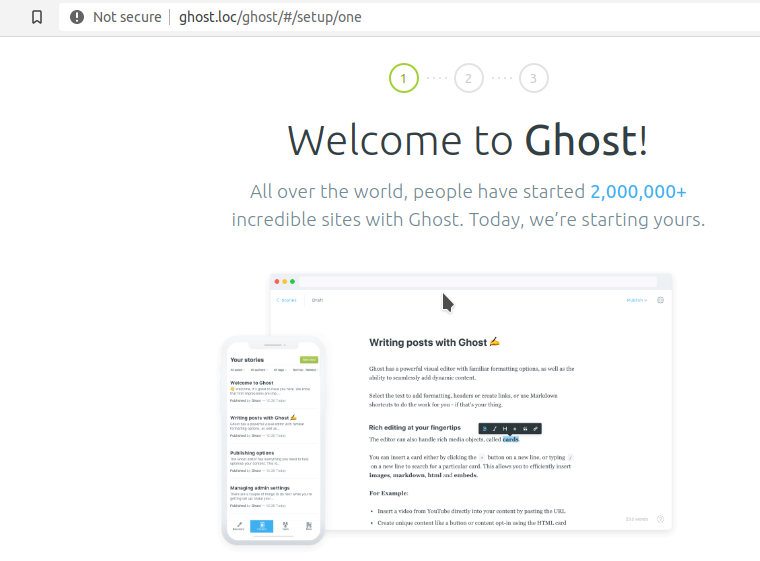
@BobbyBabes Update: I have the latest version of Ghost running on devilbox. What seems like a simple rproxy for node setup is not. How would you like me to deliver the instructions for this? Should I just use the node rproxy page as a template?

gunnard
on 4 Jul 2020
@gunnard Thanks a lot! :1st_place_medal: :100:
Whatever is easier for you. If that's the node rproxy page then go for it.
BobbyBabes
on 5 Jul 2020
@BobbyBabes I have created a feature branch. How can I push this to the repo? I do not have permission. I also cannot find (if there is any) what the instructions are for me to do this. I am very familiar with git so I just need to know what the process is for this project. Thank you!
gunnard
on 5 Jul 2020
@gunnard I would imagine you submit a pull request from your fork to this project.
 science695
on 8 Jul 2020
science695
on 8 Jul 2020
@gunnard you can create this locally from within the docs/ directory. Simply enter make autobuild (in the docs dir), which will start a local server on http://0.0.0.0:8000 to preview all changes for the Sphinx docs - no tools except Docker required.
 cytopia
on 9 Jul 2020
cytopia
on 9 Jul 2020
Awesome. Thank you!
On Wed, Jul 8, 2020, 5:27 PM cytopia notifications@github.com wrote:
@gunnard https://github.com/gunnard you can create this locally from
within the docs/ directory. Simply enter make autobuild (in the docs
dir), which will start a local server on http://0.0.0.0:8000 to preview
all changes for the Sphinx docs - no tools except Docker required.—
You are receiving this because you were mentioned.
Reply to this email directly, view it on GitHub
https://github.com/cytopia/devilbox/issues/706#issuecomment-655789921,
or unsubscribe
https://github.com/notifications/unsubscribe-auth/ABH3BF76BI5MNCPYIV3E6PDR2TXE7ANCNFSM4M2SUEIA
.
gunnard
on 9 Jul 2020
@BobbyBabes I have created a feature branch. How can I push this to the repo? ..........
I have no idea. I'm not the owner, nor a member of this repo.
BobbyBabes
on 13 Jul 2020
Thanks for your help @BobbyBabes , @cytopia did get back to me on a workflow.
gunnard
on 13 Jul 2020
@BobbyBabes I have created a feature branch. How can I push this to the repo? ..........
I have no idea. I'm not the owner, nor a member of this repo.
You need to fork the project and then just push it to the forked repository, it will then auto-offer to create a PR to upstream
cytopia
on 13 Jul 2020
@cytopia, while I have you,
I have not been able to get the sphinx server to work properly. This is on a fresh clone of devilbox, did a doccker-compose up once to make sure that it worked. then I tried make autobuild within the /docs dir.
docker run
--rm
$(tty -s && echo "-it" || echo)
-e SPHINX_PROJECT="docs"
-e SPHINX_PORT=8000
-e NEW_UID="$(id -u)"
-e NEW_GID="$(id -g)"
-p "8000:8000"
-v /..:/shared/httpd
devilbox/python-sphinx:3.8-dev
sphinx-autobuild -a -E -n -j auto -W -H 0.0.0.0 -p 8000 . _build/html
[INFO] Setting SPHINX_PROJECT to: docs
[INFO] Setting internal Sphinx port to: 8000
[INFO] Keeping SPHINX_BUILD_DIR at default: _build/html
[INFO] Setting NEW_UID to: 0
[INFO] Setting NEW_GID to: 0
[INFO] /etc/group: devilbox:x:0:devilbox
[INFO] /etc/passwd: devilbox:x:0:0:Linux User,,,:/home/devilbox:/bin/ash
[INFO] drwxr-sr-x 1 root root 4096 Jul 9 11:35 /home/devilbox
[INFO] drwxr-xr-x 20 root root 4096 Jul 9 20:34 /shared/httpd
[INFO] No requirements.txt file found at: /shared/httpd/docs/requirements.txt
- sphinx-autobuild -a -E -n -j auto -W -H 0.0.0.0 -p 8000 . _build/html
+--------- manually triggered build ---------------------------------------------
Application error:
config directory doesn't contain a conf.py file (/shared/httpd/docs)
+--------------------------------------------------------------------------------
[I 200713 13:36:00 server:334] Serving on http://0.0.0.0:8000
[I 200713 13:36:00 handlers:62] Start watching changes
[I 200713 13:36:00 handlers:64] Start detecting changes
[W 200713 13:36:28 web:2246] 404 GET / (172.17.0.1) 3.11ms
[W 200713 13:36:29 web:2246] 404 GET /favicon.ico (172.17.0.1) 1.32ms
^C[I 200713 13:37:33 server:355] Shutting down...
I shut it down with ^C after showing a 404 on 0.0.0.0:8000
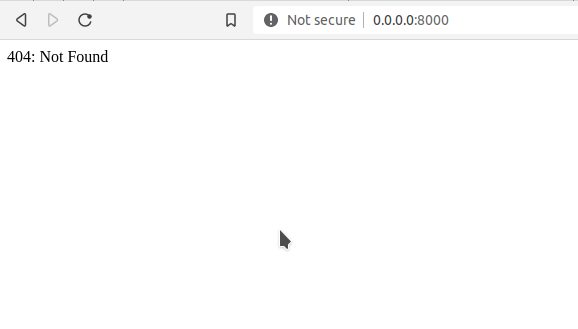
what am I doing wrong?
gunnard
on 13 Jul 2020
@gunnard Seems like the mount part is not really working:
-v /..:/shared/httpd
which is defined as (in the Makefile):
-v $(PWD)/..:/shared/httpd \
So I am guessing the $(PWD) variable is not being resolved. Can you set and export this explicitly to the full path of the docs directory
cytopia
on 13 Jul 2020
@cytopia Same result (unless I am doing this wrong) I also tried the replacement for linkcheck and it fails
`docker run
--rm
$(tty -s && echo "-it" || echo)
-e SPHINX_PROJECT="docs"
-e SPHINX_PORT=8000
-e NEW_UID="$(id -u)"
-e NEW_GID="$(id -g)"
-p "8000:8000"
-v /home/gunnard/devilbox/docs..:/shared/httpd
devilbox/python-sphinx:3.8-dev
sphinx-autobuild -a -E -n -j auto -W -H 0.0.0.0 -p 8000 . _build/html
[INFO] Setting SPHINX_PROJECT to: docs
[INFO] Setting internal Sphinx port to: 8000
[INFO] Keeping SPHINX_BUILD_DIR at default: _build/html
[INFO] Setting NEW_UID to: 0
[INFO] Setting NEW_GID to: 0
[INFO] /etc/group: devilbox:x:0:devilbox
[INFO] /etc/passwd: devilbox:x:0:0:Linux User,,,:/home/devilbox:/bin/ash
[INFO] drwxr-sr-x 1 root root 4096 Jul 9 11:35 /home/devilbox
[INFO] drwxr-xr-x 3 root root 4096 Jul 13 14:44 /shared/httpd
[INFO] No requirements.txt file found at: /shared/httpd/docs/requirements.txt
- sphinx-autobuild -a -E -n -j auto -W -H 0.0.0.0 -p 8000 . _build/html
+--------- manually triggered build ---------------------------------------------
Application error:
config directory doesn't contain a conf.py file (/shared/httpd/docs)
+--------------------------------------------------------------------------------
[I 200713 14:47:58 server:334] Serving on http://0.0.0.0:8000
[I 200713 14:47:58 handlers:62] Start watching changes
[I 200713 14:47:58 handlers:64] Start detecting changes
[W 200713 14:48:03 web:2246] 404 GET / (172.17.0.1) 6.23ms
[W 200713 14:48:05 web:2246] 404 GET / (172.17.0.1) 2.44ms`
gunnard
on 13 Jul 2020
-v $(PWD)/..:/shared/httpd \So I am guessing the
$(PWD)variable is not being resolved. Can you set and export this explicitly to the full path of the docs directory
Shouldn’t PWD be pwd (lowercase) instead?
BobbyBabes
on 13 Jul 2020
Tested that out, no go.
Quick google found this:
PWD=$(shell dirname $(realpath $(firstword $(MAKEFILE_LIST))))
my output using $(PWD) is:
docker run
--rm
$(tty -s && echo "-it" || echo)
-e SPHINX_PROJECT="docs"
-e SPHINX_PORT=8000
-e NEW_UID="$(id -u)"
-e NEW_GID="$(id -g)"
-p "8000:8000"
-v /home/gunnard/devilbox/docs:/shared/httpd
devilbox/python-sphinx:3.8-dev
sphinx-autobuild -a -E -n -j auto -W -H 0.0.0.0 -p 8000 . _build/html
[INFO] Setting SPHINX_PROJECT to: docs
[INFO] Setting internal Sphinx port to: 8000
[INFO] Keeping SPHINX_BUILD_DIR at default: _build/html
[INFO] Setting NEW_UID to: 0
[INFO] Setting NEW_GID to: 0
[INFO] /etc/group: devilbox:x:0:devilbox
[INFO] /etc/passwd: devilbox:x:0:0:Linux User,,,:/home/devilbox:/bin/ash
[INFO] drwxr-sr-x 1 root root 4096 Jul 9 11:35 /home/devilbox
[INFO] drwxrwxr-x 20 root root 4096 Jul 13 16:58 /shared/httpd
[WARN]
[INFO] Creating project dir: /shared/httpd/docs
[INFO] Creating Python virtual env: /shared/httpd/docs/venv
created virtual environment CPython3.8.3.final.0-64 in 2838ms
creator CPython3Posix(dest=/shared/httpd/docs/venv, clear=False, global=False)
seeder FromAppData(download=False, pip=bundle, setuptools=bundle, wheel=bundle, via=copy, app_data_dir=/home/devilbox/.local/share/virtualenv)
added seed packages: pip==20.1.1, setuptools==49.1.0, wheel==0.34.2
activators BashActivator,CShellActivator,FishActivator,PowerShellActivator,PythonActivator,XonshActivator
[INFO] Creating build dir: /shared/httpd/docs/_build/html
[INFO] No requirements.txt file found at: /shared/httpd/docs/requirements.txt
- sphinx-autobuild -a -E -n -j auto -W -H 0.0.0.0 -p 8000 . _build/html
+--------- manually triggered build ---------------------------------------------
Application error:
config directory doesn't contain a conf.py file (/shared/httpd/docs)
+--------------------------------------------------------------------------------
[I 200713 16:59:05 server:334] Serving on http://0.0.0.0:8000
[I 200713 16:59:05 handlers:62] Start watching changes
[I 200713 16:59:05 handlers:64] Start detecting changes
[W 200713 16:59:16 web:2246] 404 GET / (172.17.0.1) 1.56ms
[W 200713 16:59:17 web:2246] 404 GET /favicon.ico (172.17.0.1) 1.11ms
gunnard
on 13 Jul 2020
Change $(PWD) into $(pwd). The command pwd must be in all lowercase. See screenshot.
EDIT: The expression $(command here) is a synonym of the Bash command command. Command substitution.

BobbyBabes
on 13 Jul 2020
I tottally agree with you that in the shell $(pwd) will return the pwd. In the Makefile however it is not returning any value. I have done echo $(pwd) and printf $(pwd) and they both return empty.
I did add PWD=$(shell pwd) and used $(PWD) in the script and it is returning /home/gunnard/devilbox/docs. unfortunatly I am still getting the same errors.
docker run
--rm
$(tty -s && echo "-it" || echo)
-e SPHINX_PROJECT="docs"
-e SPHINX_PORT=8000
-e NEW_UID="$(id -u)"
-e NEW_GID="$(id -g)"
-p "8000:8000"
-v /home/gunnard/devilbox/docs:/shared/httpd
devilbox/python-sphinx:3.8-dev
sphinx-autobuild -a -E -n -j auto -W -H 0.0.0.0 -p 8000 . _build/html
[INFO] Setting SPHINX_PROJECT to: docs
[INFO] Setting internal Sphinx port to: 8000
[INFO] Keeping SPHINX_BUILD_DIR at default: _build/html
[INFO] Setting NEW_UID to: 0
[INFO] Setting NEW_GID to: 0
[INFO] /etc/group: devilbox:x:0:devilbox
[INFO] /etc/passwd: devilbox:x:0:0:Linux User,,,:/home/devilbox:/bin/ash
[INFO] drwxr-sr-x 1 root root 4096 Jul 9 11:35 /home/devilbox
[INFO] drwxrwxr-x 21 root root 4096 Jul 13 17:33 /shared/httpd
[INFO] No requirements.txt file found at: /shared/httpd/docs/requirements.txt
- sphinx-autobuild -a -E -n -j auto -W -H 0.0.0.0 -p 8000 . _build/html
+--------- manually triggered build ---------------------------------------------
Application error:
config directory doesn't contain a conf.py file (/shared/httpd/docs)
+--------------------------------------------------------------------------------
[I 200713 17:33:56 server:334] Serving on http://0.0.0.0:8000
[I 200713 17:33:56 handlers:62] Start watching changes
[I 200713 17:33:56 handlers:64] Start detecting changes
Interestingly enough on the line with the /home/gunnard/devilbox/docs:/shared/httpd line .. the original Makefile had ..: inbetween the /home/gunnard/devilbox/docs and /shared/httpd. when the .. is there, a docs.. directory is created within /home/gunnard/devilbox
gunnard
on 13 Jul 2020
Oh man that S.cks. Could you try ${PWD} ?
Curly braces, all caps. Substitute environment variable.
EDIT: Added screenshot.

BobbyBabes
on 13 Jul 2020
${PWD} does return the correct path. I am still getting the same errors. when the docs.. directory is created (as in my last post) the correct spinhx files are put in there. Somehow it is not setting the already created docs directory as the config directory.. @cytopia am I the only one who is running into this issue?? I am totally accepting that my environment is setup strange somehow if not.
gunnard
on 13 Jul 2020
I just cloned this repo. Changed directory into the docs directory. Then ran make autobuild.
I'm seeing this :
bobbybabes ladyluck ~ dev devilbox-docs-test devilbox docs master $ make autobuild
docker run \
--rm \
$(tty -s && echo "-it" || echo) \
-e SPHINX_PROJECT="docs" \
-e SPHINX_PORT=8000 \
-e NEW_UID="$(id -u)" \
-e NEW_GID="$(id -g)" \
-p "8000:8000" \
-v /home/bobbybabes/dev/devilbox-docs-test/devilbox/docs/..:/shared/httpd \
devilbox/python-sphinx:3.8-dev \
sphinx-autobuild -a -E -n -j auto -W -H 0.0.0.0 -p 8000 . _build/html
[INFO] Setting SPHINX_PROJECT to: docs
[INFO] Setting internal Sphinx port to: 8000
[INFO] Keeping SPHINX_BUILD_DIR at default: _build/html
[INFO] Setting NEW_UID to: 1000
[INFO] Setting NEW_GID to: 100
[INFO] /etc/group: devilbox:x:100:devilbox
[INFO] /etc/passwd: devilbox:x:1000:100:Linux User,,,:/home/devilbox:/bin/ash
[INFO] drwxr-sr-x 1 devilbox users 4096 Jul 13 11:38 /home/devilbox
[INFO] drwxr-xr-x 16 devilbox users 4096 Jul 13 18:57 /shared/httpd
[INFO] Installing pip requirements from: /shared/httpd/docs/requirements.txt
WARNING: Retrying (Retry(total=4, connect=None, read=None, redirect=None, status=None)) after connection broken by 'NewConnectionError('<pip._vendor.urllib3.connection.VerifiedHTTPSConnection object at 0x7f3ddba59250>: Failed to establish a new connection: [Errno -3] Try again')': /simple/recommonmark/
WARNING: Retrying (Retry(total=3, connect=None, read=None, redirect=None, status=None)) after connection broken by 'NewConnectionError('<pip._vendor.urllib3.connection.VerifiedHTTPSConnection object at 0x7f3ddba594f0>: Failed to establish a new connection: [Errno -3] Try again')': /simple/recommonmark/
WARNING: Retrying (Retry(total=2, connect=None, read=None, redirect=None, status=None)) after connection broken by 'NewConnectionError('<pip._vendor.urllib3.connection.VerifiedHTTPSConnection object at 0x7f3ddba59490>: Failed to establish a new connection: [Errno -3] Try again')': /simple/recommonmark/
WARNING: Retrying (Retry(total=1, connect=None, read=None, redirect=None, status=None)) after connection broken by 'NewConnectionError('<pip._vendor.urllib3.connection.VerifiedHTTPSConnection object at 0x7f3ddba59880>: Failed to establish a new connection: [Errno -3] Try again')': /simple/recommonmark/
WARNING: Retrying (Retry(total=0, connect=None, read=None, redirect=None, status=None)) after connection broken by 'NewConnectionError('<pip._vendor.urllib3.connection.VerifiedHTTPSConnection object at 0x7f3ddba59f70>: Failed to establish a new connection: [Errno -3] Try again')': /simple/recommonmark/
ERROR: Could not find a version that satisfies the requirement recommonmark (from -r /shared/httpd/docs/requirements.txt (line 1)) (from versions: none)
ERROR: No matching distribution found for recommonmark (from -r /shared/httpd/docs/requirements.txt (line 1))
make: *** [Makefile:58: autobuild] Error 1
bobbybabes ladyluck ~ dev devilbox-docs-test devilbox docs master USAGE $
Is it possible to screenshot me the setup instructions?
Pretty please with sugar on top.
EDIT: Do you have the path : /shared/httpd ?
BobbyBabes
on 13 Jul 2020
The instructions are in the README.md in /docs
Local setup
You can also build the documentation locally before pushing to ensure everything looks fine:
Requirements
- Docker
How to check for broken links
cd docs/
make linkcheck
make linkcheck2
How to build and error-check
cd docs/
make build
How to build continuously
cd docs/
make autobuild
How to view
When using make autobuild your documentation is served at: http://0.0.0.0:8000
no, within devilbox (via shell.sh) I just have shared/httpd
gunnard
on 13 Jul 2020
Yes, /shared/httpd/ is the working directory where things are mounted inside the docker container.
@gunnard Do you have any of the security programs enabled (Selinux, etc...)? many people have to add options to let the security protocols let it through.
In the .env file it is the MOUNT_OPTIONS variable, and often needs a MOUNT_OPTIONS=,z
Tip for debugging:
use the shell.sh script to log into the container and confirm what is mounted from the containers's perspective.
(does navigating to 0.0.0.0 really work like that? I usually go to some form of localhost)
science695
on 13 Jul 2020
Already had done the link checks. That's why it took me about an hour and a half before I responded. I believe that make linkcheck2 hangs/freezes. It sits forever on the last line starting with [TEST] (see below). So I cancelled after one hour plus.
Just realised that I'm not seeing /shared/httpd because Sphynx is never started (in my situation).
bobbybabes ladyluck ~ dev devilbox-docs-test devilbox docs master $ make linkcheck
docker run \
--rm \
$(tty -s && echo "-it" || echo) \
-e SPHINX_PROJECT="docs" \
-e SPHINX_PORT=8000 \
-e NEW_UID="$(id -u)" \
-e NEW_GID="$(id -g)" \
-v /home/bobbybabes/dev/devilbox-docs-test/devilbox/docs/..:/shared/httpd \
devilbox/python-sphinx:3.8-dev \
sphinx-build -M linkcheck . _build
[INFO] Setting SPHINX_PROJECT to: docs
[INFO] Setting internal Sphinx port to: 8000
[INFO] Keeping SPHINX_BUILD_DIR at default: _build/html
[INFO] Setting NEW_UID to: 1000
[INFO] Setting NEW_GID to: 100
[INFO] /etc/group: devilbox:x:100:devilbox
[INFO] /etc/passwd: devilbox:x:1000:100:Linux User,,,:/home/devilbox:/bin/ash
[INFO] drwxr-sr-x 1 devilbox users 4096 Jul 13 11:38 /home/devilbox
[INFO] drwxr-xr-x 16 devilbox users 4096 Jul 13 18:57 /shared/httpd
[INFO] Installing pip requirements from: /shared/httpd/docs/requirements.txt
WARNING: Retrying (Retry(total=4, connect=None, read=None, redirect=None, status=None)) after connection broken by 'NewConnectionError('<pip._vendor.urllib3.connection.VerifiedHTTPSConnection object at 0x7f7447a7e250>: Failed to establish a new connection: [Errno -3] Try again')': /simple/recommonmark/
WARNING: Retrying (Retry(total=3, connect=None, read=None, redirect=None, status=None)) after connection broken by 'NewConnectionError('<pip._vendor.urllib3.connection.VerifiedHTTPSConnection object at 0x7f7447a7e4f0>: Failed to establish a new connection: [Errno -3] Try again')': /simple/recommonmark/
WARNING: Retrying (Retry(total=2, connect=None, read=None, redirect=None, status=None)) after connection broken by 'NewConnectionError('<pip._vendor.urllib3.connection.VerifiedHTTPSConnection object at 0x7f7447a7e490>: Failed to establish a new connection: [Errno -3] Try again')': /simple/recommonmark/
WARNING: Retrying (Retry(total=1, connect=None, read=None, redirect=None, status=None)) after connection broken by 'NewConnectionError('<pip._vendor.urllib3.connection.VerifiedHTTPSConnection object at 0x7f7447a7e880>: Failed to establish a new connection: [Errno -3] Try again')': /simple/recommonmark/
WARNING: Retrying (Retry(total=0, connect=None, read=None, redirect=None, status=None)) after connection broken by 'NewConnectionError('<pip._vendor.urllib3.connection.VerifiedHTTPSConnection object at 0x7f7447a7ef70>: Failed to establish a new connection: [Errno -3] Try again')': /simple/recommonmark/
ERROR: Could not find a version that satisfies the requirement recommonmark (from -r /shared/httpd/docs/requirements.txt (line 1)) (from versions: none)
ERROR: No matching distribution found for recommonmark (from -r /shared/httpd/docs/requirements.txt (line 1))
make: *** [Makefile:34: linkcheck] Error 1
bobbybabes ladyluck ~ dev devilbox-docs-test devilbox docs master USAGE $ make linkcheck2
docker run \
--rm \
$(tty -s && echo "-it" || echo) \
-v /home/bobbybabes/dev/devilbox-docs-test/devilbox/docs:/data \
cytopia/linkcheck -l -k -r 60 -t 30 -e rst -c '200,204' _includes/
Unable to find image 'cytopia/linkcheck:latest' locally
latest: Pulling from cytopia/linkcheck
cbdbe7a5bc2a: Pull complete
66d6e31e3736: Pull complete
e8045ad5cf91: Pull complete
4bc43a398d1b: Pull complete
Digest: sha256:07837813b1d7fbe608d58f492c206f25ec8013743ab05d832ffefe2921d1bcba
Status: Downloaded newer image for cytopia/linkcheck:latest
$ find _includes/ \( -iname \*.rst \) -type f -exec grep -IEo 'http(s)?:\/\/[-+%=?&():,._/#0-9a-zA-Z]+' '{}' \; | sort -u
[TEST] http://doc.prestashop.com/display/PS17/Getting+started ...
@science695 I do not have anything installed that should interfere with the
mounts. I have created mounted dirs from /data/www and inside /shared/httpd
that show up in my host/devilbox system. I did try MOUNT_OPTIONS=,z and
this is what I got when doing a docker-compose up
`º°'°º¤ø[gunnard]
º°¤ø[~/devilbox]
º°¤ø[docker-compose up httpd mysql php bind
Creating devilbox_bind_1 ... done
Creating devilbox_php_1 ... error
ERROR: for devilbox_php_1 Cannot create container for service php: invalid
mode: rw,x
ERROR: for php Cannot create container for service php: invalid mode: rw,x
ERROR: Encountered errors while bringing up the project.`
On Mon, Jul 13, 2020 at 2:50 PM science695 notifications@github.com wrote:
Yes, /shared/httpd/ is the working directory where things are mounted
inside the docker container.@gunnard https://github.com/gunnard Do you have any of the security
programs enabled (Selinux, etc...)? many people have to add options to let
the security protocols let it through.In the .env file it is the MOUNT_OPTIONS variable, and often needs a
MOUNT_OPTIONS=,zOther tips for debugging:
use the shell.sh script to log into the container and confirm what is
mounted from the containers's perspective.(does navigating to 0.0.0.0 really work like that? I usually go to some
form of localhost)—
You are receiving this because you were mentioned.
Reply to this email directly, view it on GitHub
https://github.com/cytopia/devilbox/issues/706#issuecomment-657757318,
or unsubscribe
https://github.com/notifications/unsubscribe-auth/ABH3BF35ZWI35CDBKTIKQOLR3NQRHANCNFSM4M2SUEIA
.
gunnard
on 13 Jul 2020
I fatfingered an X instead of Z, this time it brought up devilbox but the make autobuild still failed the same way. The server is responsive a 0.0.0.0:8000 I see a rendered 404 and the command line output shows a 404 GET /
gunnard
on 13 Jul 2020
I just installed a Ghost + Eleventy container as described here : Eleventy and Ghost: Use your favourite static site generator!
It's not exactly what I wanted, but I'm getting tired of the Devilbox Docs build process.
BobbyBabes
on 13 Jul 2020
lol! that was my first success, was just using the container and hooking into it. then I did a full install of the code without the ghost container ...
gunnard
on 14 Jul 2020
How lol that may be, I just unsubscribed from this issue, and I'm closing it right after. @gunnard I thank you for your hard work. You were helpful and brave. But the lack of response from the repo owner (not only in this issue, but also in other issues and the forum) is disturbing. I'm also uninstalling Devilbox. Back to Linux KVM.
BobbyBabes
on 14 Jul 2020
Related issues
 folkevil
·
5Comments
cytopia
·
4Comments
folkevil
·
5Comments
cytopia
·
4Comments
 RaffyeMemon
·
4Comments
RaffyeMemon
·
4Comments
 lostncg
·
3Comments
lostncg
·
3Comments
 sustained
·
6Comments
sustained
·
6Comments
Most helpful comment
@BobbyBabes Update: I have the latest version of Ghost running on devilbox. What seems like a simple rproxy for node setup is not. How would you like me to deliver the instructions for this? Should I just use the node rproxy page as a template?

