Devilbox: php project showing Bad Request on apache-2.4, apache-2.2, however it works on nginx
As I have few project running on bare-metal apache 2.4, I was wondering
how to setup a dockerize version, here is the issue I face:
apache-2.4, apache-2.2 my project showing Bad Request
I have configured C:\Windows\System32\drivers\etc\hosts

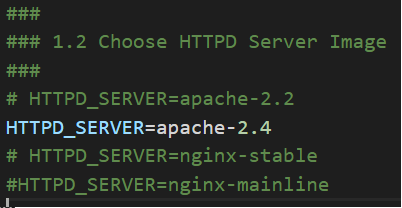
Set apache2.4 to be httpd server
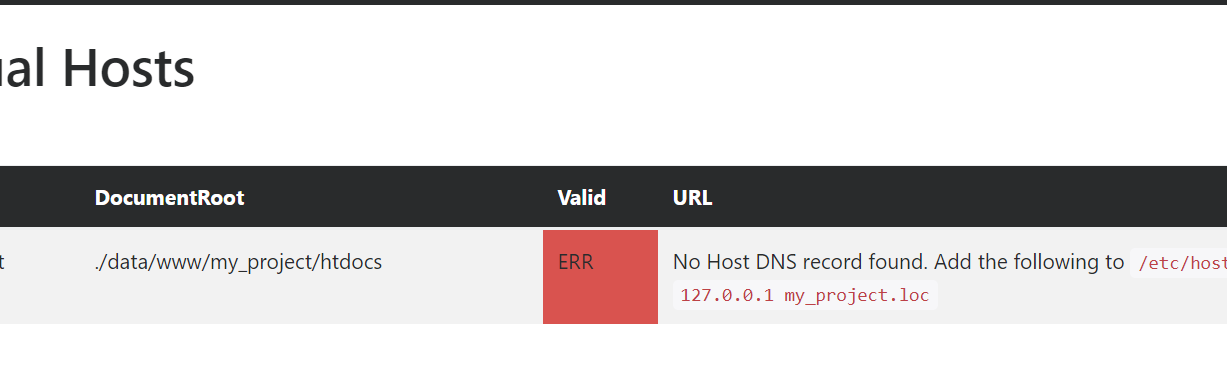

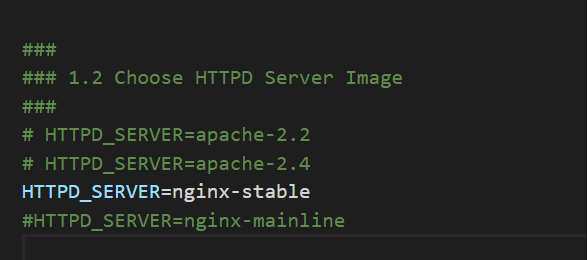
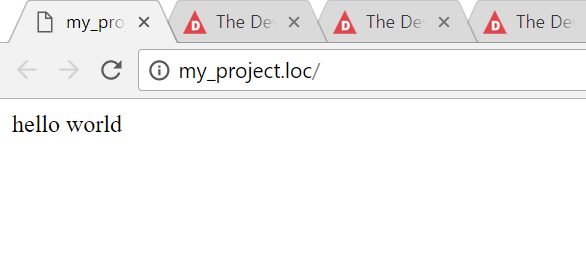
Where as i setup in nginx for the same project, it works:
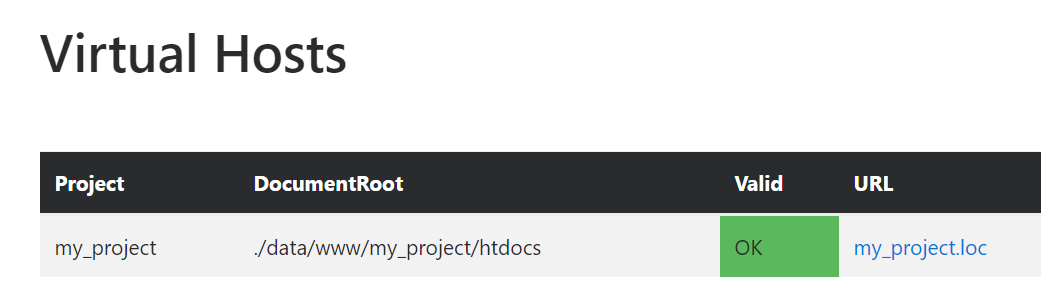
Any Ideas what's the root cause?
Perhaps It would be great if there is any tips regarding setting up apache that i din't know?
 alzen8work
All 24 comments
That's strange.
Let's make sure we are both on the same page and please provide some more details for me to work with.
- Please provide Docker and Docker-Compose version
- Are you using Docker for Windows or Docker Toolbox?
- When having selected Apache in
.env, could you pull latest image viadocker-compose pull httpd - Please provide
docker-compose logsoutput when Apache is enabled - Please provide Apache logs from
./logs/directory
 cytopia
on 16 Apr 2018
cytopia
on 16 Apr 2018
1) Please provide Docker and Docker-Compose version
-Docker Version: 18.03.0-ce-win59 (16762)
-Docker Machine 0.14.0
-Docker compose 1.20.1
-Notary 0.6.0
2) Are you using Docker for Windows or Docker Toolbox?
-Windows 10 Pro
- Docker for Windows (hyper-v)
3) When having selected Apache in .env, could you pull latest image via docker-compose pull httpd

docker images

4) Please provide docker-compose logs output when Apache is enabled
docker-compose logs .txt
docker-compose up
docker-compose up .txt
5) Please provide Apache logs from ./logs/ directory
./logs/apache-2.4/ files are all empty
alzen8work
on 16 Apr 2018
Did you upgrade from a previous Devilbox version or start from scratch?
cytopia
on 16 Apr 2018
well im git pulling from previous version
alzen8work
on 16 Apr 2018
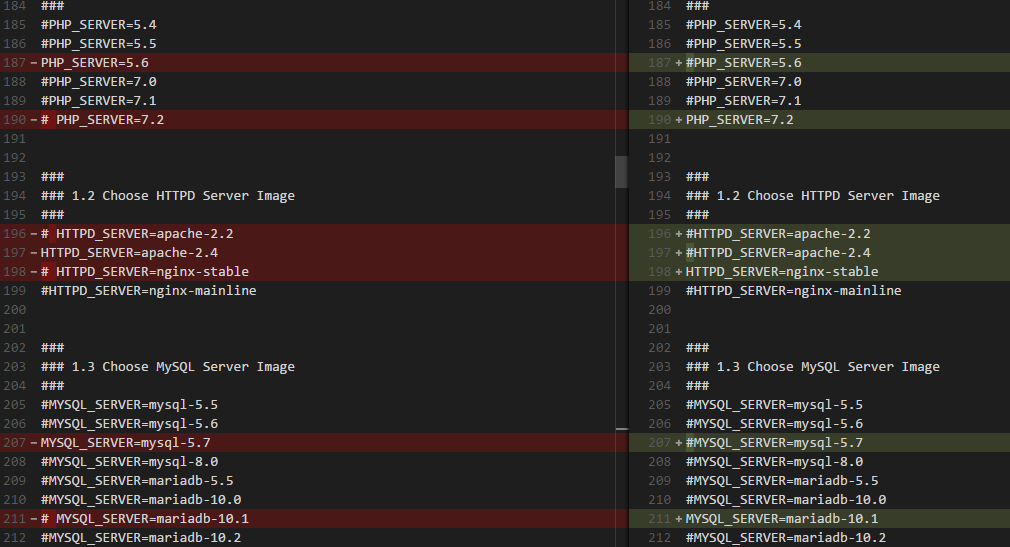
Can you please compare env-example with your current .env in case something is missing.
cytopia
on 16 Apr 2018
PS:
I have also tested the same repo on server, the same issue persist:
server specs:
Operating System: CentOS Linux 7 (Core)
CPE OS Name: cpe:/o:centos:centos:7
Kernel: Linux 3.10.0-693.17.1.el7.x86_64
Architecture: x86-64
Docker
docker -v
Docker version 17.12.1-ce, build 7390fc6
docker-compose -v
docker-compose version 1.20.0-rc1, build 86428af
On the other hand,
Another set of local windows 10 pro PC with previous version of apache :
Docker 17.12.0-ce-win47 (15139)
Docker-compose 1.18.0
Which run on previous version of devilbox(php5.6.31, apache 2.4.27) repo is working fine
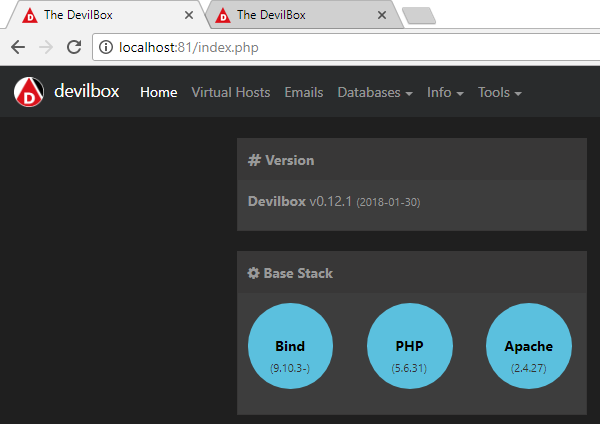
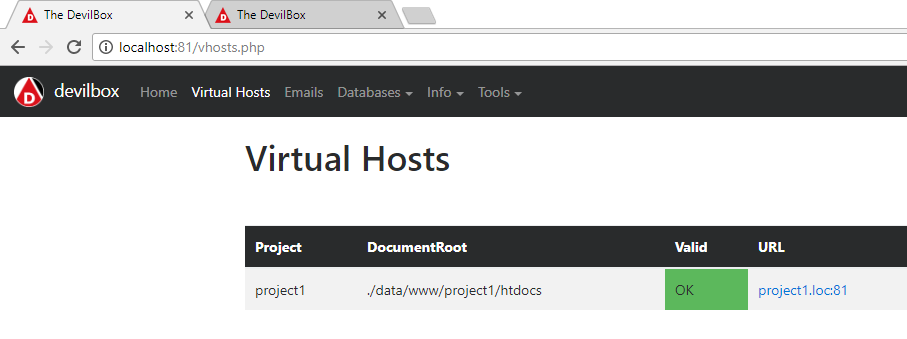
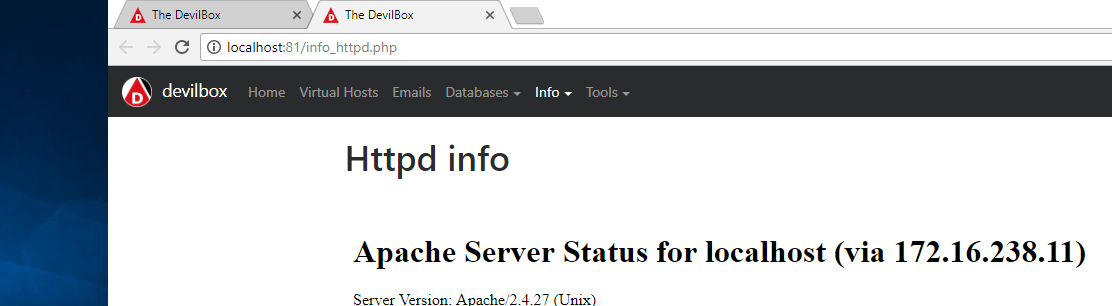
alzen8work
on 16 Apr 2018
Does it work now?
cytopia
on 16 Apr 2018
@cytopia Oops, sorry accidentally close the issue... it is still unresolved...
alzen8work
on 16 Apr 2018
RE: Can you please compare env-example with your current .env in case something is missing.



alzen8work
on 16 Apr 2018
@cytopia well in summary seems like:
windows 10 pro machine which has the updated docker+ updated devilbox(php5.6.35, apache 2.4.29)
is not working
Centos 7 which has the older docker + updated devilbox(php5.6.35, apache 2.4.29)
is not working
where as,
another windows 10 pro that has older docker + older devilbox(php5.6.31, apache 2.4.27) repo
is working fine
hmmm.... any ideas?
alzen8work
on 16 Apr 2018
This is very strange as it even works inside Travis ci.
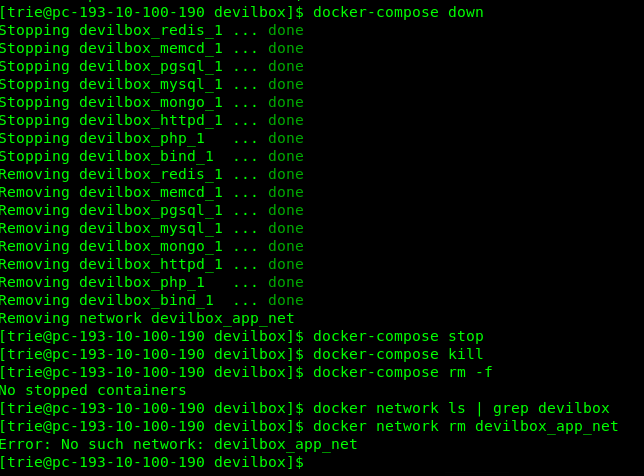
One more thing you could try to have a fresh start is
Remove old stuff
host> docker-compose stop
host> docker-compose kill
host> docker-compose rm -f
Remove current network
host> docker network ls | grep devilbox
1168ebab4133        devilbox_app_net            bridge              local

host> docker network rm devilbox_app_net
sorry dont get it, One more thing you could try to have a fresh start is?
alzen8work
on 16 Apr 2018
alzen8work
on 16 Apr 2018
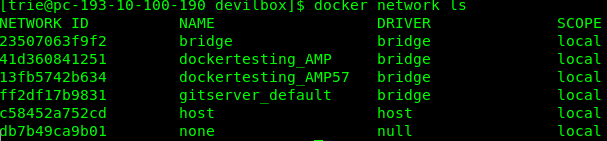
Hmm strange that there is no devilbox_app_net network. Could you just issue docker network ls and show the output here.
cytopia
on 16 Apr 2018
well @cytopia , i think it is because i "docker-compose down" before i execute ur command
alzen8work
on 16 Apr 2018
docker network ls
alzen8work
on 16 Apr 2018
well if docker images:
devilbox/nginx-stable 0.12 da8e151ed02a 6 months ago 148MB
devilbox/php-fpm 5.6-work 8001cc57e6ab 7 hours ago 1.43GB
devilbox/nginx-stable 0.13 91add6c5b204 4 weeks ago 169MB
devilbox/apache-2.4 0.13 eb973214ec30 4 weeks ago 241MB
cytopia/mariadb-10.1 latest cadf2d610e84 7 weeks ago 1.22GB
cytopia/mysql-5.7 latest ac5e1664fe95 7 weeks ago 1.37GB
cytopia/php-fpm-7.1 latest 927ad858fb6a 7 months ago 1.1GB
cytopia/php-fpm-7.2 latest 583d55de7ac1 7 months ago 1.08GB
cytopia/bind 0.11 3a06fe34e4ff 2 months ago 198MB
cytopia/bind latest 3bff038174ca 2 months ago 199MB
alzen8work
on 16 Apr 2018
@cytopia any updates on ur findings?
alzen8work
on 20 Apr 2018
I am afraid not yet. I will come back to this issue shortly after having tried it on CentOS 7.
cytopia
on 21 Apr 2018
I think this is because of the underscore @alzen8work used for the host name.
Check also this StackOverflow answer .
I had a quite similar issue and solve it by creating another host named second-project (please note the dash I used instead of underscore).
Hope this helps!
 codeteo
on 29 May 2018
codeteo
on 29 May 2018
@codeteo I could reproduce this behaviour with Apache 2.4. Underscores in names don't work, it does however work for Nginx
cytopia
on 3 Jun 2018
This can be resolved by adding the following option to apache global configuration:
https://httpd.apache.org/docs/2.4/mod/core.html#HttpProtocolOptions
HTTPProtocolOptions unsafe
I will make this default and let you know once its updated
cytopia
on 3 Jun 2018
FIx is on the way:
cytopia
on 3 Jun 2018
Try out PR and see if that fixes it: https://github.com/cytopia/devilbox/pulls
cytopia
on 3 Jun 2018
Related issues
cytopia
·
4Comments
 mwmichael
·
3Comments
mwmichael
·
3Comments
 gowrav-vishwakarma
·
6Comments
gowrav-vishwakarma
·
6Comments
 joshjacksoncastus
·
3Comments
joshjacksoncastus
·
3Comments
 RaffyeMemon
·
4Comments
RaffyeMemon
·
4Comments