Device-os: Red SOS on P1 when it doesn't have valid wifi creds
P1 Red SOS flash if it doesn't have valid wifi creds. May be hardware related, may be a very weird sequence of provisioning but it seems the wifi creds are corrupted and cause a SOS
Bug Report
Expected Behavior
What should it do? Keep connecting / go to wifi listen mode as appropriate. Not a red SOS
Observed Behavior
What did it actually do? Red SOS after about 10 seconds.
Steps to Reproduce
How did you make it do that, and which system/user firmware versions were tested?
1.4.2 / P1 chip
- China factory: Board was updated from 1.2.x (from a tape and reel) to 1.4.2. Wifi creds were added before update due to issues we were seeing with the chinese internet connection, seemed to be faster later on.
- Board was given our firmware, claimed via particle device add, renamed, etc etc. Put on a plane to us in Australia
- Turn on device, red flash after ~15 seconds. Presumably because it didn't have a known wifi network to attach to.
- Problems persisted even after flashing the below stripped down code
The fix?
- Hardware button wifi reset. See below additional commentary.
Test App
#include "application.h"

SYSTEM_MODE(SEMI_AUTOMATIC);
SYSTEM_THREAD(ENABLED);

char strVersion[32];

void setup() {

    delay (4000);
    // Start serial at 9600 baud
    Serial.begin(9600);

    Serial.println("start of setup 0 functions");

    // Spark read/write variables
    //Particle.variable("version", strVersion, STRING);
    //Particle.function("reset", callReset);

    Serial.println("start of setup 1 wifi on");

    WiFi.on();
    Serial.println("start of setup 1 wifi connect");

    WiFi.connect();

    Serial.println("start of setup 1 particle connect");
    Particle.connect();

}


int callReset(String nonsenseArg){

    Serial.println("Going to reset device now due to cloud function call!");
    Particle.publish("info", "Going to reset device now due to cloud function call!", 60, PRIVATE);

    delay(2000); // 2 seconds

    System.reset();

    return 1;

}

void loop() {

}
References
None. There isn't published best practice code for semi automatic & system thread and how you reliably get it online.
 markterrill
All 29 comments
I am going a bit crazy here. I've had a board that was repeatedly red SOS'ing with our main code. Then I created the stripped down version and progressively took out pretty much everything aside the wifi and particle commands. Red SOS all the way. Reset wifi creds via button, put 'wrong' creds back on system and for some reason it wasn't SOS'ing anymore.
Even more strange, I then flashed our main code onto the device. No red SOS.
Will close issue until I can figure out what caused the gremlin.
markterrill
on 15 Nov 2019
Definitely something up. We received a shipment of flashed boards today. Without a wifi network that they knew how to connect they'd SOS after 10 or so seconds.
I've got two PCBs, both with the exact same P1 image on them. One SOS's after ~15 seconds, the one I was using before that I seemed to have cleared/fixed is working perfectly and gets to our 1 min timeout on connect and goes to listen mode.
markterrill
on 15 Nov 2019
Yep. Just flashed the 'bad' board with the test code above and it also SOS's after 10s of flashing green.
markterrill
on 15 Nov 2019
Ok. Any ideas?
Shipment of boards from China that had been updated to 1.4.2 and our code flashed to it. Had successfully gone online and been claimed via particle device add (which requires it to be online).
Receive them in Australia and they red SOS after ~12 seconds. Presumably because they couldn't find a comfortable wifi network network to jump onto.
If wifi creds are cleared and then 'wrong' creds are sent then on reboot it won't SOS even though it doesn't know the network. To send creds I use: particle serial wifi --port /dev/tty.usbmodem145301 --file /Users/markterrill/git-repo/sdb/nodejs/sdb-firmwareflash/variables-wontwork.json
I've also tried re-adding the factory creds to the device to see if they are tripping the SOS (which doesn't quite make sense as it worked there..), but they were fine with no SOS.
Lastly, reflashing our main app to this 'fixed' board works fine.
It's not isolated, I've got a box of 200 here, another 300 in transit. Every one we've picked out of the box has done it. To fix a board all I need to do is clear wifi creds via the setup button and then test by adding incorrect creds via serial and wait 20 seconds.
markterrill
on 15 Nov 2019
@markterrill Thanks for submitting the issue. Would you mind providing us with a DCT dump from one of those devices for inspection (straight out of box)? Please feel free to open a support ticket and provide the dump there as to not leak any potentially sensitive info from it and mention to the support team that I've requested it.
We'll also try to reproduce this on our side with the same sequence (1.2.1, right credentials, change AP credentials -> 1.4.2). I'll update this issue once we have some more information.
 avtolstoy
on 15 Nov 2019
avtolstoy
on 15 Nov 2019
Well. Had an idea this morning to make things faster. Change our guest wifi to match factory, let them go online and flash them again. There is an interesting medley of issues.
For context, I'm not exactly sure which code corresponds to the version used in the factory last week as we were trying a number of things to get them online and register their functions with that wifi.macaddress bug. So I unfortunately don't have a commit that matches the .bin. However it seems that doesn't actually matter...
So, set wifi to match factory wifi. Device goes happily online. Add a few extra characters to SSID to test that going online didn't somehow clear out some cobwebs. Red sos'd again after trying to find the network. So we've validated that the device is not faulty, wasn't damaged in transit, just really really needs to have a matching wifi network to connect to.
Next, tried flashing it with a binary (with a matching git commit!) that ensures we have the full sequence of wifi commands:
    WiFi.on();
    Serial.println("start of setup 1 connect");
    WiFi.connect();
    Serial.println("start of setup 1 particle connect");
    Particle.connect();
Rebooted, same symptoms as before. SOS if no known wifi network, happy breathing cyan if a match.
I'm pretty sure it's a corrupted wifi credentials list. It's cycling through and isn't happy.
I've tried setting wifi creds with a broken unit (with factory firmware and with our known firmware) via particle serial wifi --port /dev/tty.usbmodem145301 --file /Users/markterrill/git-repo/sdb/nodejs/sdb-firmwareflash/variables-smartfire-smartfireWIFI.json and same result, red SOS.
The only thing that works is clearing wifi credentials. You can do it via setup button, you can also do it remotely via a cloud function, ie:
int setWifiToClear(String str){
  Serial.println("Setting WiFi credentials back to CLEAR");

  WiFi.clearCredentials();
  WiFi.listen();
  return 1;
}
I then test by running the particle serial wifi with wrong credentials. No SOS, goes as it's supposed to listen mode after 1 minute timeout.
markterrill
on 18 Nov 2019
So, in summary, seems a fairly serious issue if the wifi credentials list can get corrupted and then end consumers get shipped a device that SOS's when they turn it on.
@avtolstoy if you could provide me instructions on the DCT dump process (and what it contains that may be sensitive, I don't care about the wifi network creds) I can pass that through. I couldn't find any references aside from the docs talking about layout and dfu util (which we use to set prefix).
markterrill
on 18 Nov 2019
@markterrill Yea, it does sound like either a credentials list corruption or incompatibility between 1.2.1 and 1.4.2, althought we haven't upgraded WICED between those releases.
I forgot to include the command, sorry about that:
$ dfu-util -d 2b04:c006 -a 1 -U dct_dump.bin
The sensitive information would potentially be:
- Device keys
- WiFi credentials
- Device ID
avtolstoy
on 18 Nov 2019
No worries.
dct_dump.bin.zip
markterrill
on 18 Nov 2019
Thank you for providing the DCT dump. Please be sure to run particle keys doctor on this device so that your device gets new keys.
https://docs.particle.io/reference/developer-tools/cli/#particle-keys-doctor
 m-mcgowan
on 18 Nov 2019
m-mcgowan
on 18 Nov 2019
@markterrill Can I ask you to also get direct dumps of two DCT pages:
$ dfu-util -d 2b04:c006 -s 0x08004000:0x8000 -a 0 -U dct_dump_full.bin
Here is the output of that.
markterrill
on 22 Nov 2019
So how is it going?
We had to get our Chinese factory to send us all the pcbs, already assembled units that would sos when sent to a customer, and all the parts needed to assemble roughly 400 units.
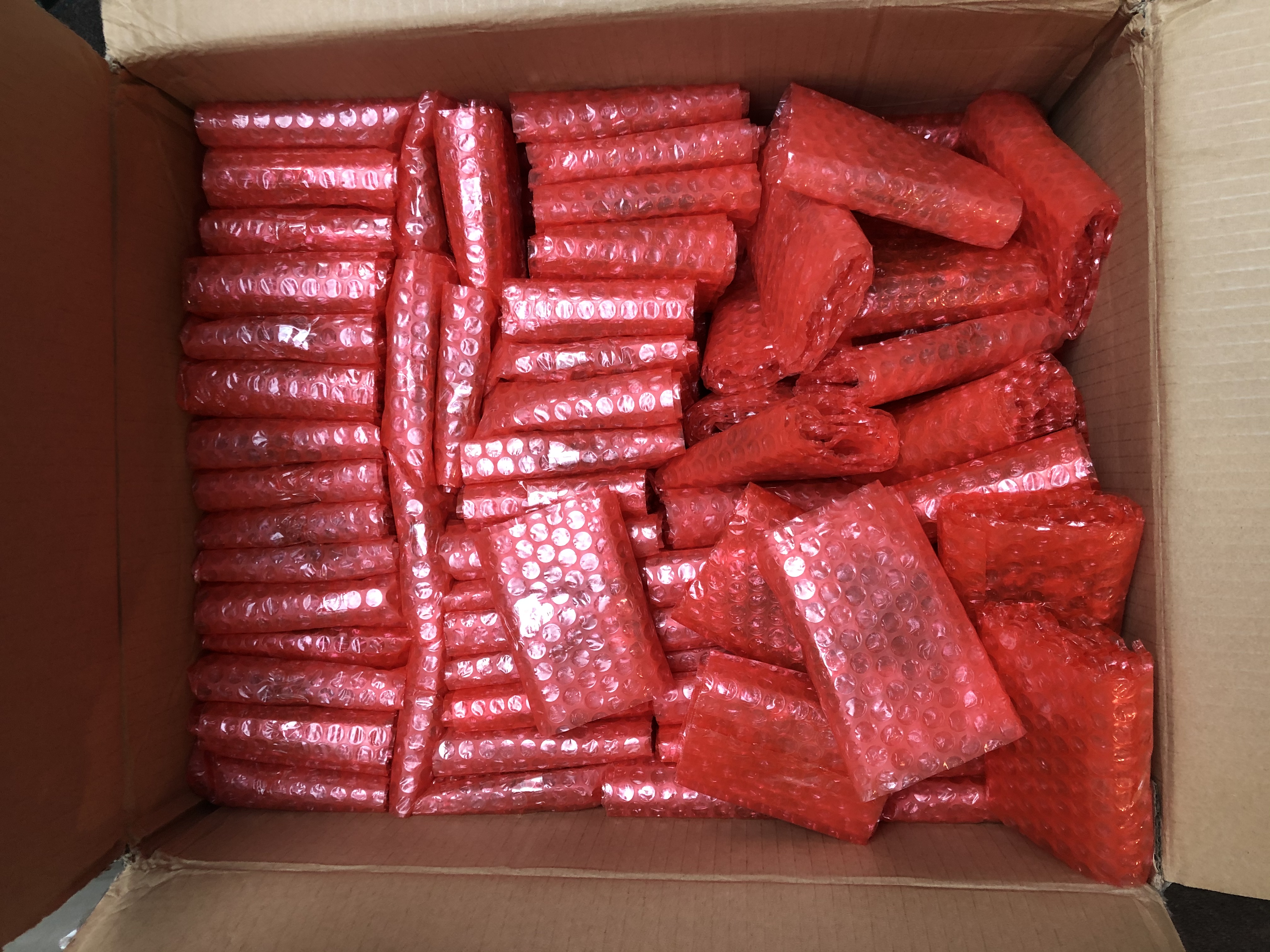
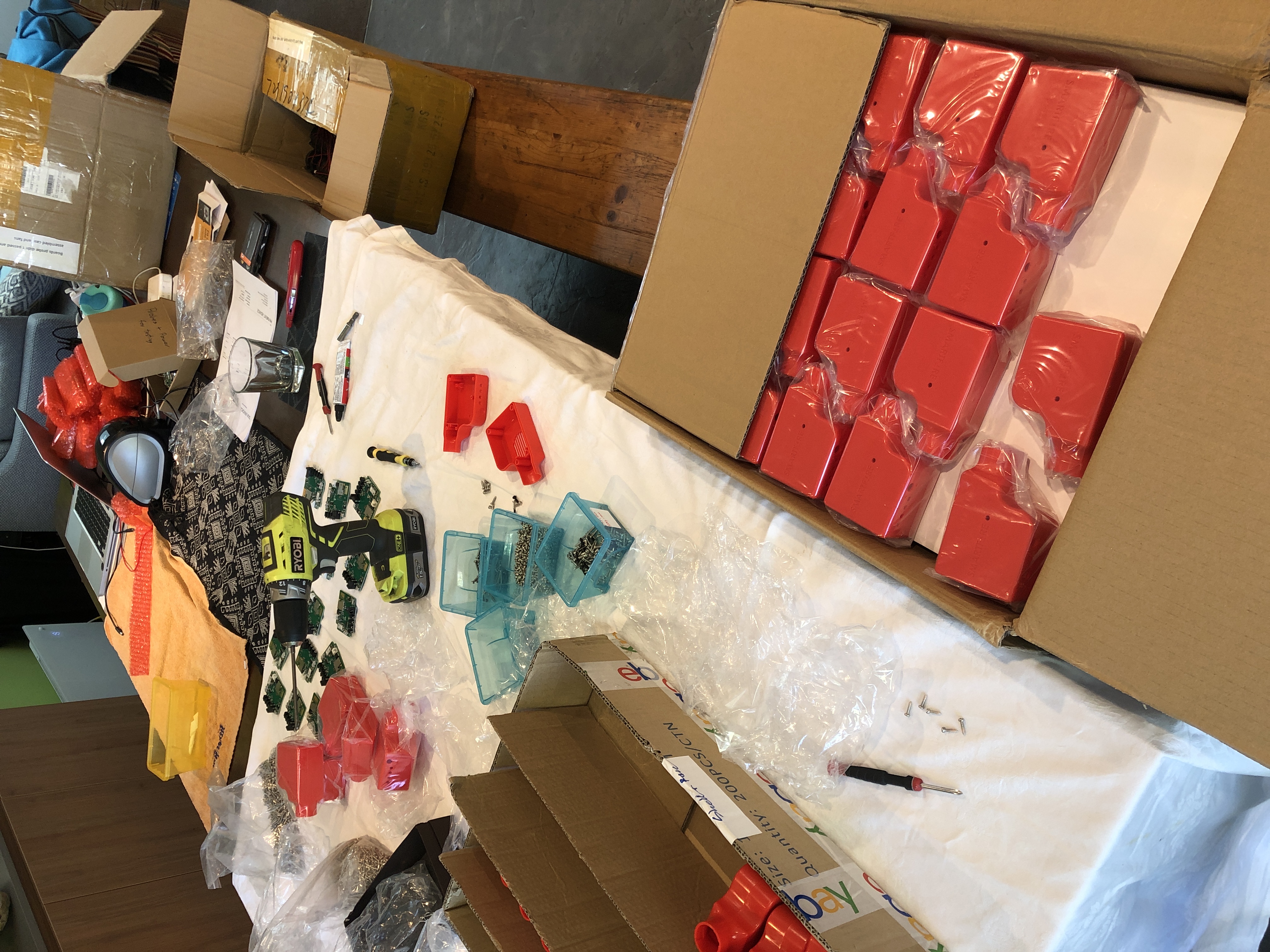
More creature comforts at home than at the warehouse so we are literally flashing and assembling them on the dining table like we did for our very first 50 units. So much fun! 4 people working busily on it while we also attend to you know, the busiest week of retail sales all year.
Trust you guys are having a great week.
markterrill
on 27 Nov 2019
ps, we've had a number that simply do not respond anymore while either in DFU yellow or setup/listening dark blue. the lights are on but no one is at home.
markterrill
on 27 Nov 2019
@rickkas7 @m-mcgowan @avtolstoy
So, we were sent a few hundred boards that had not yet been flashed at all. Straight from reel virgins with 1.2.1 on them. It turns out your issues are far wider than our particular code / the way we updated / that we were facing north instead of north east when we flashed them.
Steps to get a red sos going to 1.4.2:
particle identify; # validate 1.2.1
particle update;
particle identify; # validate 1.4.2
particle serial wifi --file yourwificredentialsthatdontmatchanything.json
Sit back and enjoy the red SOS show. It's pretty incredible you haven't been emailing your customers, phoning them, warning them you've given them a time bomb that will explode when their customers turn on their new devices. IE anything received and manufactured over the last 2? months.
markterrill
on 28 Nov 2019
Same deal from 1.2.1 to 1.4.3, or 1.2.1 to 1.4.2 to 1.4.3.
Houston, Particle has an issue.
Since no announcements have been made and folk like me may be sending their customers defective units I've at least posted on the community page. https://community.particle.io/t/warning-red-hard-fault-sos-if-you-upgrade-1-2-1-and-have-incorrect-wifi-details/53518
markterrill
on 28 Nov 2019
@markterrill We are still looking into this. The main issue is that empty entries in the stored WiFi credentials list are for some reason initialized to 0xff instead of 0x00, which results in them being treated as if they are valid and there aren't proper sanity checks for this case neither in WICED nor in our code.
We are currently looking into why this is happening, and for now it seems that this is caused by WICED test manufacturing firmware. I'll post an update once we have more information.
I'll also post a workaround which can be temporarily run as part of the user application to fix this issue, until we can properly resolve it in system layer.
avtolstoy
on 28 Nov 2019
Cheers, interested in the user app code as well as a safeguard.
markterrill
on 30 Nov 2019
Overview
We have confirmed that the SOS is caused by incorrectly initialized (0xff, instead of expected 0x00) AP/credentials list in WICED-specific DCT area on 1.2.1+ manufactured Photons and P1s.
In the absence of sanity checks both in DeviceOS and WICED (Broadcom/Cypress), the empty 0xff-filled entries are being treated as valid and cause the crash after being passed to the WICED stack. The problem easily showcases itself after a connection to the last valid configured access point fails (e.g. due to not being in view, or invalid passphrase) and the device attempts to go further down the list of stored credentials.
We are still looking into the details on why the DCT was not initialized correctly by DeviceOS on first startup through appropriate system flags after we've moved things around in the factory image in order to fit latest DeviceOS releases (#1887), however we've already identified that the factory DCT image has this problem and should have been correctly initialized in the first place without resorting to runtime initialization.
Solution
We have a long-term solution #1976 which fixes both problems:
- We are adding sanity checks when loading the stored WiFi credentials.
- We are zero-initializing the AP/credentials list in the factory DCT image. While this shouldn't have been required and that area was supposed to be initialized by DeviceOS, we are resolving this problem this way, while still investigating the original causes.
These changes will be included in the nearest upcoming DeviceOS release as soon as possible. The DCT image in the manufacturing release has already been updated.
Workarounds
- This problem can be avoided by clearing WiFi credentials once on freshly out of the box devices either with the MODE/SETUP button or running an application with STARTUP(WiFi.clearCredentials()) if clearing with a button is not possible.
- If credentials need to be kept the following code snippet may be used to fixup the stored credentials list on startup in the application. The credentials list will only be modified if there are 0xff-filled entries present.
Unfortunately, at the moment there is no easy way to resolve this without using an application, manually clearing the credentials or using currently unreleased DeviceOS feature branch #1976. We are researching a couple of options, however we are being presented with technical difficulties being unable to write into the WICED-specific DCT using e.g. DFU.
We’d like to apologize to any customers affected by this issue and are going to make a separate announcement with the progress updates and additional measures to be taken to prevent such issues from happening going forward.
avtolstoy
on 3 Dec 2019
@avtolstoy great work mate.
I hope @towynlin this is broadcast to commercial customers ASAP. Unless they're claiming their devices via the particle product .csv then they must be claiming their devices via the particle cli, which requires the device to be online, which requires the device to be given wifi creds. If the device was not wifi.clearcredential or manually (but who would do that in a factory scenario) then the device would be shipped to the customer as a ticking time bomb as the incorrect creds will cause a SOS on bootup.
FYI, we don't clear creds as then our product has consistency from the very first use the customer sees the same light sequence, ie blinking green for a minute as it tries it's known creds and then blinking dark blue when it fails and goes to listening mode.
Instead of flashing and assembly in China, we had to ship all of our unassembled devices to Australia to figure out what was going on and how to remediate the 250 odd that had been flashed and were ticking time bombs. Most of them were already assembled so it's required disassembly, our re-flash and clear creds process, reassembly. We then have to flash the other 250 odd from scratch and assembly. Absolute chaos in the black friday week keeping up with lots of casual staff to help out with the manual assembly work. Paying Australian per hour costs. We've also got about 60 (/500) that simply don't respond to serial or in DFU mode that we've put in the too hard basket.
We'll be looking for refund of our last tape and reel at minimum.
markterrill
on 3 Dec 2019
Also, I've said this before on the forums, I have no idea why you've lumped device-os gen 2 and 3 together considering the code stability issues we've seen over the past year with functions that simply SOS now (wifi.macaddress as a good example).
Surely now is the time to seriously rethink the approach and the cost of returning to stability for your P1/P0 customers with a separate device-os train, ala LTS ubuntu linux. Let's call it device-os2.
Gen3 customers and development engineers can go crazy with device-os3, and extending the common release management metaphors further, decide to go on the bleeding edge release cycle.
I'm forced by the systematic issues at Particle to find another provider for the long term. Particle support took 3 weeks to fix 500 chips being assigned to another customer's product, particle logistics sold my tape and reel and delayed me 3 weeks after that I'd been told was reserved after sending an invoice me order via wholesale.particle from 3 months before, particle engineering has been rushing out new code with issues like this and particle-cli bugs (just search for my issues on particle-cli and device-os), particle systems can't keep webhooks working over thanksgiving weekend and caused my customers pain. This is just this calendar year. I mention it as while I'll be moving to mongoose-os on ESP32 (fixes my supply issues, code quality issues, google becomes my cloud provider), I still have over 5k P1's in the field that I hope find some form of stability with a LTS version. They only need the updates necessary to maintain with cloud/webhook processing, and if you give me the current code for private cloud then I'll run that myself.
markterrill
on 3 Dec 2019
Incidentally, I realised afterwards it affects ALL P1's (P0? Photon?) no matter how you went about provisioning. If you don't wipe the wifi creds storage you're affected. If you don't provision wifi at factory you'd be caught out later down the track when the customer changes their wifi or their wifi network changes or isn't available. Red SOS. 🆘
markterrill
on 4 Dec 2019
Oh, the other bug that I've just remembered that stuffed my customers around was when spaces, underscores and starting a SSID with a number would mean it couldn't connect to it. Even if they'd previously setup that network if we upgraded to that firmware version it would stop working.
Link: https://community.particle.io/t/1-1-0-bug-with-wifi-ssids/50755/4
Fixed in later version. I'm curious whether you've added a test case to physically test chips for the full range of permitted chars in SSIDs, $20 is you still haven't.
markterrill
on 4 Dec 2019
I'm going to close this issue since 1.4.4 is out with the the fix and you have confirmed that it does resolve the problem in https://community.particle.io/t/solved-red-hard-fault-sos-if-you-upgrade-1-2-1-and-have-incorrect-wifi-details/53518/6?u=avtolstoy
We'll be providing further updates outside of GitHub to the affected parties.
avtolstoy
on 6 Dec 2019
@avtolstoy , thanks for posting a workaround for this problem. I am currently working on an OTA for the users that are currently using our products and since this is a critical issue can you please help me out the following.
I am trying to use your code snippet and tailor it to my code. When im compling your code, I am runningg into this problem:
In file included from ../hal/src/photon/dct_hal.h:12:0,
                 from src/main.cpp:11:
../hal/src/photon/wiced/platform/include/platform_dct.h:430:37: fatal error: ../../utilities/crc/crc.h: No such file or directory
 #include "../../utilities/crc/crc.h"
                                     ^
compilation terminated.
I have also posted on that community post ^, (sorry for the double post ) but im trying to solve this as fast as possible.
Thanks
 divrajBevie
on 7 Jan 2020
divrajBevie
on 7 Jan 2020
@divrajBevie This is most likely caused by the layout of your application and inability to find the some internal WICED headers with relative paths due to that. As a simple workaround I may suggest adding a couple of defines/typedefs before including dct_hal.h in your application:
#include "application.h"
+ #define CRC_INIT_VALUE 0xffffffff
+ typedef uint32_t CRC_TYPE;
#include "dct_hal.h"
#include "platform_dct.h"
#include "hex_to_bytes.h"
Thanks @avtolstoy I got the compiler to compile with just the headers however, it looks like my application is unable to use any of the content from the files and I am getting errors like this.
src/clearWiFi.cpp:3:33: error: 'wiced_security_t' was not declared in this scope
 WLanSecurityType toSecurityType(wiced_security_t sec);
                                 ^
src/clearWiFi.cpp:4:33: error: 'wiced_security_t' was not declared in this scope
 WLanSecurityCipher toCipherType(wiced_security_t sec);
I have setup empty application but still getting errors. Can you please advice thanks
divrajBevie
on 9 Jan 2020
@divrajBevie Could you provide a bit more information on how you are compiling? Web IDE, Workbench, CLI, manually or something else? Are you using .ino or .cpp? Please make sure you are compiling for Photon or P1.
I've double-checked that I am able to build the example app I've provided. I may also suggest trying to add a wwd_constants.h header to the list of the includes, however it should have been included by one of the other internal WICED headers anyway, but perhaps it'll help in your case.
avtolstoy
on 10 Jan 2020
Thanks again for your help. I am using the VSCode extension and using CLI to build cloud builds. And I am using .ino files
divrajBevie
on 10 Jan 2020
Related issues
 jaredwolff
·
7Comments
jaredwolff
·
7Comments
 ScruffR
·
5Comments
ScruffR
·
5Comments
 technobly
·
3Comments
ScruffR
·
10Comments
technobly
·
3Comments
ScruffR
·
10Comments
 larseggert
·
8Comments
larseggert
·
8Comments