Devextreme: Form - Dynamic Updates without Full Re-rendering
The Problem
The Form widget re-renders all its items when you change their count or reconfigure an individual item.
The Proposed Solution
We will add the repaintChangesOnly option that specifies whether the widget should repaint only those items whose data or configuration changed.
let formOptions = {
    repaintChangesOnly: true
};
Note: The Form re-renders all its items if your updates cause significant changes to the layout.
Use Cases
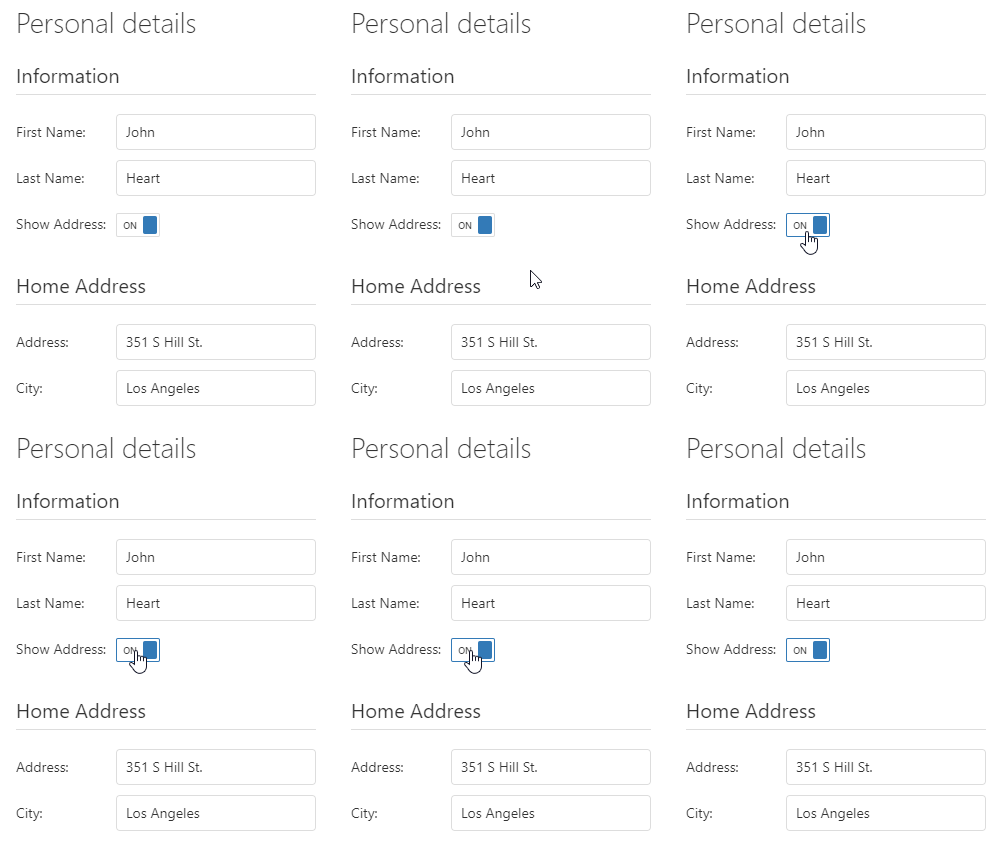
The Form re-renders only an item whose options changed...
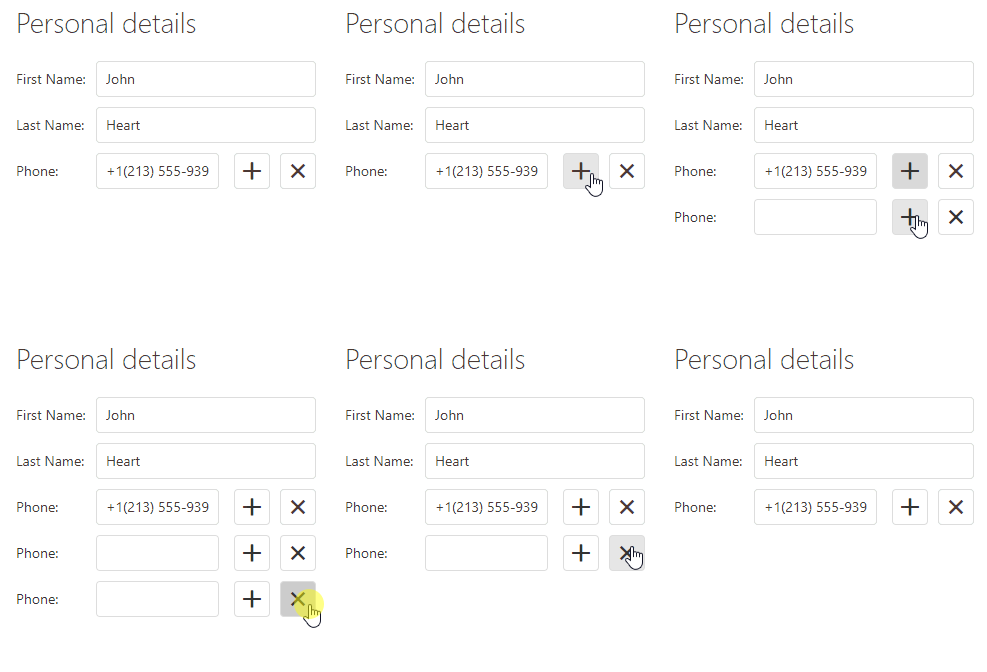
... and newly added or removed items.
Installation
Follow the installation guide from the release page and leave us feedback on this topic.
We Need Your Feedback
Please share with us your additional partial form update scenarios by commenting on this thread.
Take a Quick Poll
Do you find this Form enhancement useful?
Get Notified of Updates
Subscribe to this thread or to our Facebook and Twitter accounts for updates on this topic.
 dxbykov
All 23 comments
That is a great news! :tada:
 pedrofurtado
on 19 Mar 2019
pedrofurtado
on 19 Mar 2019
@BingoRUS @dxbykov It will be good if the behavior of this component could replace libraries like these below:
Cocoon (Ruby on Rails) -> https://github.com/nathanvda/cocoon
Nova Repeatable Fields (Laravel) -> https://github.com/fourstacks/nova-repeatable-fields
pedrofurtado
on 19 Mar 2019
Great news!
What are "significant changes"?
Will it be possible to add / hide /show tabs or groups dynamically?
 Shiko1st
on 20 Mar 2019
Shiko1st
on 20 Mar 2019
@Ryan-Ketcham Thank you for your feedback. This functionality has been fixed in #6433.
@pedrofurtado Thank you for your idea. We'll check this library.
@Shiko1st By significant layout changes, we mean changes that require re-positioning of existing items between rows and columns. At the same time, if you update an item(s) within a single only, this group will be re-rendered.
 jsdmitry
on 22 Mar 2019
jsdmitry
on 22 Mar 2019
That's was also a big issue for me and I can't wait for this update. Will be included on the 19.1 or we can expect it as update to the 18.x series ?
 george-kar
on 24 Mar 2019
george-kar
on 24 Mar 2019
Will be included on the 19.1 or we can expect it as update to the 18.x series ?
It won't be a part of 18.x. According to the current development state, I'm afraid we can't release it in 19.1 with the desired level of quality. It's at the top of our to-do list, so if it's not ready by 19.1 we'll release it later this year. Please bear with us.
dxbykov
on 2 Apr 2019
@dxbykov is this feature postponed until 19.2?
 hakimio
on 14 May 2019
hakimio
on 14 May 2019
Yes, we plan to release it in 19.2.
dxbykov
on 15 May 2019
I apologize if there is an obvious answer, but where can I see the expected release date for 19.2? I like what I see in the Roadmap, but didn't know when this would be available and whether I should expect it soon or much later this year?
 jakehockey10
on 3 Jun 2019
jakehockey10
on 3 Jun 2019
@jakehockey10 Like most .2 releases, most likely it will come around November.
hakimio
on 3 Jun 2019
Thanks for the response!
jakehockey10
on 4 Jun 2019
In the 19.2 version, will be add the capability of customizing DevExtreme Data Form item(s) within a group or tab (add/remove/display/hide) in code without re-rendering the entire form.
It means that if a form has an item(s), which will be changed at runtime, then it will be necessary to wrap these items in the group without a caption. So re-rendering will be performed only for this group.
jsdmitry
on 4 Oct 2019
@jsdmitry can you already provide some demo fiddle?
hakimio
on 4 Oct 2019
@hakimio I prepared the fiddle.
jsdmitry
on 7 Oct 2019
@jsdmitry Awesome. Works really well and that's exactly what we need :)
hakimio
on 7 Oct 2019
I have tested with vue the performance is better but the events are fired unnecessary

 leandrogehlen
on 14 Oct 2019
leandrogehlen
on 14 Oct 2019
@leandrogehlen Thank you for feedback. We will be researching the issue with unnecessary events.
jsdmitry
on 15 Oct 2019
I believe the problem is the binding:
<dx-simple-item
   data-field="fantasia"
   editor-type="dxTextBox"
   v-if="tipoJuridica"
   :label="{text: $t('fantasia')}"
>
export default {
  components: {
    DxForm,
    DxLabel,
    DxSimpleItem,
    DxGroupItem,
    DxRequiredRule,
    DxCustomRule,
    DxEmailRule,
    DxButtonItem
  },

  mixins: [form],

  data() {
    return {
      registro: {
        tipo: 1
      }
    }
  },
  computed: {
    tipoJuridica() {
      return this.registro.tipo == 2;
    }
  }
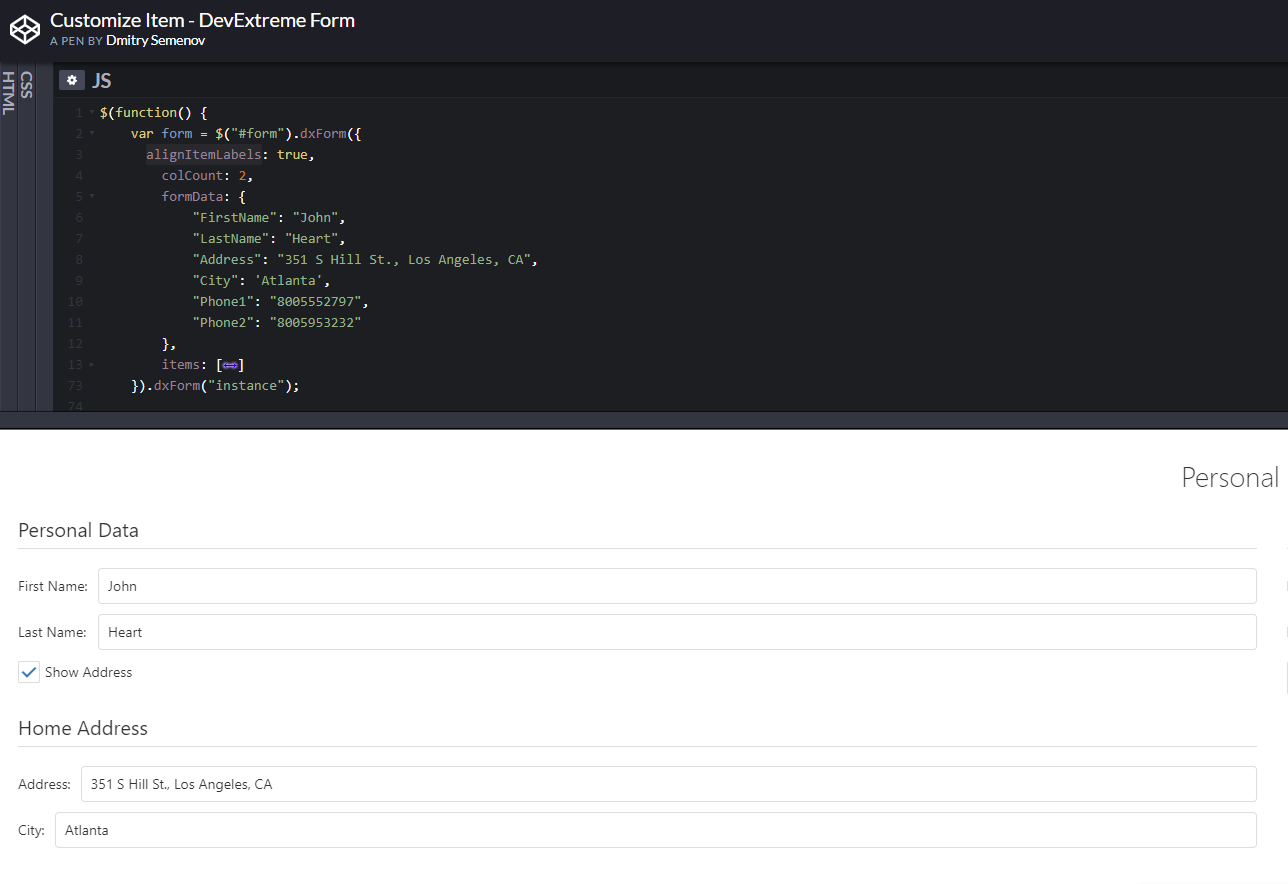
alignItemLabels not affect after hide and show element
 HASSANDL
on 16 Oct 2019
HASSANDL
on 16 Oct 2019
@HASSANDL This problem is known and we are working on it
jsdmitry
on 16 Oct 2019
These features are now available in the v19.2 release. I'm closing this thread. In the case of bugs or questions, feel free to create new GitHub issues or tickets in our Support Center.
jsdmitry
on 19 Mar 2020
i'm using 20.2 and this is still not included. neither in the documentation.
 albertoVieiraNeto
on 24 Dec 2020
albertoVieiraNeto
on 24 Dec 2020
@albertoVieiraNeto it is included: demo. It's just not obvious how to use it.
hakimio
on 26 Dec 2020
Related issues
 fubar-coder
·
4Comments
fubar-coder
·
4Comments
 drugarce
·
4Comments
drugarce
·
4Comments
 wcldyx
·
3Comments
hakimio
·
5Comments
wcldyx
·
3Comments
hakimio
·
5Comments
 FabianoCastro
·
5Comments
FabianoCastro
·
5Comments
Most helpful comment
In the 19.2 version, will be add the capability of customizing DevExtreme Data Form item(s) within a group or tab (add/remove/display/hide) in code without re-rendering the entire form.
It means that if a form has an item(s), which will be changed at runtime, then it will be necessary to wrap these items in the group without a caption. So re-rendering will be performed only for this group.