Devextreme-reactive: Column started to resize crazily
- [x] I have searched this repository's issues and believe that this is not a duplicate.
I'm using ...
- [x] React Grid
- [ ] React Chart
Current Behaviour
As can be seen below in the GIF capture, after I clicked on the Edit button, all the columns started to resize themselves like crazy. It was because I toggled the showSelectionColumn prop in TableSelection plugin.
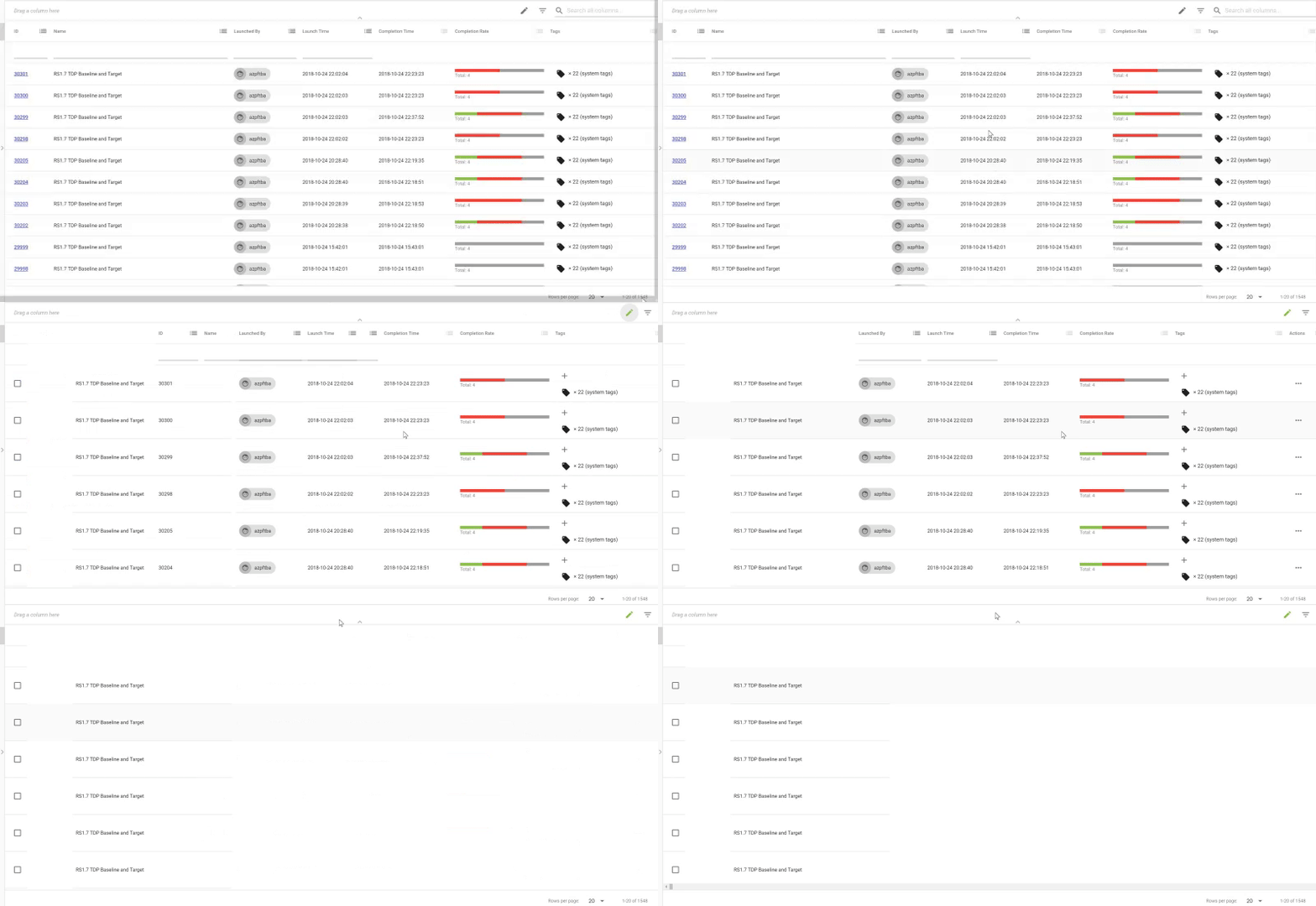
From below capture GIF, you can see that there is a transform: translateX() appearing in in the style tag.

Expected Behaviour
The columns should not resize themselves drastically like crazy.
Steps to Reproduce (for Bugs)
In my code, I have SelectionState and TableSelection as the grid plugins. In TableSelection, I toggle the showSelectionColumn according to my state. Quite often, after I press the button to change the state (thus toggling the visibility of the selection column), the size of other columns started to auto-resize wildly and drastically, as shown in my screen capture GIF. This is very annoying.
I expect there to be a config where I can disable the column resizing animation entirely. i.e., I should be able to disable the entire transition: translateX() thingy. I understand that the animation under some circumstances are desirable, but in my case, I would like them to be disabled because they are causing much bigger problems.
Environment
- devextreme-reactive: 1.8.0
- react: latest
- material-ui: latest
 franklixuefei
All 9 comments
This is my temp fix now, but I'm still looking for a better way to do it.
gridContainer: {
    width: '100%',
    ['& td']: {
      transform: 'none !important'
    },
    ['& th']: {
      transform: 'none !important'
    }
  },
Hi,
We know about this problem and the fix you described is the most appropriate for the moment. We will discuss how to better resolve this issue in the future.
 MaximKudriavtsev
on 26 Oct 2018
MaximKudriavtsev
on 26 Oct 2018
This also happens on showing/hiding columns using column chooser if the grid has a lot of columns.
 priyanshu92
on 7 Feb 2019
priyanshu92
on 7 Feb 2019
Has this not been fixed yet? We just encountered this bug as well.
 TheMoonDawg
on 8 Feb 2019
TheMoonDawg
on 8 Feb 2019
Hi, I'm faced the same issue when use Grouping feature with CustomSummary, after ungrouping any column.
 wpascucci
on 8 Feb 2019
wpascucci
on 8 Feb 2019
@franklixuefei how/where are you applying those styles?
 kg-currenxie
on 19 Mar 2019
kg-currenxie
on 19 Mar 2019
Hi all
This error may refer to the defaultColumnWidths option of the TableColumnResizing plugin. In this option, you need to specify a number type, not a string type.
Here is an example where this error is reproduced. In the second example, everything work correctly.
 LazyLahtak
on 1 Jul 2019
LazyLahtak
on 1 Jul 2019
Please let us know if this solution suits you.
LazyLahtak
on 16 Jul 2019
This thread has been automatically locked since it is closed and there has not been any recent activity. Please open a new issue for related bugs or feature requests.
![lock[bot] picture](https://avatars.githubusercontent.com/in/6672?v=4&s=40) lock[bot]
on 27 Jul 2019
lock[bot]
on 27 Jul 2019
Related issues
franklixuefei
·
3Comments
 slava-lu
·
3Comments
slava-lu
·
3Comments
 acentfrio
·
3Comments
acentfrio
·
3Comments
 pbalzano91
·
3Comments
pbalzano91
·
3Comments
 stclairdaniel
·
3Comments
stclairdaniel
·
3Comments
Most helpful comment
Hi,
We know about this problem and the fix you described is the most appropriate for the moment. We will discuss how to better resolve this issue in the future.