Devextreme-reactive: Fill a remaining horizontal space
Hi,
I've a Table with three column and this: defaultColumnWidths:
[
{ columnName: 'column_a', width: 20 },
{ columnName: 'column_b', width: '40' },
{ columnName: 'column_c', width: '100' }
]
Is it possibile:
1) to set Table with to 100%?
2) to set column_c to fill a remaining horizontal space?
Carlo
 ccamusso
All 4 comments
Hi,
- The DevExpress React Grid's width is 100% by default.
- If you want to fill all empty space, don't set the width property for the current column.
Please refer to this example for detailed information.
 MaximKudriavtsev
on 15 Jun 2018
MaximKudriavtsev
on 15 Jun 2018
Hi @MaximKudriavtsev ,
I have the same requirement and I follow the code which you suggest above. What I want is that, last column should fill the remaining table area. How to achieve this? Please help.
I am inserting code snippet of columns below -
[
            { title: 'Id', name: 'EmailTemplateId', type: 'int', width: 100 },
            { title: 'Subject', name: 'Subject', type: 'string' }
]
Here is my current output -
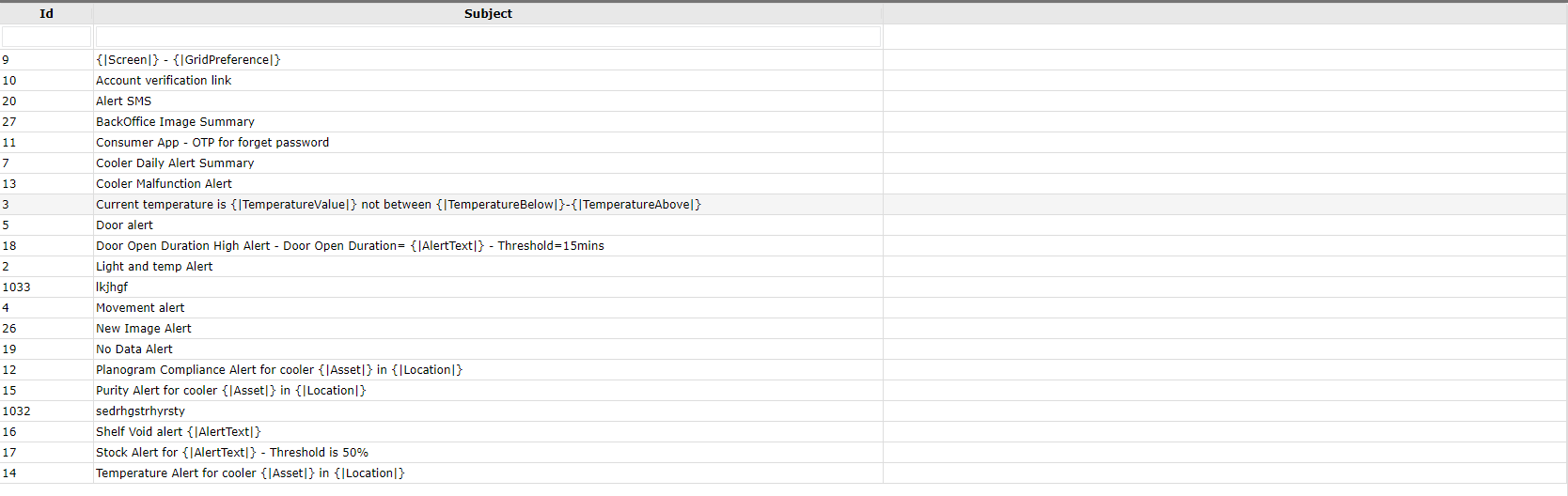
Here is the output which I want -
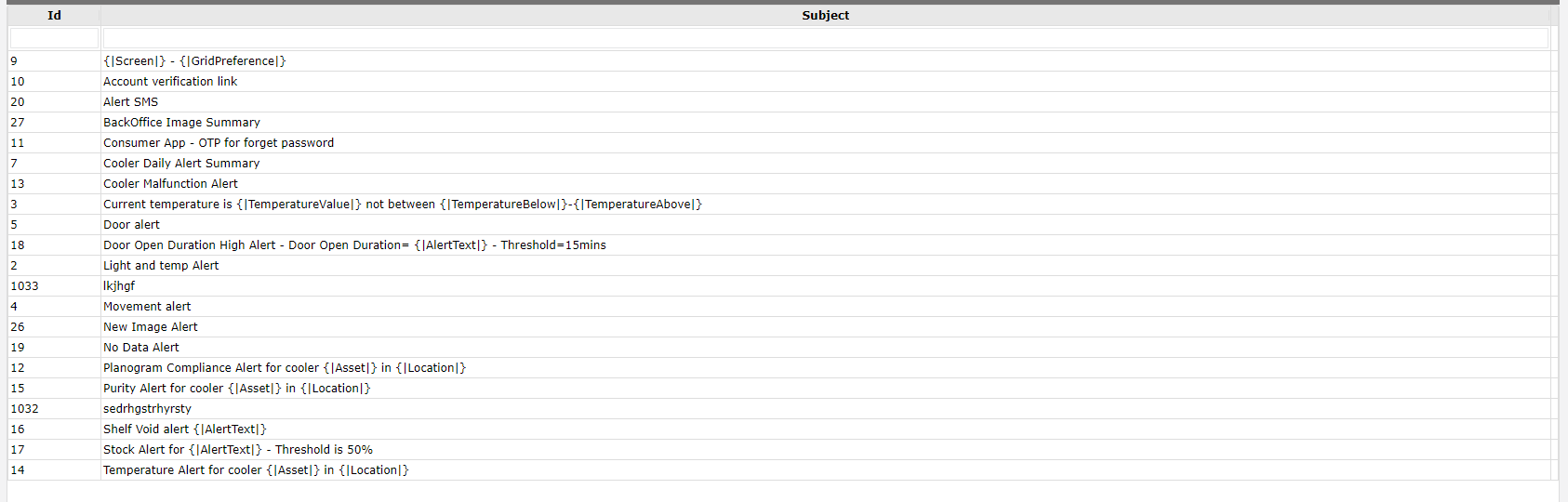
 divyanshupathak94
on 18 Jul 2018
divyanshupathak94
on 18 Jul 2018
Hi @divyanshupathak94,
I can't reproduce the issue on my side. Please create a sandbox with minimum configuration for your case.
Make sure that your grid has only two objects in the columns field.
MaximKudriavtsev
on 18 Jul 2018
This thread has been automatically locked since it is closed and there has not been any recent activity. Please open a new issue for related bugs or feature requests.
![lock[bot] picture](https://avatars.githubusercontent.com/in/6672?v=4&s=40) lock[bot]
on 15 Jun 2019
lock[bot]
on 15 Jun 2019
Related issues
 SergeyAlexeev
·
3Comments
SergeyAlexeev
·
3Comments
 rajmakda
·
3Comments
rajmakda
·
3Comments
 glenpadua
·
3Comments
glenpadua
·
3Comments
 acentfrio
·
3Comments
acentfrio
·
3Comments
 madebymt
·
3Comments
madebymt
·
3Comments
Most helpful comment
Hi,
Please refer to this example for detailed information.