Is there any ETA for android support as react-native apps support both iOS and android
 saikrishna321
All 74 comments
No ETA yet, we are in the process of finishing and stabilizing detox for iOS. Android will follow.
 rotemmiz
on 7 Mar 2017
rotemmiz
on 7 Mar 2017
@rotemmiz any specific tool detox would depend on like espresso ?
saikrishna321
on 16 Mar 2017
The plan is to use espresso, yes
rotemmiz
on 16 Mar 2017
@rotemmiz is there a rough implementation plan ? would you consider accepting pull requests helping to get android support working faster ?
 jeduden
on 22 Mar 2017
jeduden
on 22 Mar 2017
There's a plan indeed. I think it will be best if I write a bit about our roadmap in the documentation.
In a nutshell, we want to use a similar architecture as the one we implemented on iOS:
- use Espresso as the native driver (we'll need to figure out how to integrate with espresso, since it runs only with instrumentation context)- there's already a rough native skeleton implemented. the invocation mechanism is already implemented in react-native-invoke.
- wrap
androidandadbfor emulator control - like we did withfbsimctl. - extend
Device.jstoAndroidDeviceandAndroidEmulator, implementing all of its functionality. - The hardest part will be creating a custom IdlingResource for react native bridge, like we did in iOS. Since java can't swizzle functions, we'll need to use a different approach.
rotemmiz
on 22 Mar 2017
And of course, we love PRs :)
rotemmiz
on 22 Mar 2017
for future reference: I managed to make this almost work, look here
Although I gave up on this when trying to test application lifecycle, as Espresso runs as part of the app under test's process, so stopping one will stop the other.
I ended up using uiAutomator with great results
 DanielZlotin
on 22 Mar 2017
DanielZlotin
on 22 Mar 2017
I'm a bit afraid of trusting uiautomator , I had experience with it in MagnetoTesting, and it was flaky, we had to pet our UI tests constantly.
The problem you raised might not be an issue as the test runner in detox is external to the application and to espresso's lifecycle and resides in a different process.
rotemmiz
on 22 Mar 2017
if you look at the current tests in https://github.com/wix/react-native-navigation/tree/v2/AndroidE2E/app/src/androidTest/java/com/reactnativenavigation/e2e/androide2e you'll see there's zero flakiness, it's just a little different kind of thinking than espresso
DanielZlotin
on 23 Mar 2017
also its worth noting that uiAutomator lets you interact with stuff outside the app.
so pulling down the notification curtain and such would work.
 talarari
on 2 Apr 2017
talarari
on 2 Apr 2017
Hey, I plan to work on 2. and 3. from @rotemmiz 's list.
Is anyone else working on this?
Few notes:
- android is deprecated, was split to sdkmanager and avdmanager
- platform_tools can be installed now separately, which is nice
- adb and avdmanager seems to be enough alone, they cover the current use cases
 simonracz
on 12 Apr 2017
simonracz
on 12 Apr 2017
Which one of the following would be preferred?
- Call adb directly similarly to how fbsimctl is called.
- Use adbkit for adb commands.
The 2. option adds another dependency, might not cover everything, but on the upside is already tested. I would prefer 1. at the moment, but really don't mind.
simonracz
on 12 Apr 2017
@rotemmiz - can you elaborate on this please?
- The hardest part will be creating a custom IdlingResource for react native bridge, like we did in iOS. Since java can't swizzle functions, we'll need to use a different approach.
talarari
on 12 Apr 2017
@talarari What I did for iOS was to strategically swizzle RN methods so that I could react to what is happening for internal logic, such as starting a timer or the JS thread runloop.
Method swizzling is the process of replacing a method implementation at runtime. Since Objective C is dynamic, there is a great flexibility regarding this. Java does not allow method swizzling, so it would be much more difficult to implement a similar approach.
 LeoNatan
on 12 Apr 2017
LeoNatan
on 12 Apr 2017
Some approaches exist by hot-patching the vtable:
http://vaioco.github.io/art/art-part-ii-hooking
http://vaioco.github.io/art/art-part-iii-arthook-framework//
https://github.com/vaioco/art-hooking-vtable
@rotemmiz
LeoNatan
on 12 Apr 2017
Thanks for the references @LeoNatan, I like where this is going :)
@talarari , @simonracz , I will post our roadmap for detox soon, along with how we thought about implementing support for Android.
rotemmiz
on 13 Apr 2017
Just to keep the ball rolling.
I have a proof of concept code for a custom Android test runner. It is actually a subclass of MonitoringInstrumentation.
It gets the detoxServer and detoxSessionId arguments from cmd line (or from Gradle settings). Can be started like adb shell am instrument -w -e detoxServer ws://localhost:8001 -e detoxSessionId 1 com.example.detoxsample.test/com.detox.DetoxRunner.
It opens a websocket to the detox server, logins to it and then starts listening to commands. From this point it can call, .e.g Espresso methods using reflection as it has the permission to poke the app in any way it wants.
Some open problems for me:
- Espresso's main selling point is it's automatic detection of idleness. For this, custom async code must notify Espresso about it's work. E.g. okhttp-idling-resource This must be added for react native.
- Espresso needs AndroidJUnitRunner. Subclassing this was a not an option. So, I have to add it's functionality to the custom test runner, which is a bit messy.
- React Native transforms testids to view tags on Android. This is okay for Espresso, but won't work for UIAutomator. (UIAutomator is needed for testing notifications.)
simonracz
on 20 Apr 2017
Great news. Looking fwd to a follow up!
 ptomasroos
on 20 Apr 2017
ptomasroos
on 20 Apr 2017
@simonracz this is great!! can you please share the code ?
regarding your points:
- it would be easiest to add okhttp-idling-resource to react-native, but I want to start trying the patch art vtable (this would be very useful for other features, like the RN bridge idling-resource).
- Did you have a look at my initial skeleton for Android ?(https://github.com/wix/detox/blob/master/detox/android/detox/src/main/java/com/wix/detox/DetoxManager.java). It uses instrumentation, and when the single instrumentation test is initiated, detox adds a looper to that thread, forcing it to wait for network requests. I'm not sure this is the right solution yet, but it saves the need to run a custom test runner.
- I agree, although the issue with UIAutomator should be in a lower priority, we can send a PR to RN that adds testIDs to content-description as well.
rotemmiz
on 20 Apr 2017
@rotemmiz I'll upload the code tomorrow morning.
- Yes, I did, but completely glanced over the Looper. Were you able to test this approach? It seems simpler than mine.
I am staring at the AndroidJUnitRunner code for half an hour now and can't remember why I made the conclusion that it can't be subclassed for this purpose. So, please ignore my earlier comment about that.
simonracz
on 20 Apr 2017
One thing that goes for the custom test runner is that that is the only way to run code before Application#onCreate().
simonracz
on 21 Apr 2017
I've uploaded the code here.
simonracz
on 21 Apr 2017
Regarding point 3:
we use accessibilityLabel as well as test id.
React native transforms it to content description
talarari
on 21 Apr 2017
I delved deep into RN's Android port while keeping in mind Detox's iOS support.
At first, I thought of using Espresso's internal QueueInterrogator class for idle detection. It would work fine, as while RN's core classes both have Java and mirror C++ parts, threading is done in a JVM aware style, only in the Java layer. The four relevant MessageQueues to be observed can be found here. The Loopers could be caught through the ReactContext for them. This is a valid approach, but I've found a better one.
RN's Android port seems to be more mature than the iOS port. They have a vertically implemented addBridgeIdleDebugListener function in CatalystInstance. They also have an idle detection utility that is based on this here.
The waitForBridgeAndUIIdle method could be used by Detox. This still needs to be wrapped for Espresso, but that's not an issue.
The only thing that is missing, is that it does not monitor the Timers the same way as Detox does. It just waits 2 frames of Choreographer, then marks it idle. (Choreographer is similar to CADisplayLink on iOS.) However, the timers are orthogonal to this.
Waiting for the Timers "the Detox way", could be done by getting hold of the mTimers variable using reflection, and checking whether it's empty or not. So, there is no need to attach to method calls, like on iOS.
I'll work on a proof of concept code and will check the idle detection manually with Detox's test. I'll share the code afterwards. Any feedback is welcome.
simonracz
on 1 May 2017
Hey @simonracz, please check your Twitter ;)
rotemmiz
on 1 May 2017
Adding to the discussion; I wonder if there will be an issue in providing full android test support without testID being available within android? 🤔
 AlanFoster
on 25 May 2017
AlanFoster
on 25 May 2017
BTW, the long discussion about testID in Android: https://github.com/facebook/react-native/pull/9942
 itsmepetrov
on 25 May 2017
itsmepetrov
on 25 May 2017
Hey, @itsmepetrov
I am familiar with that thread. Pretty sad. That's my main reason, why I don't really consider PRs to React Native.
Test ids are transformed to view tags on Android. Espresso can use view tags. UIAutomator can't.
I think tags will be okay for most of the cases.
simonracz
on 25 May 2017
@AlanFoster You can find an RN view with testID='hello_button' the following way.
Espresso.onView(withTagValue(is((Object)"hello_button"))).check(matches(isDisplayed()));
simonracz
on 31 May 2017
I've been doing some espresso testing recently for a RN app. Came across an issue you may want to consider:
As ReactNative views, for example ReactViewPager, don't have resource ids it is not possible to add IdlingResources for them from within the test. In my tests ReactViewPager was causing synchronisation issues when swiping from one page to the next. I used UiDevice.waitForIdle() (from the UiAutomator library) to mitigate this. Better than a sleep, but slower than an idling resource. Might be a quick fix for some issues and prototyping.
With a really simple test which had one action and one assertion, the time for test to run increased on average from 0.6s to 1s
 rjanjua
on 14 Jun 2017
rjanjua
on 14 Jun 2017
Hey @rjanjua,
I am bit confused. How does not having resource ids interferes with Espresso IdlingResources? I didn't understand this part.
I really hope you won't need that waitForIdle() ever. Did you add this waitForIdle() call to your test, before switching to the partially implemented ReactNativeSupport you mentioned on Twitter? You still need this wait call even after that?
In that case it's a critical bug for me. Could you please share a sample code how to reproduce it?
Thanks
simonracz
on 14 Jun 2017
I'll share a code example later, but for now I can try to explain it a bit better.
Caveat: I have only started using espresso in the last two weeks, so I may be missing something obvious here, I may even be using espresso incorrectly. That would be great.
I _believe_ the problem I am encountering is to do with the issue described in this stackoverflow question: https://stackoverflow.com/questions/31056918/wait-for-view-pager-animations-with-espresso
I have a test where I want to swipe on a view which is of the class ReactViewPager
When I swipe, the second swipe starts before the first swipe completes. I have two swipes in total.
As I understand it this is to do with Animations in the ViewPager, I have turned off all system animations as advised in the android documentation.
To overcome this problem I wanted to register an IdlingResource for the ReactViewPager, but because I cannot find the ReactViewPager by resource id I cannot access the instance to register it.
rjanjua
on 14 Jun 2017
So I don't think it is really related to React Native, but is a more general android issue. But it makes things a bit more complex when testing an RN app.
rjanjua
on 14 Jun 2017
Thanks a lot for the clarification. I understand now.
This can be a problem indeed. I'll do some research on it.
simonracz
on 14 Jun 2017
Hey @rjanjua,
I was sick a for a few days. I am picking up threads now. :)
I looked at how RN uses viewpagers. The viewpager scroll events are not consumed by them. They transform them to their own Event mechanism.
So, I think adding our own listener to the ViewPagers EventDispatcher and wrapping it up in an Espresso Idle Resource will work.
I'll get back to this later. This comment will be a good reminder for me.
simonracz
on 19 Jun 2017
Hey @simonracz - We've decided to change our tack slightly on the approach to testing our React components. We are dropping Espresso tests and think it is better if we help develop the android functionality for detox. Let me know how I can help you.
rjanjua
on 7 Jul 2017
Hey @rjanjua ,
It's great news.
I think the best would be to have a chat together with @rotemmiz on Monday or later next week when it's okay for everyone. I am available from Monday to Friday, except Thrusday.
Cheers,
Simon
simonracz
on 7 Jul 2017
Cool, I am available Monday to Friday next week.
rjanjua
on 7 Jul 2017
@rotemmiz @simonracz I'm ready to help!
rjanjua
on 18 Jul 2017
@rjanjua Check you email for an invitation to our slack team
rotemmiz
on 18 Jul 2017
What's the best way to follow the progress on Android support and maybe be an early adopter? I do understand that on early stage it's often better to not distract, be patient and just wait. My respect for doing such amazing work.
 ptmt
on 31 Jul 2017
ptmt
on 31 Jul 2017
Hey @ptmt,
@simonracz and I are working on bringing Android support to Detox, we do not update here in the repo, though you can go over the commit log in master and witness the progress. I will update occasionally on my twitter account though.
an Ad-Hoc recap: most of the foundations are there, you can even run the detox test project on Android, a few tests already pass, but there are serious synchronization issues so the tests will be flaky.
rotemmiz
on 31 Jul 2017
@rotemmiz and @simonracz do you guys want any help on adding support for Android?
Any updates about Android support, so far?
 oximer
on 9 Sep 2017
oximer
on 9 Sep 2017
Hey @oximer
@rotemmiz has just announced at ReactNext 2017 conference the availability of the android version.
The current state is, that it is working. I am not aware of any flakiness bug. The way to add it to your project could be improved, but this is actually a hard problem. There are a few corner cases that are not or can't be covered. (E.g. infinite animations will make it wait forever.)
- Update to the latest detox.
- Please take a look at the demo-react-native project to see how to add it to your project.
- In a nutshell, you should add the detox android project (shipped in node_modules) to your own as an
androidTestCompiledependency. (Copy a few lines from settings.gradle, build.gradle, and DetoxTest.java)
In case your project's RN version is at least 0.46.0 change the oldOkhttp string to newOkhttp in the app/build.gradle here.
Animations with native driver are supported only from RN 0.45.0.
We will update the documentations.
simonracz
on 10 Sep 2017
Things, I plan to work on in the coming weeks are:
- Making the emulator handling more robust (adb, emulator, avdmanager)
It's already working, but we are not satisfied with it yet. (Genymotion works too, not just the stock emulator) - Add real device support. (Not a hard problem on Android)
- Update documentation.
- Come up with a better way to package detox android. (This is a hard problem for multiple reasons)
- Make
labelsearch bycontentDescriptioninstead of text. ( Ooops :) )
simonracz
on 10 Sep 2017
Dear first Android users,
A few things have slipped into this semi-official release. Sadly, they give you silent errors.
So, currently you must have the
aapttool to be on your PATH. It's usually in $ANDROID_HOME/build-tools/*/.
This soon won't be necessary.A simple click event is slow and turns into a long click. There are two solutions to this before we release a new detox version. Let me just share the simplest one for now:
Replace
private static final long LOOK_AHEAD_MS = 1500;
with
private static final long LOOK_AHEAD_MS = 15;
in ReactNativeTimersIdlingResource.java in your node_modules/detox/... folder
simonracz
on 25 Sep 2017
Well done @simonracz !
ptomasroos
on 25 Sep 2017
All of the above (comment #331875329) is now fixed and was released with Detox 5.8.0
rotemmiz
on 27 Sep 2017
@simonracz let's create a new section in the docs, describing Android dev status, project setup, known issues and plans. It will probably save time for many people.
rotemmiz
on 27 Sep 2017
Latest updates and the "Official" place to get them is now here
https://github.com/wix/detox/blob/master/docs/More.AndroidSupportStatus.md
rotemmiz
on 29 Sep 2017
Thank you all detox is really cool, hey @rotemmiz, @simonracz I have been trying to make it work for android with jest (works like a charm on iOS with jest) were you guys or anyone else able to do it?
I would love to contribute if it could work with jest too.
EDIT: It works great for iOS but shows this weird behaviour on android
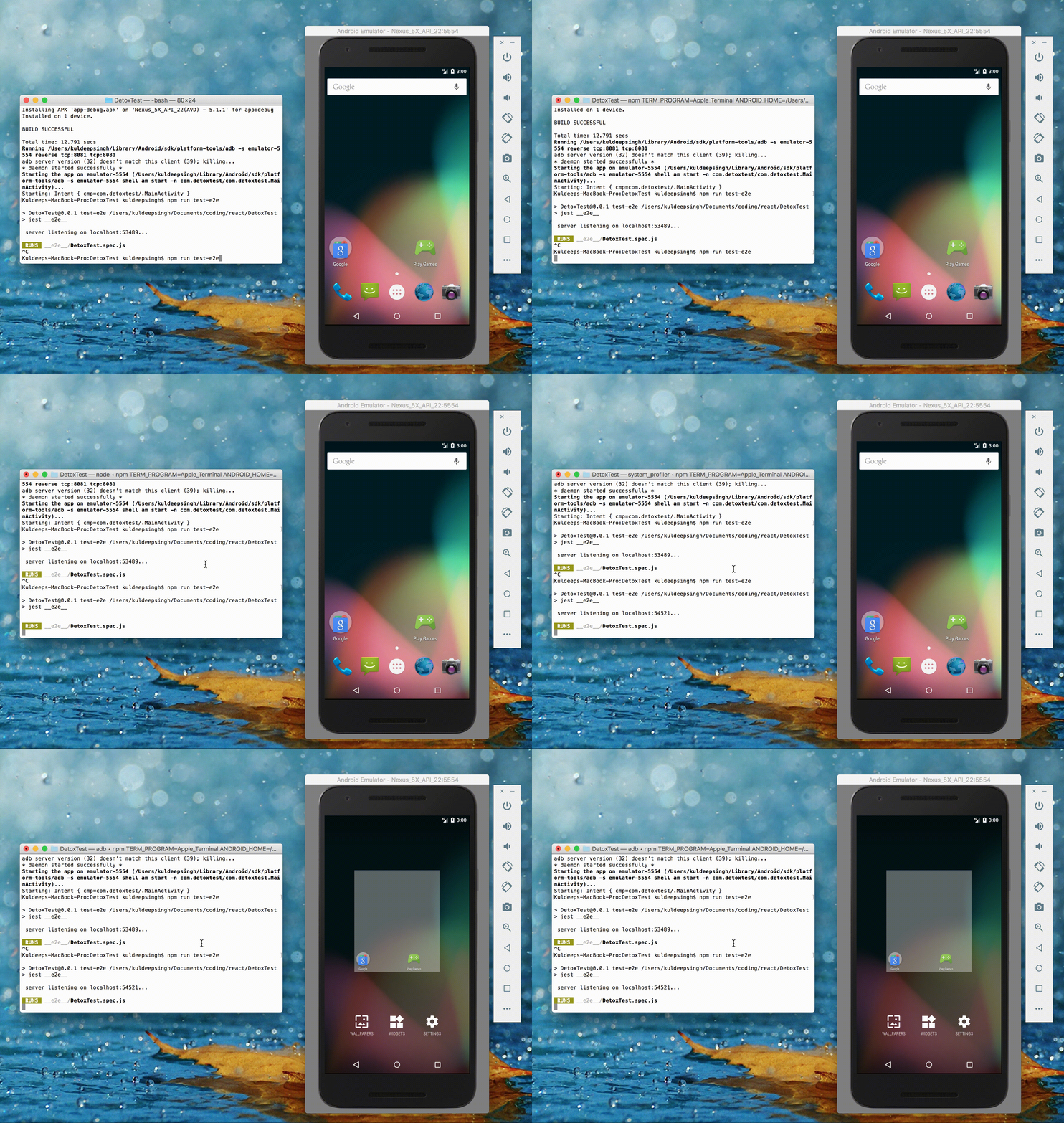
 kiok46
on 30 Sep 2017
kiok46
on 30 Sep 2017
Hey @kiok46 ,
I tried to make sense of the issue from the gif, but failed. :|
Were you able to run it with Mocha? Maybe the issue is not related to Jest at all. Could you rerun it with Mocha to see whether you get the same result?
Cheers
simonracz
on 2 Oct 2017
@kiok46 I was having a similar issue and for some reason running it with the loglevel flag worked. Without it, I run it and it just hangs on "server listening" but with the flag, it runs through the tests successfully on Android. Try it and let me know if it helps any
detox test --configuration android.emu.debug --loglevel info
 Oliver84
on 3 Oct 2017
Oliver84
on 3 Oct 2017
I'm going through the problem below when running the tests.
My Settings (package.json)
"detox": "^5.8.1",
"react": "15.4.2",
"react-native": "0.41.2",
"mocha": "^4.0.1",
 "detox": {
    "configurations": {
      "android.emu.debug": {
        "binaryPath": "android/app/build/outputs/apk/app-debug.apk",
        "build": "pushd android && ./gradlew assembleDebug assembleAndroidTest -DtestBuildType=debug && popd",
        "type": "android.emulator",
        "name": "Nexus_5X_API_25",
        "session": {
          "server": "ws://localhost:8099",
          "sessionId": “appName”
        }
      }
    }
  }
Test (firsTest.spec.js)
describe('Example', () => {
  beforeEach(async () => {
    try {
      await device.reloadReactNative();
    } catch (error) {}
  });

  it('should show world screen after tap', function() {
    element(by.text('Say World')).tap();
    expect(element(by.text('World!!!'))).toBeVisible();
  });
});
Command executed:
detox test --configuration android.emu.debug --loglevel info
Result
"after all" hook:
Error: Timeout of 120000ms exceeded. For async tests and hooks, ensure "done()" is called; if returning a Promise, ensure it resolves.
Any suggestion?
 vocampos
on 13 Oct 2017
vocampos
on 13 Oct 2017
Hey @vocampos ,
Could you please run an adb logcat in a terminal while you run your tests?
My guess is, that you will see something like “XY is busy” in the logs.
Please share those lines with me.
Cheers
simonracz
on 13 Oct 2017
The --debug-synchronization [ms] feature for Android has just been pushed to the master branch. It'll be in the next release.
Example usage
detox test -c android.emu.debug --debug-synchronization 500
This is the first tool you should consult, in case your tests are extremely slow or even timeouts. It reports back the busy IdlingResources that are holding back the test call.
simonracz
on 17 Oct 2017
@simonracz ,
I ran the command according to its orientation, but it did not work.
When analyzing the adb logs, I have the below error:
--------- beginning of crash

10-17 14:54:38.384 3639-3677/? E/AndroidRuntime: FATAL EXCEPTION: com.wix.detox.manager

                                                 Process: com.app, PID: 3639

                                                 java.lang.RuntimeException: ReactInstanceManager is null

                                                     at com.wix.detox.ReactNativeSupport.waitForReactNativeLoad(ReactNativeSupport.java:159)

                                                     at com.wix.detox.DetoxManager.start(DetoxManager.java:64)

                                                     at com.wix.detox.Detox$1$1.run(Detox.java:133)

                                                     at android.os.Handler.handleCallback(Handler.java:751)

                                                     at android.os.Handler.dispatchMessage(Handler.java:95)

                                                     at android.os.Looper.loop(Looper.java:154)

                                                     at com.wix.detox.Detox$1.run(Detox.java:136)

                                                     at java.lang.Thread.run(Thread.java:761)
Any suggestion?
Thank you
vocampos
on 17 Oct 2017
The error is happening for detox.init not finished.
before(async () => {
    console.log('Start ');
    await detox.init(config.detox);  // not finished
    console.log('End');
});
1) "before all" hook:
     Error: Timeout of 120000ms exceeded. For async tests and hooks, ensure "done()" is called; if returning a Promise, ensure it resolves.
vocampos
on 17 Oct 2017
Hey @vocampos
Thanks for the extra info.
You just hit an error of the type that should never happen ™. :)
I've just noticed that you use RN 0.41.2. We never tested the Android version below 0.44.0. So, any bad thing could happen there. That's my current guess.
If you can reproduce it with later RN versions too, please let me know.
Regardless of that, I'll take a look whether I can support 0.41.2 too.
But, please be aware that under 0.45.0 we already know, that some things can't be supported, e.g. syncing with native animations.
simonracz
on 18 Oct 2017
How to match by type on android?
For example on ios by.type('RCTTextInput') is working find. On android I tried TextInput, ReactTextInput, EditText, ReactEditText nothing seems to work.
 skv-headless
on 2 Nov 2017
skv-headless
on 2 Nov 2017
For Textinput you probably have to search by android.widget.EditText.
My guess is that the full classname was the missing part for you.
Let me know if it still doesn’t work.
simonracz
on 2 Nov 2017
Is Genymotion supported atm?
 vasyas
on 3 Nov 2017
vasyas
on 3 Nov 2017
@vasyas https://github.com/wix/detox/issues/96#issuecomment-328369507
ptomasroos
on 4 Nov 2017
@simonracz hey, I have the same issue with running detox on Android. We got it working in iOS.
We use RN 0.49.
When I run detox on Android - I get a white screen, and in the console I get stuck in the "before all" hook:
 1) "before all" hook

  0 passing (3m)
  1 failing

  1) "before all" hook:
     Error: Timeout of 200000ms exceeded. For async tests and hooks, ensure "done()" is called; if returning a Promise, ensure it resolves.
I tried to look for stuff in the adb logcat, but didn't see any error with “XY is busy” like you mentioned.
Do you have any idea what might be the problem? Thanks!
 ilonashub
on 9 Nov 2017
ilonashub
on 9 Nov 2017
Hey @ilonashub ,
It's hard to guess what went wrong.
Few random things, I would check.
- If your app is a hybrid app, then, is your detox android test (not the js, but the java test) starts the correct Activity, which starts RN?
- You should see something in the logs. In case there are no errors there at all, how far did your app managed to get? (It's very strange that you see only a white screen.)
- You can also start the detox server manually with
detox run-server. I would check whether the android emulator also logs there, not just the js test runner.
I think it would be best to open a seperate issue, and please attach a chunk of adb logcat that you think might be relevant.
Simon
simonracz
on 9 Nov 2017
Hey @vasyas ,
@rotemmiz worked on this, but I think Genymotion is currently not supported. See here.
We should have an option, which just let's you use "whatever is visible via adb".
I plan to look at this. Was a bit busy recently with non-detox stuff.
simonracz
on 9 Nov 2017
@simonracz thanks.
I had already connected to Genymotion using the way you said ("whatever is visible via adb").
But now I'm getting a different message, see #386. Could you comment what else needs to be done to fix it?
Probably I can make it a pull request.
vasyas
on 9 Nov 2017
I m having a hard time getting detox working with Android, it can't connect with the Emulator. Is there a more detailed android Get Started where it goes step by step how to configure?
 ipinzari
on 16 Nov 2017
ipinzari
on 16 Nov 2017
Not yet, they will be out when Android support gets ironed out. We are currently working on that.
rotemmiz
on 16 Nov 2017
do we have an estimated date?
On Thu, Nov 16, 2017 at 11:49 AM, Rotem Mizrachi-Meidan <
[email protected]> wrote:
Not yet, they will be out when Android support gets ironed out. We are
currently working on that.—
You are receiving this because you commented.
Reply to this email directly, view it on GitHub
https://github.com/wix/detox/issues/96#issuecomment-345041992, or mute
the thread
https://github.com/notifications/unsubscribe-auth/ATQZ0sWz6aQPSnVBDut4I7UqFL9Pr69Aks5s3JG7gaJpZM4MVY4e
.
--
Ion Pinzari
QA Automation Engineer | SkySlope
t: 916-225-6318 e: [email protected] ipinzari93@gmail.com | w:
SkySlope.com http://www.skyslope.com/
ipinzari
on 16 Nov 2017
It's an ongoing open source project effort. Android support is usable, and will continue to get better as we put lots of efforts in it.
You are welcome to open a specific issue with exact information regarding your errors, it might help us pinpoint issues we didn't yet find.
There will never be "estimate dates", especially to vague goals !
rotemmiz
on 16 Nov 2017
Anyone got Detox + Jest working on Android with
"detox": "^7.0.0-alpha.0"
jest": "^22.1.0",
"babel-jest": "^22.1.0",
?
I am struggling with configuring it for more than a day today and nothing really helps. I just want to know if someone is actually using it.
I got it running on iOS pretty quickly...
Well I have moved from Genymotion to Android Studio 3 and it helped...
 Karniej
on 18 Jan 2018
Karniej
on 18 Jan 2018
I'm also having issues setting it up for Android (using detox 7). When I run detox it uploads and starts the app, but then it hangs on the first, white screen (app is not responding)...
 llostris
on 19 Jan 2018
llostris
on 19 Jan 2018
Android support is already pretty mature now, I suggest any problem will be handled in a separate issue.
Closing this issue.
rotemmiz
on 5 Feb 2018
Related issues
 kceb
·
4Comments
kceb
·
4Comments
 JB-CHAUVIN
·
3Comments
JB-CHAUVIN
·
3Comments
 jn3qf
·
3Comments
LeoNatan
·
4Comments
jn3qf
·
3Comments
LeoNatan
·
4Comments
 pranaybiswas2611
·
3Comments
pranaybiswas2611
·
3Comments
Most helpful comment
Things, I plan to work on in the coming weeks are:
It's already working, but we are not satisfied with it yet. (Genymotion works too, not just the stock emulator)
labelsearch bycontentDescriptioninstead of text. ( Ooops :) )