Desktop: Upload of encrypted file remove all other content
Steps to reproduce
- copy a file into an encrypted folder, wich already contains files
- see desktop client in "wait..." state
- close & restart client
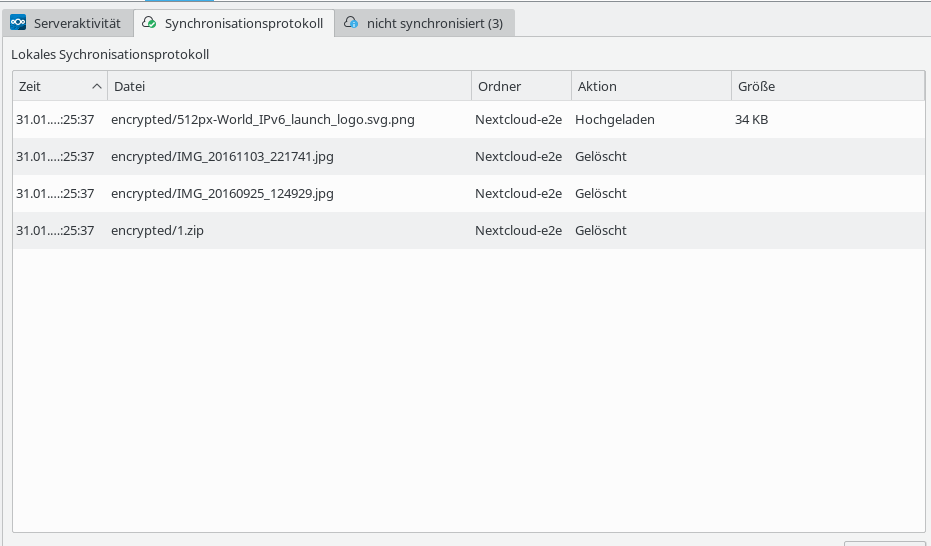
- newest file gets encrypted & uploaded
- all other files are removed locally, but remain on server & are accessible on android
- close & restart client
- get all files again
 tobiasKaminsky
All 7 comments
Couldn't reproduce it. Could you try it too @rullzer @tcanabrava @dantti?
 camilasan
on 27 Apr 2018
camilasan
on 27 Apr 2018
I could reproduce it, not sure what I did to fix it, but should be fixed in my last PR.
 dantti
on 27 Apr 2018
dantti
on 27 Apr 2018
👍1
which PR @dantti? :)
camilasan
on 2 May 2018
This https://github.com/nextcloud/client/pull/234, since it was after there's a chance it's working now
dantti
on 3 May 2018
👍1
@tobiasKaminsky can you test again? I did not managed to reproduce
 tcanabrava
on 15 May 2018
tcanabrava
on 15 May 2018
@tcanabrava sure, is there a recent client I can use?
Or can you give me a quick instruction how to compile it myself on Linux?
tobiasKaminsky
on 17 May 2018
I can't seem to reproduce it either. I'll consider it gone.
 er-vin
on 2 Jun 2020
er-vin
on 2 Jun 2020
Was this page helpful?
0 / 5 - 0 ratings
Related issues
 steven-omaha
·
3Comments
steven-omaha
·
3Comments
 rguenther-dz
·
3Comments
rguenther-dz
·
3Comments
 nilsbecker
·
3Comments
nilsbecker
·
3Comments
 Engineer-of-Stuff
·
3Comments
Engineer-of-Stuff
·
3Comments
 Ackis
·
4Comments
Ackis
·
4Comments