Dependency-cruiser: Feature request: Is it possible to show up- and downstream nodes of a file or directory?
Apologies if you don't like support questions as issues, let me know where to put it if that's the case.
Given a project with 2 main concepts: "controllers" and "repositories", can I generate a "controllers" graph that show all controllers and their up- and downstream dependencies? I'd then make two graphs, one for each concept.
Context
I'd like to target a specific concept so I can open the "controllers" graph and inspect everything relating to that concept, e.g. which tests depends on them and which modules are used by controllers. That would be a handy way to get an overview. I also generate a full module graph with all dependencies but it's overwhelming so I'm looking for ways to divide-and-conquer the visualization.
Expected Behavior
I thought by making a permissive config file with includeOnly: "(src|test)" and running the CLI with a directory-argument of src/controllers it might "target" controllers and draw in all connected nodes. I do end up with downstream nodes so it's close, but no upstream nodes are visible.
Considered alternatives
it could be I'm overthinking this, so please consider this an attempt at a friendly question rather than an outright feature request.
And many thanks for making your library available.
 gaggle
All 4 comments
Hi @gaggle that's a very good suggestion and definitely a feature that should be part of dependency-cruiser's capabilities - so thanks for that!
It's totally possible, but I'm wondering how to elegantly integrate it in the user experience...
Notes
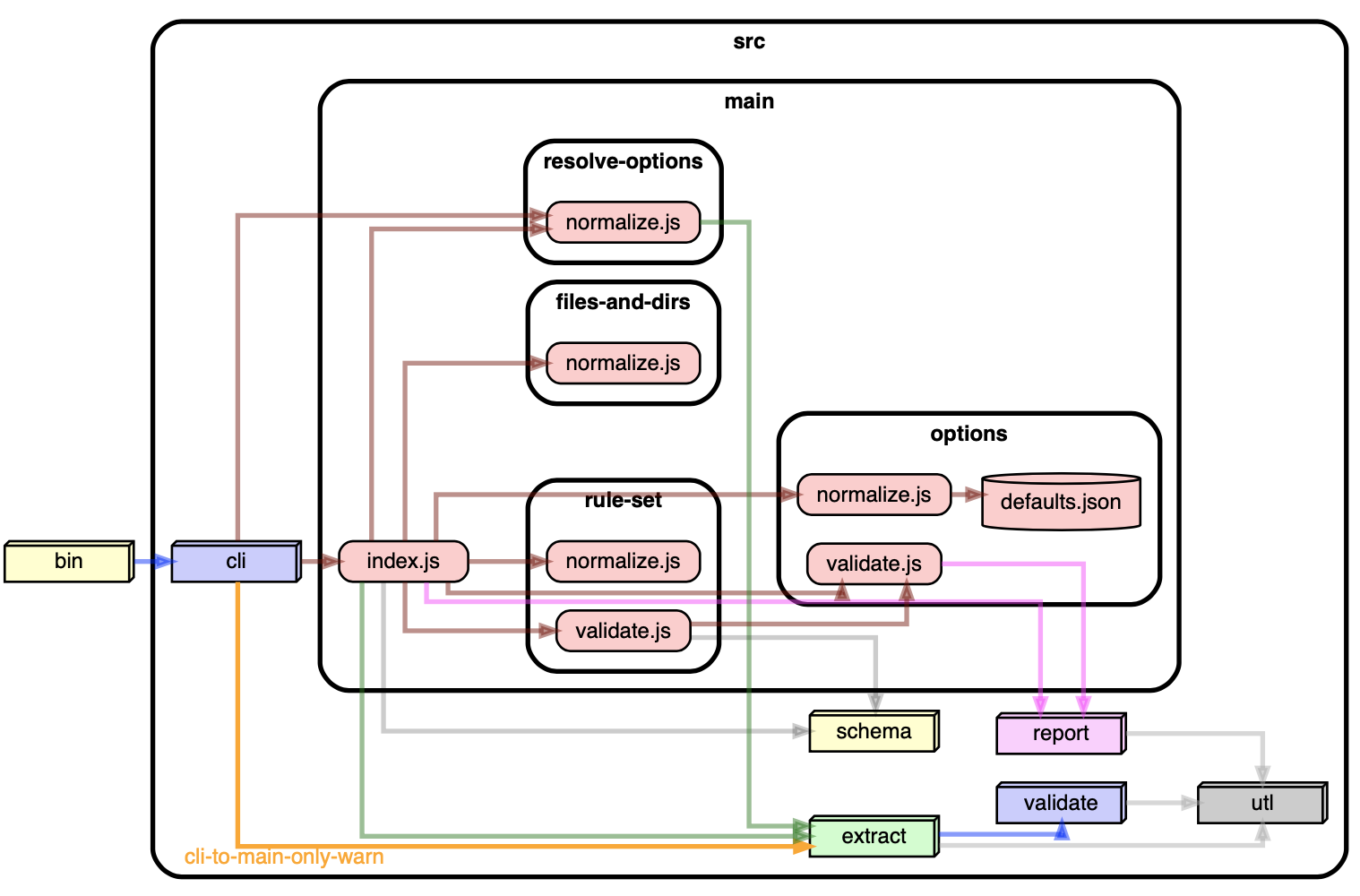
- For the longer term I'm looking into a more interactive graphical representation. I'm dreaming of expanding and collapsing folders ad libitum, as well as of highlight incoming & outgoing dependencies on selection. Would that be a good fit to your need?
- I was going to suggest that using the dot and archi reporter's collapse feature might help, but you're looking for specific modules so that isn't going to help in your use case.
sample of collapse, focusing on one folder
 sverweij
on 29 Apr 2020
sverweij
on 29 Apr 2020
Hi @gaggle - as you can see in the linked PR :point_up: (#295) I've made a first stab at something that should meet your need in the shape of a focus option - which is also available as a command line option. The linked PR has a sample invocation, and a configuration snippet that might make the visuals easier to visually grep.
It's published to npm as [email protected]
=> Can you let me know what you think? Does it meet your need? What still misses?
sverweij
on 1 May 2020
Hi @gaggle - did you manage to have a look? Did it meet your expectations?
I'd love to hear your feedback before I merge it!
sverweij
on 7 May 2020
@gaggle the --focus option is now part of dependency-cruiser's _latest_, so if you install version 9.2.0 you can use it to your heart's content (feedback still welcome b.t.w.)
sverweij
on 14 May 2020
Related issues
 atav32
·
5Comments
atav32
·
5Comments
 felixjung
·
9Comments
felixjung
·
9Comments
 fabb
·
3Comments
fabb
·
3Comments
 spion
·
7Comments
spion
·
7Comments
 heurtemattes
·
10Comments
heurtemattes
·
10Comments
Most helpful comment
@gaggle the --focus option is now part of dependency-cruiser's _latest_, so if you install version 9.2.0 you can use it to your heart's content (feedback still welcome b.t.w.)