Deno: error when running: deno run main.js
While trying to check deno today I noticed, the command "deno run main.js" fails but works with "deno run main.ts" or any other file name.
Example error:
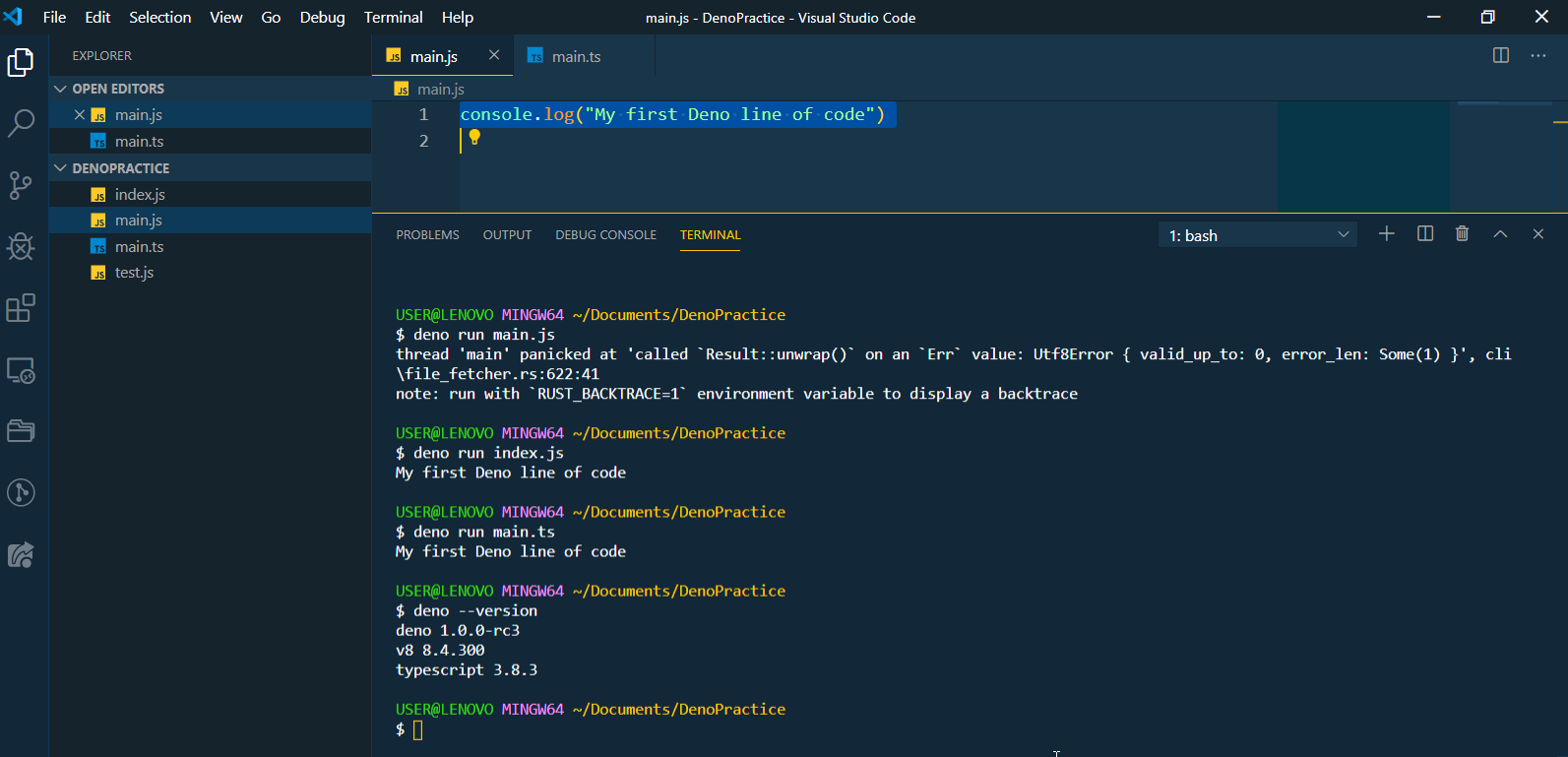
thread 'main' panicked at 'called Result::unwrap() on an Err value: Utf8Error { valid_up_to: 0, error_len: Some(1) }', cli\file_fetcher.rs:622:41
note: run with RUST_BACKTRACE=1 environment variable to display a backtrace

 iamfredrickokereke
All 10 comments
Not able to reproduce on close to master on OSX.
What specific version (deno --version) and what operating system?
 kitsonk
on 13 May 2020
kitsonk
on 13 May 2020
Can you show the content of main.js? Edit: Nevermind I assume it's the same.
 nayeemrmn
on 13 May 2020
nayeemrmn
on 13 May 2020
@kitsonk @nayeemrmn please find below both the content and version
NB: This is running on windows, and it was installed using the Admin privilege of PowerShell with this script "iwr https://deno.land/x/install/install.ps1 -useb | iex" from deno.land.
iamfredrickokereke
on 13 May 2020
I've had this before, try to change the file encoding to UTF-8 as a workaround.

Linking to #1489 and #627
 gewoonwoutje
on 13 May 2020
gewoonwoutje
on 13 May 2020
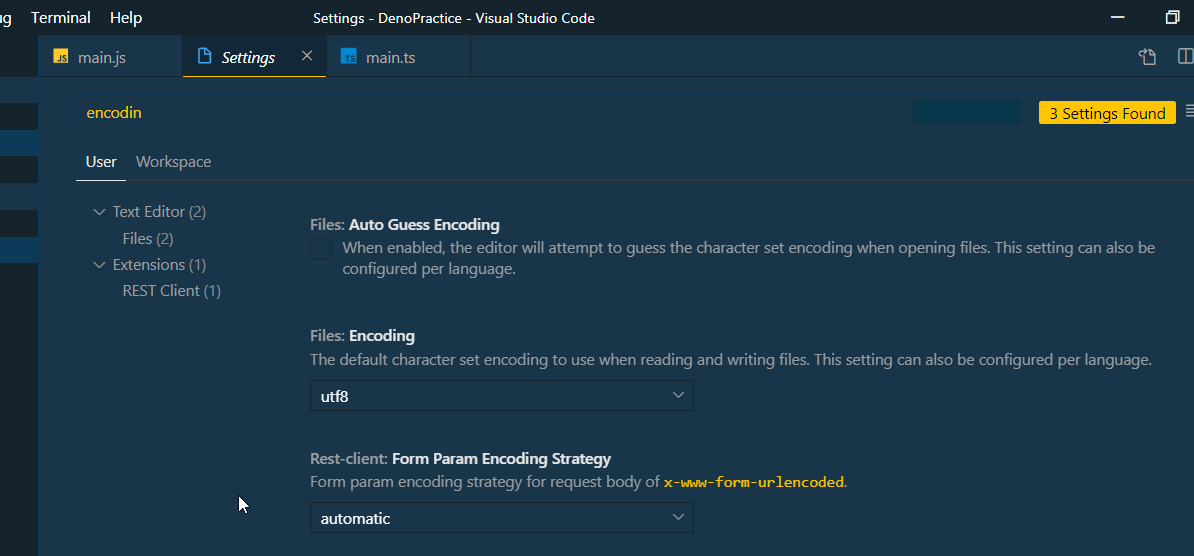
Thanks, @gewoonwoutje, but mine was already on UTF-8, checked this on 2 other PCs the same issue.
iamfredrickokereke
on 13 May 2020
I can only reproduce this when I change the source file encoding to something non-UTF8.
What is the status bar saying in the bottom corner? It should show UTF-8 also, otherwise you can try forcing it to UTF8 by toggling and saving in another encoding and back again.

gewoonwoutje
on 13 May 2020
Thank you @gewoonwoutje, toggling it to UTF-8 resolves this issue, and returns expected output.
iamfredrickokereke
on 13 May 2020
Feels like on Windows that we might want to at least trap a more informative error about not supporting non-UTF8 encoding.
kitsonk
on 14 May 2020
yes @kitsonk that would be helpful for other windows users, Thank you.
iamfredrickokereke
on 14 May 2020
Resolved.
iamfredrickokereke
on 15 May 2020
Related issues
 justjavac
·
3Comments
justjavac
·
3Comments
 JosephAkayesi
·
3Comments
JosephAkayesi
·
3Comments
 somombo
·
3Comments
somombo
·
3Comments
 watilde
·
3Comments
watilde
·
3Comments
 xueqingxiao
·
3Comments
xueqingxiao
·
3Comments
Most helpful comment
I can only reproduce this when I change the source file encoding to something non-UTF8.
What is the status bar saying in the bottom corner? It should show UTF-8 also, otherwise you can try forcing it to UTF8 by toggling and saving in another encoding and back again.