Delve: Debugging broken after MacOS Mojave Install
After installing MacOS Mojave and all updates, I can no longer debug from a go test file. I get the following error in the debug terminal (Visual Studio Code Version 1.28.2):
could not launch process: debugserver or lldb-server not found: install XCode's command line tools or lldb-server
I have re-installed the updated xcode and also ran xcode-select -- install
I have updated delve using go get -u github.com/derekparker/delve/cmd/dlv
I am using go 1.11 (worked before Mojave install) on MacOS Mojave 10.14.1 (18B75).
I have a Macbook Pro Retina 2016
 tfnaylor
All 11 comments
We look for debugserver at /Library/Developer/CommandLineTools/Library/PrivateFrameworks/LLDB.framework/Versions/A/Resources/debugserver if mojave moved it somewhere else we'd need to know where it is.
 aarzilli
on 3 Nov 2018
aarzilli
on 3 Nov 2018
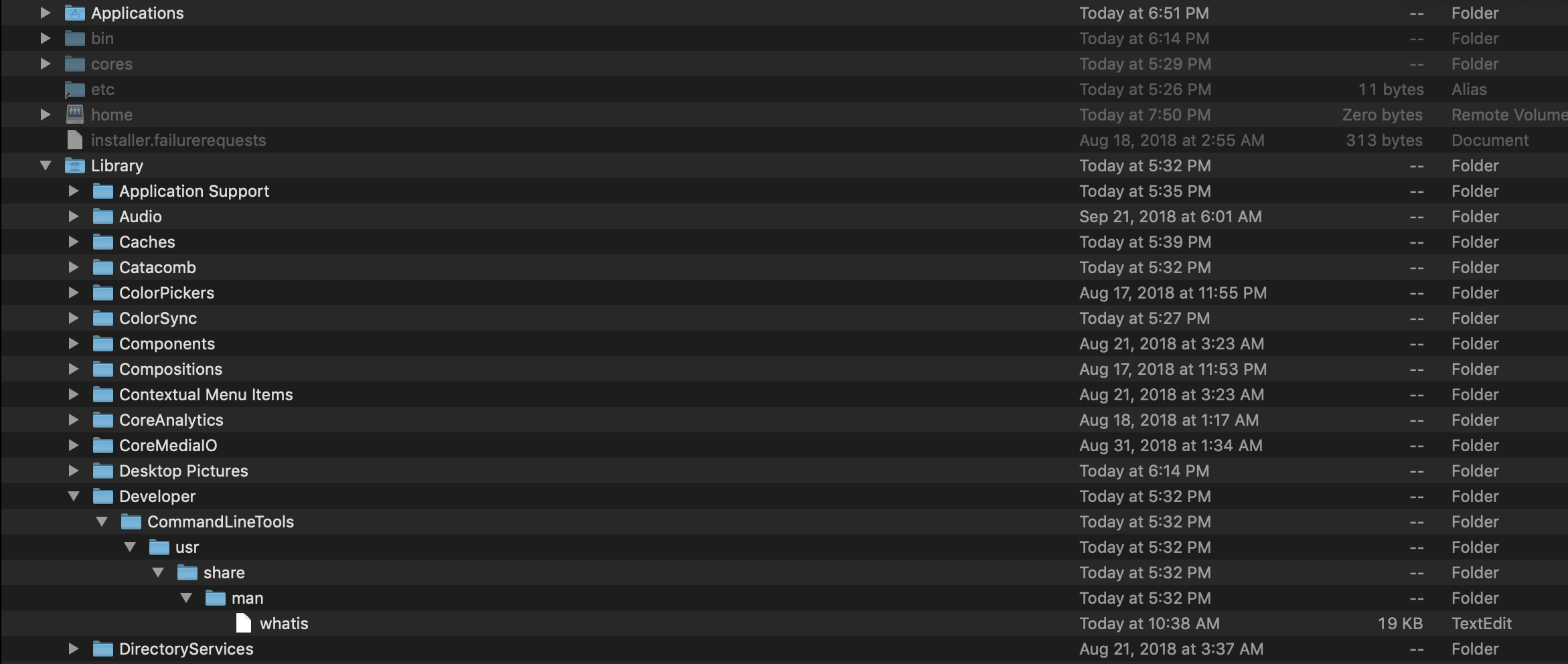
The /Library/Developer/CommandLineTools directory is essentially empty. See attached screenshot.
tfnaylor
on 3 Nov 2018
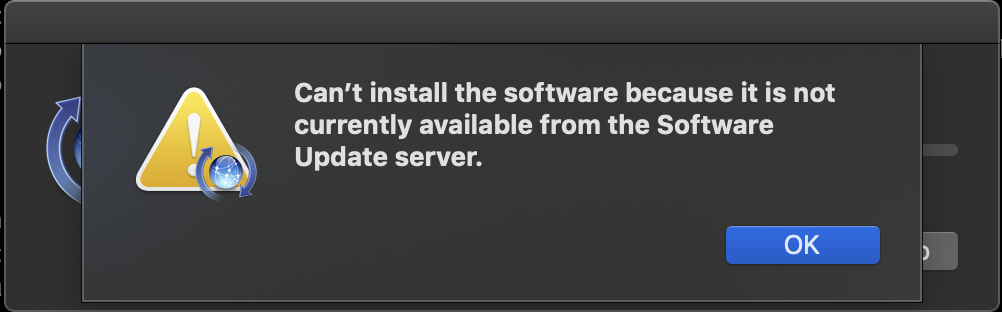
After more banging at this, it seems that the Mojave installation removed the command line tools altogether and you can only install full xcode from the xcode-select --install command. Attempting to install the command line tools alone gives you a popup dialog like this:
tfnaylor
on 3 Nov 2018
Problem solved. It seems you have to download the updated command line tools from the Apple developer website (xcode-select --install) is broken for the latest MacOS Mojave version (10.14.1).
https://developer.apple.com/download/more/
After downloading and installing the tools from the web site, debugging is working again.
tfnaylor
on 3 Nov 2018
Glad you figured it out.
aarzilli
on 3 Nov 2018
The path has in fact changed in Mojave - LLDB.framework is no longer in PrivateFrameworks, but in the Xcode bundle, so <xcodepath>/Contents/SharedFrameworks/LLDB.framework/Resources/{debugserver,lldb-server}
 kuroneko
on 6 Nov 2018
kuroneko
on 6 Nov 2018
At this point in time xcode-select --install is working fine and correctly fixes the error on the debugger.
 acardero
on 21 May 2019
acardero
on 21 May 2019
can also confirm that xcode-select --install solved my debugging issues with Go 1.12.5 on Mojave
 jongear
on 24 May 2019
jongear
on 24 May 2019
This issue helped me as well after all these months. Mojave upgrade wiped my Xcode cmd tools 😳
Running xcode-select --install worked like a charm. I did have to fully restart vscode for debugging to start working.
 lzantal
on 29 Jul 2019
lzantal
on 29 Jul 2019
Thanks, this solution also applies to macOS Catalina install / upgrade. I just upgraded my mac from Mojave to Catalina and got exactly the same issue.
 Arnie97
on 11 Oct 2019
Arnie97
on 11 Oct 2019
Just as another datapoint: running xcode-select --install after doing a macOS Catalina (10.15.4) upgrade resolve an issue where Goland (2020.1.2) was unable to attach to the debugger service, thereby rendering the debug functionality unusable.
Goland is once again able to attach to the debugger service and I'm happily returning to debugging go code 🥳
 aallbrig
on 11 May 2020
aallbrig
on 11 May 2020
Related issues
 derekparker
·
6Comments
derekparker
·
6Comments
 devtoro
·
6Comments
devtoro
·
6Comments
 antoineco
·
3Comments
antoineco
·
3Comments
 ankur0101
·
4Comments
ankur0101
·
4Comments
 christianwoehrle
·
5Comments
christianwoehrle
·
5Comments
Most helpful comment
Problem solved. It seems you have to download the updated command line tools from the Apple developer website (xcode-select --install) is broken for the latest MacOS Mojave version (10.14.1).
https://developer.apple.com/download/more/
After downloading and installing the tools from the web site, debugging is working again.