Deeplabcut: Unable to extract/refine tracklets, output h5 file contains all nan
OS: Windows 10
DeepLabCut Version: 2.2b8
Anaconda env used: DLC-CPU
Describe the problem
I am using the GUI and following the steps in this video: https://www.youtube.com/watch?v=JDsa8R5J0nQ&ab_channel=DeepLabCut
After evaluating and cross-validating the network, analyzing the videos, and converting to tracklets, I went to Refine Tracklets and launched the GUI. On the GUI, there were no markers, and I could not click/select anything. Hitting Save generated an h5 file where the (x, y, likelihood) values were all NaN.
I do not get an error message.
The generated file cat2DLC_resnet50_CatOct5shuffle1_2000_full.mp4 contains markers so it seems like some tracking was successful.
Screenshots
Refine Tracklets view. Are my inputs appropriate?
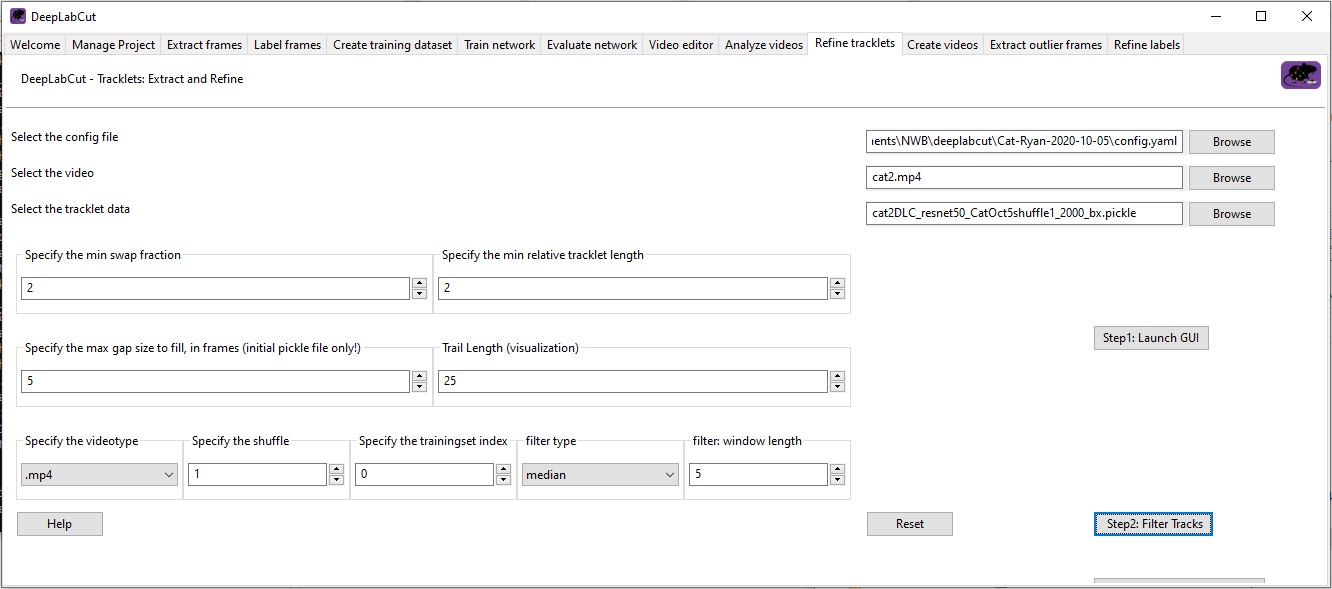
Here is a link to my DLC files on Google Drive:
https://drive.google.com/drive/folders/1ZJQTlaJfro0Lz7kiNsz8hiRME0icn0l7?usp=sharing
Thanks in advance!
 rly
rly
All 36 comments
Hi @rly - there are many parameters you need to set yourself before the refine tracklets GUI step, I suggest looking here, and seeing if some of these parameters change the outcome (I suspect so, if you have a good pose estimation network):
https://github.com/DeepLabCut/DeepLabCut/blob/master/docs/maDLC_AdvUserGuide.md#---------------------decision--break-point--------------------
 MMathisLab
on 8 Oct 2020
MMathisLab
on 8 Oct 2020
@rly, if you still haven't solved your issue, you could try deeplabcut.utils.make_labeled_video.create_video_from_pickled_tracks to see if tracking looks good before jumping to the tracklets; the mp4 video you produced earlier only tells you that detections look great, but it may be that something is failing when connecting the detections into animals. It could also help to re-run the cross-validation step and deeplabcut.convert_detections2tracklets.
 jeylau
on 13 Oct 2020
jeylau
on 13 Oct 2020
I am having the same issue, where the test video looks great, but nothing is tracked when the video is analyzed.
 bkacsoh
on 20 Oct 2020
bkacsoh
on 20 Oct 2020
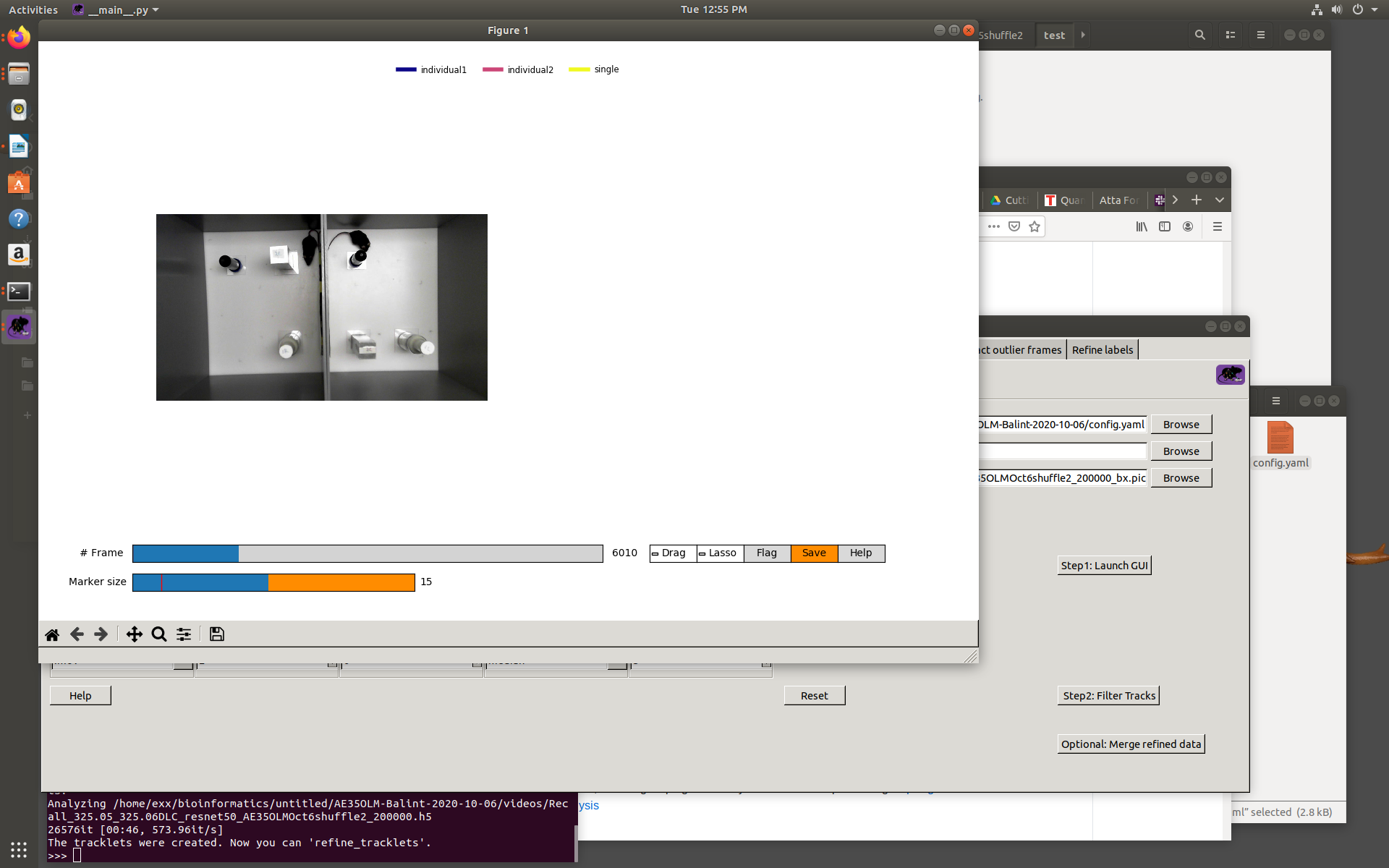
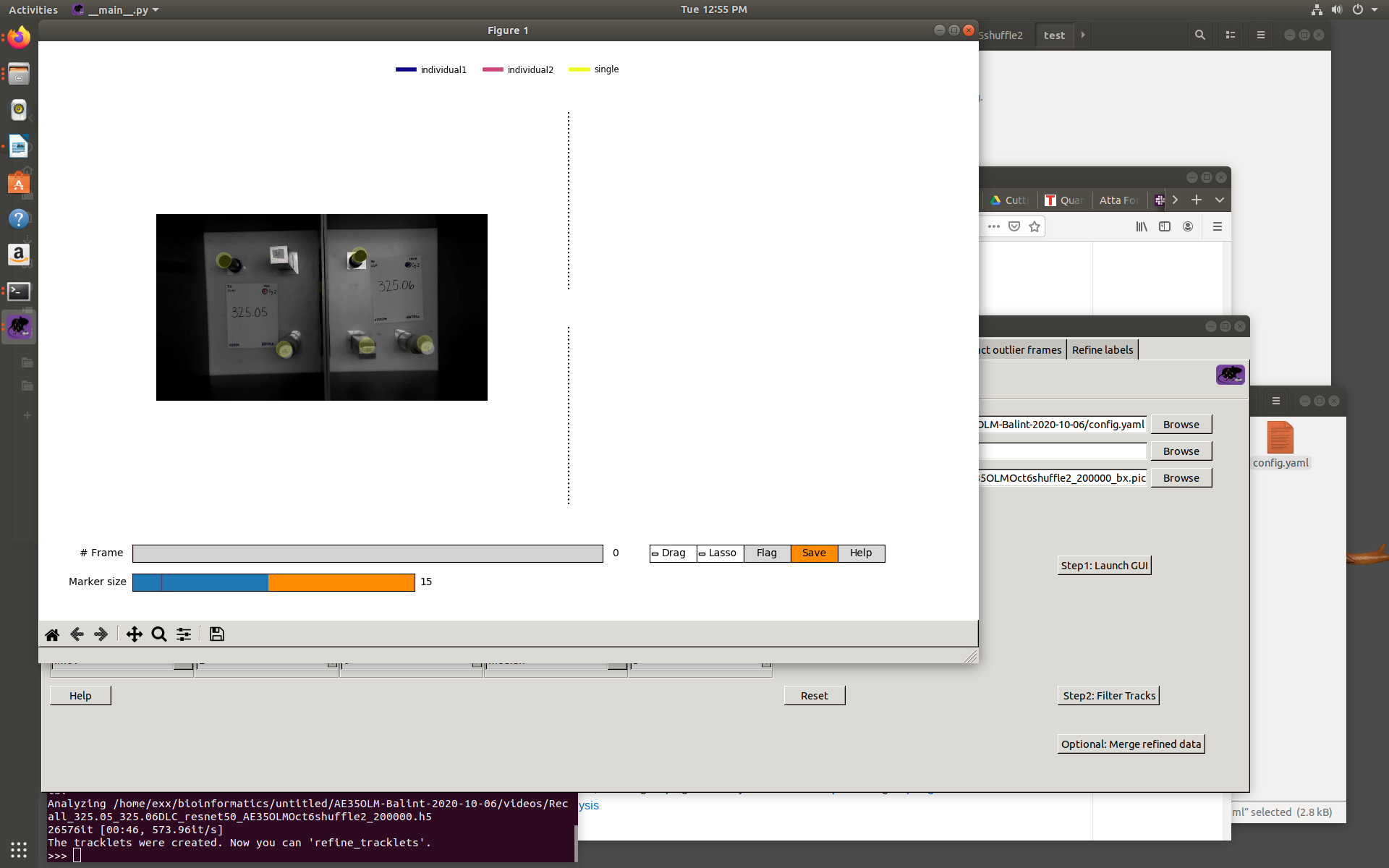
for some reason, only the first frame has the labels, the rest have them missing.
bkacsoh
on 20 Oct 2020
I believe that thread may be helpful https://forum.image.sc/t/nothing-showing-in-refine-tracklets-dlc-v2-2b8/43242/17. Cross-validation is key to guarantee clean animal assembly and tracking.
jeylau
on 20 Oct 2020
@jeylau no luck. I changed the inference_cfg.yaml from the xvalidated settings to the suggestion you had. Now the first frame is also unlabelled. The maps look great along with the video created to see the detection
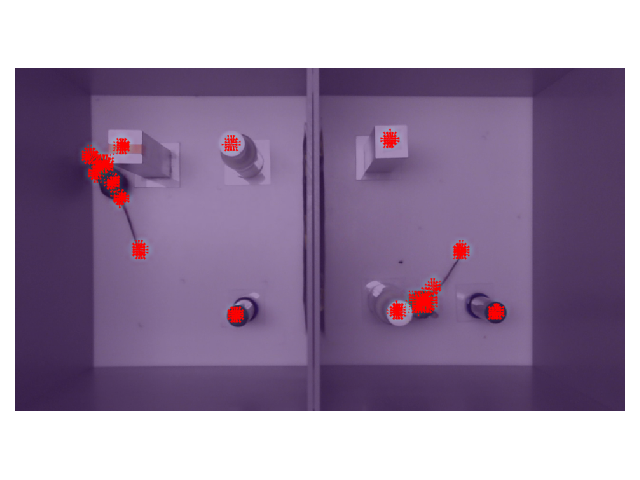
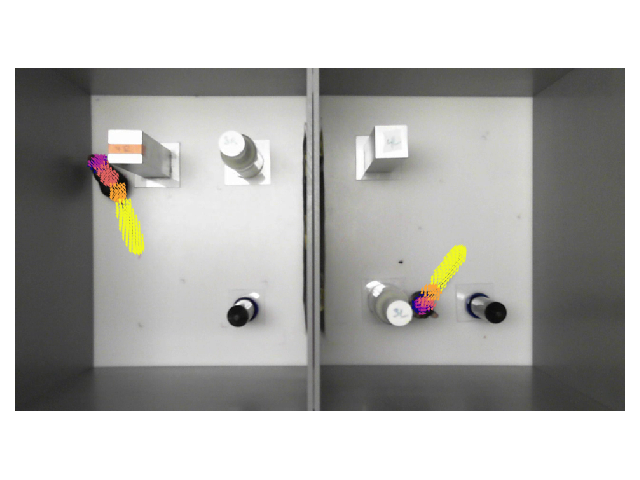
.
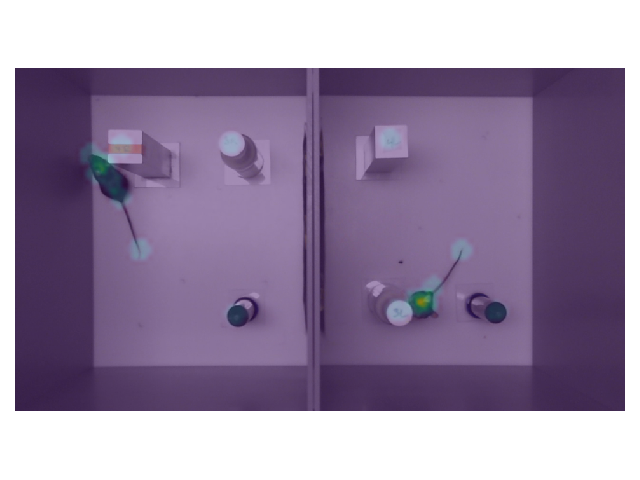
bkacsoh
on 20 Oct 2020
@bkacsoh, what settings did you use in the GUI to create the tracklets?
jeylau
on 20 Oct 2020
Hi @jeylau, I attached a screen shot here. Still no luck, but the test video looks amazing! :(
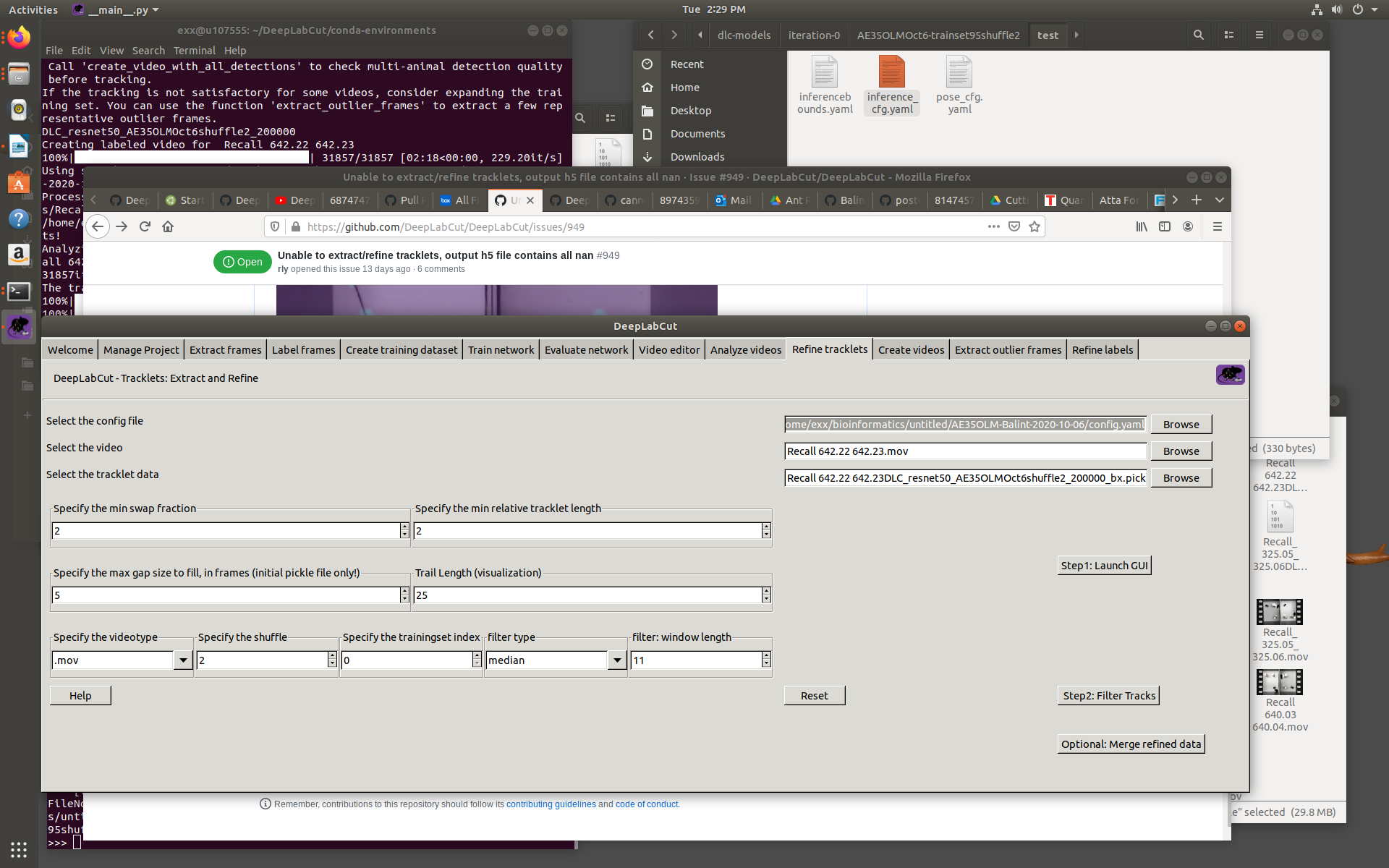
bkacsoh
on 20 Oct 2020
These are my inference_cfg.yaml settings:
addlikelihoods: 0.15
averagescore: 0.1
boundingboxslack: 0
detectionthresholdsquare: 0
distnormalization: 436.63
distnormalizationLOWER: 0
iou_threshold: 0.1
lowerbound_factor: 0.5
max_age: 100
method: m1
min_hits: 1
minimalnumberofconnections: 3
pafthreshold: 0.2
topktoretain: 3
upperbound_factor: 1.25
variant: 0
withid: false
bkacsoh
on 20 Oct 2020
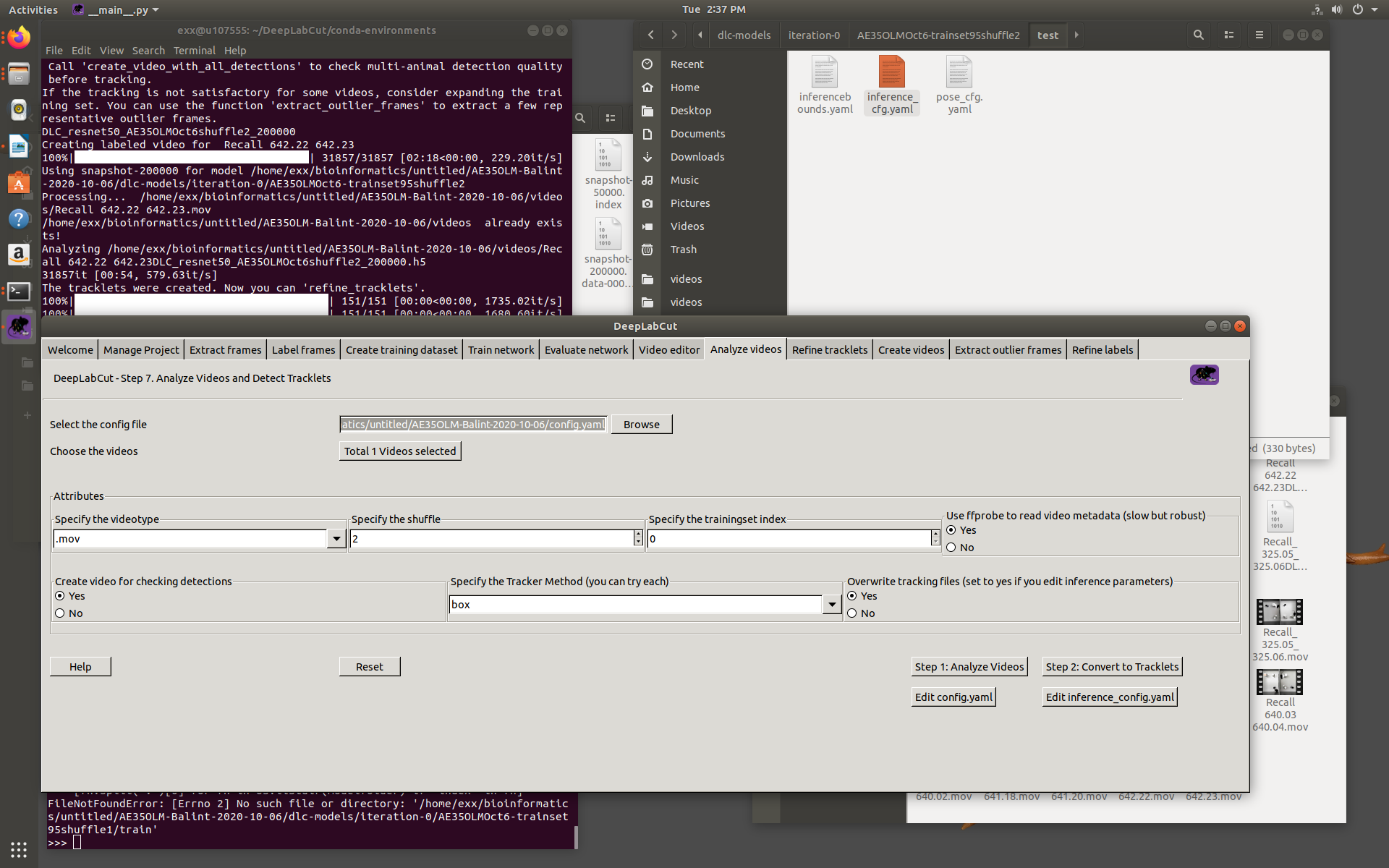
This was my analyze_videos settings
bkacsoh
on 20 Oct 2020
I think I got it! With the version of DLC you use, the minimal tracklet length was still specified as a fraction of the total number of frames. According to your screenshots your video seems to be ~25k frames, so min_tracklet_len=2% requires veeeeeeery long tracklets to work. You could either update to 2.2b8, where that parameter is then expressed in absolute number of frames, or try something as low as 0.04%.
jeylau
on 20 Oct 2020
I see. I updated to 2.2b8. Do I need to reanalyze the video before trackletting?
bkacsoh
on 20 Oct 2020
No need, your pickle files are fine.
jeylau
on 20 Oct 2020
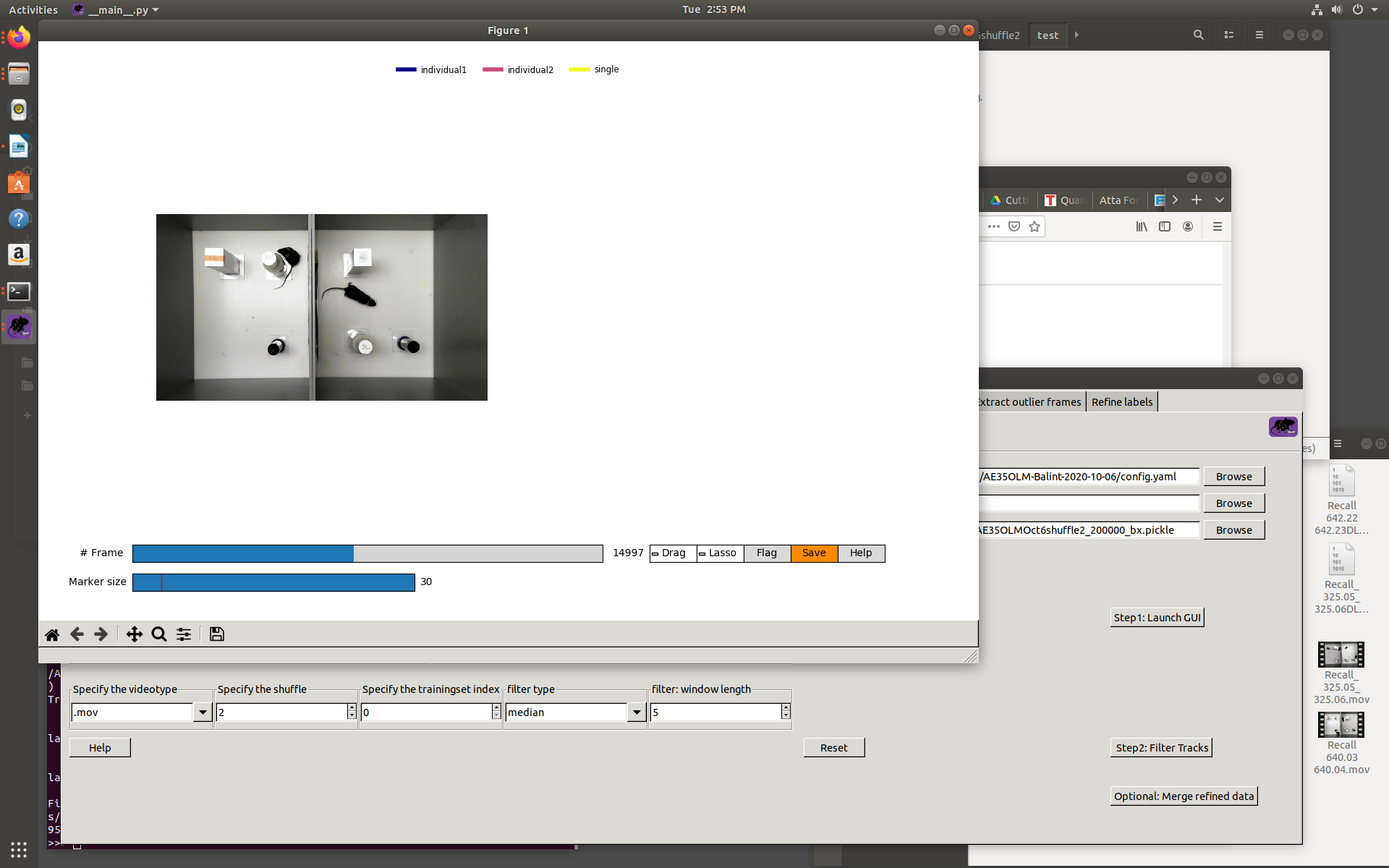
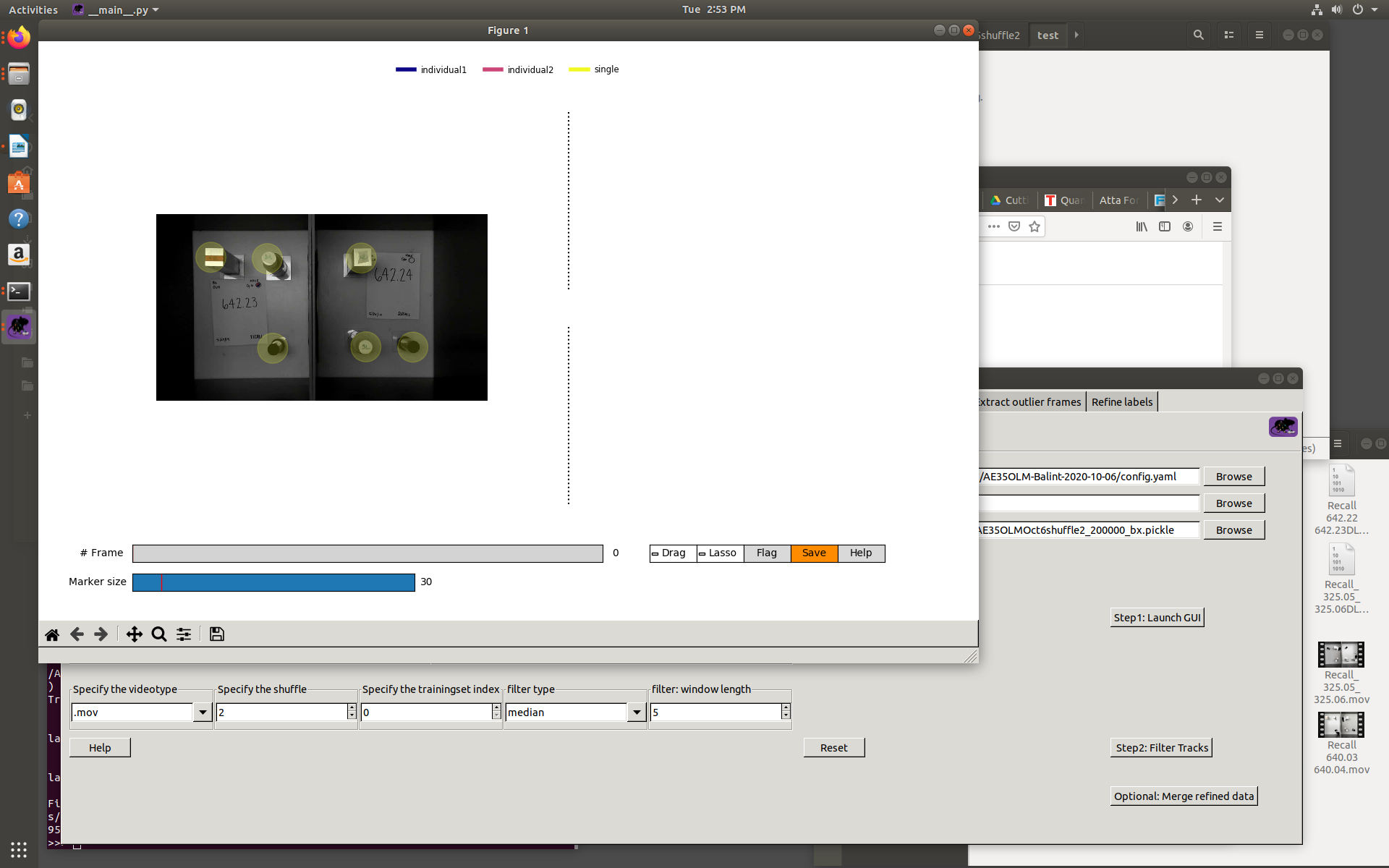
i see. I must be missing something still. When I refine tracklets, only the first frame is labelled, even with the updated DLC
bkacsoh
on 20 Oct 2020
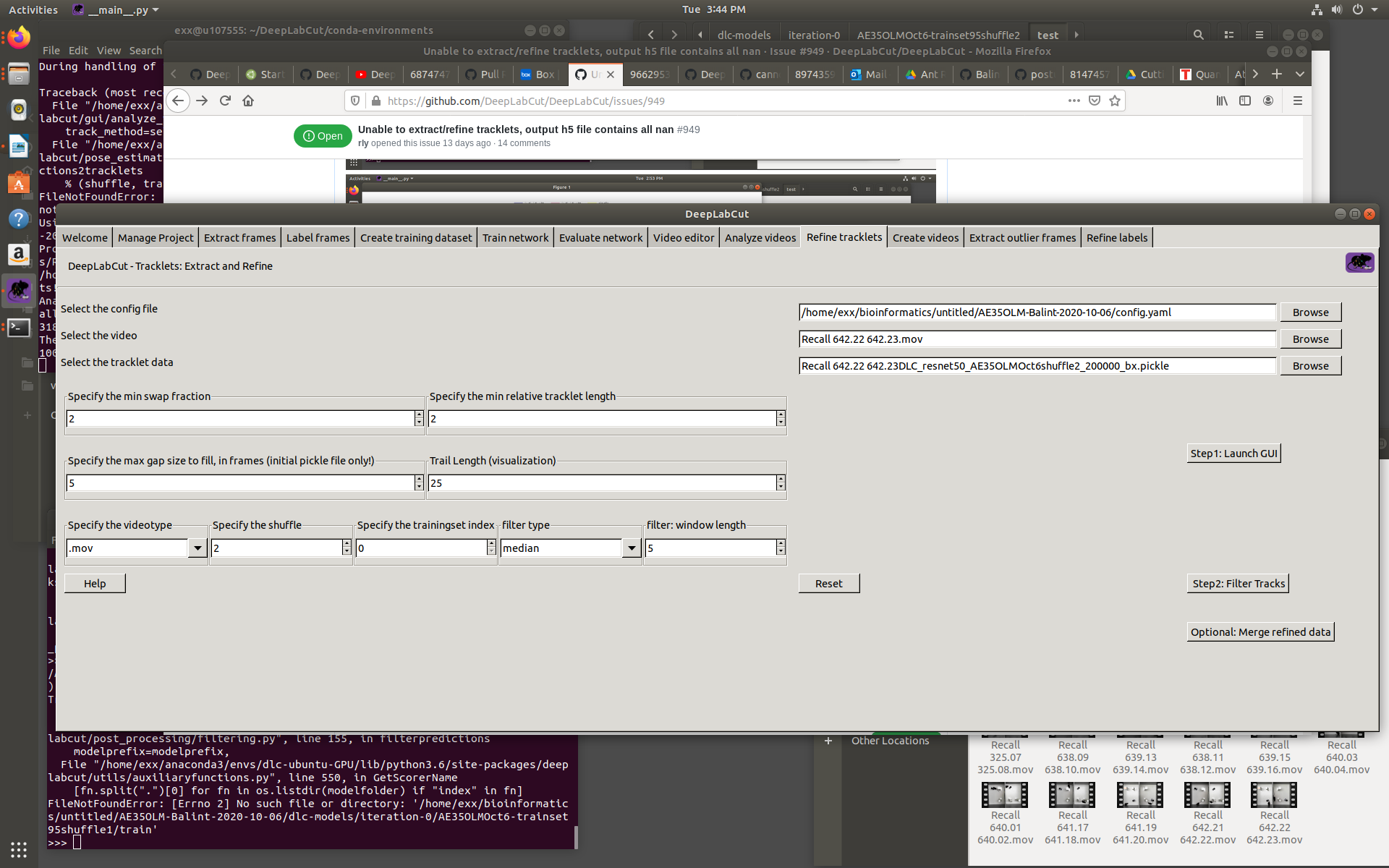
@jeylau maybe one of my parameters is off? Thanks for the help! :)
bkacsoh
on 20 Oct 2020
Hi @bkacsoh sorry for the delay; can you set "min relative tracklet length" to 0?
MMathisLab
on 27 Oct 2020
Hi @MMathisLab ,
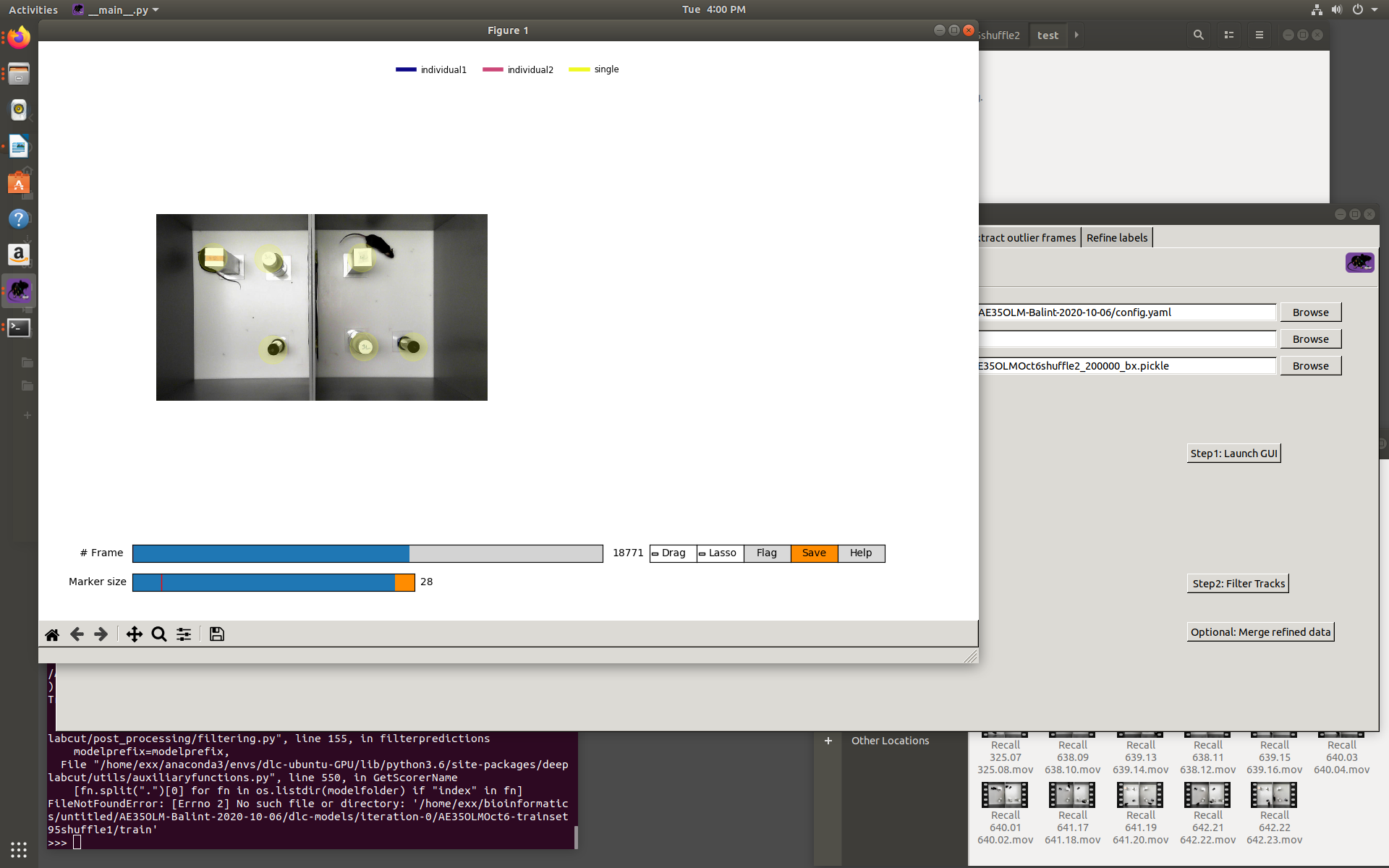
It looks like setting it to 0 makes it such that the objects are labelled throughout, but the individuals are not :(
bkacsoh
on 27 Oct 2020
sorry, one more thing, can you set max gap to fill to be 0?
MMathisLab
on 28 Oct 2020
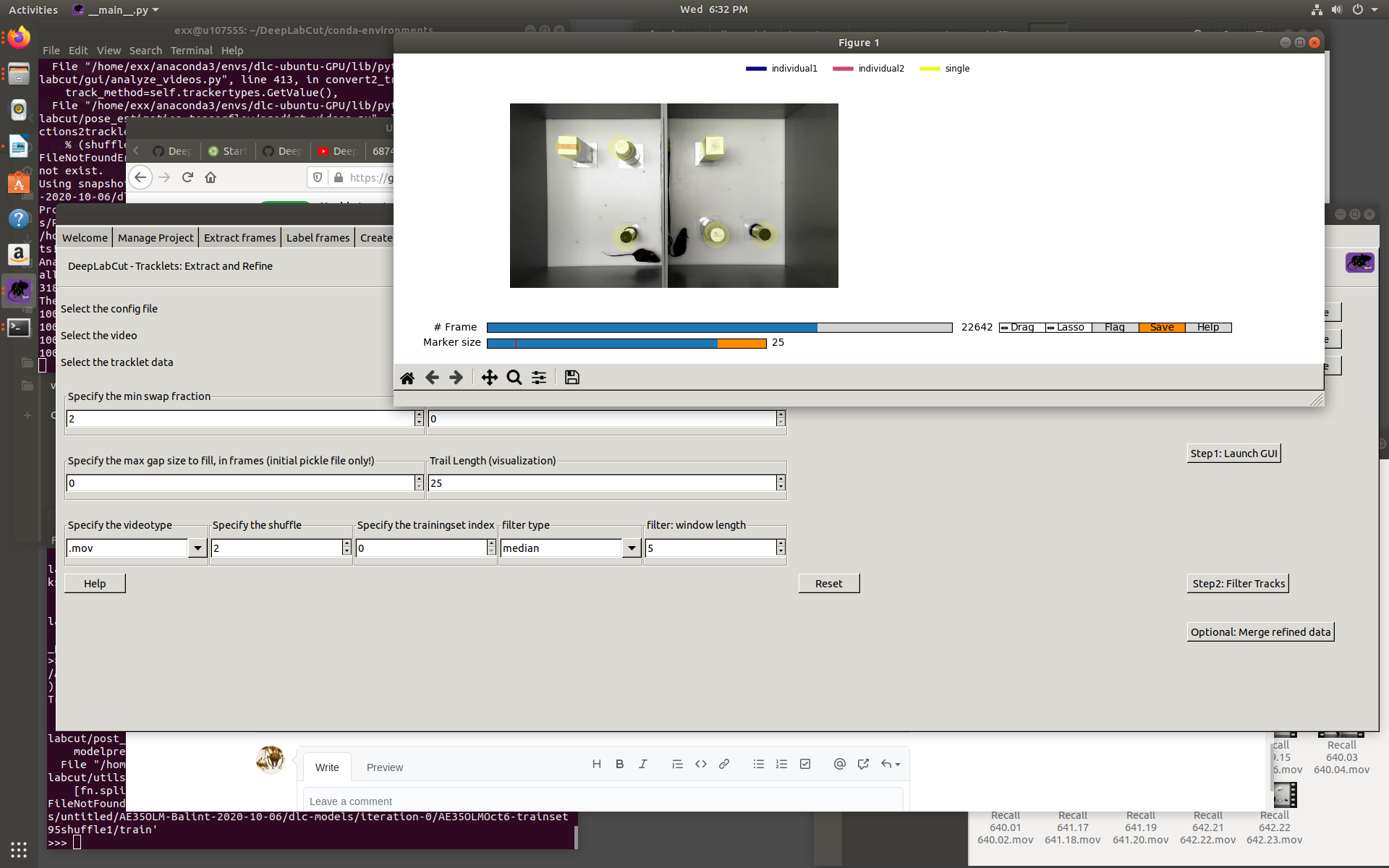
@MMathisLab still no luck :( both are set to 0 now. The singles come up through the video but still not the mice.
bkacsoh
on 28 Oct 2020
Hey! sorry for the delay, could you try updating, just in case?! i.e. once in the environment, run: pip install deeplabcut==2.2b8and see if that fixes it?! We think that is the case :D
MMathisLab
on 3 Nov 2020
@MMathisLab no luck :(
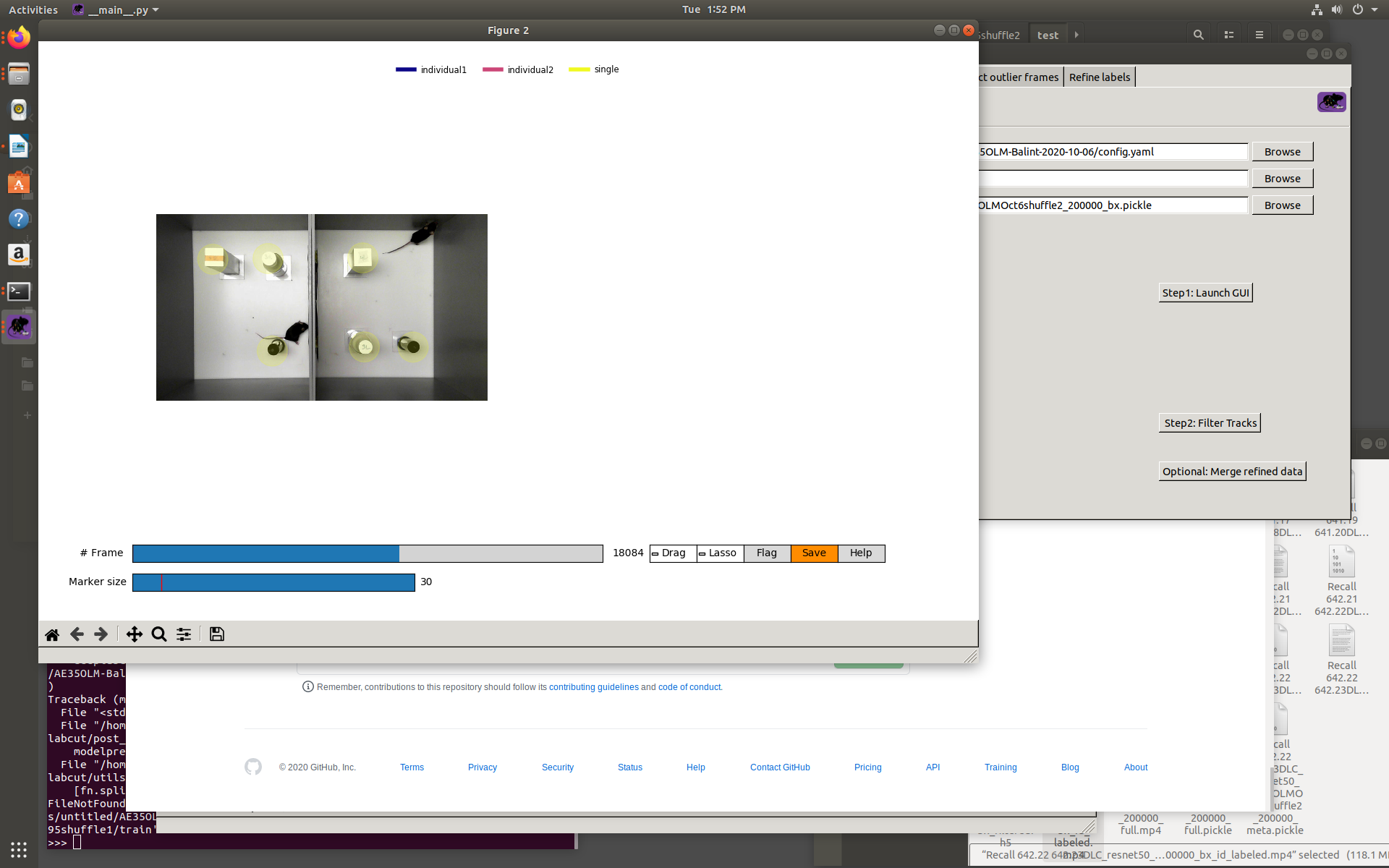
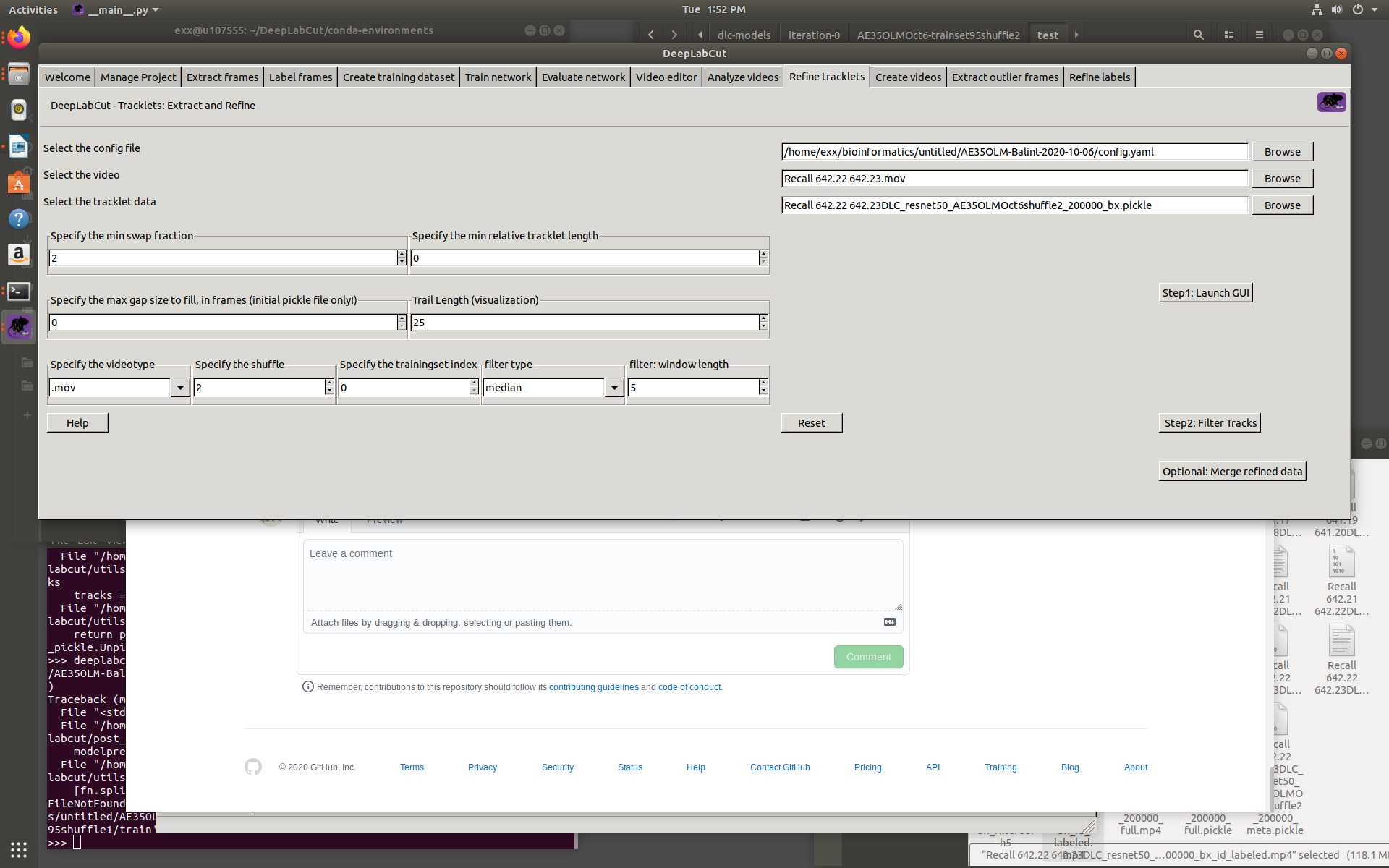
See the attached screen shots. I kept the settings the same, but still only the items are labelled, and not the mice :(
Maybe one of my settings is off?
bkacsoh
on 3 Nov 2020
Hey! Can you post the terminal output? maybe a traceback is hiding under there :)
MMathisLab
on 3 Nov 2020
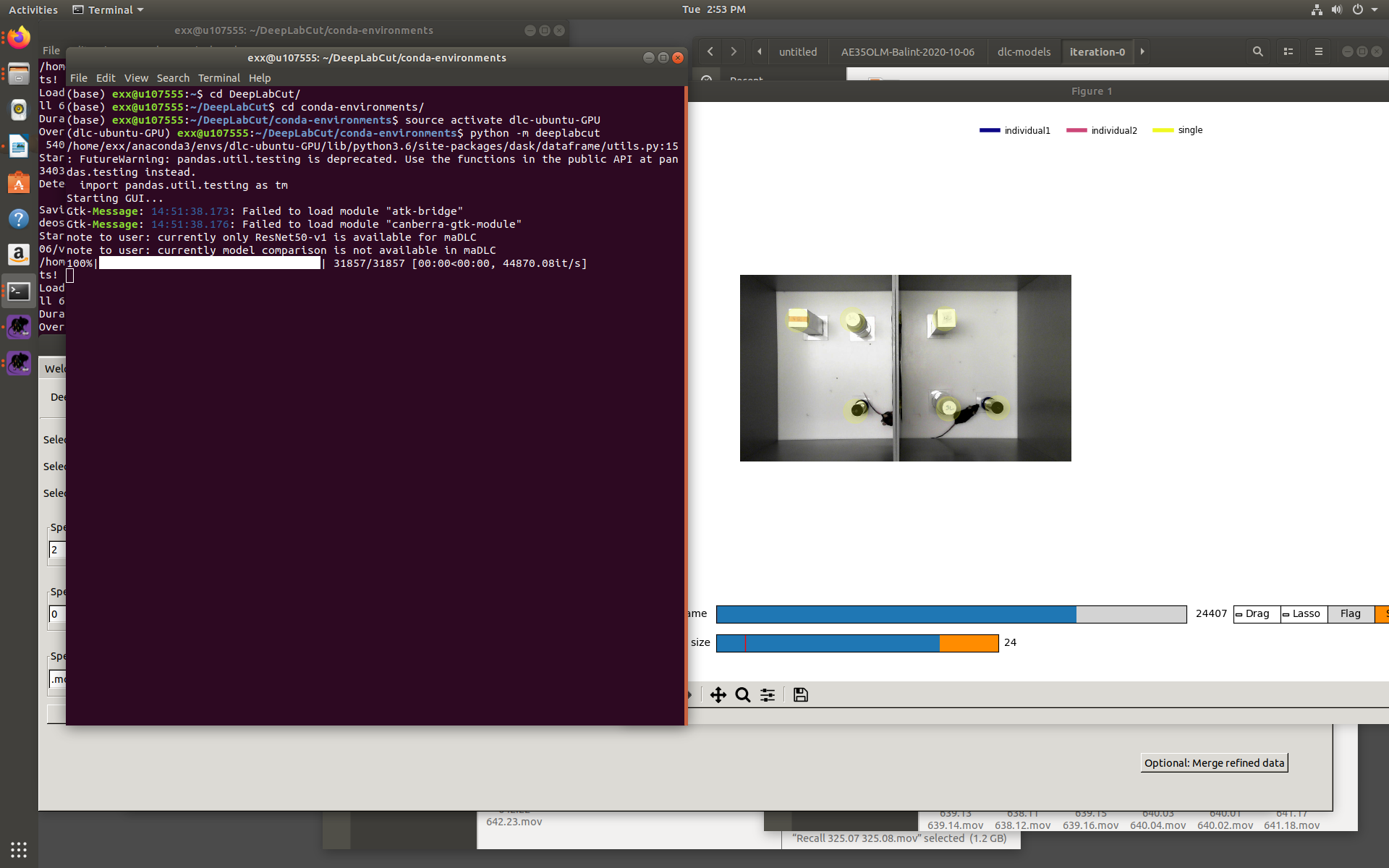
sorry, it doesnt look helpful :(
bkacsoh
on 3 Nov 2020
No worries! Could you run python
then import deeplabcut deeplabcut.__version__ (sorry :) just want to be sure it's not installing the version in another place!)
and then if you can copy/paste the contents of the inference_cfg.yaml file that would be awesome! We will solve this :)
MMathisLab
on 3 Nov 2020
Good call!
It seems like its the right version. i attached the inference_cfg too.
I've tried changing the pafthreshold: to 0.02 as in a previous suggestion, but no luck
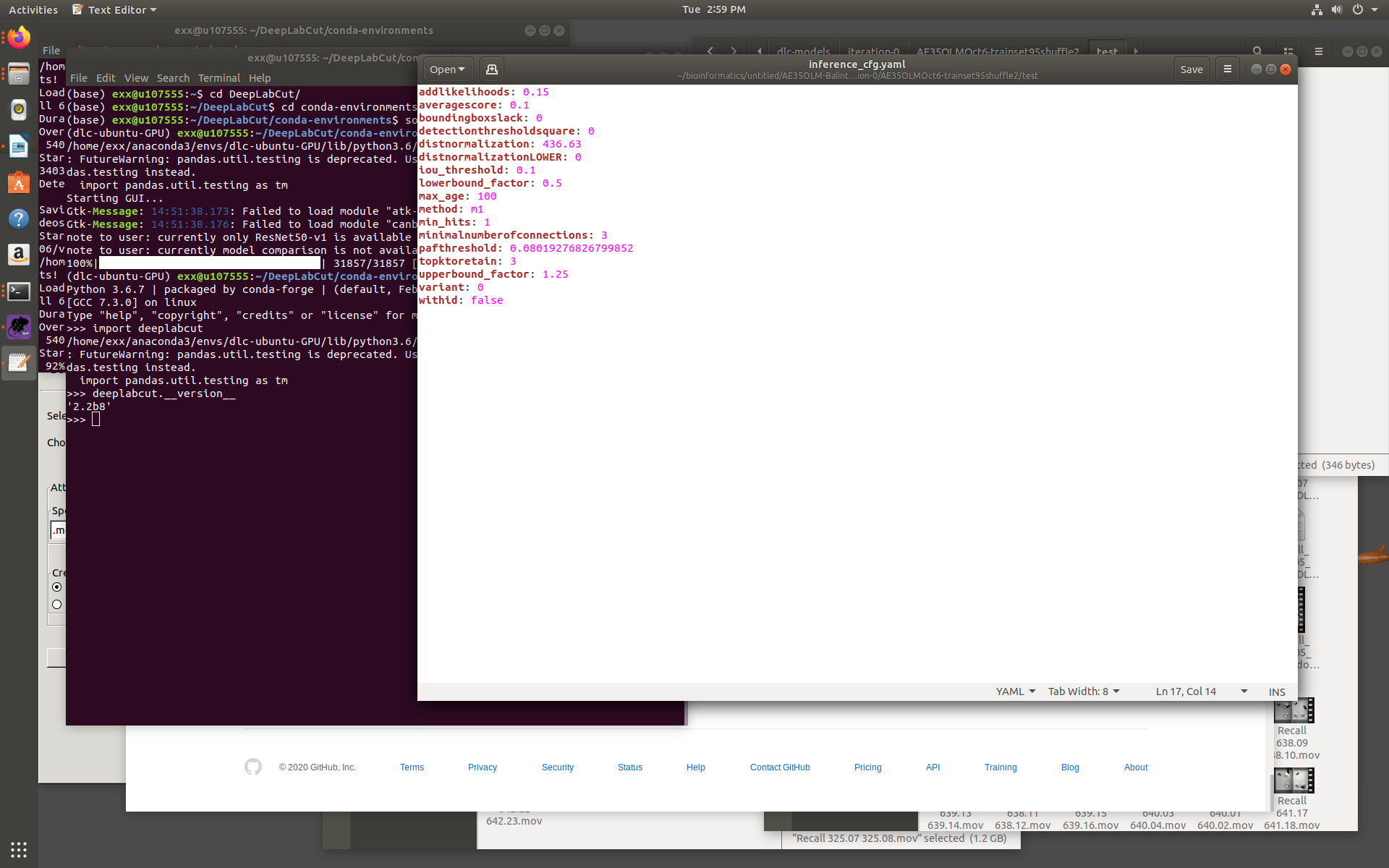
addlikelihoods: 0.15
averagescore: 0.1
boundingboxslack: 0
detectionthresholdsquare: 0
distnormalization: 436.63
distnormalizationLOWER: 0
iou_threshold: 0.1
lowerbound_factor: 0.5
max_age: 100
method: m1
min_hits: 1
minimalnumberofconnections: 3
pafthreshold: 0.08019276826799852
topktoretain: 3
upperbound_factor: 1.25
variant: 0
withid: false
bkacsoh
on 3 Nov 2020
hmmm, it all looks fine ... maybe try these:
variant: 0
minimalnumberofconnections: 3
averagescore: 0.1
distnormalizationLOWER: 50
distnormalization: 400
detectionthresholdsquare: 0
addlikelihoods: 0.15
pafthreshold: 0.05257960621774133
method: m1
withid: false
topktoplot: 3
boundingboxslack: 10
max_age: 100
min_hits: 3
iou_threshold: 0.1
upperbound_factor: 1.25
lowerbound_factor: .75
topktoretain: 3
@jeylau anything I am missing here?!
MMathisLab
on 3 Nov 2020
Hey @bkacsoh, can you please confirm that the video produced by deeplabcut.utils.make_labeled_video.create_video_from_pickled_tracks look good?
jeylau
on 3 Nov 2020
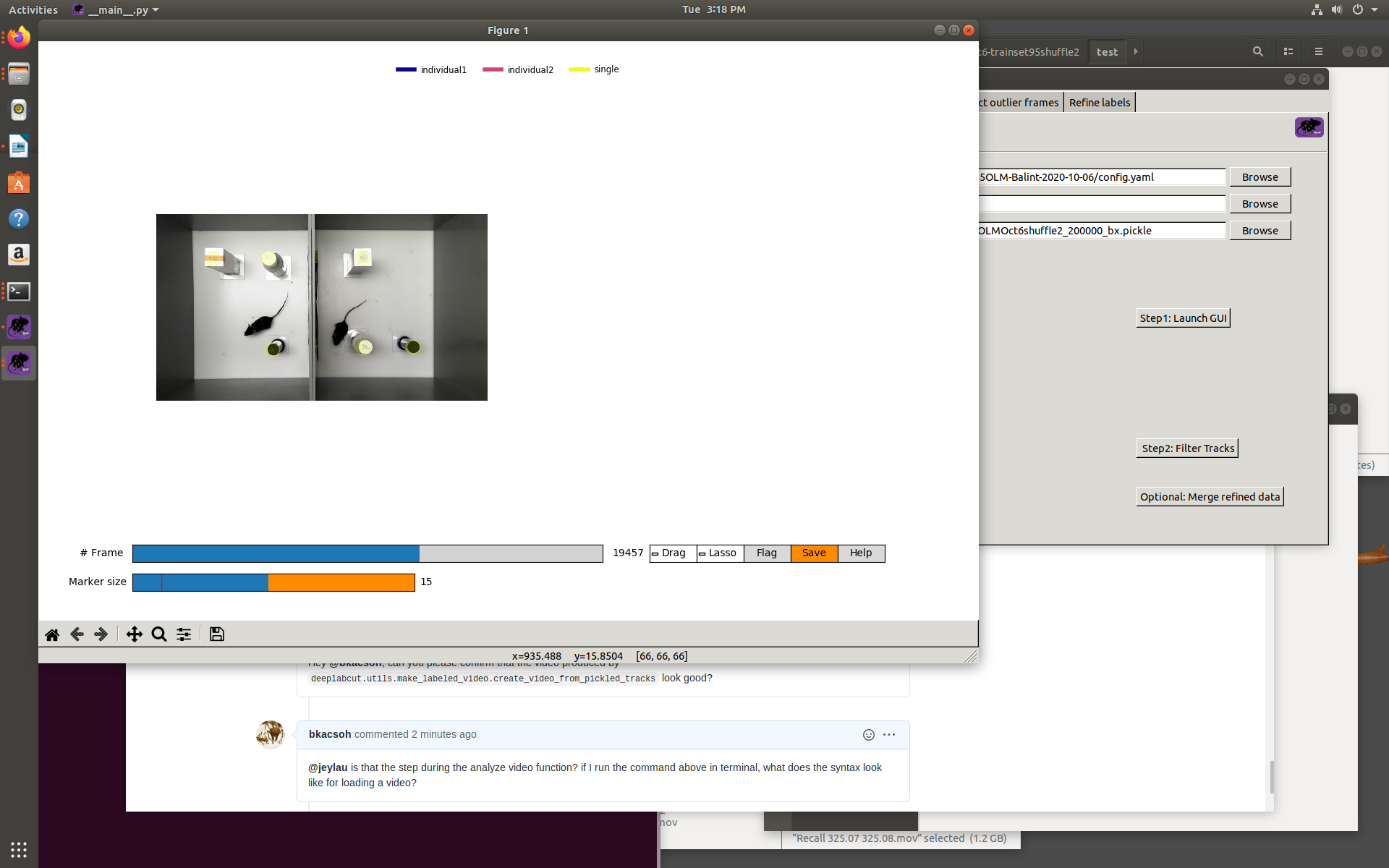
@jeylau is that the step during the analyze video function? if I run the command above in terminal, what does the syntax look like for loading a video?
bkacsoh
on 3 Nov 2020
@MMathisLab no luck with changing the parameters :(
bkacsoh
on 3 Nov 2020
No, it's a different video. It will help us evaluate how frame-by-frame tracking looks like 😊. Check our docs here https://github.com/DeepLabCut/DeepLabCut/blob/52080cda5f7ea8e92fa43d8cf5cb2e6e9a42ca07/deeplabcut/utils/make_labeled_video.py#L916. You'll just need the path to your original video, as well as the one to your _box.pickle.
jeylau
on 3 Nov 2020
@jeylau its starting! slowly going :)
bkacsoh
on 3 Nov 2020
sorry @jeylau, is it supposed to make a video? its making individual png frames of the entire video
bkacsoh
on 3 Nov 2020
Yes, they should be stitched together at the end.
jeylau
on 3 Nov 2020
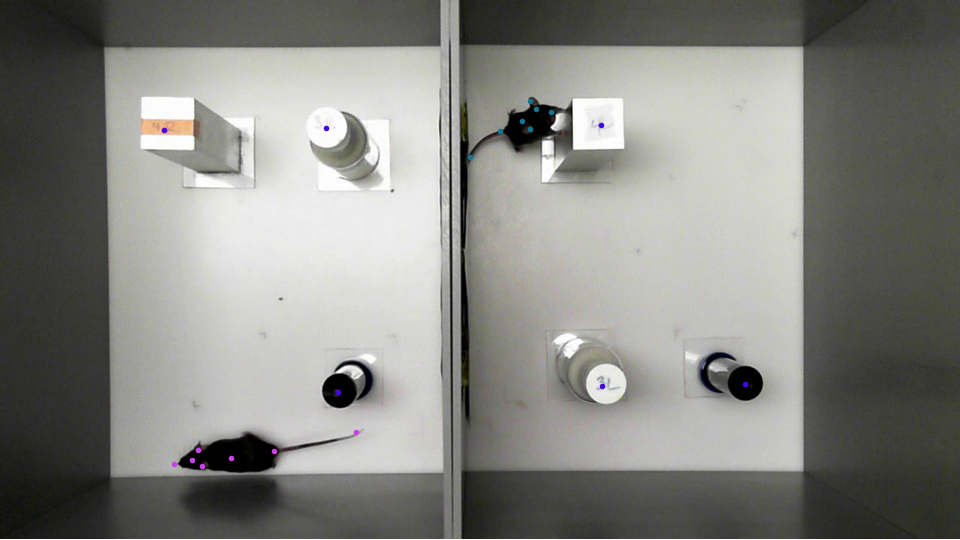
Hi @jeylau, the analysis is only at 54% thus far, but I grabbed a frame and everything looks labelled thus far.
bkacsoh
on 4 Nov 2020
this is getting exciting now :). Okay, that is good! You can stop the process if you want (or wait until the video is made, but it does seem good!).
MMathisLab
on 4 Nov 2020
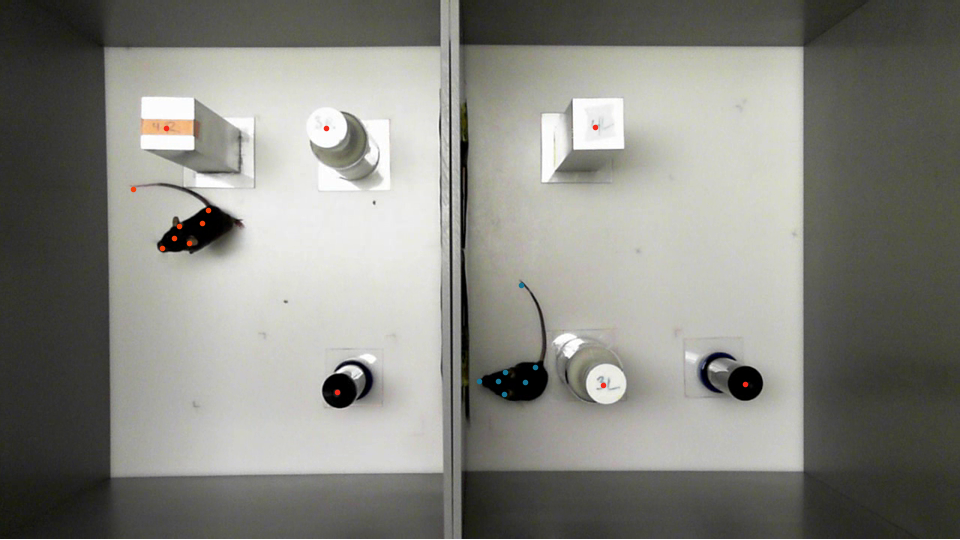
Hi guys, the frames finished but did not stitch together :( however, the mice are labelled perfectly throughout the frame series
bkacsoh
on 14 Nov 2020
Related issues
 monajalal
·
4Comments
monajalal
·
4Comments
 mschart
·
4Comments
mschart
·
4Comments
 Jonathan-Oehley
·
4Comments
Jonathan-Oehley
·
4Comments
 guyts
·
3Comments
guyts
·
3Comments
 haofanglee
·
3Comments
haofanglee
·
3Comments
Most helpful comment
@jeylau its starting! slowly going :)