Deeplabcut: Inconsistent individual identity
Hi,
first of all thank you for the great software, especially the multi-animal extension. I have experienced a weird issue running the latest release 2.2b6. This bug is not reproducable in 2.2b5 for me.
Thanks in advance for the help and all the best,
David
Describe the bug
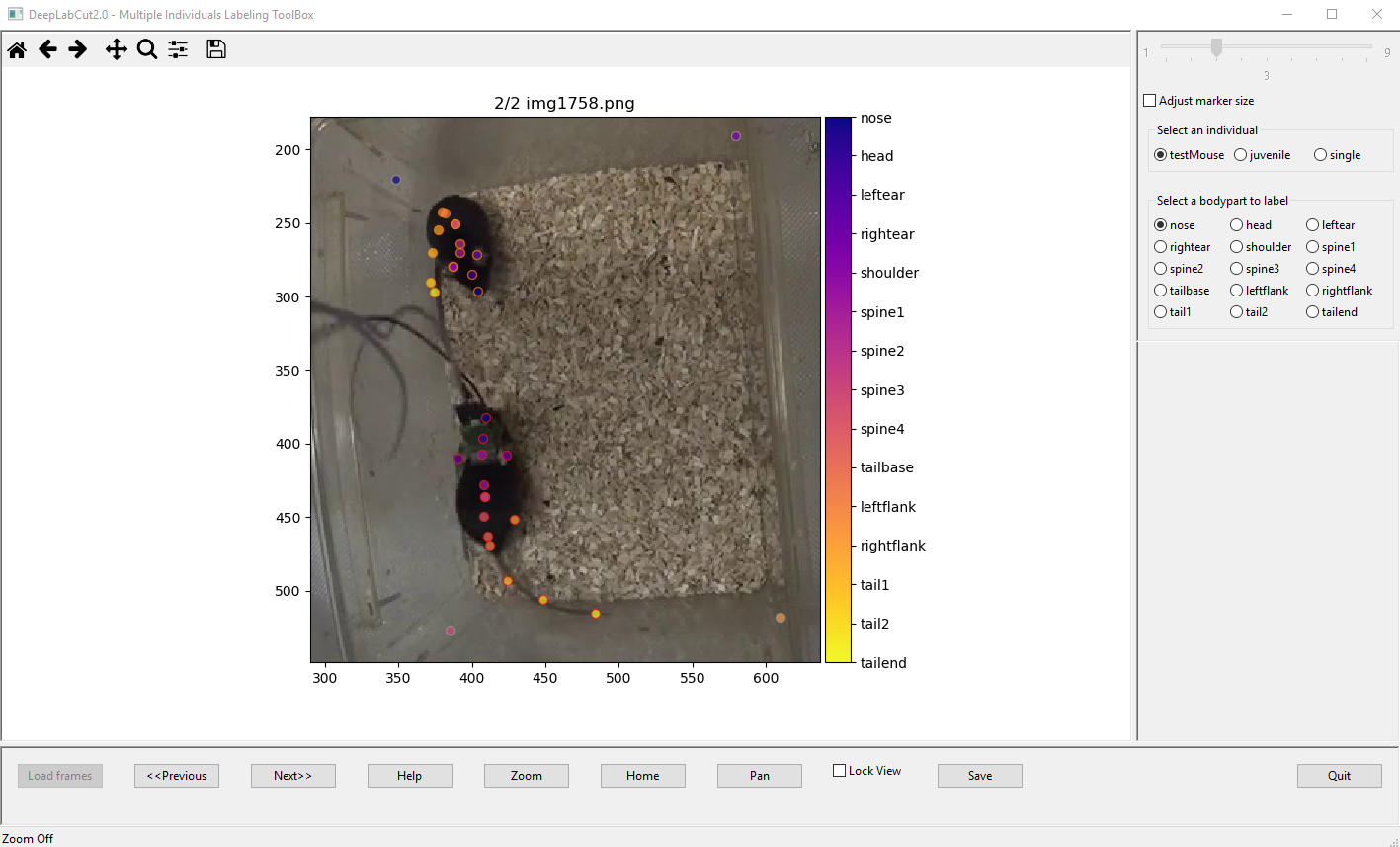
After labelling and saving frames in 2.2b6 the marker identities are mixed up, i.e. when I running "Check Labels Individual" markers aren't where they supposed to be and when re-opening the "label frames" GUI, also the markers aren't where I placed them before (see steps to reproduce and screenshots)
Desktop (please complete the following information about your system):
- OS: Windows10
- DeepLabCut Version: 2.2b6
To Reproduce
Steps to reproduce the behavior, i.e.:
In the GUI:
- "Label Frames" (screenshot 1)
- "Save"
- "Quit"
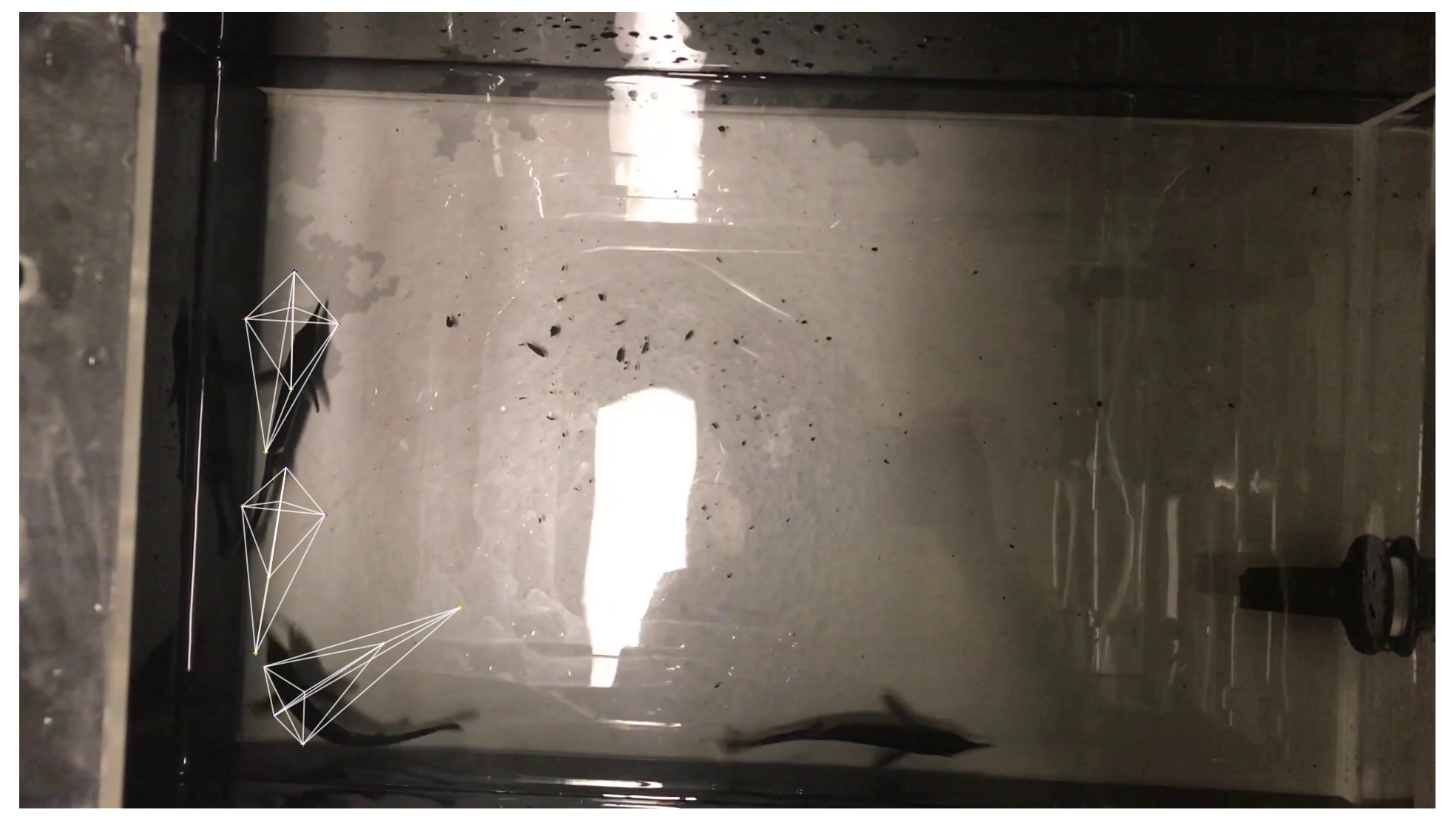
- "Check Labels Individuals" (screenshot 2)
- "Label Frames" and load same video and frame as before (screenshot 3)
Expected behavior
Keep markers in correct position.
Screenshots
Screenshot 1:
Screenshot 2:
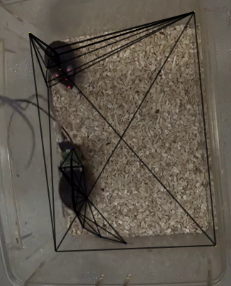
Screenshot 3:
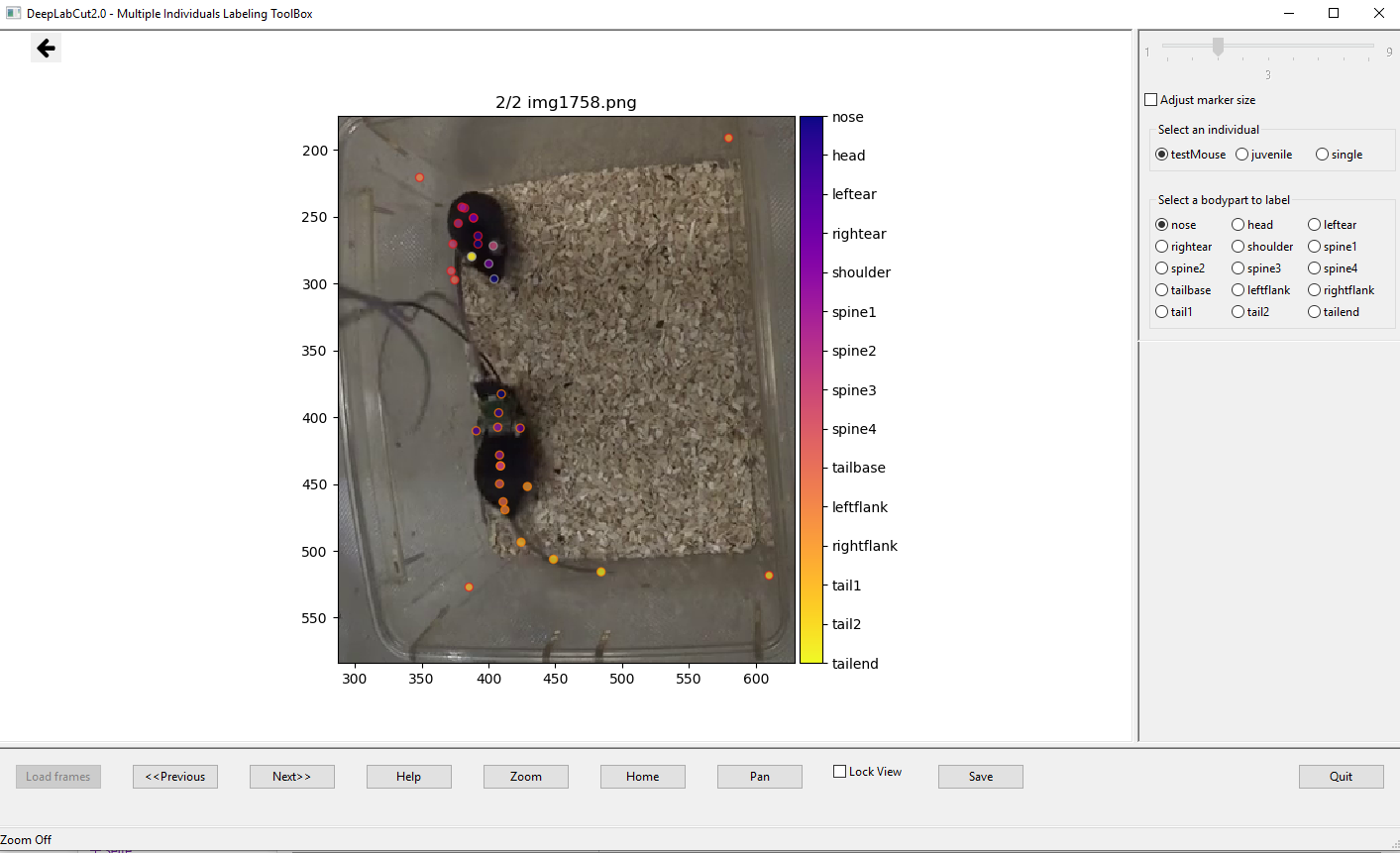
 DavidAlWolf
All 11 comments
can you confirm that in screenshot 2, you don't have any "uniquebodyparts" connected in the "skeleton" to ANY multanimalbodypart? thanks!
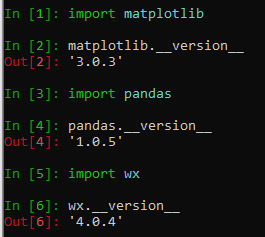
also, can you report:
import matplotlib
matplotlib.__version__

import pandas
pandas.__version__

import wxPython
wx.__version__
 MMathisLab
on 21 Jun 2020
MMathisLab
on 21 Jun 2020
Yes I can confirm that. The Skeleton was configured using the Skeleton-builder from the GUI. I also attatched the config.yaml below.
I freshly installed in a new Conda Environment using the DLC-GPU file from your Website and 'pip install deeplabcut==2.2b6'. These are the current versions:
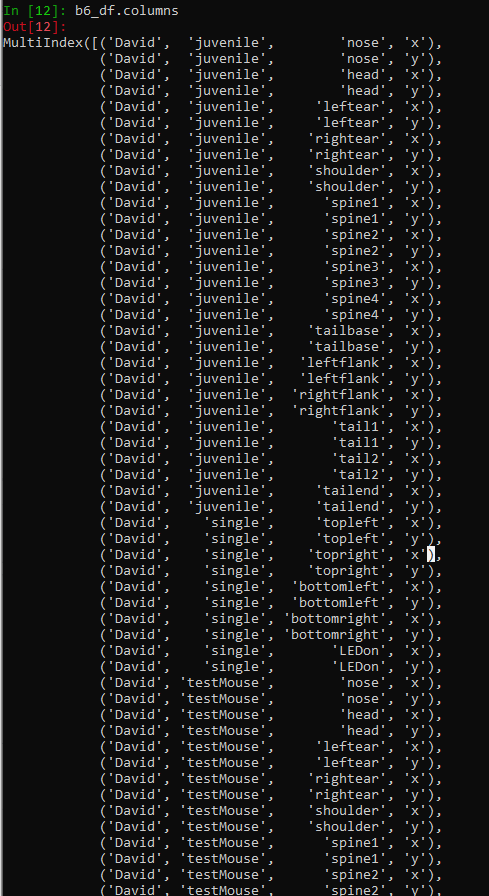
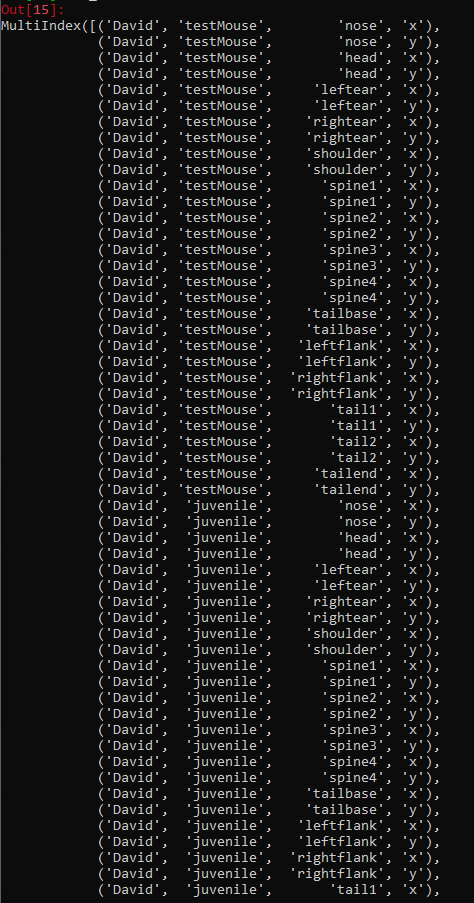
One more thing I noticed: When labelling in Version 2.2b5 with the exact same Settings and configurations I don't run into this Problem and the columns of the resulting "CollectedData" hdf-files look different:
This is how they look like in 2.2b6: (there are a few lines cut off but it continues with 'juvenile' to the end)
This is how they look like in 2.2b5 (here the uniquebodyparts come at the end as "single")
DavidAlWolf
on 21 Jun 2020
Hello,
I am also having this same problem.
I am also running this on:
- OS: Windows10
- DeepLabCut Version: 2.2b6
- Environment: DLC-GPU.yaml
WORKFLOW TO REPRODUCE:
1) I used the GUI to do all steps leading up to the check_labels.
*note: if it matters, for extract frames I need to select want to use OpenCV? to no because it fails if I do yes (I suppose I probably don't have OpenCV installed but have not got around to that yet since the no option worked -- ie. let me proceed).
2) Label Frames followed by Save/Quit after doing the labeling.
3) Check Labels (and check individual labels resulted in same misbehavior)
4) Look at the resulting images generated: The labels were very far off from what I had done.
In all cases I have seen so far, the incorrect images are incorrect in the following way: the skeletons were the correct shape/connection, they were just not located in the correct part of the image. Almost as if the labels were being associated with the wrong images. (note: I did see a couple that ended up correctly labelled, but the majority were incorrect)
5) However, unlike @DavidAIWolf, when I return to the Label Frames function in the GUI the labels on these images are still in the location that I had put them before checking the labels
I also have:
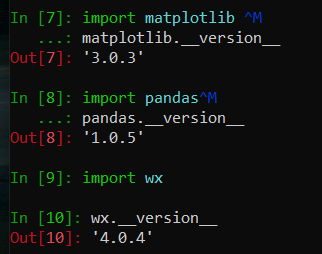
note: import wxPython was not recognized, only import wx
Here is the config file as .txt confirming uniquebody parts are not connected to multianimal (I don't have any unique)(I just set extract frame number variable to '3' to start debugging this):
config.txt
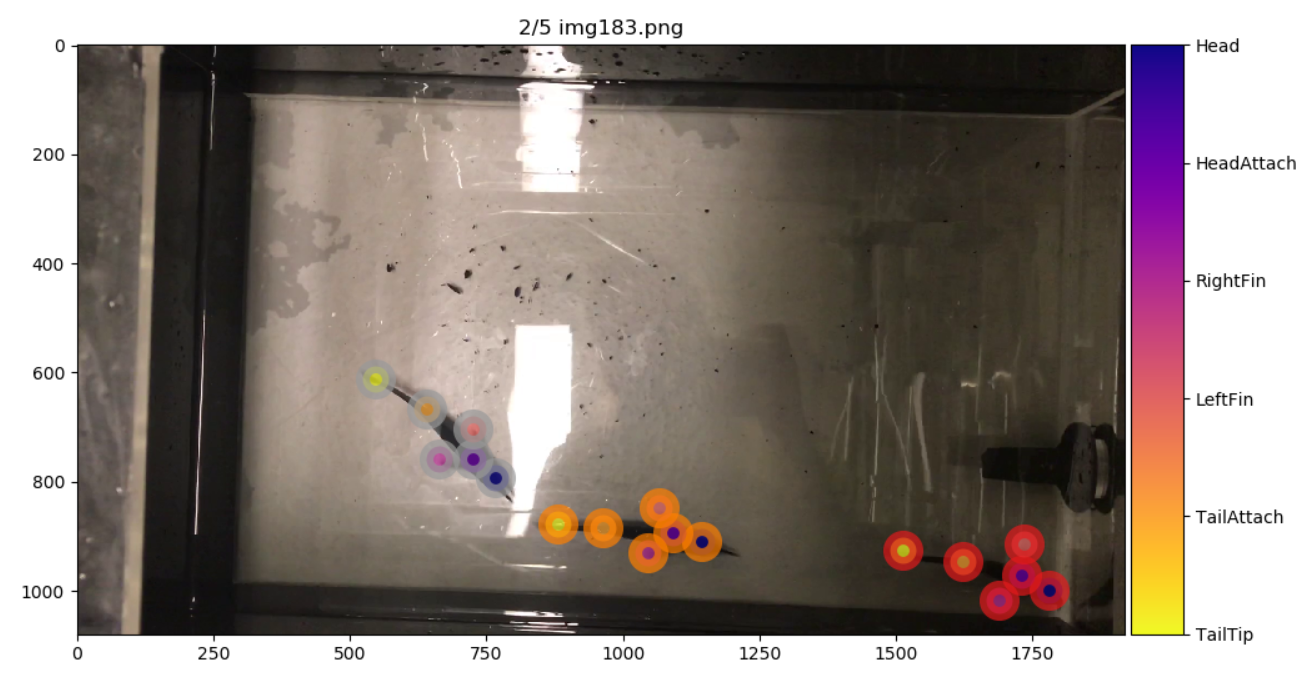
Labeling:
(followed by SAVE/QUIT after labeling)
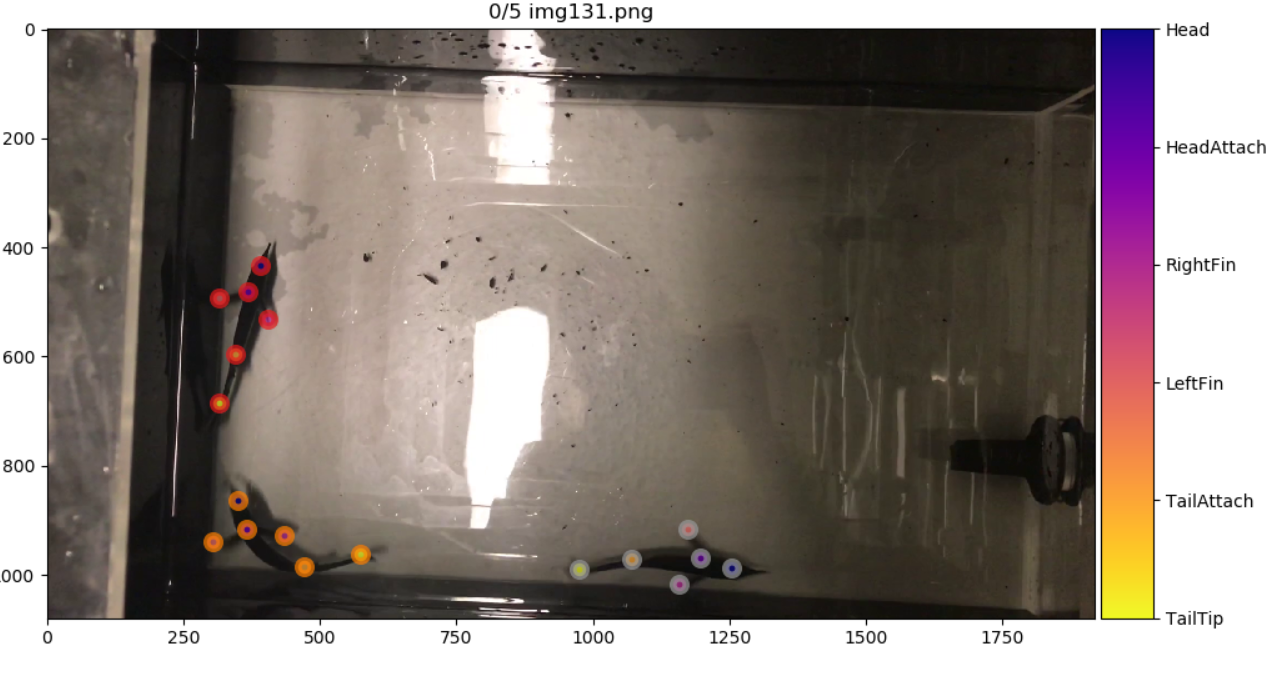
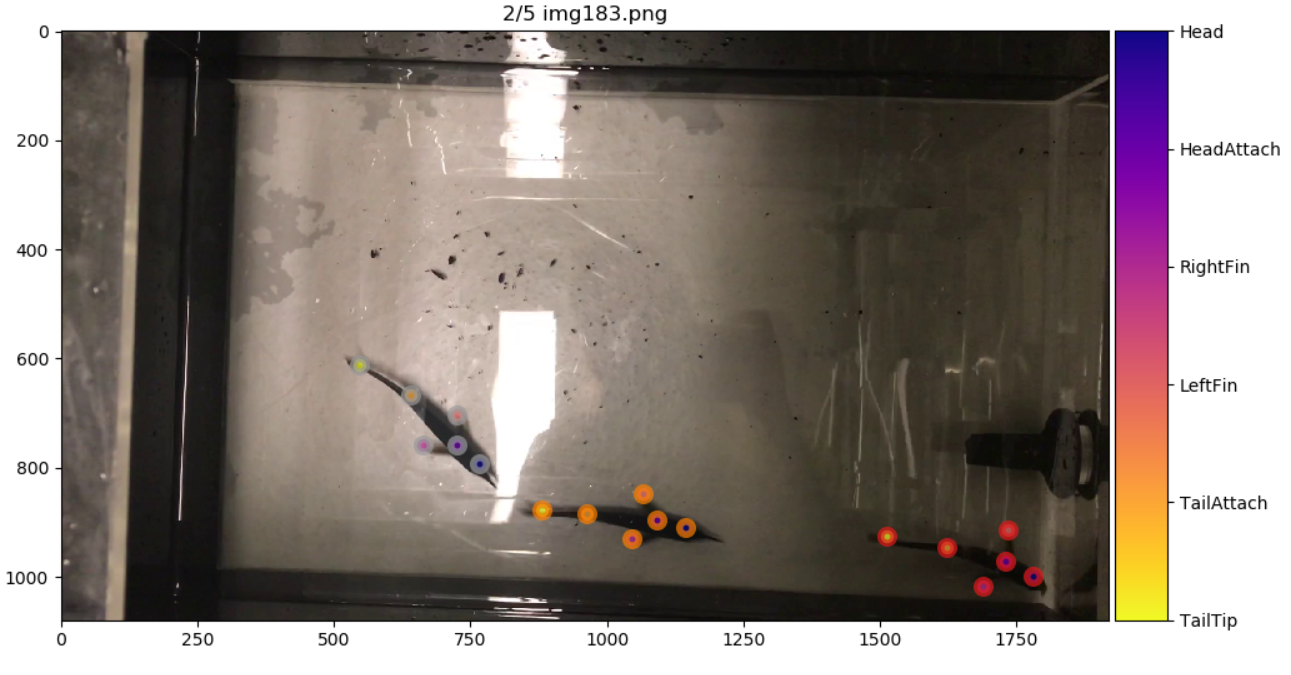
Result of Check Labels (run from GUI):
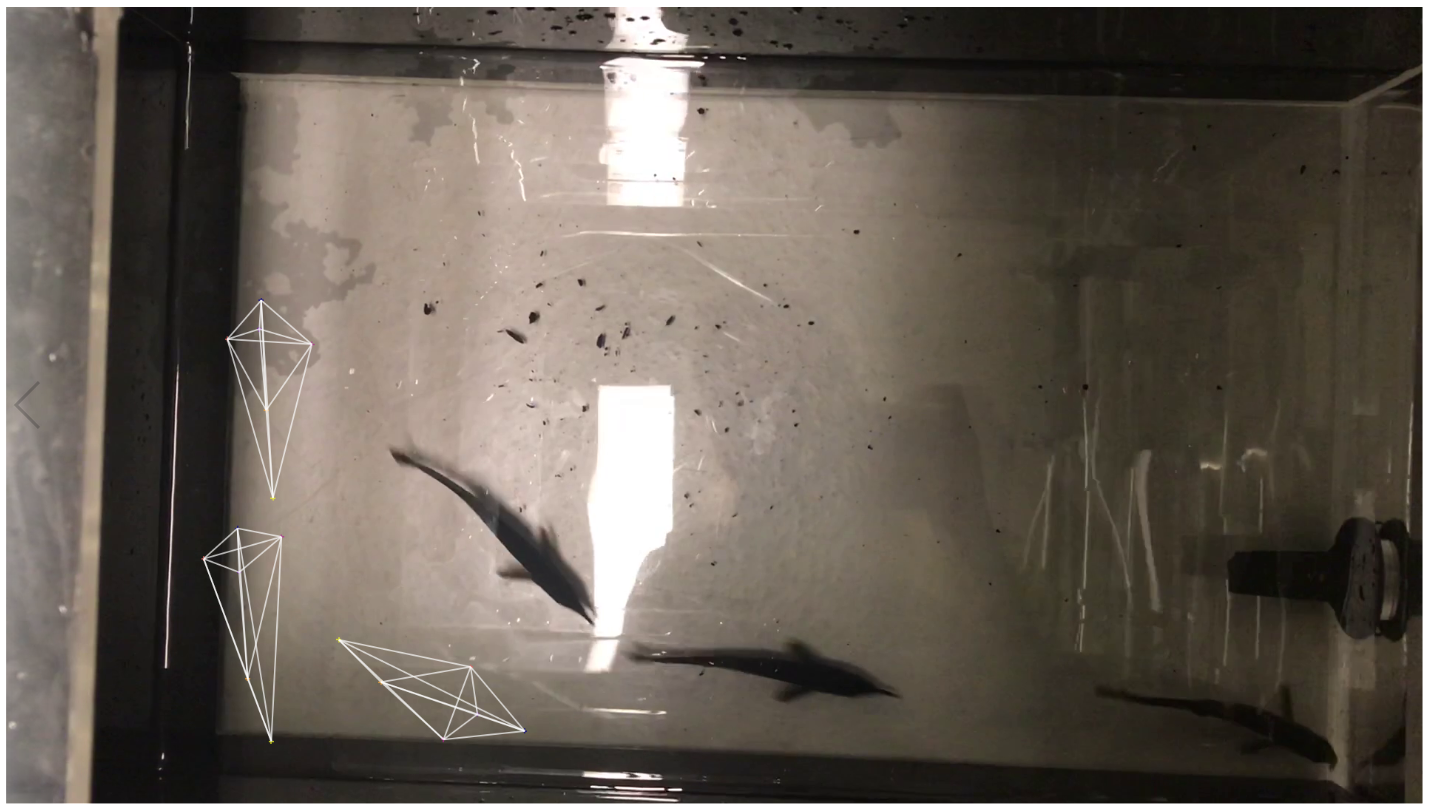
Return to GUI and go back to Label Frames:
The labels actually still are in the correct location according to the label frames part of the GUI. Even though check labels was incorrectly matched between skeleton and image.
 neurologic
on 22 Jun 2020
neurologic
on 22 Jun 2020
@DavidAlWolf @neurologic, thank you both for the thorough reports! I expect to push a fix this afternoon, please wait a little longer 😄
 jeylau
on 22 Jun 2020
jeylau
on 22 Jun 2020
Thanks, @jeylau ! I look forward to it :)
Just wanted to check if you saw my last edit (I had gone back to Label Frames after posting my comment and saw that, unlike DavidAIWolf, my labels were actually still in the correct location that I had placed them on every image. Even though the Check Labels had them wrong.
neurologic
on 22 Jun 2020
I saw it @neurologic :) I am not sure why though. The issue should be solved in #764, please let me know if that works!
jeylau
on 22 Jun 2020
Awesome, @jeylau !
Would you recommend that we wait until this is merged with master to try it or can we clone this fix branch and install to try it before then?
neurologic
on 22 Jun 2020
I'd wait for the merge, this will be done today :)
jeylau
on 22 Jun 2020
[ I just came to say, sweet fish videos!]
MMathisLab
on 22 Jun 2020
;) @MMathisLab thanks! They are pulse-type electric fish. I am stoked MultiAnimal functionality has been developed/posted just in time for me to start moving to a new teaching/lab position this coming winter where I had plans for multianimal needs! This will be my first foray into behavior video data and tracking.
[I know the lighting is not ideal yet as seen in the screenshots. These are just my quick iPhone videos to get started on the software, etc... "real" lab set up is under development :) ]
neurologic
on 22 Jun 2020
Thanks for the super quick fix! :)
DavidAlWolf
on 24 Jun 2020
Related issues
 tvajtay
·
4Comments
tvajtay
·
4Comments
 Xieyuanting
·
3Comments
Xieyuanting
·
3Comments
 haofanglee
·
3Comments
haofanglee
·
3Comments
 HaixinLiuNeuro
·
4Comments
HaixinLiuNeuro
·
4Comments
 phcao101
·
4Comments
phcao101
·
4Comments
Most helpful comment
@DavidAlWolf @neurologic, thank you both for the thorough reports! I expect to push a fix this afternoon, please wait a little longer 😄