Deconz-rest-plugin: Why is ID 1 Sensor updated every minute?
Describe the question or issue you are having
made a Websock which connects to Deconz WS via Browser.
I have a few switches in my envoirment.
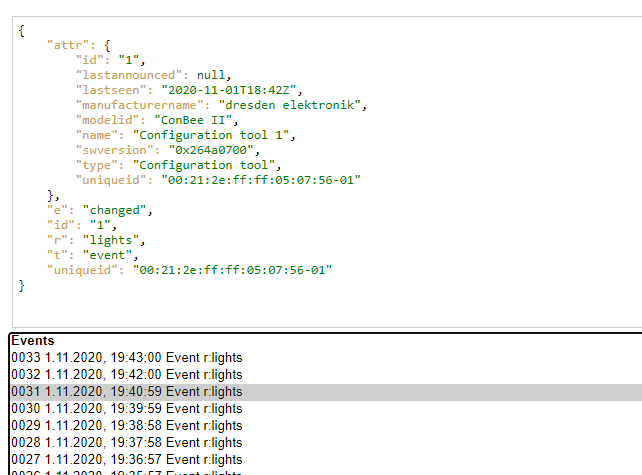
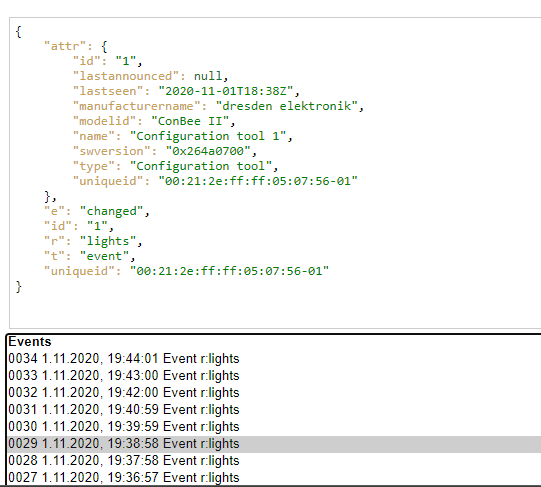
If I do nothing then every minute appears new Event from ID: 1 (daylight sensor). But if I request the Sensors´ ID then there is no change. Why is this announced every minute?
Screenshots

Environment
- Host system: OrangePi Zero / Orange Pi One
- Running method: Marthoc Docker container
- Firmware version: 264A0700
- deCONZ version: 2.05.86 / 15.10.2020
- Device: ConBee II
- Do you use an USB extension cable: NO
- Is there any other USB or serial devices connected to the host system? NO
deCONZ Logs
[marthoc/deconz] Starting deCONZ...                                                                                             │
│   [marthoc/deconz] Current deCONZ version: 2.05.86                                                                                │
│   [marthoc/deconz] Web UI port: 8081                                                                                              │
│   [marthoc/deconz] Websockets port: 8443                                                                                          │
│   [marthoc/deconz] VNC Disabled                                                                                                   │
│   QStandardPaths: XDG_RUNTIME_DIR not set, defaulting to '/tmp/runtime-root'                                                      │
│   libpng warning: iCCP: known incorrect sRGB profile                                                                              │
│   This plugin does not support propagateSizeHints()                                                                               │
│   This plugin does not support propagateSizeHints()                                                                               │
│   This plugin does not support propagateSizeHints()                                                                               │
│   [marthoc/deconz] Starting deCONZ...                                                                                             │
│   [marthoc/deconz] Current deCONZ version: 2.05.86                                                                                │
│   [marthoc/deconz] Web UI port: 8081                                                                                              │
│   [marthoc/deconz] Websockets port: 8443                                                                                          │
│   [marthoc/deconz] VNC Disabled                                                                                                   │
│   QStandardPaths: XDG_RUNTIME_DIR not set, defaulting to '/tmp/runtime-root'                                                      │
│   libpng warning: iCCP: known incorrect sRGB profile                                                                              │
│   This plugin does not support propagateSizeHints()                                                                               │
│   This plugin does not support propagateSizeHints()                                                                               │
│   This plugin does not support propagateSizeHints()
Additional context
Why is this close bot so freaky?
Result of Sensor 1 is always:
{"config":{"configured":true,"on":true,"sunriseoffset":30,"sunsetoffset":-30},"etag":"0cd6bbee7d839c163b3f23081ea477d9","manufacturername":"Philips","modelid":"PHDL00","name":"Daylight","state":{"dark":true,"daylight":false,"lastupdated":"2020-11-01T18:10:39.119","status":230,"sunrise":"2020-11-01T06:15:38","sunset":"2020-11-01T15:49:36"},"swversion":"1.0","type":"Daylight","uniqueid":"00:21:2e:ff:ff:05:07:56-01"} but with another timestamp. Values are not changed
 TTP1106
All 13 comments
Hello, you have it only for this sensor ?
If I m right all devices send this notification "attr" every minute, to update the "lastseen"
 Smanar
on 1 Nov 2020
Smanar
on 1 Nov 2020
No I also have temperature Sensors which are only sending notification on change, not time based.
My Aqara Switches and My Osram AC/Plug are also not sending every minute. Its only the Daylight Sensor which is an virtual sensors. So in my opinion this does not make sense...
TTP1106
on 1 Nov 2020
@TTP1106
The bot closes if you are not following the template.
The sensors decide when there is a update, not deCONZ. The virtual sensor does so apparently. The update is the timestamp.
As far as i know, @ebaauw implemented this announcement. He might be able to provide some information on this.
 Mimiix
on 2 Nov 2020
Mimiix
on 2 Nov 2020
If I do nothing then every minute appears new Event from ID: 1 (daylight sensor).
No. The log shows events for /lights/1, not for /sensors/1. The notification is triggered by lastseen being updated. Set /config/websocketnotifyall to false to receive only the updated attributes in the event.
 ebaauw
on 2 Nov 2020
ebaauw
on 2 Nov 2020
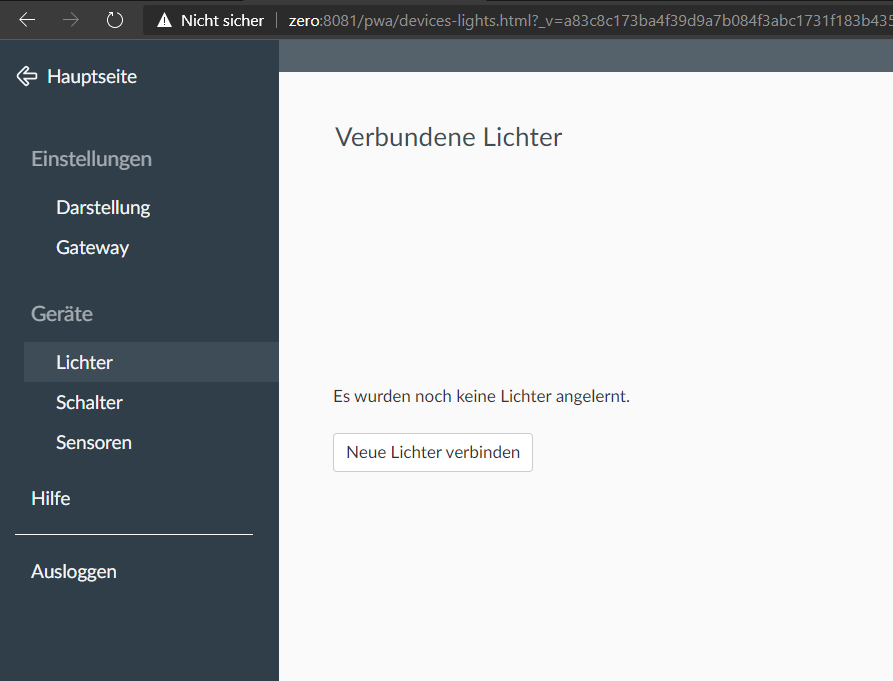
That´s strange because I do not have a light connected:
I´ll test the /config/websocketnotifyall false flagging
Edit:
If I call /lights/1 then I get following answer
{"etag":"2af0a39db4ab4439ba4f3082ae2dcd66","hascolor":false,"lastannounced":null,"lastseen":"2020-11-02T15:19Z","manufacturername":"dresden elektronik","modelid":"ConBee II","name":"Configuration tool 1","state":{"reachable":true},"swversion":"0x264a0700","type":"Configuration tool","uniqueid":"00:21:2e:f****"}
TTP1106
on 2 Nov 2020
Why is Conbee II added as light ressource?
TTP1106
on 2 Nov 2020
Long story but it s normal too, since this version https://github.com/dresden-elektronik/deconz-rest-plugin/releases/tag/V2_05_74
Support RaspBee, ConBee, ConBee II, XBee under lights resources 8c8e4b
Smanar
on 2 Nov 2020
Why is it saying that it does not exists?
If I do nothing then every minute appears new Event from ID: 1 (daylight sensor).
No. The log shows events for
/lights/1, not for/sensors/1. The notification is triggered bylastseenbeing updated. Set/config/websocketnotifyalltofalseto receive only the updated attributes in the event.
[{"error":{"address":"/config/websocketnotifyall","description":"resource, /config/websocketnotifyall, not available","type":3}}]
TTP1106
on 7 Nov 2020
Do you have the complete request you have used ?
But for me it s useless (you will have shorter notifications but all will be same, sd write/read, memory usage, cpu usage, ect ...), and your third app can need the websocketnotifyall set to true to work correctly.
Smanar
on 7 Nov 2020
I just made a quick GET via Browser on this URL:
http://mydevice/api/D00000C086/config/websocketnotifyall
TTP1106
on 9 Nov 2020
You need to make a PUT with a form, for exemple with curl
curl -H 'Content-Type: application/json' -X PUT -d '{"websocketnotifyall ": false}' http://IP:PORT/api/API_KEY/config
Smanar
on 9 Nov 2020
Okay, my Mistake.
curl -X PUT -H "Content-Type: application/json" -d '{"websocketnotifyall":false}' http://localhost:8081/api/D00000C086/config
[{"success":{"/config/websocketnotifyall":false}}]
This worked to change the Attribute. But it will not change the announcements
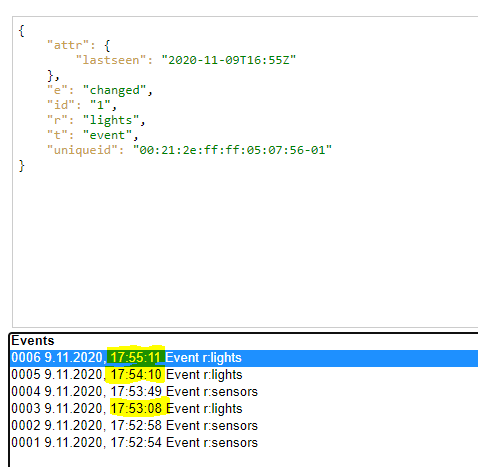
As @Smanar mentioned, it will not work to reduce it.
TTP1106
on 9 Nov 2020
For me it s normal, you have this notification on every "lastseen" change, so every minut if I remember.
And no way to disable it for the moment.
Smanar
on 9 Nov 2020
Related issues
 tenholde
·
3Comments
tenholde
·
3Comments
 jan666
·
4Comments
jan666
·
4Comments
 felixstorm
·
4Comments
felixstorm
·
4Comments
 1onar
·
5Comments
1onar
·
5Comments
 Thomas-Vos
·
4Comments
Thomas-Vos
·
4Comments