Deconz-rest-plugin: New device request - TS0601 / TZE200_nkjintbl
Hey,
I got new zigbee wall switches, but they are not supported by deconz.
Is there any chance to add support for those switches?


 bkupidura
All 198 comments
I raised #2884 today but I've just re-powered my switch and read the data from it via the deCONZ GUI and it's identical to yours (the latter bit of the manufacturer name is per-device I think);

Mine are Lonsonho-branded but they are also branded as Lerlink and Zemismart.
There are tonnes of these things around so it'd be great to get them in deCONZ.
 DJBenson
on 6 Jun 2020
DJBenson
on 6 Jun 2020
But they are light, so they can work natively, the device is not visible at all in the API ?
If you are sure the device is not present in the API, can you re-lanch deconz in debug mode, perhaps we have a missing information than block inclusion.
 Smanar
on 7 Jun 2020
Smanar
on 7 Jun 2020
I appreciate we are having a cross platform discussion as I’m also discussing this on Discord but how do we check if the device is in the API and as I also mentioned, the device isn’t showing any clusters to allow the device to be controlled (e.g. on/off) - is that normal?
DJBenson
on 7 Jun 2020
OK still learning but I think calling http://x.x.x.x:xxxx/api/XXXXXXXXXX/sensors is how you call the API directly?
If so, no, the device isn’t there. I’ve also checked the light list (as I’d seen it mentioned the switch presents itself as a light) but it’s not there either.
DJBenson
on 7 Jun 2020
Yes was exactly that.
So can you run deconz in debug mode and make a new inclusion pls ?
Edit:
No need, I have just see the problem.
No information how this remote make request to other devices ?
Using cluster EF00 ?
Using not detected cluster in deconz ?
Smanar
on 7 Jun 2020
Yes was exactly that.
So can you run deconz in debug mode and make a new inclusion pls ?
Edit:
No need, I have just see the problem.No information how this remote make request to other devices ?
Using cluster EF00 ?
Using not detected cluster in deconz ?
I seem to have an email for a reply that’s no longer here. The last email was about a code fix and testing...
I’m fairly competent compiling the source if I can test it for you?
DJBenson
on 7 Jun 2020
Yep, I have edited my post.
I know how to make the device visible, but not sure the cluster I will create can be used by the device.
I m searching info on other zigbee projecy atm.
Smanar
on 7 Jun 2020
Great, thank you so much for looking into this. If I can do anything I’m happy to help. As I mentioned on Discord I have the 2 and 3 switch models so can test those if/when you find a solution.
DJBenson
on 7 Jun 2020
Found this article on decoding the Tuya cluster format;
https://medium.com/@dzegarra/zigbee2mqtt-how-to-add-support-for-a-new-tuya-based-device-part-2-5492707e882d
It’s linked from the zigbee2mqtt repository so you’ve probably already stumbled upon it but adding here for anybody else who is interested.
DJBenson
on 7 Jun 2020
Yep it s that , I m on a modification on xml file to test. We will use the Ef00 cluster.
Smanar
on 7 Jun 2020
Ok so now there is job for you ^^
https://github.com/Smanar/deconz-rest-plugin/blob/master/general.xml
It's just an xml file to edit, so you just need a text editor and reload deconz.
If I m right on your node on cluster EF00 previously "unknow" you will have now something new.
For the moment there is only one command to try
Status : always 0
TransID : buton id : 13 / 14 / 15
Dp: ??? : 257 /258 /259
fn : always 0
data : state : "1" for "on" or "0"
For the moment you can only send command, not receive them, ofc the switch need to be wired with a bulb to test.
I m not sure at all for values, for the data for exemple IDK if you need to use hexa or not.
Smanar
on 7 Jun 2020
mmm the cluster is still showing as unknown.
The general.xml file I edited was at /usr/share/deCONZ/zcl - which is what is referenced in the deCONZ UI.
I switched from service (systemd) mode to GUI mode to check on the network overview so deCONZ has been restarted since editing the file.

DJBenson
on 7 Jun 2020
There's a typo (I think?) in your cluster ID (0xfc00) which I presume should be 0xef00 - amended and reloaded and the cluster shows up.
DJBenson
on 7 Jun 2020
Oups my bad, Wrong number https://github.com/Smanar/deconz-rest-plugin/commit/d2498dcac3dd6385ed27dc89f01a1c55c5d74be9
Smanar
on 7 Jun 2020
n/p I manually amended it when I saw it looked odd. Cluster is there now. Will see what it does.
DJBenson
on 7 Jun 2020
Will be hard with random mode, sorry.
But later I will make something to retreive value from the device, will be easier to find missing information.
It will be visible using deconz log (I think, but not sure because this cluster is not implemented at all) or cli plugin too.
Smanar
on 7 Jun 2020
Tried sending some data in both decimal and hex and the device didn’t respond I’m afraid. I will have a play later when my kids have gone to bed.
DJBenson
on 7 Jun 2020
You most likely need to have a binding for that cluster as well, otherwise you don't necessarily see everything.
 SwoopX
on 7 Jun 2020
SwoopX
on 7 Jun 2020
Yep, but this command will at least turn the light off or on, even without return.
I don't have enought time today, but tomorrow I will make the code write some log according to cluster return, will be usefull, because using "magic number" .....
Smanar
on 7 Jun 2020
Ok so first try https://github.com/Smanar/deconz-rest-plugin/tree/tuya
If someone can try this code ? Realy experimental, but nothing hard to understand.
With this code, you will have debug line in log with informations when you press a button on the device, try to mimic the value in the deconz GUI.
Smanar
on 8 Jun 2020
So I'm running deCONZ with the debug options? What level is required? From the wiki;
deCONZ --dbg-info=1 --dbg-aps=1 --dbg-zcl=1 --dbg-zdp=1
...but that seems very busy - is that level necessary?
DJBenson
on 8 Jun 2020
I m using -dbg-info=1 for my debug message.
But -dbg-info=2 is enought.
All my log will start by "Tuya debug" and a number, you can use that as filter.
You haven't problem for compilation ? Because I haven't tested the code on my side, so I can have make mistake.
Smanar
on 8 Jun 2020
No it compiled fine.
Going to go and connect the light and see what I get back.
DJBenson
on 8 Jun 2020
If I grep the output by "Tuya debug" will that capture what we're looking for? Even with -dbg-info=2 the output is very chatty.
EDIT: -dbg-info=1 is much less busy.
DJBenson
on 8 Jun 2020
NP, I think "-dbg-info=1" is enought for my log, you can try "=0" on other, IDK the defaut value.
But yes I know, if you have lot of devices, it s a real problem.
Smanar
on 8 Jun 2020
Mmm I'm not seeing any debug output from the switch.
1) Do I need to leave the general.xml change in place?
2) Do I need to delete and re-bind the switch?
DJBenson
on 8 Jun 2020
No, you can use the general.xml you want, better to use the modified one.
And no you don't need to delete and re-include the device, and from the link it works without bind.
Every time you send a command 0x00, it will answer by 0x02.
You have take the code in the tuya branch ? not the master ?
When you use the GUI to try to send a command, you have error message ?
Smanar
on 8 Jun 2020
So;
- Using same XML as yesterday
- Code cloned from "tuya" branch (confirmed my local version has your two changesets in)
- I've sent 0x00 from the GUI (no other values changed - the UI responds with "Success")
- Toggled the state of the physical switches
I don't get any Tuya related debug at level 1 or 2.

DJBenson
on 8 Jun 2020
Just started putting random combinations of values in those boxes and we have some movement - still no debug but the switch is responding from the UI;
Status = 0x00
TransID = 0xD
Dp = 0x101
fn = 0x00
Data = 0x00
Results in switch 1 toggling on/off (sending the same payload toggles the state)
Status = 0x00
TransID = 0xD
Dp = 0x102
fn = 0x00
Data = 0x00
Results in switch 2 toggling on/off (sending the same payload toggles the state)
I'd hazard a guess that the same with Dp = 0x103 would toggle button 3 on the 3-gang switch (I have one but a bit too tired to be messing with mains electric tonight 😄).
DJBenson
on 8 Jun 2020
You may need the cluster binding. It was required for the WAXMAN leak sensor as well.
Presumably, the device uses a different data format than in the link (or at least different values)
SwoopX
on 8 Jun 2020
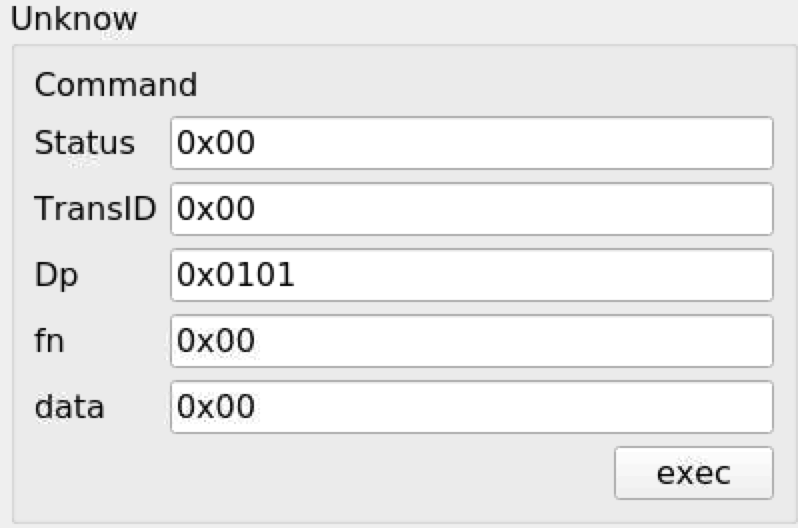
TransId (0xD,0xE,0xF) seems to make no difference to the outcome - the switch value seems to be in Dp.
EDIT: all values with the exception of Dp can be zero and the switch/toggle still works;
DJBenson
on 8 Jun 2020
Further info - I've paired the device with zigbee2mqtt with a cheapo sniffer and TransId is just incremental.
DJBenson
on 9 Jun 2020
Device joins zigbee2mqtt;
{
  "type" : "pairing",
  "message" : "interview_successful",
  "meta" : {
    "friendly_name" : "0xec1bbdfffe69e06b",
    "model" : "TS0601",
    "vendor" : "TuYa",
    "description" : "Curtain motor",
    "supported" : true
  }
}
Toggling switch 1 on then off:
zigbee2mqtt:debug 2020-06-08 23:12:44: Received Zigbee message from '0xec1bbdfffe69e06b', type 'commandGetData', cluster 'manuSpecificTuyaDimmer', data '{"status":0,"transid":46,"dp":257,"fn":0,"data":{"type":"Buffer","data":[1]}}' from endpoint 1 with groupID 0,
zigbee2mqtt:debug 2020-06-08 23:12:44: Received Zigbee message from '0xec1bbdfffe69e06b', type 'commandGetData', cluster 'manuSpecificTuyaDimmer', data '{"status":0,"transid":47,"dp":258,"fn":0,"data":{"type":"Buffer","data":[1]}}' from endpoint 1 with groupID 0,
zigbee2mqtt:debug 2020-06-08 23:12:44: Received Zigbee message from '0xec1bbdfffe69e06b', type 'commandGetData', cluster 'manuSpecificTuyaDimmer', data '{"status":0,"transid":48,"dp":259,"fn":0,"data":{"type":"Buffer","data":[0]}}' from endpoint 1 with groupID 0,
zigbee2mqtt:debug 2020-06-08 23:12:46: Received Zigbee message from '0xec1bbdfffe69e06b', type 'commandGetData', cluster 'manuSpecificTuyaDimmer', data '{"status":0,"transid":48,"dp":257,"fn":0,"data":{"type":"Buffer","data":[0]}}' from endpoint 1 with groupID 0,
zigbee2mqtt:debug 2020-06-08 23:12:46: Received Zigbee message from '0xec1bbdfffe69e06b', type 'commandGetData', cluster 'manuSpecificTuyaDimmer', data '{"status":0,"transid":49,"dp":258,"fn":0,"data":{"type":"Buffer","data":[1]}}' from endpoint 1 with groupID 0,
zigbee2mqtt:debug 2020-06-08 23:12:46: Received Zigbee message from '0xec1bbdfffe69e06b', type 'commandGetData', cluster 'manuSpecificTuyaDimmer', data '{"status":0,"transid":50,"dp":259,"fn":0,"data":{"type":"Buffer","data":[0]}}' from endpoint 1 with groupID 0
Toggling switch 2 on then off;
zigbee2mqtt:debug 2020-06-08 23:16:12: Received Zigbee message from '0xec1bbdfffe69e06b', type 'commandGetData', cluster 'manuSpecificTuyaDimmer', data '{"status":0,"transid":54,"dp":259,"fn":0,"data":{"type":"Buffer","data":[0]}}' from endpoint 1 with groupID 0,
zigbee2mqtt:debug 2020-06-08 23:16:12: Received Zigbee message from '0xec1bbdfffe69e06b', type 'commandGetData', cluster 'manuSpecificTuyaDimmer', data '{"status":0,"transid":53,"dp":258,"fn":0,"data":{"type":"Buffer","data":[1]}}' from endpoint 1 with groupID 0,
zigbee2mqtt:debug 2020-06-08 23:16:12: Received Zigbee message from '0xec1bbdfffe69e06b', type 'commandGetData', cluster 'manuSpecificTuyaDimmer', data '{"status":0,"transid":52,"dp":257,"fn":0,"data":{"type":"Buffer","data":[0]}}' from endpoint 1 with groupID 0,
zigbee2mqtt:debug 2020-06-08 23:16:15: Received Zigbee message from '0xec1bbdfffe69e06b', type 'commandGetData', cluster 'manuSpecificTuyaDimmer', data '{"status":0,"transid":56,"dp":259,"fn":0,"data":{"type":"Buffer","data":[0]}}' from endpoint 1 with groupID 0,
zigbee2mqtt:debug 2020-06-08 23:16:15: Received Zigbee message from '0xec1bbdfffe69e06b', type 'commandGetData', cluster 'manuSpecificTuyaDimmer', data '{"status":0,"transid":55,"dp":258,"fn":0,"data":{"type":"Buffer","data":[0]}}' from endpoint 1 with groupID 0,
zigbee2mqtt:debug 2020-06-08 23:16:15: Received Zigbee message from '0xec1bbdfffe69e06b', type 'commandGetData', cluster 'manuSpecificTuyaDimmer', data '{"status":0,"transid":54,"dp":257,"fn":0,"data":{"type":"Buffer","data":[0]}}' from endpoint 1 with groupID 0
DJBenson
on 9 Jun 2020
But data is string not hexa decimal value, from my memory I have disable the Hexa mode for this field.
And I don't see the problem I can have in my code.
- Perhaps there is no manufacture field in the request, so can you change
        case TUYA_CLUSTER_ID:
            // Tuya manfacture cluster:
            if (zclFrame.manufacturerCode() == VENDOR_EMBER)
            {
                handleTuyaClusterIndication(ind, zclFrame);
            }
            break;
in
        case TUYA_CLUSTER_ID:
            // Tuya manfacture cluster:
            handleTuyaClusterIndication(ind, zclFrame);
            break;
- Have you tried to bind this cluster to the conbee ?
BTW, have you a zigbee sniffer that can be used to sniff the request made by the device ?
Edit:
I think the code modification will work, there isn't manufacture code in the request
https://miro.medium.com/max/1356/1*OhXnfFNJV2jGYT3Q5MfukQ.png
Smanar
on 9 Jun 2020
I will try the code mod a bit later.
Yes I have a C2530 dongle, no idea what firmware is on it but it worked with zigbee2mqtt.
When you say “bind to Conbee” what do you mean? The device is in my network if that’s what you mean.
DJBenson
on 9 Jun 2020
Nope, There is a bind feature in deconz https://github.com/dresden-elektronik/deconz-rest-plugin/issues/1979
But I don't think it s usefull, from the post the working mode is natif, but it's something you can try if nothing is working.
Smanar
on 9 Jun 2020
OK so I can see the debug messages now, but really not sure what I'm looking for, what you need me to send etc.
I've sent some random commands and also toggled both switches and whilst the debug is being triggered, it's not logging anything useful, only a timestamp;
e.g.
23:48:38:250 Tuya : debug 023:48:38:451 Tuya : debug 023:48:38:655 Tuya : debug 023:48:38:857 Tuya : debug 023:48:39:060 Tuya : debug 023:48:39:464 Tuya : debug 023:48:39:868 Tuya : debug 023:48:40:273 Tuya : debug 023:48:40:676 Tuya : debug 023:48:41:080 Tuya : debug 023:48:41:486 Tuya : debug 023:48:41:891 Tuya : debug 023:48:41:982 dev /dev/ttyAMA0
23:48:42:293 Tuya : debug 023:48:42:700 Tuya : debug 023:48:43:105 Tuya : debug 023:48:43:508 Tuya : debug 023:48:43:915 Tuya : debug 023:48:44:319 Tuya : debug 023:48:44:723 Tuya : debug 023:48:46:887 The daylight sensor seems to be configured with invalid values
DJBenson
on 10 Jun 2020
I have some pcap files now if you want them (saved two files, one for toggling switch 1 on/off and one for toggling switch 2 on/off).
DJBenson
on 10 Jun 2020
Was my bad, you will have more debug output now.
BTW, your pcap file are still encrypted ^^. But nervermind.
I have a code to test https://github.com/Smanar/deconz-rest-plugin/commit/d363774cc1dd0eaedae16747b5007ce6c1f280f6
So with this code, the device will create one entry in the API, And you can use it to (try) to change the light state of the first button.
But lot of thing are experimental, for exemple
task.taskType = TaskSendOnOffToggle;
deCONZ::ZclCharacterString;
Here we need octed string
Edit:
Corected the code
Smanar
on 10 Jun 2020
Looks like progress - this popped up in the API;
"6": {
        "etag": "5b6f26b0da4b939073088738d481f3cc",
        "hascolor": false,
        "lastseen": "2020-06-10T20:52:57.740",
        "manufacturername": "Heiman",
        "modelid": "TS0601",
        "name": "Smart plug 6",
        "powerup": 7,
        "state": {
            "alert": "none",
            "on": false,
            "reachable": true
        },
        "swversion": null,
        "type": "Smart plug",
        "uniqueid": "ec:1b:bd:ff:fe:69:e0:6b-01"
    },
(there are also devices for the other two switches which aren't online at the moment - see question below).
I'm not massively familiar with calling the API directly but I fired up Homebridge and homebridge-hue pulled in the switch and I can toggle it from HomeKit so that's great work!
Each switch event via the API results in the following output in the debug logs;
22:23:48:050 0xEC1BBDFFFE69E06B force poll (2)
I guess you might expect this but the API isn't keeping sync with the switch which is causing some weird behaviour - I can describe them in detail if required but I think I'm probably getting ahead of where the code is actually at.
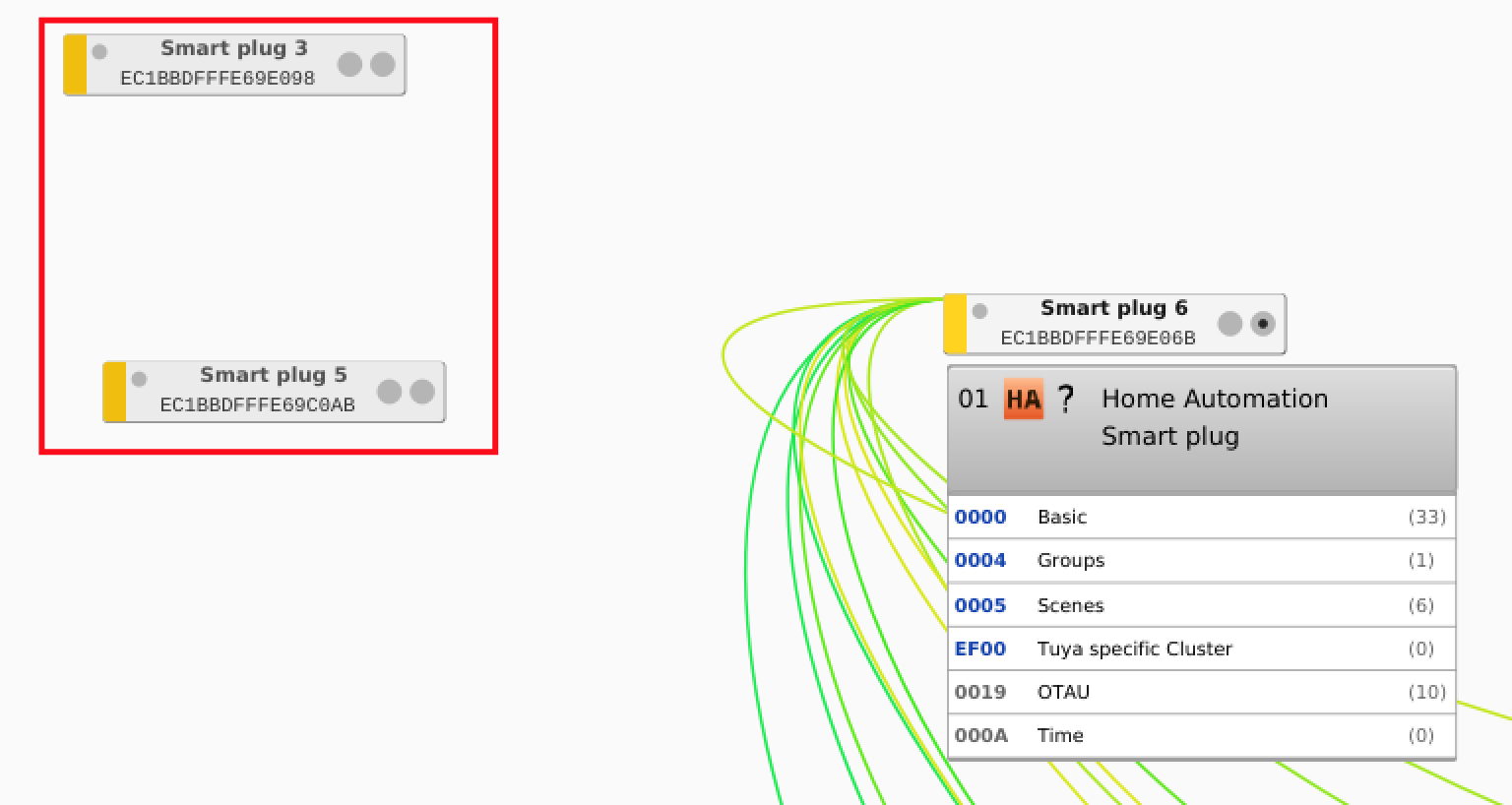
Side question - I keep deleting all 3 switches and deCONZ keeps re-creating the two which haven't been plugged in for days - are the devices cached within the network somehow?
DJBenson
on 10 Jun 2020
In terms of the pcap files, are they of use to you? I cannot see a way to save the decrypted file and I don't know enough about Zigbee security to understand if it's a security risk to share the keys (maybe not publicly but with a developer) if so I'm happy to share the key(s).
DJBenson
on 10 Jun 2020
No idea if it's of any use but attached is a log from deCONZ (--dbg-info=2) from startup, pairing and some switching of the switch from the API and also the physical switch.
DJBenson
on 10 Jun 2020
I'm not massively familiar with calling the API directly but I fired up Homebridge and homebridge-hue pulled in the switch and I can toggle it from HomeKit so that's great work!
So you can send order the the device (at least the first button) ?
I guess you might expect this but the API isn't keeping sync with the switch which is causing some weird behaviour - I can describe them in detail if required but I think I'm probably getting ahead of where the code is actually at.
Yep, for the moment I have just start the part to send request, so for the moment the code don't use the received request, like state.
For your ghost device, it's a long story, there is an issue about it https://github.com/dresden-elektronik/deconz-rest-plugin/issues/2064 , if you are lucky, you just need to wait some days and retry to delete it.
For the pcap, we will see later, don't worry, for the moment I ha ve all the informations I need for this device.
For the log, It's strange you haven't the "23:48:38:250 Tuya : debug " like the previous one ?
But I think the "force poll" is something normal. Deconz detect this device don't use attribute reporting, so it use pool, but unfortunately for him, the clusters aren't standard ^^.
Now the bigger problem, how to integrate the device in the API, you have 3 "light" but only 1 endpoint, first time I see that.
I think the better way is making 3 devices, but what to use as UniqueID ?
Smanar
on 11 Jun 2020
So you can send order the the device (at least the first button) ?
Yes indeed, I could turn the light on and off via API calls (using homebridge-hue)
For the log, It's strange you haven't the "23:48:38:250 Tuya : debug " like the previous one ?
This is strange but no, there were no Tuya debug events this time.
Now the bigger problem, how to integrate the device in the API, you have 3 "light" but only 1 endpoint, first time I see that.
I think the better way is making 3 devices, but what to use as UniqueID ?
Is there an existing multi-switch device which is supported by deCONZ which can be used as a reference? Elsewhere I saw that unique ID is being made up of the model number and suffixed with the NWK ID.
As a reminder I have the 2 and button devices available to test, not sure if @bkupidura has a one button device to use to test (or if it's even needed - maybe you can work it out from the 2 and 3 button models).
DJBenson
on 11 Jun 2020
Ok I have find why there is not debug line ^^ my fault.
I m searching another device with this kind of "hack"
Smanar
on 11 Jun 2020
Just checking in. Going to order a few of these switches.
 schumi2004
on 11 Jun 2020
schumi2004
on 11 Jun 2020
But the integration will take some time ^^.
ebaauw have give me a solution, you will have 3 device, one by button, with fake Endpoint. But I m sure it will not work at first try.
Smanar
on 12 Jun 2020
Ok so new version to try https://github.com/Smanar/deconz-rest-plugin/tree/tuya
It's a critic version for 2 raisons:
- It s my first test to force the creation of 2 more node, and the code is a little agressive for me.
- I have put so much log in the code to have the maximum information
So you will nee to re-include the device and get all the debug line during the inclusion.
You can check if the code have working > you will have 3 more device, but no more change on working mode, so you don't nee to test it.
Lot of thing are fixed for exemple if tuya cluster is not the 4th, the code will not work, so not sure it will work on first try.
Smanar
on 13 Jun 2020
3 devices? Is that 3 for the 3-button switch, one device per physical switch? Should I expect 2 devices for the 2-button switch?
Are status updates working? Should a change to the physical switch update the software switch?
Just trying to understand how much I need to test or if you literally want me to include and capture the debug, or if I should capture debug controlling the device too.
DJBenson
on 13 Jun 2020
Yep, we will have one entry by button, no choice.
Nope, just include the device, and capture logs during inclusion, this code is just for testing the device(S) creation and give me some info about the device, I haven't make changes on the rest of code.
It,s the harder part for me, because it's the first device on deconz that will use this method.
Smanar
on 13 Jun 2020
It seems logical to me to have one device per switch so I kinda like that.
Same as usual, I will test this later this evening when the kids are asleep 🤣
DJBenson
on 13 Jun 2020
Unfortunately I get a compiler error;
de_web_plugin.cpp: In member function ‘void DeRestPluginPrivate::addLightNode(const deCONZ::Node*)’:
de_web_plugin.cpp:1600:41: error: no matching function for call to ‘QList<deCONZ::SimpleDescriptor>::append(const deCONZ::SimpleDescriptor**) const’
     node->simpleDescriptors().append(&sd);
                                         ^
In file included from /usr/include/arm-linux-gnueabihf/qt5/QtCore/qobject.h:49,
                 from /usr/include/arm-linux-gnueabihf/qt5/QtCore/qcoreapplication.h:46,
                 from /usr/include/arm-linux-gnueabihf/qt5/QtCore/QCoreApplication:1,
                 from de_web_plugin.cpp:11:
/usr/include/arm-linux-gnueabihf/qt5/QtCore/qlist.h:579:27: note: candidate: ‘void QList<T>::append(const T&) [with T = deCONZ::SimpleDescriptor]’
 Q_OUTOFLINE_TEMPLATE void QList<T>::append(const T &t)
                           ^~~~~~~~
/usr/include/arm-linux-gnueabihf/qt5/QtCore/qlist.h:579:27: note:   no known conversion for argument 1 from ‘const deCONZ::SimpleDescriptor**’ to ‘const deCONZ::SimpleDescriptor&’
/usr/include/arm-linux-gnueabihf/qt5/QtCore/qlist.h:962:13: note: candidate: ‘void QList<T>::append(const QList<T>&) [with T = deCONZ::SimpleDescriptor]’
 inline void QList<T>::append(const QList<T> &t)
             ^~~~~~~~
/usr/include/arm-linux-gnueabihf/qt5/QtCore/qlist.h:962:13: note:   no known conversion for argument 1 from ‘const deCONZ::SimpleDescriptor**’ to ‘const QList<deCONZ::SimpleDescriptor>&’
make[1]: *** [Makefile.Release:638: release/de_web_plugin.o] Error 1
make[1]: *** Waiting for unfinished jobs....
make[1]: Leaving directory '/home/domoticz/code/deconz-rest-plugin-dev'
make: *** [Makefile:40: release] Error 2
DJBenson
on 13 Jun 2020
Arf, my bad, theses lines was useless, just a bad copy/paste.
I have updated the code, with some more loging (same than before, only displayed during inclusion)
Smanar
on 14 Jun 2020
With the new code I get a segmentation fault when deCONZ tries to load. If I switch back to the stock version of libde_rest_plugin.so, deCONZ loads fine.
DJBenson
on 14 Jun 2020
Ha ? You haven't more information on error message ?
I have pull a new version, It have worked on my machine. If you have the problem when deconz load, I think it's ok now.
Smanar
on 14 Jun 2020
Same issue - I've run deCONZ using dgb and it outputs the following when the crash occurs (which is on trying to connect to the Conbee II from the device list screen)
0 0xb6f38fb4 in deCONZ::ZclCluster::id() const () from /usr/lib/libdeCONZ.so.1
1 0xa76be5e8 in DeRestPluginPrivate::addLightNode(deCONZ::Node const*) () from /usr/share/deCONZ/plugins/libde_rest_plugin.so
2 0xa76dd99c in DeRestPluginPrivate::nodeEvent(deCONZ::NodeEvent const&) () from /usr/share/deCONZ/plugins/libde_rest_plugin.so
3 0xa77b4b64 in DeRestPluginPrivate::qt_static_metacall(QObject, QMetaObject::Call, int, void*) () from /usr/share/deCONZ/plugins/libde_rest_plugin.so
4 0xb606f244 in QMetaObject::activate(QObject, int, int, void*) () from /usr/lib/arm-linux-gnueabihf/libQt5Core.so.5
5 0xb6f59db0 in deCONZ::ApsController::nodeEvent(deCONZ::NodeEvent const&) () from /usr/lib/libdeCONZ.so.1
6 0x0005eac0 in zmController::loadNodesFromDb() ()
7 0x00069b54 in zmController::readParameterResponse(ZM_State_t, ZM_DataId_t, unsigned char const*, unsigned short) ()
8 0x00046b8c in zmMaster::processPacked(zm_command*) ()
9 0x000475ac in zmMaster::onPacket() ()
10 0x000b5d18 in zmMaster::qt_static_metacall(QObject, QMetaObject::Call, int, void*) ()
11 0xb606fbec in QObject::event(QEvent*) () from /usr/lib/arm-linux-gnueabihf/libQt5Core.so.5
12 0xb69abdb4 in QApplicationPrivate::notify_helper(QObject, QEvent) () from /usr/lib/arm-linux-gnueabihf/libQt5Widgets.so.5
13 0xb69b42a8 in QApplication::notify(QObject, QEvent) () from /usr/lib/arm-linux-gnueabihf/libQt5Widgets.so.5
14 0x020f4958 in ?? ()
Backtrace stopped: previous frame identical to this frame (corrupt stack?)
Just so you know how I've been testing so far, in case something is wrong here;
Stop deCONZ (service mode)
Make a backup of /usr/share/deCONZ/plugins/libde_rest_plugin.so
Copy the newly compiled plugin back to the same directory
Start deCONZ in GUI mode
DJBenson
on 14 Jun 2020
No you are right, but like I have said the code is critic ATM and I need to use lot of security check to prevent this kind of bug.
for exemple on precedent code I m using
sd->inClusters()[4].id()
Because for me, you have this cluster, but if you haven't c++ don't forgive and it s a crash.
I have make some tries on my side with fake value, And I think the code is good now
Smanar
on 15 Jun 2020
Yeah I'm totally cool working through these.
I've just compiled and started up deCONZ and captured the attached (--dbg-info=2)
DJBenson
on 15 Jun 2020
Ok, so all was nice for me, all debug validated (I hope for good device)
15:31:42:000 Tuya : debug 10
15:31:42:000 Tuya : debug 11
15:31:42:000 Tuya : debug 12
15:31:42:000 Tuya : debug 13
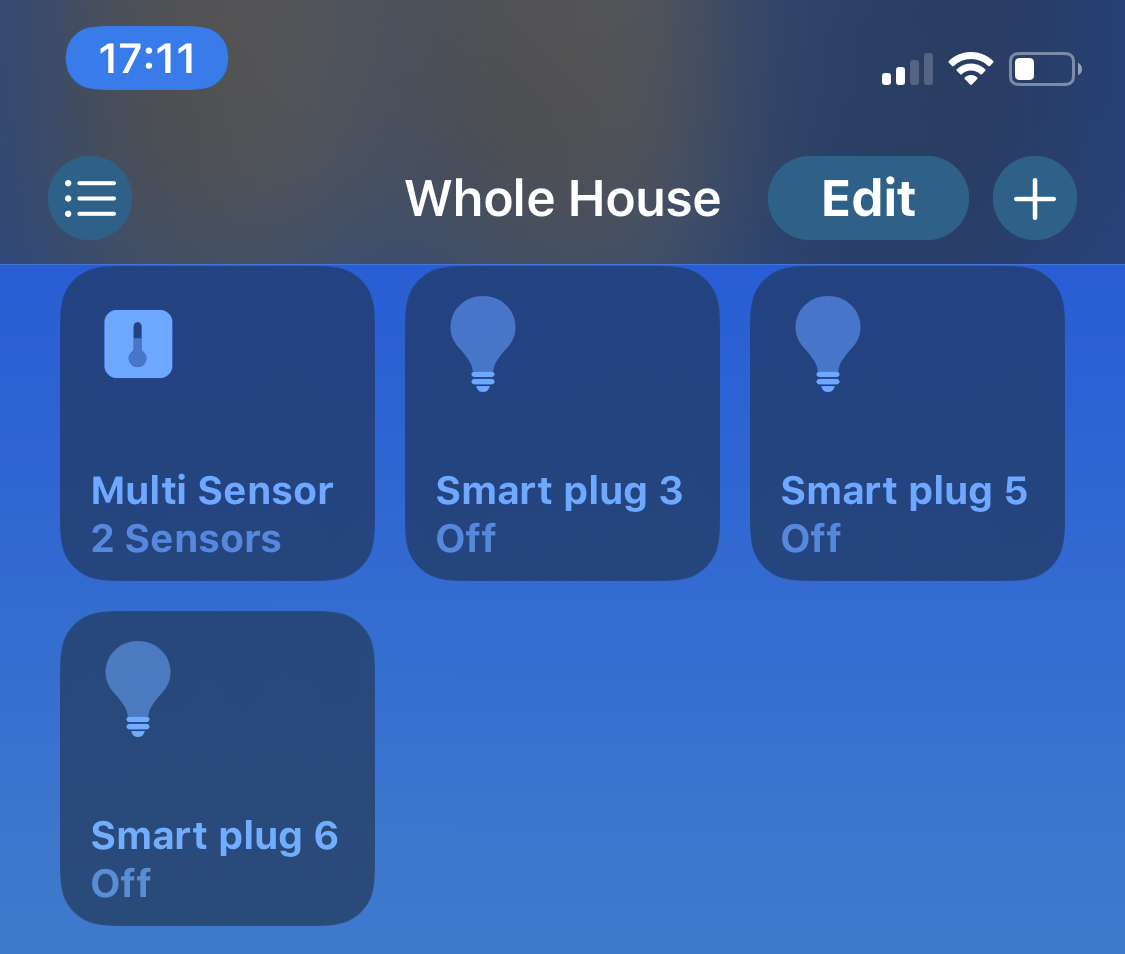
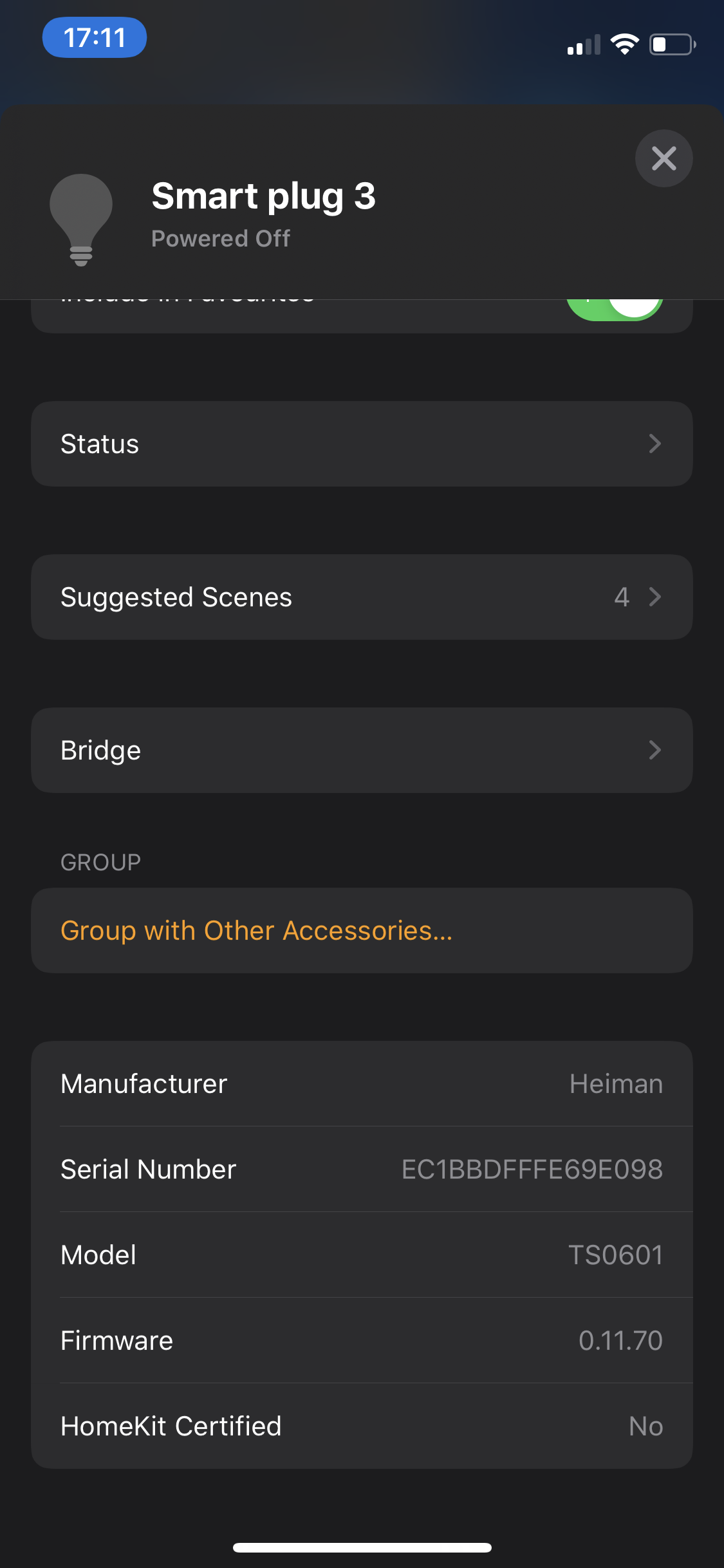
Have you 3 devices after a new Tuya inclusion ?
Smanar
on 15 Jun 2020
Yep
DJBenson
on 15 Jun 2020
Ok so nice new.
I can finish the code.
Smanar
on 15 Jun 2020
Ok new version to test.
Some explanation if you want edit the code yourself.
I m making 3 devices with endpoint 01 to 03.
When you send a command I take the endpoint and send comand according to it
            qint16 button = 0x0101;
            if (ep == 0x02) { button = 0x0102; }
            if (ep == 0x03) { button = 0x0103; }
101 is 257 in decimal, it's the value you have used in deconz
When you receive a command I take the button value and choose the endpoint according to it
                uint ep = 0x01;
                if (dp == 0x0102) { ep = 0x02; }
                if (dp == 0x0103) { ep = 0x03; }
It's the theory ^^, this time, you don't need to re-include the device, because I will use the same then previous inclusion, and you can test as you want, looking for debug message if something is not working.
The code is compiling, and I don't think you can have crash, just not works.
Smanar
on 15 Jun 2020
Think I need to re-bind the device - the switch doesn't appear to be responding.
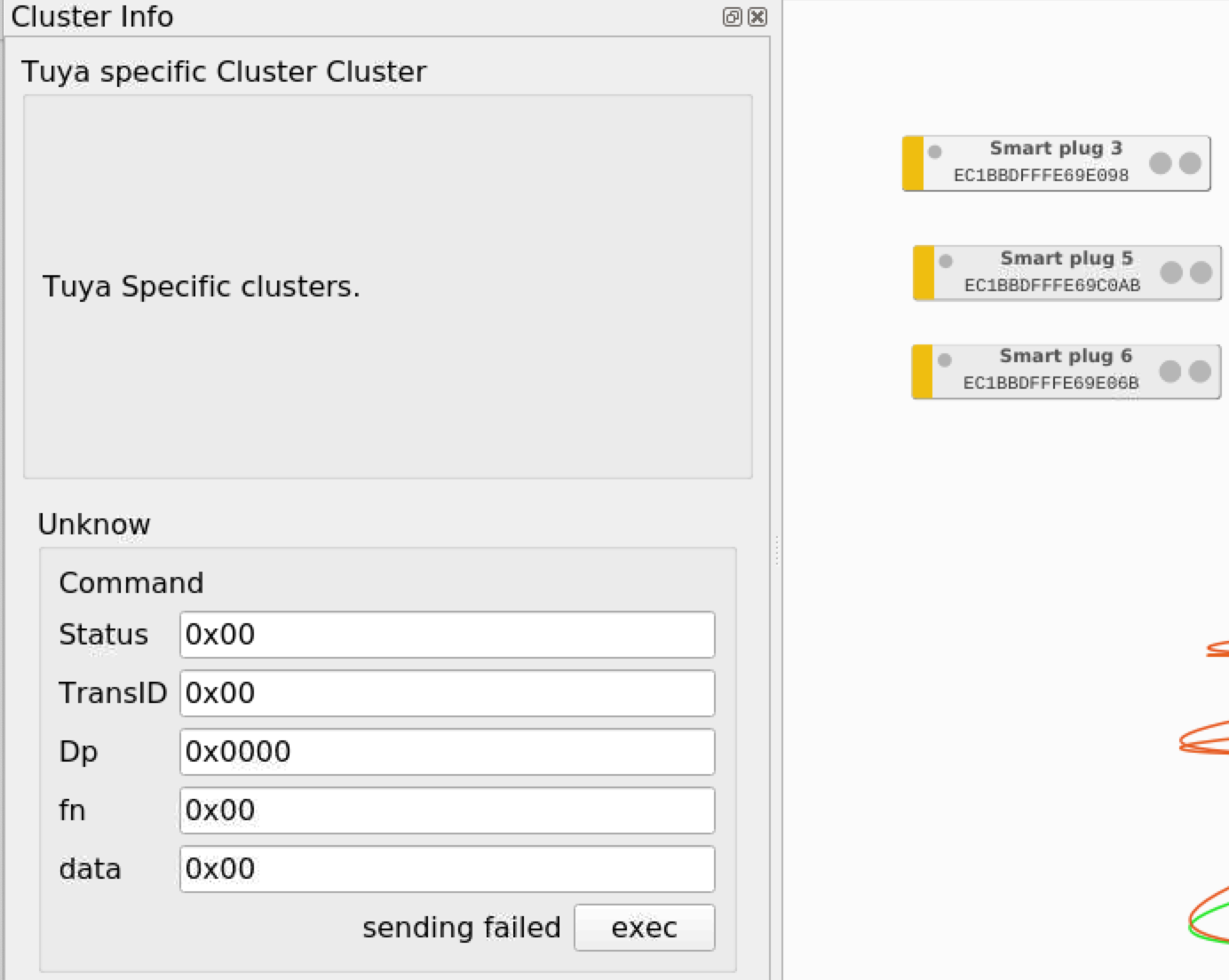 .
.
Will try binding again shortly.
DJBenson
on 15 Jun 2020
BTW the switch(es) are visible in the Phoscon app;
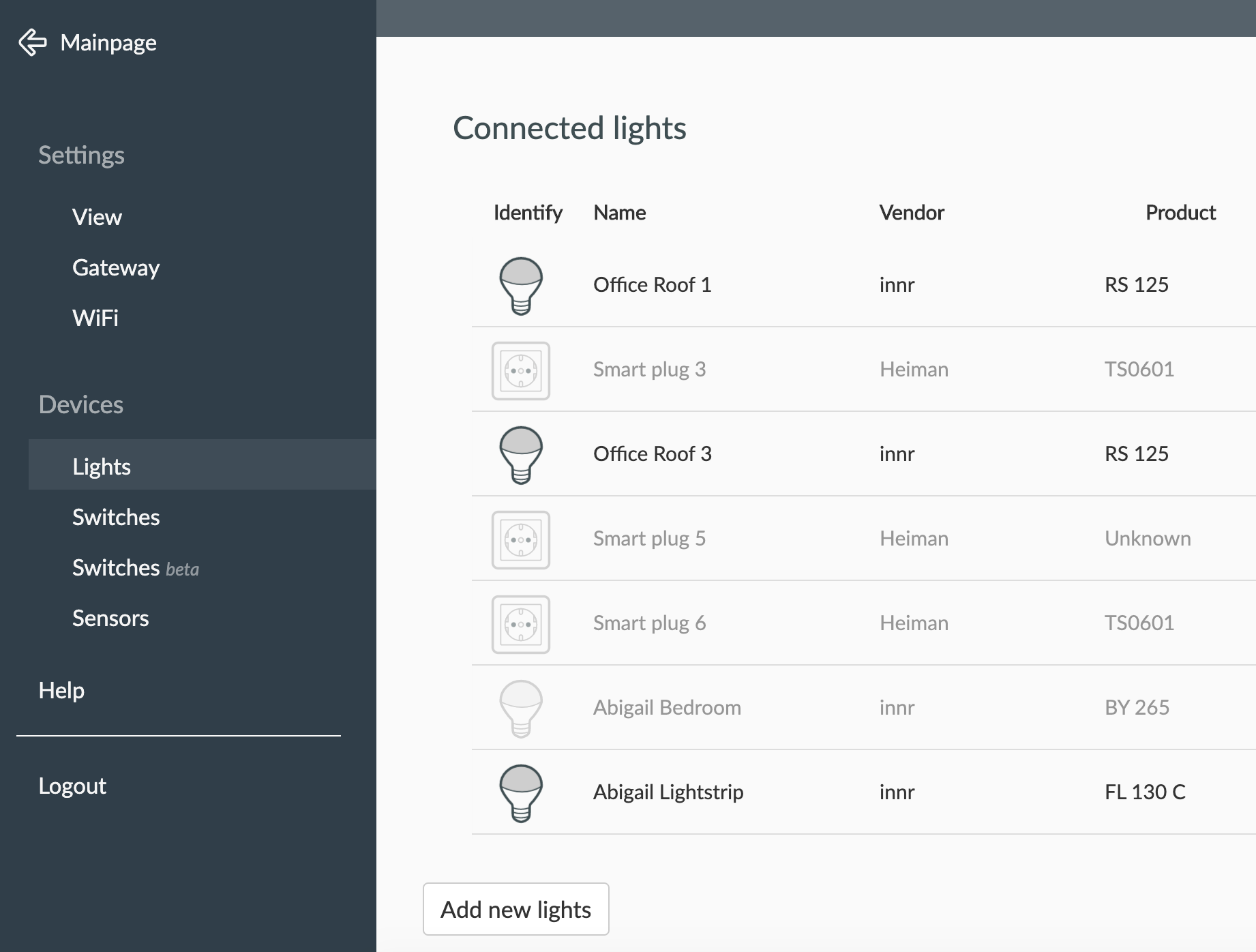
DJBenson
on 15 Jun 2020
OK debug log attached for the following sequence;
Device bind
Toggle physical switch 1 on / off
Toggle physical switch 2 on / off
Toggle physical switch 3 on / off
Toggle soft (Homebridge, "Smart plug 3" in the screenshots) switch 1 on/off
Toggle soft (Homebridge, "Smart plug 5" in the screenshots) switch 2 on/off
Toggle soft (Homebridge, "Smart plug 6" in the screenshots) switch 3 on/off
"Smart plug 5" and "Smart plug 6" have no effect on the physical switch at all.
The status of the switch is not kept in sync between the physical and software switches yet (so turning on "Smart plug 3" instantly results in the switch turning off in HomeKit whilst the physical switch/light is still lit).
I notice that in the deCONZ GUI I only have one device for the physical switch - is this correct? I'm wondering if the other two switches I see in HomeKit/Phoscon are those "ghost" switches I referred to earlier of if they are your logical switches.
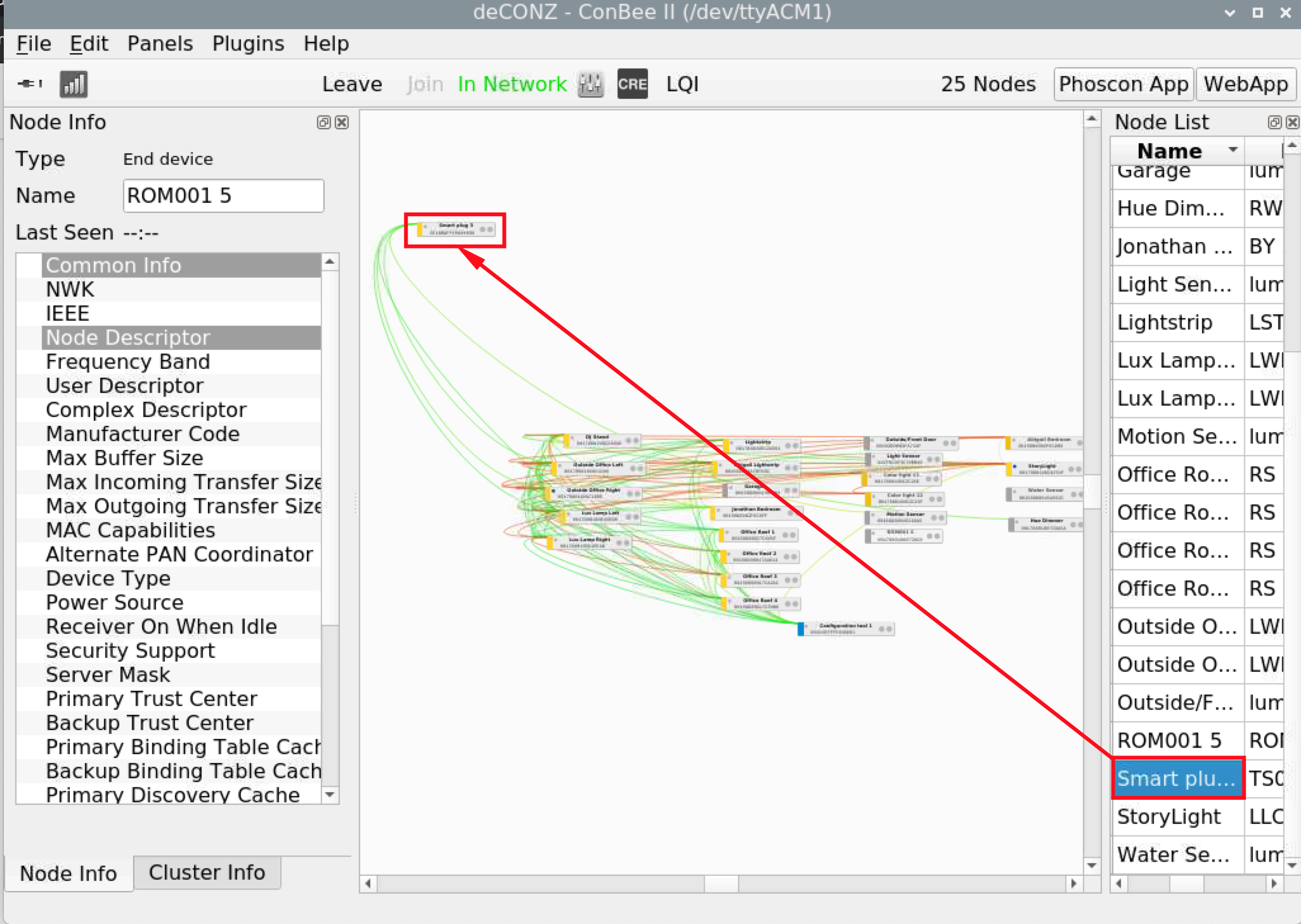
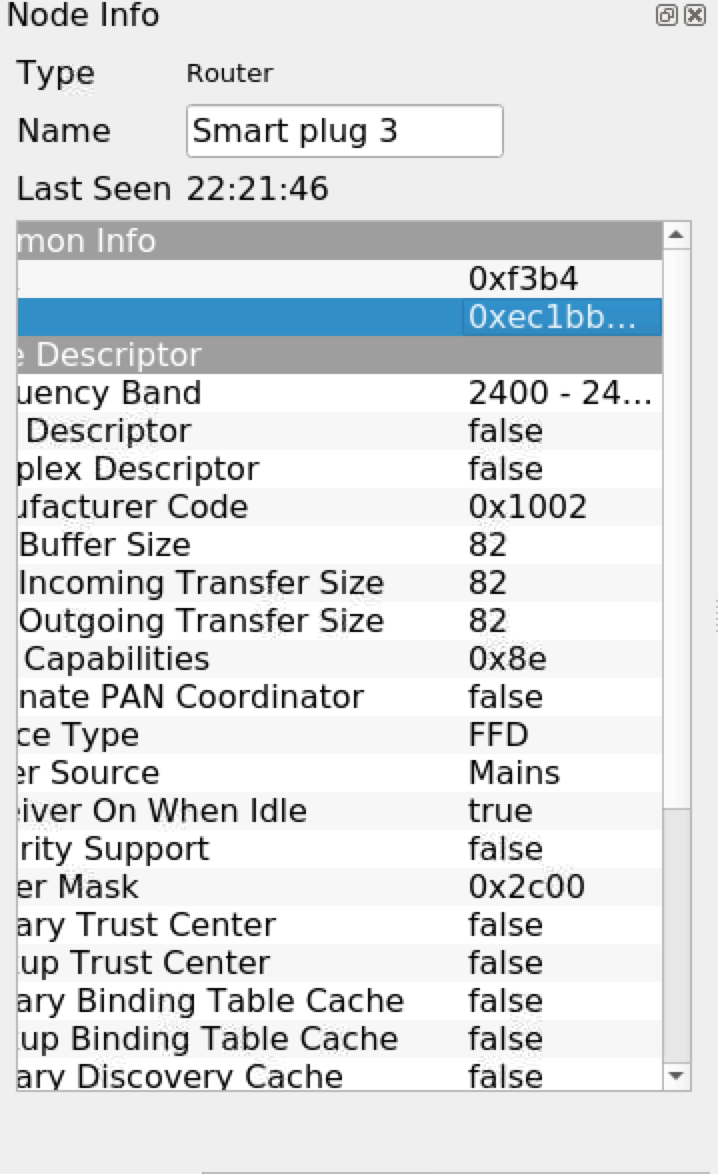
Hope this gives you some more to go off.
DJBenson
on 15 Jun 2020
Ok there is a problem, it don't work at all ^^.
IDK why your device are grayed (not responding), It mean they have left the network, but why ?
Atm the 3 entry creation is not working, they will have the same MAC adress but a different endpoint, and on your log I see only 2 entry by device
ec:1b:bd:ff:fe:69:e0:98-01
ec:1b:bd:ff:fe:69:e0:98-02
But you will see only 1 Node by device in deconz, and you will see only 1 endpoint, the 0x01.
For the 3 entry, I have find the problem, a typo (Now you will have 3 instead of 2). But entries are not saved in database, so they can't be used later.
2:12:44:127 Tuya : debug 13
22:12:44:127 sql exec SELECT * FROM nodes WHERE mac='ec:1b:bd:ff:fe:69:e0:6b-01' COLLATE NOCASE AND state != 'deleted'
22:12:44:127 don't close database yet, keep open for 900 seconds
22:12:44:128 LightNode 6: Smart plug 6 added
22:12:44:128 ~Resource() /lights 0xbefe9690
22:12:44:128 sql exec SELECT * FROM nodes WHERE mac='ec:1b:bd:ff:fe:69:e0:6b-02' COLLATE NOCASE AND state != 'deleted'
22:12:44:128 sql exec SELECT * FROM nodes WHERE mac='0xec1bbdfffe69e06b' COLLATE NOCASE AND state != 'deleted'
22:12:44:128 don't close database yet, keep open for 900 seconds
22:12:44:128 ~Resource() /lights 0xbefe9690
The endpoint 01 create 1 entry but not the 02, so I have added some more debug log.
One thing you can try is enable the line
                // No needed ?
                //apsCtrl->updateNode(*patchableNode);
Ebaauwn haven't used it, but manup say it, for me it's not usefull because I just want to add the entry in API database and not in deconz itself.
Smanar
on 16 Jun 2020
            // No needed ?
            //apsCtrl->updateNode(*patchableNode);
Enabling that causes a compilation error;
de_web_plugin.cpp: In member function ‘void DeRestPluginPrivate::addLightNode(const deCONZ::Node)’:
de_web_plugin.cpp:1641:38: error: ‘patchableNode’ was not declared in this scope
apsCtrl->updateNode(patchableNode);
^~~~~
DJBenson
on 16 Jun 2020
Oups, it's "apsCtrl->updateNode(*NodePachable);"
So if you are trying this modification , it mean the code haven't worked ?
Smanar
on 16 Jun 2020
There is now just one device in the API/in homebridge-hue;
"3": {
"etag": "22ca65a2cc626e4227e5ae8eb722efaf",
"hascolor": false,
"lastseen": "2020-06-16T19:19:29.066",
"manufacturername": "Heiman",
"modelid": "TS0601",
"name": "Smart plug 3",
"powerup": 7,
"state": {
"alert": "none",
"on": false,
"reachable": true
},
"swversion": null,
"type": "Smart plug",
"uniqueid": "ec:1b:bd:ff:fe:69:e0:98-01"
},
DJBenson
on 16 Jun 2020
Not tried re-binding yet.
DJBenson
on 16 Jun 2020
And try to get log pls, I have added lot of line to find the problem.
Smanar
on 16 Jun 2020
OK please find attached.
In this, I;
- Deleted the device
- Re-bound the device
- Toggled the physical switches (1/2/3)
- Toggled the switches using the deCONZ UI (changing the DP value from 0x101, 0x102, 0x103).
Again the physical switch reacts to the input from deCONZ (I did notice that sometimes you needed to send the message multiple times for the switch to respond).
DJBenson
on 16 Jun 2020
Also to note there is now only a single device showing in both deCONZ and Phoscon.
DJBenson
on 16 Jun 2020
I m asking some help ATM, but I don't understand some thing.
You delete the switch before inclusion ? (If yes, I think there is something bad when you delete them)
Because I m seing the code parsing the database with the switch at the start (before the permit join) but when you make the inclusion
22:05:22:793 DeviceAnnce of LightNode: 0xec1bbdfffe69e098 Permit Join: 0
22:05:22:798 Websocket 127.0.0.1:46700 send message: {"e":"changed","id":"3","r":"lights","state":{"alert":null,"on":false,"reachable":true},"t":"event","uniqueid":"ec:1b:bd:ff:fe:69:e0:98-01"} (ret = 140)
There is immediatly a websocket return after the device announce, like if the device was already in the database.
BTW I have make a modification on information returned, so now you will see some informartion when pressing a button, and perhaps have good return for the first one.
Edit:
Make a backup of /usr/share/deCONZ/plugins/libde_rest_plugin.so
Copy the newly compiled plugin back to the same directory
Rename the file in other thing than *.so, because at start deconz will load it too in same time.
Smanar
on 17 Jun 2020
Rename the file in other thing than *.so, because at start deconz will load it too in same time.
That’s not enough; deCONZ loads any file in plugins. Move the old file out of that directory.
 ebaauw
on 17 Jun 2020
ebaauw
on 17 Jun 2020
I m asking some help ATM, but I don't understand some thing.
You delete the switch before inclusion ? (If yes, I think there is something bad when you delete them)
Because I m seing the code parsing the database with the switch at the start (before the permit join) but when you make the inclusion22:05:22:793 DeviceAnnce of LightNode: 0xec1bbdfffe69e098 Permit Join: 0
22:05:22:798 Websocket 127.0.0.1:46700 send message: {"e":"changed","id":"3","r":"lights","state":{"alert":null,"on":false,"reachable":true},"t":"event","uniqueid":"ec:1b:bd:ff:fe:69:e0:98-01"} (ret = 140)There is immediatly a websocket return after the device announce, like if the device was already in the database.
BTW I have make a modification on information returned, so now you will see some informartion when pressing a button, and perhaps have good return for the first one.
Edit:
Make a backup of /usr/share/deCONZ/plugins/libde_rest_plugin.so
Copy the newly compiled plugin back to the same directoryRename the file in other thing than *.so, because at start deconz will load it too in same time.
Yes I did delete the device before inclusion again - I can stop doing that if you need me to. Exact steps;
- Stopped deCONZ service
- Replaced the plugin
- Started deCONZ in GUI mode
- Deleted the device from deCONZ
- Enabled join
- Triggered pairing from the device.
DJBenson
on 17 Jun 2020
Rename the file in other thing than *.so, because at start deconz will load it too in same time.
That’s not enough; deCONZ loads any file in
plugins. Move the old file out of that directory.
Everything regardless of name/extension or everything ending in .so?
EDIT: I think it was clear from your message 😀 I've modified my script to move the release version out of the plugins directory when installing the development version.
DJBenson
on 17 Jun 2020
@Smanar can you let me know what/how I need to test now, I'm a little bit lost where we got to.
Delete device?
Another inclusion?
Physical button presses?
Send data via deCONZ (Dp field)?
DJBenson
on 17 Jun 2020
Lol, for deletion IDK, I can't explain, how are you deleting the device ? You need to use phoscon, or better diretcly the API.
If the device is on deconz but not phoscon (or the API) it's fine, you can check in the api according the mac adresse (you will see it in UniqueID) of the device you are trying to be sure this one is no more inside.
I think it s the problem ATM (and I hope because I realy don't understan why It don't work).
So First thing, try to remove all entries about the device you are testing ATM.
Then Inclusion with this device (to generate the magic)
Then you can try button press with the yesterday version, and you will see return on log, if I m right.
Smanar
on 18 Jun 2020
I'm deleting the device by selecting it from within the deCONZ network map and pressing delete key.
I'll try what you said and ensure the device is removed from the deCONZ GUI and Phoscon (I assumed they were based on the same data so deleting from deCONZ would remove it from Phoscon).
I didn't try the code from yesterday as I wanted to be sure I was doing the right steps.
DJBenson
on 18 Jun 2020
Really struggled to get the device to pair tonight, it appeared in deCONZ/API but the LED continued to flash as if it wasn't included. Finally paired but three devices again created in API/Phoscon and one in deCONZ.
The first software switch worked for switch one of the light (on/off worked fairly reliably but still no status and sometimes the button press wasn't recognised). Switches 2 and 3 did nothing.
Log attached.
The latest inclusion is the "good" example if you need to filter out the noise.
May try another delete/include to see if I can get it to pair first time round.
DJBenson
on 18 Jun 2020
The device names after the latest inclusion were "Smart plug 24/25/26" and I see a device ID of ec:1b:bd:ff:fe:69:e0:98-01/2/3 corresponding to each of those devices (i.e. "Smart plug 24" has the ID ec:1b:bd:ff:fe:69:e0:98-01) - this looks positive right?
19:50:49:589 poll node ec:1b:bd:ff:fe:69:e0:98-01
19:50:49:589 Poll light node Smart plug 24
19:50:50:387 poll node ec:1b:bd:ff:fe:69:e0:98-02
19:50:50:387 Poll light node Smart plug 25
19:50:51:230 poll node ec:1b:bd:ff:fe:69:e0:98-03
19:50:51:230 Poll light node Smart plug 26
DJBenson
on 18 Jun 2020
Yes, realy better ^^.
I have the same probleme than you on another issue, you know what you have done this time, and not before ?
So first, return are working, when you press a button
19:46:02:260 Tuya debug 4: status: 0 transid: 8 dp: 257 fn: 0
19:46:02:260 Tuya debug 5: data:
But no data displayed, not displayable or bug from me. when you press the button physicaly, it s updated in phoscon ?
Inclusion is perfect, 3 entries
19:46:15:250 Websocket 127.0.0.1:55596 send message: {"e":"changed","id":"17","r":"lights","state":{"reachable":true},"t":"event","uniqueid":"ec:1b:bd:ff:fe:69:e0:98-01"} (ret = 117)
19:46:15:251 Websocket 127.0.0.1:55596 send message: {"e":"changed","id":"19","r":"lights","state":{"reachable":true},"t":"event","uniqueid":"ec:1b:bd:ff:fe:69:e0:98-02"} (ret = 117)
19:46:15:253 Websocket 127.0.0.1:55596 send message: {"e":"changed","id":"23","r":"lights","state":{"reachable":true},"t":"event","uniqueid":"ec:1b:bd:ff:fe:69:e0:98-03"} (ret = 117)
You have take a look to see it the fake endpoint are added or not in deconz ?
So in the last version, will be easy this time, you don't need to re-include the device, just reload deconz.
- More log visible when you press a button, trying to get the "data" field.
- More log visible When you act on the device by software (to check why only the first button is working)
- One more log to disable pooling.
Smanar
on 19 Jun 2020
Will build and install the latest version tonight and feed back.
The only difference this time was;
Moving any unused libraries out of the plugins folder
Deleting the devices from Phoscon rather than deCONZ.
I’ve noticed the device randomly losing inclusion and returning to pairing mode, not sure if that’s because I included it with a newer library then restored the older one where the device is no longer supported/recognised.
DJBenson
on 19 Jun 2020
IDK, there is "2 inclusions", one for include the device in the network, and one to include it in the API.
Your device works fine for the first one, even with old version.
Smanar
on 19 Jun 2020
Understood. I guess that’s why before you even started adding this device to the API it would happily join the network.
DJBenson
on 19 Jun 2020
Two additional debug logs attached, mixture of software and hardware button presses. I did another inclusion but didn't delete the device beforehand as Phoscon wasn't responding prior to the API inclusion but was afterwards.
Same behaviour as before, only button 1 responds (badly), button 2 and 3 do nothing. Saw lots of debug data from but hardware button presses (in deconz2.log probably) so hopefully that's useful.
DJBenson
on 19 Jun 2020
Ok So I have finaly find why return have bad data, when you send the request you need to add the trype of data, but not when you receive it, so I have an offset, corrected now.
I have too, adding a part to ignore pooling for state/on, because your device don't use this cluster (Beta, no tested at all)
But I realy don't understand why when you use phoscon to send command the only used endpoint is the 0x01.
Can you check if the "light" you are using in phoscon for test have as UniqueID xx:xx:xx:xx:xx;xx-01 the -02 then -03 ?
New version on github.
Smanar
on 20 Jun 2020
Usual mix of software/hardware switching captured hopefully.
Captured the lights API as below (ignore the "reachable" being false, they were true after the lights were included again (it seems I need to include the lights after each build). I think this is how what you're expecting (one sub-device for each of the three switches).
"24": {
"etag": "ecd1607732f9ea34032ab9fc6552c1d5",
"hascolor": false,
"lastseen": null,
"manufacturername": "Heiman",
"modelid": "TS0601",
"name": "Smart plug 24",
"powerup": 7,
"state": {
"alert": "none",
"on": false,
"reachable": false
},
"swversion": null,
"type": "Smart plug",
"uniqueid": "ec:1b:bd:ff:fe:69:e0:98-01"
},
"25": {
"etag": "ecd1607732f9ea34032ab9fc6552c1d5",
"hascolor": false,
"lastseen": null,
"manufacturername": "Heiman",
"modelid": null,
"name": "Smart plug 25",
"powerup": 7,
"state": {
"alert": "none",
"on": false,
"reachable": false
},
"swversion": null,
"type": "Smart plug",
"uniqueid": "ec:1b:bd:ff:fe:69:e0:98-02"
},
"26": {
"etag": "ecd1607732f9ea34032ab9fc6552c1d5",
"hascolor": false,
"lastseen": null,
"manufacturername": "Heiman",
"modelid": null,
"name": "Smart plug 26",
"powerup": 7,
"state": {
"alert": "none",
"on": false,
"reachable": false
},
"swversion": null,
"type": "Smart plug",
"uniqueid": "ec:1b:bd:ff:fe:69:e0:98-03"
},
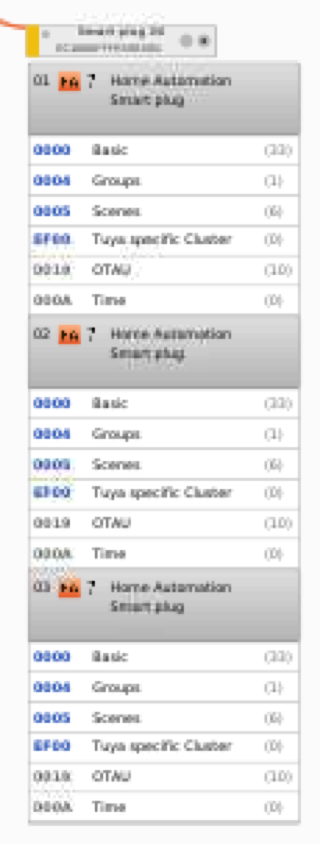
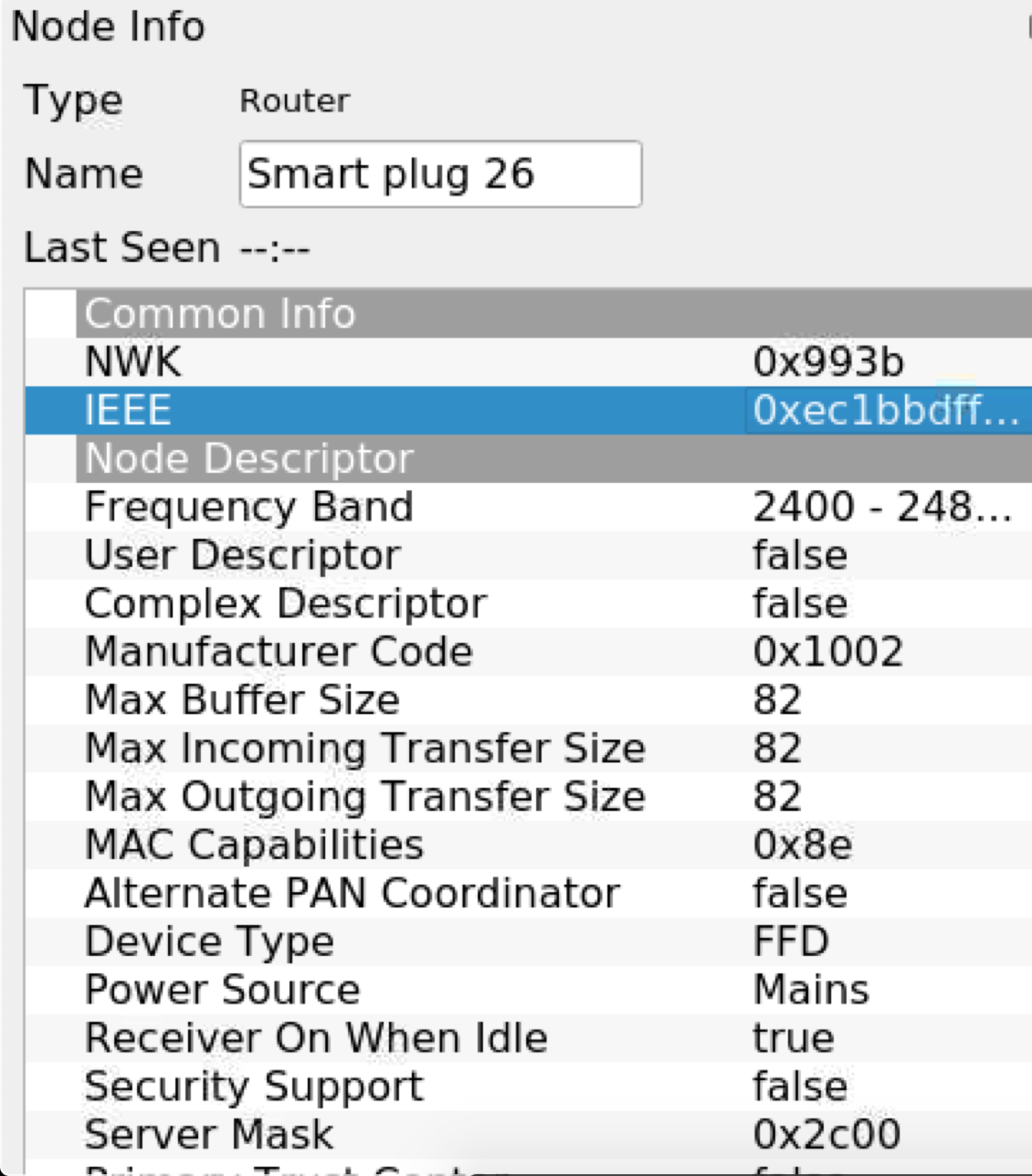
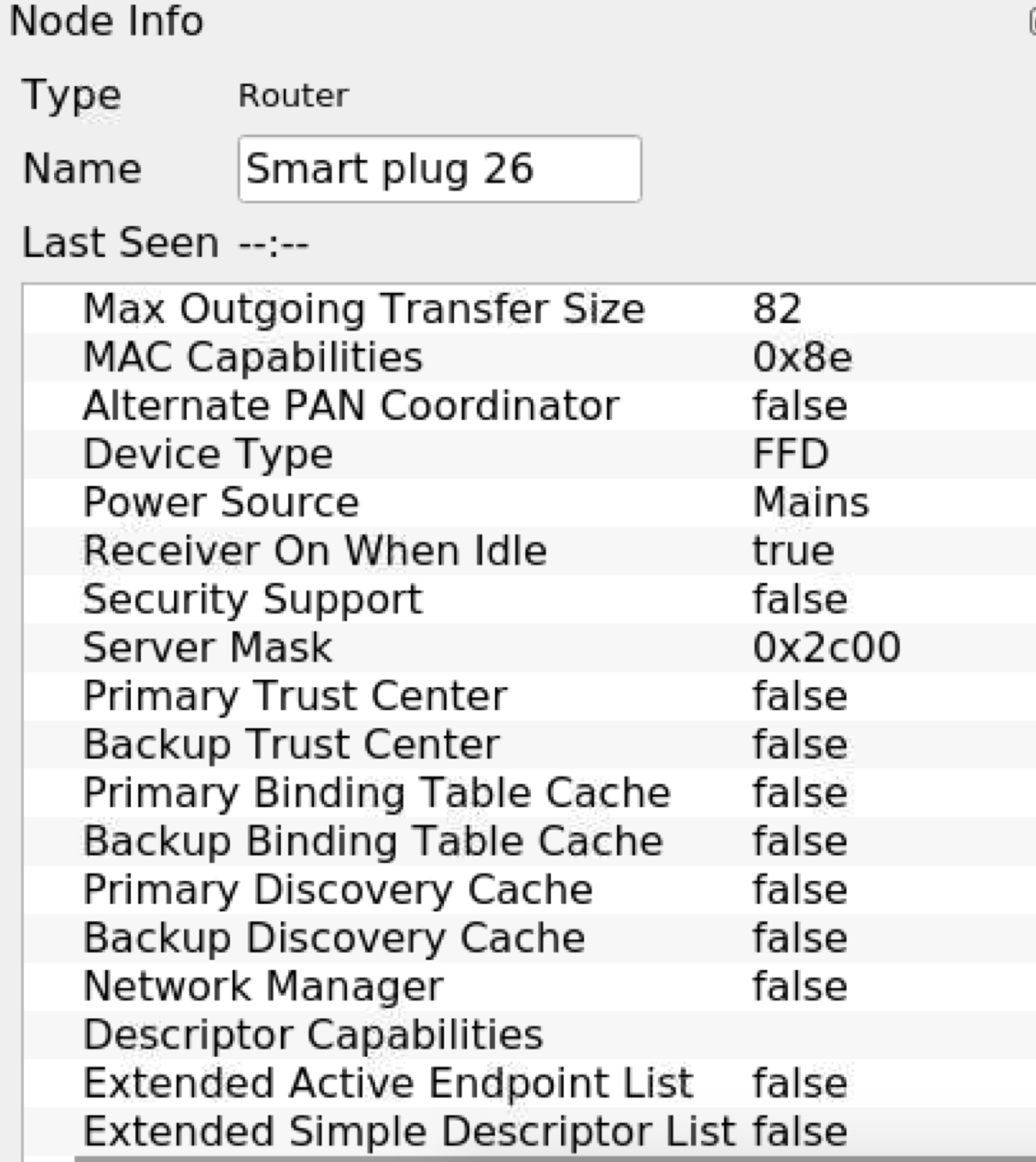
DJBenson
on 20 Jun 2020
Logically you don't need to re-include the device, this part works fine ATM, you device is still enabled, or are grayed after some time ? I m seeing the red line in your capture, connexion problem ?
So in phosocn you can see devices called "Smart plug 24" "Smart plug 25" "Smart plug 26", It's theses one that I need log when you use it in phoscon (and not deconz).
On log I m seing only
19:58:20:547 Tuya debug 77: EP: 1
19:58:22:217 Tuya debug 77: EP: 1
But on your capture we can see the 3 diffrents endpoints.
BTW, when you press the button physicaly, you can see the reaction in phoscon or not yet ? On log values are correctly updated.
Edit:
It have worked
21:38:17:498 Websocket 127.0.0.1:55080 send message: {"e":"changed","id":"25","r":"lights","state":{"alert":null,"on":false,"reachable":true},"t":"event","uniqueid":"ec:1b:bd:ff:fe:69:e0:98-02"} (ret = 141)
21:38:17:282 Websocket 127.0.0.1:55080 send message: {"e":"changed","id":"25","r":"lights","state":{"alert":null,"on":true,"reachable":true},"t":"event","uniqueid":"ec:1b:bd:ff:fe:69:e0:98-02"} (ret = 140)
But I m seing theses change only for endpoint 02 and 03
Smanar
on 21 Jun 2020
Until I did the include, the devices in Phoscon were greyed out (the LED on the switch was also flashing).
All the button presses I did were either in Phoscon or on the switch, didn’t touch deCONZ.
In Phoscon, button 1 controlled switch 1 (but slow and no status). Buttons 2 and 3 in Phoscon did nothing.
There is no status maintained between Phoscon and the switch.
In Phoscon, button 1 (which as I said does control the light) remains “unlit” but switches 2 and 3 (which don’t control the switch) show the illuminated/on icon in Phoscon.
DJBenson
on 21 Jun 2020
So when you make yours tries, you re-include the device, it works, but when you come back after some hours, the device is "unlit" ? Not realy good that, perhaps the device don't stay in network.
BTW, there is realy something strange in the config. You haven't another application than phoscon to make tries ?
Because I can see deconz sending command using websocket to change bulb status. So when you are pressing manually a button , you need to see a bulb changing state somewhere.
BTW:
I m trying to do same, how can you set on a light in phoscon without using group ? Avoid group for this device, not standard clusters.
Smanar
on 21 Jun 2020
@DJBenson
Hello,
You can look at the log when you press a button, you will see something like that
21:37:24:775 Tuya debug 4: status: 71 transid: 131 dp: 257 fn: 0
21:37:24:775 Tuya debug 5: data: 0
It's exactly the values we have spoken about
And just after you need to have (If you haven't, I m wrong somewhere)
21:37:31:670 Websocket 127.0.0.1:55080 send message: {"e":"changed","id":"24","r":"lights","state":{"alert":null,"on":false,"reachable":true},"t":"event","uniqueid":"ec:1b:bd:ff:fe:69:e0:98-01"} (ret = 0)
You can check the endpoint and the state/on
I have perhaps switched "on" and "off".
But don't use group, and IDK if it's possible using only Phoscon.
Smanar
on 23 Jun 2020
@Smanar
Sorry I've been really busy this week so not had chance to play. I hope to have some free time tomorrow so will try the new build and report back.
Thanks for the work so far.
DJBenson
on 25 Jun 2020
@Smanar
OK so I finally got round to this. So, I'm going to post this bit then await your instruction because in previous tests I've been including the device again without first confirming what I'm seeing.
So it looks very much like the device left the network again;
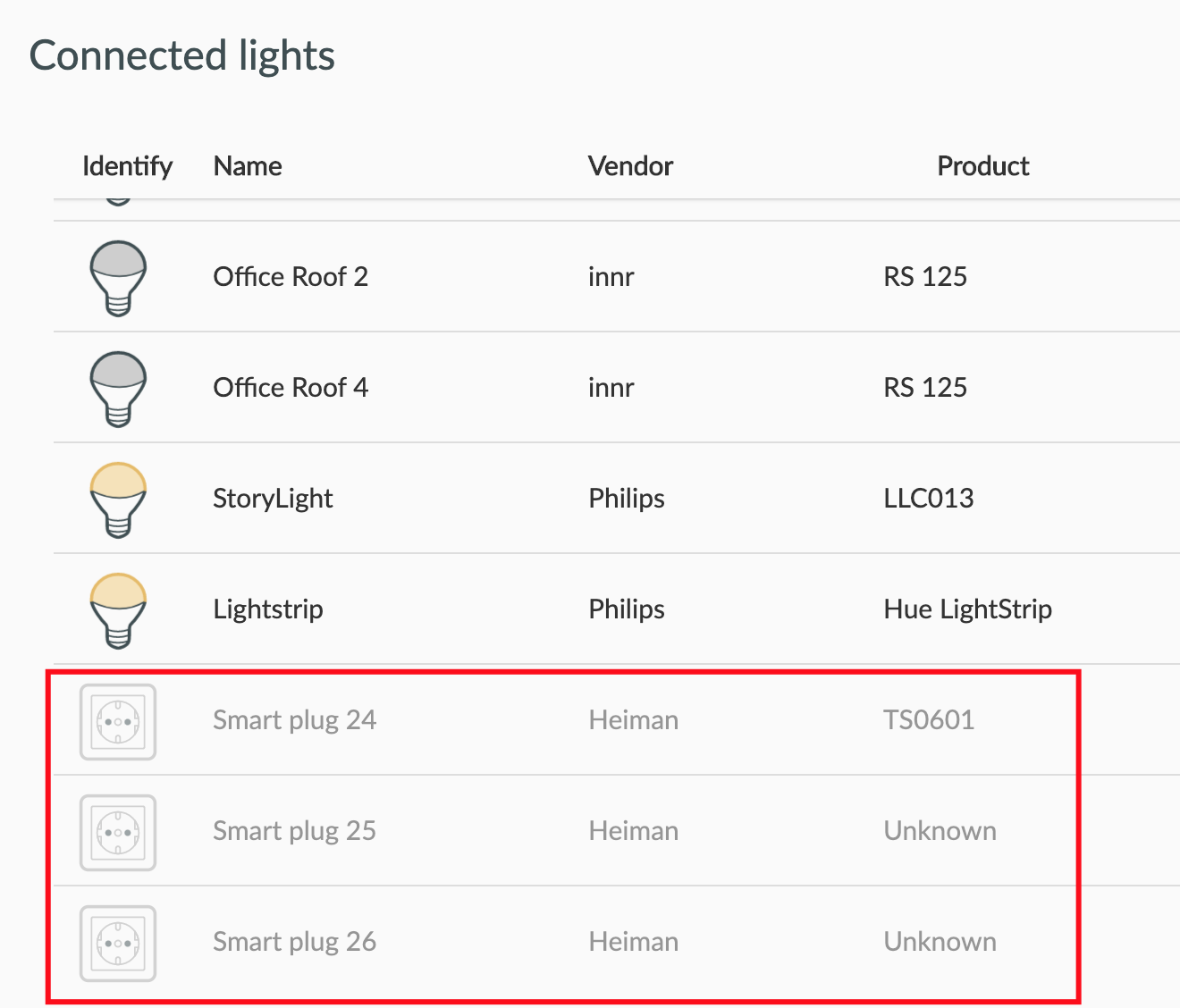
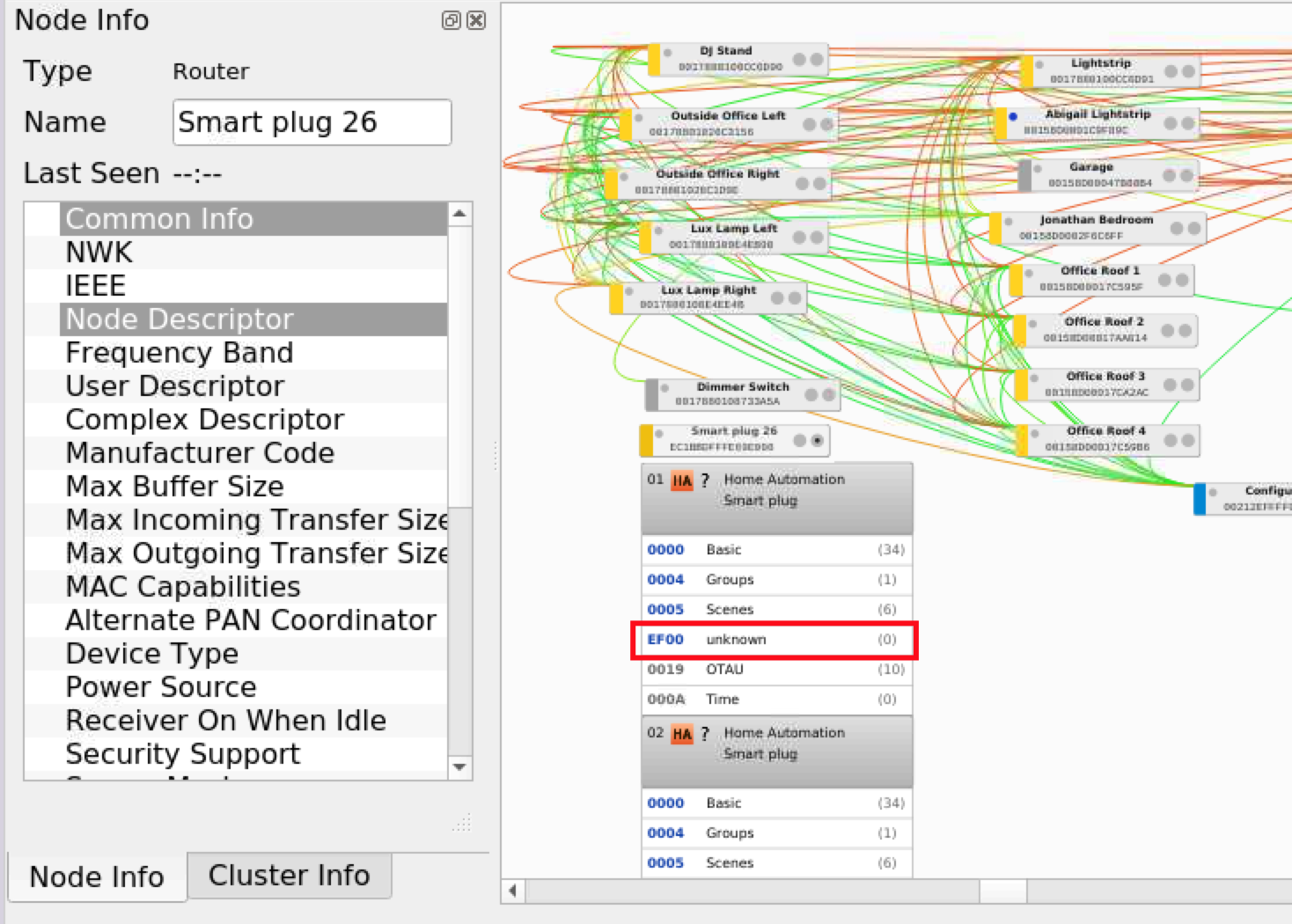
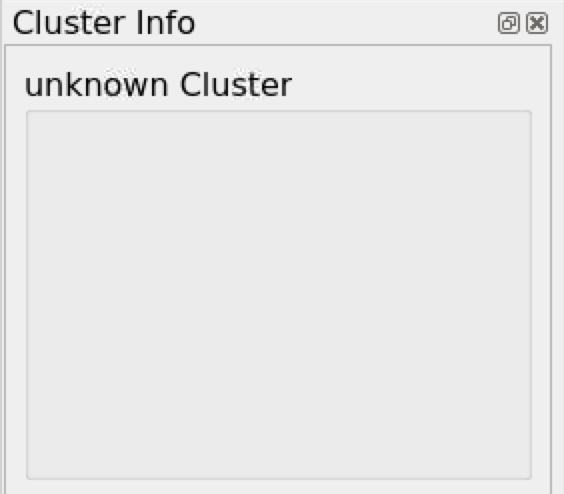
So can you confirm what my next steps should be?
Should I remove the device(s) from Phoscon? Remove the single device from the deCONZ UI? Re-include the device without deleting?
DJBenson
on 26 Jun 2020
Hello, you have updated your deconz version recently ?
Because on a previous time, you have "Tuya specific cluster" instead of "Unknow" ?
So ATM, your device have left the network again ? It make that alone ? or it s because he is power off ATM ?
BTW I have just see why you can send order to the 2 other devices, I m using that for code
    else if (taskRef.lightNode->modelId() == QLatin1String("TS0601"))
    {
        return setTuyaDeviceState(req, rsp, taskRef, map);
    }
And the modelID is "unknow" on your capture.
To avoid too much procedure on your side, I will correct that first, and prevent when the code will be ok, tommorow I think.
So the procedure will be
- Compile new code
- Close deconz
- replace file
- restart deconz
- delete the device (or 3, idk if they are linked )
- re include the device
- try to send order using phoscon (it s the part that not work ATM)
- try to see if device change it s state if you use it manualy (and from log this part is ok)
Smanar
on 26 Jun 2020
Yes deCONZ has updated recently, it's currently 2.05.77 - should your code still work against that version (I'm using your latest code).
Regarding the device leaving the network - I'm really not sure what's causing that. The switch is permanently wired in now (my previous testing was using a test harness so I had to plug it in to do the testing). Sometimes I will see the "pairing" light just flashing on the switch - I'm not sure if it's a side effect of the testing we are doing.
Something I was doing which I'm happy to stop doing now is switching between your build and the release build. I've been running your build all day and it's working fine with the rest of my network so I'll leave it in place now and see if the issue with dropping off the network still occurs.
Tag me when the code drops and I'll carry on testing.
DJBenson
on 27 Jun 2020
The actual version is based on version 77 too, and there is some issue with this version, so if you want to go on the version 78, just tell me, I will update my branch too.
So I have pull a new code, there is a disabled part ATM (because too much experimental, and I can't try on my side) you can try it if you want, if the first version don't work.
In file de_web_plugin.cpp line 1638 there is a "if (false)" you can just enable the code using "if (true)".
But if your device stay grayed in deconz, it s not good, it mean it have leave the network, and I don't see this issue on zigbee2mqtt.
Its perhaps for that you don't receive command when you use it, how many time it need to be grayed ?
So one more thing to check, you need to have the correct manufacture (not heiman but _TZE200 ...) and model id on the 3 entries.
Smanar
on 27 Jun 2020
Actually it looks like I'm on 78 - the Phoscon UI shows this;
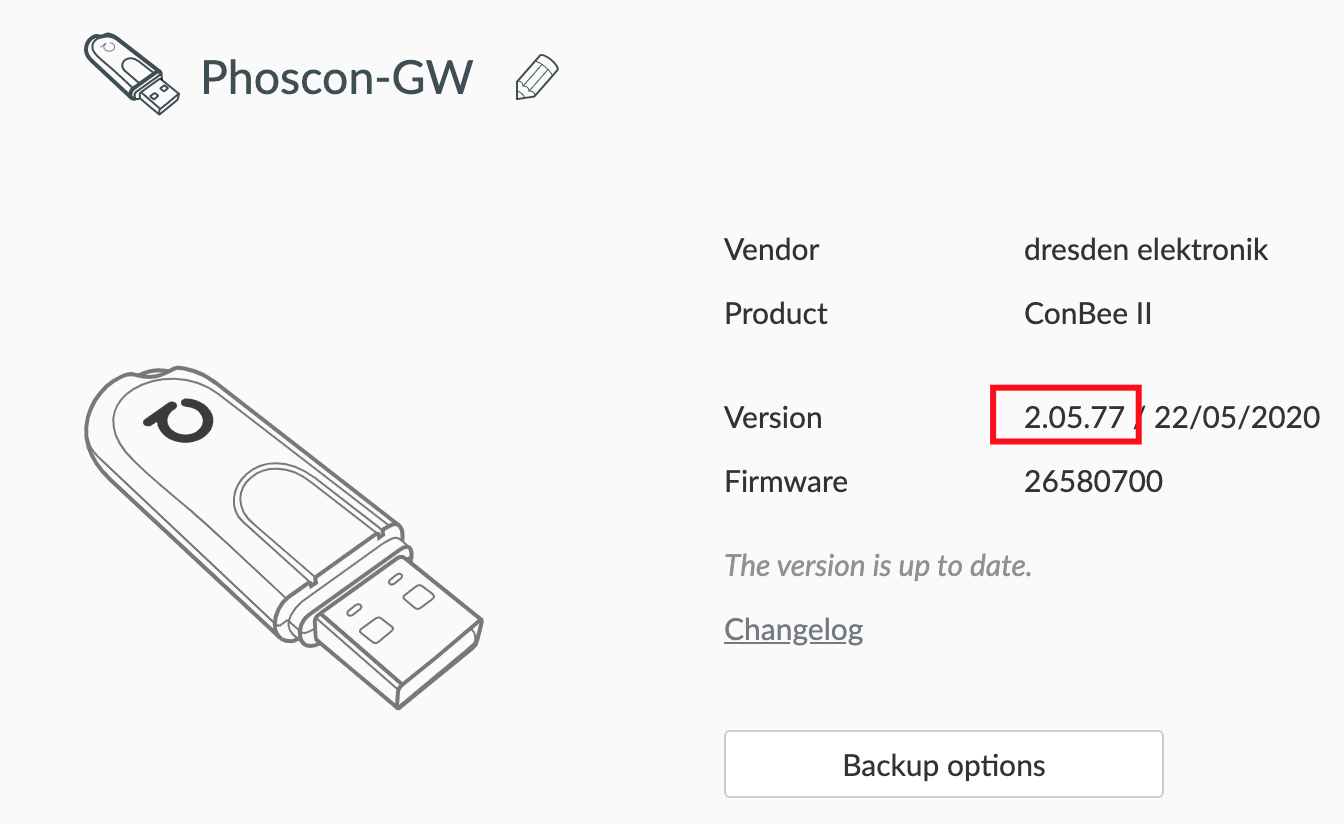
But apt policy shows this;
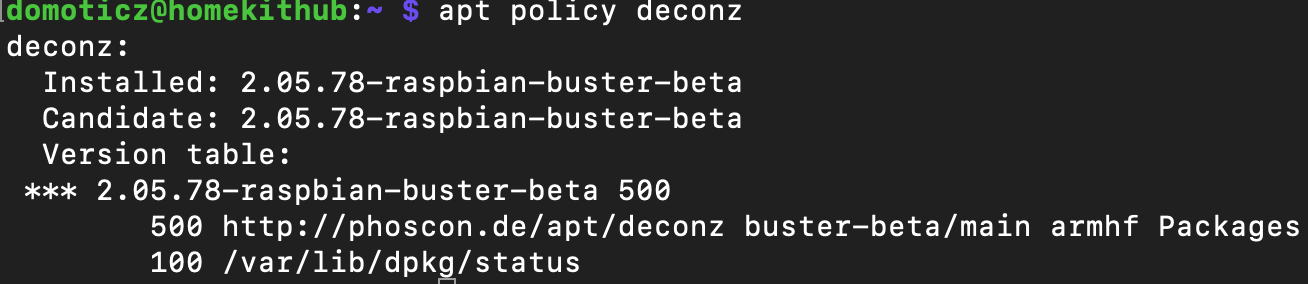
Which I assume means I am actually on .78.
Does this need you to re-base the code on .78?
DJBenson
on 27 Jun 2020
Yep better for you ^^.
I have updated the code with the last version available on the official github.
Smanar
on 27 Jun 2020
Guys, is it correct that X713A has manufacturer name _TZE200_nkjintbl?
 artem-dudarev
on 15 Jul 2020
artem-dudarev
on 15 Jul 2020
The _TZE200_ bit is static and the rest is unique per device. See above for two examples.
DJBenson
on 15 Jul 2020
Hello, for information, we have finished the first tuya device, so if you can try the last code, pls ?
And check for "Tuya debug 4" in log
Smanar
on 22 Jul 2020
@Smanar , you will laugh. I just installed two wired "two gang" wall switches , which are appeared as TS0601 / TZE200_nkjintbl.
Actually it is a "three gang" switches also, but not soldered middle button tact switch and, perhaps, third relay. I've successfully paired them to deConz. And now issues:
- In addition to three SmartPlugs also created three ZHAThermostats.
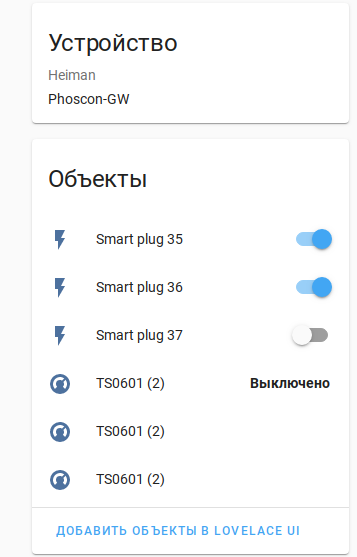
- SmartPlugs reflects power on/off changes by buttons. But switching from HA only works for first endpoint.
Switching from HA logs (I switched both EP, but see request for only 1):
tuya_ha_onoff.log
Switching by buttons logs (switched Off the On first button, then second):
tuya_button_onoff.log
 vegetate7
on 13 Aug 2020
vegetate7
on 13 Aug 2020
I think it is because 'modelid' not copied from parent device while creating endpoints:
{
    "etag": "3e8d3b1dc3287a65cef9ba010bd83b66",
    "hascolor": false,
    "lastannounced": null,
    "lastseen": "2020-08-13T16:45:34Z",
    "manufacturername": "Heiman",
    "modelid": "TS0601",
    "name": "TuyaSwitch4_1",
    "powerup": 7,
    "state": {
        "alert": "none",
        "on": false,
        "reachable": true
    },
    "swversion": null,
    "type": "Smart plug",
    "uniqueid": "ec:1b:bd:ff:fe:75:1e:ba-01"
}
{
    "etag": "0f3a8575f8290eb7f9bd48df46fa5fe2",
    "hascolor": false,
    "lastannounced": null,
    "lastseen": "2020-08-13T16:41:47Z",
    "manufacturername": "Heiman",
    "modelid": null,
    "name": "TuyaSwitch4_2",
    "powerup": 7,
    "state": {
        "alert": "none",
        "on": false,
        "reachable": true
    },
    "swversion": null,
    "type": "Smart plug",
    "uniqueid": "ec:1b:bd:ff:fe:75:1e:ba-02"
}
and event is filtered here in rest_lights.cpp:
    else if (taskRef.lightNode->modelId() == QLatin1String("TS0601"))
    {
        return setTuyaDeviceState(req, rsp, taskRef, map);
    }
Lol, I think I will realy hate tuya.
Ok, So I have cleaned my fork so the branch have changed, now it s
git clone --branch tuya2 https://github.com/Smanar/deconz-rest-plugin.git
I m searching why the modelid is updated only on the first endpoint, don't found.
For the moment you can try this hack > https://github.com/Smanar/deconz-rest-plugin/commit/2dab9a205fbe87bb30c5b19fa7b7166b0f71b55f
Smanar
on 13 Aug 2020
Not compiling. Need deref.
tuya.cpp: In member function ‘void DeRestPluginPrivate::handleTuyaClusterIndication(const deCONZ::ApsDataIndication&, deCONZ::ZclFrame&)’:
tuya.cpp:53:19: error: request for member ‘modelId’ in ‘lightNode’, which is of pointer type ‘LightNode*’ (maybe you meant to use ‘->’ ?)
     if (lightNode.modelId().isEmpty())
                   ^~~~~~~
tuya.cpp:56:25: error: request for member ‘modelId’ in ‘lightNode2’, which is of pointer type ‘LightNode*’ (maybe you meant to use ‘->’ ?)
         if (!lightNode2.modelId().isEmpty())
                         ^~~~~~~
tuya.cpp:59:46: error: request for member ‘modelId’ in ‘lightNode2’, which is of pointer type ‘LightNode*’ (maybe you meant to use ‘->’ ?)
             lightNode->setModelId(lightNode2.modelId());
                                              ^~~~~~~
btw, why not to do it in the
            if (hasTuyaCluster)
            {
                DBG_Printf(DBG_INFO, "Tuya : Creating 2 Fake Endpoints\n");
may be it is 'node->copySimpleDescriptor(..' not copy the full structure?
Hmm. BTW, 'modelId' copied for 3 created Thermostats:
"31": {
        "config": {
            "heatsetpoint": null,
            "locked": null,
            "mode": null,
            "offset": 0,
            "on": true,
            "preset": null,
            "reachable": true,
            "scheduler": null,
            "scheduleron": null
        },
        "ep": 1,
        "etag": "a3bbbcbd49cd5cbf0369342ace91ddeb",
        "lastseen": "2020-08-13T19:00:29.305",
        "manufacturername": "_TZE200_nkjintbl",
        "modelid": "TS0601",
        "name": "TS0601 (2)",
        "state": {
            "lastupdated": "none",
            "lowbattery": null,
            "on": null,
            "temperature": null,
            "valve": null
        },
        "type": "ZHAThermostat",
        "uniqueid": "ec:1b:bd:ff:fe:75:1c:91-01-0201"
    },
    "32": {
        "config": {
            "heatsetpoint": null,
            "locked": null,
            "mode": null,
            "offset": 0,
            "on": true,
            "preset": null,
            "reachable": true,
            "scheduler": null,
            "scheduleron": null
        },
        "ep": 2,
        "etag": "77dac93964abc1924712c33b28cf4405",
        "lastseen": "2020-08-13T19:00:29.305",
        "manufacturername": "_TZE200_nkjintbl",
        "modelid": "TS0601",
        "name": "TS0601 (2)",
        "state": {
            "lastupdated": "none",
            "lowbattery": null,
            "on": null,
            "temperature": null,
            "valve": null
        },
        "type": "ZHAThermostat",
        "uniqueid": "ec:1b:bd:ff:fe:75:1c:91-02-0201"
    },
    "33": {
        "config": {
            "heatsetpoint": null,
            "locked": null,
            "mode": null,
            "offset": 0,
            "on": true,
            "preset": null,
            "reachable": true,
            "scheduler": null,
            "scheduleron": null
        },
        "ep": 3,
        "etag": "77dac93964abc1924712c33b28cf4405",
        "lastseen": "2020-08-13T19:00:29.305",
        "manufacturername": "_TZE200_nkjintbl",
        "modelid": "TS0601",
        "name": "TS0601 (2)",
        "state": {
            "lastupdated": "none",
            "lowbattery": null,
            "on": null,
            "temperature": null,
            "valve": null
        },
        "type": "ZHAThermostat",
        "uniqueid": "ec:1b:bd:ff:fe:75:1c:91-03-0201"
    },
Because in the first loop, modelid is unknow, so all was "null", and only later the model id was added.
But a light node can have only 1 modelid, so it s not normal you have a value at endpoint 01 and one other at endpoint 02 and 03.
There is realy a problem somewhere.
And I think we will need too make a fonction just to identify tuya device, all are "plug" and nothing to reconize a switch from a thermostat, some device have same model id too.
Smanar
on 13 Aug 2020
Hack not works. May be because device reporting from one endpoint, just with different DPs. And other endpoints exists only in deConz view?
And I think we will need too make a fonction just to identify tuya device, all are "plug" and nothing to reconize a switch from a thermostat, some device have same model id too.
Agree. It was about I talks in Thermostat issue. Function what look into many properties (ModelID, manufacturereName, MAC, whatever else) to make decission which device we are working on.
vegetate7
on 13 Aug 2020
Hack not works.
also deConz crashing. I think it because processing SensorNode indication. 'lightNode' not exists, but not tested before use.
vegetate7
on 13 Aug 2020
Right, was a fast hack, I have disabled it for the moment, need to search why There is not the same model ID, not something normal for me.
Smanar
on 14 Aug 2020
Ok so I have some answer from ebaawn, we are not lucky ^^, it s a deconz 's weakness.
So for the moment I have 3 solutions:
- Can set a fale model id myself during the loop you are talking previously
- Can use a hack somewhere to copy model id
- Can try to make the code working without the model ID
Smanar
on 15 Aug 2020
My vote for 2 or 3.
Perhaps test here, if Endpoint is not 1, then look for Lightnode with same MAC but endpoint 1, and get model ID there:
    else if (taskRef.lightNode->modelId() == QLatin1String("TS0601"))
    {
        return setTuyaDeviceState(req, rsp, taskRef, map);
    }
May be filter by MAC to avoid unnecessary searches.
vegetate7
on 15 Aug 2020
I m trying the 1 ATM ^^. Why ?
Because thoses fucking device have all the same name, for exemple "TS0601" and it s the same name for a sensor and a light.
so impossible to reconize a device with the name in the code.
So take a look on my last change, if the device have the tuya cluster and is router.
- I change the manufacture name to "Tuya(C)" "(C)" for cluster, so we can reconize tham with that if we need
- I change the model id by "Tuya_FFD_Device" so all router device will have the same name, but with that we can be sure sensor will not have same name than router, and I hope a way to reconize them in the tuya fonction, according to dp.
https://github.com/Smanar/deconz-rest-plugin/commit/6b5fe75de1c2904a8d942bc8ea2f2369687e1421
Smanar
on 15 Aug 2020
builds good. I think need to delete an re-join device, so i'll test it tomorrow.
vegetate7
on 15 Aug 2020
Did some tests.
Reseted device network, deleted entries in Phoscon and deConz gui. Powercycled device. Joined it.
Have for a moment 3 LightNode with "Tuya(C)" / "Tuya_FFD_Device" properties. But shorty, I think after the Basic cluster read first node changed to "_TZE200_nkjintbl" / "TS0601".
 "35": {
        "etag": "e0bf3036426ec4f26e5c6d923feb9392",
        "hascolor": false,
        "lastannounced": null,
        "lastseen": "2020-08-16T17:03Z",
        "manufacturername": "_TZE200_nkjintbl",
        "modelid": "TS0601",
        "name": "TuyaSwitch3_1",
        "powerup": 7,
        "state": {
            "alert": "none",
            "on": false,
            "reachable": true
        },
        "swversion": null,
        "type": "Smart plug",
        "uniqueid": "ec:1b:bd:ff:fe:75:1c:91-01"
    },
    "36": {
        "etag": "001b440b2aa216529782be88742a7b31",
        "hascolor": false,
        "lastannounced": null,
        "lastseen": "2020-08-16T17:01Z",
        "manufacturername": "Tuya(C)",
        "modelid": "Tuya_FFD_Device",
        "name": "TuyaSwitch3_2",
        "powerup": 7,
        "state": {
            "alert": "none",
            "on": false,
            "reachable": true
        },
        "swversion": null,
        "type": "Smart plug",
        "uniqueid": "ec:1b:bd:ff:fe:75:1c:91-02"
    },
    "37": {
        "etag": "6319f0a8ff3f045fc3d6d49372419a4a",
        "hascolor": false,
        "lastannounced": null,
        "lastseen": "2020-08-16T17:01Z",
        "manufacturername": "Tuya(C)",
        "modelid": "Tuya_FFD_Device",
        "name": "TuyaSwitch3_3",
        "powerup": 7,
        "state": {
            "alert": "none",
            "on": false,
            "reachable": true
        },
        "swversion": null,
        "type": "Smart plug",
        "uniqueid": "ec:1b:bd:ff:fe:75:1c:91-03"
    },
So I think we must live with both original and faked properties .
And that is all good news for today. I still can not switch device with command (nor from HA nor from API).
If I switch EP 2, I see in logs
23:56:26:074 Tuya debug 77: EP:  2
23:56:26:074 Send Tuya Request
But no reaction on device.
If I switch EP 1 nothing happened at all (wrong model ID I think)
vegetate7
on 16 Aug 2020
Ok so I think I have corrected the "renaming", have added some more log.
But it s possible your device don't use same value as dp than the 3 gangs, ATM I m using:
Button 1 : dp 0x0101
Button 2 : dp 0x0102
Button 3 : dp 0x0103
And data = "0" or "1"
To be sure, just use it manualy, and look at values in logs.
Smanar
on 17 Aug 2020
Updated code.
First endpoint still renaming after Basic cluster read.
DP for buttons correct. Manually switched both buttons:
23:55:49:507 Tuya debug 4 : Address 0xEC1BBDFFFE751C91 Payload 00160201000101
23:55:49:507 Tuya debug 5 : Status: 0 Transid: 22 Dp: 258 Fn: 0 Data 1
23:55:49:702 Tuya debug 4 : Address 0xEC1BBDFFFE751C91 Payload 00160201000101
23:55:49:702 Tuya debug 5 : Status: 0 Transid: 22 Dp: 258 Fn: 0 Data 1
23:55:49:906 Tuya debug 4 : Address 0xEC1BBDFFFE751C91 Payload 00160201000101
23:55:49:906 Tuya debug 5 : Status: 0 Transid: 22 Dp: 258 Fn: 0 Data 1
23:55:50:112 Tuya debug 4 : Address 0xEC1BBDFFFE751C91 Payload 00160201000101
23:55:50:112 Tuya debug 5 : Status: 0 Transid: 22 Dp: 258 Fn: 0 Data 1
23:55:50:315 Tuya debug 4 : Address 0xEC1BBDFFFE751C91 Payload 00160201000101
23:55:50:316 Tuya debug 5 : Status: 0 Transid: 22 Dp: 258 Fn: 0 Data 1
23:55:50:723 Tuya debug 4 : Address 0xEC1BBDFFFE751C91 Payload 00170101000101
23:55:50:723 Tuya debug 5 : Status: 0 Transid: 23 Dp: 257 Fn: 0 Data 1
23:55:50:928 Tuya debug 4 : Address 0xEC1BBDFFFE751C91 Payload 00170101000101
23:55:50:928 Tuya debug 5 : Status: 0 Transid: 23 Dp: 257 Fn: 0 Data 1
23:55:51:133 Tuya debug 4 : Address 0xEC1BBDFFFE751C91 Payload 00170101000101
23:55:51:133 Tuya debug 5 : Status: 0 Transid: 23 Dp: 257 Fn: 0 Data 1
23:55:51:337 Tuya debug 4 : Address 0xEC1BBDFFFE751C91 Payload 00170101000101
23:55:51:337 Tuya debug 5 : Status: 0 Transid: 23 Dp: 257 Fn: 0 Data 1
btw, the device sending lot of copies of packets. Can it be a problem?
Commands to EP1 not sent.
Sending command to "off" EP2:
00:02:36:351 Tuya debug 77: EP:  2
00:02:36:351 Send Tuya Request: Dp: 258 Data:
Sending "On" EP2:
00:06:16:850 Tuya debug 77: EP:  2
00:06:16:850 Send Tuya Request: Dp: 258 Data:
Hm. and that is odd. I tried to send multiple request from API, just spammed "Send" button.
and got interesting answer:
00:10:06:020 Tuya debug 77: EP:  2
00:10:06:020 Send Tuya Request: Dp: 258 Data:
00:10:06:240 Tuya debug 77: EP:  2
00:10:06:240 Send Tuya Request: Dp: 258 Data:
00:10:06:451 Tuya debug 77: EP:  2
00:10:06:451 Send Tuya Request: Dp: 258 Data:
00:10:06:643 Tuya debug 77: EP:  2
00:10:06:643 Send Tuya Request: Dp: 258 Data:
00:10:06:830 Tuya debug 77: EP:  2
00:10:06:830 Send Tuya Request: Dp: 258 Data:
00:10:07:581 Tuya debug 77: EP:  2
00:10:07:581 Send Tuya Request: Dp: 258 Data:
00:10:07:756 Tuya debug 77: EP:  2
00:10:07:756 Send Tuya Request: Dp: 258 Data:
...
00:12:19:185 Tuya debug 4 : Address 0xEC1BBDFFFE751C91 Payload 00180201000130
00:12:19:185 Tuya debug 5 : Status: 0 Transid: 24 Dp: 258 Fn: 0 Data 48
00:12:19:390 Tuya debug 4 : Address 0xEC1BBDFFFE751C91 Payload 00180201000130
00:12:19:390 Tuya debug 5 : Status: 0 Transid: 24 Dp: 258 Fn: 0 Data 48
00:12:19:590 Tuya debug 4 : Address 0xEC1BBDFFFE751C91 Payload 00180201000130
00:12:19:590 Tuya debug 5 : Status: 0 Transid: 24 Dp: 258 Fn: 0 Data 48
00:12:19:794 Tuya debug 4 : Address 0xEC1BBDFFFE751C91 Payload 00180201000130
00:12:19:794 Tuya debug 5 : Status: 0 Transid: 24 Dp: 258 Fn: 0 Data 48
00:12:19:997 Tuya debug 4 : Address 0xEC1BBDFFFE751C91 Payload 00180201000130
00:12:19:997 Tuya debug 5 : Status: 0 Transid: 24 Dp: 258 Fn: 0 Data 48
Changed the code little bit. (added "TS0601" to 'if' in rest_lights.cpp for temporary workaround fo EP1).
And that is much more interesting. EP1 switches device. But EP2 not. :)
00:28:24:050 Tuya debug 77: EP:  2
00:28:24:050 Send Tuya Request: Dp: 258 Data: 00
....
00:28:34:478 Tuya debug 77: EP:  1
00:28:34:478 Send Tuya Request: Dp: 257 Data: 00
00:28:34:641 Tuya debug 4 : Address 0xEC1BBDFFFE751C91 Payload 00190101000100
00:28:34:641 Tuya debug 5 : Status: 0 Transid: 25 Dp: 257 Fn: 0 Data 0
00:28:34:820 Tuya debug 4 : Address 0xEC1BBDFFFE751C91 Payload 00190101000100
00:28:34:820 Tuya debug 5 : Status: 0 Transid: 25 Dp: 257 Fn: 0 Data 0
00:28:35:023 Tuya debug 4 : Address 0xEC1BBDFFFE751C91 Payload 00190101000100
00:28:35:023 Tuya debug 5 : Status: 0 Transid: 25 Dp: 257 Fn: 0 Data 0
00:28:35:239 Tuya debug 4 : Address 0xEC1BBDFFFE751C91 Payload 00190101000100
00:28:35:239 Tuya debug 5 : Status: 0 Transid: 25 Dp: 257 Fn: 0 Data 0
00:28:35:438 Tuya debug 4 : Address 0xEC1BBDFFFE751C91 Payload 00190101000100
00:28:35:438 Tuya debug 5 : Status: 0 Transid: 25 Dp: 257 Fn: 0 Data 0
Also changed tuya.cpp:
DBG_Printf(DBG_INFO, "Send Tuya Request: Dp: %d Data: %s\n", Dp, qPrintable(data.toHex()));
vegetate7
on 17 Aug 2020
Ok so new correction for "renaming" problem.
I have searched on the net, nothing about the 48 value ....
I have removed the renaming for manufacture (the "Tuya(C)"), It s the only way to reconize tuya device, those that have the same name "TS0601"
And BTW, using API command (or HA) to change state have already worked or not ?
Smanar
on 17 Aug 2020
And BTW, using API command (or HA) to change state have already worked or not ?
was worked before "renaming" workaround, but only for EP1 (Dp 257, button 1)
after renamin stops worked for EP1, and still not worked for EP2.
(all above actual before I try latest code :)
vegetate7
on 17 Aug 2020
One more test, before I compile new code.
I have searched on the net, nothing about the 48 value ....
I've tried to send command from deConz GUI (Tuya special cluster tab):
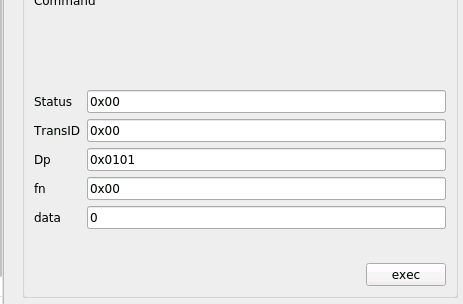
And got Value '48' again. :) May be something like a "incorrect value"?
01:56:50:078 Tuya debug 4 : Address 0xEC1BBDFFFE751C91 Payload 001b0101000130
01:56:50:078 Tuya debug 5 : Status: 0 Transid: 27 Dp: 257 Fn: 0 Data 48
01:56:50:286 Tuya debug 4 : Address 0xEC1BBDFFFE751C91 Payload 001b0101000130
01:56:50:287 Tuya debug 5 : Status: 0 Transid: 27 Dp: 257 Fn: 0 Data 48
01:56:50:489 Tuya debug 4 : Address 0xEC1BBDFFFE751C91 Payload 001b0101000130
01:56:50:489 Tuya debug 5 : Status: 0 Transid: 27 Dp: 257 Fn: 0 Data 48
01:56:50:690 Tuya debug 4 : Address 0xEC1BBDFFFE751C91 Payload 001b0101000130
01:56:50:690 Tuya debug 5 : Status: 0 Transid: 27 Dp: 257 Fn: 0 Data 48
01:56:50:896 Tuya debug 4 : Address 0xEC1BBDFFFE751C91 Payload 001b0101000130
01:56:50:896 Tuya debug 5 : Status: 0 Transid: 27 Dp: 257 Fn: 0 Data 48
and can not dupe that trick. No more answer from device on GUI command to any DP, or on API command to EP2. Very magic this 'data 48'.
vegetate7
on 17 Aug 2020
Just started putting random combinations of values in those boxes and we have some movement - still no debug but the switch is responding from the UI;
Status = 0x00
TransID = 0xD
Dp = 0x101
fn = 0x00
Data = 0x00Results in switch 1 toggling on/off (sending the same payload toggles the state)
Status = 0x00
TransID = 0xD
Dp = 0x102
fn = 0x00
Data = 0x00Results in switch 2 toggling on/off (sending the same payload toggles the state)
I'd hazard a guess that the same with Dp = 0x103 would toggle button 3 on the 3-gang switch (I have one but a bit too tired to be messing with mains electric tonight 😄).
You can try those values, perhaps data need to be in hexa.
Smanar
on 18 Aug 2020
Results in switch 1 toggling on/off (sending the same payload toggles the state)
Do not work for me that way. I sent request from API, and sending 0 turns switch off, sending 1 turns on. Repeating same data do not tooggles switch state.
Sending command from GUI do not work. I'd say "at all" but actually I can send command once per (device and deConz) reboot, after that no reaction to command.
Good news. 'modelId' now persists on deconz restarts and the Basic cluster reads. Also ZHAThermostat sensors not created.
And this immediately show bug in 'DeRestPluginPrivate::handleTuyaClusterIndication':
Security check part should be changed to:
            if ((dp == 0x0101) || (dp == 0x0102) || (dp == 0x0103))
            {
                if (!lightNode){
                    return;
                }
            }
            else
            {
                if (!sensorNode) return;
            }
because if we have DP 0x0101 .. 0x0103 AND have lighNode, then we go into 'else' block, and if we have not 'sensorNode' (as it became now) - then return, and indication dropped.
And that's all good news for today. Switch2 still can not be toggled from API.
vegetate7
on 18 Aug 2020
Nice, thx, corrected.
Do not work for me that way. I sent request from API, and sending 0 turns switch off, sending 1 turns on.
So it works for switch 1 ?
I don't understand why the same command can work only 1 time ? and if you chnage the device state manualy beetween the command ? You have "sucess" as return each time ?
BTW if you change the device state manualy the return is done in HA ?
Can you show the tuya debug when you use the api to change switch state pls ?
Dp have good value 257 or 258, but data is not show on previous log.
Smanar
on 18 Aug 2020
BTW lot of new infos find https://github.com/Koenkk/zigbee-herdsman-converters/issues/1159#issuecomment-614659802
And it seem tuya have open his protocol in reality. and dp is more usefull than we thought, need to take the values from your logs.
Smanar
on 18 Aug 2020
Some syntax errs in latest code
temp.errors.txt
I don't understand why the same command can work only 1 time ?
Forget abut it :) I've tried to send wrong data, and it was ignored. read below
I figured out the mystery of 'Data: 48' :) it is ASCII '0' character. So, the 'data' field in the deConz GUI 'Tuya Special Cluster' tab is 'ostring' as defined in the general.xml, but not works in that way (or I do not know how to use it :). I've changed it temporary for testing, to:
<cluster id="0xef00" name="Tuya specific Cluster" mfcode="0x1002">
       <description>Tuya Specific clusters.</description>
       <server>
              <command id="00" dir="recv" name="Unknow" required="m">
                    <description>Command</description>
                     <payload>
                                    <attribute id="0x0000" type="u8" name="Status" required="m" showas="hex
" default="0x00"></attribute>
                                    <attribute id="0x0001" type="u8" name="TransID" required="m" showas="he
x" default="0x00"></attribute>
                                    <attribute id="0x0002" type="u16" name="Dp" required="m" showas="hex" d
efault="0x0000"></attribute>
                                    <attribute id="0x0003" type="u8" name="fn" required="m" showas="hex" de
fault="0x00"></attribute>
                                    <attribute id="0x0004" type="u8" name="len" required="m" showas="hex" d
efault="0x01"></attribute>
                                    <attribute id="0x0005" type="u8" name="data" required="m" default="0x00
"></attribute>
                     </payload>
               </command>
          </server>
          <client>
          </client>
</cluster>
Now all works like a charm. I can turn both switches on and off. TransId not matter. Sending '0' not toggling switch, just turning it off.
for DP 0x0101, 0x0102, 0x0103 -the device responding with same DP, and Data, but only '0' and '1' toggles relay. (not sure for 0x103, my device is 2 gang).
05:08:23:710 Tuya debug 4 : Address 0xEC1BBDFFFE751C91 Payload 00410301000101
05:08:23:710 Tuya debug 5 : Status: 0 Transid: 65 Dp: 259 Fn: 0 Data 1
...
05:08:32:332 Tuya debug 4 : Address 0xEC1BBDFFFE751C91 Payload 00420201000101
05:08:32:332 Tuya debug 5 : Status: 0 Transid: 66 Dp: 258 Fn: 0 Data 1
...
05:08:36:446 Tuya debug 4 : Address 0xEC1BBDFFFE751C91 Payload 00430101000101
05:08:36:446 Tuya debug 5 : Status: 0 Transid: 67 Dp: 257 Fn: 0 Data 1
for DP 0x104 - device responding with DP 269 and Data 0 (IDK what it means)
04:46:16:570 Tuya debug 4 : Address 0xEC1BBDFFFE751C91 Payload 002b0d01000100
04:46:16:570 Tuya debug 5 : Status: 0 Transid: 43 Dp: 269 Fn: 0 Data 0
for DP 0x10d - device turns both switches, 0x0101 and 0x0102 (but not 3 :)
05:00:20:005 Tuya debug 4 : Address 0xEC1BBDFFFE751C91 Payload 003b0d01000100
05:00:20:005 Tuya debug 5 : Status: 0 Transid: 59 Dp: 269 Fn: 0 Data 0
05:00:21:223 Tuya debug 4 : Address 0xEC1BBDFFFE751C91 Payload 003c0101000100
05:00:21:223 Tuya debug 5 : Status: 0 Transid: 60 Dp: 257 Fn: 0 Data 0
05:00:22:447 Tuya debug 4 : Address 0xEC1BBDFFFE751C91 Payload 003d0201000100
05:00:22:447 Tuya debug 5 : Status: 0 Transid: 61 Dp: 258 Fn: 0 Data 0
But from API I can switch only switch1:
05:14:34:831 Tuya debug 77: EP:  1
05:14:34:831 Send Tuya Request: Dp: 257 Data: 01
05:14:35:043 Tuya debug 4 : Address 0xEC1BBDFFFE751C91 Payload 00440101000101
05:14:35:043 Tuya debug 5 : Status: 0 Transid: 68 Dp: 257 Fn: 0 Data 1
But not switch2:
05:16:54:158 Tuya debug 77: EP:  2
05:16:54:158 Send Tuya Request: Dp: 258 Data: 01
<No answer from device>
So, if the DP is good, and the Data is good. And the device confirmed accepting commands. Why it is not works from API?
Need to check to where requests are sent, if endpoint is faked lightNode.
Enabled all debug options for short time (lot of junk generated).
Sending API command for EP1:
05:35:03:929 Tuya debug 77: EP:  1
05:35:03:929 Send Tuya Request: Dp: 257 Data: 01
05:35:03:930 add task 479 type 14 to 0xEC1BBDFFFE751C91 cluster 0xEF00 req.id 171
05:35:03:932 APS-DATA.request id: 171, addrmode: 0x03, addr: 0xec1bbdfffe751c91, profile: 0x0104, cluster: 0xEF00, ep: 0x01 -> 0x01 queue: 0 len: 10 tx.options 0x04
05:35:04:068 Erase task req-id: 171, type: 14 zcl seqno: 79 send time 0, profileId: 0x0104, clusterId: 0xEF00
05:35:04:068 APS-DATA.confirm id: 171, status: 0x00 SUCCESS
05:35:04:069 APS-DATA.confirm request id: 171 -> erase from queue
Sending API command for EP2:
05:37:41:413 Tuya debug 77: EP:  2
05:37:41:413 Send Tuya Request: Dp: 258 Data: 01
05:37:41:413 add task 1176 type 14 to 0xEC1BBDFFFE751C91 cluster 0xEF00 req.id 132
05:37:41:413 ~Resource() /groups 0xbeb783b0
05:37:41:413 APS-DATA.request id: 132, addrmode: 0x03, addr: 0xec1bbdfffe751c91, profile: 0x0104, cluster: 0xEF
00, ep: 0x01 -> 0x02 queue: 0 len: 10 tx.options 0x04
05:37:41:484 Erase task req-id: 132, type: 14 zcl seqno: 161 send time 0, profileId: 0x0104, clusterId: 0xEF00
05:37:41:484 APS-DATA.confirm id: 132, status: 0x00 SUCCESS
05:37:41:484 APS-DATA.confirm request id: 132 -> erase from queue
As we can see, destination address is good. But endpoint is 0x02. Can it be source of problem? Can we change endpoint in the task while casting endpoint into DP?
vegetate7
on 19 Aug 2020
Yep. changed code:
   else if (taskRef.lightNode->modelId() == QLatin1String("Tuya_FFD_Device"))
    {
        //window covering
        if (taskRef.lightNode->manufacturer() == QLatin1String("_TYST11_wmcdj3aq"))
        {
            return setWindowCoveringState(req, rsp, taskRef, map);
        }
        //switch
        else
        {
            taskRef.req.setDstEndpoint(0x01);
            return setTuyaDeviceState(req, rsp, taskRef, map);
        }
    }
And now switch2 can be turned from API (and HA):
06:16:45:006 Tuya debug 77: EP:  2
06:16:45:006 Send Tuya Request: Dp: 258 Data: 01
06:16:45:730 Tuya debug 4 : Address 0xEC1BBDFFFE751C91 Payload 00510201000101
06:16:45:730 Tuya debug 5 : Status: 0 Transid: 81 Dp: 258 Fn: 0 Data 1
may be there better place for endpoint change - to your choice.
BTW, have you get that 'Tuya tech doc'? I think wild and diverse Tuya world covering a lot of surprises for the future.
vegetate7
on 19 Aug 2020
Yeah ^^ thx a lot.
I will change the code a lot tonight, nice.
BTW for the GUI I m using "ostring" because it s raw data, without defined size, perhaps using showas="hex", and use the same synthax.
No I haven't asked for the doc yet, we are realy late on deconz for tuya, so for the moment there is lot of information on other project. But I m happy with this information, tuya don't use existing cluster, ok, but they make their whole code public, even the source.
Smanar
on 19 Aug 2020
@vegetate7 Ok so new code online.
- I have corrected all bugs you have found, and tested the code
- starting to add information about dp
- starting to implement new dp
BTW dp is perhaps written in reverse order 0x3412 instead of 0x1234, so I can be wrong here.
And tell me what is missing for your switch ? Can you check the manufacture in the json, I need to keep the natural one "_TZE200_nkjintbl", not "Heiman" (or null for fake device)
Smanar
on 19 Aug 2020
Compiled new code. All works good so far.
For my switch nothing missed, both buttons can be switched remotely, do not know, if anything else exists. May be 'interlock' but DP for it is unknown.
Can you check the manufacture in the json, I need to keep the natural one "_TZE200_nkjintbl", not "Heiman" (or null for fake device)
Right after joining device manufacturer is "Heiman" for all 3 nodes (I stripped json a bit):
   "35": {
        "manufacturername": "Heiman",
        "modelid": "Tuya_FFD_Device",
        "uniqueid": "ec:1b:bd:ff:fe:75:1c:91-01"
    },
    "36": {
        "manufacturername": "Heiman",
        "modelid": "Tuya_FFD_Device",
        "uniqueid": "ec:1b:bd:ff:fe:75:1c:91-02"
    },
    "37": {
        "manufacturername": "Heiman",
        "modelid": "Tuya_FFD_Device",
        "uniqueid": "ec:1b:bd:ff:fe:75:1c:91-03"
    }
After first read of the Basic cluster, manufacturer of first node changed:
   "35": {
        "manufacturername": "_TZE200_nkjintbl",
        "modelid": "Tuya_FFD_Device",
        "uniqueid": "ec:1b:bd:ff:fe:75:1c:91-01"
    },
    "36": {
        "manufacturername": "Heiman",
        "modelid": "Tuya_FFD_Device",
        "uniqueid": "ec:1b:bd:ff:fe:75:1c:91-02"
    },
    "37": {
        "manufacturername": "Heiman",
        "modelid": "Tuya_FFD_Device",
        "uniqueid": "ec:1b:bd:ff:fe:75:1c:91-03"
    }
and for faked nodes manufacturer still 'Heiman'
Actually it is a bit of black magic to include device properly. It works good, and persists on deconz restart only if all fake nodes added, and translation of 'modelid' done, and Basic cluster read. I can not tell proper algo to do that.
vegetate7
on 20 Aug 2020
I think it s better to do a new isue just for tuya, and close this one the PR validated.
But ATM I have in mind
check if there is realy some tuya device from heiman, if no, we will have a manufacture code just for us- need to find a way to reconize device, for exemple the 3 gang or the 2 gang before having the model id
- need to check if we can create the fake device, but later in code (for exemple after having model id)
- check if we can create a fake lightnode, without creating the fake SD.
To prevent the use of "black magic"
- Have started new device like shutter, but noone to test the code, so in waiting list.
Smanar
on 20 Aug 2020
All of that is beyond of my knowledge on project :(
I dunno if it can help. If you send to 'group' DP 269 any value out of range (3 for ex.), the device responds with that value set on every switch, but does not toggle relays:
03:51:29:039 Tuya debug 4 : Address 0xEC1BBDFFFE751C91 Payload 00280101000103
03:51:29:039 Tuya debug 5 : Status: 0 Transid: 40 Dp: 257 (1,1) Fn: 0 Data 3
03:51:30:247 Tuya debug 4 : Address 0xEC1BBDFFFE751C91 Payload 00290201000103
03:51:30:247 Tuya debug 5 : Status: 0 Transid: 41 Dp: 258 (1,2) Fn: 0 Data 3
03:51:31:462 Tuya debug 4 : Address 0xEC1BBDFFFE751C91 Payload 002a0d01000103
03:51:31:462 Tuya debug 5 : Status: 0 Transid: 42 Dp: 269 (1,13) Fn: 0 Data 3
BTW played little bit with GUI "Tuya Special Cluster" sending commands. Looks like at least two of my devices (HY369RT thermostat, and wallswitch) ignoring DP_TYPE for incoming command. So I can toggle switch1 with DP 0x0101, or 0x0201, or even 0x0f01. Same for thermostat (I switched 'preset' with any DP 0x??04). Again I do not know, how it can be used :)
vegetate7
on 21 Aug 2020
Lol.
Perhaps more usefull for the gateway to reconize data (data from device to gateway). The device can use only bool data, so perhaps it just check if data are 00 or not, without regarding the type.
In the todo list, need to improve too the "Tuya Special Cluster", have you tried with ostring but with too showas="hex" ?
I think with that you can set as value 0x00 and 0x01(or 00 and 01)
Smanar
on 21 Aug 2020
BTW I have found a code part to fill missing model id and manufacture name for device, can be usefull
                // workaround for lights and smart plugs with multiple endpoints but only one basic cluster
                if ((lightNode->manufacturerCode() == VENDOR_JENNIC || lightNode->manufacturerCode() == VENDOR_XIAOMI || // Xiaomi
                     (lightNode->address().ext() & macPrefixMask) == tiMacPrefix) // GLEDOPTO
                    && (lightNode->modelId().isEmpty() || lightNode->manufacturer().isEmpty() || lightNode->item(RAttrSwVersion)->toString().isEmpty()))
                {
Oops. Disregard please. I must re-check this.
Yep, re-checked.
In the todo list, need to improve too the "Tuya Special Cluster", have you tried with ostring but with too showas="hex" ?
I think with that you can set as value 0x00 and 0x01(or 00 and 01)
Not work for me. Any single character data turns switch on (perhaps converting to boolean "true" any non-zero value). Device reports with ASCII code of character written into DP (here I sent 'space' for exampe):
04:29:04:810 Tuya debug 4 : Address 0xEC1BBDFFFE751C91 Payload 003d0101000120
04:29:04:810 Tuya debug 5 : Status: 0 Transid: 61 Dp: 257 (1,1) Fn: 0 Data 32
If data more than one character, no reaction from device.
vegetate7
on 21 Aug 2020
New bug. Sometime switching EP2 (fake lightNode connected to switch2) from API or HA - turning OFF state of EP1. But device's switch1 remain it's state.
This not happened, if switching by button.
vegetate7
on 22 Aug 2020
There is that in other place in the xml file
<attribute id="0x0001" name="Sink Table" type="lostring" default="0x0000" access="r" required="m" showas="hex">
The defaut value is different too, they dont use "1,", you have try "0x00" and "0x01" as value ?
Or perhaps
type="cstring" range="0,16"
From that I m understanding it mean character string with length < 16
If it s still don't work, I have no more idea ^^.
For the recent bug, I think the command is send at the good gang, but the code is changing the bad one, but after some second with the value return, it need to be corrected ....
You haven't somes log when having the bug ?
Smanar
on 22 Aug 2020
For the recent bug, I think the command is send at the good gang, but the code is changing the bad one, but after some second with the value return, it need to be corrected ....
You haven't somes log when having the bug ?
I do not see in the code changing lightNode state without incoming value from device.
Nothing interesting in the logs (latest code, ID not printable):
23:13:42:169 Tuya debug 10: EP: 1 ID :  ��
23:13:42:169 Send Tuya Request: Dp_type: 0x01 Dp_ identifier 0x01 Data: 01
23:13:42:296 Tuya debug 4 : Address 0xEC1BBDFFFE751C91 Payload 00840101000101
23:13:42:296 Tuya debug 5 : Status: 0 Transid: 132 Dp: 257 (0x01,0x01) Fn: 0 Data 1
23:13:42:500 Tuya debug 4 : Address 0xEC1BBDFFFE751C91 Payload 00840101000101
23:13:42:500 Tuya debug 5 : Status: 0 Transid: 132 Dp: 257 (0x01,0x01) Fn: 0 Data 1
23:13:42:704 Tuya debug 4 : Address 0xEC1BBDFFFE751C91 Payload 00840101000101
23:13:42:704 Tuya debug 5 : Status: 0 Transid: 132 Dp: 257 (0x01,0x01) Fn: 0 Data 1
23:13:42:908 Tuya debug 4 : Address 0xEC1BBDFFFE751C91 Payload 00840101000101
23:13:42:909 Tuya debug 5 : Status: 0 Transid: 132 Dp: 257 (0x01,0x01) Fn: 0 Data 1
23:13:43:113 Tuya debug 4 : Address 0xEC1BBDFFFE751C91 Payload 00840101000101
23:13:43:113 Tuya debug 5 : Status: 0 Transid: 132 Dp: 257 (0x01,0x01) Fn: 0 Data 1
23:13:46:541 Tuya debug 10: EP: 2 ID : �%�
23:13:46:541 Send Tuya Request: Dp_type: 0x01 Dp_ identifier 0x02 Data: 01
23:13:46:676 Tuya debug 4 : Address 0xEC1BBDFFFE751C91 Payload 00850201000101
23:13:46:676 Tuya debug 5 : Status: 0 Transid: 133 Dp: 258 (0x01,0x02) Fn: 0 Data 1
23:13:46:872 Tuya debug 4 : Address 0xEC1BBDFFFE751C91 Payload 00850201000101
23:13:46:872 Tuya debug 5 : Status: 0 Transid: 133 Dp: 258 (0x01,0x02) Fn: 0 Data 1
23:13:47:077 Tuya debug 4 : Address 0xEC1BBDFFFE751C91 Payload 00850201000101
23:13:47:077 Tuya debug 5 : Status: 0 Transid: 133 Dp: 258 (0x01,0x02) Fn: 0 Data 1
23:13:47:280 Tuya debug 4 : Address 0xEC1BBDFFFE751C91 Payload 00850201000101
23:13:47:280 Tuya debug 5 : Status: 0 Transid: 133 Dp: 258 (0x01,0x02) Fn: 0 Data 1
23:13:47:486 Tuya debug 4 : Address 0xEC1BBDFFFE751C91 Payload 00850201000101
23:13:47:486 Tuya debug 5 : Status: 0 Transid: 133 Dp: 258 (0x01,0x02) Fn: 0 Data 1
I'm not stirpped duplicates of transactions. First 'debug 10' -that's me switching gang 1 on. Second 'debug 10' - me switching gang 2 on. Same time sate of EP1 lightNode turned to 'off'. Actually device still powering both gangs. API not consistent from now:
    "35": {
        "etag": "ef631220480107e1a8a0ae41494d2a39",
        "hascolor": false,
        "lastannounced": null,
        "lastseen": "2020-08-22T17:16Z",
        "manufacturername": "_TZE200_nkjintbl",
        "modelid": "Tuya_FFD_Device",
        "name": "TuyaSwitch3_1",
        "powerup": 7,
        "state": {
            "alert": "none",
            "on": false,
            "reachable": true
        },
        "swversion": null,
        "type": "Smart plug",
        "uniqueid": "ec:1b:bd:ff:fe:75:1c:91-01"
    },
    "36": {
        "etag": "ef631220480107e1a8a0ae41494d2a39",
        "hascolor": false,
        "lastannounced": null,
        "lastseen": "2020-08-22T17:16Z",
        "manufacturername": "Heiman",
        "modelid": "Tuya_FFD_Device",
        "name": "TuyaSwitch3_2",
        "powerup": 7,
        "state": {
            "alert": "none",
            "on": true,
            "reachable": true
        },
        "swversion": null,
        "type": "Smart plug",
        "uniqueid": "ec:1b:bd:ff:fe:75:1c:91-02"
    },
Also tried 'general.xml' tricks "cstring" and "lostring" - not works for me.
vegetate7
on 22 Aug 2020
for the ID not displayed
DBG_Printf(DBG_INFO, "Tuya debug 10: EP: %d ID : %s\n", ep , qPrintable(id));
I think I m missing something in the code.
When you do the command with the API for other device than tuya, the code update the state before sending the command.
I m not using this step, In my mind it s not usefull, because the state is updated by the return state.
In your situation the bulb updated is only this one associated at ep 0x02, so if something set the 0x01 to off, it stay at off.
But I don't find what can set the 0x01 to "off" in same time ...
You haven't the api return in HA when using the API command ?
It works when using the device manualy, so I don't think the problem was from the tuya.cpp file (only manage return)
The bug is random or all the time ?
Smanar
on 22 Aug 2020
Compiled latest code, just FYI,
de_web_plugin.cpp:4983:9: error: expected ‘)’ before ‘{’ token
         {
You haven't the api return in HA when using the API command ?
Same bug appears when calling from API as well.
Turn Gang1 on , response: [{"success":{"/lights/35/state/on":true}}]
Turn Gang1 on, response: [{"success":{"/lights/36/state/on":true}}]
And in the same time, sate of EP1 lightNode turns to off.
The bug is random or all the time ?
I'd say in all the time. But if I begin to switch toggle buttons on HA fast, sometimes bug not appeared, or delayed, I think it is related to overall delays when playing with API too fast.
Also I reverted the 'general.xml' file to my changes, and this bug not exists when switching from GUI.
vegetate7
on 22 Aug 2020
I think I found it.
What is taskToLocalData in the tuya.cpp? Is it for set local nodes state to requested task before device answer?
    if (addTask(task))
    {
        taskToLocalData(task);
    }
    else
    {
        return false;
    }
Remember, we've changed endpoint in the taskRef, so it's copy, 'task', have now EP1 regardless of original endpoint.
I commented taskToLocalData(task); and now bug is gone. Can it be a problem in the future? Ma be cause API delay reflecting to commands?
vegetate7
on 23 Aug 2020
Right ^^.
I have modified the code to use our own task TaskTuyaRequest, and this one do absolutely nothing for the moment. So I think it will be better (it disable pooling in same time)
The fonction addTask() is a queue list for request, and the fonction taskToLocalData() act on data according to the task. So yes can disable it, because
1 - tuya don't use attribute reporting
2 - tuya don't need polling
3 - tuya make automaticaly a return for every command
(in fact tuya have a realy nice working mode)
But I prefer let it for the moment, can be usefull later, but with using TaskTuyaRequest I think it will be fine.
Smanar
on 23 Aug 2020
Build new code. Works good for a while.
btw, extra parentheses in
rest_sensors.cpp:1394:117: error: expected ‘;’ before ‘[’ token
 == QVariant::Bool && setting[1].type() == QVariant::Double) && setting[2].type() == QVariant::Double)
Look. I have a perhaps weird idea, but.
What if to create a full set of endpoints/nodes for each of that Tuya devices? Three LightNodes, Thermostat sensor, whatever else...
Let user part of responsibility to remove/hide unneeded nodes. And handle rest nodes as user set it.
For example, if user called to turn Gang2 - handle DP 0x02 as boolean switch. But if called to set heatpoint, ok, handle DP0x02 as int32 value. and so on.
This will eliminate the exercises with meaningless "manufacturer name" of that devices, and make about universal support of future "Tuya Zoo".
vegetate7
on 28 Aug 2020
Or. may be to left already existing Tuya devices as is, and add this "universal code". And then make specialization if issue created by those unhappy with "universal" device.
vegetate7
on 28 Aug 2020
Yep, for the moment it s the easier solution.
For exemple for switch the code create 3 entries, it s the user that need to delete the bad one.
But the problem we had, is for the 2 zhathermostat, excactly the 2 same device, but they are not using the same dp, it s the worse situation, but I think we can do something now we know the dp_type.
And yes, I m agreee with you, need to make an universal code first, ATM I m adding a new device type, covering, and I will add some "universal" fonction like isTuyaFFD(), AddmissingTuyaField(), ...
I m making a standard (universal) entry for the device (by defaut) and will add( not succed yet) the missing field during the model id memorisation, and I think we can use the feature too for switches, but not working yet, give me 2/3 days to make a base.
Smanar
on 29 Aug 2020
@vegetate7 I have add a fonction
bool UseTuyaCluster(QString manufacturer);
Because
- On some device the tuya cluster is realy invisible
- it s hardware dependant, some tuya hardware have it an other not, so I think this fonction is working.
ATM I have a problem on de_web_plugin.cpp
                            //to test
                            if (str == QLatin1String("mcdj3aq"))
                            {
                                lightNode->addItem(DataTypeUInt8, RStateSat);
                            }
It s a not working test.
In my mind I want to add missing field at the device after the node creation when we have the model ID (better to use the manufacture but it s on test ATM)
But it s not working, if you have an idea ? https://github.com/dresden-elektronik/deconz-rest-plugin/issues/3161
It can be skipped by
                            if (lightNode->modelId().startsWith(QLatin1String("Tuya_FFD_")))
                            {
                                continue; // skip if already replaced
                            }
But this device don't take the "Tuya_FFD_" name
Smanar
on 30 Aug 2020
@Smanar you seems to miss a character in the above code? As far as I understood the tuya manufacturer name thing, it's always underscore, 6-8 chars, underscore, 8 chars...
Above, you check if the string equals 7 chars only, not 8.
Seen in the other issue that its actually the modelId...
SwoopX
on 30 Aug 2020
New code builds and runs. Can not say much more, it's already night here, and I've installed all switches to wall for real light management.
It s a not working test.
In my mind I want to add missing field at the device after the node creation when we have the model ID (better to use the manufacture but it s on test ATM)
Have not device to test, so have not idea. May be just need to force read "Basic" cluster to fire this part of code? From deConz GUI or somethng else.
vegetate7
on 31 Aug 2020
Some results: fake endpoint not switching remote again. (but can be switched from deConz GUI Tuya cluster tab).
vegetate7
on 31 Aug 2020
ha ?
Sorry, checking again.
The first one is working but not the other, or none are working ?
wich one manufacture have you in the json ?
Smanar
on 31 Aug 2020
both HA and RestAPI.
The first one is working but not the other, or none are working ?
Yes, first one working. Looks like old EP > 1 issue, but not checked.
vegetate7
on 31 Aug 2020
Ok find the problem
"manufacturername": "_TZE200_nkjintbl",
"manufacturername": "Heiman",
give me 15 mn
Smanar
on 31 Aug 2020
During pairing, the manufacturername for /lights resources is set initially from mac address prefix. It is updated later, when the _Basic_ cluster attributes are read.
ebaauw
on 31 Aug 2020
Ok so I m sorry, it s bacause the new fonction it make check according to manufacture name.
Now I m doing same for fake device, for manufacture name and model id, using a fake one.
Note for later, can use this part to copy information, instead of using fake value.
                // workaround for lights and smart plugs with multiple endpoints but only one basic cluster
                if ((lightNode->manufacturerCode() == VENDOR_JENNIC || lightNode->manufacturerCode() == VENDOR_XIAOMI || // Xiaomi
                     (lightNode->address().ext() & macPrefixMask) == tiMacPrefix) // GLEDOPTO
                    && (lightNode->modelId().isEmpty() || lightNode->manufacturer().isEmpty() || lightNode->item(RAttrSwVersion)->toString().isEmpty()))
For you problem,I think it s possible to repair it without re-cinclusing device, perhaps a power cycle is enought.
Your device will have as manafacture name "Tuya_C_Fake"
Smanar
on 31 Aug 2020
Build and installed new code.
No changes on restarting deConz and powercycling device.
So i'd to delete and re-include device.
Result 1: I have now 3 nodes with "Tuya_C_Fake" / "Tuya_FFD_Fake" manuf/model.
Read the Basic cluster of first (real) node.
Result 2: I have now 1 node "_TZE200_nkjintbl" / "TS0601" and 2 nodes with "Tuya_C_Fake" / "Tuya_FFD_Fake". Ok, it's a kind of expected result, so I restarted deConz for test. And..
Result 3: all 3 lightnodes disappeared. First (real) node shows back after I toggle switch button manually.
Started "Add lights" from Phoscon, and toggle device buttons.
Result 4: Now have 1 node "_TZE200_nkjintbl" / "TS0601" and 2 nodes "Heiman" / null
Note for later, can use this part to copy information, instead of using fake value.
If this eliminates that voodoo with faked manufacturerid/modelid then my vote for this!
vegetate7
on 31 Aug 2020
I have activated this part for tuya device (and removed fake value)
But I m not sure for
lightNode->manufacturer().isEmpty()
I m making
lightNode.setManufacturerName("Unknown");
Because it s the defaut value, else IDK how it can work for other device ....
Edit:
"swversion": null,
BTW this can be a problem too for the check.
Smanar
on 31 Aug 2020
Because it s the defaut value, else IDK how it can work for other device ....
I think "Heiman" is that "default value".
"swversion": null,
BTW this can be a problem too for the check.
Most of my Tuya devices have "swversion": null. Only exception is the "kud7u2l" thermostat.
vegetate7
on 31 Aug 2020
But lot of thing i don't understand
So i'd to delete and re-include device.
Result 1: I have now 3 nodes with "Tuya_C_Fake" / "Tuya_FFD_Fake" manuf/model.
Why the basic cluster are not read ? it s on the inclusion procedure ?
Read the Basic cluster of first (real) node.
Result 2: I have now 1 node "_TZE200_nkjintbl" / "TS0601" and 2 nodes with "Tuya_C_Fake" / "Tuya_FFD_Fake". Ok, it's a kind of expected result, so I restarted deConz for test. And..
Ok with that.
Result 3: all 3 lightnodes disappeared. First (real) node shows back after I toggle switch button manually.
Started "Add lights" from Phoscon, and toggle device buttons.
Result 4: Now have 1 node "_TZE200_nkjintbl" / "TS0601" and 2 nodes "Heiman" / null
You haven't this problem before my last modification ?
BTW I have an idea.
I m bored to search with it s not working, there is too many way possible in deconz, but there is one thing we can be sure, the tuya cluster.
I m think it s possible to let the device incomplete whith bad model id, and just wait for the device use the tuya cluster, at this moment.
- we can be sure it will not impact other device
- we can be sure the device have the model ID at least on one endpoint
- this cluster will be always trigger at a moment or another, after a restart, after an inclusion, after a power clycle, ect ...
Smanar
on 31 Aug 2020
My idea > https://github.com/Smanar/deconz-rest-plugin/blob/tuya2/tuya.cpp#L239
With that nothing change, the first device is managed naturaly, and the 2 fake will have empty model ID, nevermind for manufacture
When you will use them for the first time, the device will send data using the tuya cluster, end at this moment the code will check if the model id exist, and fill it if needed.
Before that the device will not work using the API, so the device need to send itself a command using the tuya cluster, or you just need to use it manualy.
I think it can work, and solve the "black magic" problem.
Smanar
on 31 Aug 2020
Good idea. Let's try.
btw. not builds, derefs mostly.
tuya.cpp:245:70: error: request for member ‘modelId’ in ‘lightNode2’, which is of pointer type ‘LightNode*’ (maybe you meant to use ‘->’ ?)
                                     lightNode->setModelId(lightNode2.modelId());
                                                                      ^~~~~~~
tuya.cpp:246:48: error: ‘class LightNode’ has no member named ‘setManufacturer’; did you mean ‘manufacturer’?
                                     lightNode->setManufacturer(lightNode2.manufacturer());
                                                ^~~~~~~~~~~~~~~
tuya.cpp:246:75: error: request for member ‘manufacturer’ in ‘lightNode2’, which is of pointer type ‘LightNode*’ (maybe you meant to use ‘->’ ?)
                                     lightNode->setManufacturer(lightNode2.manufacturer());
                                                                           ^~~~~~~~~~~~
Makefile.Release:1186: recipe for target 'release/tuya.o' failed
Meanwhile before new code. But after
I have activated this part for tuya device (and removed fake value)
MY switch now looks this:
  "35": {
        "manufacturername": "Unknown",
        "modelid": "TS0601",
        "name": "TuyaSwitch3_2",
        "uniqueid": "ec:1b:bd:ff:fe:75:1c:91-02"
    },
    "38": {
        "manufacturername": "Unknown",
        "modelid": "TS0601",
        "name": "TuyaSwitch3_3",
        "uniqueid": "ec:1b:bd:ff:fe:75:1c:91-03"
    },
    "41": {
        "manufacturername": "_TZE200_nkjintbl",
        "modelid": "TS0601",
        "name": "TuyaSwitch3_1",
        "uniqueid": "ec:1b:bd:ff:fe:75:1c:91-01"
    },
Json stripped a bit, 41 is real node, note copyed "modelid".
Fake nodes not switching from API / HA. (not liked "modelid"?)
vegetate7
on 31 Aug 2020
So it work for model id but not manufacturername ?
No it don't work because the more important is manufacturername ^^, the code never use model id because all are the same.
Perhaps the model id was here and not the manufacturername, so it have updated the model id and not the manufacture ?
And with that
                            //Find model id if missing ( modelId().isEmpty ?) and complete it
                            if (lightNode->modelId().isNull() || (lightNode->manufacturer() == QLatin1String("Unknown")))
                            {
                                DBG_Printf(DBG_INFO, "Tuya debug 9 : Updating model ID");
                                if (!lightNode2->modelId().isNull())
                                {
                                    lightNode->setModelId(lightNode2->modelId());
                                }
                                if (lightNode2->manufacturer().startsWith(QLatin1String("_T")))
                                {
                                    lightNode->setManufacturer(lightNode2->manufacturer());
                                }
                            }
Ahh. I see now. manufacturername "Unknown" not liked. but it's oke, because new code must copy manufacturer from parent device. But it is not :) because manufacturername not null anymore, it is "Unknown" now..
vegetate7
on 31 Aug 2020
yeap ^^
It for that I m using now if (lightNode2->manufacturer().startsWith(QLatin1String("_T")))
Like that it can prevent
- heiman
- null
- unknow
The value by defaut is always "Unknown"
If you can enable log, try to check for "Tuya debug 9 : Updating model ID", if you see 5 /6 time this line it s ok, but if you see it 20 time > something is wrong ^^
Smanar
on 31 Aug 2020
Not sure if it helps or not but when i orderd 2 switches from AliExpress it clearly stated that if you ship them from Russia you should flash the switches with certain firmware to make them work with zigbee2mqtt. Why is that?
schumi2004
on 31 Aug 2020
Ok. new code.
Deleted fake nodes, hit "Add new lights". New fake nodes created as "Heiman" / null. Send commands from deConz GUI Tuya cluster tab. Nodes updated:
03:14:03:428 Tuya debug 4 : Address 0xEC1BBDFFFE751C91 Payload 00370201000100
03:14:03:428 Tuya debug 5 : Status: 0 Transid: 55 Dp: 258 (0x01,0x02) Fn: 0 Data 0
03:14:03:428 Tuya debug 9 : Updating model ID03:14:03:631 Tuya debug 4 : Address 0xEC1BBDFFFE751C91 Payload 00370201000100
(please add "\n" to "debug 9"). And now all 3 nodes have "manufacturername": "_TZE200_nkjintbl", "modelid": "TS0601".
Looks good for a while. Can be switched from API, I believe. At least I send "on : false" and device reports with "data: 0".
Can not perform actual test, because night is here.
Restarting deConz.
Fake nodes disappeared. Have to "Add new lights" again and operate with switches from Tuya cluster tab.
May be save to DB missed. So I renamed nodes in Phoscon in hope to fire DB save.
Now success, all 3 nodes in place after deConz restart.
Can send "turn off" from API.
Look good. (sort of :)
vegetate7
on 1 Sep 2020
@schumi2004 IDK, even on z2m theses switches are working natively, nope ?
@vegetate7
Ok I stop this kind of modification for the moment ^^, I will make a PR for the tuya stuff tonight (there is a soon a new version). Just tell me if you still have problem, but promise I touch nothing for long time on this part.
Smanar
on 1 Sep 2020
@Smanar a friend of mine has orderd them and they work natively yes (in z2m) but they came from China and not Russia.
Ik will check the links later today mentiond on AliExpress
schumi2004
on 1 Sep 2020
@vegetate7
Ok I stop this kind of modification for the moment ^^, I will make a PR for the tuya stuff tonight (there is a soon a new version). Just tell me if you still have problem, but promise I touch nothing for long time on this part.
Wait a momnt. Not compiling.
tuya.cpp:249:48: error: ‘class LightNode’ has no member named ‘setManufacturer’; did you mean ‘manufacturer’?
                                     lightNode->setManufacturer(lightNode2->manufacturer());
Imho 'setManufacturerName' must be instead.
but get property is 'manufacturer()' yes. ^)
vegetate7
on 1 Sep 2020
Ha right setManufacturerName is for light and setManufacturer for sensor, but why a difference ?
Corrected, thx a lot
https://github.com/dresden-elektronik/deconz-rest-plugin/pull/3218
Smanar
on 1 Sep 2020
So need to switch branch to 'tuya' back, right?
Ok, it builds, runs. Can switch lights.
Looks like nothing broken. yet.
vegetate7
on 1 Sep 2020
It s the official PR, the other, "tuya2" have too much change, but ATM they are the same.
Smanar
on 1 Sep 2020
Kind of a necroposting :)
Actually I do not know where is better to put it.
I've upgraded HA deconz plugin with deConz 2.05.81. Seems main deconz have some of Tuya code ('Tuya debug 4' and 'Tuya debug 5' in logs) but lack of many fixes: switches not works correctly and not reflecting manual switch changes. May be other issues, but I did not tests.
Worst happened is when I tried to install the 'tuya' branch .so - after that none of LightNodes loaded. Not only Tuyas, but all of them. Sensors loaded ok. deConz GUI show light nodes without names (like as they are not included). RestAPI answers with empty Json. No 'LightNode' strings in log.
So I reverted back to original 2.05.81 plugin. Having now not working Tuya wallswitches :(
I've also tried .so which I successfully run three weeks before upgrade. but with same result.
vegetate7
on 25 Sep 2020
Tuya code is still in waiting list (with switch modification for exemple)
But BTW
Worst happened is when I tried to install the 'tuya' branch .so - after that none of LightNodes loaded. Not only Tuyas, but all of them.
This is worrying.
You are using this branch ?
git clone --branch tuya https://github.com/Smanar/deconz-rest-plugin
If yes, do you have log when you have restarting deconz ?
Smanar
on 25 Sep 2020
Ha yes there is one more thing to do with last version deconz > version 82
Now user can edit themself button value, in a json file.
So on new deconz version you need to copy the file button_maps.json
Be aware, when compiling the plugin before the next release the button_maps.json needs to be copied (or symlinked) into ~/.local/share/dresden-elektronik/deCONZ in order to be found.
But it don't prevent node be loaded, so this can't cause your issue.
Smanar
on 25 Sep 2020
I'm run 2.05.81, so must be ok without button_maps.json.
But I've installed it, just in case.
Downloaded from scratch git clone --branch tuya https://github.com/Smanar/deconz-rest-plugin
Compiled, started. Result the same, no any LightNodes.
Log attached.
(around 22:25 i manually toggled switches on 0xEC1BBDFFFE751C91 node, but no traces in the log)
tuya_branch.log
vegetate7
on 25 Sep 2020
All the lightnode part was skipped.
You light device are all from the same manufacture ?
Manufacture code = 0x0000 or 0x1002
Smanar
on 25 Sep 2020
No, manufacturers different, but most devices have Manufacturer code 0x0000 or 0x1002. But there is one smart plug with
manuf code 0x117e, but it is skipped also.
vegetate7
on 25 Sep 2020
I have made another branch "tuya3" with more debug line.
If you can try it, logs will appear on deconz loading.
Smanar
on 25 Sep 2020
Nothing. No "debugtuya" at all
tuya3_branch.log
May be something in DB layer changed in 81 -> 82.
But I've tried old plugin, with same result.
vegetate7
on 25 Sep 2020
Yeah you realy have something bad. The log "DBG_Printf(DBG_INFO, "Debugtuya 1");" is at the start of the fonction, before the tuya code, you need to have this one.
The only way I m seing to not have this line is not having router at all in the database.
You haven't an old backup ? (database backup) ?
Smanar
on 25 Sep 2020
I did DB backup just before upgrade.
But also I've upgraded firmware (but that was after missing LightNodes)
Should i try to restore it?
vegetate7
on 25 Sep 2020
Tried with DB from backup. Same result, no "Debugtuya" in log.
Hmm. What I have not tried yet - it is to compile main branch. I'll try ^)
Yep. Master branch have the same issue. No LightNodes at all.
So reason is not Tuya part of code. May be something changed in 81->82 and different versions of plugin and deConz is not compatible.
I'd even say 2.05.81 deConz is not compatible with other versions of plugin. Because of same behavior of pre-81 and 82+ plugins.
vegetate7
on 25 Sep 2020
You are the only one with this issue for the moment, so I don't think at a compatibility problem.
ATM you have lightnode with version 81 but not with version 82 ?
But if you have lighnode in your database (I can check inside if you are not sure) and nothing appear in log it's strange.
How look the node in deconz, with number instead of name, but how are clusters ?
Smanar
on 25 Sep 2020
I think I am only one who did this mix :)
Look, I have deConz 81 (it is "official" update in HomeAssistant). And try to run it with plugin from 82. (and from 80).
Sure I have lightnode in database. If I put original plugin (81) - all LightNodes in their places.
I'll make screenshot for clusters.
vegetate7
on 25 Sep 2020
There is too some problem on an old 82 version but corrected ATM > https://github.com/dresden-elektronik/deconz-rest-plugin/issues/3273
Smanar
on 25 Sep 2020
My sensors updating :( And I already fixed 'general.xml' :)
deConz gui with 'tuya3'
Ok, my mesh is all on it's place. But most of nodes (not only Lights) without names.
Clusters is ok. RestAPI still return empty '/lights/'

vegetate7
on 25 Sep 2020
Update! I've got "Debugtuya"!
But that time created only "Unknown32" lightnode (that unknown purpose endpoint tyed to Router).
vegetate7
on 25 Sep 2020
You have too the problem on sensor ? Lot of them miss the name.
The debug level is set at 1 ?
Because you miss so much thing in your log like
10:59:18:011 Load config ................................
10:59:18:015 Sqlite sensors: .............................
In fact I realy don't see any log about the database (except the first one), it s like you are not using database at all.
23:56:20:875 DB sqlite version 3.27.2
23:56:20:875 DB PRAGMA page_count: 50
23:56:20:875 DB PRAGMA page_size: 4096
23:56:20:875 DB PRAGMA freelist_count: 2
23:56:20:875 DB file size 204800 bytes, free pages 2
23:56:20:876 DB PRAGMA user_version: 7
23:56:20:876 DB cleanup
23:56:20:878 DB create temporary views
I do not think I have sensors problem too. Some of them are reporting, I think same which names appeared - MotionSensor1 and MotionSensor2. RestAPI show full sensors set.
"Sqlite sensors" is at debug level 2. I'll try again with it set.
btw, for comparsion. log from starting .81 deconz. Looks the same, except LightNodes:
deconz_81_start.log
vegetate7
on 25 Sep 2020
Set DBG_INFO level2.
Log of starting with "tuya3" plugin: no lightnodes again, but look, all nodes read from DB, just not added to RestAPI.
tuya3_level2.log
Some of blackmagic. Restarted deConz. Near of 4:07 I started "Add new lights" from Phoscon webapp, and start join on SmartSocket3, and almost all of LighNodes added back!
But not all. Not added battery powered DIY keypad (appeared as 20 On/Off lights). And not added 2 "no neutral line" Tuya wall switches. Looks like battery powered type of LightNode is common here.
tuya3_level2_reincl.log
But the magic ends here. After deConz restart - all LighNodes disappeared again.
Ahh. Sorry, previously wrong named "Unknown32" - it is OnOff created for Coordinator, not Router.
vegetate7
on 26 Sep 2020
And a last for today: Can it be related to deconz libs version in my build environment? Will test tomorrow.
Can not wait to tomorrow. Rebuilt the building environment docker container. Recompiled 'tuya3' plugin.
All works now. Lights, sensors. Tuya switches.
Sorry for inconvenience :(
Will be a useful experience...
vegetate7
on 26 Sep 2020
Lol, np, bad result are always usefull to prevent them.
But I m still not understanding what happened. Lots of logs are missing somes lines, I can't sayf if it s from api library or database ....
But yes compilation is system dependant, so if you compile the code on a system (software and hardware, virtual or real) it will be incompatible on another.
Smanar
on 26 Sep 2020
But I m still not understanding what happened. Lots of logs are missing somes lines, I can't sayf if it s from api library or database
IDK too :)
Just can say i saw compile conditionals like #if DECONZ_LIB_VERSION >= 0x010E00 that's make me think to try update libs,,
vegetate7
on 26 Sep 2020
Related issues
 jan666
·
4Comments
jan666
·
4Comments
 tenholde
·
3Comments
tenholde
·
3Comments
 ScharV
·
5Comments
ScharV
·
5Comments
 horchi
·
5Comments
horchi
·
5Comments
 joggs
·
3Comments
joggs
·
3Comments