Deconz-rest-plugin: Setting schedule time with Phoscon app
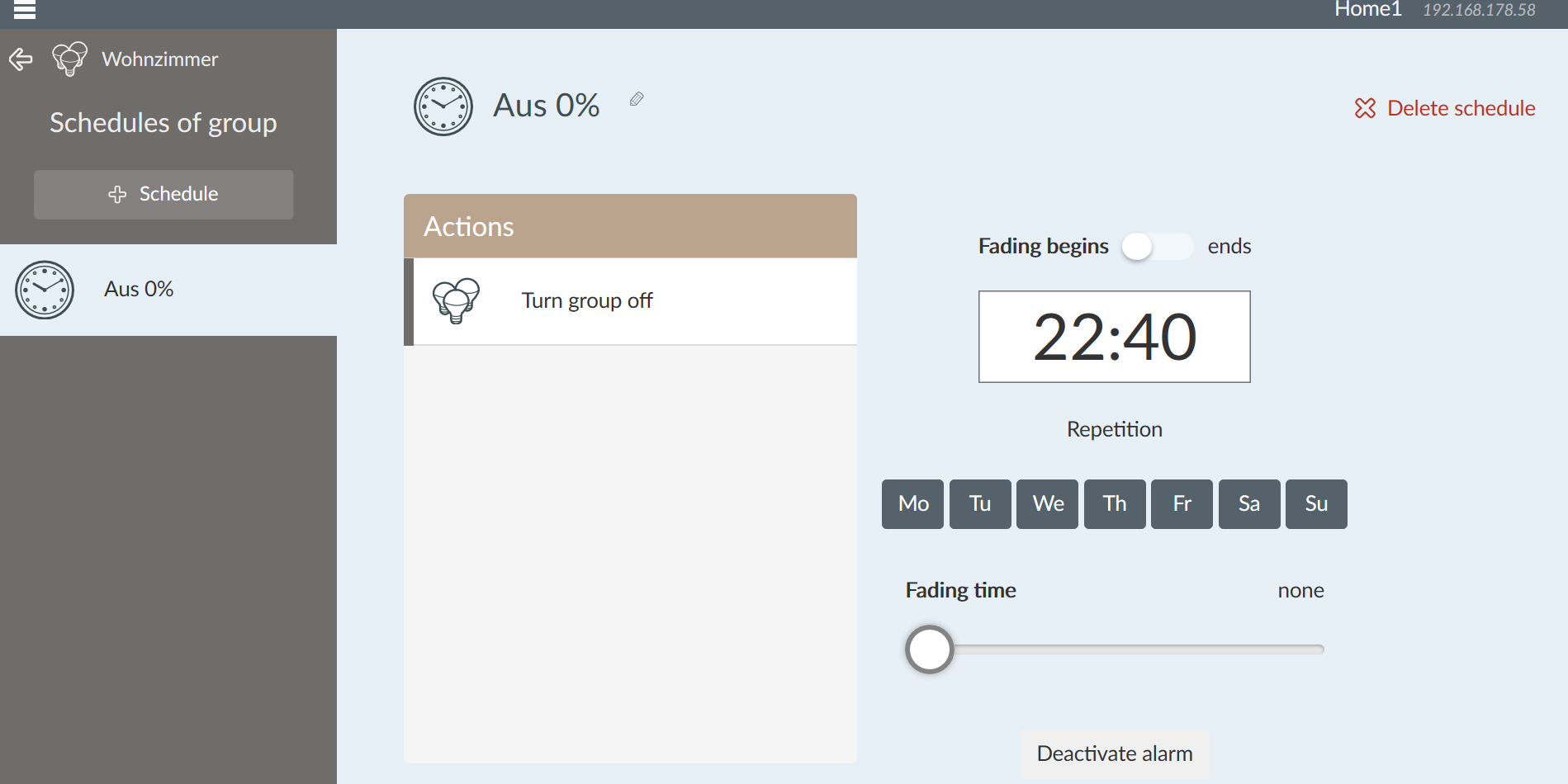
I am trying to create a timed schedule using the Phoscon app. Using the latest Chrome on Windows I can't see the controls in the time box that allow me to set the time. If I click somewhere in the box on the right hand side I can increase/decrease hours and minutes.
 ronaldvans
All 10 comments
Better use the older lightlink app for programming schedules.
So instead of using
192.168.1.1/pwa/login.html (phoscon app)
use
192.168.1.1/login.html (lightlink app)
there are to many issues this time with the phoscon app e.g. programming, schedules etc.
 Ronoon
on 26 Jul 2018
Ronoon
on 26 Jul 2018
No please use the Phoscon schedules instead of old webapp since it's the only maintained one.
After clicking in the time field you can modify the time by:
- mouse wheel
- up/down arrows
- directly type the time
 manup
on 26 Jul 2018
manup
on 26 Jul 2018
only Problem is then that you can only turn off the Lights
how About to turn them scheduled on?
Ronoon
on 26 Jul 2018
@manup, I tried what you suggested which sort of works. It is not very intuitive and rather hit-and-miss. The old webapp functionality is maybe more basic but it works like a charm!
ronaldvans
on 26 Jul 2018
Agree the time select on desktop has room for improvement (on tablets it should work better there we can use the fancy mobile time widgets).
I'll put it on the list to improve desktop time selection.
manup
on 27 Jul 2018
only Problem is then that you can only turn off the Lights
how About to turn them scheduled on?
This. I need to schedule my lights to turn on. Preferably based upon a dynamic value taken from the virtual daylight sensor.. After that we can worry about scheduling to turn the lights off again.
 xrmthomas
on 28 Apr 2019
xrmthomas
on 28 Apr 2019
Still Not able to time a Switch on of Lightshow or scenes
 DAD405
on 8 Dec 2019
DAD405
on 8 Dec 2019
Is it really still impossible to switch on lights at a certain time???
 mgrn0
on 23 May 2020
mgrn0
on 23 May 2020
Really poor that such a basic function is still not possible.
 AndRe5575
on 1 Jun 2020
AndRe5575
on 1 Jun 2020
Basically just use the Phoscon as a gateway because it has really useful features / integratet components. They are normally very good supportet by @manup or the other contributors to this projekt.
But the interface sucks !!
For myself i use Hassio to do the missing programming and timer options.
So look for yourself which option you can use to do your programming or go back to the industrial ones like Phillips HUE if these one is to much of a bother to you.
Ronoon
on 1 Jun 2020
Related issues
 flex-0
·
4Comments
flex-0
·
4Comments
 Thomas-Vos
·
4Comments
Thomas-Vos
·
4Comments
 salopette
·
4Comments
salopette
·
4Comments
 tenholde
·
3Comments
tenholde
·
3Comments
 lynix
·
4Comments
lynix
·
4Comments
Most helpful comment
Still Not able to time a Switch on of Lightshow or scenes