Deconz-rest-plugin: Updating Peanut Plug firmware with deCONZ
I have a Securifi peanut plug (https://www.securifi.com/securifi-peanut-plug) which correctly pairs with the ConBee in deCONZ. It can correctly be switched on and off, but its power reading does not seem to work at the moment. deCONZ rest plug-in does report a power value, but it is always 0
( {"etag":"222745eb58058409bd946fe3576a6610","hascolor":false,"manufacturername":"Securifi Ltd.","modelid":"","name":"Light 3","state":{"alert":"none","on":true,"power":0,"reachable":true},"swversion":"00000000","type":"On/Off light","uniqueid":"00:0d:6f:00:0a:76:e6:9d-01"})
According to the information I found on the SmartThings forum, it requires a firmware update.
Do you know what it would take to update the firmware with deCONZ and is the firmware available anywhere?
 apmon
apmon
All 14 comments
Note that state.power is not functional yet - it shows 0 all the time, for all plugs and lights.
I cannot get the REST API to receive the power readings, see https://github.com/dresden-elektronik/deconz-rest-plugin/pull/408#issuecomment-364663079. Hoping @manup can help me out here.
 ebaauw
on 16 Feb 2018
ebaauw
on 16 Feb 2018
@ebaauw the code was almost right but stopped too early in the for loop at the first iteration :)
My OSRAM Smart+ plug now shows state.power = 28000.
 manup
on 17 Feb 2018
manup
on 17 Feb 2018
Cool! It reports 28000 when no power is drawn, for reasons beyond my comprehension. I'll try and fix that (checking state.on == false).
Also, we need to scale the power, either based on the divisor/mulitplier attributes or (in case of OSRAM) by whitelisting the plug.
ebaauw
on 17 Feb 2018
Also, we need to scale the power, either based on the divisor/mulitplier attributes or (in case of OSRAM) by whitelisting the plug.
I like the whitelisting approach more, keeps the REST API simple.
manup
on 17 Feb 2018
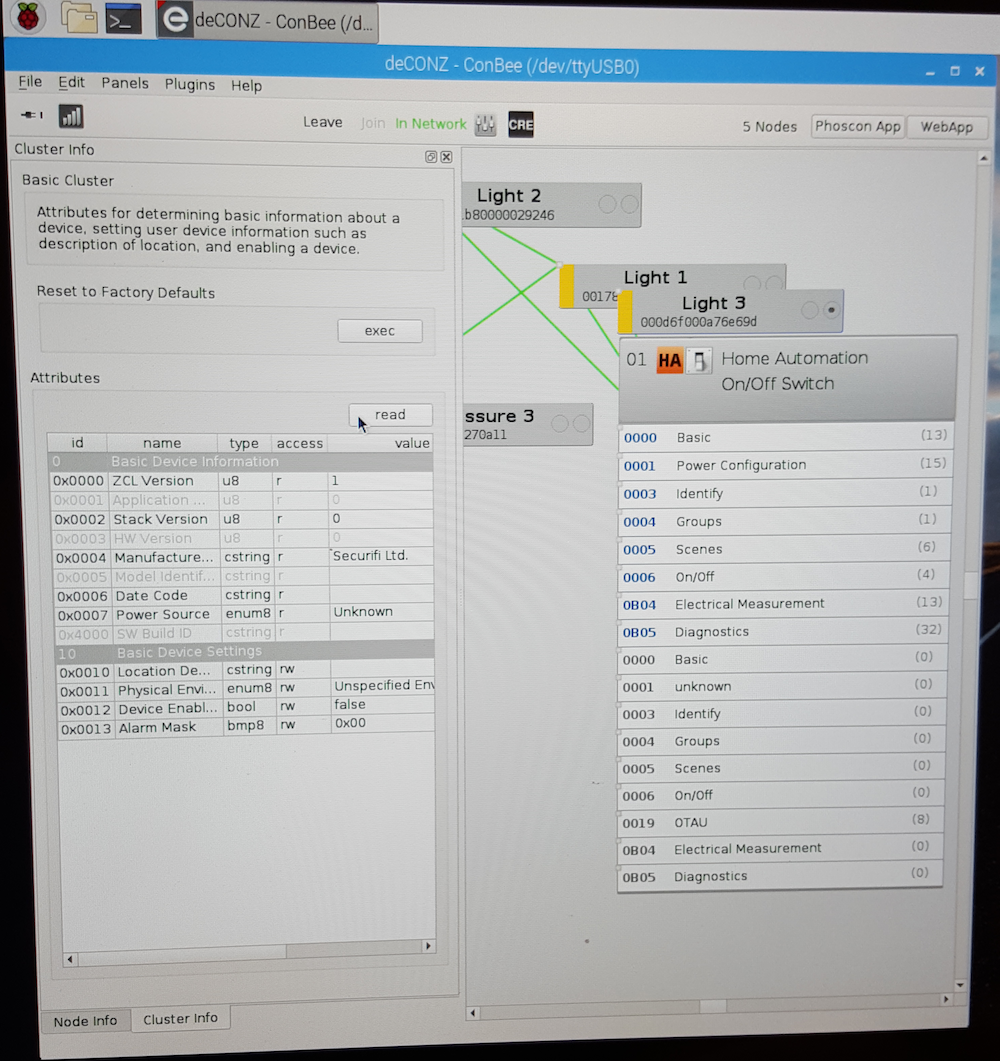
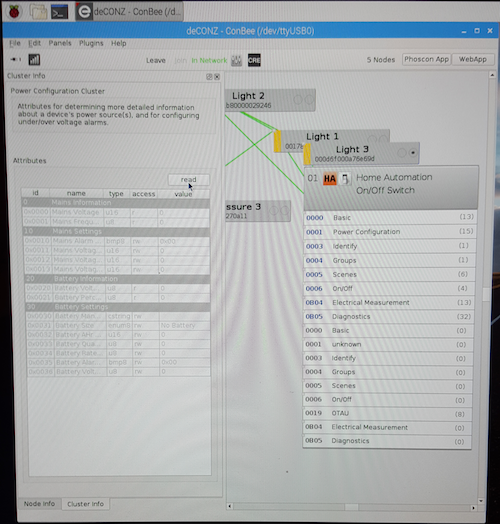
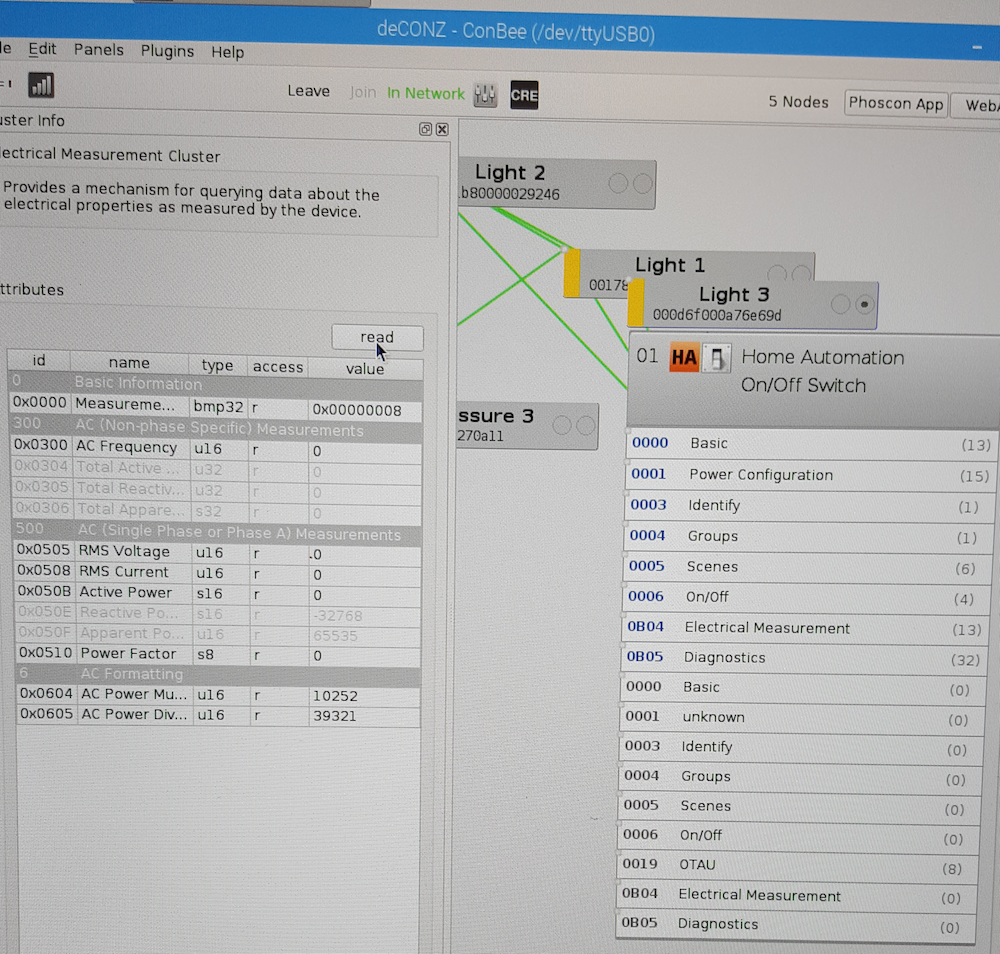
@apmon, power should be working in the next release. Could you please check if the plug reports power in Watts or in 0.1 Watts? Could you post some screenshots of the deCONZ GUI with the endpoints and clusters, and the cluster info panel for the Basic and Electrical Management clusters?
ebaauw
on 18 Feb 2018
From what I have read on other forums, it sounds like this plug requires a firmware update for the measurements to work. I.e. even with the manufacturers own hub (Almond router), the plug only started reporting the power information after a firmware update and before always just reported 0. These devices, even newer ones, sound like they get shipped with the old/original/broken firmware.
I'll try and post on the manufacturers support forum to see if there is a firmware file to be downloaded somewhere.
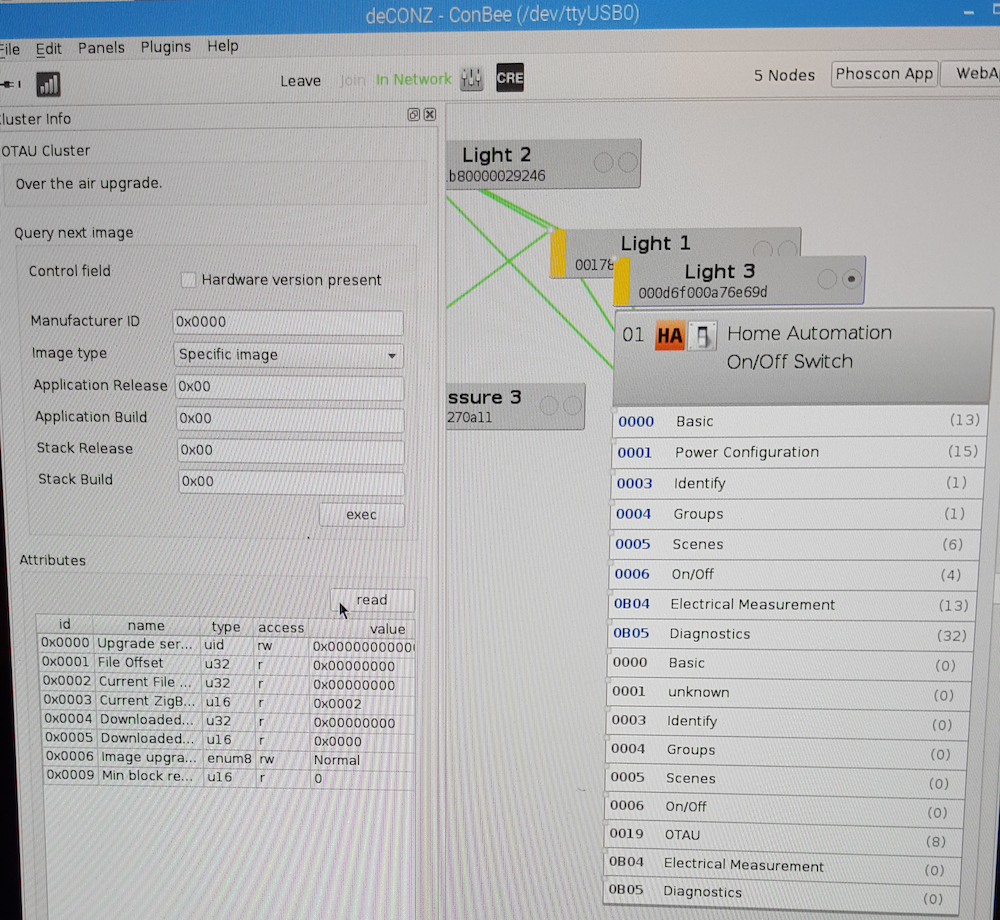
But here are the screenshots from deCONZ:
Basic cluster:
Power configuration cluster:
Electrical Management cluster:
OTAU cluster:
apmon
on 19 Feb 2018
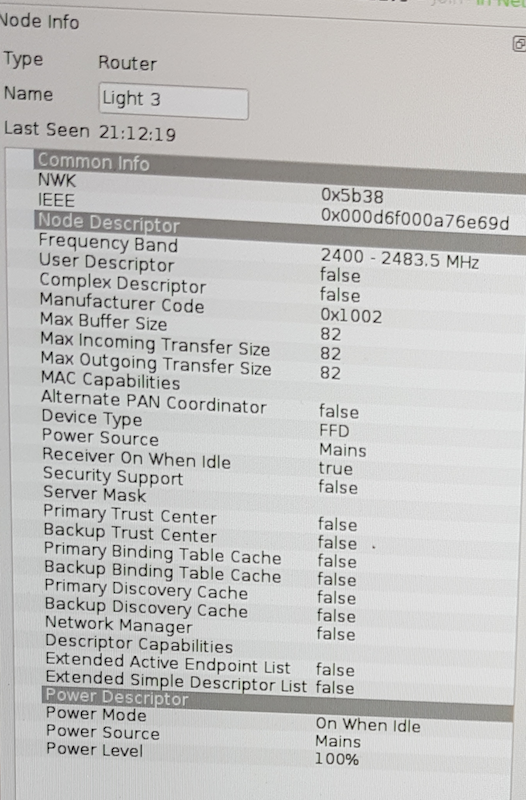
No _Model Identifier_?! Not sure deCONZ can deal with that. Could you also please post the _Node Info_ panel? We need the _Manufacturer Code_ from there.
ebaauw
on 19 Feb 2018
Manufacturer Code is 0x1002
apmon
on 19 Feb 2018
I was able to update the firmware now (Had to buy Securifi's router to do that) and I am now seeing values for RMSVoltage, RMS Current and Active Power for the Peanut Plug.
The model identifier is still greyed out and empty though.
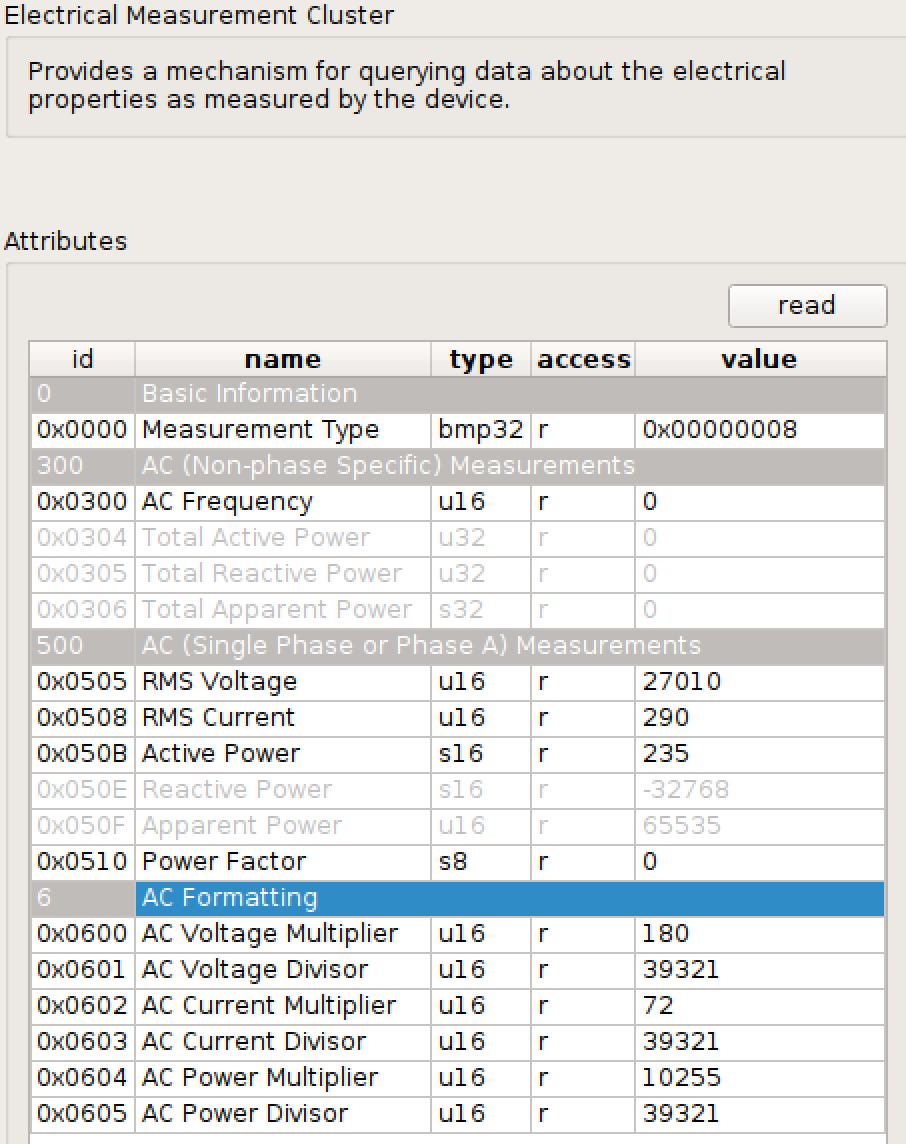
I don't know for sure what kind of load is on the plug (a laptop charger plugged in), but the Active Power * AC Power Multiplier / AC Power Divisor = 61W in the case of the screen shot, which seems roughly right. Same for the Voltage (123V sounds about right for America) and current (0.53A roughly equal to 61W / 123V)
Any chance of getting this supported by the deConz web api?
apmon
on 29 Aug 2018
This issue has been automatically marked as stale because it has not had recent activity. It will be closed if no further activity occurs. Thank you for your contributions.
![stale[bot] picture](https://avatars3.githubusercontent.com/in/1724?v=4&s=40) stale[bot]
on 27 Dec 2018
stale[bot]
on 27 Dec 2018
I was able to update the firmware now (Had to buy Securifi's router to do that) and I am now seeing values for RMSVoltage, RMS Current and Active Power for the Peanut Plug.
The model identifier is still greyed out and empty though.
I don't know for sure what kind of load is on the plug (a laptop charger plugged in), but the Active Power * AC Power Multiplier / AC Power Divisor = 61W in the case of the screen shot, which seems roughly right. Same for the Voltage (123V sounds about right for America) and current (0.53A roughly equal to 61W / 123V)
Any chance of getting this supported by the deConz web api?
were you able to report the power measurements since updating the firmware?
 kzaoaai
on 24 Dec 2019
kzaoaai
on 24 Dec 2019
I got the firmware update file from Securifi for the peanut plugs. I tried the OTA update plugin and it didn't work. If anyone has another suggestion as to how to push the update to the devices, I'd be happy to try. I have a SmartThings hub, Hubitat hub, and a Raspberry Pi with a raspbee module that I can use to push the update. But both hubs are likely off limits cause the OTA features are not available to us users.
 shadowjig
on 29 Dec 2019
shadowjig
on 29 Dec 2019
I got the firmware update file from Securifi for the peanut plugs. I tried the OTA update plugin and it didn't work. If anyone has another suggestion as to how to push the update to the devices, I'd be happy to try. I have a SmartThings hub, Hubitat hub, and a Raspberry Pi with a raspbee module that I can use to push the update. But both hubs are likely off limits cause the OTA features are not available to us users.
Do you still have this file?
 dmulcahey
on 30 Jul 2020
dmulcahey
on 30 Jul 2020
@dmulcahey
Here's the file they sent me. Let me know if you figure out how to update the firmware.
shadowjig
on 31 Jul 2020
Related issues
 philko123
·
3Comments
philko123
·
3Comments
 qm3ster
·
3Comments
qm3ster
·
3Comments
 ReeChip
·
5Comments
ReeChip
·
5Comments
 tenholde
·
3Comments
tenholde
·
3Comments
 mvasicek
·
4Comments
mvasicek
·
4Comments
Most helpful comment
I got the firmware update file from Securifi for the peanut plugs. I tried the OTA update plugin and it didn't work. If anyone has another suggestion as to how to push the update to the devices, I'd be happy to try. I have a SmartThings hub, Hubitat hub, and a Raspberry Pi with a raspbee module that I can use to push the update. But both hubs are likely off limits cause the OTA features are not available to us users.