Deck: Move cards between stacks using right sidebar
Is your feature request related to a problem? Please describe.
Judging from the list of issues, quite a number of people have problems moving cards between stacks on mobile devices (same goes for me). Sometimes the problem is that the screen will not scroll sideways, sometimes the card will not even move when you try to drag it.
Describe the solution you'd like
When the bottom part of a card is selected, the right sidebar will open and display the properties of the card. Right now the name of the stack that the card is in will not be shown there. It would be great if the name of the stack would be shown there, and if it would be possible to select that stack name en change it by choosing a different stack name from a drop-down list of all the stack names.
Describe alternatives you've considered
None.
 kbeerepoot
All 9 comments
Is this a reference to the 3rd party mobile app or a mobile browser to access your Deck install? If the latter a browser version might help on the bugs implied in the first part of the report (but also that might be resolved in the vue migration which you can test from nightly)
 putt1ck
on 10 Mar 2020
putt1ck
on 10 Mar 2020
Is this a reference to the 3rd party mobile app or a mobile browser to access your Deck install? If the latter a browser version might help on the bugs implied in the first part of the report (but also that might be resolved in the vue migration which you can test from nightly)
I'm not referring to a 3rd party mobile app. The problem(s) decribed above will for example exist when I access Deck in my Nextcloud install through the web (on my iPad that would be via Safari). The moment I try to drag a card to the right either my finger wil just start to highlight (part of) the title of the card and nothing moves, or the whole page will start to slide to the right (to reveal the list of boards on the left).
But apart from those specific problems I would still appreciate the above mentioned solution to be implemented, because it makes for a 'less restless view for the eye', because I think all properties of the card should be in view when using the right side bar and because I think it should be possible to edit all properties of the card there ...
kbeerepoot
on 10 Mar 2020
I think that would be a good solution assuming that drag and drop in the browser is always a bit unhandy on mobile devices.
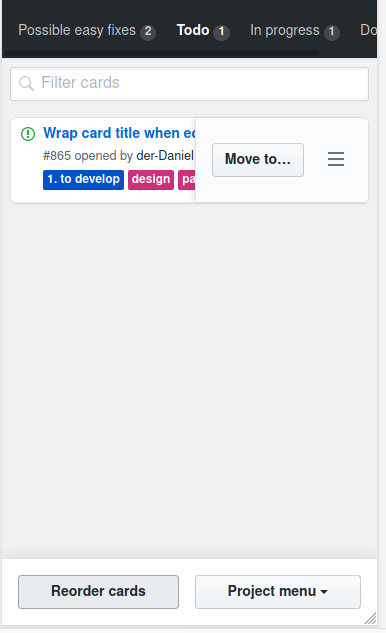
Another option would be some moving action like github has in its projects:
 juliushaertl
on 12 Mar 2020
juliushaertl
on 12 Mar 2020
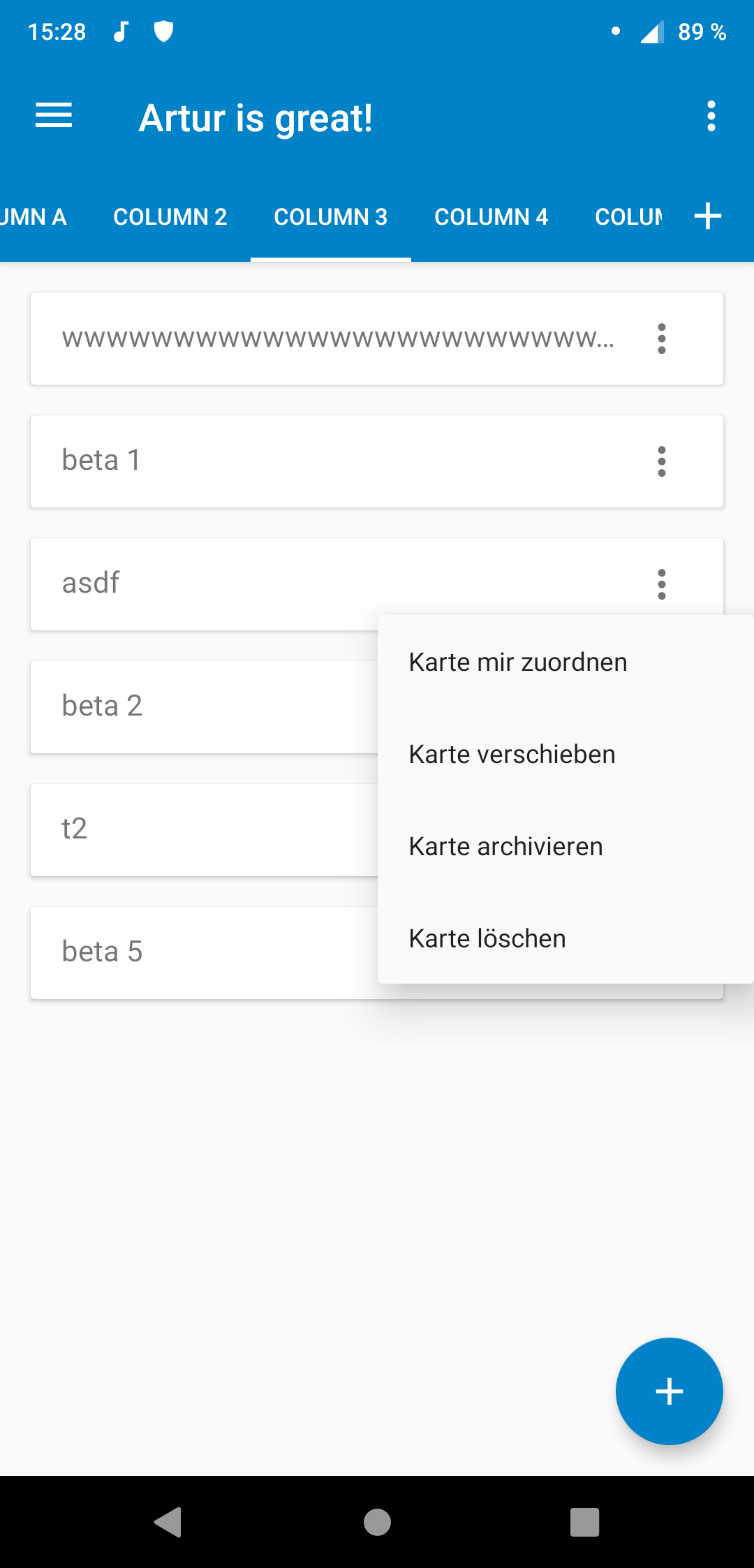
@juliushaertl that's what we do on the Deck android app:
| Menu | Select |
| --- | --- |
|  |
|  |
|
Edit: A little more about our thoughts: Moving a card to another stack belongs IMHO to the context of organizing and managing cards, while the detail view is there to actually edit the cards content.
 stefan-niedermann
on 12 Mar 2020
stefan-niedermann
on 12 Mar 2020
I think that would be a good solution assuming that drag and drop in the browser is always a bit unhandy on mobile devices.
Another option would be some moving action like github has in its projects:
Actually, now I come to think of it : every card has a horizontol three dot menu in the bottom right giving 3 options :
- Assign card to me
- Archive card
- Remove card
If the 'Move card (to different stack)' option would be added there (with the appropriate follow-up of course) the problem would be solved, I guess ...
kbeerepoot
on 12 Mar 2020
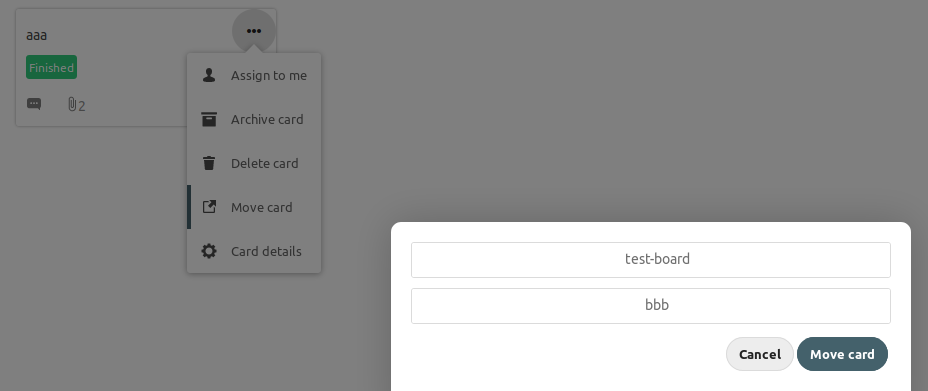
Just saw, that Deck (server app) version 1.0.0-alpha1 has implemented exactly this. So is this issue solved for you @kbeerepoot ?
stefan-niedermann
on 23 Mar 2020
@stefan-niedermann That is great !! I am really, really happy with that (or at least I will be when it arrives in the live version ;-)
And yes, this solves the issue, so I will immediately close it (hope it will not take too long for 1.0.0.-alpha1 goes live)
kbeerepoot
on 23 Mar 2020
Great :) I would guess "it's ready when it's ready" :wink:
stefan-niedermann
on 23 Mar 2020
We plan to come up with a beta release soon. :wink:
juliushaertl
on 24 Mar 2020
Related issues
 NebriBlackwing
·
4Comments
NebriBlackwing
·
4Comments
 ampoz
·
4Comments
ampoz
·
4Comments
 jbonlinea
·
4Comments
jbonlinea
·
4Comments
 woosting
·
3Comments
woosting
·
3Comments
 scoopex
·
4Comments
scoopex
·
4Comments