Dataverse: More specificity about the meaning of "dataset" on delete
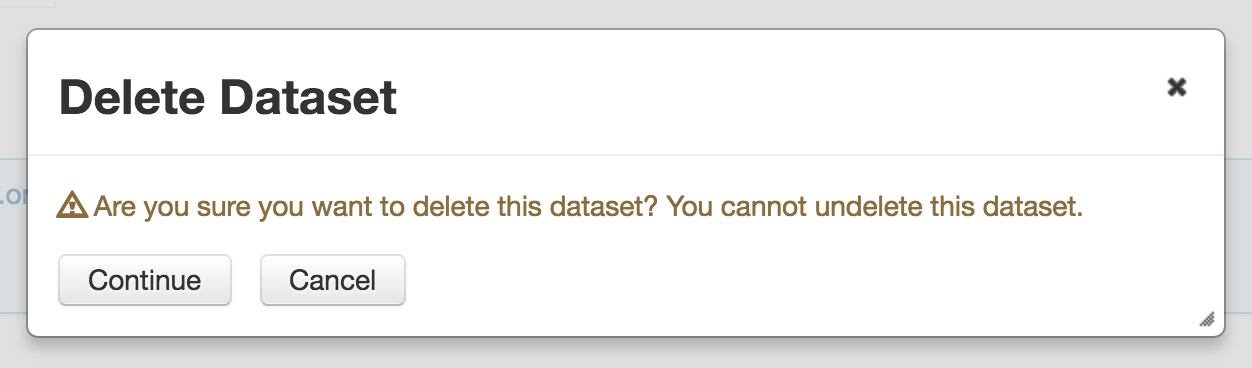
"Dataset" can mean different things in different repositories. On delete, we should add some brief additional text to clarify what is about to be deleted. See:
https://twitter.com/KSchultz3580/status/1092851050971709440
 djbrooke
All 9 comments
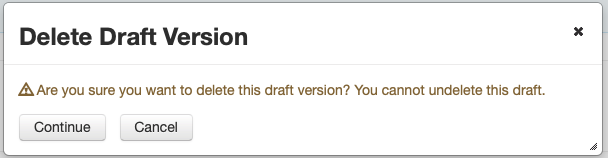
"Delete Draft Version" confirmation msg'n should also be considered here.
 mheppler
on 6 Feb 2019
mheppler
on 6 Feb 2019
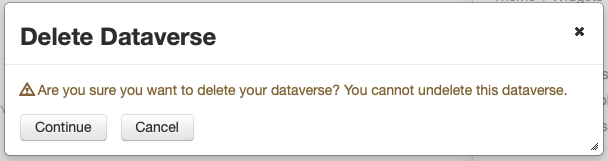
And while we're piling on... "Delete Dataverse" confirmation msg'n follows the same format of vagueness.
mheppler
on 6 Feb 2019
From the tweet above, it's probably worth considering the rest of the feedback about multiple buttons. Here's a screenshot:
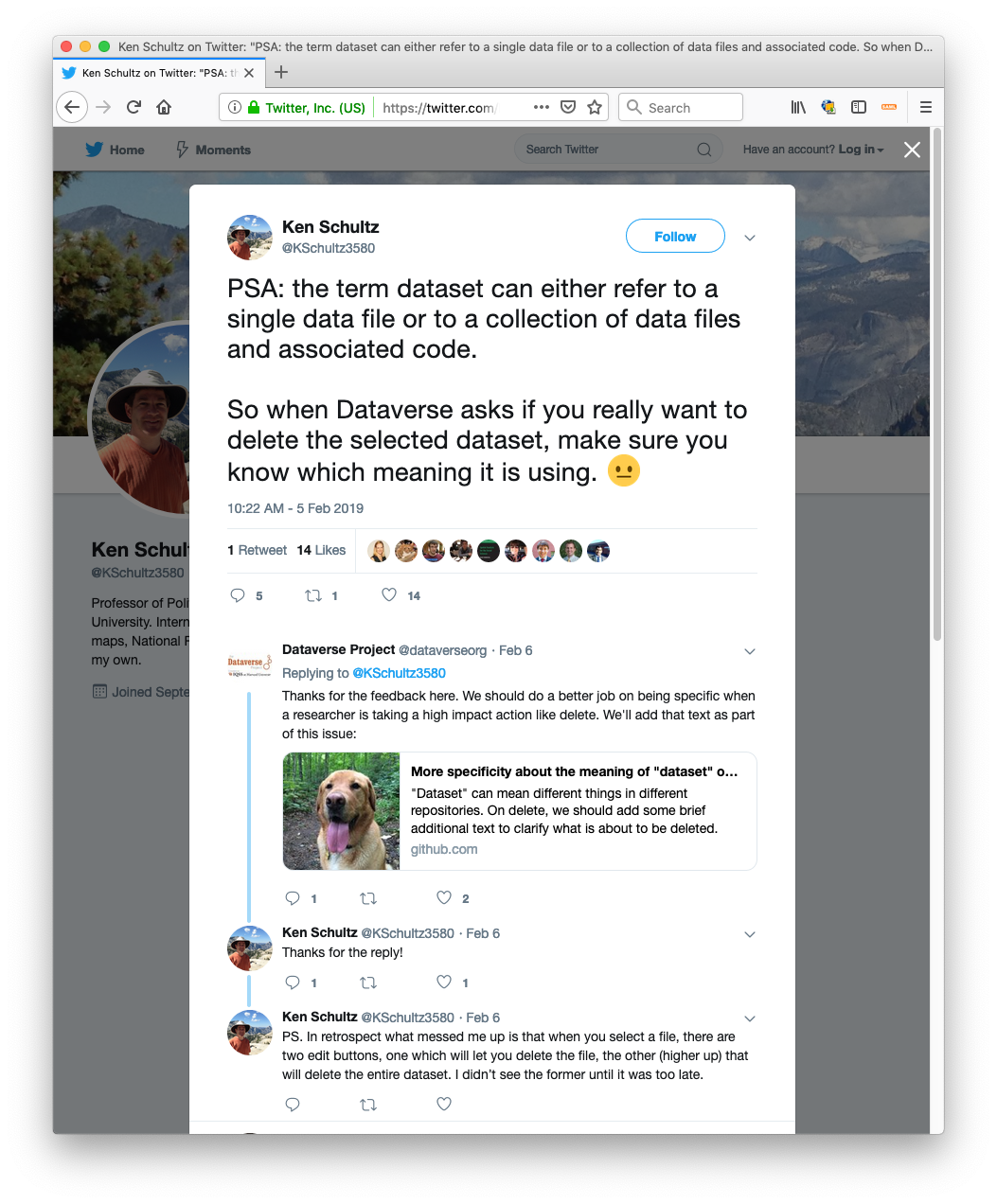
- "PSA: the term dataset can either refer to a single data file or to a collection of data files and associated code. So when Dataverse asks if you really want to delete the selected dataset, make sure you know which meaning it is using."
- "PS. In retrospect what messed me up is that when you select a file, there are two edit buttons, one which will let you delete the file, the other (higher up) that will delete the entire dataset. I didn’t see the former until it was too late."
That said, this was estimated as a "1" last week when I wasn't here so I don't know what the plan is.
 pdurbin
on 12 Feb 2019
pdurbin
on 12 Feb 2019
The plan is to make the text change(s) only.
@dlmurphy you said you would include some suggested text here?
djbrooke
on 12 Feb 2019
I just created pull request #5536 with some tweaks to the wording. Here are some screenshots:
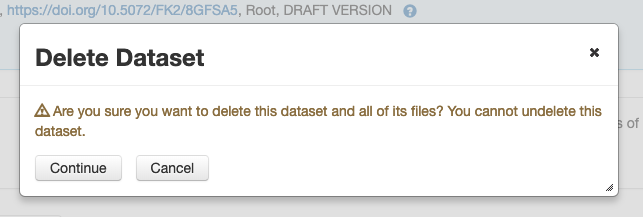
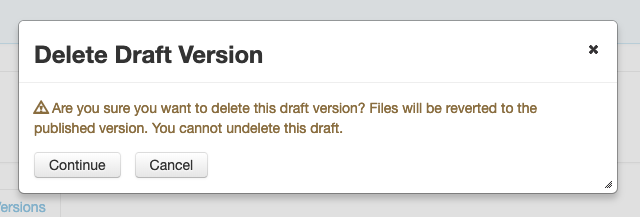
I'm reminded that we never did create a glossary (#4274) of terms and "dataset" should definitely be in there since as the tweet points out, to many people it can mean a single file.
pdurbin
on 13 Feb 2019
The Delete Dataset message looks great to me.
For the Delete Draft Version message, I suggest just adding the words "most recently" to make it a little more clear:
"Files will be reverted to the most recently published version."
I'd also like to tackle the "Delete Dataverse" message that Mike pointed out. Let's rephrase to:
"Are you sure you want to delete this dataverse and all of its datasets and files? You cannot undelete this dataverse."
I'll make these changes to the bundle and pass this on to QA.
 dlmurphy
on 13 Feb 2019
dlmurphy
on 13 Feb 2019
@dlmurphy I don't think you can delete a dataverse if it has contents.
This should be confirmed, but If I recall correctly you only see the delete dataverse option if your dataverse is empty.
 scolapasta
on 13 Feb 2019
scolapasta
on 13 Feb 2019
Whoops, good call! I'll check on this and make sure.
dlmurphy
on 13 Feb 2019
Yup, @scolapasta is right. Dataverses can only be deleted if they're not yet published and they contain no draft datasets. I'll leave the existing Delete Dataverse message as is.
dlmurphy
on 13 Feb 2019
Related issues
 lmaylein
·
3Comments
lmaylein
·
3Comments
 rmo-cdsp
·
3Comments
rmo-cdsp
·
3Comments
 jggautier
·
4Comments
jggautier
·
4Comments
 raprasad
·
5Comments
djbrooke
·
3Comments
raprasad
·
5Comments
djbrooke
·
3Comments