Dataverse: Solr and init-container not working properly in OpenShift
After issue #4764, there are some minor changes need to be made because right now there are two bugs:
- Glassfish cannot talk to Solr
- Every time the user scales up the Glassfish StatefulSet, the database is flushed.
The main work will be made in install and postgres-setup scripts.
 thaorell
All 23 comments
what I've attempted to get solr to work:
- reindexing
- getting solr documents json using
curl -s 'http://dataverse-solr-service:8983/solr/collection1/select?rows=1000000&wt=json&indent=true&q=*%3A*'
however, it seems like there is a broken connection between solr and glassfish containers
thaorell
on 23 Jul 2018
@thaorell is testing c560667 on https://github.com/thaorell/dataverse/tree/4874-bug-fix-glassfish-solr-container if someone wants to help reproduce the problem.
@thaorell do you think it would be easy to replicate this problem on the "develop" branch?
 pdurbin
on 23 Jul 2018
pdurbin
on 23 Jul 2018
@pdurbin I think you can just run Dataverse on OpenShift/ MiniShift
- log in
- create and/or publish a dataset
- go to the main page, and you will see that the dataset is not there.
oc rshinto postgres pod and select dataset, the dataset is present- query solr, the docs will show that the dataset is there
thaorell
on 24 Jul 2018
https://github.com/thaorell/dataverse/tree/4874-bug-fix-glassfish-solr-container is the branch I'm working on
thaorell
on 24 Jul 2018
@thaorell ok, let me see if I can replicate the problem on the develop branch. The first thing I'll probably do is push new images to the "latest" tag under "iqss" unless you have any objections. So far I've been the only one who does this once pull requests get merged. Without pushing new images I suspect that our openshift.json file is out of sync with the images on Docker Hub. We've been talking a little with @kcondon in Slack about how these images should get updated and we don't have a well defined process at the moment. We might want to discuss this at some point with @djbrooke and @scolapasta.
pdurbin
on 24 Jul 2018
Right now I am a little hesitant because the new image contains the bug in this issue. Actually @pdurbin, it is not possible to do it on develop branch because that branch uses older images
thaorell
on 24 Jul 2018
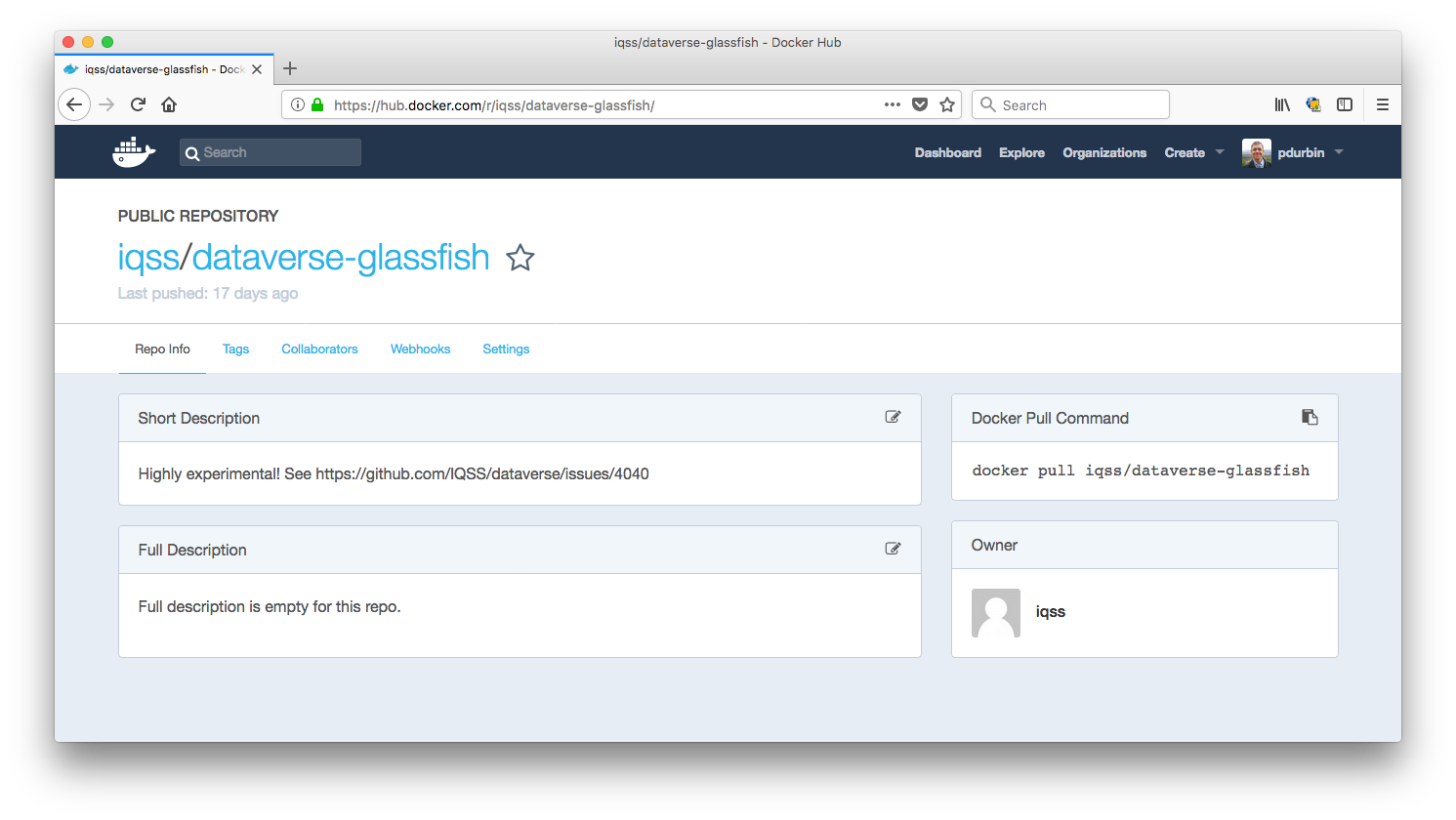
@thaorell ok, I won't push to Docker Hub. It might be interesting for one of us to see if oc new-app conf/openshift/openshift.json on the "develop" branch yields a working Dataverse installation or not. Again if openshift.json and those old images are out of sync, it might all be broken anyway. If it's already broken, I feel like we should feel free to push new images. I recently added a note to all the images emphasizing how experimental they are:
Do you or @tkmonson want to try the images as-is using the openshift.json on the "develop" branch and confirm if Dataverse is working or not?
pdurbin
on 24 Jul 2018
It does work (I tested it yesterday), but it eliminates all the efforts on #4764 because it runs the old install script.
thaorell
on 24 Jul 2018
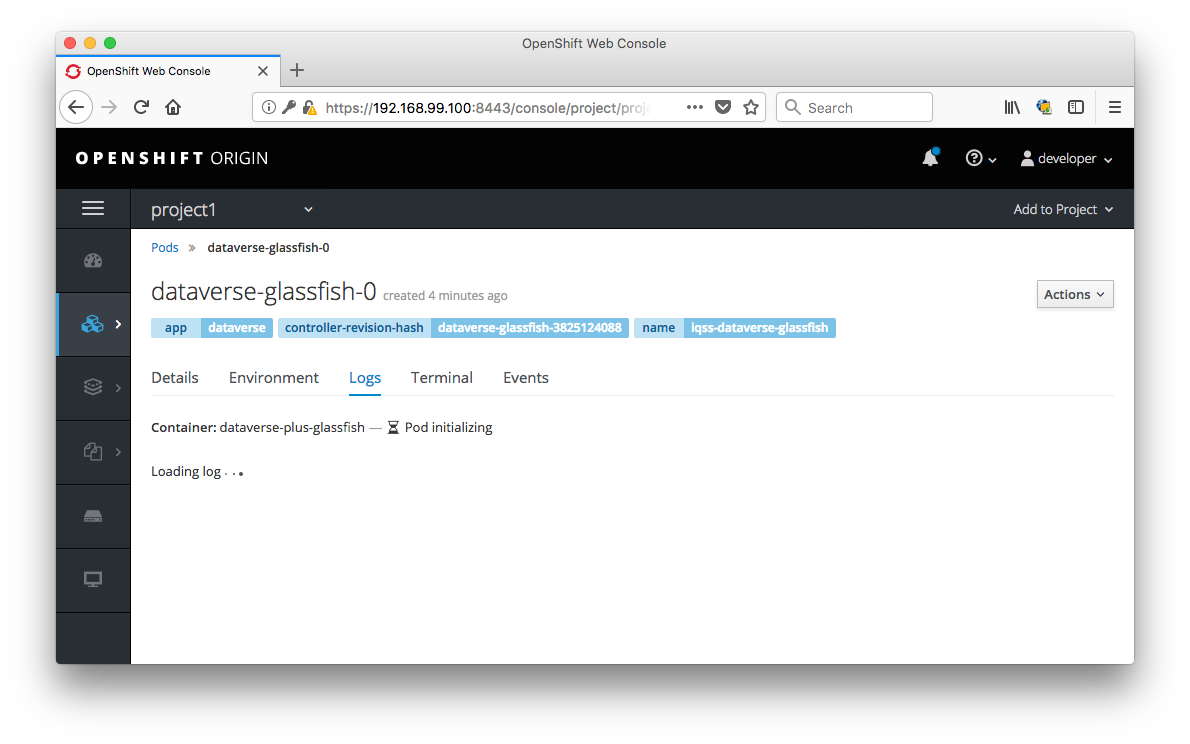
I'm on commit 8587646 from pull request #4886 and I can't see the logs for the dataverse-glassfish-0 pod like I used to be able to a couple months ago. It says "Pod initializing" like this:
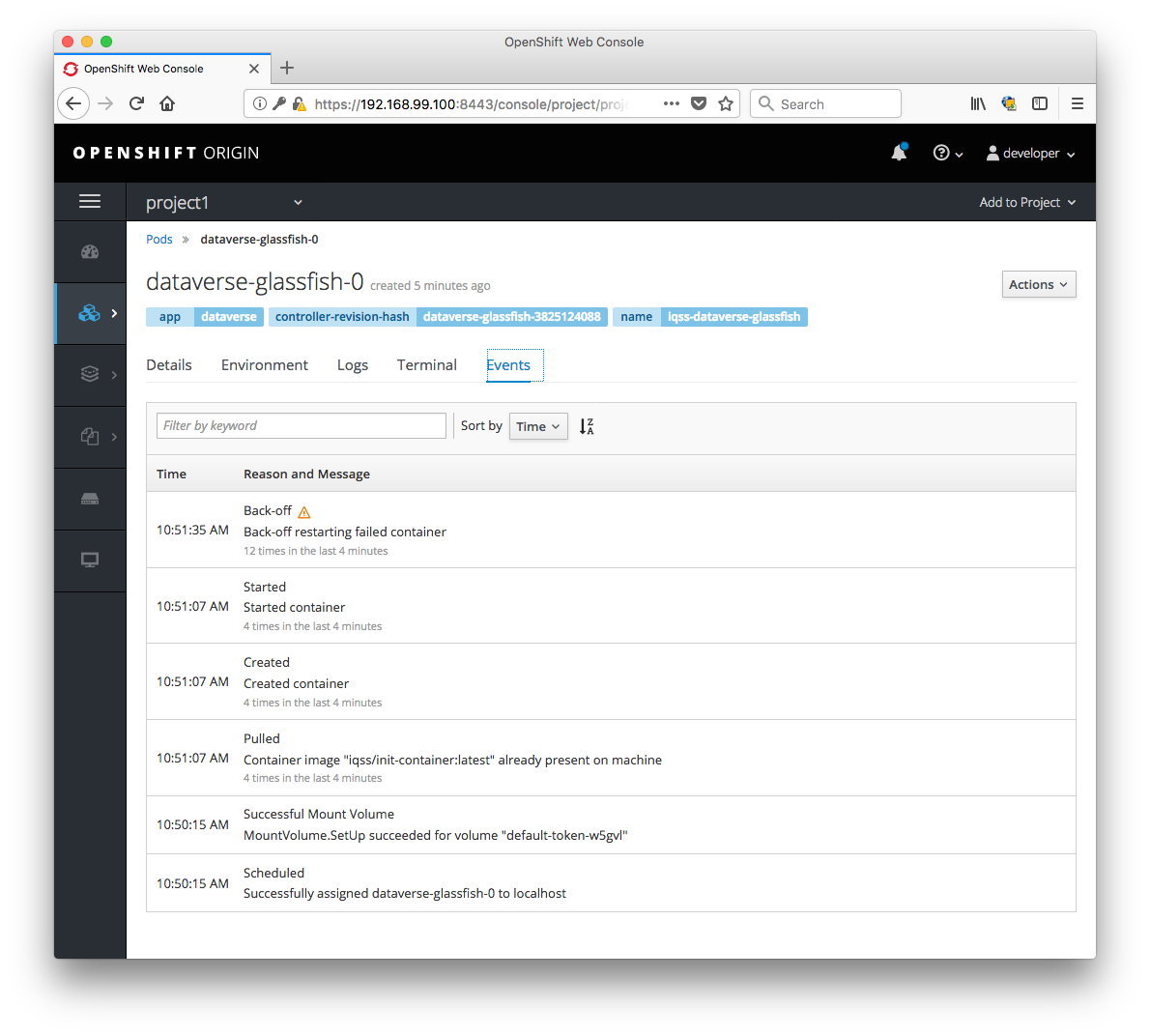
When I click on "events" I see a dozen "Back-off restarting failed container" messages:
pdurbin
on 24 Jul 2018
The log is sometimes too slow, you can try oc logs -f dataverse-glassfish-0 on the command line.
thaorell
on 24 Jul 2018
@thaorell thanks. This is what I'm getting though:
murphy:dataverse pdurbin$ oc log dataverse-glassfish-0
W0724 11:01:02.781387   80735 cmd.go:403] log is DEPRECATED and will be removed in a future version. Use logs instead.
Error from server (BadRequest): container "dataverse-plus-glassfish" in pod "dataverse-glassfish-0" is waiting to start: PodInitializing
murphy:dataverse pdurbin$
Ok, I think when @thaorell added $CONFIG_DEFAULTS{'POSTGRES_ADMIN_PASSWORD'} = $ENV{"POSTGRES_ADMIN_PASSWORD"}; to scripts/installer/postgres-setup in https://github.com/thaorell/dataverse/commit/445f4d0ddd7505960402e0af9bee97e31a96ec37 that was the fix I need to at least see the logs on the Glassfish pod.
pdurbin
on 24 Jul 2018
@thaorell on my machine the "Back-off restarting failed container" issue is fixed as of a8f2257 in pull request #4893. Thanks!!!
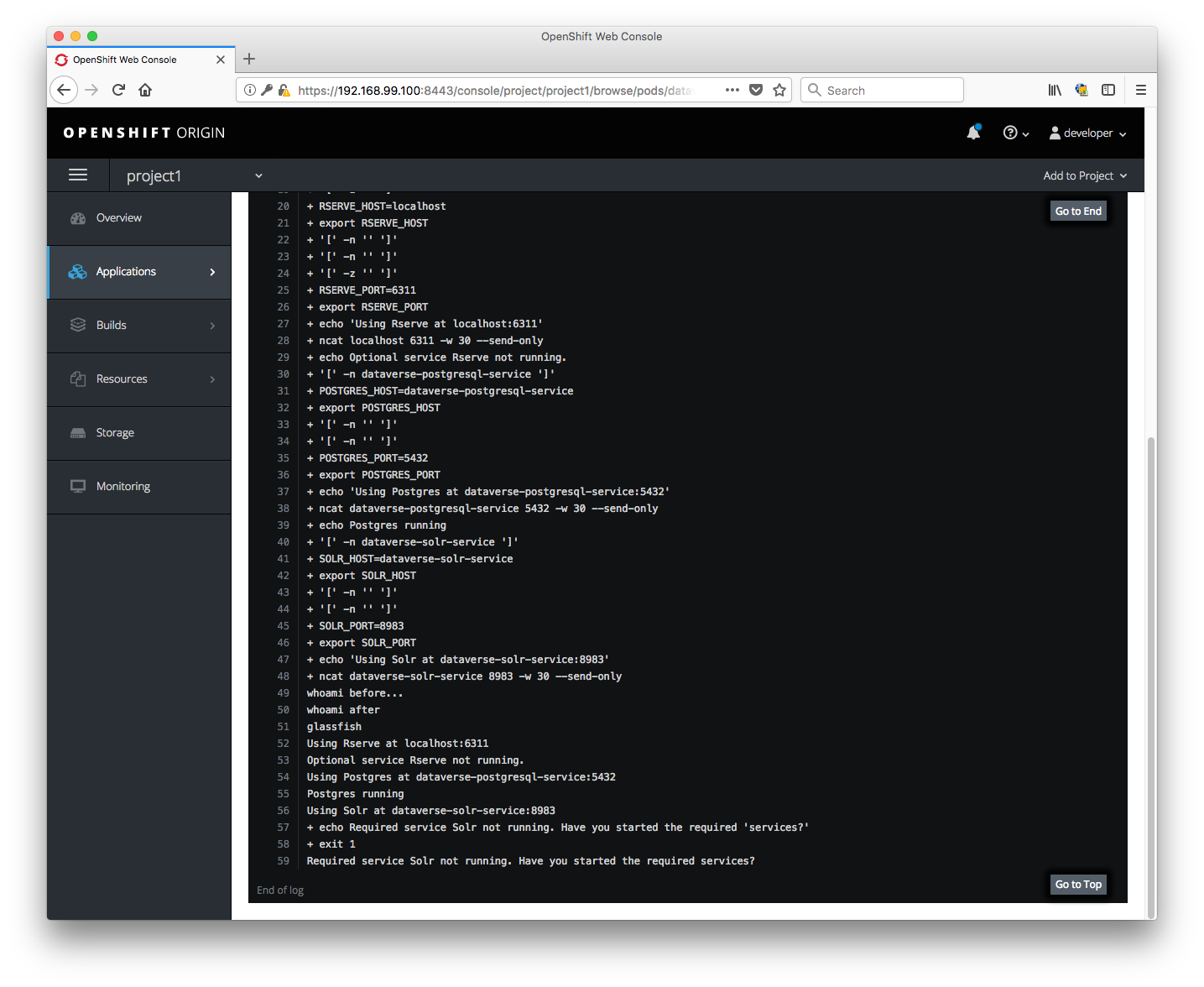
Now we can focus on the Solr error. This is how it looks for me ("Required service Solr not running. Have you started the required services?"):
Oh, I added a line to .gitignore in 9b89140 and I'm very tempted to reformat openshift.json with jq but maybe we can do that at the end once we get Solr working.
pdurbin
on 25 Jul 2018
What does the log spit out for the solr pod?
thaorell
on 25 Jul 2018
Can you please remind me what command to run?
pdurbin
on 26 Jul 2018
First we need the pod name so run ‘oc get pods’, then we run ‘oc logs
thaorell
on 26 Jul 2018
@thaorell thanks! Here you go:
murphy:dataverse pdurbin$ oc get pods
NAME                     READY     STATUS    RESTARTS   AGE
dataverse-glassfish-0    1/1       Running   1          17h
dataverse-postgresql-0   1/1       Running   0          17h
dataverse-solr-1-8flkb   1/1       Running   0          17h
murphy:dataverse pdurbin$ oc logs dataverse-solr-1-8flkb
solr-7.3.0/LUCENE_CHANGES.txt
solr-7.3.0/contrib/analysis-extras/lib/
solr-7.3.0/contrib/clustering/lib/
[snip]
solr-7.3.0/docs/images/solr.svg
solr-7.3.0/docs/index.html
whoami: cannot find name for user ID 1000070000
NOTE: Please install lsof as this script needs it to determine if Solr is listening on port 8983.

Started Solr server on port 8983 (pid=98). Happy searching!

whoami: cannot find name for user ID 1000070000

Created new core 'collection1'
murphy:dataverse pdurbin$
It looks normal. I wonder if anything is wrong in entrypoint.sh, I will take a look.
thaorell
on 26 Jul 2018
@pdurbin is it possible that you could upload your images to docker hub, let's say pdurbin/dataverse-glassfish and pdurbin/init-container so I can try them out?
thaorell
on 26 Jul 2018
@thaorell sure, I'm still on 9b89140 and I just ran ./build.sh huborg pdurbin to build and push images to https://hub.docker.com/u/pdurbin/
I'm confused about your status. Again, I'm seeing "Required service Solr not running". What are you seeing? Solr is running but Glassfish can't talk to it, as you originally reported? Something else? Is everything working for you?
pdurbin
on 26 Jul 2018
I am using your image and everything is running fine. I wonder if it's your Solr pod that is creating troubles
thaorell
on 27 Jul 2018
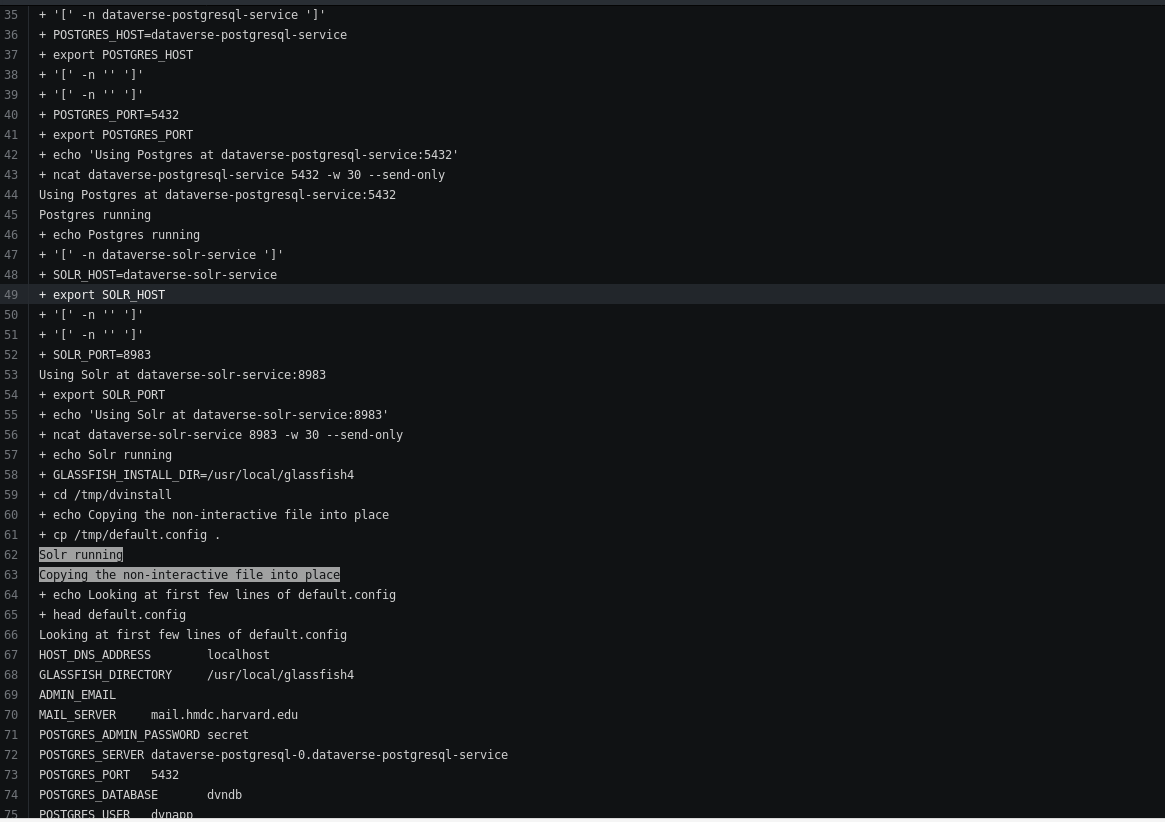
thaorell
on 27 Jul 2018
@thaorell oh! That's fantastic news that everything is working for you! Let's get some eyes on pull request #4893 since you modified the installer. I just dragged this issue to code review at https://waffle.io/IQSS/dataverse
I'm home with a sick kid today so I'm on completely different hardware and software. Linux (Ubuntu) instead of Mac. It'll take me a while to get set up but I'll report back. If I can get similar results to yours with stuff working from the openshift perspective, I'm completely satisfied and can troubleshoot my Mac when I'm back from vacation on August 6th. We just need to make sure that whatever you did in the installer didn't break non-openshift installations. To test this, you could run vagrant up and see if it still works. You could also test the docker-aio environment and please note that yesterday @matthew-a-dunlap reported trouble that may have resulted from the recent work by you or @tkmonson: https://github.com/IQSS/dataverse/issues/4703#issuecomment-408247317
pdurbin
on 27 Jul 2018
Related issues
 matthew-a-dunlap
·
4Comments
matthew-a-dunlap
·
4Comments
 poikilotherm
·
4Comments
poikilotherm
·
3Comments
poikilotherm
·
4Comments
poikilotherm
·
3Comments
 shlake
·
4Comments
shlake
·
4Comments
 Fernand0S
·
4Comments
Fernand0S
·
4Comments