Dataverse: Get Dataverse running on OpenShift (Docker and Kubernetes)
Yesterday I met with @portante and @danmcp and talked a fair amount about the possibility of getting Dataverse running on OpenShift. There are multiple reasons why I'm interested in this:
- Getting Dataverse running on OpenShift is prerequisite for @portante at Red Hat running it. I'm excited about a potential first non-edu customer and was happy to meet Peter at the 2017 Dataverse Community Meeting!
- Getting Dataverse running on OpenShift would greatly improve our "kick the tires on Dataverse" story, which involves running Dataverse on Vagrant on your laptop. You could walk your laptop over to your boss but it would be much nicer to send her a link to Dataverse running in the cloud (such as on OpenShift) so she can kick the tires herself.
- Getting Dataverse running on OpenShift would help move #3938 forward because we would very likely build on the outstanding work by @craig-willis at @nds-org to Dockerize Dataverse to be part of NDS Labs Workbench. Related to this is that if we get Dataverse running on OpenShift, it should be fairly straightforward to get Dataverse running on other Kubernetes-based cloud offerings such as Google Container Engine (GKE).
- Getting Dataverse running on OpenShift might help us improve the "make it possible to hack on Dataverse from a Windows computer" in #3927 because I believe @danmcp mentioned that OpenShift can be used in a development context. It reminds me a bit of how @ferrys says she doesn't install Glassfish, PostgreSQL, and Solr directly on her Mac but rather pushes code to an instance she has running on @CCI-MOC. Our current solution for Windows developers wanting to hack on Dataverse is to use Vagrant, which works but is slow and problematic.
- Getting Dataverse running on OpenShift would open up the possibility of running https://dataverse.harvard.edu (or other installations of Dataverse) on AWS using something called OpenShift Dedicated, which supports both AWS and GKE (and Azure in the future). Related to this is that the "kick the tires" story could more easily transition into "go live" if OpenShift is used along the way.
Getting Dataverse running on Openshift isn't on our roadmap so I've created this issue so we can estimate it in sprint planning or backlog grooming. Anyone reading this is very welcome to leave comments or ask questions!
 pdurbin
All 86 comments
I mentioned this issue to @bjonnh yesterday in chat because I've tagged him as the primary contact for the dev effort by the community to work on Docker support in #3938. He said that free OpenShift accounts would be helpful for him, @donsizemore, and anyone else who wants to help with the effort to get Dataverse running on OpenShift.
pdurbin
on 7 Sep 2017
You can get a free account with the starter tier:
https://www.openshift.com/pricing/index.html
That gets you 1GB of free memory. You can also use oc cluster up
https://github.com/openshift/origin/blob/master/docs/cluster_up_down.md
or minishift:
https://www.openshift.org/minishift/
to run OpenShift on your laptop.
 danmcp
on 7 Sep 2017
danmcp
on 7 Sep 2017
Rules for writing good images:
https://docs.openshift.org/latest/creating_images/guidelines.html
How to set the memory based on the cgroup:
There is an example in here:
https://blog.openshift.com/managing-compute-resources-openshiftkubernetes/
Look under "Writing Applications". And here is an example from mysql:
https://github.com/sclorg/mysql-container/blob/master/5.5/root/usr/bin/cgroup-limits#L48
Our postgresql image:
https://hub.docker.com/r/openshift/postgresql-92-centos7/
Example templates:
https://github.com/openshift/origin/tree/master/examples
hello-openshift is a fine place to start and move on to sample-app
danmcp
on 7 Sep 2017
@danmcp thanks!
@portante @danmcp @landreev @scolapasta and I had a great meeting today. Here's a picture of the whiteboard:

@danmcp already did his to do list items and my todo list item is to take the latest images from https://hub.docker.com/r/ndslabs/dataverse/ and reference them in a new file at conf/openshift/openshift.yaml ( @danmcp I'm seeing a YAML example at https://docs.openshift.org/latest/dev_guide/templates.html#writing-templates but not in https://github.com/openshift/origin/tree/master/examples/hello-openshift )
Basically, we'll be trying to see what breaks when we try to deploy the NDS Labs images "as is" to OpenShift. From the whiteboard, we'll need to dig into these questions about the DNS images in order to make sure they run on OpenShift:
- Do the images run as root?
- Is the storage abstracted?
- Can we use the CentOS PosgreSQL image where we already know that the image doesn't run as root and the storage is already abstracted?
- Have you tuned the memory on Java apps (Solr and Glassfish) based on running inside a container with cgroups?
We are deferring the following concerns until the future:
- clustering PostgreSQL
- clustering Solr
- running multiple Glassfish servers
- a pipeline for updating Dataverse within OpenShift (new Dataverse release, updated config for Dataverse, etc.)
Basically, the definition of done for this issue is that someone interested in kicking the tires on Dataverse for non-production use will be able to spin it up for the free 1 GB Openshift "starter" plan. The whiteboard drawing offers some clues on what the pull request might look like. In our conf directory, we'll have a Dockerfile each for Solr, PosgreSQL, and Dataverse+Glassfish. We'll have a build script to create the images and push them to DockerHub (I'll create an account for IQSS). We'll have the Openshift YAML file I mentioned above. We'll have some docs for people who want to kick the tires on Dataverse.
@danmcp I swung by @djbrooke 's office and we'd like to figure out when a good time to put this into a sprint would be. The first available would start next Wednesday, Sep 13 and go for two weeks. Let's not pick a time when you're on vacation! 😄
pdurbin
on 7 Sep 2017
@pdurbin Many of the examples are in json. The templates can be either.
I should be around most of the time over the next few weeks.
danmcp
on 7 Sep 2017
@danmcp awesome. Today I signed up for an OpenShift account and went through https://docs.openshift.com/online/getting_started/index.html . That doc is slightly out of date and I got some weird errors along the way (I grabbed a screenshot if you want it) but eventually they resolved themselves and I could see at http://nodejs-mongo-persistent-pdurbin-example.1d35.starter-us-east-1.openshiftapps.com the simple change I made at https://github.com/pdurbin/nodejs-ex/commit/c6efab921660d898e7beb9fc8cb5e1094c31c16e . Great.
I looked at https://github.com/openshift/origin/blob/v3.7.0-alpha.1/examples/hello-openshift/hello-project.json and noticed that there were no containers in there so I added a containers array under "spec" and include some images from NDS Labs.
I'm currently blocked on the error "cannot create projects at the cluster scope" and left a note about this d287772 which is the first commit of a new 4040-docker-openshift branch I pushed to this repo. Can you please take a look at that commit and let me know what I'm doing wrong? Thanks!
pdurbin
on 14 Sep 2017
@pdurbin In your case, you're not going to want to create a project but rather import into an existing project. You should have a kind of template like this one:
danmcp
on 14 Sep 2017
@danmcp thanks, in 77b3f67 I switched from "Project" to "Template" and stubbed out in the Dataverse dev guide how to use Minishift, which I just installed and have been playing with (with some guidance from @pameyer ). I was able to expose a route but I'm not sure how to expose the Docker image at https://hub.docker.com/r/ndslabs/dataverse/ within my installation of Minishift. Any advice?
pdurbin
on 15 Sep 2017
@pdurbin You will just reference ndslabs/dataverse from an imagestream like this:
Then from your container you would reference the imagestream like this:
with the name of the image stream you picked.
danmcp
on 15 Sep 2017
@danmcp thanks! I tried at https://github.com/pdurbin/dataverse/commit/e1e492f56aa9ba81ee84761acc96b193bc060ad3 (pushed to my personal repo this time because of the error below) but I got a crazy error:
murphy:dataverse pdurbin$ oc new-app conf/openshift/openshift.json
--> Deploying template "project1/dataverse" for "conf/openshift/openshift.json" to project project1

panic: runtime error: invalid memory address or nil pointer dereference
[signal SIGSEGV: segmentation violation code=0x1 addr=0x90 pc=0xe4846d]

goroutine 1 [running]:
panic(0x33760e0, 0xc420010080)
    /usr/local/go/src/runtime/panic.go:500 +0x1a1
github.com/openshift/origin/pkg/util.addDeploymentConfigNestedLabels(0xc420640d20, 0xc42115eab0, 0x2, 0x0, 0xc42115ebd0)
    /go/src/github.com/openshift/origin/pkg/util/labels.go:181 +0x2d
github.com/openshift/origin/pkg/util.AddObjectLabelsWithFlags(0x5ba8fe0, 0xc420640d20, 0xc42115eab0, 0x2, 0xc420640d20, 0x0)
    /go/src/github.com/openshift/origin/pkg/util/labels.go:44 +0x846
github.com/openshift/origin/pkg/cmd/cli/cmd.hasLabel(0xc42115eab0, 0xc420ea12c0, 0xc421155a28, 0xc421155a18, 0xc42115eab0)
    /go/src/github.com/openshift/origin/pkg/cmd/cli/cmd/newapp.go:580 +0x102
github.com/openshift/origin/pkg/cmd/cli/cmd.(*NewAppOptions).RunNewApp(0xc420c3a538, 0x0, 0x2)
    /go/src/github.com/openshift/origin/pkg/cmd/cli/cmd/newapp.go:300 +0x1433
github.com/openshift/origin/pkg/cmd/cli/cmd.NewCmdNewApplication.func1(0xc4202a6900, 0xc420f94da0, 0x1, 0x1)
    /go/src/github.com/openshift/origin/pkg/cmd/cli/cmd/newapp.go:209 +0x10a
github.com/openshift/origin/vendor/github.com/spf13/cobra.(*Command).execute(0xc4202a6900, 0xc420f94d30, 0x1, 0x1, 0xc4202a6900, 0xc420f94d30)
    /go/src/github.com/openshift/origin/vendor/github.com/spf13/cobra/command.go:603 +0x439
github.com/openshift/origin/vendor/github.com/spf13/cobra.(*Command).ExecuteC(0xc4202b0240, 0xc42002a008, 0xc42002a018, 0xc4202b0240)
    /go/src/github.com/openshift/origin/vendor/github.com/spf13/cobra/command.go:689 +0x367
github.com/openshift/origin/vendor/github.com/spf13/cobra.(*Command).Execute(0xc4202b0240, 0x2, 0xc4202b0240)
    /go/src/github.com/openshift/origin/vendor/github.com/spf13/cobra/command.go:648 +0x2b
main.main()
    /go/src/github.com/openshift/origin/cmd/oc/oc.go:36 +0x196
murphy:dataverse pdurbin$
It obviously shouldn't give that error but it doesn't like your json. Try this one:
{
   "kind":"Template",
   "apiVersion":"v1",
   "metadata":{
      "name":"dataverse",
      "labels":{
         "name":"dataverse"
      },
      "annotations":{
         "openshift.io/description":"Dataverse is open source research data repository software: https://dataverse.org",
         "openshift.io/display-name":"Dataverse"
      }
   },
   "objects":[
      {
         "kind":"Service",
         "apiVersion":"v1",
         "metadata":{
            "name":"dataverse-glassfish-service"
         },
         "spec":{
            "ports":[
               {
                  "name":"web",
                  "protocol":"TCP",
                  "port":8080,
                  "targetPort":8080
               }
            ]
         }
      },
      {
         "kind":"ImageStream",
         "apiVersion":"v1",
         "metadata":{
            "name":"ndslabs-dataverse"
         },
         "spec":{
            "dockerImageRepository":"ndslabs/dataverse"
         }
      },
      {
         "kind":"DeploymentConfig",
         "apiVersion":"v1",
         "metadata":{
            "name":"dataverse-glassfish",
            "annotations":{
               "template.alpha.openshift.io/wait-for-ready":"true"
            }
         },
         "spec":{
            "template":{
               "metadata":{
                  "labels":{
                     "name":"ndslabs-dataverse"
                  }
               },
               "spec":{
                  "containers":[
                     {
                        "name":"ndslabs-dataverse",
                        "image":"ndslabs-dataverse",
                        "ports":[
                           {
                              "containerPort":8080,
                              "protocol":"TCP"
                           }
                        ],
                        "imagePullPolicy":"IfNotPresent",
                        "securityContext":{
                           "capabilities":{

                           },
                           "privileged":false
                        }
                     }
                  ]
               }
            },
            "strategy":{
               "type":"Rolling",
               "rollingParams":{
                  "updatePeriodSeconds":1,
                  "intervalSeconds":1,
                  "timeoutSeconds":120
               },
               "resources":{

               }
            },
            "triggers":[
               {
                  "type":"ImageChange",
                  "imageChangeParams":{
                     "automatic":true,
                     "containerNames":[
                        "ndslabs-dataverse"
                     ],
                     "from":{
                        "kind":"ImageStreamTag",
                        "name":"ndslabs-dataverse:latest"
                     }
                  }
               },
               {
                  "type":"ConfigChange"
               }
            ],
            "replicas":1,
            "selector":{
               "name":"ndslabs-dataverse"
            }
         }
      }
   ]
}
@danmcp thanks! Added in 4702e0a. Under "Applications" there are now entries under "Deployments" and "Pods" which seems like great progress, but I'm getting this in the log:
--> Scaling dataverse-glassfish-1 to 1
--> Waiting up to 2m0s for pods in rc dataverse-glassfish-1 to become ready
error: update acceptor rejected dataverse-glassfish-1: pods for rc "dataverse-glassfish-1" took longer than 120 seconds to become ready
Here's a screenshot:

pdurbin
on 16 Sep 2017
Scratch that. I tried again and now I'm getting this:
Using Rserve at localhost:6311
Optional service Rserve not running.
Using Postgres at localhost:5432
Required service Postgres not running. Have you started the required services?
This error seems to be coming from https://github.com/nds-org/ndslabs-dataverse/blob/9ddc9efa54185ffd69e25487159a09c4bb2e56bf/dockerfiles/dataverse/entrypoint.sh#L69
https://github.com/nds-org/ndslabs-dataverse/blob/9ddc9efa54185ffd69e25487159a09c4bb2e56bf/dockerfiles/README.md#starting-dataverse-under-docker has some nice information about how you have to start PostgreSQL and Solr before starting Dataverse, which makes sense.
pdurbin
on 16 Sep 2017
@pdurbin Similar to this example:
You're going to want to add postgres and solr to the same template. And have env vars generated to connect them all together.
danmcp
on 16 Sep 2017
@danmcp thanks, I made some progress, I think, by adding the centos/postgresql-94-centos7 image in f41d753 but you're welcome to let me know if I'm doing something wrong. I assume I'll still need to mess with the postgres user, password and database values, but the port must be open now because in console it got past the postgres check and is now failing on Solr, which I guess I'll work on next:
Using Rserve at localhost:6311
Optional service Rserve not running.
Using Postgres at localhost:5432
Postgres running
Using Solr at localhost:8983
Required service Solr not running. Have you started the required services?
As of c20dd39 I've added the ndslabs/dataverse-solr image and now I'm seeing /entrypoint.sh: line 101: cd: //dvinstall: No such file or directory in the console like this:
Using Rserve at localhost:6311
Optional service Rserve not running.
Using Postgres at localhost:5432
Postgres running
Using Solr at localhost:8983
Solr running
/entrypoint.sh: line 101: cd: //dvinstall: No such file or directory
Line 101 is referring to https://github.com/nds-org/ndslabs-dataverse/blob/9ddc9efa54185ffd69e25487159a09c4bb2e56bf/dockerfiles/dataverse/entrypoint.sh#L101 which is trying and failing to cd ~/dvinstall. I assume that the dvinstall directory is supposed to be created by unzipping dvinstall-4.2.3.zip as seen by the following two lines at https://github.com/nds-org/ndslabs-dataverse/blob/9ddc9efa54185ffd69e25487159a09c4bb2e56bf/dockerfiles/dataverse/Dockerfile#L49
    && wget https://github.com/IQSS/dataverse/releases/download/v4.2.3/dvinstall-4.2.3.zip \
    && unzip dvinstall-4.2.3.zip \
I'm not sure how to tell how much of that Dockerfile has been executed. I guess it would be nice to ssh into the host and poke around but I'm not sure how to do that.
pdurbin
on 18 Sep 2017
I chatted with @bodom0015 over at https://gitter.im/nds-org/ndslabs?at=59bff3d9cfeed2eb65247bfb and to summarize the conversation:
- NDS Labs images run as root.
cd ~/dvinstallcould be thought of ascd /root/dvinstallbecause the images run as root.
@bodom0015 found https://blog.openshift.com/getting-any-docker-image-running-in-your-own-openshift-cluster/ and I ran the following:
oc adm policy add-scc-to-user anyuid -z default --as system:admin
Then I went into the Minishift GUI and clicked "Deploy". After the deployment, I was able to rsh into the pod and confirm that /root/dvinstall is present:
murphy:dataverse pdurbin$ oc rsh dataverse-glassfish-2-x3x40
Defaulting container name to ndslabs-dataverse.
sh-4.2# ls /root/dvinstall
config-dataverse    init-postgres        schema.xml
config-glassfish    install          setup-all.sh
createDDL.sql       jhove.conf           setup-builtin-roles.sh
data            jhoveConfig.xsd      setup-datasetfields.sh
dataverse.war       pgdriver             setup-dvs.sh
glassfish-setup.sh  reference_data.sql       setup-identity-providers.sh
init-dataverse      reference_data_filtered.sql  setup-irods.sh
init-glassfish      restart-glassfish        setup-users.sh
sh-4.2#
@danmcp what do you suggest I do next? I know you don't want these images running as root but should I try to add a route to see if Dataverse is running at least?
pdurbin
on 18 Sep 2017
@pdurbin There isn't any harm in skipping ahead and coming back to the root problem.
danmcp
on 18 Sep 2017
@danmcp ok. Thanks. My current status is that there seems to be something wrong with the Docker image I'm trying to use. Specifically, when the dataverse.war file is being deployed to Glassfish, it shows remote failure: Error occurred during deployment: Exception while preparing the app : Invalid resource : jdbc/VDCNetDS__pm. Please see server.log for more details. From what I can tell that resource is invalid because the command to create it failed (create-jdbc-resource failed).
I guess I'm trying to figure out where to go from here. So far I've been trying to use the NDS Labs Docker images as-is from DockerHub. I'm wondering if it's time for me to attempt to create my own Docker images so that I can troubleshoot these problems. I'm not sure how to iterate on my own Docker images in a Minishift environment. Judging from https://docs.openshift.org/latest/minishift/openshift/openshift-docker-registry.html there's is a registry inside of Minishift that might like DockerHub but running within Minishift? I'm wondering if I can push Docker images I create into that registry and then reference them from the openshift.json file I've been iterating on. I don't even have Docker installed on my Mac and I gather that I should install it via a .dmg file based on the link I followed in https://docs.openshift.org/latest/minishift/using/docker-daemon.html . Once I have it installed I guess I can try to use eval $(minishift docker-env) and then run docker commands against my Minishift installation such as the ones mentioned on this page about interacting with the Minishift registry: https://docs.openshift.org/latest/minishift/openshift/openshift-docker-registry.html
In short, I'm a bit blocked on not knowing how to iterate on Docker images.
Here's the full output that contains the errors I mentioned above:
murphy:dataverse pdurbin$ oc logs dataverse-glassfish-2-x3x40 -c ndslabs-dataverse
Using Rserve at localhost:6311
Optional service Rserve not running.
Using Postgres at localhost:5432
Postgres running
Using Solr at localhost:8983
Solr running

Initializing Postgres
Using psql version 9.2
Connected to postgres on localhost:5432
/usr/bin/psql -q -h localhost -p 5432 -c "" -d postgres dvnapp >/dev/null 2>&1

Creatinkkkg Postgres user (role) for the DVN: dvnapp
Creating Postgres database: dvndb
/usr/bin/psql -q -h localhost -p 5432 -c "" -d dvndb dvnapp >/dev/null 2>&1
/usr/bin/psql -q -h localhost -p 5432 -c "select count(*) from dataverse" -d dvndb dvnapp >/dev/null 2>&1
Initializing postgres database
Executing DDL
/usr/bin/psql -q  -h localhost -p 5432 -d dvndb dvnapp -f createDDL.sql
psql:createDDL.sql:17: NOTICE:  identifier "index_foreignmetadatafieldmapping_foreignmetadataformatmapping_id" will be truncated to "index_foreignmetadatafieldmapping_foreignmetadataformatmapping_"
psql:createDDL.sql:179: NOTICE:  identifier "index_datasetfielddefaultvalue_parentdatasetfielddefaultvalue_id" will be truncated to "index_datasetfielddefaultvalue_parentdatasetfielddefaultvalue_i"
psql:createDDL.sql:192: NOTICE:  identifier "index_datasetfield_controlledvocabularyvalue_controlledvocabularyvalues_id" will be truncated to "index_datasetfield_controlledvocabularyvalue_controlledvocabula"
Executed DDL
Loading reference data
/usr/bin/psql -q  -h localhost -p 5432 -d dvndb dvnapp -f reference_data_filtered.sql
Loaded reference data
Granting privileges
Grant succeeded

Installing the Glassfish PostgresQL driver

Initializing Glassfish
/usr/local/glassfish4/bin ~/dvinstall
Waiting for domain1 to start .....
Successfully started the domain : domain1
domain  Location: /usr/local/glassfish4/glassfish/domains/domain1
Log File: /usr/local/glassfish4/glassfish/domains/domain1/logs/server.log
Admin Port: 4848
Command start-domain executed successfully.
remote failure: Invalid property syntax, missing property value: password=
Invalid property syntax, missing property value: password=
Usage: create-jdbc-connection-pool [--datasourceclassname=datasourceclassname] [--restype=restype] [--steadypoolsize=8] [--maxpoolsize=32] [--maxwait=60000] [--poolresize=2] [--idletimeout=300] [--initsql=initsql] [--isolationlevel=isolationlevel] [--isisolationguaranteed=true] [--isconnectvalidatereq=false] [--validationmethod=table] [--validationtable=validationtable] [--failconnection=false] [--allownoncomponentcallers=false] [--nontransactionalconnections=false] [--validateatmostonceperiod=0] [--leaktimeout=0] [--leakreclaim=false] [--creationretryattempts=0] [--creationretryinterval=10] [--sqltracelisteners=sqltracelisteners] [--statementtimeout=-1] [--statementleaktimeout=0] [--statementleakreclaim=false] [--lazyconnectionenlistment=false] [--lazyconnectionassociation=false] [--associatewiththread=false] [--driverclassname=driverclassname] [--matchconnections=false] [--maxconnectionusagecount=0] [--ping=false] [--pooling=true] [--statementcachesize=0] [--validationclassname=validationclassname] [--wrapjdbcobjects=true] [--description=description] [--property=property] jdbc_connection_pool_id
Command create-jdbc-connection-pool failed.
remote failure: Attribute value (pool-name = dvnDbPool) is not found in list of jdbc connection pools.
Command create-jdbc-resource failed.
configs.config.server-config.ejb-container.ejb-timer-service.timer-datasource=jdbc/VDCNetDS
Command set executed successfully.
Created 1 option(s)
Command create-jvm-options executed successfully.
Created 1 option(s)
Command create-jvm-options executed successfully.
Created 1 option(s)
Command create-jvm-options executed successfully.
Created 1 option(s)
Command create-jvm-options executed successfully.
Created 1 option(s)
Command create-jvm-options executed successfully.
Created 1 option(s)
Command create-jvm-options executed successfully.
Mail Resource mail/notifyMailSession created.
Command create-javamail-resource executed successfully.
Deploying dataverse.war
remote failure: Error occurred during deployment: Exception while preparing the app : Invalid resource : jdbc/VDCNetDS__pm. Please see server.log for more details.
Command deploy failed.
~/dvinstall

Initializing Dataverse
Waiting for Dataverse
murphy:dataverse pdurbin$
@pdurbin I'll try to find you online tomorrow. As @bodom0015 mentioned, we haven't tried running this under OpenShift and there are certainly going to be assumptions from the NDS Labs Workbench system. As you've noticed, the image does run on root -- but it doesn't need to. I expect an image that works with OpenShift will work under our system as well.
In the above comment, the error I'd look at is:
remote failure: Invalid property syntax, missing property value: password=
Invalid property syntax, missing property value: password=
Usage: create-jdbc-connection-pool ...
remote failure: Attribute value (pool-name = dvnDbPool) is not found in list of jdbc connection pools.
Command create-jdbc-resource failed.
This indicates that the JDBC connection pool wasn't created. Looking at the init-glassfish script, it would seem that the environment variable POSTGRES_PASSWORD isn't being set.
I'm wondering if it's time for me to attempt to create my own Docker images so that I can troubleshoot these problems
The NDS Labs images were put together as part of a proof-of-concept. I'd love to see an official Dataverse image (or set of images) and would be happy to contribute as needed to make this happen. Things are likely further complicated by my early effort to split out the Dataverse installation process into what could be baked into the Docker image versus configuration required when someone runs the image.
 craig-willis
on 19 Sep 2017
craig-willis
on 19 Sep 2017
@pdurbin Installing docker on your mac would make sense if you want to iterate on images. I would probably just push the images to dockerhub though rather than to the registry on minishift since minishift isn't a permanent hosting env. But from Craig's comment above, it sounds like you just need to add an env var to the template to get past this error.
danmcp
on 19 Sep 2017
I'm attempting to add environment variables such as POSTGRES_PASSWORD to my openshift.json file to make the init-glassfish script happy because it wants them on line 13 as of this commit: https://github.com/nds-org/ndslabs-dataverse/blob/9ddc9efa54185ffd69e25487159a09c4bb2e56bf/dockerfiles/dataverse/init-glassfish#L13
However, when I try to add these environment variables, I start getting "Required service Postgres not running" again, which I fixed last week. So I feel like I'm going backwards. I went ahead and pushed my attempt to add the environment variables to my fork so people can see what I tried: https://github.com/pdurbin/dataverse/commit/c0ba516d1d7ee19d2f620e7dccf02835d6b86c58
By the way, here is my workflow for iterating on my openshift.json file. I'd be happy to hear if there's a better way:
vim conf/openshift/openshift.json # let's hope this works
oc delete project project1 # get ready to start over
oc projects # keep running this until project1 is gone
oc new-project project1 && oc new-app conf/openshift/openshift.json
Basically, I keep blowing away "project1" to force my openshift.json file to be reprocessed after I hack on it.
pdurbin
on 19 Sep 2017
It works!! As e90f771 I can log in to Dataverse 4.2.3 (I'm still using the NDS Labs images) with the "dataverseAdmin" account. This calls for screenshots (different tabs for OpenShift/Minishift vs. Dataverse running inside it):


Thank you @craig-willis and @bjonnh for all of your help today at http://irclog.iq.harvard.edu/dataverse/2017-09-19 !
Also, I signed up for Docker Hub and created an organization at IQSS at https://hub.docker.com/u/iqss/ . I suppose the next step is to start creating Docker images rather than using the ones provided by NDS Labs. In IRC we talked about not using the conventional "latest" tag but rather a tag named after the branch we're on, which is "4040-docker-openshift".
pdurbin
on 19 Sep 2017
@pdurbin A few additional thoughts.
At some point you'll need to deal with persistent volumes for any data. We have the following mounts specified in our Kubernetes specs. We use Kubernetes-specific volume and volumeMount specifications, so these will likely be different for OpenShift.
- glassfish: /usr/local/glassfish4/glassfish/domains/domain1/files
- postgres: /var/lib/postgresql/data
- solr: /usr/local/solr-4.6.0/example/solr/collection1/data
We never found a decent solution to reuse an official Solr image and add the custom index configuration via Docker. In the ndslabs/dataverse-solr image, the Dataverse schema is built into the image.
I have changes that support the upgrade to 4.7, but these have not been merged (https://github.com/nds-org/ndslabs-dataverse/pull/11).
You may recall from https://github.com/nds-org/ndslabs-dataverse/issues/8 that I go through the process of generating the Postgres schema instead of relying on Eclipselink to create the database schema during WAR deployment. If you create you're own Docker image, I expect that you'll run into the same issue.
Let me know if you decide to go ahead with your own image or want me to make changes to the ndslabs images to support OpenShift deployment. In the latter case, feel free to open issues on https://github.com/nds-org/ndslabs-dataverse/ (for example, the root user problem).
craig-willis
on 20 Sep 2017
@craig-willis well, even though we succeeded yesterday in getting Dataverse running on Minishift, the target is actually OpenShift Online, which requires that images not run as root. So, there's still work to do and I'd be very happy to keep collaborating with you on this.
Last night I did go ahead and push my first Docker image to the IQSS organization I created on Docker Hub. I worked on the Solr image first ( https://hub.docker.com/r/iqss/dataverse-solr/ ) because it seemed the most straightforward. If you look at 0a44410 you'll see that I basically copied and pasted your work but I adjusted the Dockerfile to grab the latest Solr schema.xml file from the source tree rather than downloading it from the master branch. I had to mess with the docker build command, giving in our conf directory as the context.
Running docker build is rather slow. It has to download the Solr tarball, for example. And it's also slow to upload to Docker Hub. I wonder if there's a way to iterate on these images faster. If anyone has any ideas, please let me know.
I hear you on the local data. I'm not sure what to do there.
I think next I'll work on the Dataverse/Glassfish image so I can actually make changes to it.
pdurbin
on 20 Sep 2017
@pdurbin
The user change is pretty straightforward. In the Dockerfile, we simply add a RUN instruction with the appropriate useradd command for the base OS then use the USER instruction. For example, the following would add a glassfish group and user then set the current user in the image to glassfish.
RUN  groupadd glassfish && \
         useradd -s /bin/bash -d /home/glassfish -m -g glassfish glassfish

USER glassfish
I can make this change today to a branch of the ndslabs Dataverse image, if it makes sense.
Great news on the Docker push. One of the benefits of Docker is the image layering and cache. Once you've pulled or built one of the layers, it should be cached locally.
As for the Solr build slowness, I tried to be faithful to the Dataverse install instructions in building these images. We might consider using the official Solr Docker image (https://hub.docker.com/_/solr/) as a base going forward instead of pulling the tar into a CentOS base.
craig-willis
on 20 Sep 2017
@craig-willis sure! If you could get your images working on OpenShift Online by making sure they don't run as root, you'd really help me out. I'm still hacking away on my own Dockerfile for Dataverse/Glassfish. I'm taking out iRods, by the way. And I'm planning on just running the normal Dataverse installer and letting the deployment of the war file create the database tables, like we usually do.
The thing I'm confused about is if I have to push my giant image to DockerHub before I can try it in Minishift. I'm not on the speediest network connection at the moment. It would be nice if I could push the image into Minishift somehow.
pdurbin
on 20 Sep 2017
@pdurbin
No problem on iRODS -- that was put in for the Odum/DFC proof-of-concept. We can always extend your image and add it if we need it in the future.
I ran into problems with Eclipselink, particularly if the Glassfish container restarted. Maybe that's been resolved more recently, but from my experience when Glassfish restarts and redeploys the WAR file, Eclipselink tries to recreate the schema and fails. There are probably other ways to work around this, but I couldn't find an option in the EclipseLink config.
I don't know of a way to "push" to MInishift. For the Docker build, you could try ssh'ing into your Minishift VM. I'm on Mac with Virtualbox and minishift ssh takes me into the VM. You can build the image in place and (hopefully) Minishift will use it without pulling.
craig-willis
on 20 Sep 2017
I don't know of a way to "push" to MInishift.
I'm trying to follow https://docs.openshift.org/latest/minishift/openshift/openshift-docker-registry.html to push the Docker image I'm working on ("iqss/dataverse-glassfish:4040-docker-openshift") to Minishift rather than Docker Hub but I'm getting unauthorized: authentication required
murphy:dataverse pdurbin$ docker login -u developer -p $(oc whoami -t) $(minishift openshift registry)
Login Succeeded
murphy:dataverse pdurbin$
murphy:dataverse pdurbin$ docker push $(minishift openshift registry)/iqss/dataverse-glassfish:4040-docker-openshift
The push refers to a repository [172.30.1.1:5000/iqss/dataverse-glassfish]
3154d0c6075a: Preparing
ecfe0944757b: Preparing
49a3d17cf298: Preparing
af3fec245b7e: Preparing
2c21a33d943c: Preparing
edb0a1950125: Waiting
fc97fea51367: Waiting
29e4709e34b0: Waiting
8d1ee7b04724: Waiting
d78c341fda71: Waiting
12bbe51d3106: Waiting
9c2f1836d493: Waiting
unauthorized: authentication required
murphy:dataverse pdurbin$
From what I can tell, other people are having similar trouble with Minishift:
Any thoughts on this @danmcp ? I do plan to push my "iqss/dataverse-glassfish" image to Docker Hub eventually, like I did for "iqss/dataverse-solr" but while I'm hacking away on it, it would be nice to avoid having to upload it to Docker Hub. I was hoping to push temporarily to the Minishift registry.
pdurbin
on 20 Sep 2017
I'm struggling with trying to build an IQSS image for Dataverse/Glassfish. I just pushed some scratch work to https://github.com/pdurbin/dataverse/commit/f872df495019d362b40d46f8bf3c87735e02b97a but would welcome some more eyes on it.
When I run oc status I'm getting The image trigger for dc/dataverse-glassfish will have no effect because is/dataverse-glassfish does not exist.
pdurbin
on 20 Sep 2017
@danmcp I took a break from my problems building my own Dataverse/Glassfish image (described above) and thought I'd see what sort of errors I get if I upload my openshift.json file that's at least letting me run an old version of Dataverse (4.2.3, still based on the NDS Labs image) on Minishift if I allowd containers to run as root. Basically, I thought I'd see what error OpenShift Online shows me for a container that tries to run as root.
Specifically, I uploaded this version of the openshift.json: https://github.com/IQSS/dataverse/blob/0a444105a2fdb5924e9598f0d2bf5f98b4dff700/conf/openshift/openshift.json
To my surprise, rather than seeing an error about a container running as root, I saw an error about memory:
Error creating: pods "dataverse-glassfish-1-" is forbidden: [maximum cpu usage per Pod is 2, but limit is 3., maximum memory usage per Pod is 1Gi, but limit is 1610612736.]
Here's a screenshot:

I looked at the openshift.json file and I don't see anything about memory. I guess I'm not sure what's telling OpenShift Online how much memory to use and I'm wondering if Dataverse will be able to squeeze into the 1 GB limit for the free tier.
Anyway, back to my hacking!
pdurbin
on 20 Sep 2017
@pdurbin Will dig into why you got that error, but you're going to need to set the limits for the online version of the template.
danmcp
on 20 Sep 2017
The platform (specifically, the Starter clusters) defaults to 512Mi RAM and 1 core of CPU for containers that do not specify the resource limits. In case of your deployment (dataverse-glassfish), you have three containers, each defaulting to 512Mi RAM. This comes to a total of 1.5Gi RAM total for the pod (and 3 cores cpu). You will need to explicitly specify container resources in your deployment config.
 abhgupta
on 20 Sep 2017
abhgupta
on 20 Sep 2017
Thanks! @abhgupta
@pdurbin The error was strange to me because it was saying this was the case for one pod. I was expecting you to have 3 pods each with 1 container. Any reason you set it up this way? Is it temporary?
danmcp
on 20 Sep 2017
@abhgupta ah, thanks. When the time comes I'll try to figure out how to explicitly set container resources in my deployment config.
@danmcp I'm happy to defer to you for all things OpenShift. I'm just trying to get anything to work. As I mentioned at https://github.com/IQSS/dataverse/issues/4040#issuecomment-330686158 I have the old-ish (Dataverse 4.2.3) NDS Labs Dataverse/Glassfish image working if I run it as root on Minishift. It looks like it has one pod and three containers. Here's a screenshot:

The config above was created with https://github.com/IQSS/dataverse/blob/0a444105a2fdb5924e9598f0d2bf5f98b4dff700/conf/openshift/openshift.json , the same one I tried uploading to OpenShift Online earlier. I agree that the error is confusing.
I've been trying to switch to a Dataverse/Glassfish Docker container of my own invention. I'm doing this because the NDS Labs image is for Dataverse 4.2.3, which is somewhat old and I'd like to be able to create a working Dataverse/Glassfish image for any arbitrary branch that's in flight. I have a dream of deploying the branches behind pull requests somewhere so I can run my API test suite against them before they get merged. Also, as we know, the NDS Labs images currently run as root so I'm hoping to address that once I can get my own Dataverse/Glassfish images to work any way I can. I hope this makes sense. I've been hacking on my Dockerfile and "entrypoint" script in my fork (latest commit at https://github.com/pdurbin/dataverse/commit/ff219644396617df3512eccf4269be5d61627174 ) and once I get a little more traction, I'm planning to copy over the working config to https://github.com/IQSS/dataverse/tree/4040-docker-openshift in this repo, switching the config from the NDS Labs Dataverse/Glassfish image to my (IQSS) image. Again, I hope this makes sense. It sounds like @craig-willis might independently work on trying to get his NDS Labs images to run as non-root, which will give me a leg up when I get to that stage.
I feel like I should probably make a chart to show where I am and where I'm trying to go but I hope the words above help.
I still find it odd that I have to push to DockerHub each time I iterate a tiny bit on my "entrypoint" script but in practice it only takes a few minutes to push and have the image be ready for download from Docker Hub. Then I switch over to Minishift and pull it down. It feels like there should be a more integrated experience using the Minishift registry, but as I reported above, I failed to get it working. Oh well.
pdurbin
on 21 Sep 2017
@craig-willis (or anyone) do you know why I'm getting Remote server does not listen for requests on [localhost:4848]. Is the server up? when running asadmin commands? I added the output of the "endpoint" script I hacking on as a comment on this commit: https://github.com/pdurbin/dataverse/commit/ff219644396617df3512eccf4269be5d61627174 (scroll down).
pdurbin
on 21 Sep 2017
@pdurbin Using one pod or three pods doesn't have anything to do with the image you are using. It's just how the json is structured. The reason for using three pods in the json instead of 1 is because glassfish, postgresql, and solr are not designed to scale together.
danmcp
on 21 Sep 2017
@danmcp ok, I'm definitely open to structuring the JSON a different way.
@craig-willis I just noticed that I copied rm -rf /usr/local/glassfish4/glassfish/domains/domain1 from https://github.com/nds-org/ndslabs-dataverse/blob/4.2.3/dockerfiles/dataverse/Dockerfile#L33 and I'm going to try to take it out. I'm guessing it's the reason I'm seeing "Corrupt domain. The config directory does not exist. I was looking for it here: /usr/local/glassfish4/glassfish/domains/domain1/config" in the log I posted to https://github.com/pdurbin/dataverse/commit/ff219644396617df3512eccf4269be5d61627174 . I'm rebuilding my Docker image and waiting, waiting as it slowly uploads to Docker Hub. 😄
pdurbin
on 21 Sep 2017
Yeah, that was it. I'm not sure why domain1 was being blown away but I commented out that line at https://github.com/pdurbin/dataverse/commit/7b4390ec3695559c6ed3b7025d8d5ac04c5ecccc and will clean up what I have and make a commit on the main 4040-docker-openshift branch in this repo when I'm done. It's nice to see the latest code from Dataverse running in Docker!
@craig-willis any news on stuff you posted earlier about making this container that doesn't need to run as root? I'm copying and pasting below the commands you wrote in an earlier comment so I have them handy:
RUN  groupadd glassfish && \
         useradd -s /bin/bash -d /home/glassfish -m -g glassfish glassfish

USER glassfish
Now that I have my own Dataverse/Glassifish Docker image at least somewhat working, it'll be easier for me to iterate on it, especially once I'm back at my desk and on Internet2 for faster Docker Hub uploading and downloading. 😄
pdurbin
on 21 Sep 2017
Ok, in 7c81b4e I switched over from the NDS Labs Dataverse/Glassfish image to the one I built. It's sort of a mess but I need to go help fix up an open pull request so I'm switching off of this issue and the 4040-docker-openshift branch for a bit. If anyone wants to pick up any tasks for this issue, here's what's on my mind:
- [ ] Figure out what to add to
conf/openshift/openshift.jsonfor the thing @abhgupta was talking about to explicitly set container resources in the deployment config. Maybe @danmcp knows how. - [ ] Iterate on the files under
conf/docker/dataverse-glassfishuntil running the container as root is not required. Check with @craig-willis if he's working on this already in his own NDS Labs repo. - [ ] Read and follow instructions at
doc/sphinx-guides/source/developers/dev-environment.rstand make any corrections for getting this all running on Minishift. @bjonnh has been playing with Minishift (or OpenShift?). @donsizemore sounded interested.
pdurbin
on 21 Sep 2017
@pdurbin Here is an example:
This one uses a templated value from here:
danmcp
on 21 Sep 2017
@danmcp thanks. Good news bad news on setting a memory limit. Mostly bad news. I committed a change to my fork at https://github.com/pdurbin/dataverse/commit/43ba1fcf4b6413e31dde9119b483520c1a8b898a and tried it out on Minishift and OpenShift Oneline. The results:
- Minishift (regression): I can no longer deploy
dataverse.war. I haven't dug into why yet. I assume it's because I restricted the memory to 512 MB. I tried twice. When I switch back to my main4040-docker-openshiftbranch the war file continues to deploy fine. I'm worried that Dataverse too fat to run on the free tier of OpenShift Oneline, which is the main deliverable (definition of done) for this issue. - OpenShift Online (progress): I get a new error:
Error: Error response from daemon: {"message":"create b2fe528d6553601cde166a38306b8d34073fc4f45505f0734859517ddda61274: mkdir /var/lib/docker/volumes/b2fe528d6553601cde166a38306b8d34073fc4f45505f0734859517ddda61274: permission denied"}. I have no idea what thismkdiris for. It's probably something I blindly copied over from the NDS Labs Dockerfile by @craig-willis . Here's a screenshot:

pdurbin
on 21 Sep 2017
@pdurbin Too bad. But I would suggest the backup deliverable of deploying to minishift is reasonable if the memory is a permanent limit.
danmcp
on 21 Sep 2017
@pdurbin
I'm building a test image with the non-root user now. I'll let you know how it goes.
Regarding resource limits, Labs Workbench has the same requirement. We originally set the limit to 1GB for the Dataverse/Glassfish application.
I can recall why I did the rm on the domain1 directory after extracting Glassfish.
The mkdircommand is me sloppily trying to copy my persistence.xml (that turns off Eclipselink schema generation) into the war before deploy. If you're not going to use that approach, you can just remove everything related to persistence.xml. There may be something with OpenShift not wanting you to copy into /tmp (but I don't know why).
craig-willis
on 21 Sep 2017
@danmcp thankfully, @craig-willis seems to think Dataverse might fit in 1 GB. Phew. We'll get a lot more value from this effort if people wanting to kick the tires on Dataverse can simply upload a JSON file to OpenShift Online rather than doing all the setup for Minishift. Vagrant is easier.
@craig-willis I already disabled all the persistence.xml stuff so the mkdir error must be coming from something else. Do you remember what VOLUME /usr/local/glassfish4/glassfish/domains/domain1/file is for? I hadn't thought that copying to /tmp might be a problem with OpenShift Oneline but I really don't know. Once you get your non-root user version working, are you planning on trying it on OpenShift Online? If not, can you at least let me know the tag of the image on DockerHub so I can try it myself?
pdurbin
on 21 Sep 2017
@pdurbin Have you don't the work yet to tune the glassfish heap based on the memory limit?
danmcp
on 21 Sep 2017
@danmcp I can't remember if @landreev mentioned it when we met but long ago he added something to the Dataverse install script to adjust the Glassfish heap based on the amount of memory available. Here's how it works: https://github.com/IQSS/dataverse/blob/v4.7.1/scripts/installer/install#L907
My current frustration is that I'm trying to iterate on conf/docker/dataverse-glassfish/entrypoint.sh to get my Dataverse/Glassfish container to run as non-root but when I push updated images to Docker Hub the changes are not reflected in Minishift. I can even see the new sha256 values of my updated images in Minishift and they match the output of docker push so I don't know what's going on. It was working earlier today. Very frustrating.
pdurbin
on 21 Sep 2017
@pdurbin I don't believe that's going to work in the container. You're going to need to use:
CONTAINER_MEMORY_IN_BYTES=cat /sys/fs/cgroup/memory/memory.limit_in_bytes
or the downward api.
danmcp
on 21 Sep 2017
@pdurbin
I've pushed a test image to my Dockerhub under craigwillis/dataverse:4.7 based on a branch in my fork (this also upgrades to 4.7) https://github.com/craig-willis/ndslabs-dataverse/tree/upgrade-4.7/dockerfiles/dataverse. Changes are in https://github.com/craig-willis/ndslabs-dataverse/commit/e9382a78380806d181448f53c54a6bb7b36c9c94.
In short, I add a glassfish group and user, chown the glassfish4 directory, and added the USER instruction to set the effective user in running instances. I've tested this only in Labs Workbench.
I believe we've commented out the dynamic heap setting and just run with defaults. I'm looking at a running Dataverse container on the Labs Workbench system and it's currently at 2.6GB (this doesn't include Postgres or Solr). So my earlier comment about 1G is likely wrong.
And just to plug the Labs Workbench system... Labs Workbench is a product of the National Data Service (NDS) consortium and is really intended for the NDS and RDA community to "kick the tires" on a variety of research data management related services. It's not meant for production hosting, but it was intended to let people spin up instances of services like Dataverse quickly for evaluation. Of course, I can certainly see the value in supporting OpenShift as well.
craig-willis
on 22 Sep 2017
@craig-willis I just look a quick peek at https://github.com/craig-willis/ndslabs-dataverse/commit/e9382a78380806d181448f53c54a6bb7b36c9c94 and I'll try something similar with running Glassfish as non-root in my image (once I fix my Minishift environment so that changes I push to Docker Hub are pulled down again). Did you happen to test if you're able to run the container as non-root and have it still work? I don't know if NDS Labs Workbench or Kubernetes has the concept of running images a non-root or not. It sounds like OpenShift is the thing that's making us reevaluate if images are run as root or not.
Also, 2.6 GB is too fat to run on the free tier of OpenShift Online so if you (or anyone reading this) are able to get Dataverse to squeeze into some skinny jeans, please let me know! Please note the comment by @danmcp about checking /sys/fs/cgroup/memory/memory.limit_in_bytes.
Honestly, we should plug Labs Workbench somewhere in our documentation. I showed the home page to @CCMumma during the community meeting and she seemed quite interested in it. Maybe I could even roll it into this branch I'm working on since I'm touching the part where I talk about kicking the tires on Dataverse. I'll talk to @dlmurphy about it.
pdurbin
on 22 Sep 2017
@danmcp et al., I'm losing my mind over why minishift doesn't pick up the changes to images I'm pushing to Docker Hub. I tried starting over by deleting everything, running minishift delete, rm -rf ~/.minishift ~/.kube. Is there more stuff I can delete on my laptop to start over?
I did verify that when I run docker run f857e6d0c65a (the latest dataverse-glassfish image I just built) I can see changes to entrypoint.sh but then the image stops because PostgreSQL isn't running. Basically, I need to Posgres and Solr containers to run my Dataverse/Glassfish container. Basically, I need all the Minishift stuff working and the ability to run the latest images from Docker Hub or I can't make progress. Do you or anyone out here have any ideas for me? Thanks! I hope I'm making sense.
pdurbin
on 22 Sep 2017
@pdurbin To be clear, is what you are seeing that entrypoint.sh doesn't have a specific change you made? Or is it just not working and you are assuming entrypoint.sh isn't from the latest version? Note that you can use oc debug to take a look inside an example container to see if the change is there.
danmcp
on 22 Sep 2017
@danmcp let me keep typing and I'll try to make myself clear. 😄
As recently as yesterday morning I was able to iterate on my Dataverse/Glassfish image. I pushed 7c81b4e and ran the build.sh script in that commit to push my image to Docker Hub. I switched the openshift.json file over from the NDS Labs repo to the IQSS repo (and the """ tag which you can see at https://hub.docker.com/r/iqss/dataverse-glassfish/tags/ ) on Docker Hub. All was fine. I figured I'd be able to start working on getting the container to run as non-root.
However, since then I keep making changes to the following files...
conf/docker/dataverse-glassfish/Dockerfileconf/docker/dataverse-glassfish/entrypoint.sh
.. and pushing the same tag (4040-docker-openshift) to Docker Hub but when I run oc new-app the new image I just pushed to Docker Hub apparently isn't being executed because I don't see the changes I'm making to entrypoint.sh. This is despite the sha256 values I see in oc get all -o json matching the sha256 values I'm seeing when I run docker push. You would think that if Minishift and docker push agree on the new sha256 values that they would be running the same image.
Just now I had @rbhatta99 get set up with Minishift on his laptop and also saw the old version of entrypoint.sh rather than the one I pushed to Docker Hub. (He also sees the new sha256 value I pushed to Docker Hub in his installation of Minishift.) This lead me to think that maybe the problem of images being stale is on the Docker Hub side somehow. So I went to https://hub.docker.com/r/iqss/dataverse-glassfish/ and clicked "delete" to blow away that whole repo. Then I made a couple more minor tweaks to the Dockerfile and entrypoint.sh files and pushed again.
Maybe something is wrote with my Docker install? I just asked @rbhatta99 to sign up for a Docker Hub account and I think I'm going to have him try to push a change from his laptop. It's ok to keep using the same tag ("4040-docker-openshift"), right? Or do I have to use a new tag every time? Again, my main goal is to be to iterate on this Dataverse/Glassfish image because I suspect there's a lot of work to do to get this working on OpenShift.
Anyway, I'm not sure if it's because I delete that repo on Docker Hub and pushed again to re-create it but now oc new-app conf/openshift/openshift.json never seems to work for both me and @rbhatta99 in the sense that a deployment never seems to run. The "overview" says "A new deployment will start automatically when" but doesn't say when. It's just blank, like this:
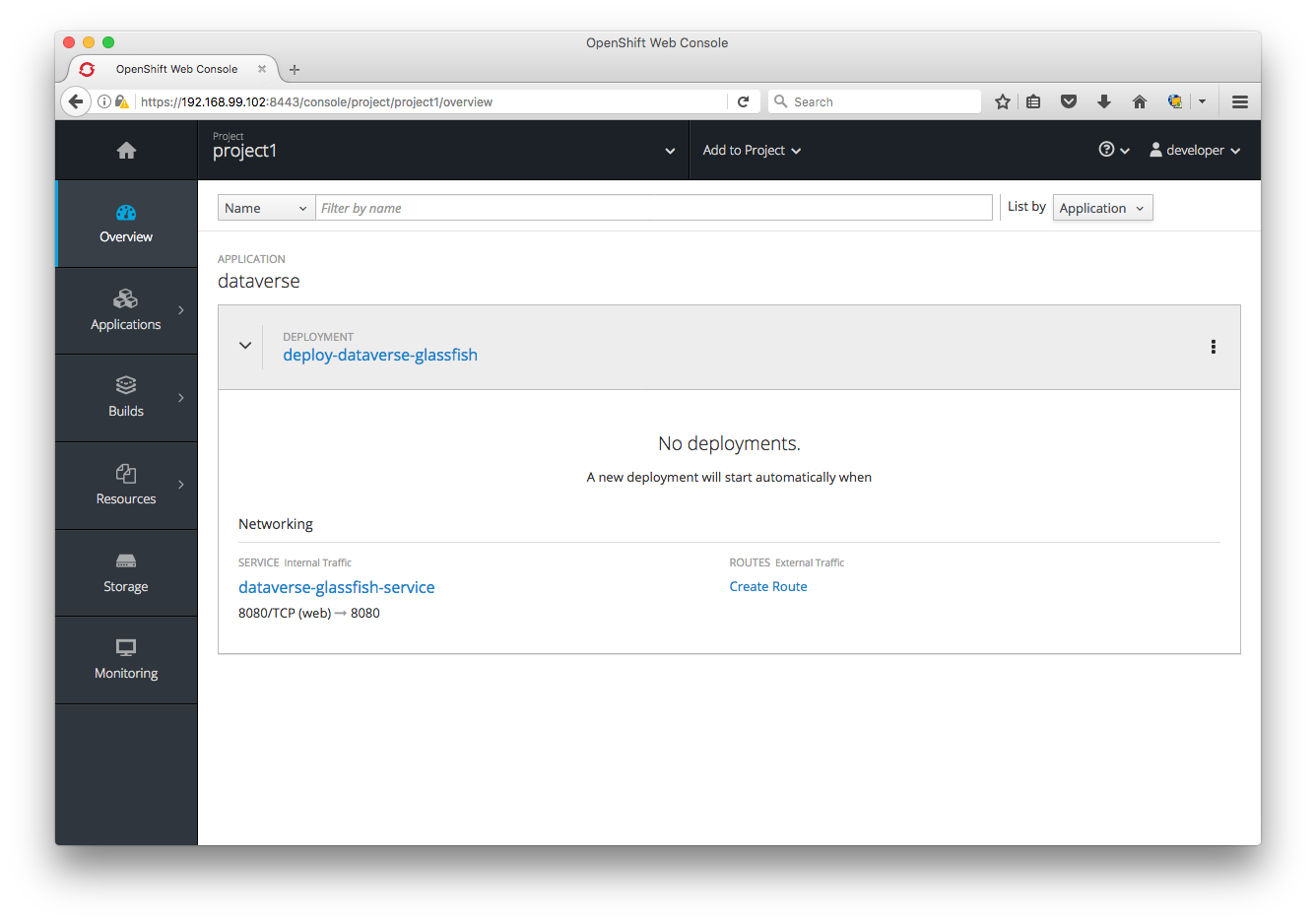
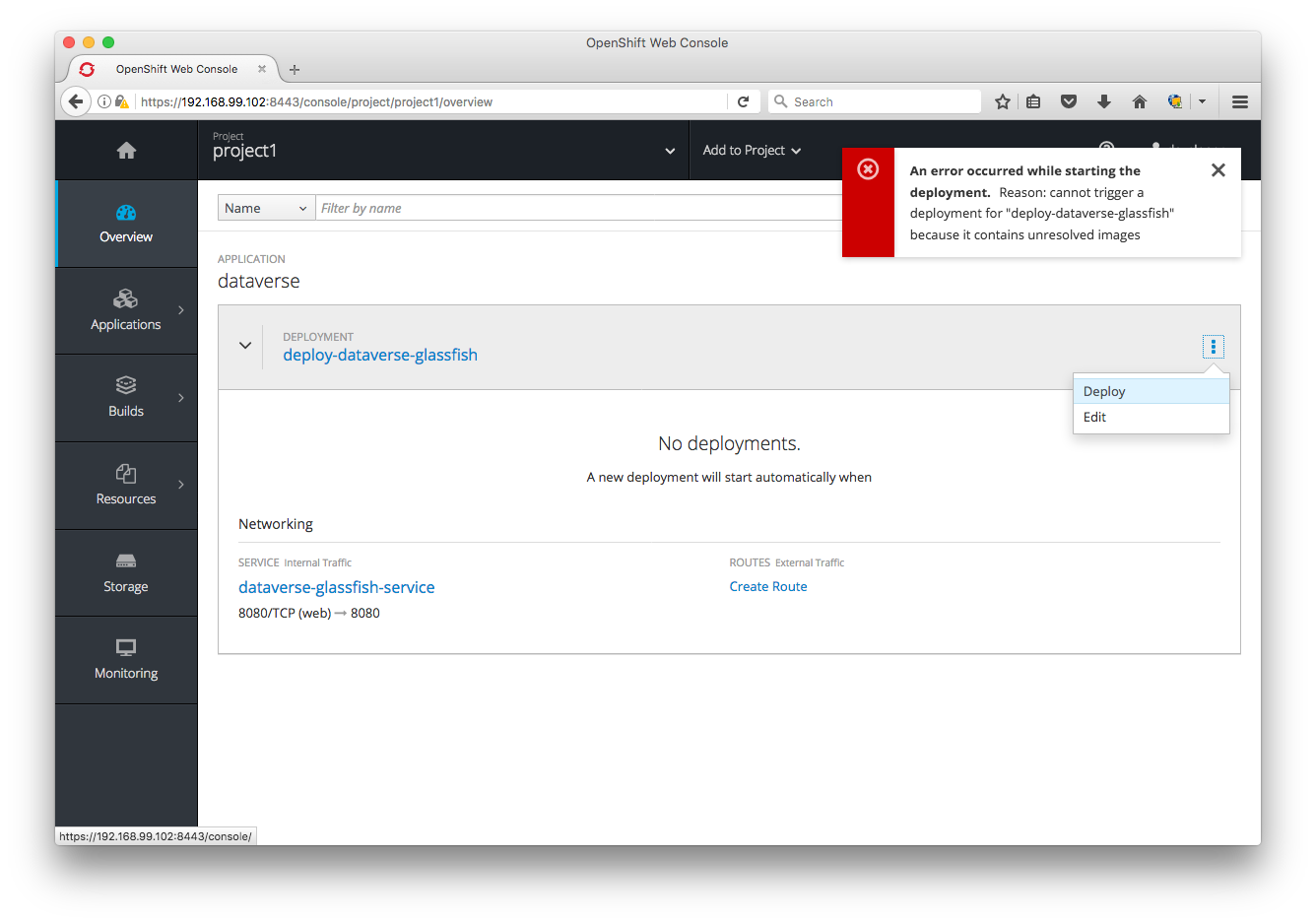
If I click "Deploy" I get "An error occurred while starting the deployment. Reason: cannot trigger a deployment for "deploy-dataverse-glassfish" because it contains unresolved images" like this:
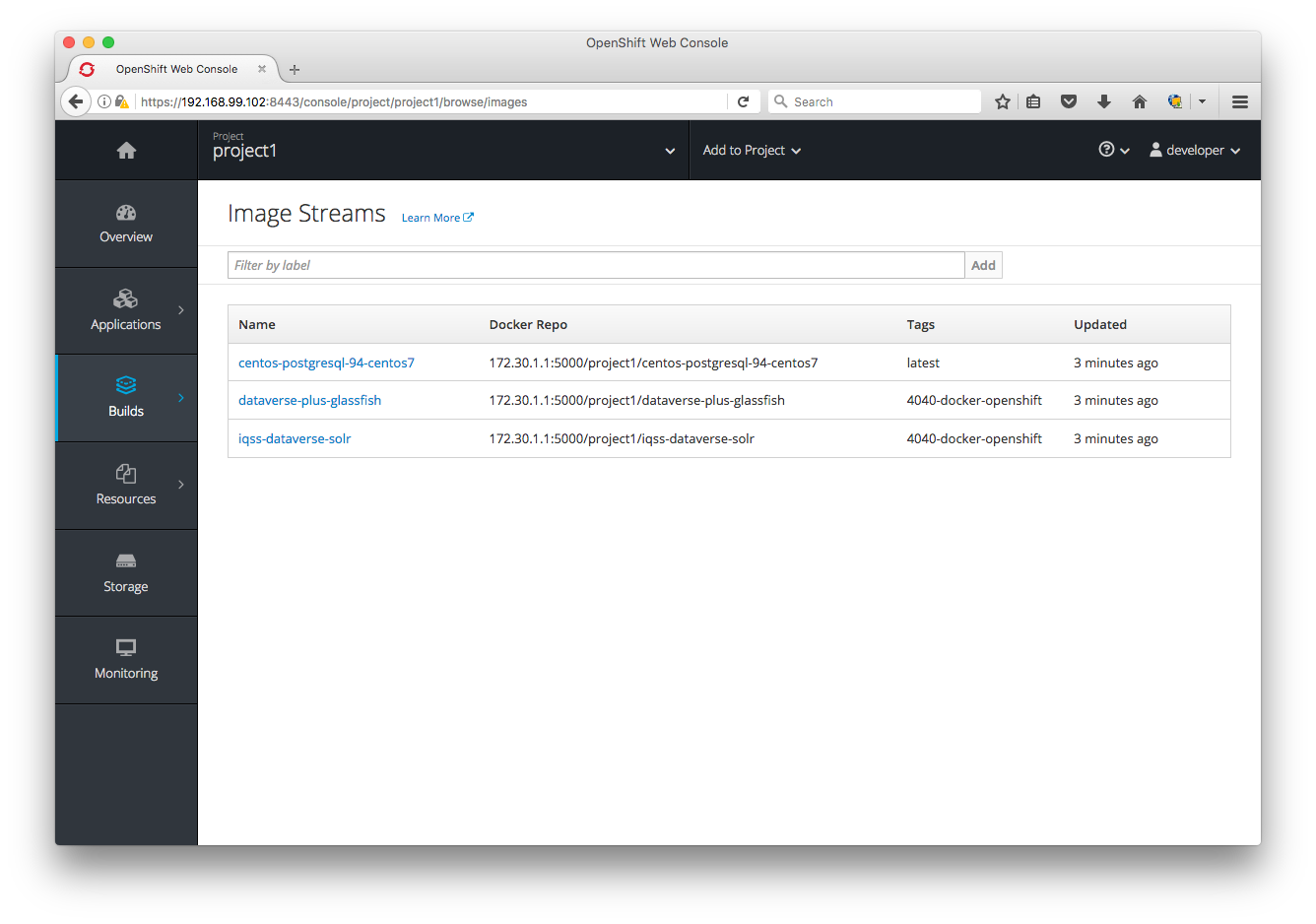
Clicking on "Builds" then "Images" doesn't seem to provide any information on which images are unresolved, but I'm sure is the Dataverse/Glassfish one:
In summary:
- Deployments don't seem to work any more due to unresolved images on both my laptop and @rbhatta99 's laptop. Apart from staring at the output of
oc get all -o jsonI'm not sure how to begin to troubleshoot this. - I got into all this trouble because Minishift stopped reflecting changes I've been pushing to Docker Hub. I don't know why and I don't know where these images are cached in Minishift. Apparently they are not cached in
~/.minishiftbecause as I mentioned earlier I blew that away.
pdurbin
on 22 Sep 2017
@spadgett Looks like the UI is hitting an edge case above with:
A new deployment will start when
@pdurbin Not sure which json you are using but it looks like the glassfish tag is different:
danmcp
on 22 Sep 2017
@danmcp sorry for the confusion. I'm pushing experiments to that "pdurbin" fork (various branch names) and working code to the main "IQSS" repo under the branch "4040-docker-openshift". So I'm not using that "pdurbin" version. I'm using the latest "IQSS" version: https://github.com/IQSS/dataverse/blob/7c81b4e73a3570513dd372b489a66b603f6d594a/conf/openshift/openshift.json ("4040-docker-openshift") branch.
pdurbin
on 22 Sep 2017
@pdurbin The same thing appears to be true there:
danmcp
on 22 Sep 2017
Looks like the UI is hitting an edge case above with: A new deployment will start when
@danmcp Thanks for letting me know. I have a fix: https://github.com/openshift/origin-web-console/pull/2146
 spadgett
on 22 Sep 2017
spadgett
on 22 Sep 2017
@danmcp d'oh! You're totally right! Let me try changing from the 4040-iqss-glassfish tag (which doesn't even exist anymore on Docker Hub) to 4040-docker-openshift! Heads up @rbhatta99 . How embarrassing.
pdurbin
on 22 Sep 2017
@pdurbin At least you found a UI bug with a silly mistake :)
danmcp
on 22 Sep 2017
@danmcp fixed in 6e4ef45 and I'm unblocked! I'm hacking away at conf/docker/dataverse-glassfish/entrypoint.sh and it's fairly quick to push and pull from Docker Hub. Thanks!
pdurbin
on 22 Sep 2017
If I run docker run 8ef1a4082e0a (an image I'm hacking on) with whoami in my entrypoint script it says glassfish because I added USER glassfish to my Dockerfile, following the example by @craig-willis at https://github.com/craig-willis/ndslabs-dataverse/commit/e9382a78380806d181448f53c54a6bb7b36c9c94 . Great.
If I try to run this image in Minishift, also with whoami in my entrypoint script, instead of getting glassfish as output as with vanilla Docker, I'm getting this:
whoami: cannot find name for user ID 1000250000
This must be why @danmcp linked me to https://docs.openshift.org/latest/creating_images/guidelines.html#openshift-origin-specific-guidelines earlier because under "OpenShift Origin-Specific Guidelines" it says "Support Arbitrary User IDs" and "By default, OpenShift Origin runs containers using an arbitrarily assigned user ID." There's a bunch of work I guess I have to do. At first blush it seems complicated.
pdurbin
on 22 Sep 2017
Current to do list:
- [x] Publish images to Docker Hub that aren't changing constantly for testing with Minishift (call them "unstable"?). Fixed in ce949c9 with a tag called "kick-the-tires").
- [x] Switch all Docker images from "4040-docker-openshift" to the "develop" tag. The "4040-docker-openshift" branch will be deleted after it's merged so we should us permanent branch like develop. Before retagging, we should merge the latest from develop into the 4040-docker-openshift branch. Meh. Fixed in ce949c9 to be the "kick-the-tires" tag for now. Some day maybe we can use continuous integration to push a develop tag every night or whatever.
- [x] Confirm that the IQSS Solr image doesn't require root. The image is at https://hub.docker.com/r/iqss/dataverse-solr/ and doesn't seem to require root because the Glassfish image depends on it.
- [x] Get IQSS Dataverse/Glassfish image running as non-root. We are pushing the image to https://hub.docker.com/r/iqss/dataverse-glassfish/ under the "4040-docker-openshift" tag based on the Dockerfile and entry point script at https://github.com/IQSS/dataverse/tree/4040-docker-openshift/conf/docker/dataverse-glassfish . For guidance, see "Support Arbitrary User IDs" at https://docs.openshift.org/latest/creating_images/guidelines.html#openshift-origin-specific-guidelines and look at the work by @craig-willis at https://github.com/craig-willis/ndslabs-dataverse/commit/e9382a78380806d181448f53c54a6bb7b36c9c94 . Fixed in b84526c
- [ ] Once all containers don't require root to run, try to figure out if we can get Dataverse to run within 1 GB of memory on OpenShift Online. Play around with adding memory resource limits such as at https://github.com/pdurbin/dataverse/commit/43ba1fcf4b6413e31dde9119b483520c1a8b898a as described at https://github.com/IQSS/dataverse/issues/4040#issuecomment-331245776 . Figure out why the war file doesn't deploy when memory is constrained. Try setting
CONTAINER_MEMORY_IN_BYTEStocat /sys/fs/cgroup/memory/memory.limit_in_bytesin the Dataverse installer. - [ ] Read and follow instructions at
doc/sphinx-guides/source/developers/dev-environment.rstand make any corrections for our developer docs on getting Dataverse running on Minishift and documenting how to iterate on Docker images on Mac or Linux. Windows is out of scope but @dlmurphy gave it a good effort!jqis mentioned in some of the commands. - [ ] Improve the docs in the Installation Guide for running Dataverse on OpenShift Online once Dataverse can run within 1 GB of memory. The docs start at
doc/sphinx-guides/source/installation/prep.rstbut there is also a dedicated page. If we can't get Dataverse working in 1 GB of memory, delete this content from the Installation Guide. In 43d3844 we're already adding NDS Labs Workbench. - [ ] Consider using three pods instead of one as suggested by @danmcp at https://github.com/IQSS/dataverse/issues/4040#issuecomment-331053411
- [ ] Figure out how to iterate on Docker images more quickly by using Minishift's internal registry rather than Docker Hub, which requires time consuming uploads and downloads. Right now we are getting "authentication required": https://github.com/IQSS/dataverse/issues/4040#issuecomment-330910416
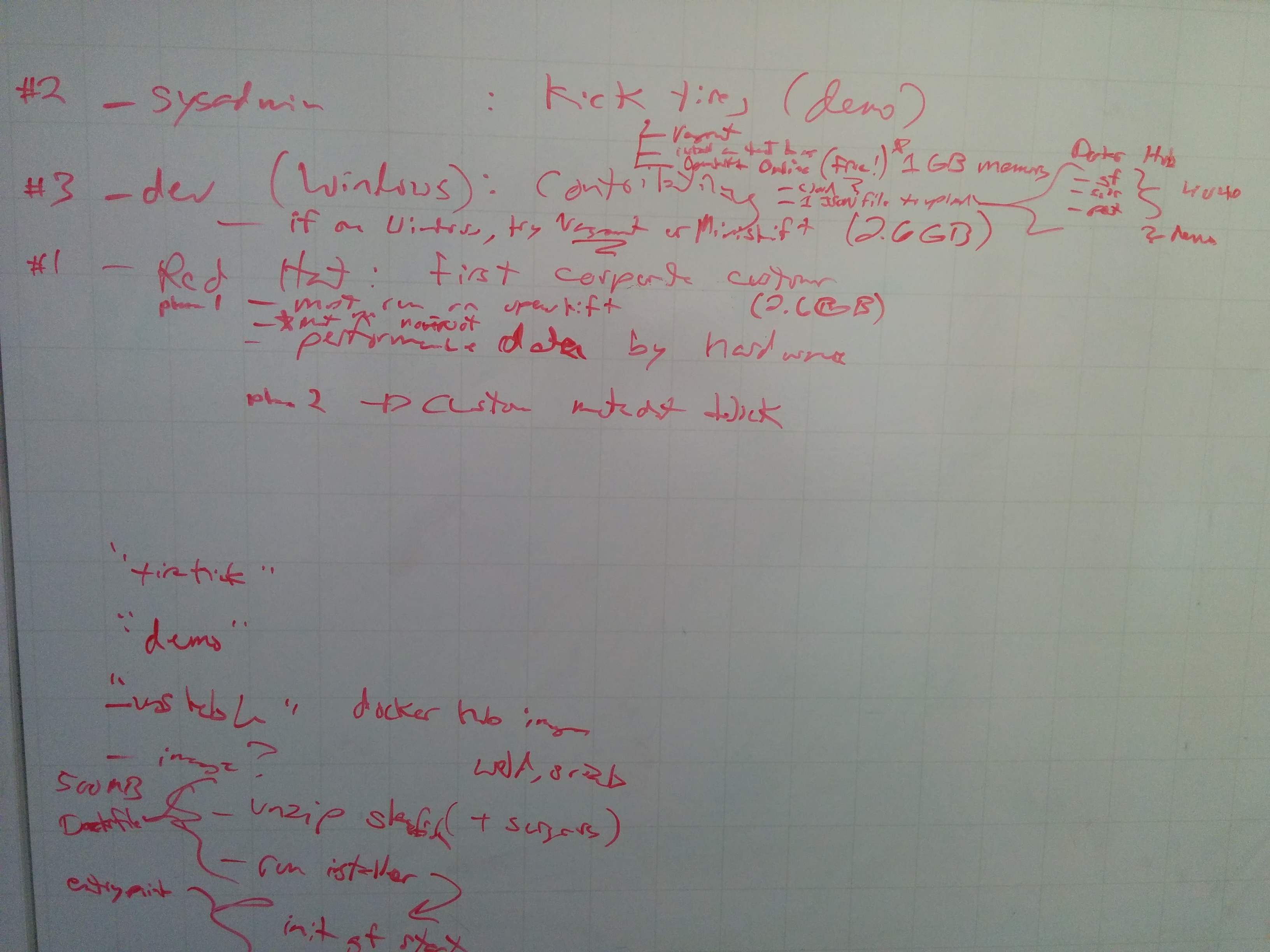
Post standup whiteboarding with @dlmurphy and @pameyer on 2017-09-25:
pdurbin
on 25 Sep 2017
@dlmurphy as we discussed this morning, I just pushed some Docker images to Docker Hub under a tag called "kick-the-tires" that I promise not to mess with for a while to give you a chance to try the Minishift instructions I've been writing at http://guides.dataverse.org/en/4040-docker-openshift/developers/dev-environment.html#openshift . Please let me know if you have any questions! (@rbhatta99 also got this Minishift working on Windows already.) I just tested everything and I was able to spin up Dataverse in Minishift. Here are some screenshots that show the "dataverse-glassfish-service-project1" link:
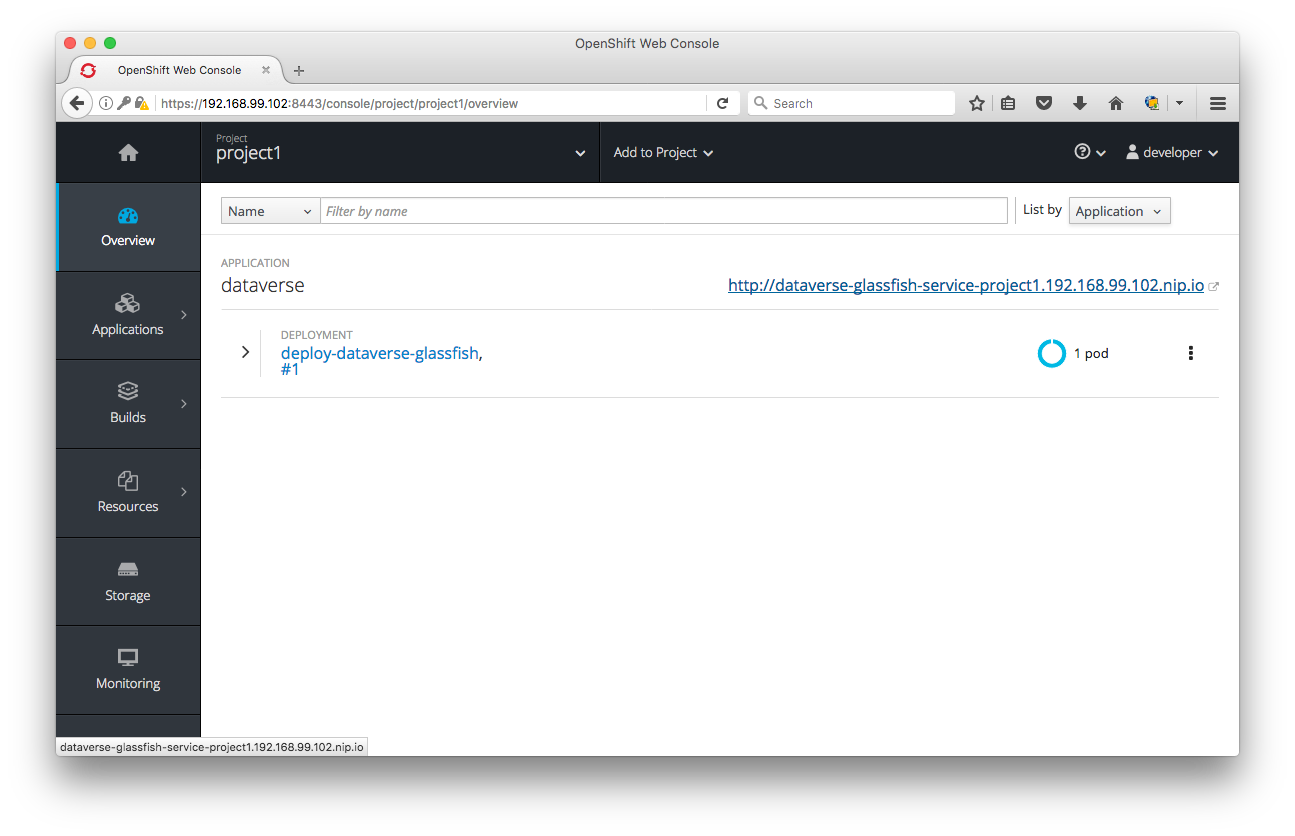
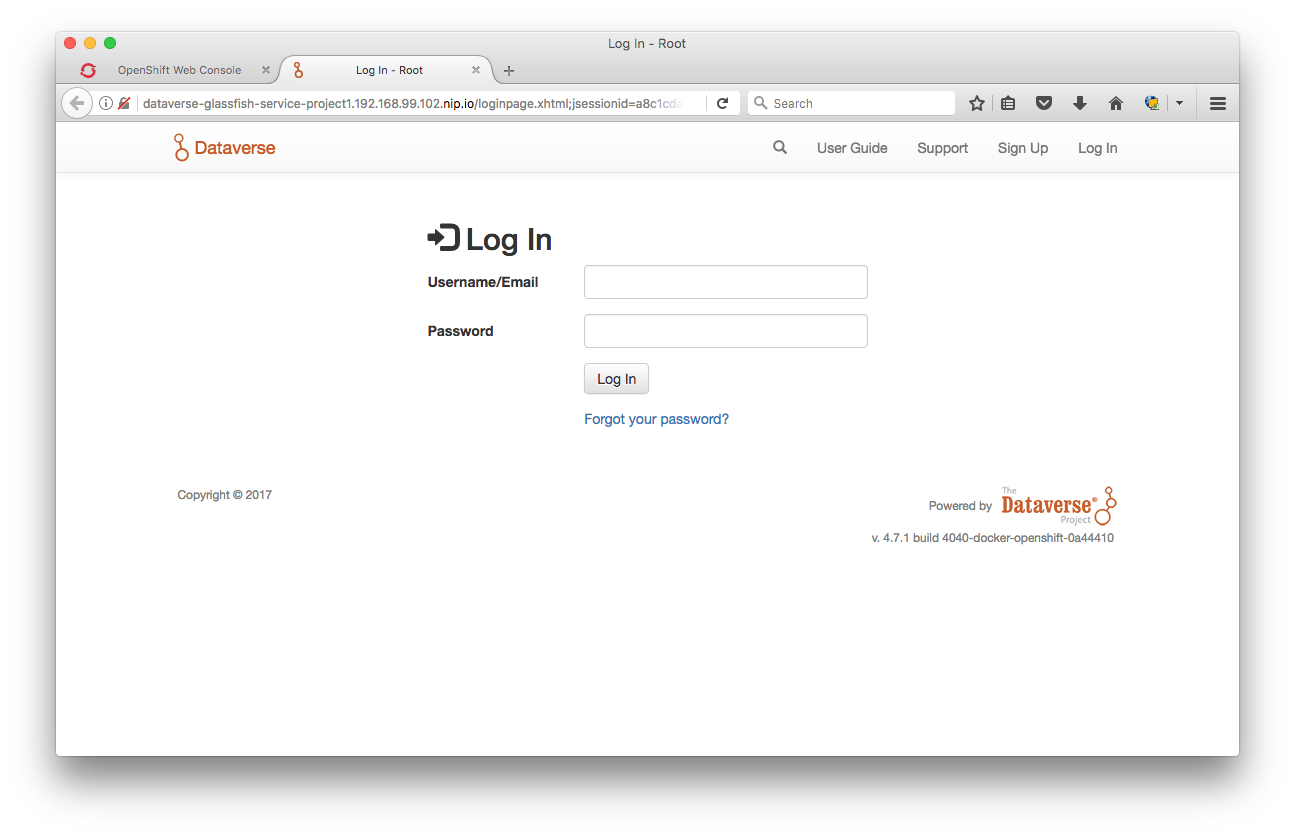
I'm going to keep working away on the todo list above., especially trying to get the containers to run as non-root and then getting them to run in 1 GB of memory. If anyone wants to help with these efforts or anything else on the list, please let me know and I'll get you spun up.
@djbrooke thanks for creating #4152 about NDS Labs Workbench. I went ahead and committed 43d3844 to at least put it on people's radar and give a shout out to @craig-willis ! I don't know why I didn't think earlier to mention this in the Installation Guide as a great way to kick the tires on Dataverse. In the commit I even mentioned Kubernetes just for the buzz factor. 😄
pdurbin
on 25 Sep 2017
@danmcp I've encountered a problem trying to set up Minishift on my Windows 7 laptop. I've been following @pdurbin 's instructions here.
I'm on the step titled "Allow Containers to Run as Root in Minishift". Everything works up to this point, but I'm seeing an error when I run this command: oc adm policy add-scc-to-user anyuid -z default --as system:admin
Here's a screenshot of the error:

Phil and I are stuck on this. Do you know how we can get this command to work properly?
 dlmurphy
on 26 Sep 2017
dlmurphy
on 26 Sep 2017
@dlmurphy Try logging in as system admin and then running the command:
oc login -u system:admin
oc adm policy add-scc-to-user anyuid -z default
danmcp
on 26 Sep 2017
@danmcp That worked, thanks!
dlmurphy
on 26 Sep 2017
@landreev thanks for looking over my shoulder. I think I'm making some progress on running the glassfish container as non-root. My config is an absolute mess but I'm pushing what I've got so far (before I leave for the day) to my "pdurbin" fork: https://github.com/pdurbin/dataverse/commit/7f6fed78249742811db1e3fef8aed8ad18c3e97e
pdurbin
on 26 Sep 2017
It didn't work out for @dlmurphy to run Minishift on Windows. Too fiddly, as mentioned at https://github.com/IQSS/dataverse/issues/3927#issuecomment-332305474 . I make a lot of assumptions about Mac or Linux in the docs I wrote, such as having jq installed and in your path. Some of this stuff can probably be overcome but it's probably isn't worth the effort. We plan to some day improve the developer story for people on Windows in #3927.
I'm still updating the todo list at https://github.com/IQSS/dataverse/issues/4040#issuecomment-331888351 but time is short for this sprint and I'm focusing on getting my Dataverse/Glassfish container running as non-root. I think I made some good progress today. Fingers crossed. The iteration cycle is painfully slow, as @landreev observed. I keep deleting the project on the Minishift side for each run and it can take a few minutes before I'm able to create a project with the same name. If there's a better way, I'm all ears.
pdurbin
on 27 Sep 2017
Woo-hoo! I just got my Dataverse/Glassfish container running as non-root! I pushed b84526c.
The next question is if we can get Dataverse to run in 1 GB of memory or less. If not, I'll remove thing I added to the Installation Guide about trying to kick the tires on Dataverse using OpenShift Online and make a pull request and move this issue to code review. I assume @danmcp and @portante don't mind terribly if Dataverse requires more than a gig of RAM.
pdurbin
on 27 Sep 2017
@pdurbin No, I think the starter tier is the only place it's going to be a problem.
danmcp
on 27 Sep 2017
@danmcp it sounds like you're saying you'd like Dataverse to run well in 1 GB of memory. Is that right? Is this a show stopper for you and @portante? How much memory are you willing to allocate to Dataverse? I'm a little worried that even if I get Dataverse to deploy to 1 GB of memory on the free tier of OpenShift Online that people who are kicking the tires on it might get a bad impression if certain memory hungry operations don't work. I'm thinking about "ingest" of large files but I'm sure there are other things I'm not thinking of. Thanks for the tip on /sys/fs/cgroup/memory/memory.limit_in_bytes by the way. I'm adding a check into the Dataverse installer.
pdurbin
on 27 Sep 2017
@pdurbin No worries if it doesn't work in 1GB. But it would be nice if it would work with the start tier.
danmcp
on 27 Sep 2017
@danmcp ok. Thanks. I'm about to make a pull request so I pulled out the dream of running Dataverse for free in OpenShift Online: ca6b6be
@landreev heads up that in that same commit I adjusted the installer to check sys/fs/cgroup/memory/memory.limit_in_bytes but I don't do anything with the value beside printing it out.
pdurbin
on 27 Sep 2017
I just created pull request #4168 and moved this issue to code review at https://waffle.io/IQSS/dataverse
Originally, we hoped that in our Installation Guide that we'd be able to tell sysadmins who are trying to install Dataverse that they can simply sign up for an OpenShift Online account and upload a JSON file to get an instance of Dataverse running in the cloud for free but I can't get the Dataverse war file to deploy when I limit the memory allocated to Glassfish to 512 MB. That's half of the memory available to the OpenShift Online free tier, which is 1 GB (PostgreSQL and Solr need memory too). I did adjust the installer to check if it's running in Docker/OpenShift/Minishift so you should see some extra output if it is. The value is printed out put not used.
We also hoped that perhaps Docker would be a good solution for Windows users interested in hacking on Dataverse code and perhaps it would be. I guess I'll go leave a comment on #3927 at some point mentioning that we've now documented how to create Docker images. I suppose contributors making pull requests could push and pull to their own namespace under Docker Hub. Personally, I'm also interested is seeing if I could using the Minishift registry but I couldn't get this working, as I documented in the Dev Guide.
The most meaningful deliverable, I suppose, is that I've documented how to build Docker images for Dataverse and have started pushing them to https://hub.docker.com/u/iqss/ but these IQSS Docker images are highly experimental which is why I have tagged them with kick-the-tires. The pull request included Dockerfiles for Dataverse/Glassfish and Solr, based work by @craig-willis but with plenty of hacks and ugliness I added. I also added a todo list to the Dev Guide about shortcomings that I'm aware of in these Docker images. There are many. Really they're just for booting once, having Dataverse get installed, and spinning down. Perhaps @craig-willis can give them a while in NDS Labs Workbench (now mentioned in the Installation Guide above Vagrant!) to see if they're useful to him. They're running Dataverse 4.8 at least, which was released yesterday. Also, you don't have to run the containers as root, which is better for security (though I agree with @landreev that it's somewhat concerning that the random user in the container can write to /etc/passwd).
@danmcp @portante are you interested in giving feedback on the pull request now while it's in code review? I'm happy to make any changes you require and push new images to the kick-the-tires tag on Docker Hub. Dataverse runs on OpenShift now, or a least Minishift, which is what we set out to do. 😄
pdurbin
on 27 Sep 2017
@danmcp and I are discussing single vs. multiple pods at https://github.com/IQSS/dataverse/pull/4168#pullrequestreview-65639738
At standup this morning, I believe we're thinking we want to go ahead and move what we've got to QA. Please correct me if I'm wrong @djbrooke and @landreev ! @pameyer has some suggestions that may result in a new issue as well.
pdurbin
on 10 Oct 2017
Thanks @pdurbin and @danmcp! Nice coordination on this.
If we have something functional but not perfect that the Dataverse Community would benefit from having released, we should focus on getting that chunk through Code Review and QA. I'm fine with creating an additional issue to capture additional work.
 djbrooke
on 10 Oct 2017
djbrooke
on 10 Oct 2017
After standup I spoke with @djbrooke and @landreev about both #4040 (this issue) and #3938 and I'm going to summarize the decisions made.
With pull request #4168 we feel like we've delivered on #3938 which is about getting developers comfortable with using Docker. As a bonus, by investigating OpenShift and Minishift, developers also have a way of orchestrating the three Docker containers (Dataverse/Glassfish, PostgreSQL, and Solr) into a running application. So, we'll put #3938 through QA. It's good enough for developers to start playing around with Docker, though I can't personally imagine using it day to day. It might even be good enough for @craig-willis to switch NDS Labs Workbench to the IQSS Docker images but he'll have to let us know. #4152 represents the desire for the Dataverse team to someday play around with NDS Labs Workbench.
This issue (#4040) is more about getting Dataverse to run fairly well on OpenShift and while it does as of pull request #4168 (many thanks to @danmcp and others for all the assistance!), we want to make sure that @portante can imagine actually running Dataverse on OpenShift. Basically, we'd like to merge what we've got in pull request #4168 since it's a toehold into the Docker/Kubernetes/OpenShift world but then work more with @portante and @danmcp on improving the openshift.json file and various Docker files until they're happy with them. We'll take feedback now but @djbrooke and I decided to move this issue into the backlog to be picked up in the future. My understanding of next steps are:
- [ ] Use three pods instead of one as explained at https://github.com/IQSS/dataverse/pull/4168#pullrequestreview-65639738
- [ ] Anything else @portante and @danmcp want to unblock them from using Dataverse and being able to move on to the next phase of creating a custom metadata block. Notes from our most recent meeting on Sep 7 with @landreev and @scolapasta can be found at https://github.com/IQSS/dataverse/issues/4040#issuecomment-327915208
I hope this all makes sense. Please let me know if there are any questions!
pdurbin
on 11 Oct 2017
Just a quick note that in pull request #4450 @danmcp split the single DeploymentConfig into three (one for each service: Glassfish, Postgres, and Solr). I'm on 2baa606 at the moment and I just confirmed that I can still spin up Dataverse in Minishift, log in, and create a dataverse. I gave Dan push access to https://hub.docker.com/u/iqss/ because the new config required changes to the images. Specifically, he used the following as the default.config file (thank you again to @pameyer for adding that feature):
HOST_DNS_ADDRESS localhost
GLASSFISH_DIRECTORY /usr/local/glassfish4
ADMIN_EMAIL
MAIL_SERVER mail.hmdc.harvard.edu
POSTGRES_ADMIN_PASSWORD secret
POSTGRES_SERVER dataverse-postgresql-service
POSTGRES_PORT 5432
POSTGRES_DATABASE dvndb
POSTGRES_USER dvnapp
POSTGRES_PASSWORD secret
SOLR_LOCATION dataverse-solr-service:8983
TWORAVENS_LOCATION NOT INSTALLED
RSERVE_HOST localhost
RSERVE_PORT 6311
RSERVE_USER rserve
RSERVE_PASSWORD rserve
Note that POSTGRES_SERVER and SOLR_LOCATION no longer reference hostnames but rather "services" in Minishift/OpenShift/Kubernetes.
He also updated the war file to the latest release (4.8.5).
pdurbin
on 8 Feb 2018
I had a nice meeting on Friday with @danmcp @DirectXMan12 @patrickdillon @MichaelClifford Ashwin and Ryan (sorry, I don't know your GitHub username). I merged pull request #4501 from @danmcp to fix up our OpenShift config.
Based on feedback in that meeting I made some improvements to the OpenShift and Docker sections of the dev guide in pull request #4500. Heads up that as part of #4419 I'm moving that content to a dedicated page (see 6bee8d1 for example).
pdurbin
on 12 Mar 2018
@patrickdillon discovered that on the "develop" branch (I just tested 5ed5edf), when you create a dataverse it is not indexed into Solr (thanks!). The UI doesn't show the facets (screenshot attached) and in server.log we see errors like this:
<h2>HTTP ERROR: 404</h2>
<p>Problem accessing /solr/update. Reason:
<pre>    Not Found</pre></p>

<h2>HTTP ERROR: 404</h2>
<p>Problem accessing /solr/spell. Reason:
<pre>    Not Found</pre></p>
To be honest, I don't remember if indexing ever worked in the OpenShift environment. The main way I've been testing is by logging in. Here's a screenshot of how the dataverse I just created isn't indexed:

2018-03-21 Update: The screenshot above is actually a bad example because it's expected that a dataverse you just created doesn't have any children. However, I re-tested this yesterday and it really is broken. If you navigate to the root, nothing shows as being indexed. I'm hoping to fix this as part of the upgrade to Solr 7 in #4158.
pdurbin
on 14 Mar 2018
Ok, I just tweaked our openshift config in 493badf an got Solr working in that branch/pull request, which hasn't been merged yet. The tag on DockerHub is called "4158-update-solr" if anyone wants to try it out. This is the branch where we're upgrading from Solr 4 to Solr 7 so when it gets merged, we'll need to push new images to the "latest" tag on Docker Hub.
I should note that because I was struggling so mightily with getting Solr 7 working in openshift, I sort of gave up and started running it in /tmp over at 94786ff . At some point I'll work with @danmcp or @DirectXMan12 or some other OpenShift guru to either make this right or more preferably, move to a standard openshift-compatible image that we don't have to build ourselves, like we do with postgres (we use postgres image from centos). This one from @dudash might be a candidate but I haven't tried it yet: https://github.com/dudash/openshift-docker-solr
Anyway, the other fix was to restart Glassfish to pick up the change to the :SolrHostColonPort setting. I'd consider this a bug in the installer that we should fix. Most people who install Dataverse don't run into this because they install everything on a single server.
pdurbin
on 22 Mar 2018
Pull request #4520 was merged yesterday and I just ran build.sh in conf/docker to push new images to the "latest" tag:
- https://hub.docker.com/r/iqss/dataverse-glassfish/tags/
- https://hub.docker.com/r/iqss/dataverse-solr/tags/
This means that Solr has been upgraded to Solr 7 in that image and the Dataverse war file has been updated to a version (commit 037cb9c) that's compatible with it. Again, there's technical debt in that Solr image (it's running out of /tmp but these images are not intended for production use at this time. As I mentioned before, we should investigate switching to https://github.com/dudash/openshift-docker-solr or some other Solr image that already runs well on OpenShift.
pdurbin
on 3 Apr 2018
Just a quick note to say that I just pushed images to Docker Hub as of 639715d which includes the following changes:
- pull request #4598 Add Postgresql Statefulsets with Replication to OpenShift/Kubernetes
- pull request #4617 Add Glassfish Statefulsets to OpenShift/Kubernetes
- pull request #4621 Solr 4.3.0 upgrade
I did a simple test of creating a dataverse and making sure that it's indexed. It seems fine.
Yesterday I went to the final demo of the stateful sets work (two of the pull requests above) that was contributed by the BU students @danmcp @DirectXMan12 and I have been mentoring all semester. I highly recommend watching their final video at https://github.com/BU-NU-CLOUD-SP18/Dataverse-Scaling#our-project-video which explains what they were up to. We're still a long way from having a production-ready environment on OpenShift for running Dataverse, but these stateful sets will help us scale Glassfish and Postgres independently in the future. As a bonus, since the project included some load testing, check out JMeter script that have been added to #4201. A huge THANK YOU to these students for all of their hard work: Patrick Dillon, Michael Clifford, Ashwin Pillai, and Ryan Morano. See also the thread at https://groups.google.com/d/msg/dataverse-community/TSxf4MTYYjg/7VJB_-GJBAAJ
On a related note, another group of BU students in the same class worked on a project related to Dataverse and OpenShift. See the "Spark and Dataverse (Big Data Containers, computation)" thread for more: https://groups.google.com/d/msg/dataverse-community/P4llZSssZ2Q/zvhGltLpAQAJ . Thank you to them as well!
pdurbin
on 2 May 2018
Just watched the final video and it was super cool to see this in action! You guys did a great job and it is awesome to see Dataverse being able to take the steps towards being fully scalable.
 ferrys
on 3 May 2018
ferrys
on 3 May 2018
This is good news and the work is in the same direction as UiT's goals for Dataverse 👍
 xibriz
on 8 May 2018
xibriz
on 8 May 2018
Given that there are 96 hidden comments on this issue...

... it's probably time for a fresh one. When we pick up this work again let's open a new issue and link to it from here. Closing.
pdurbin
on 13 Nov 2018
Related issues
 lmaylein
·
3Comments
lmaylein
·
3Comments
 bsilverstein
·
3Comments
bsilverstein
·
3Comments
 jggautier
·
4Comments
jggautier
·
4Comments
 BPeuch
·
3Comments
jggautier
·
3Comments
BPeuch
·
3Comments
jggautier
·
3Comments