Dataverse: Email Verification: 2 issues; refresh un-verifies, verify email button should always be available.
Users are starting to use this feature and one reported an issue where they had confirmed their email but the account page said not verified and they did not know what to do, see RT 242896
I found a couple things that may impact this:
- If I'm on the account info page where there is a verify email button, I press it and then after clicking the confirmation button I refresh that page, it asks to resubmit the form and then it "unverifies" me and sends another email.
- It seems the verify email button does not appear until after the initial confirmation email timeout, default 24hrs. In cases where there is an issue, like this, it may be useful to always display the button.
 kcondon
All 12 comments
I just noticed this bug at https://github.com/IQSS/dataverse/issues/3405#issuecomment-256977123
 pdurbin
on 28 Oct 2016
pdurbin
on 28 Oct 2016
Assigning this issue to myself, will work to recreate both of these and go from there. May need to consult the team regarding best practice with changing the Verify Email button's behavior (keeping it visible after confirmation vs having it disappear).
 bsilverstein
on 28 Oct 2016
bsilverstein
on 28 Oct 2016
Proposed solution:
- Always show "Verify Email" button on Account pg
- User clicks button, backend logic...
- checks for and clears expired tokens
- checks for active tokens
- if none, send email with new token
- if active token found, triggers confirmation popup telling them to check their email
 mheppler
on 16 Nov 2016
mheppler
on 16 Nov 2016
May I check if there are any updates on the missing email verification button? I've encountered cases where the email verification button do not appear even after the 24 hours deadline has passed.
 chewsw
on 9 Oct 2018
chewsw
on 9 Oct 2018
@chewsw hi, no one is working on this bug. If someone out there in the community would like to work on it, I'm happy to point out where in the code to start looking.
pdurbin
on 9 Oct 2018
Notes from discussion with @pdurbin:
Situations of use:
- people don't click the link in the welcome email, or the link in the email expires.
- @donsizemore wants to see/track unvalidated accounts?
The button sends the user a new email with a new link (good for 24hrs) to the email address on file.
In general, account creation flows are typically as follows:
- users don't have an account until/unless an account is verified via email. This convention prevents security issues and reduces fake/dead accounts. Are there good reasons for Dataverse to continue to have unverified accounts? If so, what are they?
- users are able to create (unverified) accounts, and when they take an action that requires validation, they get a popup telling them to check their email for the validation link, or to request a new email with new validation link. Users might have an account page, with account status. If so, there might be a message to request a new email to verify the account. Rather than show an error, this feature would be more friendly if we show an info message with a link to send a new email. Something like, "This account is not verified. Please check for email sent to [useremailaddressonfile], or request a new email to verify your account."
 TaniaSchlatter
on 3 Sep 2020
TaniaSchlatter
on 3 Sep 2020
@poikilotherm I edited the notes above after further discussion with @pdurbin, and before seeing your response. Are you thumbs up for having the request account verification email, or for questioning the purpose of unverified accounts?
TaniaSchlatter
on 3 Sep 2020
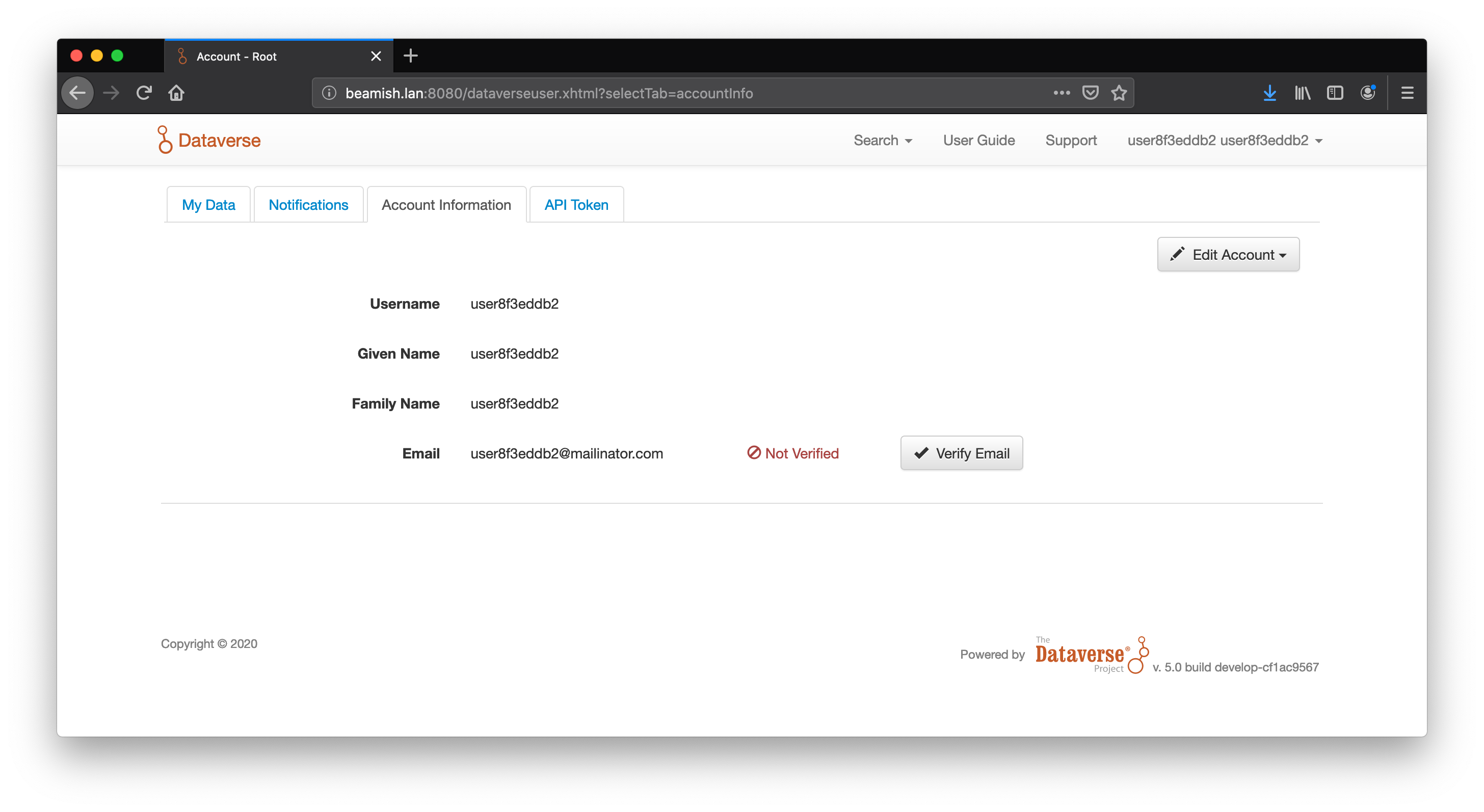
Adding a screenshot of the current state:
TaniaSchlatter
on 3 Sep 2020
Questioning unverified accounts. Every service out there these days will force you to validate your email address. Some just show a banner, some are more restrictive. IMHO a banner is a must to remember people, now that mail groups are a reality. IMHO this could be extended to limit people to read-only access, as a valid email address is vital for people trying to contact a depositor.
Adding a column with the verification status to the admin user dashboard would be another huge benefit, as an admin has very limited possibilities to catch on the status without using the API right now.
 poikilotherm
on 3 Sep 2020
poikilotherm
on 3 Sep 2020
@djbrooke @TaniaSchlatter and I just had a meeting and one of the questions that came up is what the user sees after clicking an expired link. The answer is an error saying "We were unable to verify your email address." Here's the error in context:
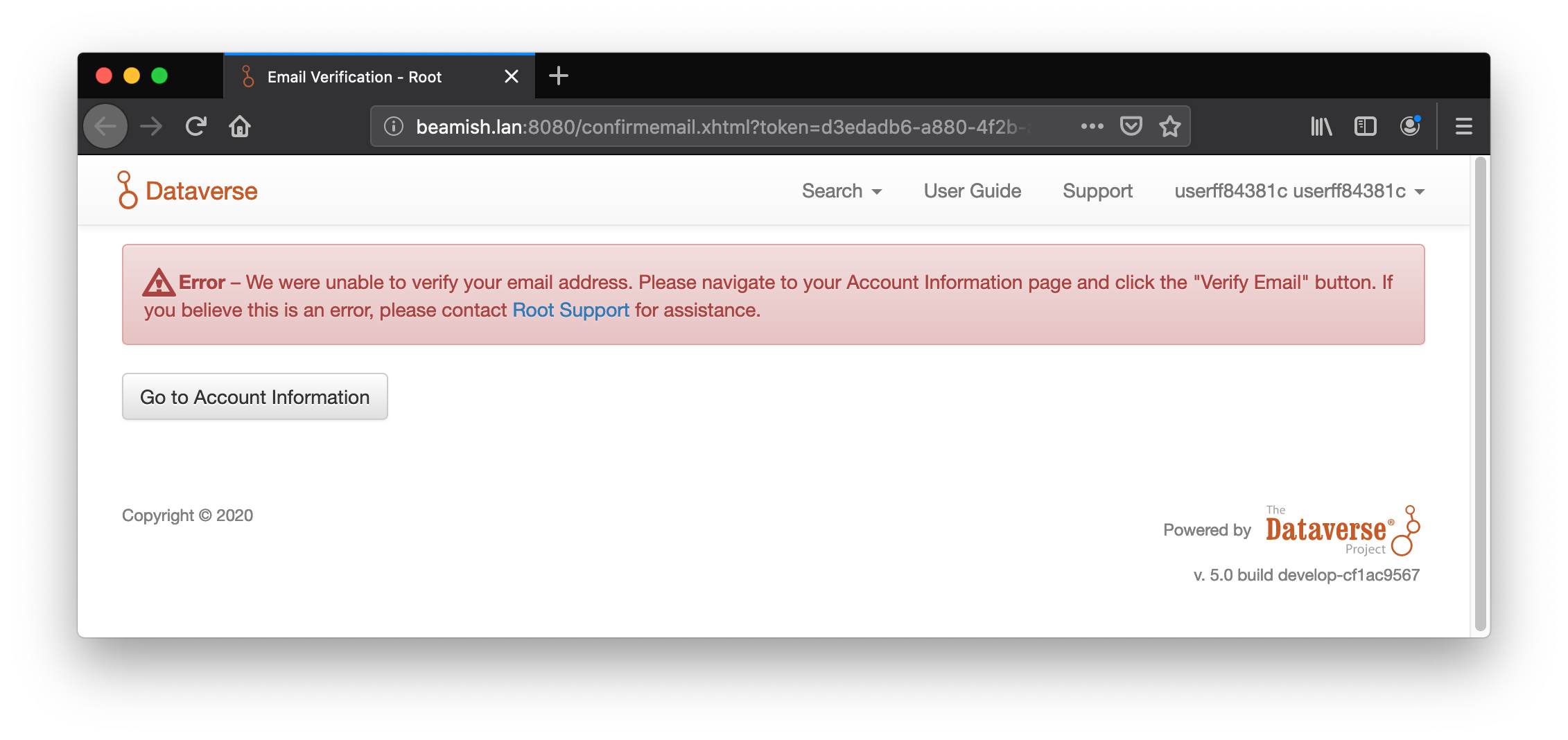
This is a good error, of course. We want expired links to actually be expired.
As I said in the meeting, overall I feel like the confirm email feature is in pretty good shape. Clicking the link or a new account works. Clicking links for an existing unconfirmed account works.
I think the biggest problem is that if you have a link in the database and never got the email or the link expired, that expired link can hang around for a while. When you have a link already (and may not even know it) the UI won't give you the opportunity to request a new one. There's no button to click. So, now that we're getting better at timers, I would suggest putting the "delete expired links" method on a timer that runs every day or every hour.
pdurbin
on 8 Sep 2020
Adding responsive layout UI cleanup note from other issues, as it is more appropriate to fix in this effort.
- email verify icon overlaps email address #4484
- Handle long strings in the UI #6578
- Truncate methods: checksums, long summary metadata fields #6685
Anything learned in the truncating/toggle efforts of #6685 should be added here if necessary. Should investigate what the system allows for email address character limits. Wrapping long emails within the container using CSS word-break might be more appropriate than truncating with ellipses or a toggle.
mheppler
on 28 Sep 2020
I'd like to take another pass at this as part of a sprint. I was just getting back to things on Sept 8th when we discussed above (thanks @TaniaSchlatter and @pdurbin) and I asked for it to be moved back to Needs Discussion, but reviewing this again I think we can talk through the remaining issues after picking this up. My goal with this issue is to fix the verification system so that users can reliably put their accounts into a "verified" status, not make any changes to the privileges of verified/non-verified users. That can come next.
 djbrooke
on 13 Nov 2020
djbrooke
on 13 Nov 2020
Related issues
 atrisovic
·
3Comments
atrisovic
·
3Comments
 jggautier
·
4Comments
jggautier
·
4Comments
 matthew-a-dunlap
·
4Comments
jggautier
·
3Comments
matthew-a-dunlap
·
4Comments
jggautier
·
3Comments
 amberleahey
·
3Comments
amberleahey
·
3Comments
Most helpful comment
Notes from discussion with @pdurbin:
Situations of use:
The button sends the user a new email with a new link (good for 24hrs) to the email address on file.
In general, account creation flows are typically as follows: