Datasets: Colab Notebook breaks when downloading the squad dataset
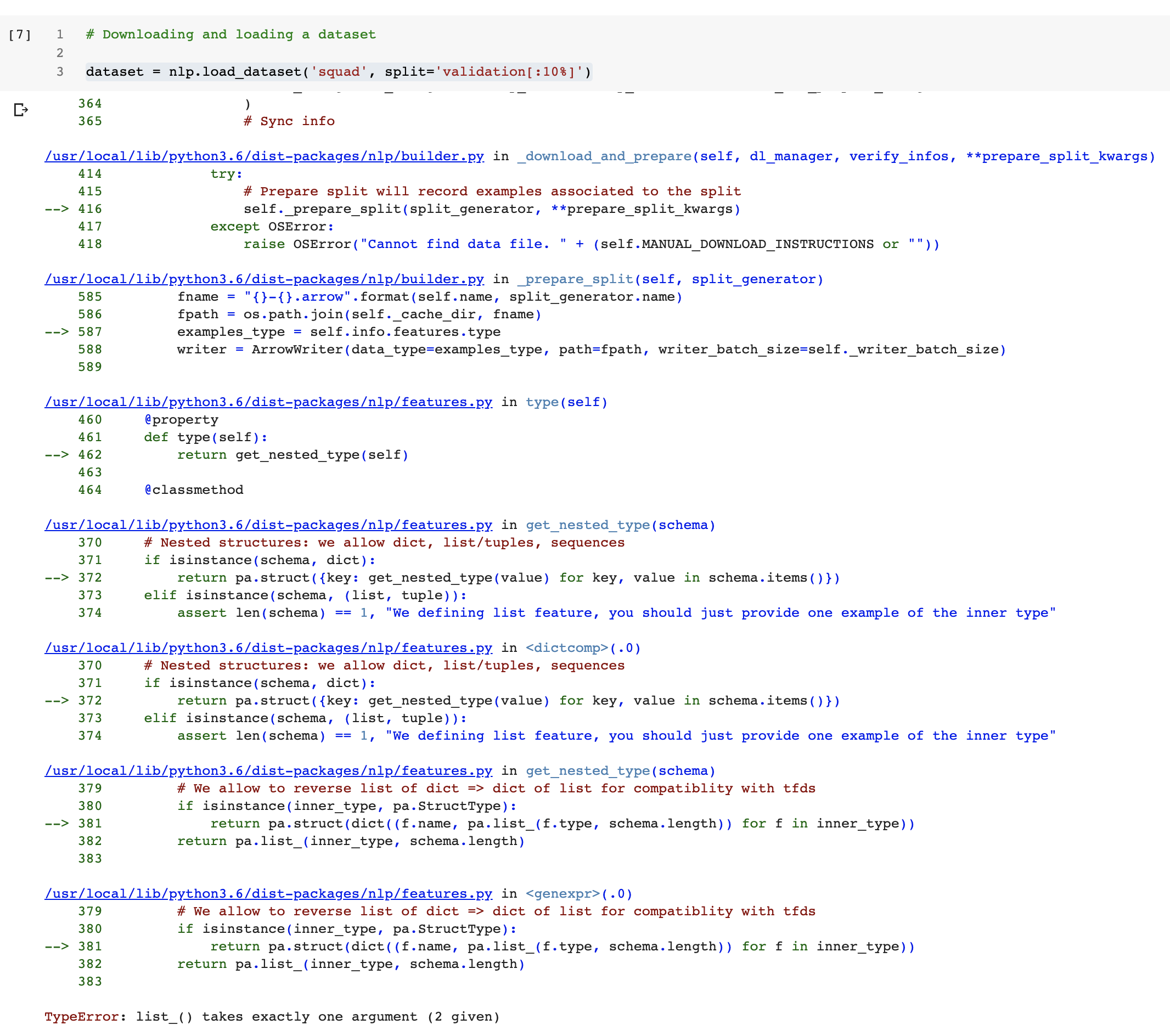
When I run the notebook in Colab
https://colab.research.google.com/github/huggingface/nlp/blob/master/notebooks/Overview.ipynb
breaks when running this cell:
 carlos-aguayo
All 6 comments
The notebook forces version 0.1.0. If I use the latest, things work, I'll run the whole notebook and create a PR.
But in the meantime, this issue gets fixed by changing:
!pip install nlp==0.1.0
to
!pip install nlp
carlos-aguayo
on 30 May 2020
It still breaks very near the end

carlos-aguayo
on 30 May 2020
When you install nlp for the first time on a Colab runtime, it updates the pyarrow library that was already on colab. This update shows this message on colab:
WARNING: The following packages were previously imported in this runtime:
  [pyarrow]
You must restart the runtime in order to use newly installed versions.
You just have to restart the runtime and it should be fine.
If you don't restart, then it breaks like in your first message
 lhoestq
on 30 May 2020
lhoestq
on 30 May 2020
Thanks for reporting the second one ! We'll update the notebook to fix this one :)
lhoestq
on 30 May 2020
This trick from @thomwolf seems to be the most reliable solution to fix this colab notebook issue:
# install nlp
!pip install -qq nlp==0.2.0

# Make sure that we have a recent version of pyarrow in the session before we continue - otherwise reboot Colab to activate it
import pyarrow
if int(pyarrow.__version__.split('.')[1]) < 16:
    import os
    os.kill(os.getpid(), 9)
 patrickvonplaten
on 3 Jun 2020
patrickvonplaten
on 3 Jun 2020
The second part got fixed here: 2cbc656d6fc4b18ce57eac070baec05b31180d39
Thanks! I'm then closing this issue.
carlos-aguayo
on 4 Jun 2020
Related issues
 gregburman
·
7Comments
gregburman
·
7Comments
 donggyukimc
·
5Comments
donggyukimc
·
5Comments
 elyase
·
7Comments
elyase
·
7Comments
 NielsRogge
·
3Comments
NielsRogge
·
3Comments
 dpressel
·
7Comments
dpressel
·
7Comments