Dashboard: Secret creation errors should show in the modal
Expected Behavior
Display the notification on the modal so users can easily change values and try again
Actual Behavior
The modal closes - it's often inconvenient to reinput data though, so why not display it on the form and suggest what went wrong (e.g. a failure creating it, so I might go on to choose a different namespace) - what's the standard practice?
Steps to Reproduce the Problem
- Create a secret that's going to error
- Observe where the error is displayed and that the modal's now vanished, prompting reinput of data
 a-roberts
All 9 comments
/assign
 Megan-Wright
on 31 Oct 2019
Megan-Wright
on 31 Oct 2019
FYI - @Megan-Wright @AlanGreene The design team can provide a mock-up of this if helpful.
 kimholmes
on 12 Nov 2019
kimholmes
on 12 Nov 2019
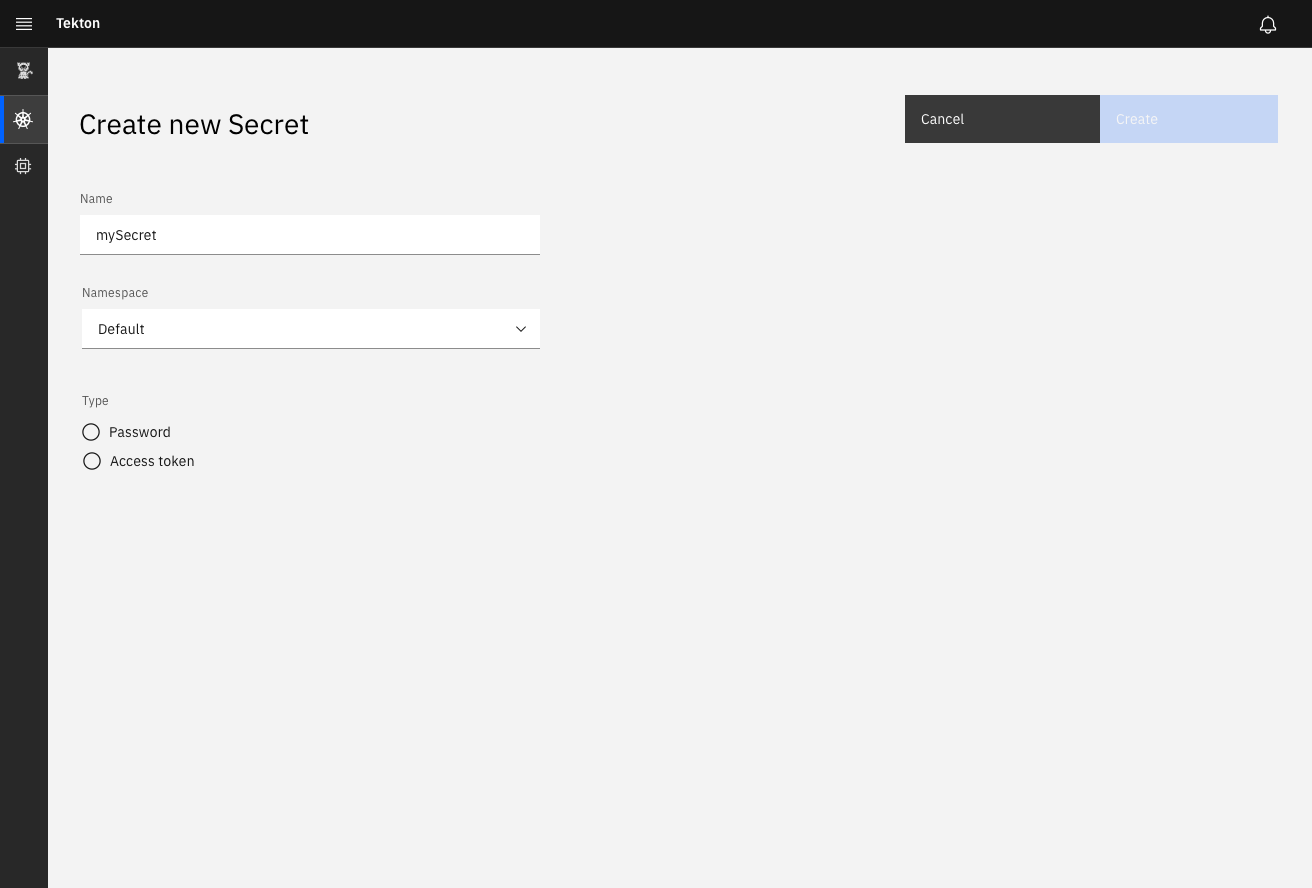
Please see #727 for the updated design for Secrets. Note that we removed the usage of modals. The screen should appear as a new page:
@AlanGreene I did see this when I tried to recreate the errors (I think your build):
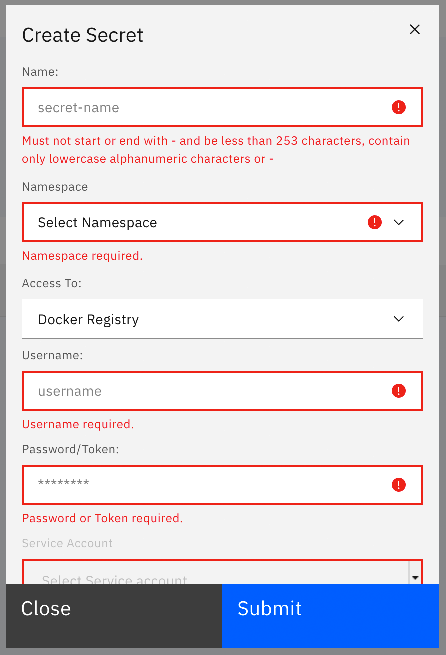
Is this a good example of the errors that could appear? If so, we can create an example in the new design that will address this.
kimholmes
on 13 Nov 2019
@kimholmes Looks good, thanks for sharing - the error that appears as a notification appears when the request itself fails (for example when there's a secret that already exists with the same name in the name space).
We plan to get this in with tests before the above larger change, also if modals are being removed for secrets (going a bit meta) I assume the same principle applies for creating PipelineRuns manually and the access token create page for the extension.
a-roberts
on 13 Nov 2019
@AlanGreene Ok. that makes sense now. And yes, it would be the same for the other scenarios as well. Thanks for the heads up.
kimholmes
on 13 Nov 2019
@AlanGreene @Megan-Wright
Here is the guideline (per Carbon).
https://www.carbondesignsystem.com/patterns/common-actions#errors
- The user has accidentally selected a namespace that already has a Secret by the same name. The user clicks "Create."
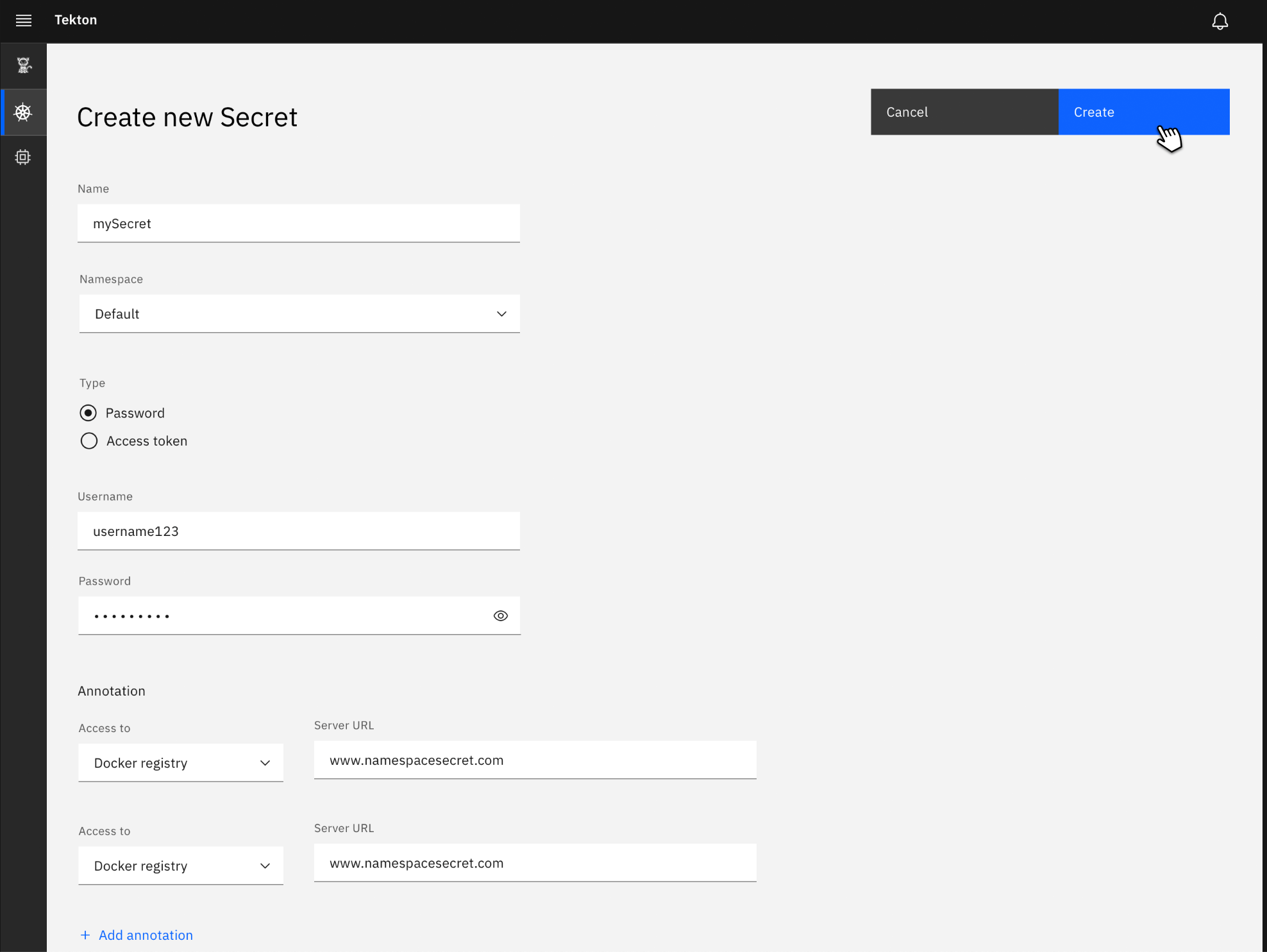
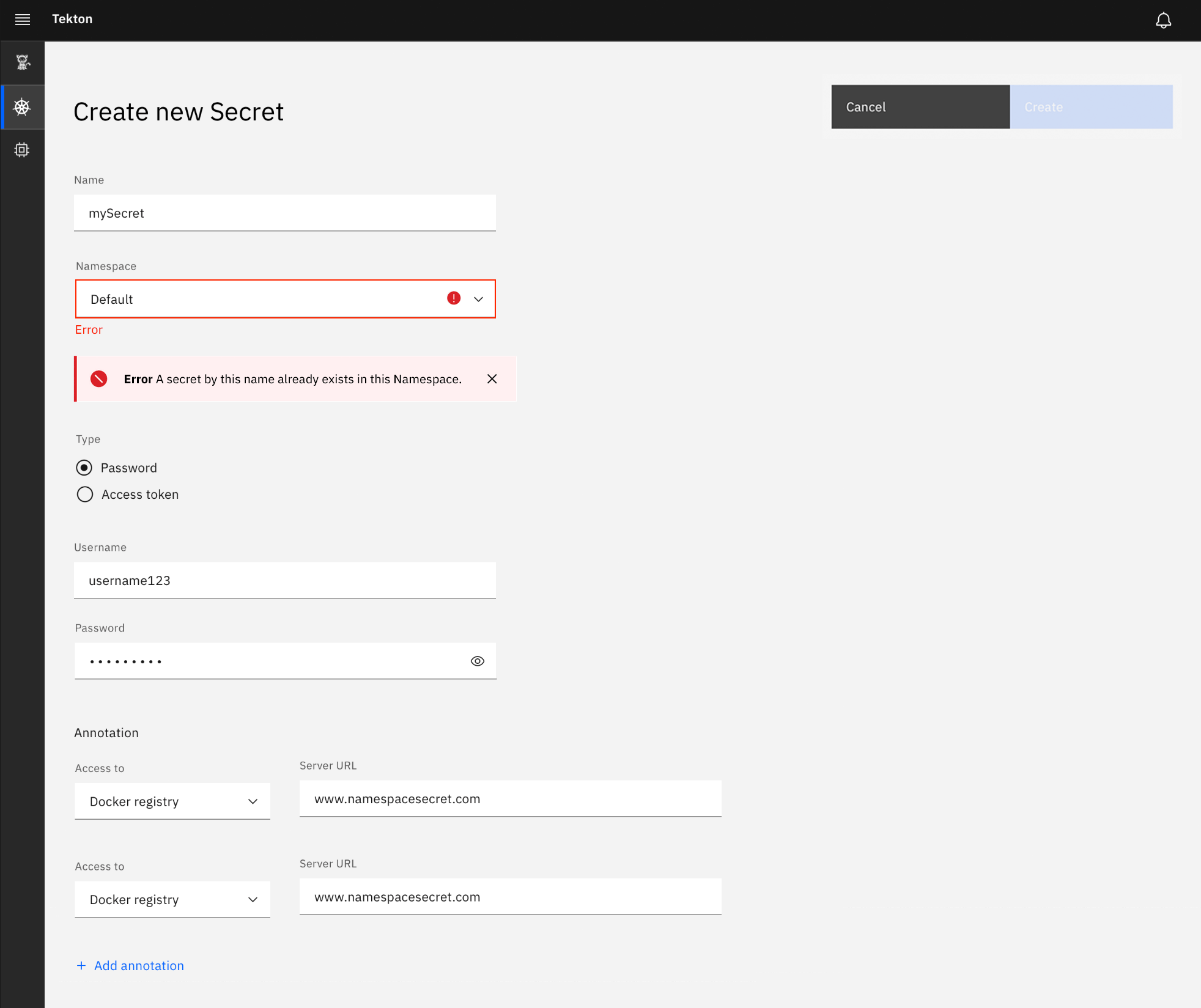
- An error appears showing the field that must be corrected. If additional instruction is needed, an Error notification can also be used. Note that the "Create" button is disabled until the user inputs a correct value.
kimholmes
on 18 Nov 2019
Correction to the above screen as per our discussion in Office Hours this week:
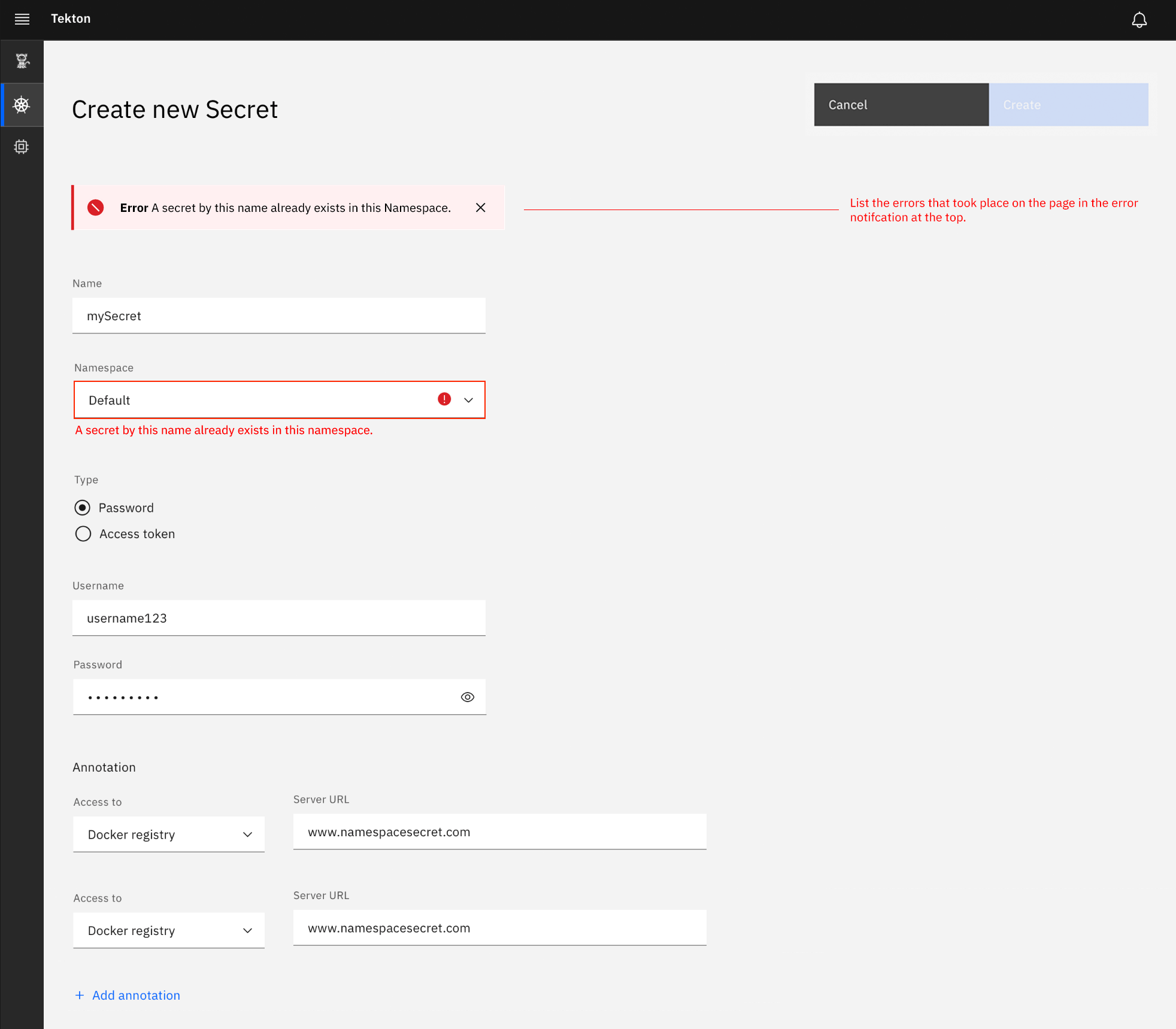
kimholmes
on 21 Nov 2019
/close
Megan-Wright
on 18 Dec 2019
@Megan-Wright: Closing this issue.
In response to this:
/close
Instructions for interacting with me using PR comments are available here. If you have questions or suggestions related to my behavior, please file an issue against the kubernetes/test-infra repository.
 tekton-robot
on 18 Dec 2019
tekton-robot
on 18 Dec 2019
Related issues
 AlanGreene
·
4Comments
AlanGreene
·
4Comments
 Fabian-K
·
4Comments
a-roberts
·
6Comments
Fabian-K
·
4Comments
a-roberts
·
6Comments
 eddycharly
·
6Comments
AlanGreene
·
4Comments
eddycharly
·
6Comments
AlanGreene
·
4Comments
Most helpful comment
@AlanGreene Ok. that makes sense now. And yes, it would be the same for the other scenarios as well. Thanks for the heads up.