Dashboard: Kubernetes Dashboard ignores numer of Items after reordering
Environment
Installation method: Official YAML
Kubernetes version: 1.13.1
Dashboard version: 1.10.1
Operating system: Ubuntu 16.04
Browser: Firefox 64.0 (64bit)
Steps to reproduce
(I did this exactly with 50 nodes active)
Go to Settings and select a custom number of Items per page. After that, go to any view (as for example, Pods) and order the elements by something, like for example Age.
Observed result
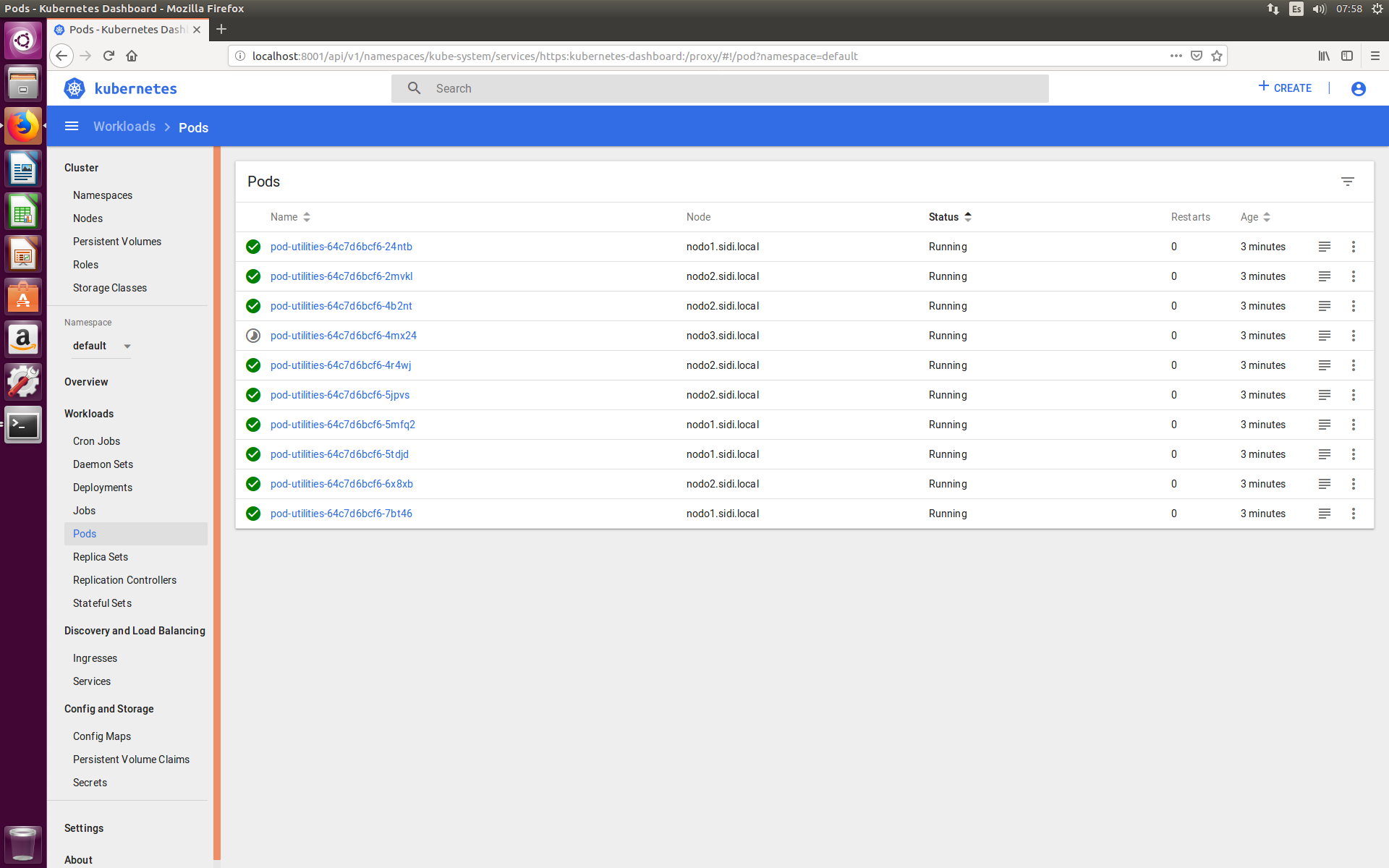
There are listed only ten elements, as the default value of Items per page. Also, there is no possibility to select the next elements.
Expected result
To be able to see Itemps per page elements per page.
Comments
I will personally take a look to it because it seems to be something that developers forgot.
Edit:
Pictures
10/50 pods are shown, everything is ok

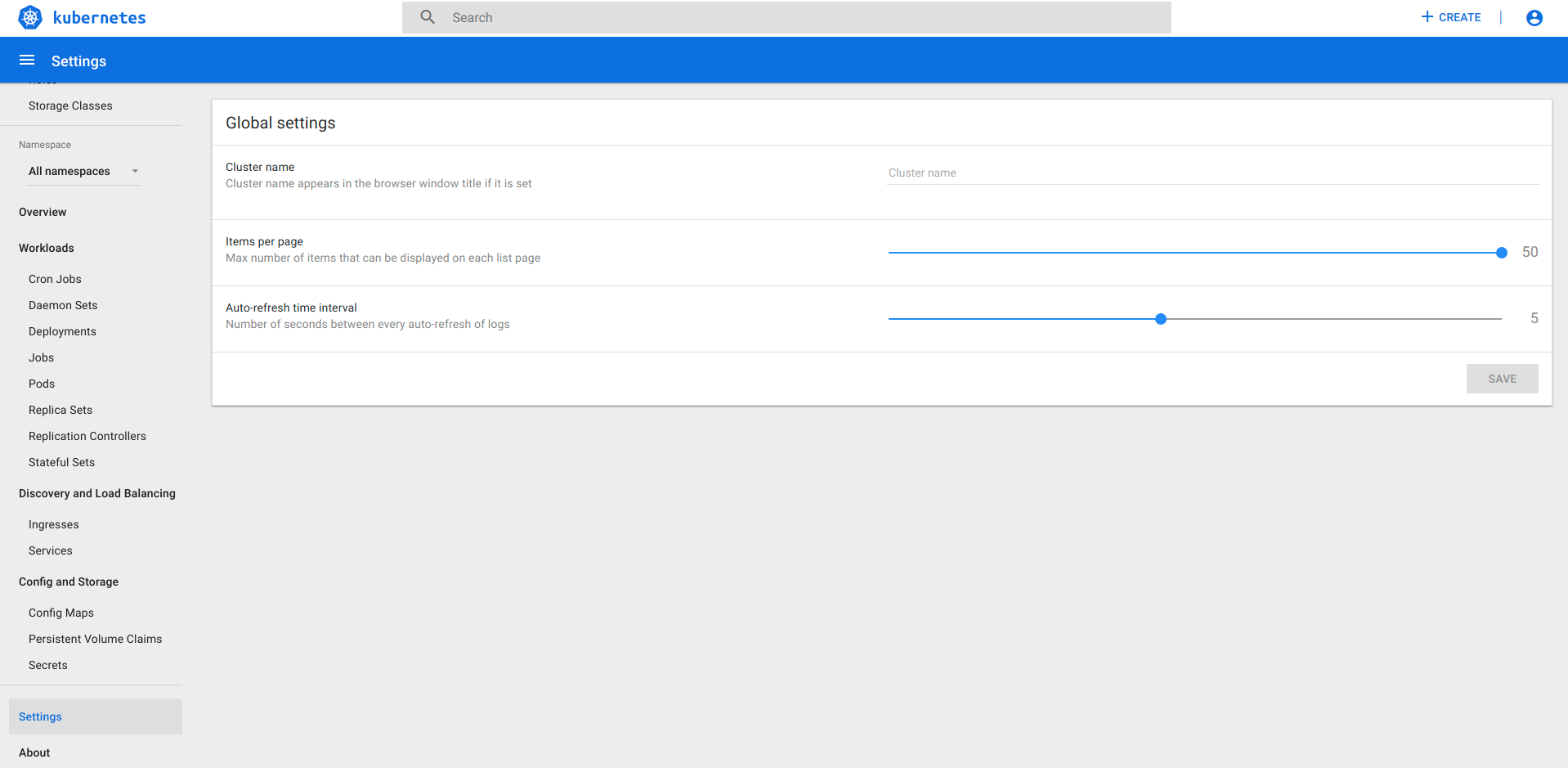
I select in Settings that I want to see 50 items per page
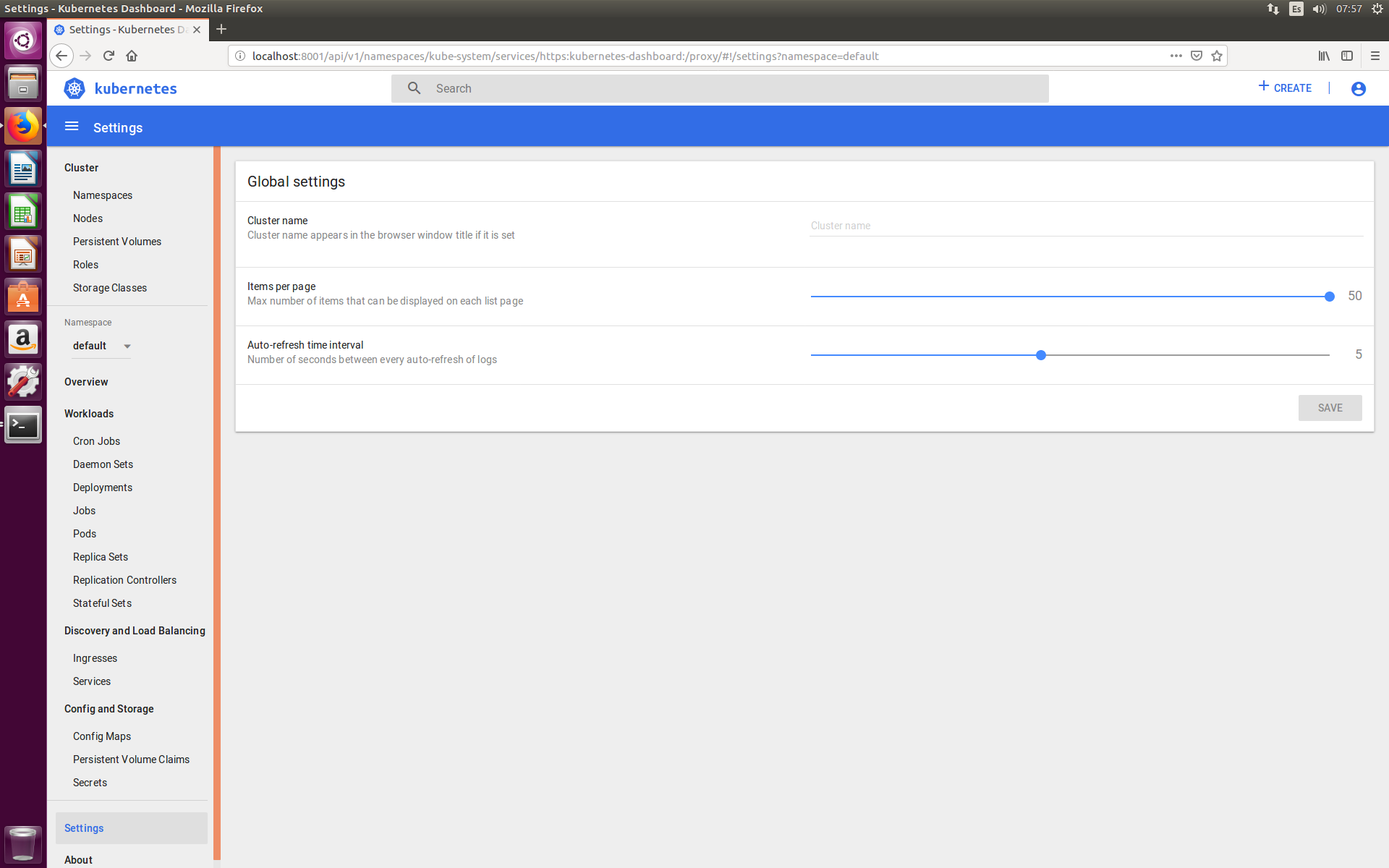
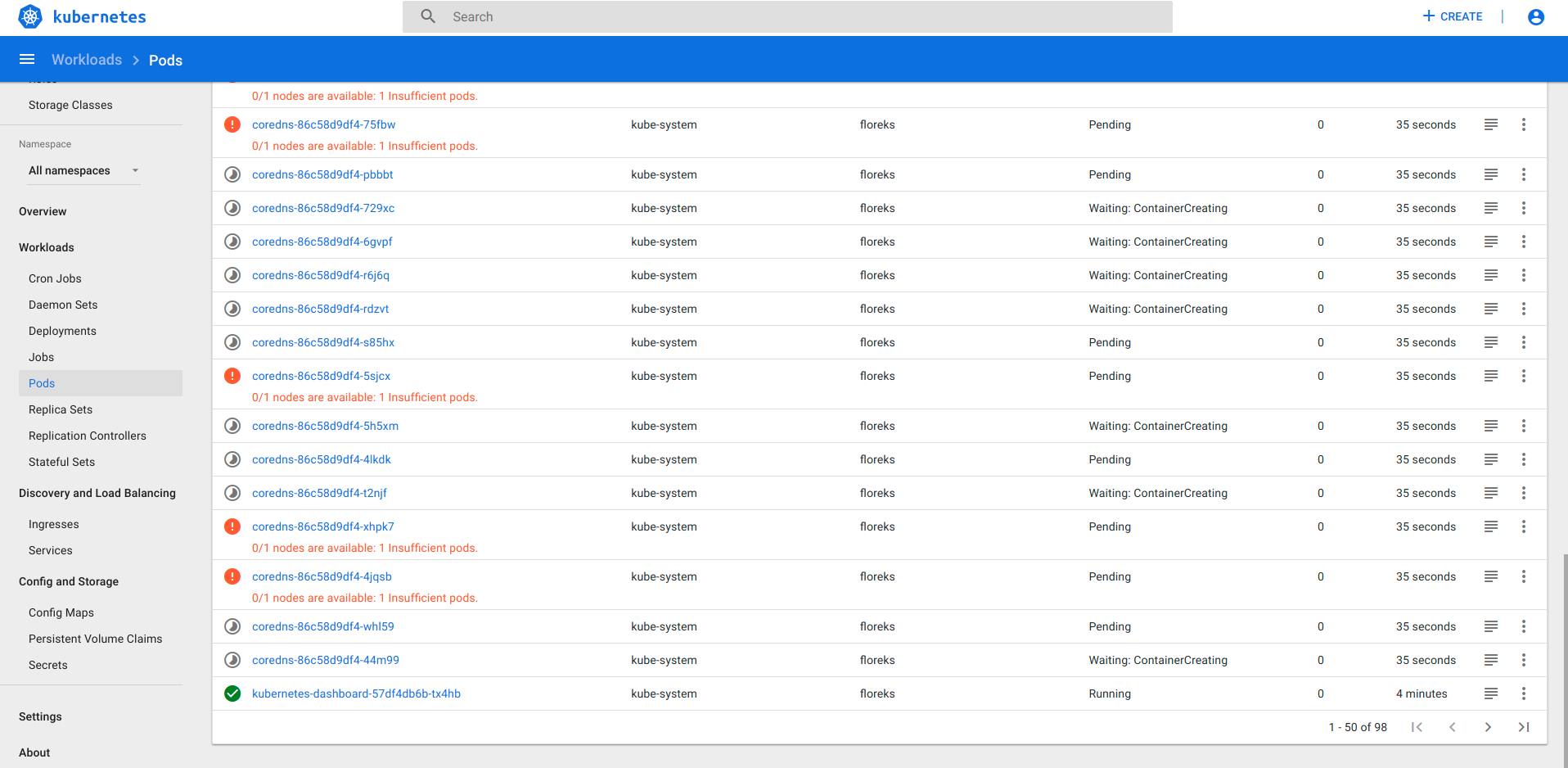
50/50 pods are shown, everything is ok
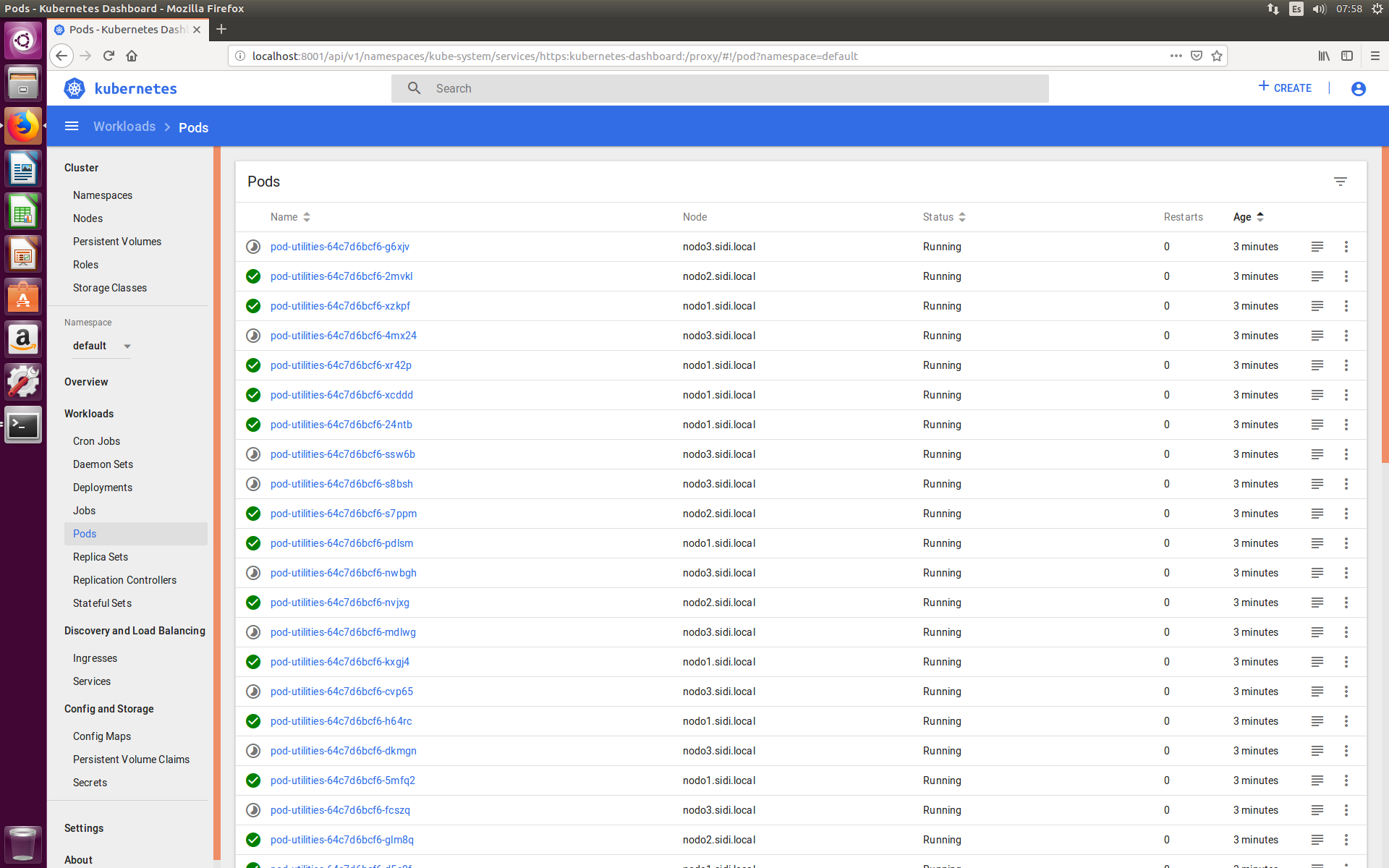
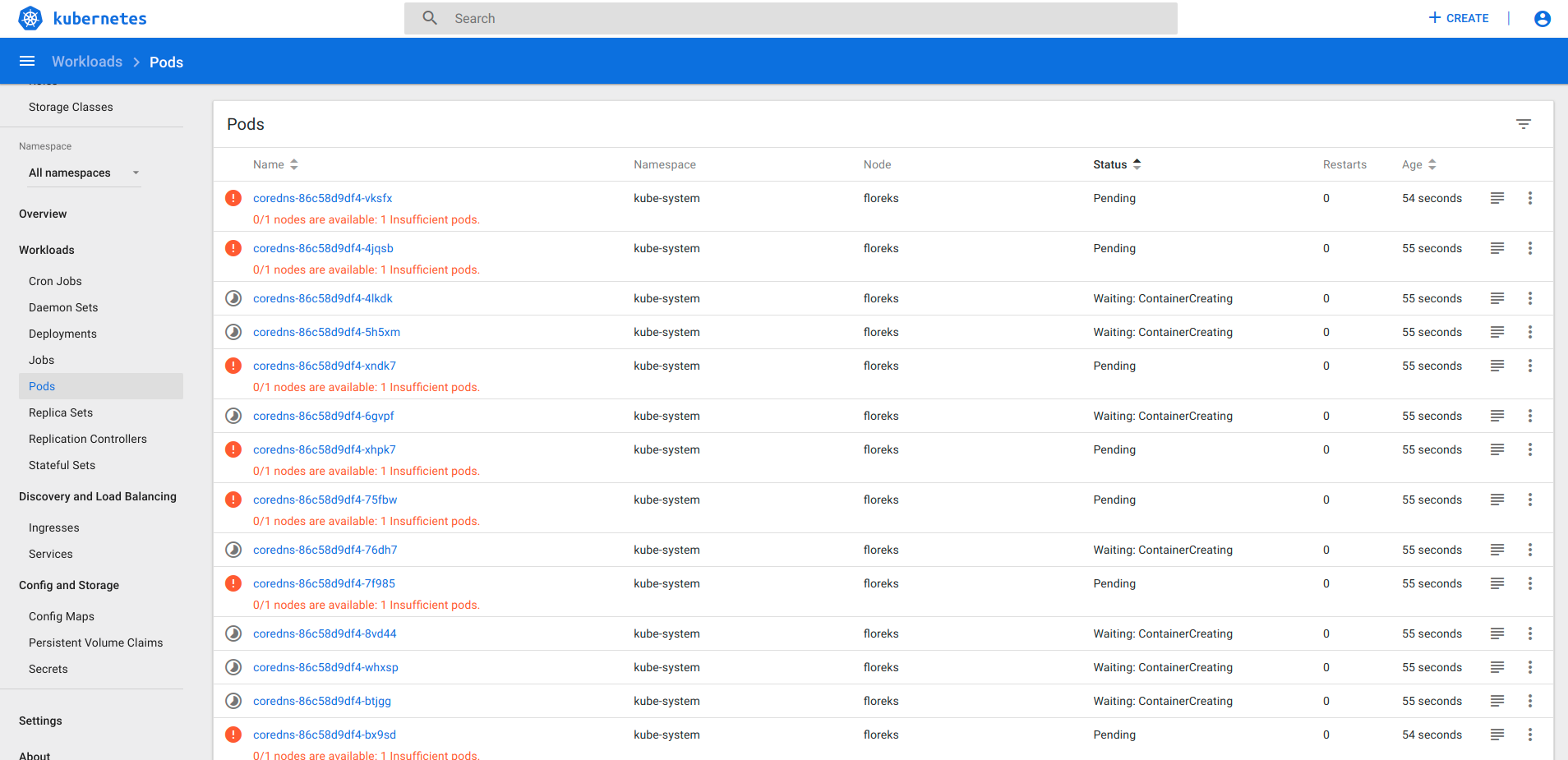
After sorting: 10/50 pods are shown. There is no possibility to see more elements.
 msolefonte
All 17 comments
I actually can not reproduce that. Tested right now on v1.10.1 and everything works fine. After selecting 15 items, I can use sorting, filtering and change list pages as expected.
 floreks
on 10 Jan 2019
floreks
on 10 Jan 2019
Perhaps that has something to do with Kubernetes v1.13 not being compatible with our release: https://github.com/kubernetes/dashboard/releases/tag/v1.10.1
We are going to support it in v2.0.0.
 maciaszczykm
on 10 Jan 2019
maciaszczykm
on 10 Jan 2019
I have tested it on k8s v1.13.1 so that is not it. Maybe it's an issue with privileges to read settings config map.
floreks
on 10 Jan 2019
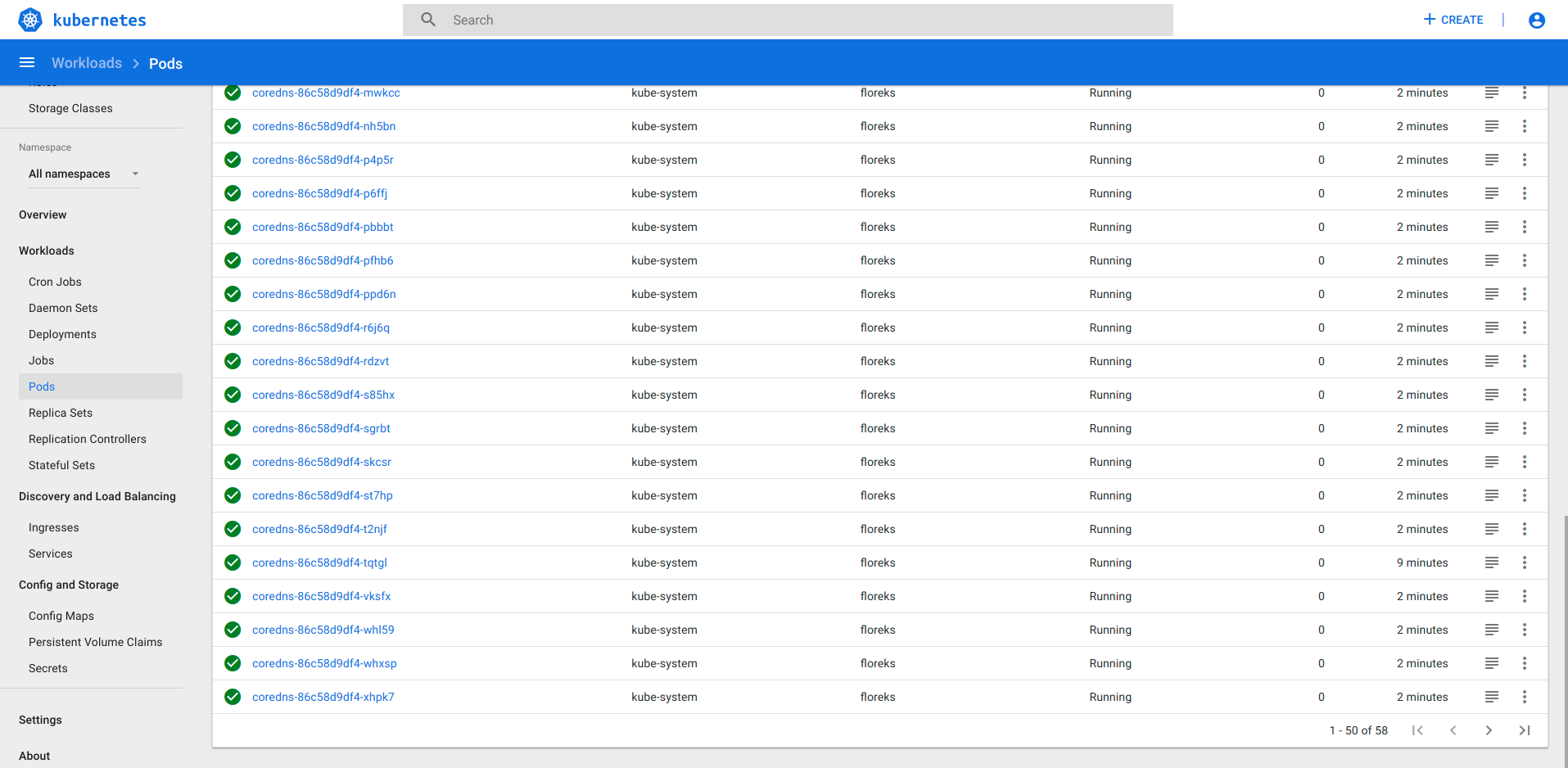
Update with pictures. Perhaps the problem is that, as there are 50/50 pods, navigation bar is not shown and, after sorting elements (which should not reduce Items per page), the bar is not drawn again.
msolefonte
on 11 Jan 2019
@WolfyLPDC I am wondering if you're really using v1.10.1 version. I have checked exactly the steps you have described and everything is fine.
Default items per page
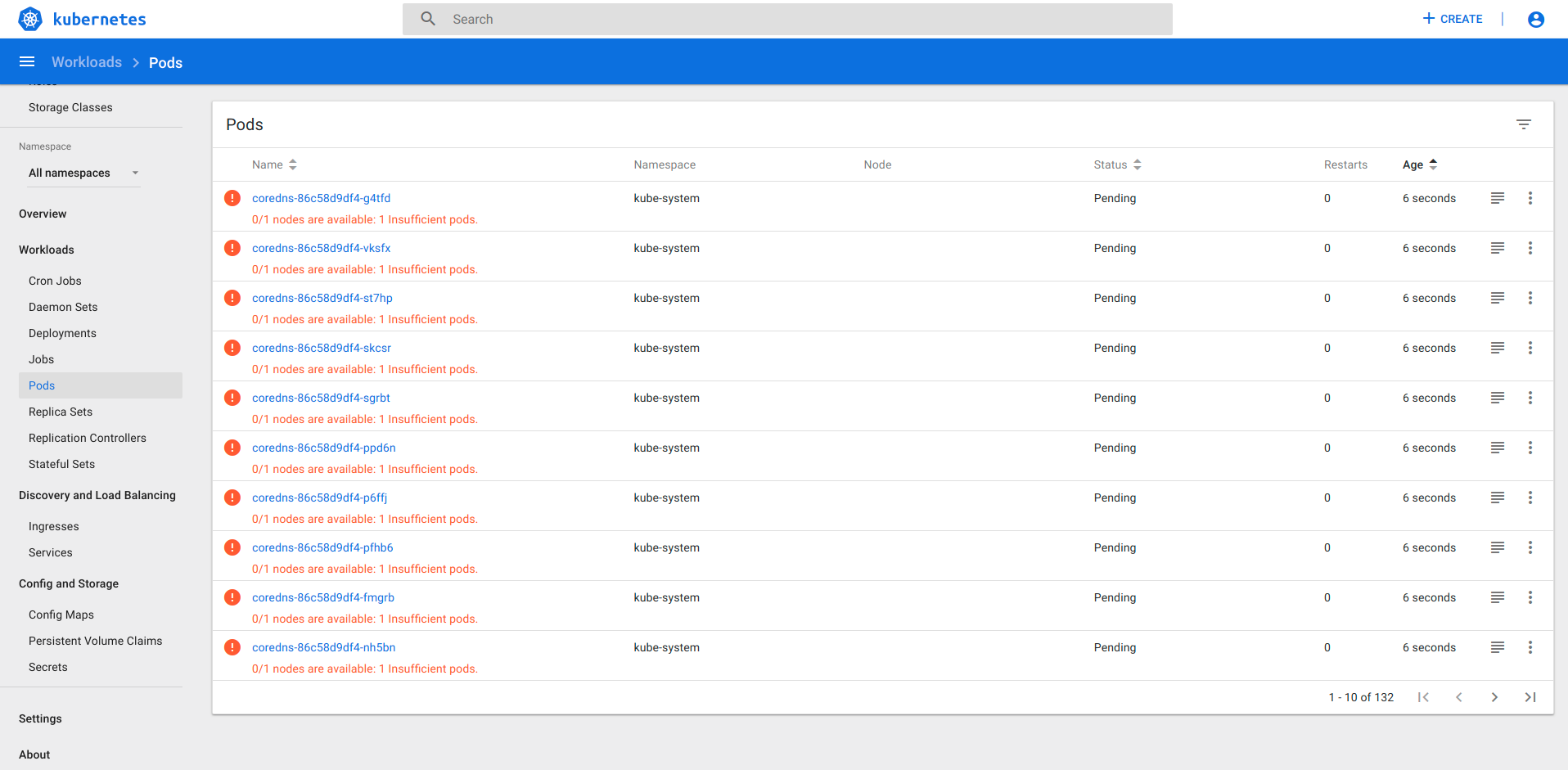
Changing to 50
Going to pods, everything looks fine
Changed sorting to by status
Pager still visible
floreks
on 11 Jan 2019
I'm using 1.10.1. Take a look to the About view:
About
Dashboard
General-purpose web UI for Kubernetes clusters
Dashboard Version: v1.10.1
Git Commit: 50d59e985dfd97863a2f5ab5396ae049a2bb87d0
Have you do it in Firefox? It is strange. I do not think it is a bad installation.
msolefonte
on 11 Jan 2019
I have tried on Firefox and Chrome, and cannot reproduce it also. It might only appear when dealing with real cluster under load, not my small local kubeadm cluster.
floreks
on 11 Jan 2019
I'm using a test cluster in VirtualBox and there is no real load, so I do not think that it is the problem. I do not know what other information add here.
msolefonte
on 11 Jan 2019
Can you try out head image and see if it still occurs?
$ kubectl apply -f https://raw.githubusercontent.com/kubernetes/dashboard/master/aio/deploy/recommended/kubernetes-dashboard-head.yaml
Access path should be (with kubectl proxy):
http://localhost:8001/api/v1/namespaces/kube-system/services/https:kubernetes-dashboard-head:/proxy/
This is just to test this one thing. This image is just a preview of dashboard v2. Many things are not working correctly yet.
EDIT: Seems like our unstable head image is failing to start :slightly_smiling_face:. I will fix that ASAP
floreks
on 11 Jan 2019
I'm going to be busy this weekend. Say me what should I try and Monday I'll send all the screenshots requested.
msolefonte
on 11 Jan 2019
@floreks I have tried the image but still does not work. Do you have an update?
msolefonte
on 14 Jan 2019
@WolfyLPDC Ye, I do have an update :slightly_smiling_face: Apparently client-go has introduced some breaking changes to the way in-cluster config works now and we have to refactor our code, to make it work again. I'll try to do it somewhere this week.
floreks
on 14 Jan 2019
@floreks
Ok. Tag me if you want me to test it.
msolefonte
on 14 Jan 2019
@WolfyLPDC could you follow instruction from my previous comment (https://github.com/kubernetes/dashboard/issues/3497#issuecomment-453512372) and retest? Head image should be fixed now.
floreks
on 24 Jan 2019
@floreks Tested! It seems to work fine. Good job.
msolefonte
on 24 Jan 2019
Great. It will be available in the next release. Thanks for testing.
/close
floreks
on 24 Jan 2019
@floreks: Closing this issue.
In response to this:
Great. It will be available in the next release. Thanks for testing.
/close
Instructions for interacting with me using PR comments are available here. If you have questions or suggestions related to my behavior, please file an issue against the kubernetes/test-infra repository.
 k8s-ci-robot
on 24 Jan 2019
k8s-ci-robot
on 24 Jan 2019
Related issues
 andrei-dascalu
·
3Comments
andrei-dascalu
·
3Comments
 mxey
·
3Comments
mxey
·
3Comments
 donspaulding
·
5Comments
donspaulding
·
5Comments
 mhobotpplnet
·
3Comments
mhobotpplnet
·
3Comments
 wu105
·
3Comments
wu105
·
3Comments