Dash: External CSS works only on hard refresh (ctrl + shift + R)
Describe your context
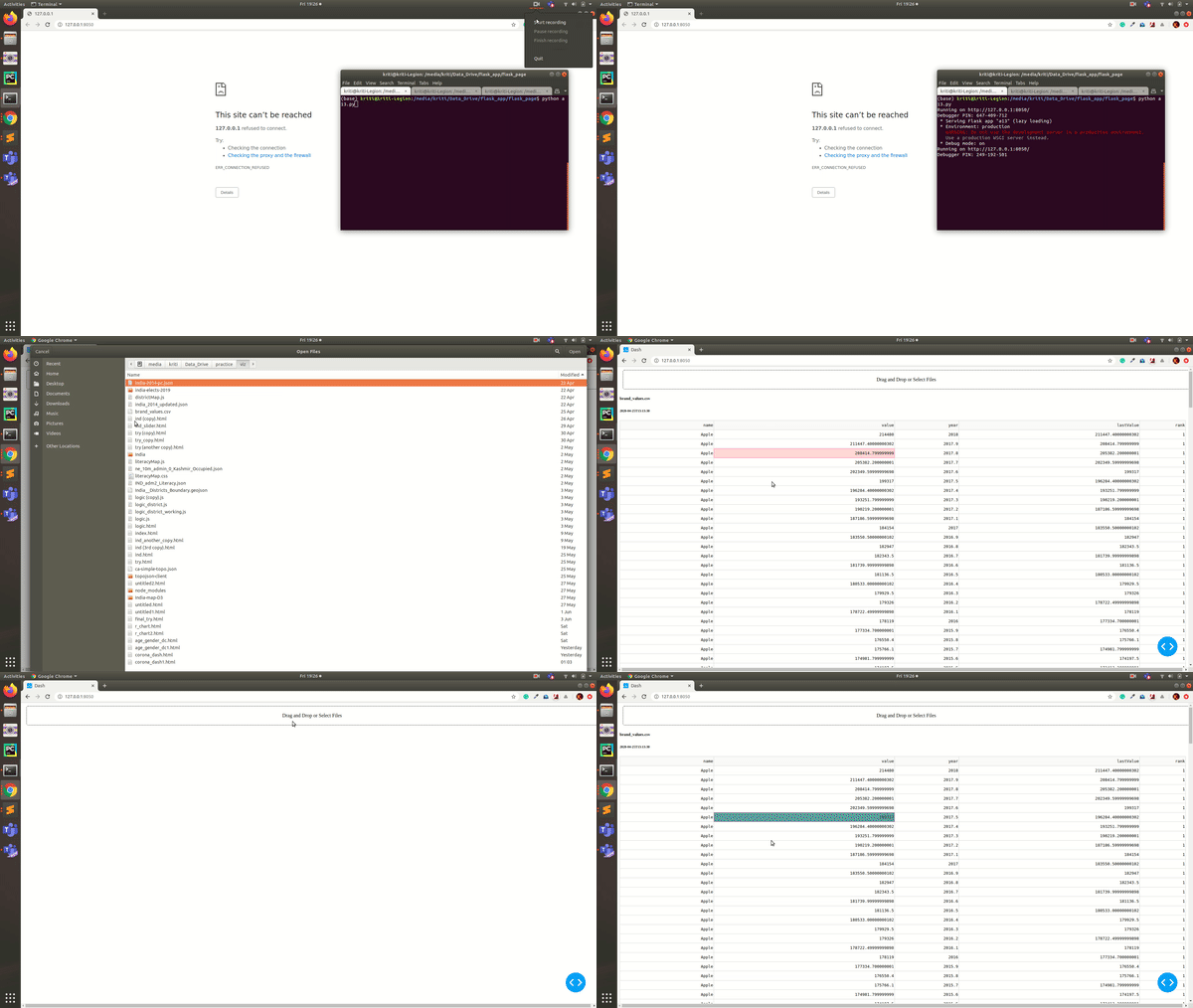
I am running the below code where the external CSS changes the cell getting pink colour on selection to some other colour. But this changes get reflected when I do Hard refresh. I want this external stylesheet to get loaded w/o any hard refresh.
import base64
import datetime
import io

import dash
from dash.dependencies import Input, Output, State
import dash_core_components as dcc
import dash_html_components as html
import dash_table

import pandas as pd


external_stylesheets = ['https://codepen.io/ninjakx/pen/bGEpbXo.css']

app = dash.Dash(__name__, external_stylesheets=external_stylesheets)
# app.css.config.serve_locally = True
# app.scripts.config.serve_locally = True

app.layout = html.Div([
    dcc.Upload(
        id='upload-data',
        children=html.Div([
            'Drag and Drop or ',
            html.A('Select Files')
        ]),
        style={
            'width': '100%',
            'height': '60px',
            'lineHeight': '60px',
            'borderWidth': '1px',
            'borderStyle': 'dashed',
            'borderRadius': '5px',
            'textAlign': 'center',
            'margin': '10px'
        },
        # Allow multiple files to be uploaded
        multiple=True
    ),
    html.Div(id='output-data-upload'),
])


def parse_contents(contents, filename, date):
    content_type, content_string = contents.split(',')

    decoded = base64.b64decode(content_string)
    try:
        if 'csv' in filename:
            # Assume that the user uploaded a CSV file
            df = pd.read_csv(
                io.StringIO(decoded.decode('utf-8')))
        elif 'xls' in filename:
            # Assume that the user uploaded an excel file
            df = pd.read_excel(io.BytesIO(decoded))
    except Exception as e:
        print(e)
        return html.Div([
            'There was an error processing this file.'
        ])

    return html.Div([
        html.H5(filename),
        html.H6(datetime.datetime.fromtimestamp(date)),

        dash_table.DataTable(
            data=df.to_dict('rows'),
            columns=[{'name': i, 'id': i} for i in df.columns],
            # css=[{ # override default css for selected/focused table cells
            #     "selector": 'td.cell--selected, td.focused',
            #     "rule": 'background-color: #00c5e3 !important;'
            # }, {
            #     "selector": 'td.cell--selected *, td.focused *',
            #     "rule": 'color: #3C3C3C !important;'
            # }],
        ),

        html.Hr(),  # horizontal line

        # For debugging, display the raw contents provided by the web browser
        html.Div('Raw Content'),
        html.Pre(contents[0:200] + '...', style={
            'whiteSpace': 'pre-wrap',
            'wordBreak': 'break-all'
        })
    ])


@app.callback(Output('output-data-upload', 'children'),
              [Input('upload-data', 'contents')],
              [State('upload-data', 'filename'),
               State('upload-data', 'last_modified')])
def update_output(list_of_contents, list_of_names, list_of_dates):
    if list_of_contents is not None:
        children = [
            parse_contents(c, n, d) for c, n, d in
            zip(list_of_contents, list_of_names, list_of_dates)]
        return children


if __name__ == '__main__':
    # app.css.append_css({
    #     'external_url': ('https://codepen.io/ninjakx/pen/bGEpbXo.css')
    # })
    app.run_server(debug=True)
- Dash Modules version
dash                               1.10.0
dash-core-components               1.9.0
dash-html-components               1.0.3
dash-renderer                      1.3.0
dash-table                         4.6.2
dash-table-experiments             0.6.0
Browser, Version and OS
- OS: Ubuntu 18.04
- Browser: Chrome
 ninjakx
All 3 comments
Thanks @ninjakx - confirmed. To clarify: while using hot reloading, if you change the external_stylesheets list in Python, the app refreshes but does not capture the new stylesheets until a full page reload.
Simplified example - toggle commenting-out the second external_stylesheets line:
import dash
import dash_html_components as html


external_stylesheets = []
# external_stylesheets = ['https://codepen.io/chriddyp/pen/bWLwgP.css']

app = dash.Dash(__name__, external_stylesheets=external_stylesheets)

app.layout = html.Div([html.Button("Button")])


if __name__ == '__main__':
    app.run_server(debug=True)
When fixing, it would be worth investigating whether any other options that affect the html index string have the same problem.
 alexcjohnson
on 12 Jun 2020
alexcjohnson
on 12 Jun 2020
Is there any way of solving it?
ninjakx
on 12 Jun 2020
Instead of external_stylesheets you can use local files in your assets folder - this is well supported by hot reloading, and has the benefit that it doesn't need to rerender the page at all, it just replaces the CSS in situ.
Other than that we'd welcome help understanding why this issue occurs and looking for solutions 😁
alexcjohnson
on 12 Jun 2020
Related issues
 mpkuse
·
4Comments
mpkuse
·
4Comments
 T4rk1n
·
3Comments
T4rk1n
·
3Comments
 r-chris
·
3Comments
r-chris
·
3Comments
 KyleKing
·
4Comments
KyleKing
·
4Comments
 Mondrik
·
3Comments
Mondrik
·
3Comments
Most helpful comment
Instead of
external_stylesheetsyou can use local files in yourassetsfolder - this is well supported by hot reloading, and has the benefit that it doesn't need to rerender the page at all, it just replaces the CSS in situ.Other than that we'd welcome help understanding why this issue occurs and looking for solutions 😁