Dash-to-panel: GNOME 40 Overview Trasition Snap
Describe the bug
With Dash to Panel enabled in GNOME 40 during the overview transition _out_ animation (by hitting Super or three finger swipe down gesture) the desktop scales like normal until nearly full screen then, at the last second, "snaps" to full screen. This is less noticeable with faster animations but is still jarring. It would be nice if this animation could be smooth all the way to the edges of the screen.
This seems to be caused by a "phantom" top bar. The shell animation doesn't take it's removal into effect. Therefor it transitions to the point it would be "full screen" _with the top bar_ then snaps to full screen for the very last frame of the animation.
Linux distribution and version
Arch Linux
GNOME Shell version
40.1
Dash-to-Panel version
Installed from master branch
Where was Dash-to-Panel installed from?
https://github.com/home-sweet-gnome/dash-to-panel
Screenshots / Video captures
Here's a video of the problem. I've slowed animations down using the Impatience extension so you can better see the issue.
For comparison here is another video showing the same action performed with Dash to Panel disabled.
 PHLAK
PHLAK
All 15 comments
I think this is probably related to issue #1327.
I think it may be related to this code but I ran out of time trying to override the code and reallocate everything:
https://gitlab.gnome.org/GNOME/gnome-shell/-/blob/master/js/ui/overviewControls.js#L50
Basically, it assumes the dash is at the top of the screen and draws some elements too low. You will notice if you put the panel at the top then the animation appears correctly.
 jderose9
on 14 May 2021
jderose9
on 14 May 2021
I can also reproduce this on the same setup as PHLAK. Here's a comparison video I took, with normal animation speed:
 j-james
on 16 May 2021
j-james
on 16 May 2021
The real issue here is these lines overviewControls:134-L137
https://gitlab.gnome.org/GNOME/gnome-shell/-/blob/master/js/ui/overviewControls.js#L135
Overriding that allocation function and removing those lines should fix this particular issue. Although you probably need to subtract the panel height from the height of the box to get a smooth transition.
PS: those lines are also the cause of #1341
 RensAlthuis
on 25 May 2021
RensAlthuis
on 25 May 2021
I just installed the latest version from from master (ec4e0784ae4a468ed7c5dc68693ae777f5cfe4c5) and am still getting snapping, only now it's snapping _horizontally_ instead of vertically. Here's a video of the issue.
https://user-images.githubusercontent.com/53531/121289163-64b3f980-c899-11eb-93df-5de7f1e9c40f.mp4
If you watch closely it looks like the desktop is being squished horizontally as well which may be the cause of or related to the issue.
EDIT: This seems to have to do with Intellihide because it doesn't happen with Intellihide disabled.
PHLAK
on 9 Jun 2021
I just installed the latest version from from
master(ec4e078) and am still getting snapping, only now it's snapping _horizontally_ instead of vertically. Here's a video of the issue.Screencast.from.06-08-2021.08.13.15.PM.mp4
If you watch closely it looks like the desktop is being squished horizontally as well which may be the cause of or related to the issue.
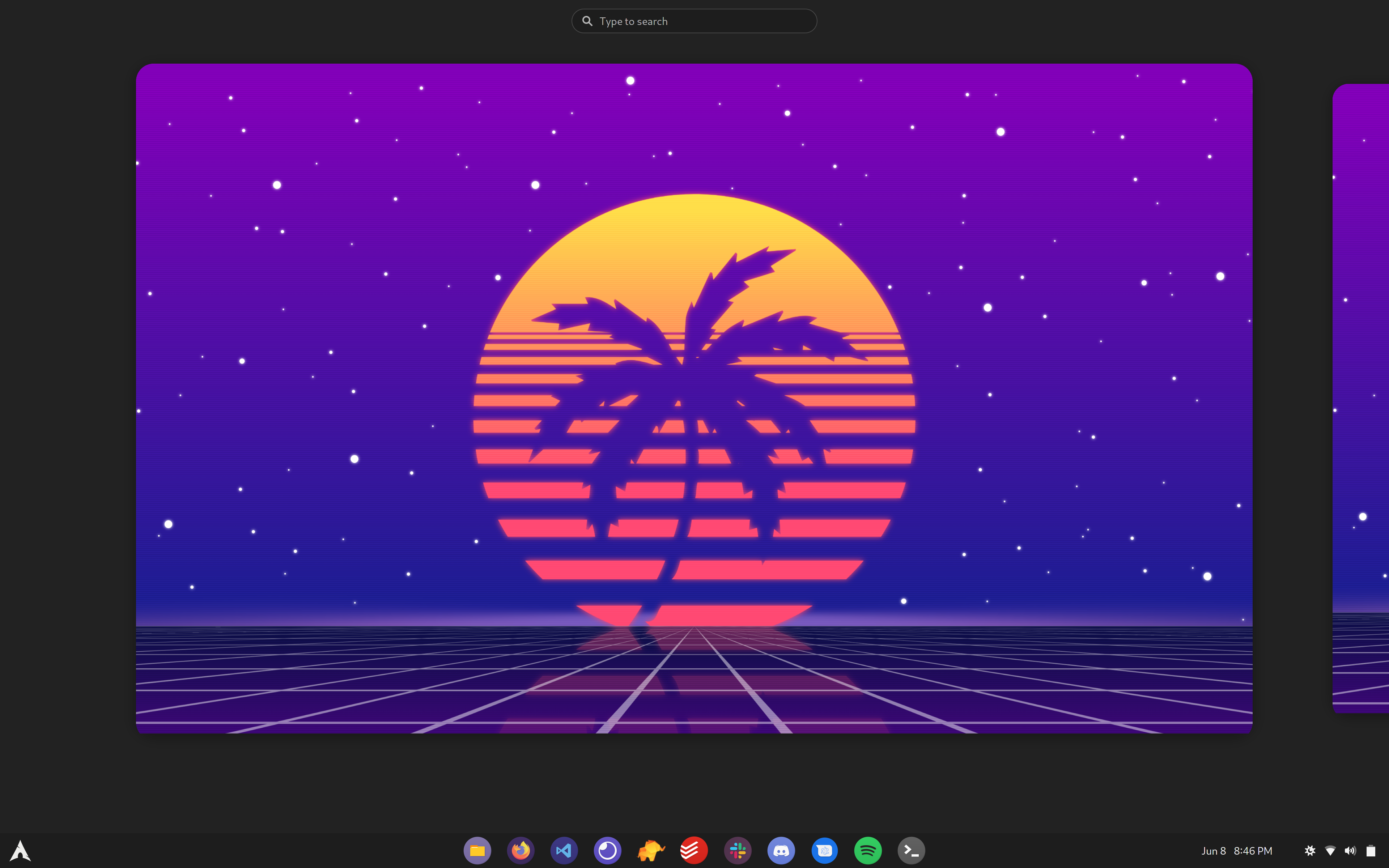
the round corners also broken too
 hrdwrrsk2
on 9 Jun 2021
hrdwrrsk2
on 9 Jun 2021
the round corners also broken too
Yeah, noticed that as well. With Intellihide disabled the corners _start_ to round but get cut off.
PHLAK
on 9 Jun 2021
@PHLAK I see the chopped bottom corners, but not the horizontal snap. If you made configuration changes since your last restart, can you try to restart GNOME and see if it persists? I did see that in some cases the layout isn't getting reinitialized after d2p settings changes are made.
jderose9
on 9 Jun 2021
@jderose9 I've rebooted completely and the issue persists. Maybe this video shows it better. Notice how the desktop height gets to 100% while there's still space on the left and right then it snaps from there to full width.
https://user-images.githubusercontent.com/53531/121300715-0f351800-c8ac-11eb-9fc7-98b7ce9e43dd.mp4
PHLAK
on 9 Jun 2021
@jderose9 I've rebooted completely and the issue persists. Maybe this video shows it better. Notice how the desktop height gets to 100% while there's still space on the left and right then it snaps from there to full width.
Oh, I definitely see it in your video, just not able to reproduce yet.
jderose9
on 9 Jun 2021
The commit ec4e078 broke the overview for me, I just got a grey screen. I rebooted both gnome and the computer.
 emericg
on 10 Jun 2021
emericg
on 10 Jun 2021
@jderose9 Seconding @emericg's issue; I'm seeing it too when building from the master branch. I'm able to reproduce it when I use more than one workspace -- as in, I have two windows open across two separate workspaces (in my case, two different Chrome windows).
However, things seem to work fine when all windows are open on a _single_ workspace.
 mbestavros
on 10 Jun 2021
mbestavros
on 10 Jun 2021
@emericg @mbestavros would you mind adding your error logs here?
https://github.com/home-sweet-gnome/dash-to-panel/issues/1350#issuecomment-858150826
jderose9
on 10 Jun 2021
I'm late for the error log, but the latest commit fix the grey screen, and the transition snap is also gone (which make a huge difference in perceived fluidity).
Also I can't see any problem with rounded corner on my install.
Thanks for your work on this extension!
emericg
on 11 Jun 2021
@emericg What resolution do you use? My laptop screen is a 4K (16:10) display and I connect it to a 4K (16:9) monitor daily. I notice the issue on both and wonder if that has something to do with it.
PHLAK
on 11 Jun 2021
I've got a single 1440p ultrawide connected to a desktop.
emericg
on 12 Jun 2021
Related issues
 RomanShumikhin
·
3Comments
RomanShumikhin
·
3Comments
 alex285
·
6Comments
alex285
·
6Comments
 Steps65
·
5Comments
Steps65
·
5Comments
 sbadux
·
6Comments
sbadux
·
6Comments
 ningacoding
·
6Comments
ningacoding
·
6Comments
Most helpful comment
I think this is probably related to issue #1327.
I think it may be related to this code but I ran out of time trying to override the code and reallocate everything:
https://gitlab.gnome.org/GNOME/gnome-shell/-/blob/master/js/ui/overviewControls.js#L50
Basically, it assumes the dash is at the top of the screen and draws some elements too low. You will notice if you put the panel at the top then the animation appears correctly.