Dart-code: Dart Analyzer extension is extremely slow when using LSP after opening new files or Ctrl+Clicking
https://user-images.githubusercontent.com/5026566/105769374-04619280-5f5e-11eb-9381-b60ab56a1967.mp4
Describe the bug
A clear and concise description of what the bug is.
The Dart analyzer is slow when discovering definitions, even if the definition is located in the same file. The Dart Analyzer server also keeps crashing very frequently. Also the intellisense feature is extremely slow to start up often.
To Reproduce
Steps to reproduce the behavior:
- Go to any file and try to "Go to definition".
I suspect this has something to do with my local set up, but I have tried reinstalling VSCode and both the Dart and Flutter extensions, and it has the same problem. The Go to definition feature works a bit faster on other smaller projects (this one is not that big), but still very unstable. I need a bit of help on what I need to provide to effectively debug this problem.
Expected behavior
I expect that the extension is not supposed to be this slow.
Screenshots
Attached
Versions (please complete the following information):
- VS Code version: 1.52.1
- Dart extension version: 3.18.1
- Dart/Flutter SDK version:
Flutter 1.24.0-2.0.pre.45
Dart 2.11.0 (build 2.11.0-228.0.dev)
 ffpetrovic
All 30 comments
The Dart analyzer is slow when discovering definitions, even if the definition is located in the same file.
Do you have a repro for when it's in the same file? The one in the video seems a bit like the issue that led to https://github.com/microsoft/vscode-languageserver-node/issues/683 to me, which is when you move your cursor over it, VS Code claims the file was "opened" which triggers synchronously analysis of the file, which then prevents the server returning the location metadata until it completes. Unfortunately the proper fix for this is a VS Code API that has been highly requested but never provided (https://github.com/microsoft/vscode/issues/15178).
There's an open issue tracking that at https://github.com/Dart-Code/Dart-Code/issues/2873.
This wouldn't explain it happening in the same file though. If you can reproduce that, let me know - otherwise I think we could consider this the same as https://github.com/Dart-Code/Dart-Code/issues/2873.
 DanTup
on 26 Jan 2021
DanTup
on 26 Jan 2021
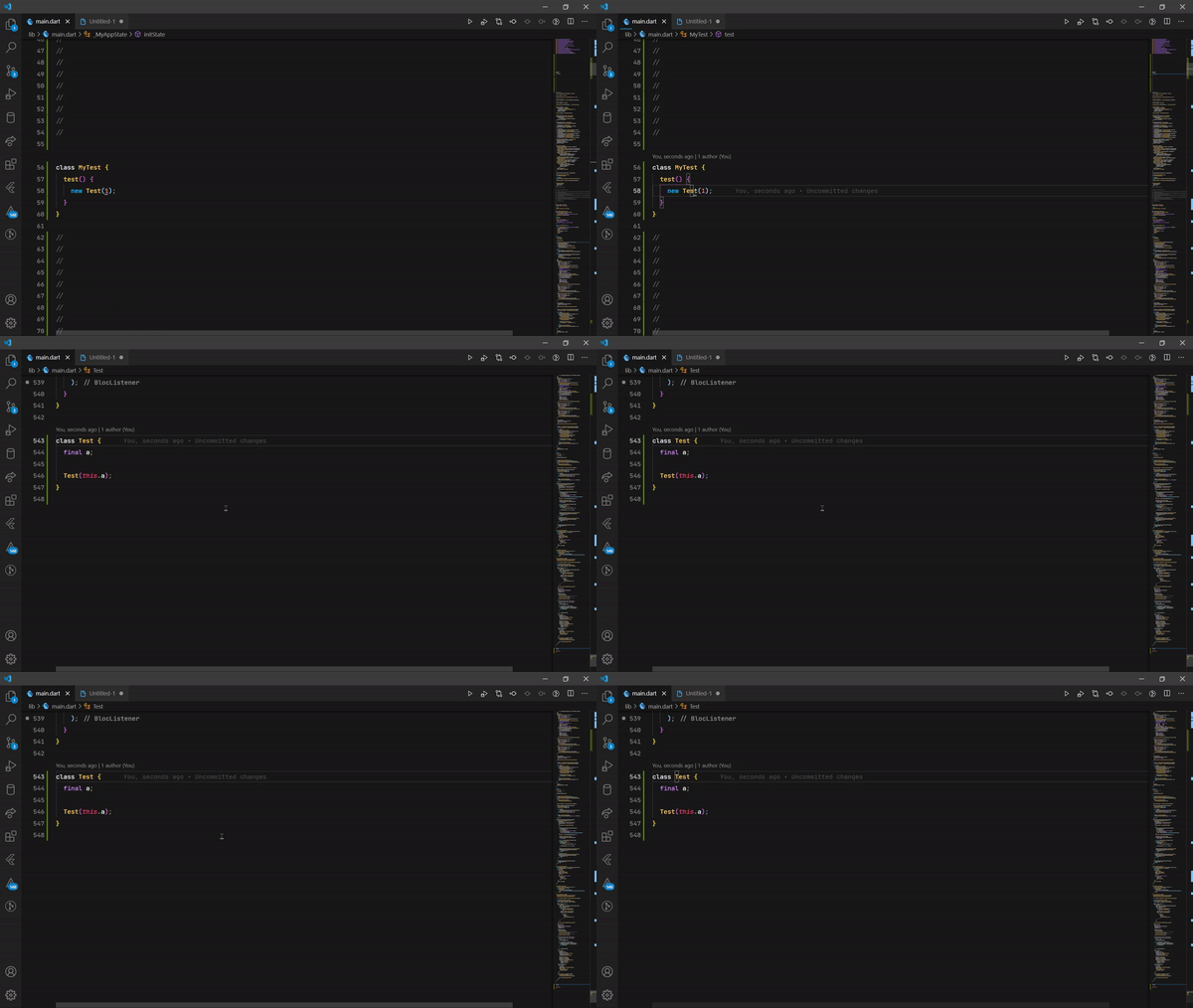
I've been able to reproduce it loading in the same file for about 3 seconds, but not on video, if you want I can try. This is what I have now (still a tiny bit of loading, but it's the same file).
ffpetrovic
on 26 Jan 2021
One more problem that might help, is that very often when I save a dart file, the formatter kicks in extremely slowly (the entire extension feels like that anyway). So long, that the VSCode loading indicator in the bottom right shows up and the actual save of the file happens around 5 seconds later.
ffpetrovic
on 26 Jan 2021
I have the exact same problems as @ffpetrovic. These are my versions:
VS Code:
Version: 1.52.1 (user setup)
Commit: ea3859d4ba2f3e577a159bc91e3074c5d85c0523
Date: 2020-12-16T16:34:46.910Z
Electron: 9.3.5
Chrome: 83.0.4103.122
Node.js: 12.14.1
V8: 8.3.110.13-electron.0
OS: Windows_NT x64 10.0.19041
Flutter (Channel stable, 1.22.3, on Microsoft Windows [Version 10.0.19041.746], locale de-DE)
_dart-code.dart-code_ Dart Extension: v3.18.1
_dart-code.flutter_ Flutter Extension: v3.18.1
 ArturAntin
on 29 Jan 2021
ArturAntin
on 29 Jan 2021
@ffpetrovic I'm not sure what's shown in this gif, it looks like it's all pretty immediate?
It may be useful to enable the analysis server log in your settings to capture a full log, then when this happens we can review the logs to see what the server may have been doing during the delay.
One more problem that might help, is that very often when I save a dart file, the formatter kicks in extremely slowly (the entire extension feels like that anyway). So long, that the VSCode loading indicator in the bottom right shows up and the actual save of the file happens around 5 seconds later.
I actually saw this recently, but was unable to repro. When it happens my guess is that the server is doing something synchronous that prevents it from responding to other requests. The only thing I know of that does that right now, is enumerating the project during initial analysis (or when a new folder is added).
Out of interest, do you have a large workspace open (or include the Flutter SDK folder) and do you know if that occurred shortly after opening the project?
DanTup
on 29 Jan 2021
@DanTup I just wanted to chime in that I also have the exact same issues as described for some time now. The issue seems to progressively worsen the larger your workspaces get. On larger projects it has basically become impossible for me to work in vscode as autocompletion doesn't work (far slower than typing it out yourself), jumping to class and method definitions or renaming them takes 10 to 20 seconds (as shown in the video), quick fixes as the ones from flutter ("Wrap with Container", etc.) take also very long to show up and linting also takes a lot of time.
Also I've noticed that the analyzer server sometimes restarts when trying to autoformat files and a notification appears for a couple of seconds saying "Saving file xyz.dart. Running Dart Formatter" even though the files are just 100 lines long or so.
Android Studio doesn't seem to have these issues, however, I usually prefer working in vscode.
I've attached you a video with the analyzer log that shows this issue. Sometimes you see that it is actually as fast as you would expect it to be, but then on other occasions simple things take ages...
 bnxm
on 29 Jan 2021
bnxm
on 29 Jan 2021
@DanTup I just wanted to chime in that I also have the exact same issues as described for some time now. The issue seems to progressively worsen the larger your workspaces get. On larger projects it has basically become impossible for me to work in vscode as autocompletion doesn't work (far slower than typing it out yourself), jumping to class and method definitions or renaming them takes 10 to 20 seconds (as shown in the video), quick fixes as the ones from flutter ("Wrap with Container", etc.) take also very long to show up and linting also takes a lot of time.
I experience every single thing written in this first paragraph on a regular basis actually. Plus one more thing I'd add is that during the initialization process, when I open the project in VSCode, the Dart analyzer regularly crashes, but periodically crashes just while working with dart files. And I also noticed that this entire situation does get considerably worse with larger projects.
@DanTup I'm not sure what you mean by
or include the Flutter SDK folder
but, the flutter sdk folder is not included in the VSCode directory, _although_ I sometimes see the flutter repository in my Source Control view, and I believe this happens when I go to a definition in the flutter sdk directory.
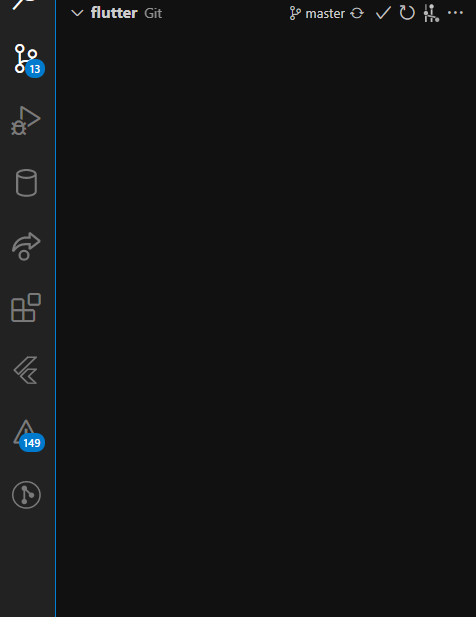
To answer your question, I do have a large workspace (folder/project) open, and yes, the entire editor and dart analyzer are practically unusable within the first ~15 seconds of opening the project.
@bnxm You summed up a lot of things that I forgot to mention, plus provided a perfect example of what I experience too, plus you attached an analyzer log, which I wasn't sure how to do myself. Thank you!
ffpetrovic
on 29 Jan 2021
@bnxm it looks like the log file doesn't include the part that's shown in the video - it only shows the initializing, but not the requests for go-to-definition/rename/formatting. Are you able to capture a complete log that includes them? (You can email to [email protected] or attach here).
@ffpetrovic
Plus one more thing I'd add is that during the initialization process, when I open the project in VSCode, the Dart analyzer regularly crashes, but periodically crashes just while working with dart files.
If you're seeing "The analyzer has terminated" messages, please file new issues and attach the contents of the log file opened by clicking the "Open Log" button. It's hard to address the issues without reports/logs and I've tried to make it as easy as possible to get log files when things like that happen. I'd much rather have too many issues than not enough :-)
DanTup
on 1 Feb 2021
@DanTup Sorry for this. I think I did catch them this time. I send two logs to the email address you provided where I tried, as best as I could, to replicate what I was doing on the video.
bnxm
on 3 Feb 2021
I have been observing this as well. Our workspace is quite large (~90 packages).
When LSP Preview is enabled, my performance is very similar to @bnxm's performance. If I disable it, I get a much more responsive VSCode that is very usable.
 coreysprague
on 3 Feb 2021
coreysprague
on 3 Feb 2021
This week I found a performance bug in the LSP server that I wonder if is related. The issue was a combination of a few things:
- We rebuild the data used to power the auto-import completions when the analysis roots (open folders) change
- Opening files results in temporary analysis roots being logged (they're filtered out, however this action triggers the rebuild mentioned above)
- VS Code sends a phantom "file open" event when you hold down Ctrl when hovering over a symbol (https://github.com/microsoft/vscode/issues/78453)
These things together can result in the server doing unnecessary work right when you'd want it to be doing other things (such as servicing a Ctrl+Click, or handling a file you've just opened).
The fix for that has landed in Flutter's master branch. I wonder if anyone seeing these issues is able to test whether temporarily switching to master seems to resolve this? (note: the first analysis of a project after changing branch _will_ be slower, as the Flutter SDKs are seen for the first time).
DanTup
on 4 Feb 2021
@DanTup switching to master seems to have solved it for me. Had the same issues where everything was incredibly slow, particularly when opening a new file.
 DustinJSilk
on 7 Feb 2021
DustinJSilk
on 7 Feb 2021
@DustinJSilk glad to hear!
I suspect that issues covers many of the reports in this issue (including the original video which is after a Ctrl+Click which definitely would've triggered this in LSP). I'll leave this issue open for now, but close it in a while if nobody reports they're still seeing issues using a recent master build (although I appreciate most can't use that for production work so it may be hard to verify for sure).
DanTup
on 9 Feb 2021
@DanTup I'm happy to report that the master channel seems to have fixed my issue. I say "seems", because I can't really analyze the outcome easily because of all the null safety errors caused by the upgrade 🤣
Jokes aside, I think my issue is solved, although I will write here if I find anything else (or open a new issue).
Thanks for the help ❤️
ffpetrovic
on 9 Feb 2021
That sounds positive - thanks! I'll close this since it was your original issue then, but do shout (or file a new issue with details) if you think there are still performance issues with this fix (in the meantime, disabling LSP should avoid the issue while you're on a channel without the fix). Thanks!
DanTup
on 10 Feb 2021
@DanTup just a quick question, while Preview LSP is off, the analyzer is not very useful outside of the working file, because it doesn't detect class/variable names I can import, and there's no other way to do it than manually.
ffpetrovic
on 12 Feb 2021
@ffpetrovic can you give a specific example? As long as the files are inside your VS Code workspace (eg. you've opened the project folder, and not only the "loose" file) it should work as normal. LSP may work better here, as we may locate the project root from a loose file and implicitly analyze that.
If you _are_ opening your full project, but you're still seeing things not working right, please file a new issue with a small repro so I can take a look. Thanks!
DanTup
on 16 Feb 2021
I wonder if the changes @DanTup reference made it to Flutter 2.0. I'm experiencing a regression on LSP performance there, and have switched it off again.
 jonmountjoy
on 7 Mar 2021
jonmountjoy
on 7 Mar 2021
Unfortunately the fix I made to address a performance issue after opening new files/Ctrl+Clicking did _not_ make it into Flutter 2.0. It should be on both dev/master channels of Flutter though, so if you can reliably reproduce an issue on stable, I'd be interested to hear whether it does disappear if you switch to those to confirm it's all the same issue (note: after changing branch, the first analysis will be quite slow as the Flutter framework is parsed, so don't confuse that with this issue).
DanTup
on 8 Mar 2021
Unfortunately the fix I made to address a performance issue after opening new files/Ctrl+Clicking did _not_ make it into Flutter 2.0. It should be on both dev/master channels of Flutter though, so if you can reliably reproduce an issue on stable, I'd be interested to hear whether it does disappear if you switch to those to confirm it's all the same issue (note: after changing branch, the first analysis will be quite slow as the Flutter framework is parsed, so don't confuse that with this issue).
@DanTup Was it not eligible for a cherrypick?
 britannio
on 3 Apr 2021
britannio
on 3 Apr 2021
@britannio I pinged the Dart team about it so they were aware, and said I would monitor the issues to see whether it seemed like a significant enough issue to warrant cherry-picking. So far the number of reports have been fairly small (and turning off LSP is relatively easy) so it hasn't seemed worth the risk/cost (the patch doesn't merge cleanly due to other changes in that area, so it'd need manually merging and carefully reviewing/testing). I think it's something that could be discussed if that changes though.
DanTup
on 5 Apr 2021
My concern is that LSP is on by default in some situations (at least, I recall reading that), and I've seen a few folk (on Reddit, a few weeks ago) lamenting the terrible user experience (editor being so slow it's not useful). I'm not sure folk will understand it's a bug, not a feature...
jonmountjoy
on 5 Apr 2021
@jonmountjoy you're correct, it is on by default for a subset of users. The severity of the issue depends a lot on the size if your project and your hardware. I'm prepared to change the default if it seems like a big issue (either temporarily until it's cherry-picked, or instead) though so far I haven't had many complaints. If you do see people with issues that might be this, please do encourage them to ping me here (or on Twitter/Reddit/Discord - I'm @DanTup on them all) to help inform any decisions. Thanks!
DanTup
on 5 Apr 2021
@britannio I pinged the Dart team about it so they were aware, and said I would monitor the issues to see whether it seemed like a significant enough issue to warrant cherry-picking. So far the number of reports have been fairly small (and turning off LSP is relatively easy) so it hasn't seemed worth the risk/cost (the patch doesn't merge cleanly due to other changes in that area, so it'd need manually merging and carefully reviewing/testing). I think it's something that could be discussed if that changes though.
@DanTup Thanks! I've turned LSP off for now. I originally turned it on as I'm using the Neo VIm extension and it was painfully slow(characters appearing out of order when typing quickly) when working on Flutter projects, https://github.com/Dart-Code/Dart-Code/issues/2902#issuecomment-716191014 fixed the issue.
britannio
on 5 Apr 2021
@britannio I'm surprised that LSP made that worse. LSP moves a lot of work _out_ of the extension host, so if anything, it should place _better_ with keystroke-reading extensions.
If you can reproduce those issues (especially out-of-order keypresses - that sounds like a critical bug) please do open a new issue with some details, that is _not_ an expected effect of the LSP perf issue mentioned above (it should only affect requests to the Dart server, and no other extensions).
DanTup
on 5 Apr 2021
@britannio I'm surprised that LSP made that worse. LSP moves a lot of work _out_ of the extension host, so if anything, it should place _better_ with keystroke-reading extensions.
If you can reproduce those issues (especially out-of-order keypresses - that sounds like a critical bug) please do open a new issue with some details, that is _not_ an expected effect of the LSP perf issue mentioned above (it should only affect requests to the Dart server, and no other extensions).
Sorry for the confusion, LSP fixed the out-of-order keypresses and other performance issues I originally encountered when using the Neo Vim extension.
britannio
on 5 Apr 2021
Ah sorry, I see I completely mis-read your comment :-)
I hadn't considered those that had LSP on to avoid that issue. That is a but frustrating that you need to pick between one of the fixes. The only other thing I could suggest is disabling LSP but also disabling auto-import completions. That should mitigate some of the perf issues with LSP off (so might fix your typing issues), as that was the biggest cause of blocking the CPU thread in the extension host.
Again, if you see others complaining of issues like this, do get them to make me aware. I'm happy to discuss a cherry pick if it seems like the impact of this problem is high enough that it would be accepted. Thanks!
DanTup
on 5 Apr 2021
Ah sorry, I see I completely mis-read your comment :-)
I hadn't considered those that had LSP on to avoid that issue. That is a but frustrating that you need to pick between one of the fixes. The only other thing I could suggest is disabling LSP but also disabling auto-import completions. That should mitigate some of the perf issues with LSP off (so might fix your typing issues), as that was the biggest cause of blocking the CPU thread in the extension host.
Again, if you see others complaining of issues like this, do get them to make me aware. I'm happy to discuss a cherry pick if it seems like the impact of this problem is high enough that it would be accepted. Thanks!
I've been using VSCode with the Neo Vim extension enabled and LSP disabled for the last two days and aside from a few small bugs (possibly vim related), it's been quite stable fortunately!
britannio
on 7 Apr 2021
I've also experiencing same issues recently. Especially after I moved some internal packages to the project workspace folder (previously I was opening packages on different workspaces / vscode-editor instances) and the performance was become worse significantly.
Seems like disabling previewLsp increased performance for me.
 TheMisir
on 12 Apr 2021
TheMisir
on 12 Apr 2021
Especially after I moved some internal packages to the project workspace folder
That does seem to add up - having more projects in the workspace would increase the work being done here. If you're able to easily test on latest Flutter master at ay point, it would be good to know if the issue is completely resolved there (I believe it will be, but if it's not I'd definitely like to know). Thanks!
DanTup
on 12 Apr 2021
Related issues
 mayorbyrne
·
5Comments
mayorbyrne
·
5Comments
 CaferPoyrazoglu
·
4Comments
CaferPoyrazoglu
·
4Comments
 lukepighetti
·
4Comments
DanTup
·
3Comments
lukepighetti
·
4Comments
DanTup
·
3Comments
 partounian
·
4Comments
partounian
·
4Comments
Most helpful comment
@DanTup I just wanted to chime in that I also have the exact same issues as described for some time now. The issue seems to progressively worsen the larger your workspaces get. On larger projects it has basically become impossible for me to work in vscode as autocompletion doesn't work (far slower than typing it out yourself), jumping to class and method definitions or renaming them takes 10 to 20 seconds (as shown in the video), quick fixes as the ones from flutter ("Wrap with Container", etc.) take also very long to show up and linting also takes a lot of time.
Also I've noticed that the analyzer server sometimes restarts when trying to autoformat files and a notification appears for a couple of seconds saying "Saving file xyz.dart. Running Dart Formatter" even though the files are just 100 lines long or so.
Android Studio doesn't seem to have these issues, however, I usually prefer working in vscode.
I've attached you a video with the analyzer log that shows this issue. Sometimes you see that it is actually as fast as you would expect it to be, but then on other occasions simple things take ages...
https://user-images.githubusercontent.com/43601200/106285601-f7d28800-6244-11eb-9ee9-ccf932cb079e.mp4