Dart-code: Add import folding (language aware)
IntelliJ has import folding and it's super nice when working in a file with a lot of imports. It acts like block folding in VSCode but it also works on lists of imports.
Would it be possible for us to get import folding using the VSCode folding provider API?
https://code.visualstudio.com/updates/v1_23#_folding-provider-api
 lukepighetti
All 6 comments
This should already work, implemented in #578 (shipped in v2.13 -> https://dartcode.org/releases/v2-13/#improved-folding).
I tested and it seems to work ok for me:
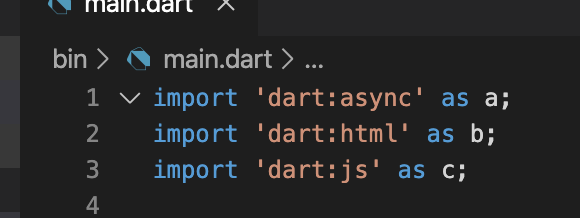
Is it a specific file you don't see it in? Are you on a recent Dart SDK and haven't disabled dart.analysisServerFolding or changed editor.foldingStrategy?
 DanTup
on 28 Mar 2020
DanTup
on 28 Mar 2020
I'm on v3.8.1 and I don't have it in any of my files and never have. This is my global settings file
{
    "workbench.colorTheme": "Atom One Dark",
    "editor.fontFamily": "FiraCode-Retina",
    "editor.fontLigatures": true,
    "editor.fontSize": 14,
    "explorer.confirmDelete": false,
    "git.enableSmartCommit": true,
    "explorer.confirmDragAndDrop": false,
    "dart.debugExternalLibraries": false,
    "dart.debugSdkLibraries": false,
    "[jsonc]": {
        "editor.defaultFormatter": "esbenp.prettier-vscode"
    },
    "[javascript]": {
        "editor.defaultFormatter": "esbenp.prettier-vscode"
    },
    "[json]": {
        "editor.defaultFormatter": "esbenp.prettier-vscode"
    }
}
Do you get any folding at all? I noticed you need to hover your mouse in the gutter before the folding icons appear.
DanTup
on 28 Mar 2020
Oh my goodness it was actually there. Somehow I missed it even when I was looking for it explicitly. Is there any way to have the import fields collapsed in all files by default?
lukepighetti
on 28 Mar 2020
Yeah, it caught me out too :)
Is there any way to have the import fields collapsed in all files by default?
Not that I know of. I don't think there are even VS Code APIs for extensions to expand/collapse specific ranges like that. It wouldn't be a bad feature for TypeScript either though =)
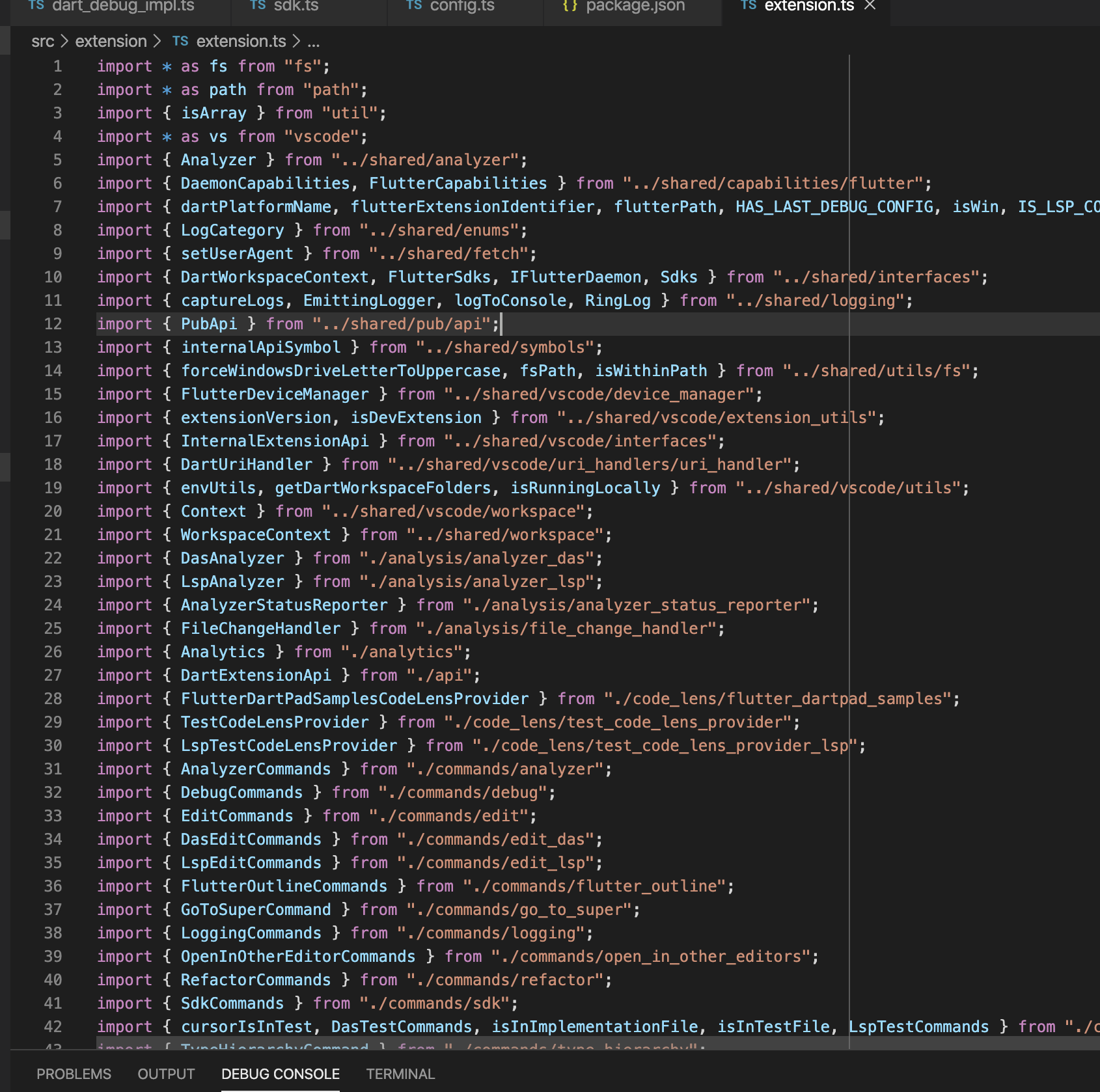
They go all the way to line 89!
DanTup
on 30 Mar 2020
No problem! I'm comfortable keeping this closed. Thanks Dan.
lukepighetti
on 30 Mar 2020
Related issues
 awfin
·
3Comments
awfin
·
3Comments
 shamrin
·
5Comments
shamrin
·
5Comments
 agmcleod
·
3Comments
DanTup
·
3Comments
agmcleod
·
3Comments
DanTup
·
3Comments
 partounian
·
4Comments
partounian
·
4Comments
Most helpful comment
Do you get any folding at all? I noticed you need to hover your mouse in the gutter before the folding icons appear.