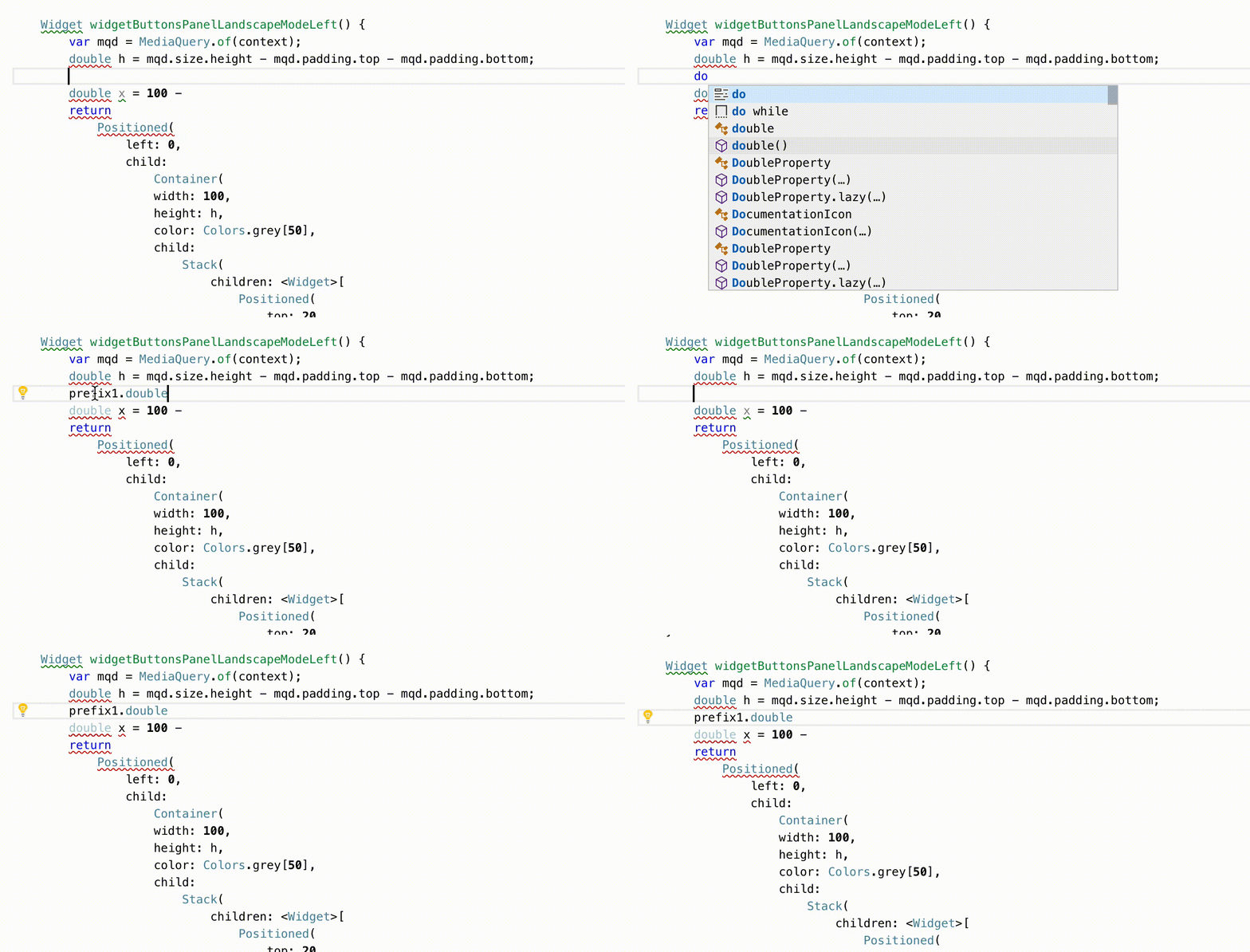
Dart-code: Code completion adds unexpected prefixes
Fix this please as soon as possible
VS Code 1.35.1
Dart & Flutter 3.2.0
 alex9153
All 12 comments
@alex9153 What version of Flutter are you using?
 DanTup
on 10 Jul 2019
DanTup
on 10 Jul 2019
Dart & Flutter 3.2.0
alex9153
on 10 Jul 2019
Flutter 1.5.8+hotfix
alex9153
on 10 Jul 2019
Flutter 1.5.8+hotfix
Please run flutter upgrade and try again, this issue should be fixed in the new release (1.7).
DanTup
on 10 Jul 2019
I upgraded to the beta version of Flutter 1.8.3 with Dart 2.5.0 and VS Code 1.37.1 and I still see this issue:

(please note I also commented on #1782 and added a reproduction scenario there)
 nbros
on 19 Aug 2019
nbros
on 19 Aug 2019
@nbros thanks for the repro! I can reproduce with your sample file and managed to trim it down. Curiously, once I remove the code that references flutter/material the problem goes away.
I've opened https://github.com/dart-lang/sdk/issues/37916 with the details since the issue is in the analysis server.
DanTup
on 20 Aug 2019
I upgraded to the beta version of Flutter 1.8.3 with Dart 2.5.0 and VS Code 1.37.1 and I still see this issue:
(please note I also commented on #1782 and added a reproduction scenario there)
i got the same problem since 1-2 months
now i always write out variables from other libraries, because auto-complete adds prefix0.
https://stackoverflow.com/questions/57274667/visual-studio-code-adding-prefix0-in-flutter
 nohli
on 22 Aug 2019
nohli
on 22 Aug 2019
This issue has been fixed in the Dart SDK (https://github.com/dart-lang/sdk/issues/37916) and will be included in an upcoming release. Thanks for the repro @nbros.
@nohli you're probably seeing the same issue, but if you can provide a concrete repro I'm happy to do some testing of it against the fix above.
DanTup
on 22 Aug 2019
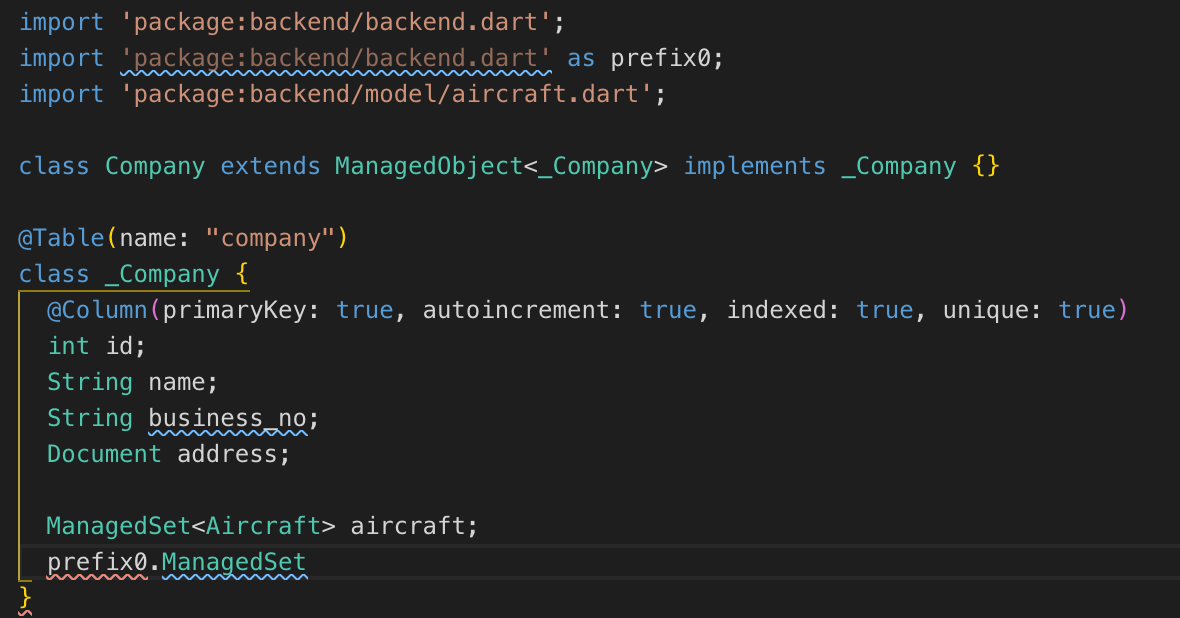
I'm still having this issue when working in pure Dart. I'm running Dart VM version: 2.6.0 on macos_x64 (although I also have Flutter 1.9.1+hotfix.5 with Dart 2.5 installed)

 lee-40square
on 6 Nov 2019
lee-40square
on 6 Nov 2019
@lee-40square can you check which SDK version is shown in the status bar when this happens? As far as I know, the prefixes were entirely removed for Dart 2.6:
https://github.com/dart-lang/sdk/commit/4f8f592b51990612335b66dccd5269aab09b96dd
If your status bar shows "Flutter" then it's likely using the v2.5 SDK in there, and the problem will go away once you're on a version of Flutter with >= v2.6 of Dart.
Otherwise, if you see "Dart v2.6" in the status bar and can still repro, are you able to share a small project and instructions so I can reproduce it here? Thanks!
DanTup
on 7 Nov 2019
Thanks Danny. That's very helpful. I have a workspace in VSCode that has both, a Flutter app and a Dart app (Aqueduct). When working on the Aqueduct project the status bar is it indeed showing Flutter which would explain the issue I am having. I guess I'll have to do some research about how to force VSCode to use a specific SDK for a given project when using a Workspace. It works fine if I only open the Aqueduct project (I get Dart 2.6) on its own, but if I open it in a Workspace it shows Flutter. :-D
Thanks for pointing me in the right direction.
lee-40square
on 7 Nov 2019
If your workspace contains any Flutter projects, then Flutter's version of the Dart SDK will be used for the whole workspace. Unfortunately there's no way around this without us spawning separate analysis servers for each project, and that would consume far more resources (thus we haven't implemented an option for this).
DanTup
on 7 Nov 2019
Related issues
 jascodes
·
4Comments
jascodes
·
4Comments
 mccadi
·
3Comments
mccadi
·
3Comments
 kinex
·
3Comments
kinex
·
3Comments
 shamrin
·
5Comments
shamrin
·
5Comments
 mayorbyrne
·
5Comments
mayorbyrne
·
5Comments
Most helpful comment
I'm still having this issue when working in pure Dart. I'm running Dart VM version: 2.6.0 on macos_x64 (although I also have Flutter 1.9.1+hotfix.5 with Dart 2.5 installed)