Darktable: macOS 10.15 (Catalina): Error opening directory '...': Operation not permitted
Describe the bug
On macOS Catalina I'm not able to access my photos, and when I go to import, I get an "Operation not permitted" error message.
To Reproduce
Steps to reproduce the behavior:
- Go to '...'
- Click on '....'
- Scroll down to '....'
- See error
Expected behavior
I expect to able to use my photos and import new photos like before Catalina ;-)
Screenshots

Platform (please complete the following information):
- OS: macOS 10.15
- Version 2.6.2
Additional context
Seems like Apple changed something here, but seems like other apps kind of do request file/folder access and then work just fine.
 d4rkd3v1l
All 42 comments
Same problem here.
 mnogueir
on 9 Oct 2019
mnogueir
on 9 Oct 2019
Could it be App Sandbox?
mnogueir
on 9 Oct 2019
I won't be upgrading to 10.15 any time soon, because it removes support for 32 bit applications, so someone should help out here.
I haven't enabled App Sandbox explicitly anywhere and it would have been strange for defaults to change like that... Maybe it's something else.
 parafin
on 9 Oct 2019
parafin
on 9 Oct 2019
Could you try the following:
- go to System Preferences->Security&Privacy->Privacy->Full Disk Access
- unlock settings (click on lock icon in the left bottom corner and enter password)
- click on + button and select darktable application
- restart darktable and try accessing files again
parafin
on 9 Oct 2019
I tried, didn't work. In the Privacy->File (maybe not the correct name, I'm running a Portuguese version) the + button doesn't work :(. For what I've read, the application must "ask" permission to access external volumes? With "terminal" I got the dialog asking, and now it appears on the privacy->file menu...
Thanks for the help
mnogueir
on 9 Oct 2019
I have the same issue, Full Disk Access does not solve the problem.
In my case it's because my photos are on a SMB share, which requires permission to access "network volumes" in Catalina. If I grant iTerm access to "network volumes" (it properly asks for them, I guess) then launching Darktable from the iTerm command line is a functional workaround.
cd /Applications/darktable.app/Contents/MacOS
./darktable
@d4rkd3v1l That should work for your problem as well temporarily (giving iTerm permission instead) until Darktable requests these permissions from macOS directly.

From what I can tell there is no way to manually add apps to the above list. The are simply added to this list by macOS after you've gotten the popup asking for permission (with the checkbox status corresponding to whether you allowed or denied the access).
 bobsomers
on 10 Oct 2019
bobsomers
on 10 Oct 2019
The workaround works! Thanks a lot
mnogueir
on 10 Oct 2019
OK, will have to investigate how to ask for permissions.
parafin
on 10 Oct 2019
I just know this from developing iOS apps, where you have to request access to e.g. photos or camera, or whatever. Unfortunately I didn't find anything related to file/folder access on macOS... Maybe macOS should bring up this dialog automatically? But then again, why doesn't it? Could be the way, files are accessed? IDK... just some thoughts on this.
Will definitely try the workaround later. Thanks already for all your help and support! :-)
d4rkd3v1l
on 10 Oct 2019
@bobsomers, so you've managed to add darktable to Full Disk Access?
@mnogueir, I think you went wrong somewhere. Probably you chose Files and Folders instead of Full Disk Access. Maybe switch system language for a test, dunno.
I'm not sure why these restrictions apply to darktable, since it's not using App Sandbox.
parafin
on 10 Oct 2019
@parafin , I tried both. In Full Disk Access I was able to add Darktable, but the problem persisted (after restart, of course). In "Files and Folders" I have no option to add new apps.
mnogueir
on 10 Oct 2019
@parafin , I tried both. In Full Disk Access I was able to add Darktable, but the problem persisted (after restart, of course). In "Files and Folders" I have no option to add new apps.
Yes, I noticed this as well, seems like one can add stuff to full disk access, but not to "files and folders" >.<
d4rkd3v1l
on 10 Oct 2019
Then I'm currently lost on what to do here. Google doesn't help.
Which ways did you try to start darktable (aside from mentioned iTerm workaround)? I can think of at least 4, please try them all:
- from the Dock
- from the Files app browsing to /Applications
- from the Launchpad
- from the Terminal (/Applications/darktable.app/Contents/MacOS/darktable)
parafin
on 10 Oct 2019
- Spotlight (or sth like Alfred)
But everything but iTerm should be pretty much the same, I guess?
d4rkd3v1l
on 10 Oct 2019
I have no idea. It looks like sandbox gets inherited from the parent process (iTerm workaround points to that), so there might be some difference. BTW, two more cases to check:
- Terminal: open /Applications/darktable.app
- iTerm: open /Applications/darktable.app
parafin
on 10 Oct 2019
- NOK
- NOK
- NOK
- OK (I previously gave permission for terminal to use external drives)
- NOK
- /Applications/darktable.app is a directory, not an executable. I'd say this one is = 4
- Don't have it installed
mnogueir
on 10 Oct 2019
- "open " is part of the command.
Can you show which permissions Terminal has in Privacy settings on your Mac?
parafin
on 10 Oct 2019
OK, got it.
- NOK

In Portuguese; it's "Removable Volumes" and "Desktop"
mnogueir
on 11 Oct 2019
I have no idea. It looks like sandbox gets inherited from the parent process (iTerm workaround points to that), so there might be some difference.
I'm basically 100% sure about this as well.
I just did some tests, and really the only thing that worked for me, was using iTerm/Terminal (doesn't matter which one, I think) and run/execute darktable from there. Despite opening it doesn't really run/execute it "via Terminal", but just opens it, like you would do by using Dock, Spotlight, or just double-clicking darktable with your mouse in /Applications.
What's also interesting is, that I didn't have "Desktop" permissions set for iTerm, which led to the Permission Alert coming up, as I tried to access my Desktop. While obviously it just worked fine for my external drive, as I already had the permission for "Removable Volumes" granted for iTerm before.
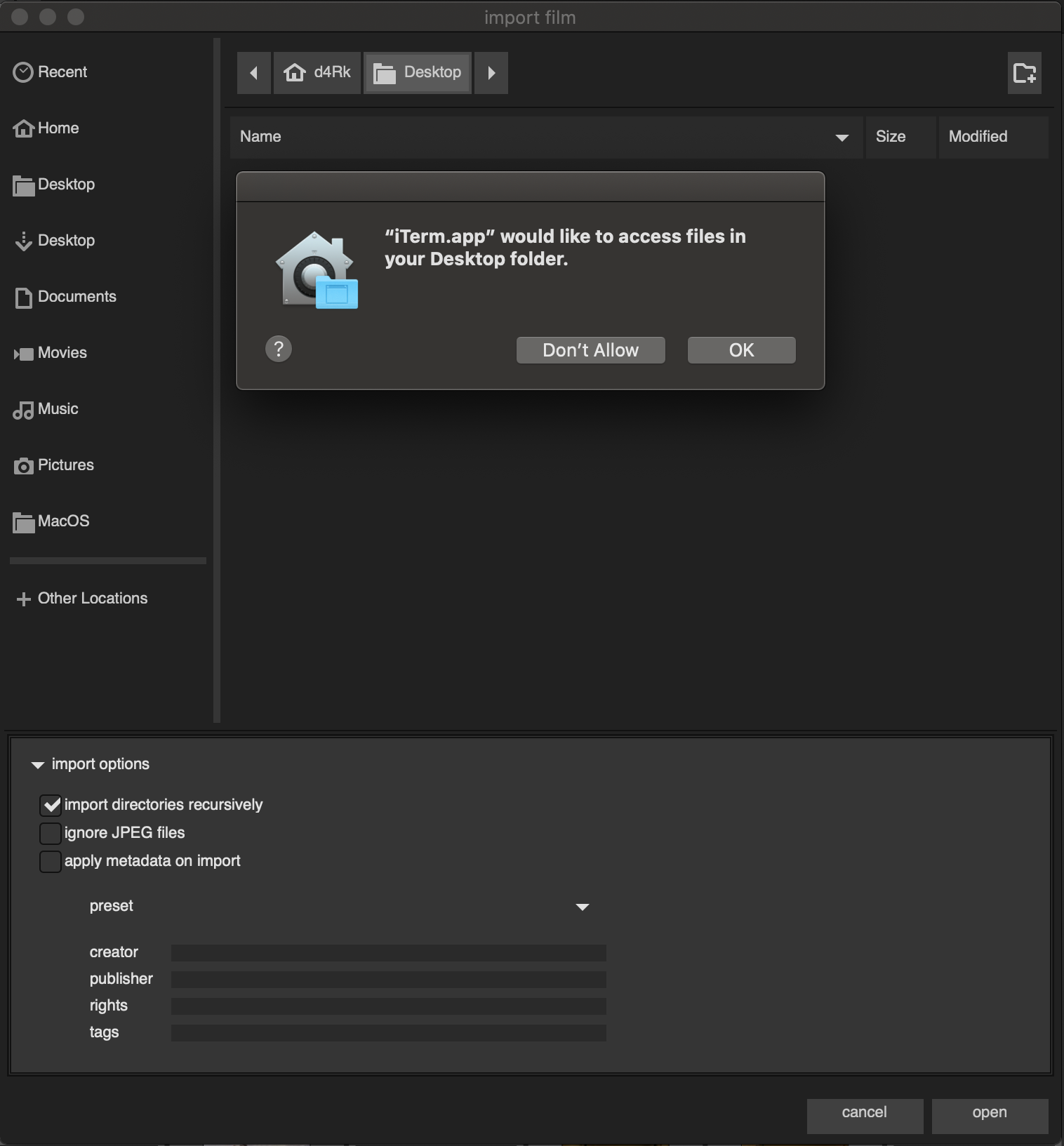
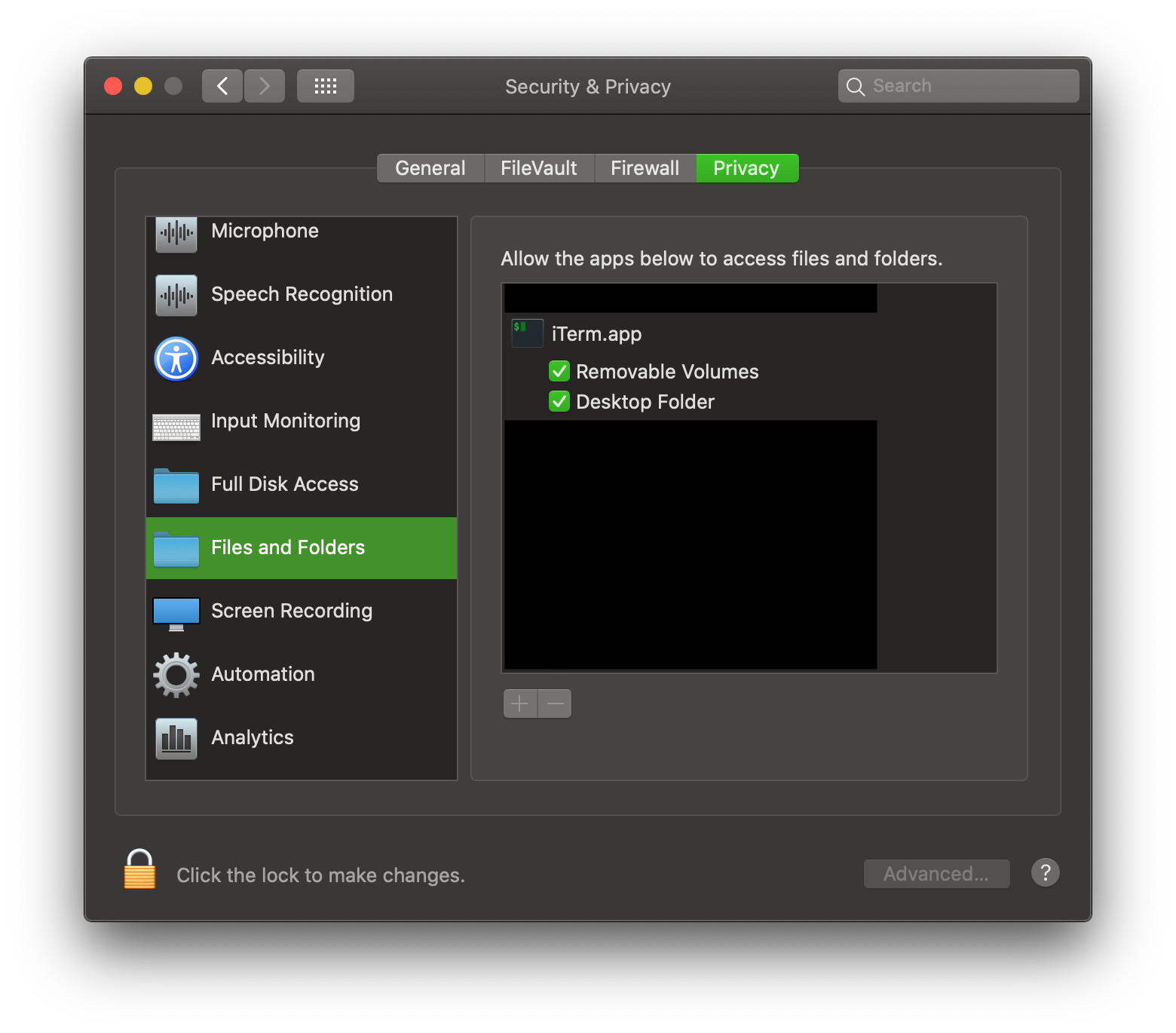
Now the big question really is, how do we get darktable to "request" these permissions by it's own, or how does darktable has to access the file system to make macOS trigger them?!
d4rkd3v1l
on 11 Oct 2019
Please try modifying /Applications/darktable.app/Contents/Info.plist by adding the following lines after
        <key>NSSystemAdministrationUsageDescription</key>
        <string>NSSystemAdministrationUsageDescription</string>
        <key>NSNetworkVolumesUsageDescription</key>
        <string>NSNetworkVolumesUsageDescription</string>
        <key>NSRemovableVolumesUsageDescription</key>
        <string>NSRemovableVolumesUsageDescription</string>
        <key>NSDownloadsFolderUsageDescription</key>
        <string>NSDownloadsFolderUsageDescription</string>
        <key>NSDocumentsFolderUsageDescription</key>
        <string>NSDocumentsFolderUsageDescription</string>
        <key>NSDesktopFolderUsageDescription</key>
        <string>NSDesktopFolderUsageDescription</string>
After that start darktable the normal way and tell me if anything changes and which messages appear if they do. I hope it will allow application to start after Info.plist modification...
parafin
on 11 Oct 2019
Just tested it, adding those UsageDecription keys to Info.plist, unfortunately it still doesn't work, that means I still get the original "Operation not permitted" alert.
d4rkd3v1l
on 11 Oct 2019
Please do the following:
- open a Terminal and execute the following command:
log stream --predicate 'subsystem == "com.apple.TCC" || subsystem == "com.apple.sandbox.reporting"' --level info > log.txt
- start darktable and open import file dialog to get the error, then exit from darktable
- Press Ctrl-C in the Terminal
- Attach resulting log.txt file here
- Revert changes to Info.plist (better just re-install from DMG package)
- Repeat steps 2-4
parafin
on 11 Oct 2019
d4rkd3v1l
on 11 Oct 2019
How did you start darktable when you produced these logs?
parafin
on 11 Oct 2019
Spotlight
d4rkd3v1l
on 11 Oct 2019
Hmm, did you re-install darktable from DMG? What does the following commands display:
codesign -vvvv /Applications/darktable.app/
spctl --verbose --assess --type execute -v /Applications/darktable.app/
I tried the Info.plist changes, same result (running from dock).
codesign:
--prepared:/Applications/darktable.app/Contents/MacOS/darktable-bin
--validated:/Applications/darktable.app/Contents/MacOS/darktable-bin
--prepared:/Applications/darktable.app/Contents/MacOS/darktable-cltest
--validated:/Applications/darktable.app/Contents/MacOS/darktable-cltest
--prepared:/Applications/darktable.app/Contents/MacOS/darktable-generate-cache-bin
--validated:/Applications/darktable.app/Contents/MacOS/darktable-generate-cache-bin
--prepared:/Applications/darktable.app/Contents/MacOS/darktable-rs-identify
--validated:/Applications/darktable.app/Contents/MacOS/darktable-rs-identify
--prepared:/Applications/darktable.app/Contents/MacOS/darktable-chart
--validated:/Applications/darktable.app/Contents/MacOS/darktable-chart
--prepared:/Applications/darktable.app/Contents/MacOS/darktable-cli-bin
--validated:/Applications/darktable.app/Contents/MacOS/darktable-cli-bin
--prepared:/Applications/darktable.app/Contents/MacOS/darktable-cli
--validated:/Applications/darktable.app/Contents/MacOS/darktable-cli
--prepared:/Applications/darktable.app/Contents/MacOS/darktable-cltest-bin
--validated:/Applications/darktable.app/Contents/MacOS/darktable-cltest-bin
--prepared:/Applications/darktable.app/Contents/MacOS/darktable-generate-cache
--validated:/Applications/darktable.app/Contents/MacOS/darktable-generate-cache
--prepared:/Applications/darktable.app/Contents/MacOS/darktable-chart-bin
--validated:/Applications/darktable.app/Contents/MacOS/darktable-chart-bin
/Applications/darktable.app/: valid on disk
/Applications/darktable.app/: satisfies its Designated Requirement
spctl:
/Applications/darktable.app/: accepted
source=Notarized Developer ID
origin=Developer ID Application: XIMEA s.r.o. (85Q3K4KQRY)
mnogueir
on 12 Oct 2019
It looks like people are running into the same issues with emacs and gimp on Catalina.
The gimp issue might be particularly interesting as I believe Darktable's UI also uses GTK?
bobsomers
on 12 Oct 2019
What I'm seeing from the logs is that macOS 10.15 changed the logic for shell scripts as applications - on 10.14 granting permissions to /Applications/darktable.app worked, on 10.15 permissions are checked for /bin/sh instead for some reason. So probably granting Full Disk Access to /bin/sh will allow darktable to access at least some files, but it's a bad workaround since permissions won't be limited to just darktable (so it will open a security hole). Getting rid of a start script for darktable might help, but I don't want to re-implement everything from there in C...
parafin
on 12 Oct 2019
Anyway, I will try to prepare something next week for you to test. Right now I'm unable to notarize packages.
parafin
on 12 Oct 2019
Please try the following build: http://paraf.in/junk/darktable-2.6.2+28.dmg
parafin
on 17 Oct 2019
I will try to test this build tonight! Thanks @parafin!
bobsomers
on 17 Oct 2019
Great news! That build appears to completely fix the issue for me.
I tried opening some existing photos which live on a network drive and got the appropriate permissions request. After saying "ok" my photos loaded with no issues.
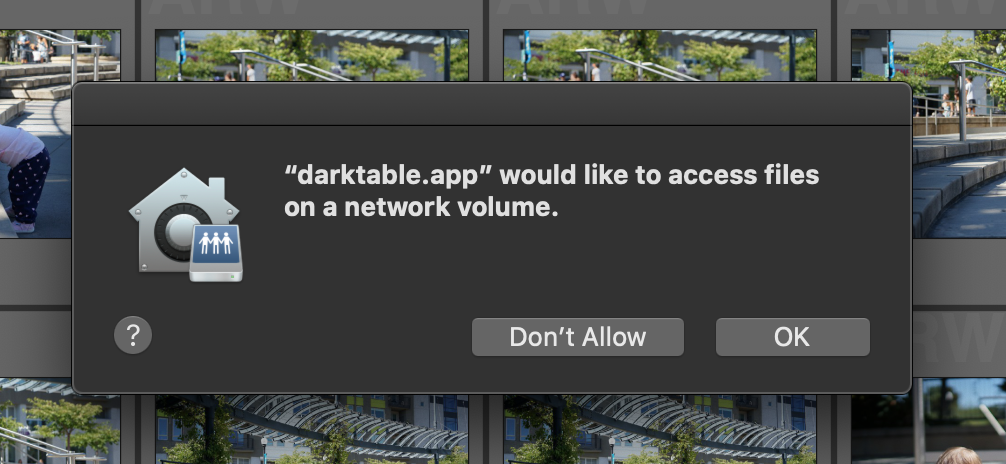
Next I tried to import some new photos from a local protected directory to make sure this worked as well. I got the expected prompt and the photos imported perfectly after saying "ok".
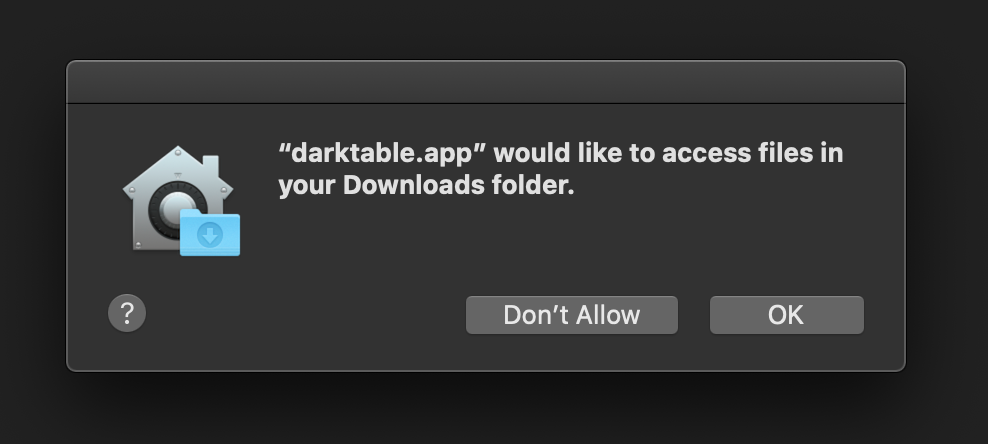
Lastly, I checked that Darktable shows up in the System Preferences > Security & Privacy > Privacy > Files and Folders list, and it does!
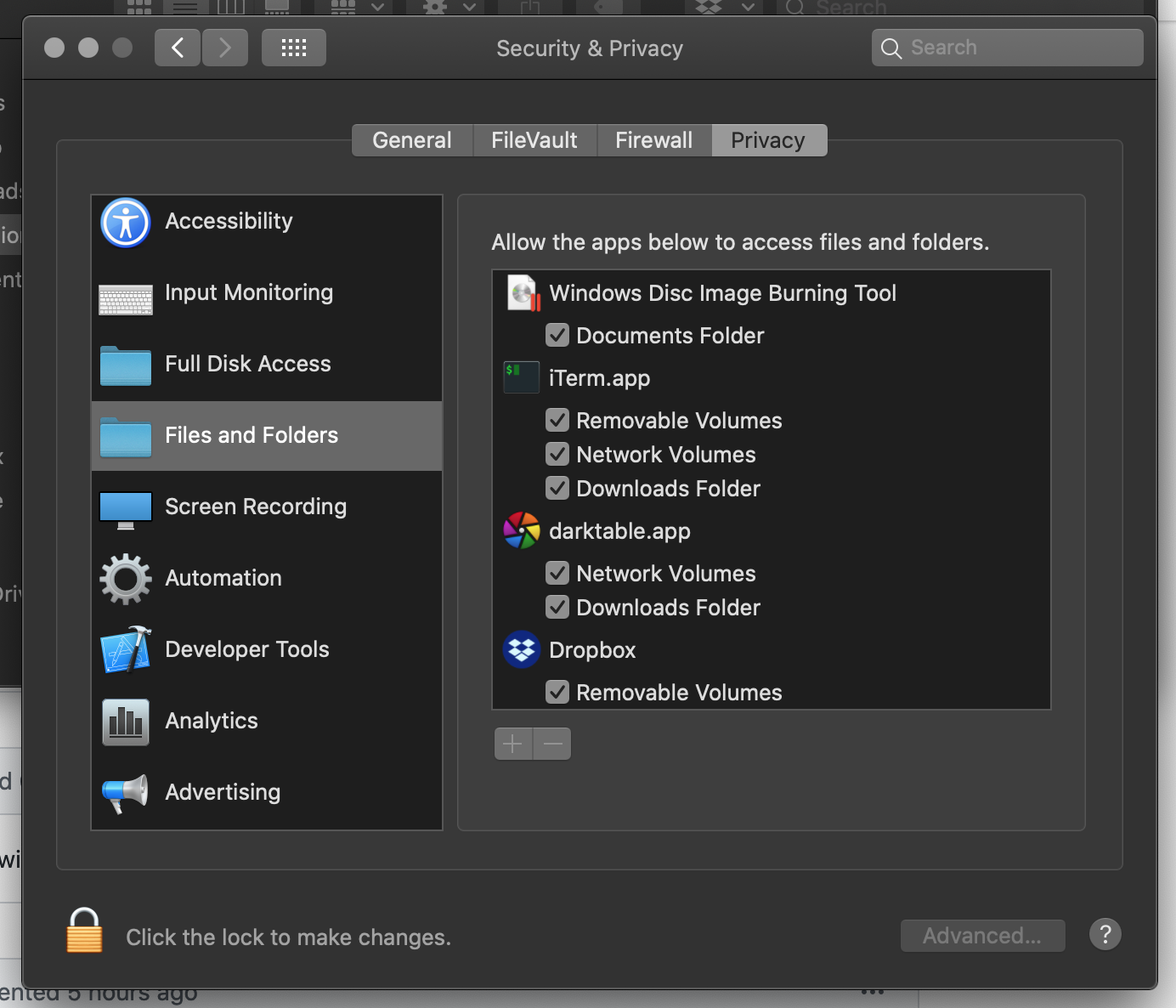
This looks 100% fixed to me! Thanks so much for a quick turnaround @parafin!
bobsomers
on 18 Oct 2019
I can also confirm, that it works now. Thanks a lot @parafin!
d4rkd3v1l
on 20 Oct 2019
Confirmed! Thanks a lot :)
mnogueir
on 20 Oct 2019
Fix will be released soon as 2.6.3.
parafin
on 20 Oct 2019
Dear Parafin,
tried everything to get 2.6.3 working, but cannot get to the external hard drives or access the network with that version. Do you still have your workaround?
 pombay
on 9 Dec 2019
pombay
on 9 Dec 2019
Fix will be released soon as 2.6.3.
Dear Parafin,
tried everything to get 2.6.3 working, but cannot get to the external hard drives or access the network with that version. Do you still have your workaround?
pombay
on 9 Dec 2019
works for everyone else
parafin
on 10 Dec 2019
Please try the following build: http://paraf.in/junk/darktable-2.6.2+28.dmg
I got the same problem. May I get this file? It seems that it works but also has beed removed. Thanks a lot.
 akirahou
on 17 Feb 2020
akirahou
on 17 Feb 2020
2.6.3 and 3.0 releases already include this fix.
parafin
on 17 Feb 2020
Create new scripts with #!/bin/zsh + enter in the console chmod +x ./scripts/* and run scripts
 TsvetkovP
on 11 Mar 2020
TsvetkovP
on 11 Mar 2020
Related issues
 AxelG-DE
·
5Comments
AxelG-DE
·
5Comments
 Egocentrix
·
5Comments
Egocentrix
·
5Comments
 jade-nl
·
3Comments
jade-nl
·
3Comments
 trougnouf
·
5Comments
trougnouf
·
5Comments
 bapBardas
·
6Comments
bapBardas
·
6Comments
Most helpful comment
Fix will be released soon as 2.6.3.