Darknet: Coordinations of bounding boxes
@AlexeyAB
Hello dear Alex
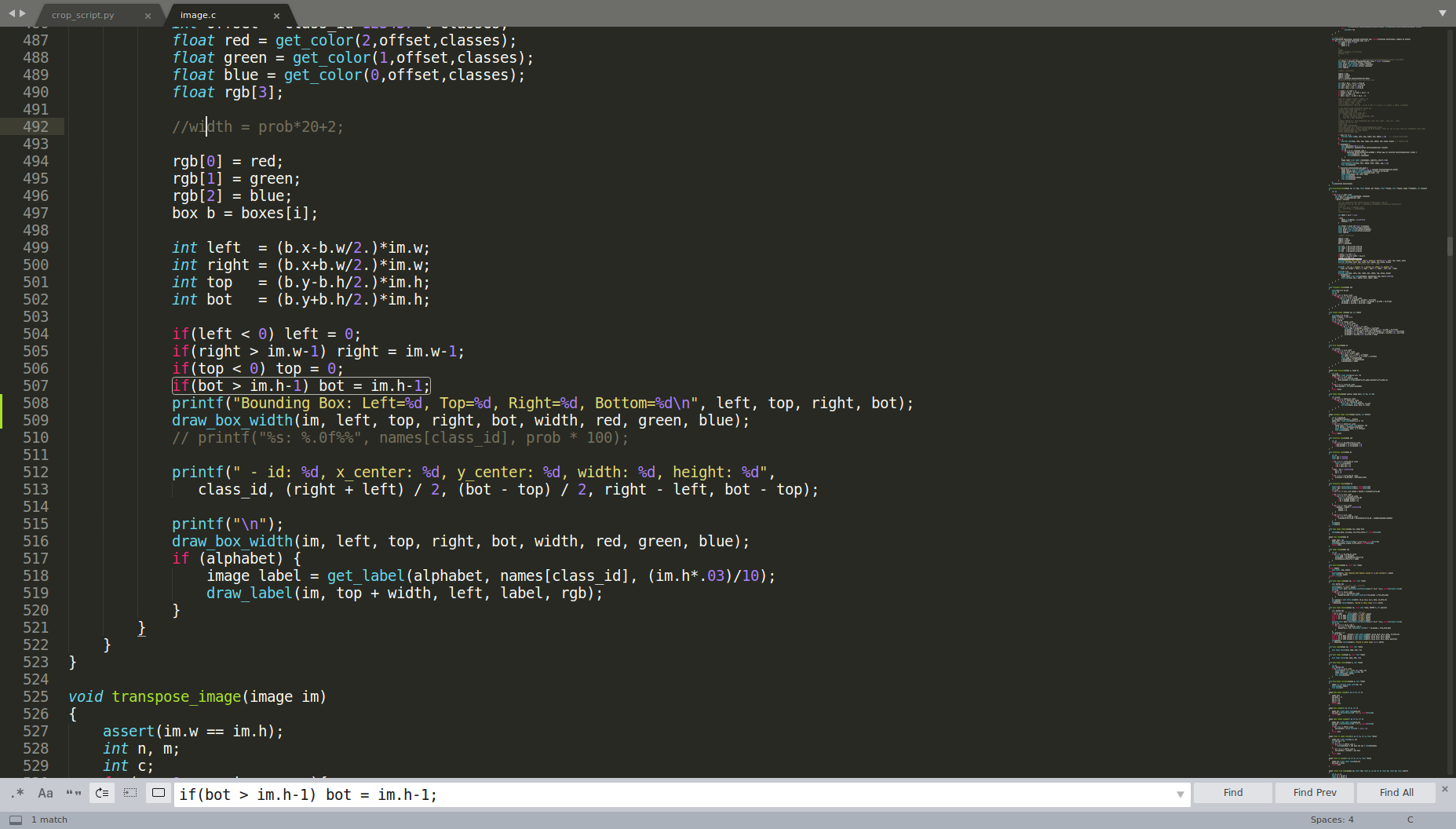
How can I modify the "image.c" to only get four numbers for the coordinates of bounding boxes (without any additional description)?
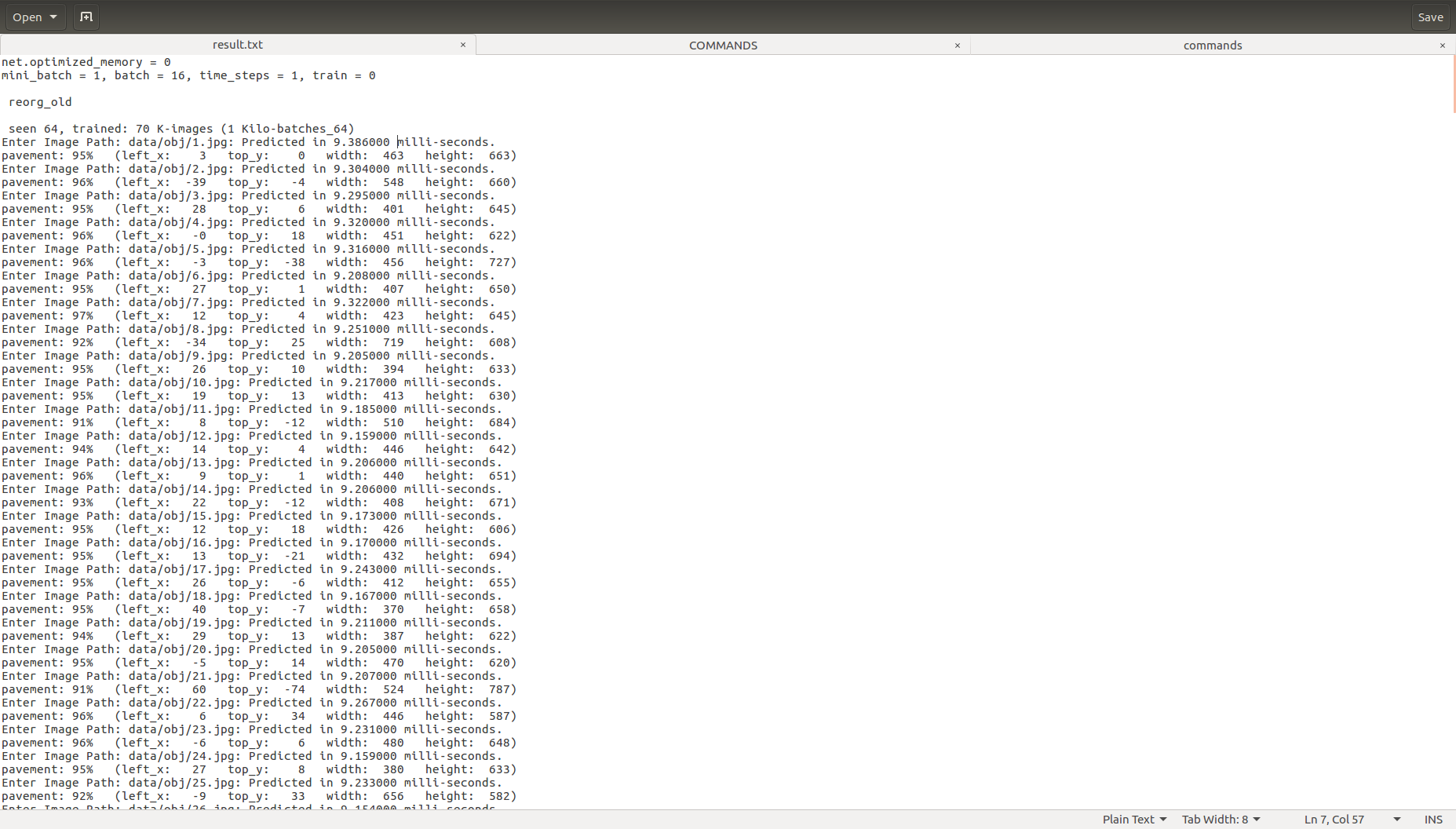
I have tried by making some minor changes as below (and running "make" command) but it didn't make any change to the output as could be seen in the second image:
 mfaramarzi
All 5 comments
Instead of modifying Darknet itself, have you thought about using the darknet library to have your own code display exactly what you need/want?
Somewhat related to that, you may be interested in knowing there are other 3rd-party libraries that use libdarknet.so which can output the results. For example, I wrote a free one called DarkHelp which has an option to output the coordinates as a JSON file. Here is an example of the output:
[...]
                    "rect": {
                        "height": 141,
                        "width": 171,
                        "x": 44,
                        "y": 26
See here for details: https://www.ccoderun.ca/darkhelp/api/ShellScripting.html
 stephanecharette
on 14 Jun 2020
stephanecharette
on 14 Jun 2020
Instead of modifying Darknet itself, have you thought about using the darknet library to have your own code display exactly what you need/want?
Somewhat related to that, you may be interested in knowing there are other 3rd-party libraries that use libdarknet.so which can output the results. For example, I wrote a free one called DarkHelp which has an option to output the coordinates as a JSON file. Here is an example of the output:[...] "rect": { "height": 141, "width": 171, "x": 44, "y": 26See here for details: https://www.ccoderun.ca/darkhelp/api/ShellScripting.html
I just got familiar with "libdarknet.so" and trying to figure out how to use it for my purpose.
Meanwhile, as you can see in the "result.txt" some of objects have negative value coordination and large width/height values (e.g. "2.jpg" --> pavement: 96% (left_x: -39 top_y: -4 width: 548 height: 660)
Enter Image Path: data/obj/3.jpg: Predicted in 9.295000 milli-seconds.),
while according to the here:
struct bbox_t {
unsigned int x, y, w, h; // (x,y) - top-left corner, (w, h) - width & height of bounded box
Q-1: How can I interpret negative values of x and y?
Q-2: How can I interpret width/height larger than 416, while I I used 416*416 in the .cfg file?
mfaramarzi
on 15 Jun 2020
Q-1: How can I interpret negative values of x and y?
Q-2: How can I interpret width/height larger than 416, while I I used 416*416 in the .cfg file?
Note that in DarkHelp, this is addressed with DarkHelp::fix_out_of_bound_values, which is enabled by default.
stephanecharette
on 15 Jun 2020
Q-1: How can I interpret negative values of x and y?
Q-2: How can I interpret width/height larger than 416, while I I used 416*416 in the .cfg file?Note that in DarkHelp, this is addressed with DarkHelp::fix_out_of_bound_values, which is enabled by default.
That would be great. But unfortunately I have no experience with C++ and want to embed my model into a Python application.
mfaramarzi
on 15 Jun 2020
Instead of modifying Darknet itself, have you thought about using the darknet library to have your own code display exactly what you need/want?
Somewhat related to that, you may be interested in knowing there are other 3rd-party libraries that use libdarknet.so which can output the results. For example, I wrote a free one called DarkHelp which has an option to output the coordinates as a JSON file. Here is an example of the output:
[...]
                    "rect": {
                        "height": 141,
                        "width": 171,
                        "x": 44,
                        "y": 26
See here for details: https://www.ccoderun.ca/darkhelp/api/ShellScripting.html
I just got familiar with "libdarknet.so" and trying to figure out how to use it for my purpose.
Meanwhile, as you can see in the "result.txt" some of objects have negative value coordination and large width/height values (e.g. "2.jpg" -->pavement: 96% (left_x: -39 top_y: -4 width: 548 height: 660) Enter Image Path: data/obj/3.jpg: Predicted in 9.295000 milli-seconds.),while according to the here:
struct bbox_t {
    unsigned int x, y, w, h;    // (x,y) - top-left corner, (w, h) - width & height of bounded box
Q-1: How can I interpret negative values of x and y?
Q-2: How can I interpret width/height larger than 416, while I I used 416*416 in the .cfg file?
@cenit
Would you please help me with those two questions? Tanks in advance!
mfaramarzi
on 15 Jun 2020
Related issues
 qianyunw
·
3Comments
qianyunw
·
3Comments
 Mididou
·
3Comments
Mididou
·
3Comments
 HanSeYeong
·
3Comments
HanSeYeong
·
3Comments
 shootingliu
·
3Comments
shootingliu
·
3Comments
 Greta-A
·
3Comments
Greta-A
·
3Comments
Most helpful comment
Note that in DarkHelp, this is addressed with DarkHelp::fix_out_of_bound_values, which is enabled by default.