Darknet: Small object detection @1080p on Xavier AGX results & request for improvement suggestions?
Hi @AlexeyAB , I thought I should start a new issue as this is not related to the performance bug you fixed in #5234. Thanks for all your advice and sorry for the slow reply, it took me a couple of weeks to train all the different models on the different datasets.
All models were trained at 1920x1088 on a V100 (32GB). The performance of yolov3-tiny-prn is great but it would be great if we can bring the accuracy up. Any suggestions to improve or other configurations to try?
I included some screenshots of dolphins being missed and examples of the data below. Accuracy is lower then the previous post as the testing dataset now only consists of small dolphins.
For those who have just stumbled across this we are a not-for-profit (MAUI63) and what we are doing is looking for the world's rarest dolphin (Maui) using object detection and a large UAV that flies at 120km/h. The higher we can fly and the smaller the objects (dolphins) we can detect the more area we can cover per flight.
The goal is to find the model that performs the most accurately with the smallest objects possible from 1080p 30fps footage using a Jetson Xavier AGX. We need a minimum of 12FPS to be able to spot dolphins @120kmh but have found 20FPS+ is preferable and works better.
Name | Chart | mAP | Xavier @1920x1088 -benchmark | Dataset | Batch | Subdivisions | Random | Calc Anchors | Iterations
-- | -- | -- | -- | -- | -- | -- | -- | -- | --
yolo_v3_tiny_pan_lstm-sml-anc.cfg.txt | 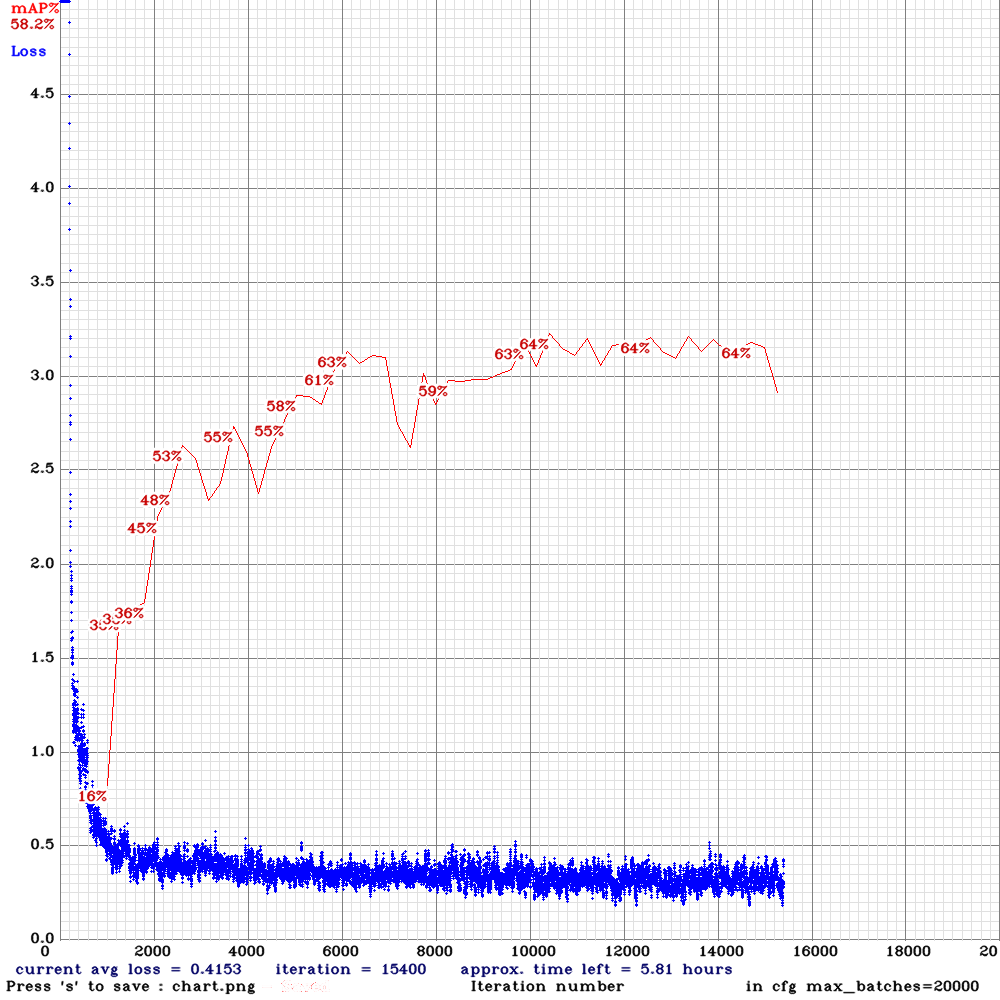 | 64.00% | | Small | 64 | 8 | N | y | 10200
yolo_v3_tiny_pan3_aa_ae_mixup_scale_giou-com.cfg.txt | 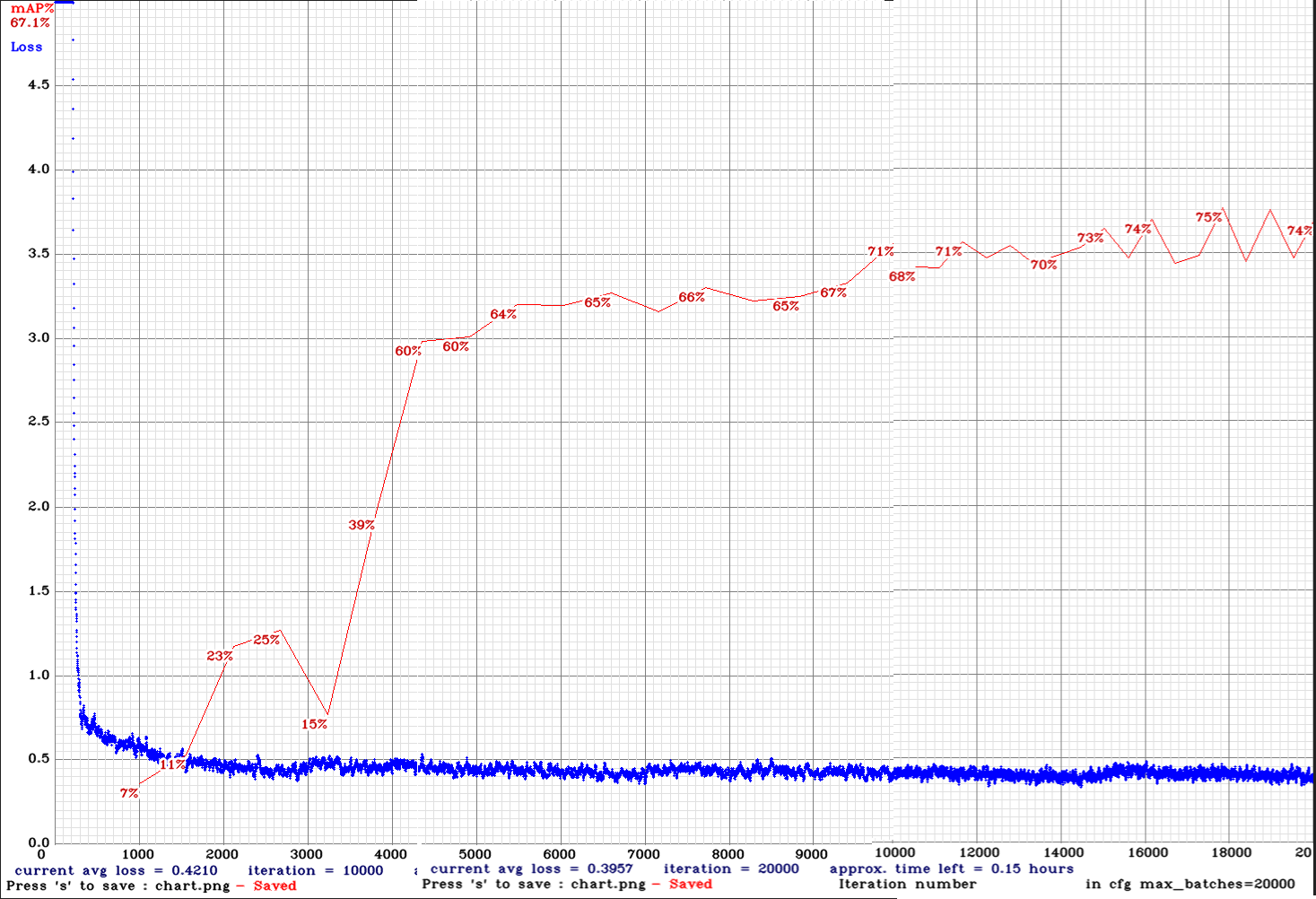 | 75.00% | 11.1FPS | Complete | 64 | 8 | N | N | 16800
yolo_v3_tiny_pan3_aa_ae_mixup_scale_giou-sml.cfg.txt |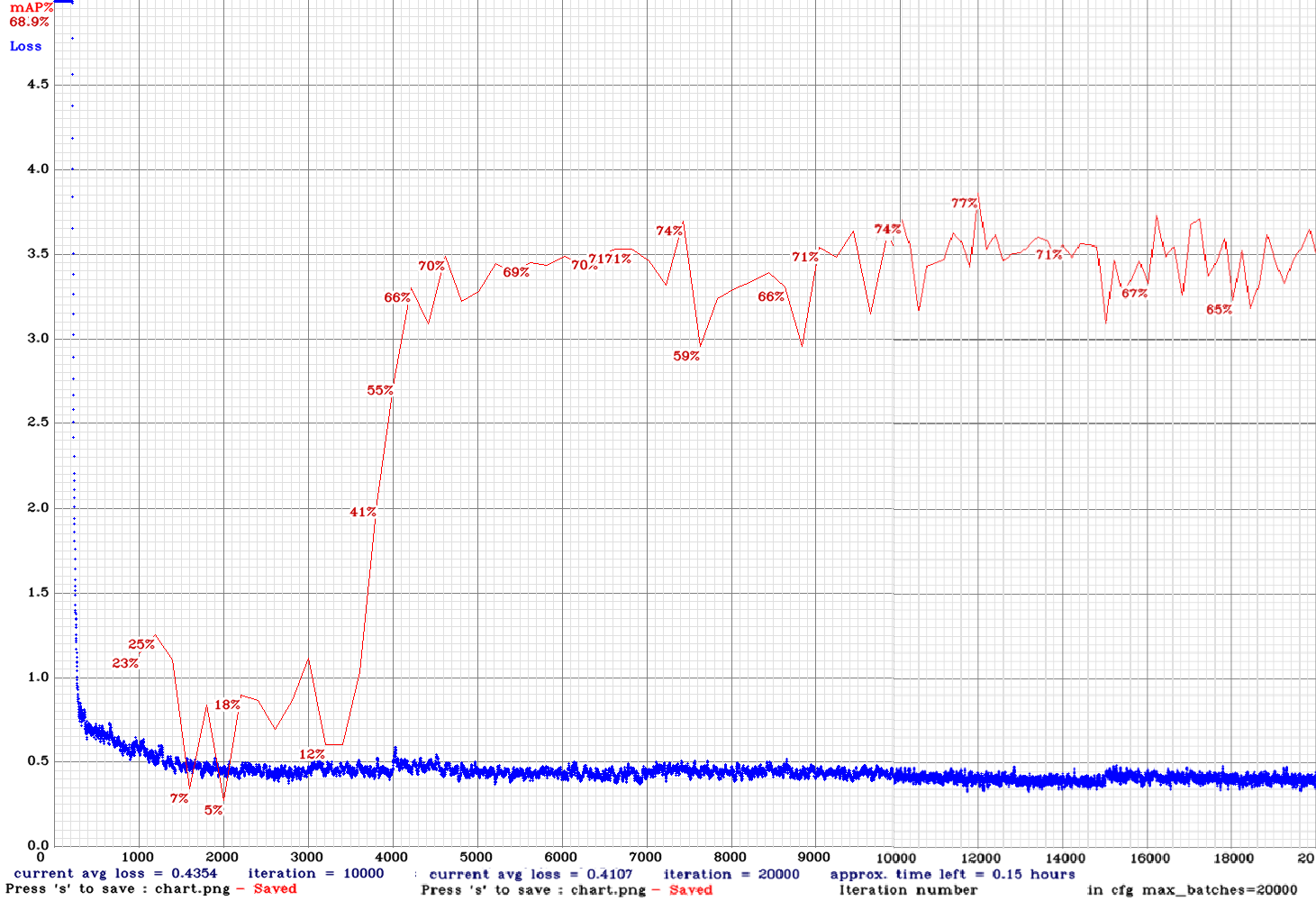 | 77.00% | 11.1FPS | Small | 64 | 8 | N | N | 12000
yolo_v3_tiny_pan3_scale_giou-sml.cfg.txt| 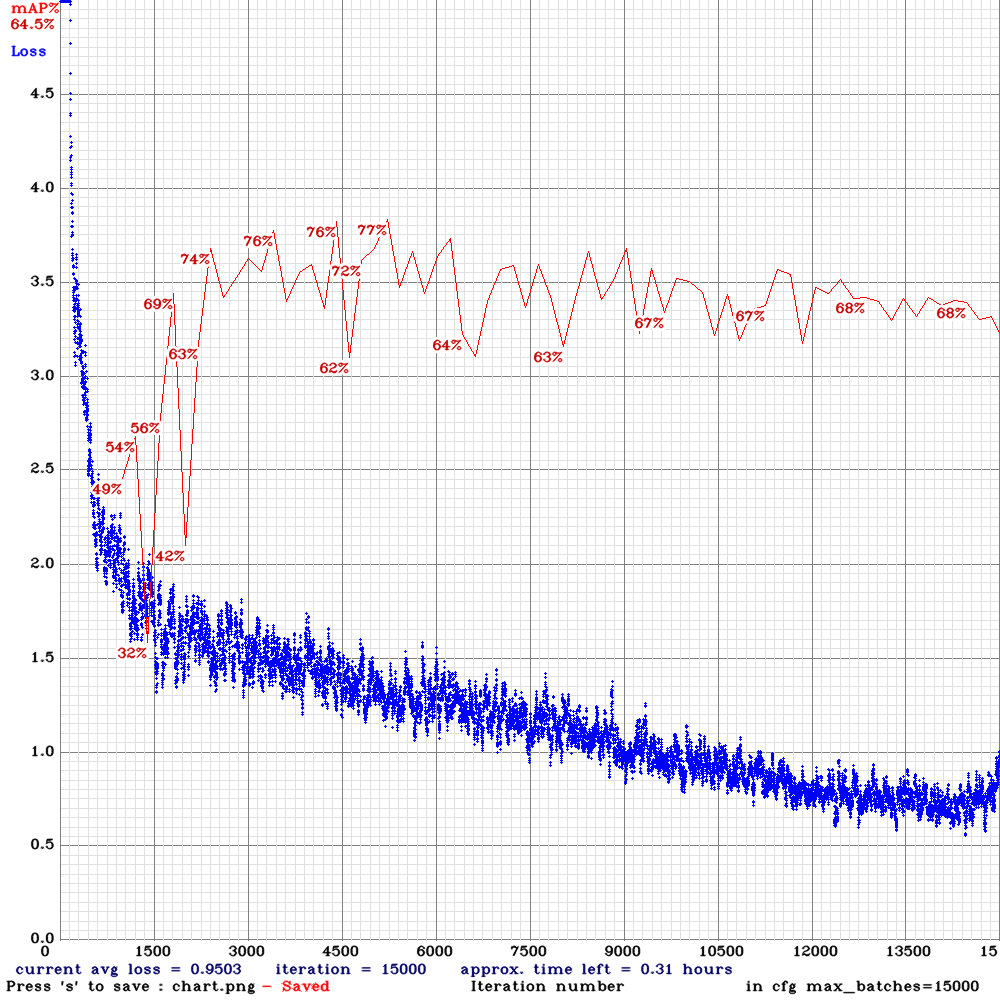 | 77.00% | 12.6FPS | Small | 64 | 8 | N | N | 5000
yolov3-tiny_3l_resize-com.cfg.txt| 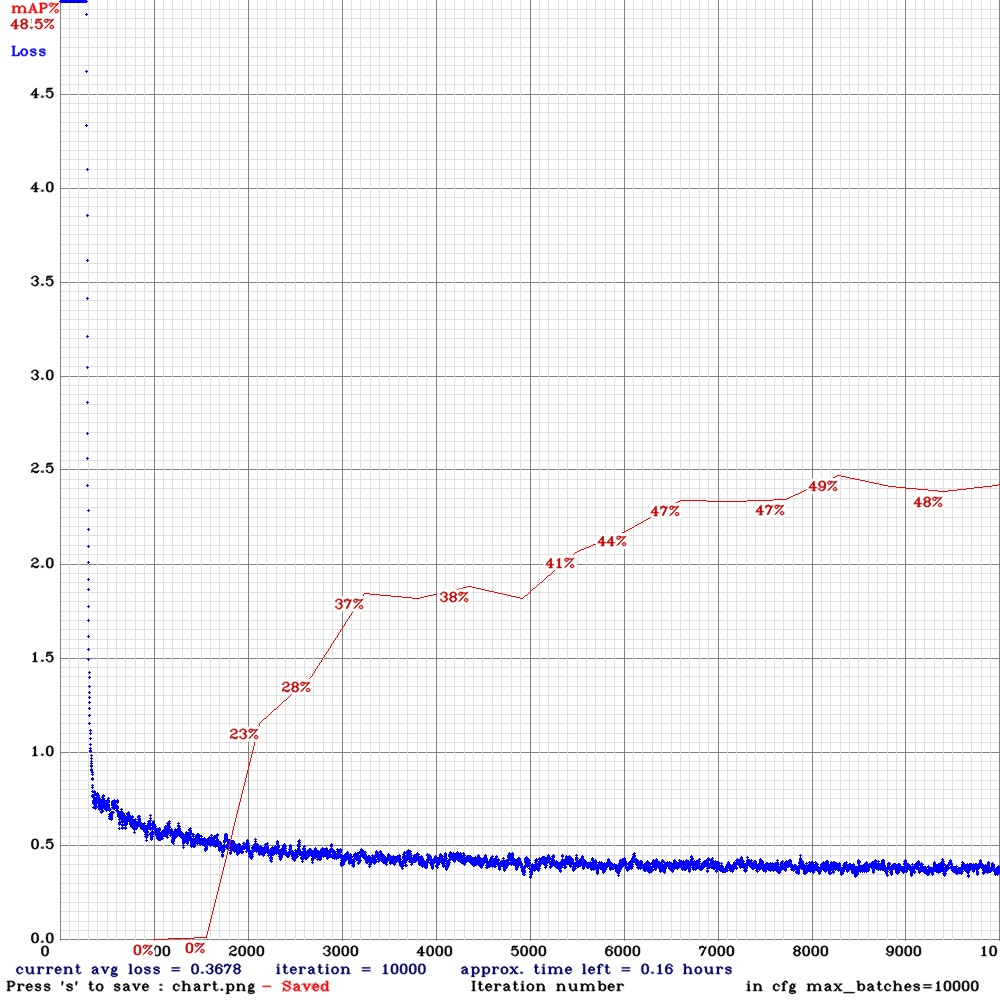 | 49.00% | 16FPS | Complete | 64 | 16 | N | N | 8200
yolov3-tiny_3l_resize-com-anc.cfg.txt | 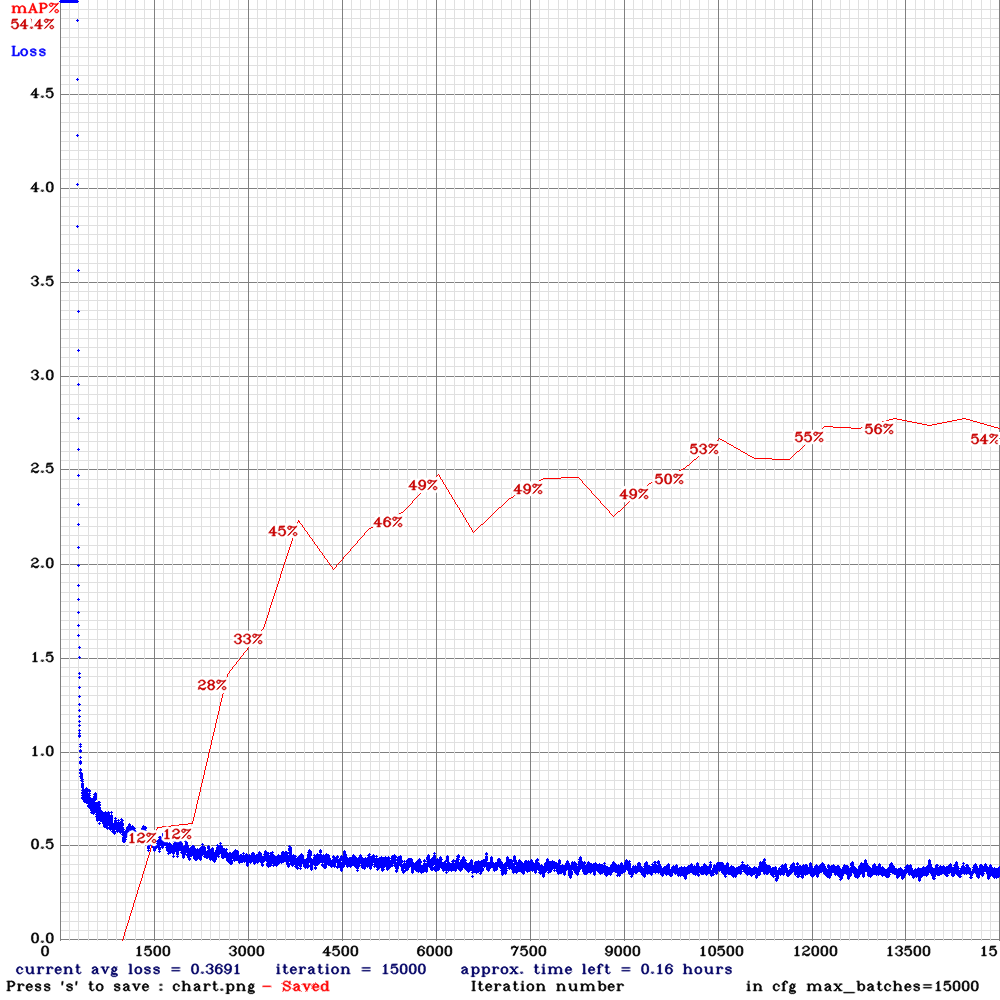 | 56.00% | 16FPS | Complete | 64 | 16 | N | Y | 13000
yolov3-tiny_3l_resize-sml.cfg.txt|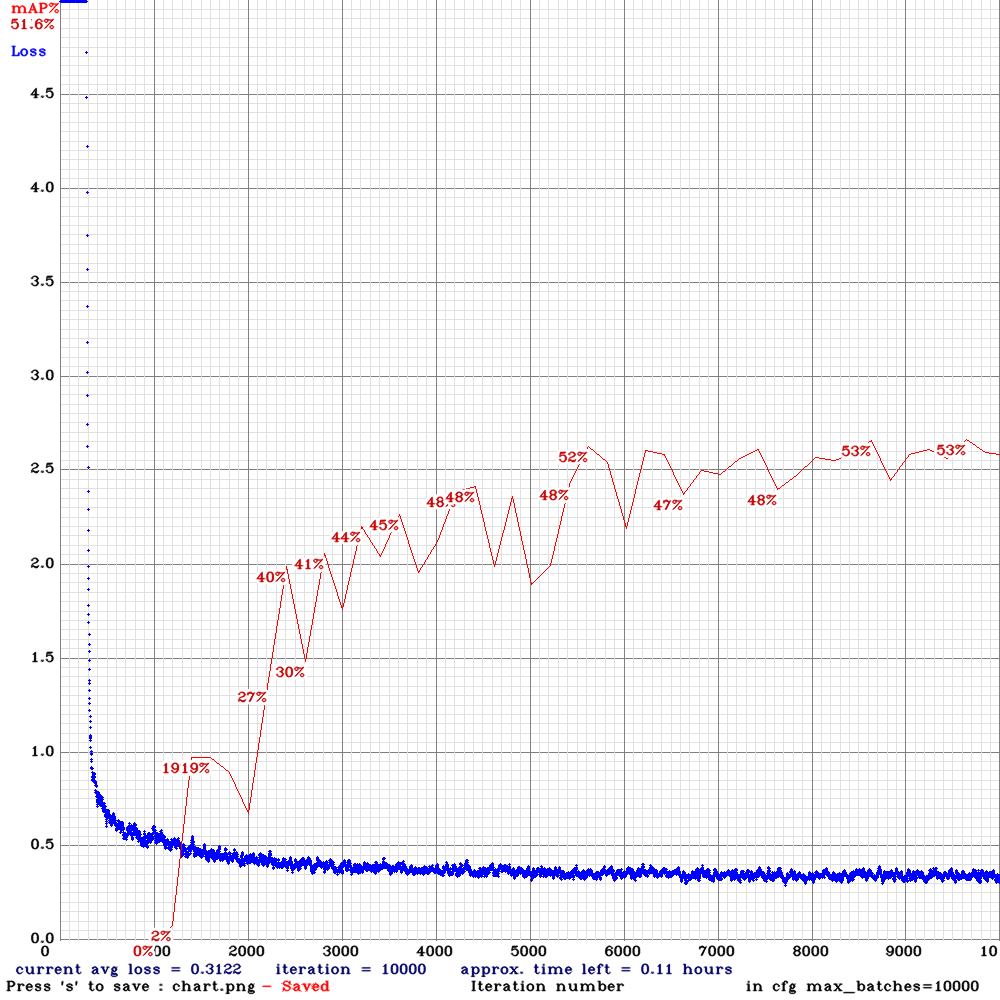 | 53.00% | 16FPS | Small | 64 | 8 | N | N | 5600
yolov3-tiny_3l_resize-sml-anc.cfg.txt|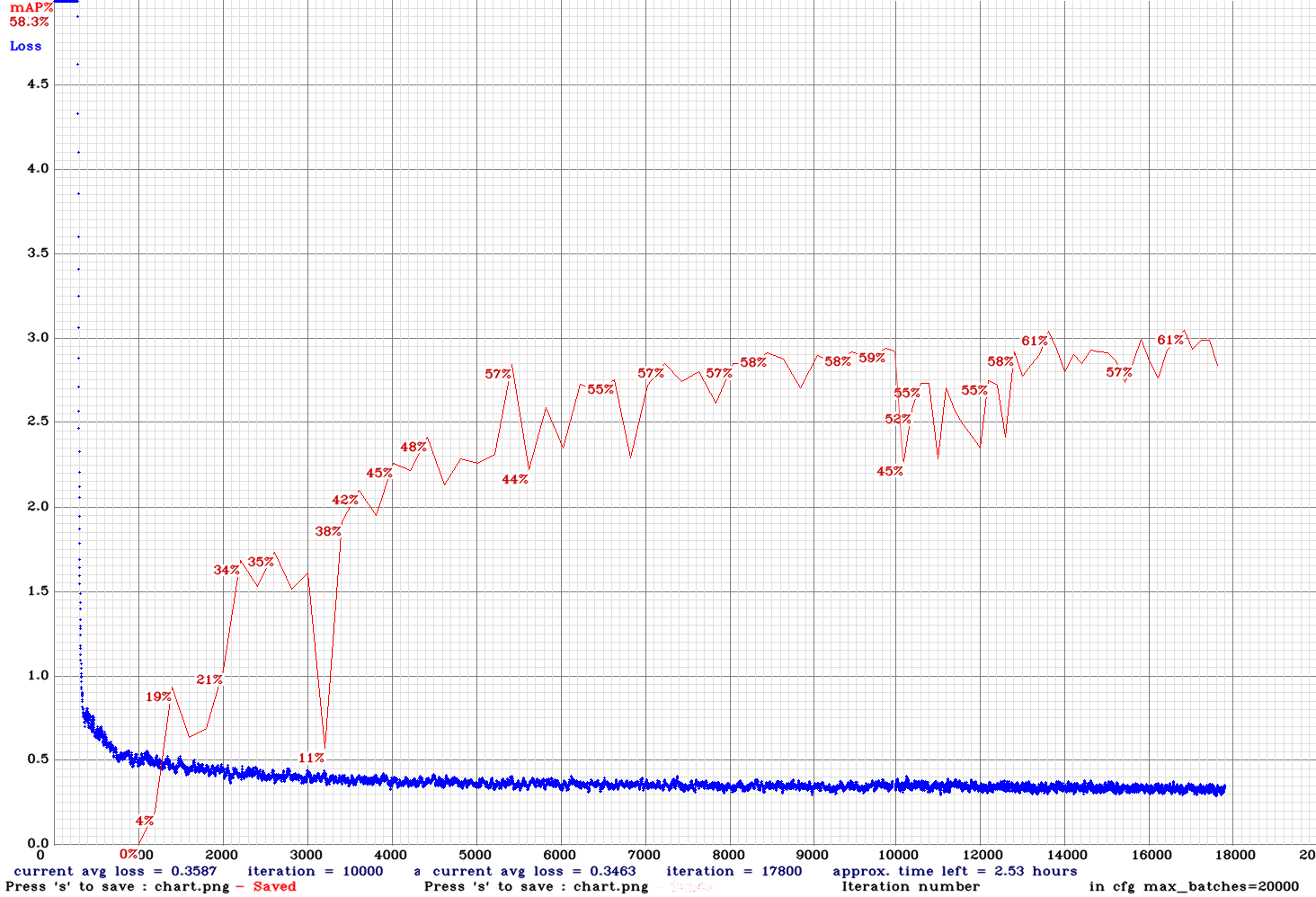 | 61.00% | 16FPS | Small | 64 | 8 | N | Y | 13800
yolov3-tiny_3l_rotate_whole_maxout-com-anc.cfg.txt|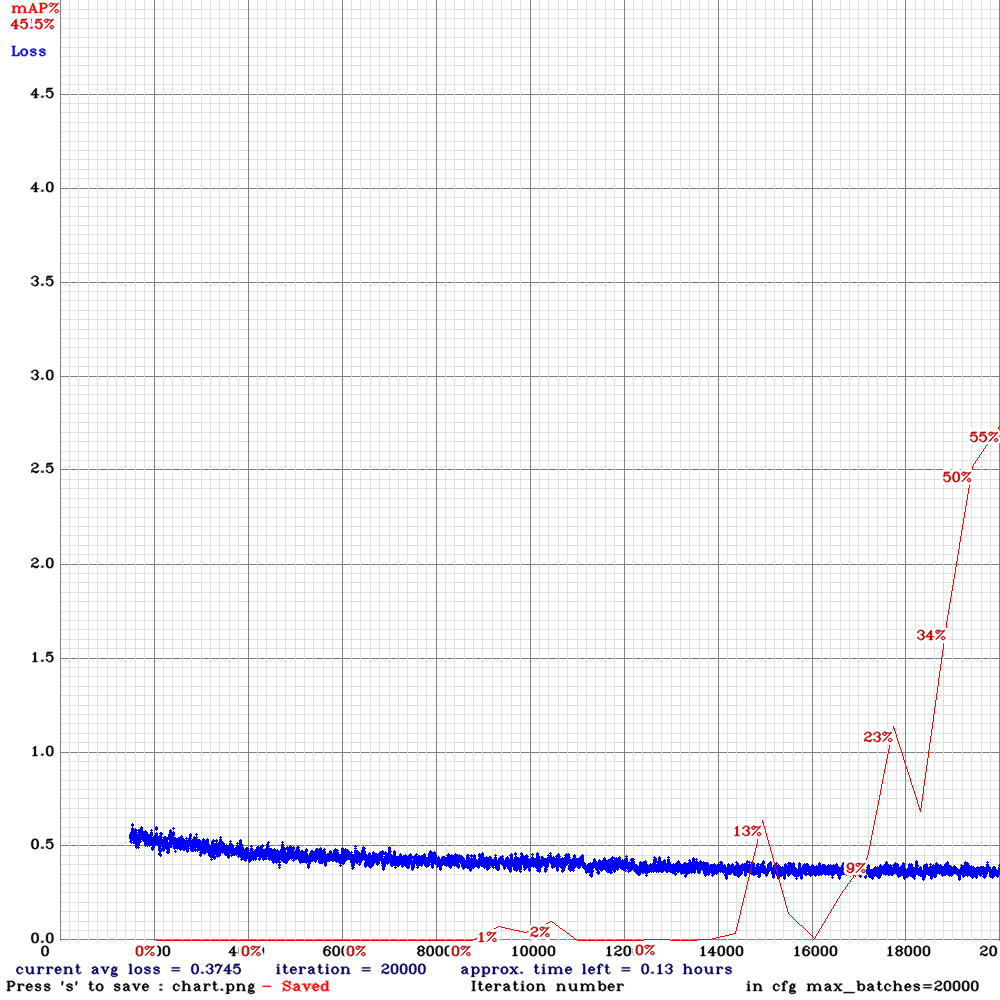 | 55.00% | 9.3FPS | Complete | 64 | 8 | N | Y | 20000
yolov3-tiny_3l_rotate_whole_maxout-sml-anc.cfg.txt |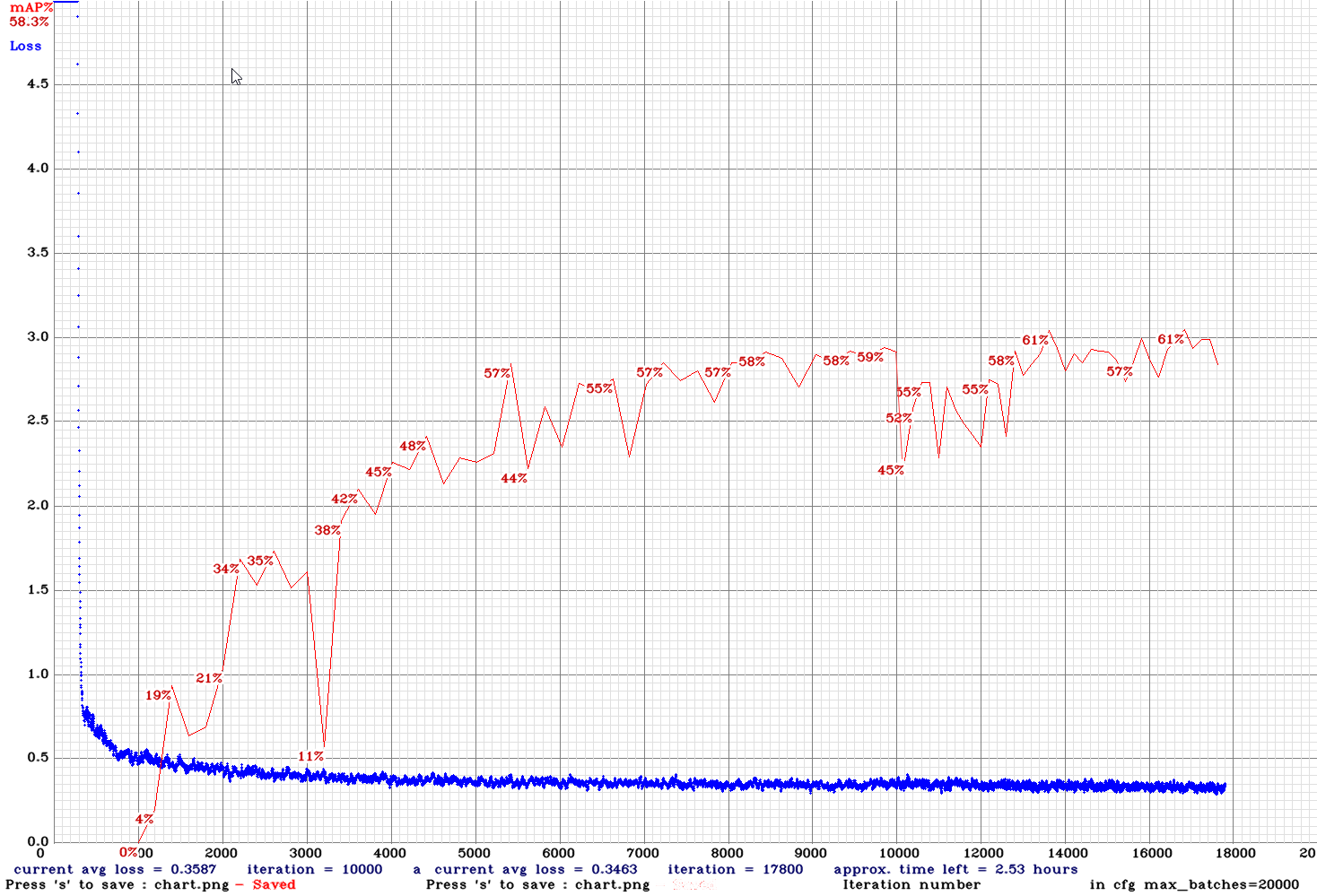 | 51.00% | 9.3FPS | Small | 64 | 8 | N | Y | 19000
yolov3-tiny_3l_stretch_sway_whole_concat_maxout-sml-anc.cfg.txt|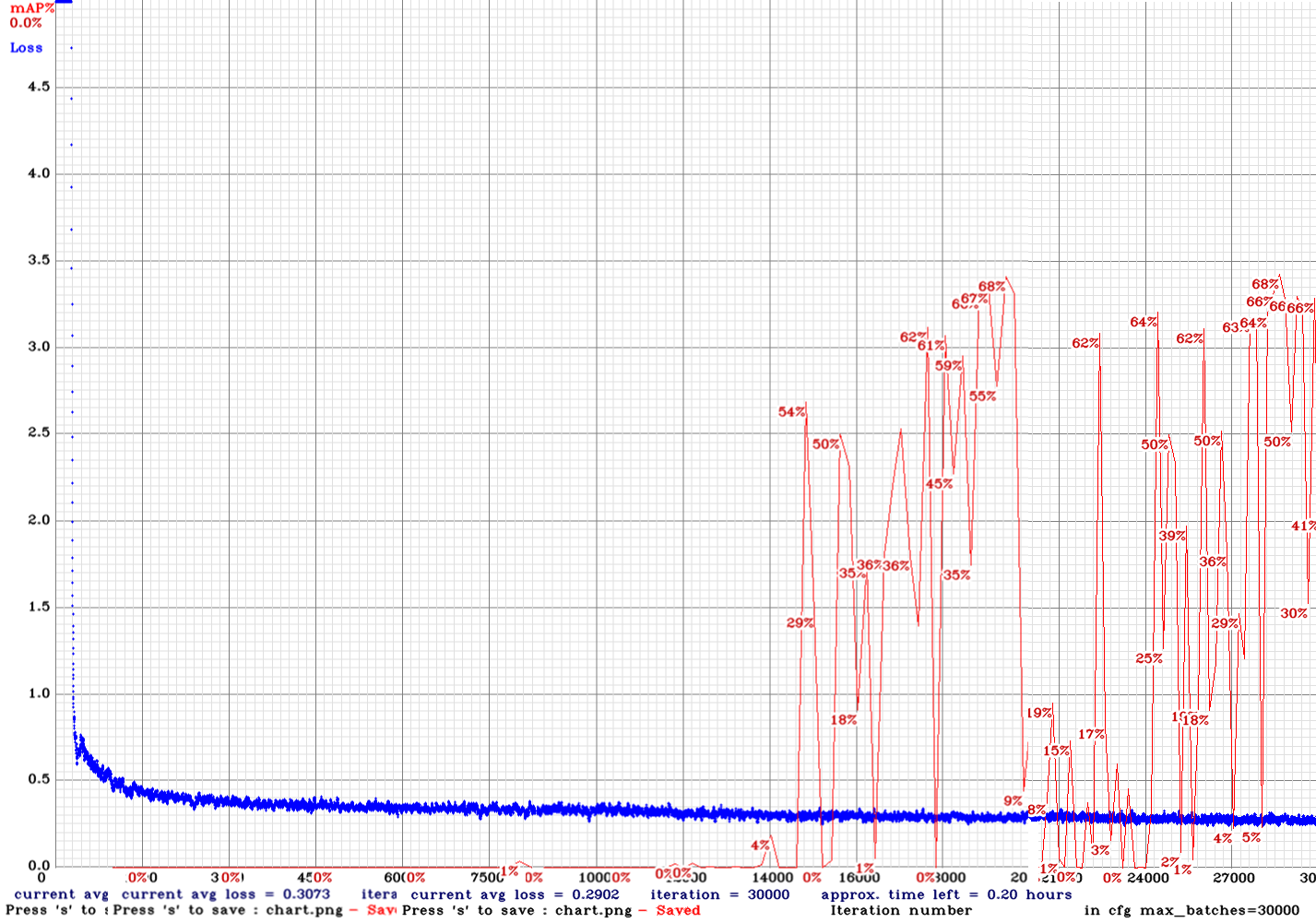 | 68.00% | 6FPS | Small | 64 | 16 | N | Y | 28500
yolov3-tiny-com.cfg.txt|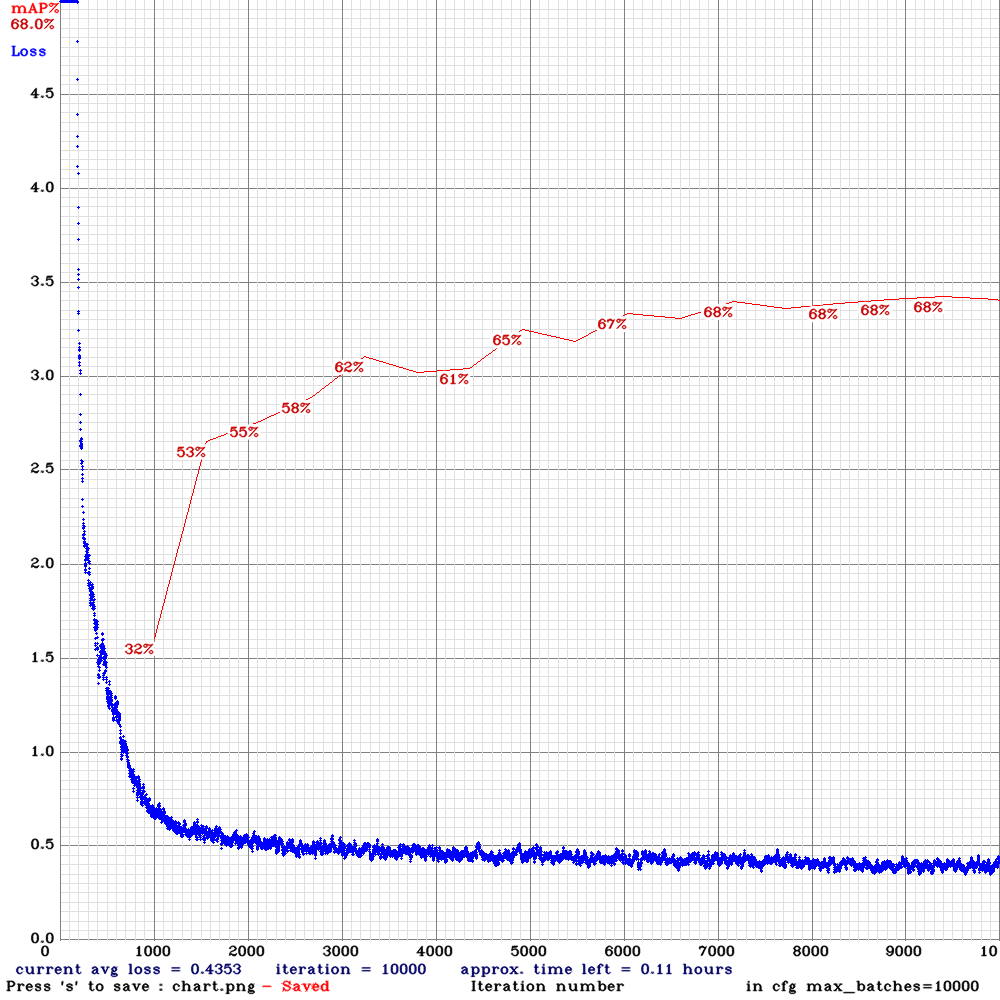 | 68.00% | 22.5FPS | Complete | 64 | 8 | N | N | 7000
yolov3-tiny-com-rdm.cfg.txt|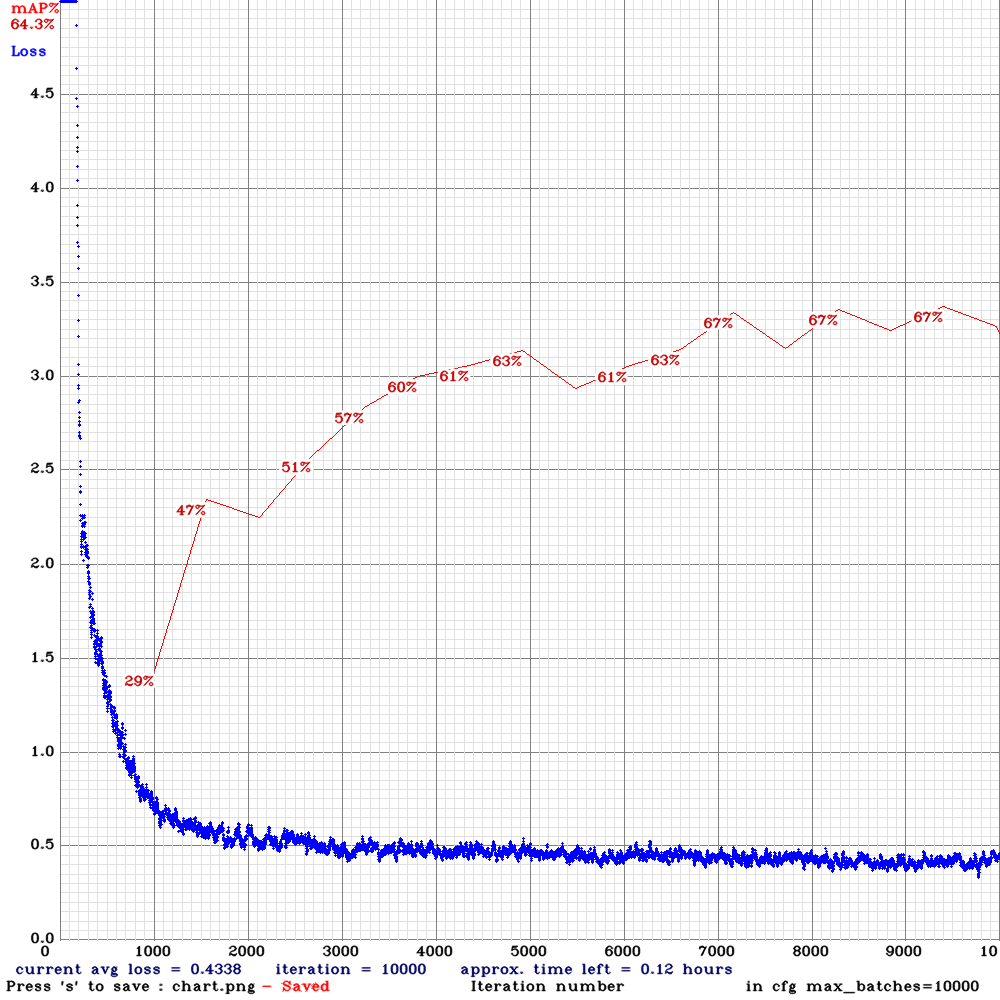 | 67.00% | 22.3FPS | Complete | 64 | 8 | Y | N | 7200
yolov3-tiny-com-rdm-anc.cfg.txt|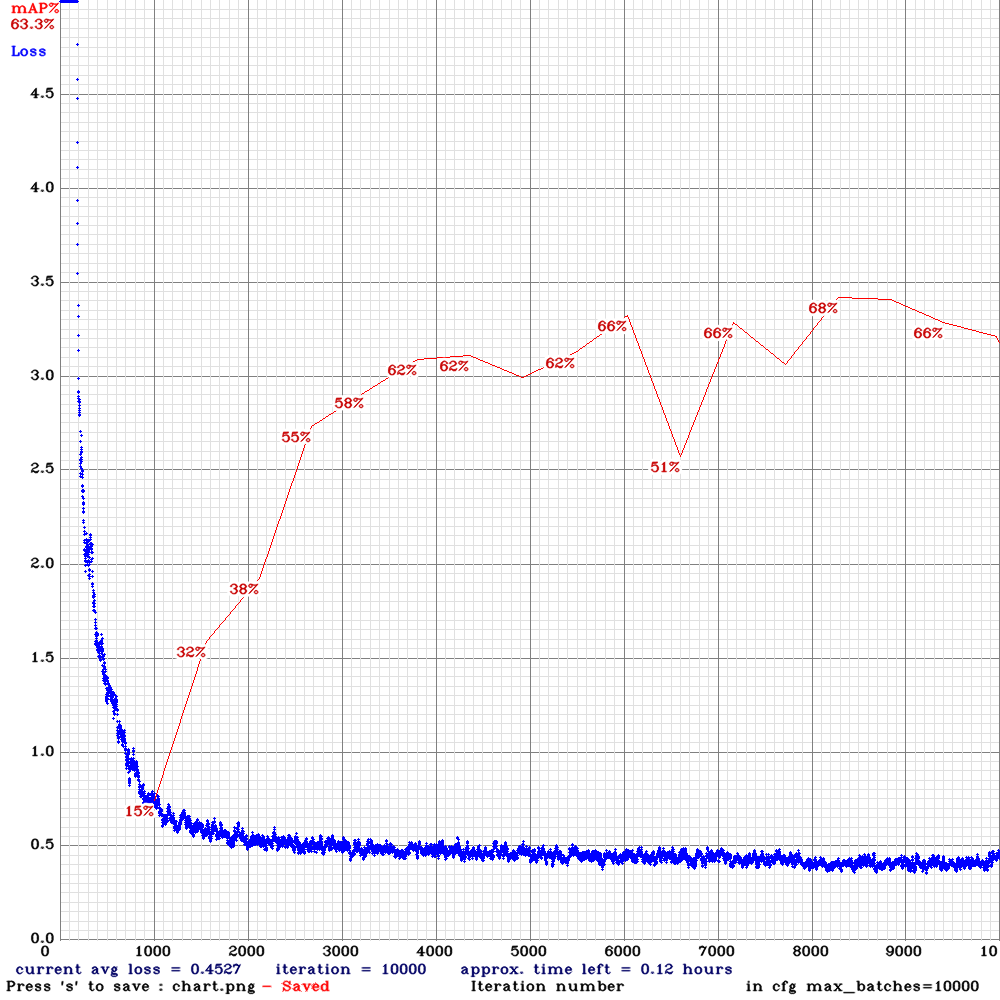 | 68.33% | 22.3FPS | Complete | 64 | 8 | Y | Y | 8300
yolov3-tiny-prn-sml-rdm-anc.cfg.txt |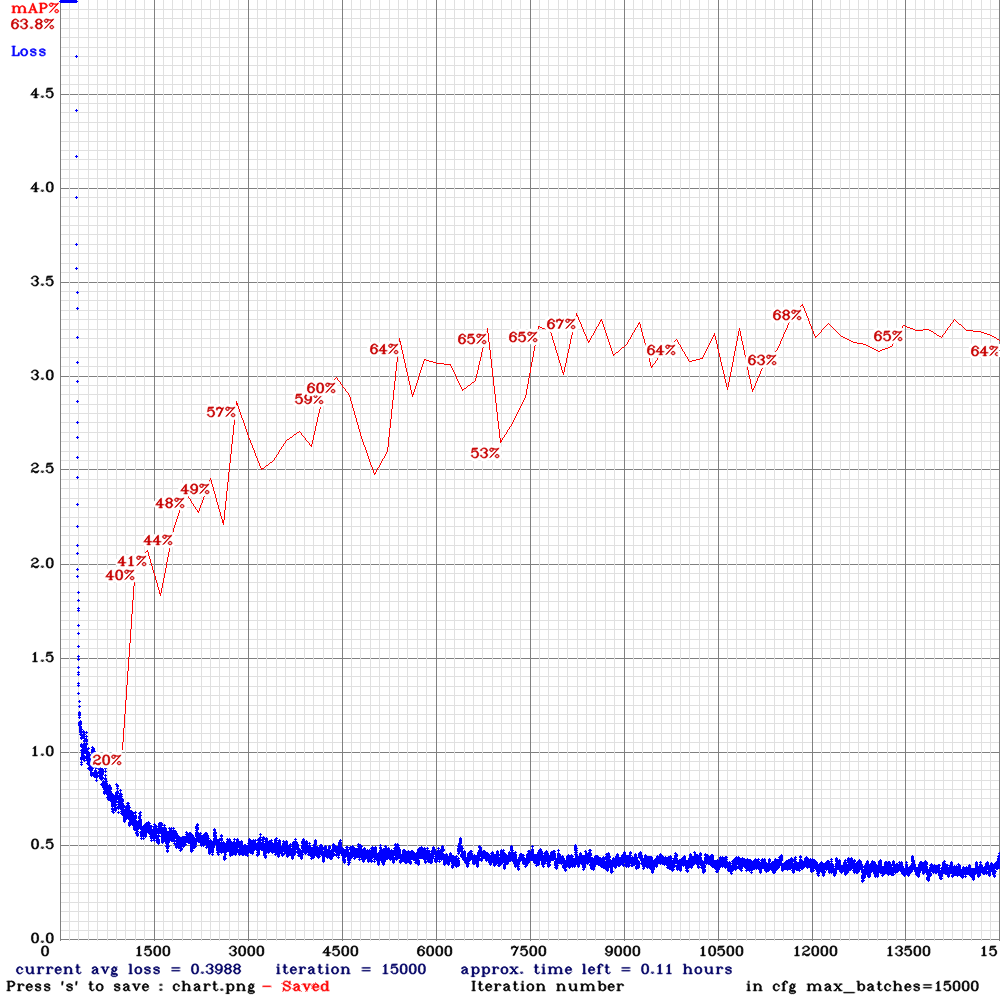 | 68.00% | 24.8FPS | Small | 64 | 8 | Y | Y | 11800
yolov3-tiny-sml.cfg.txt |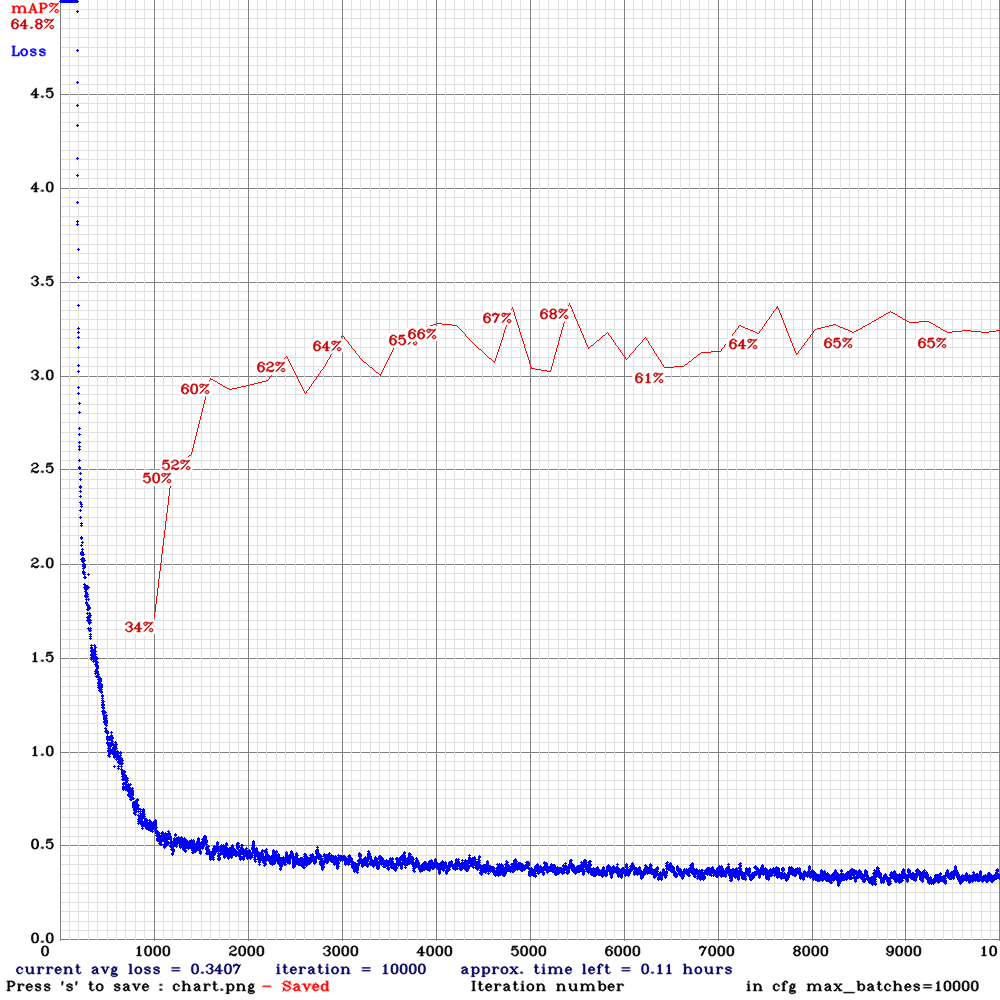 | 68.00% | 22.2FPS | Small | 64 | 8 | N | N | 5400
yolov3-tiny-sml-rdm.cfg.txt |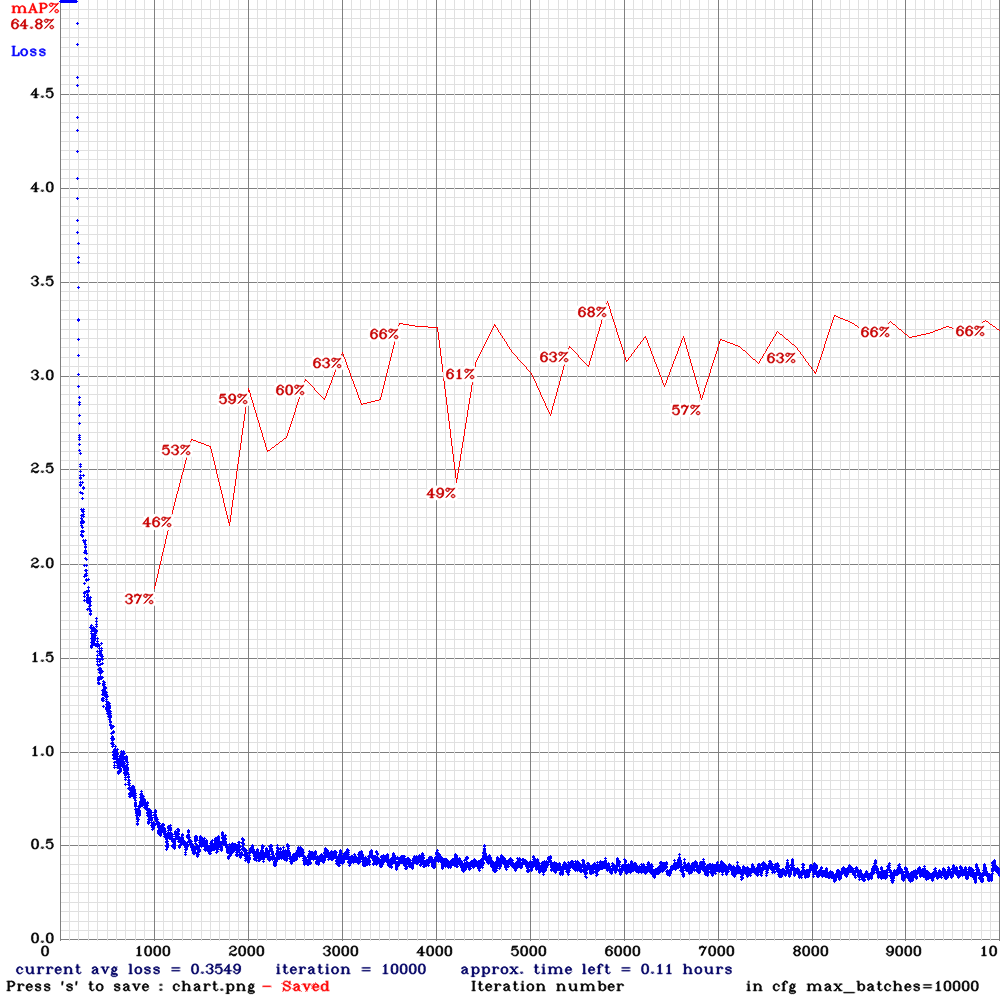 | 68.00% | 22.4FPS | Small | 64 | 8 | Y | N | 5800
yolov3-tiny-sml-rdm-anc.cfg.txt |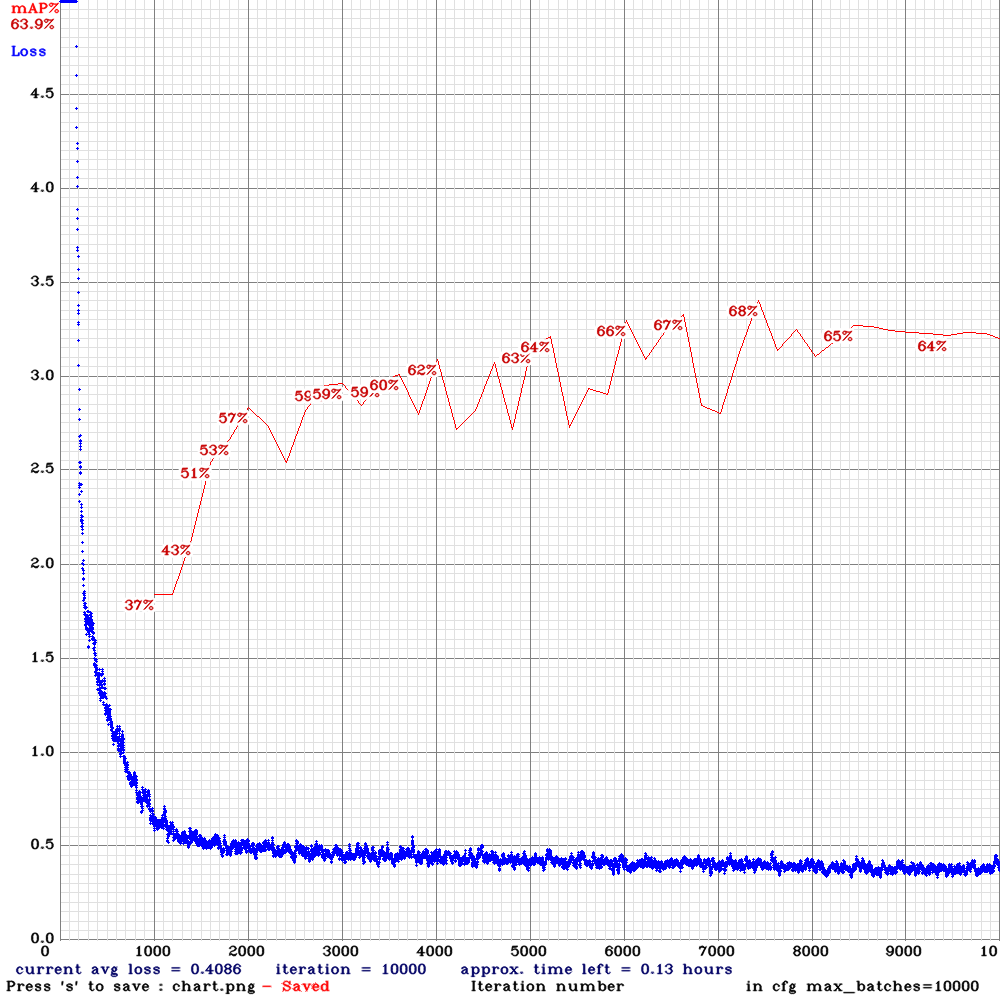 | 68.00% | 22.4FPS | Small | 64 | 8 | Y | Y | 7400
yolov4-sml.cfg.txt |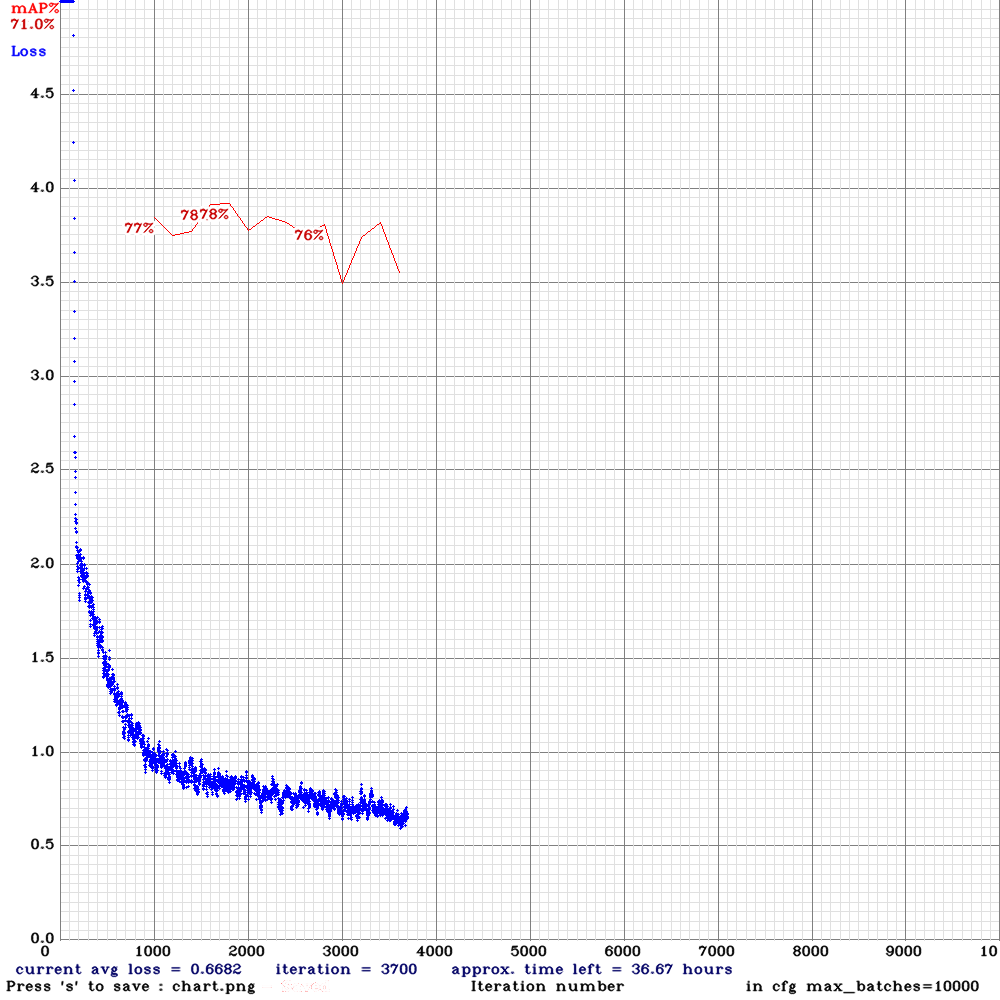 | 78.00% | 2.3FPS | Small | 64 | 32 | N | N | 1800
yolov4-sml-rdm.cfg.txt |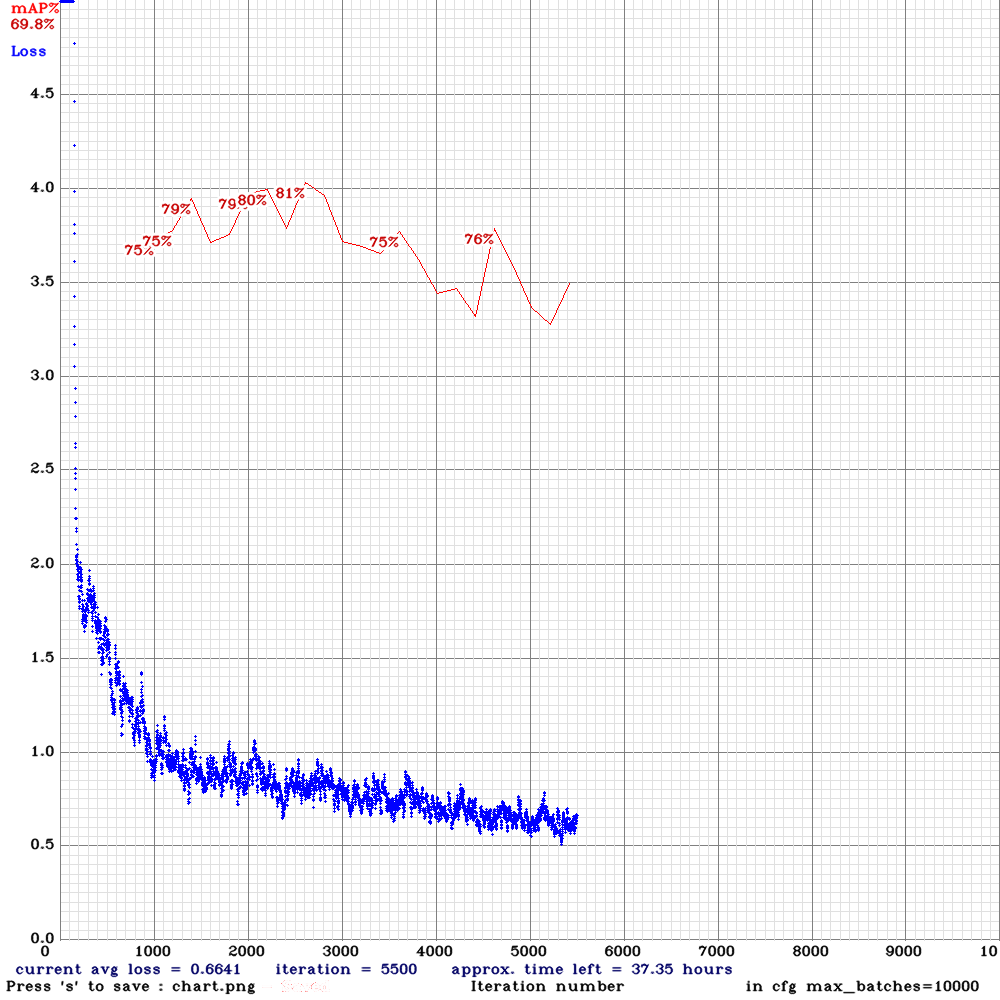 | 81.00% | 2.3FPS | Small | 64 | 64 | Y | N | 2600
yolo_v3_tiny_pan3_ciou_new-sml-rdm.cfg.txt |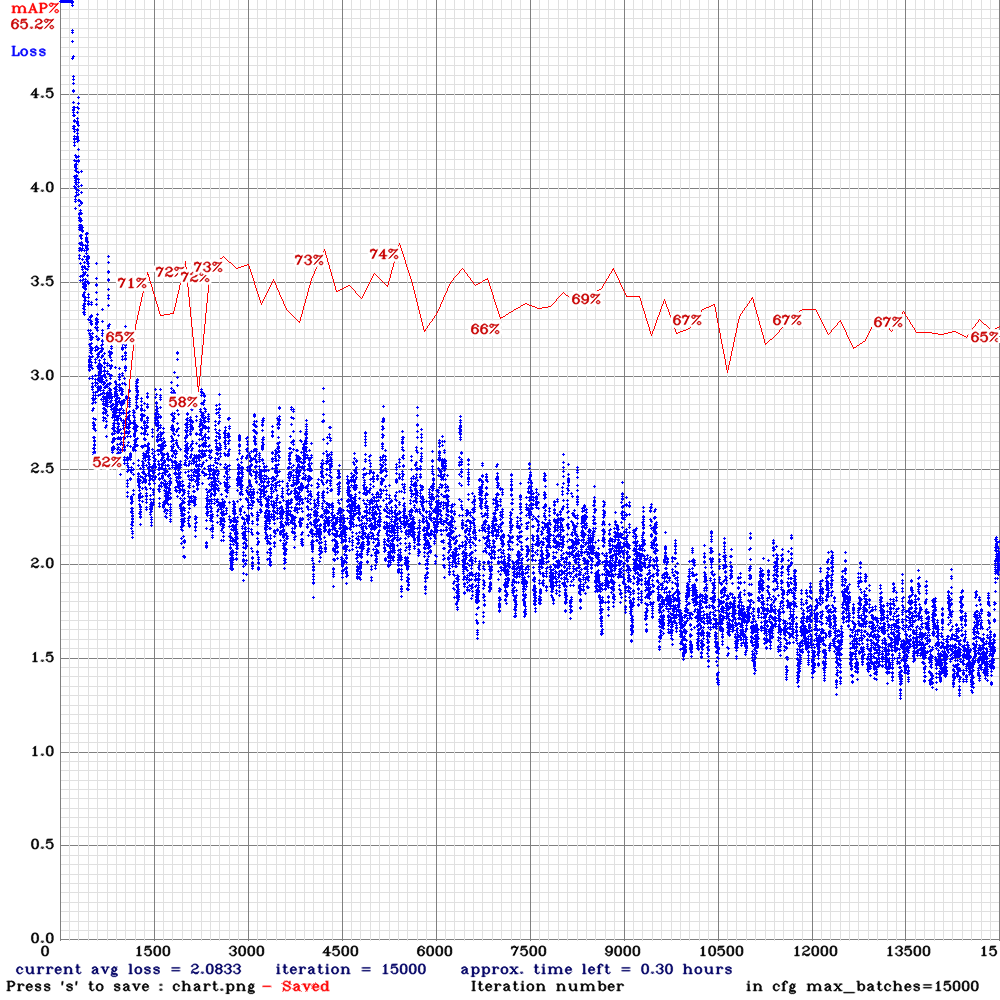 | 74.00% | 11.9 | Small | 64 | 16 | Y | N | 5100
yolo_v3_tiny_pan3_ciou_new_stretch_sway-sml-rdm.cfg.txt |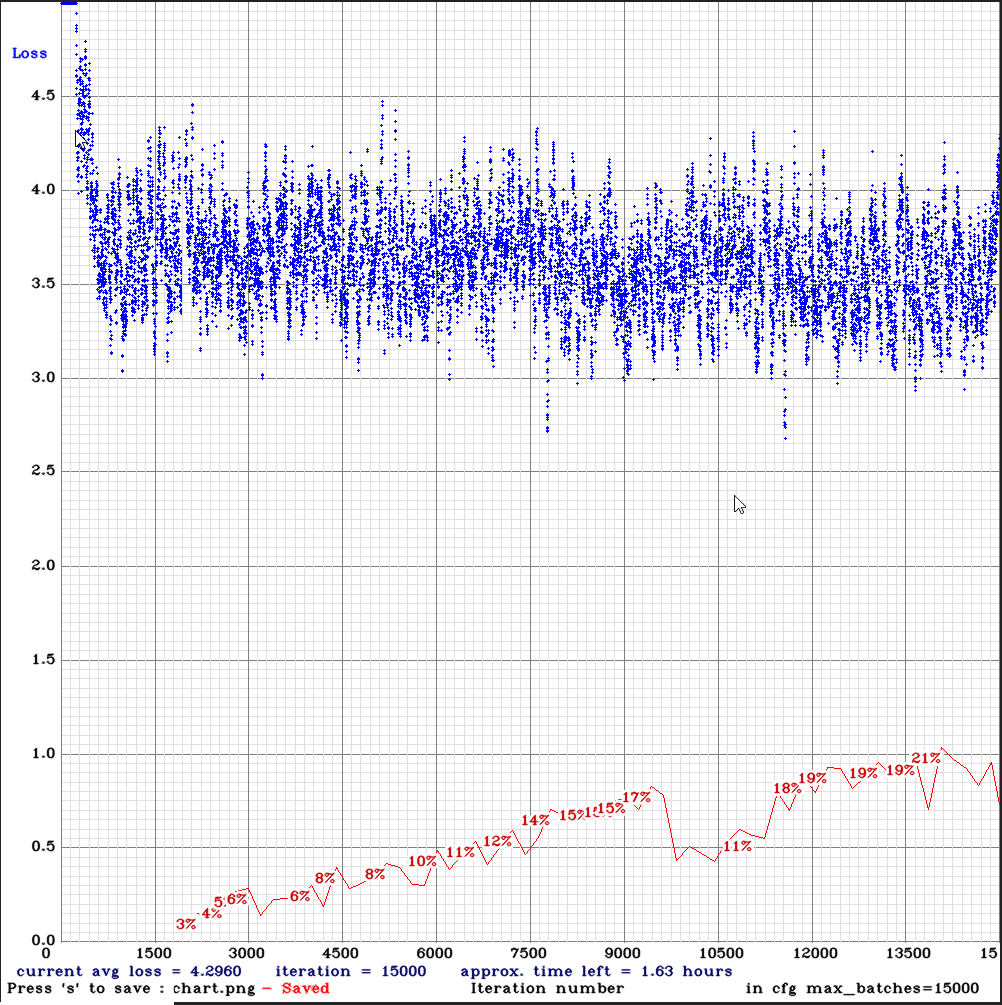 | 21.00% | | Small | 64 | 32 | Y | N | 15000
yolo_v3_tiny_pan3_ciou_new-com.cfg.txt |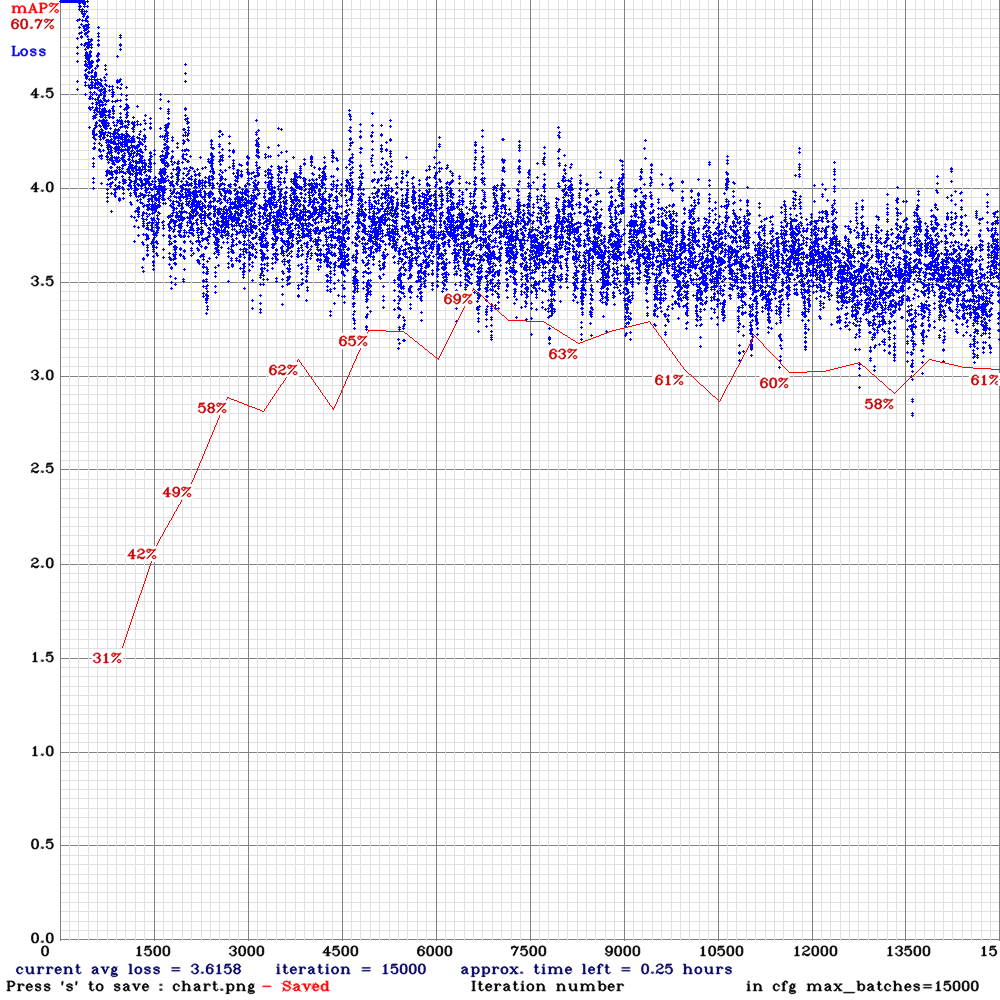 | 69.00% | 11.9 | Complete | 64 | 8 | N | N | 6500
yolov3-tiny-sml-mem.cfg.txt |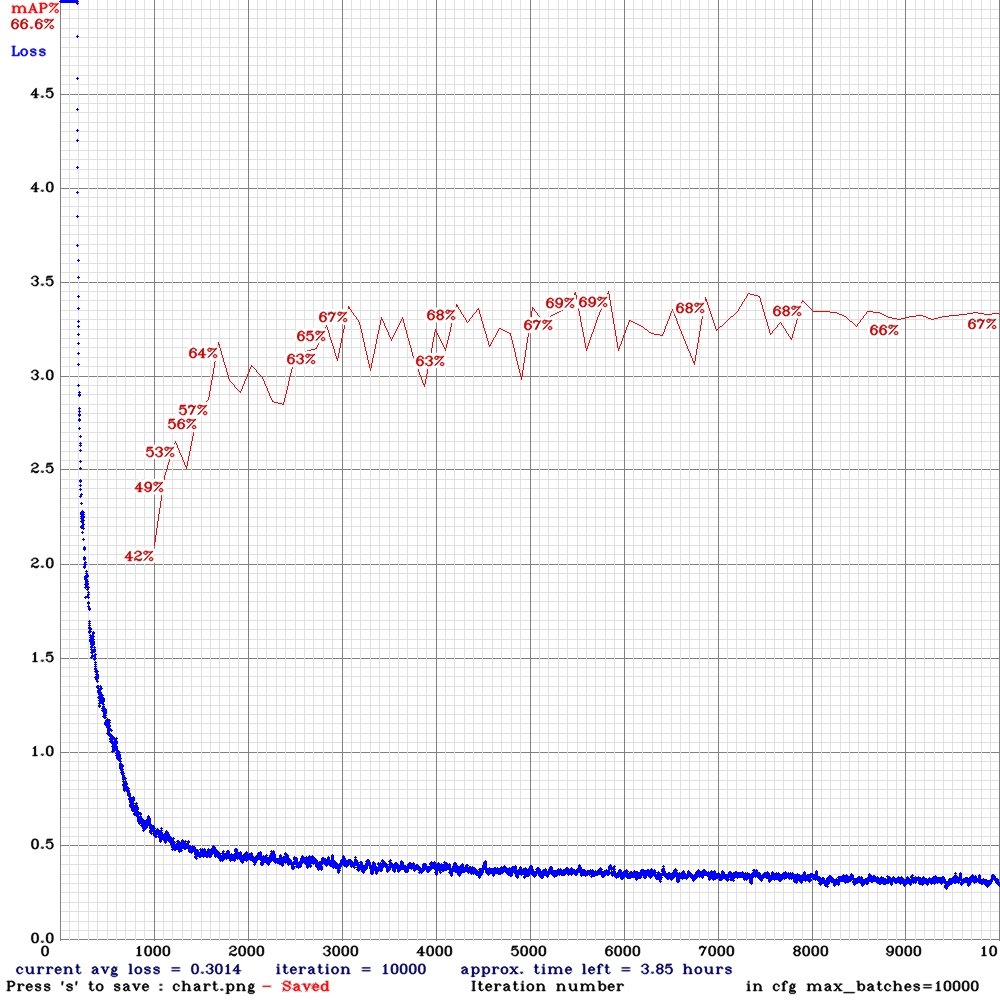 | 69.80%|22.2| Small | 112 | 2 | N | N |
Examples of data / missed dolphins (red boxes).
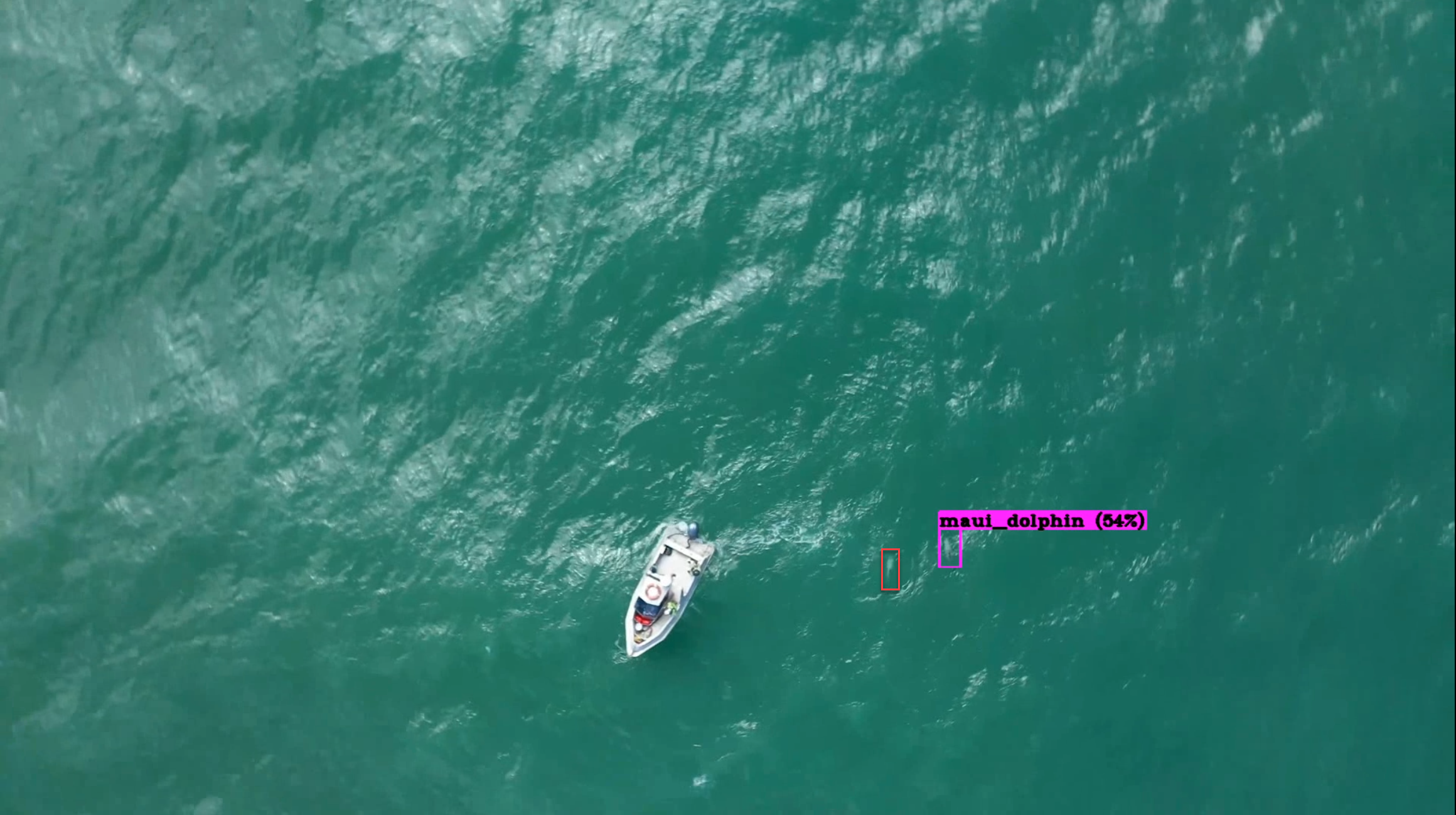
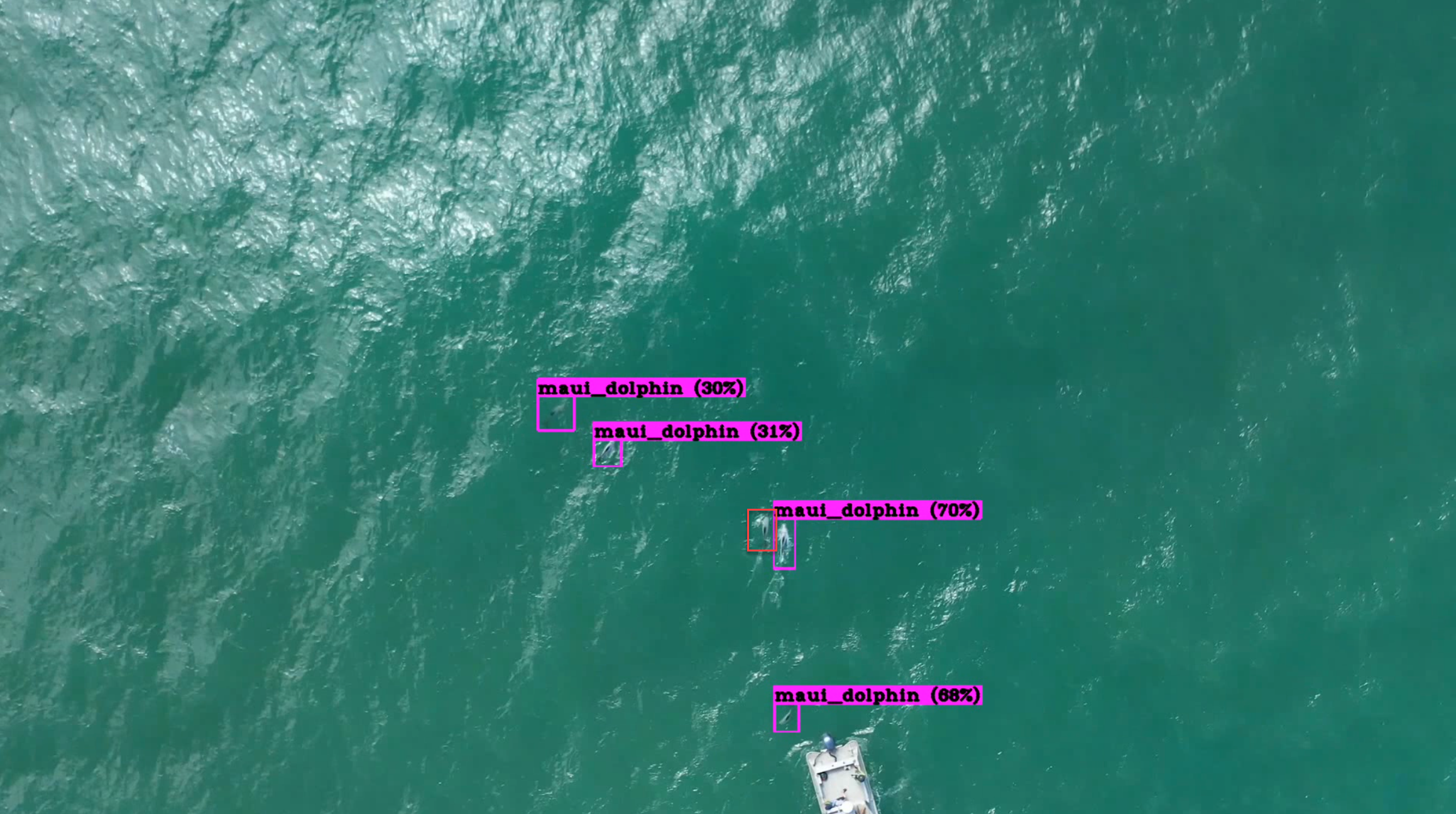
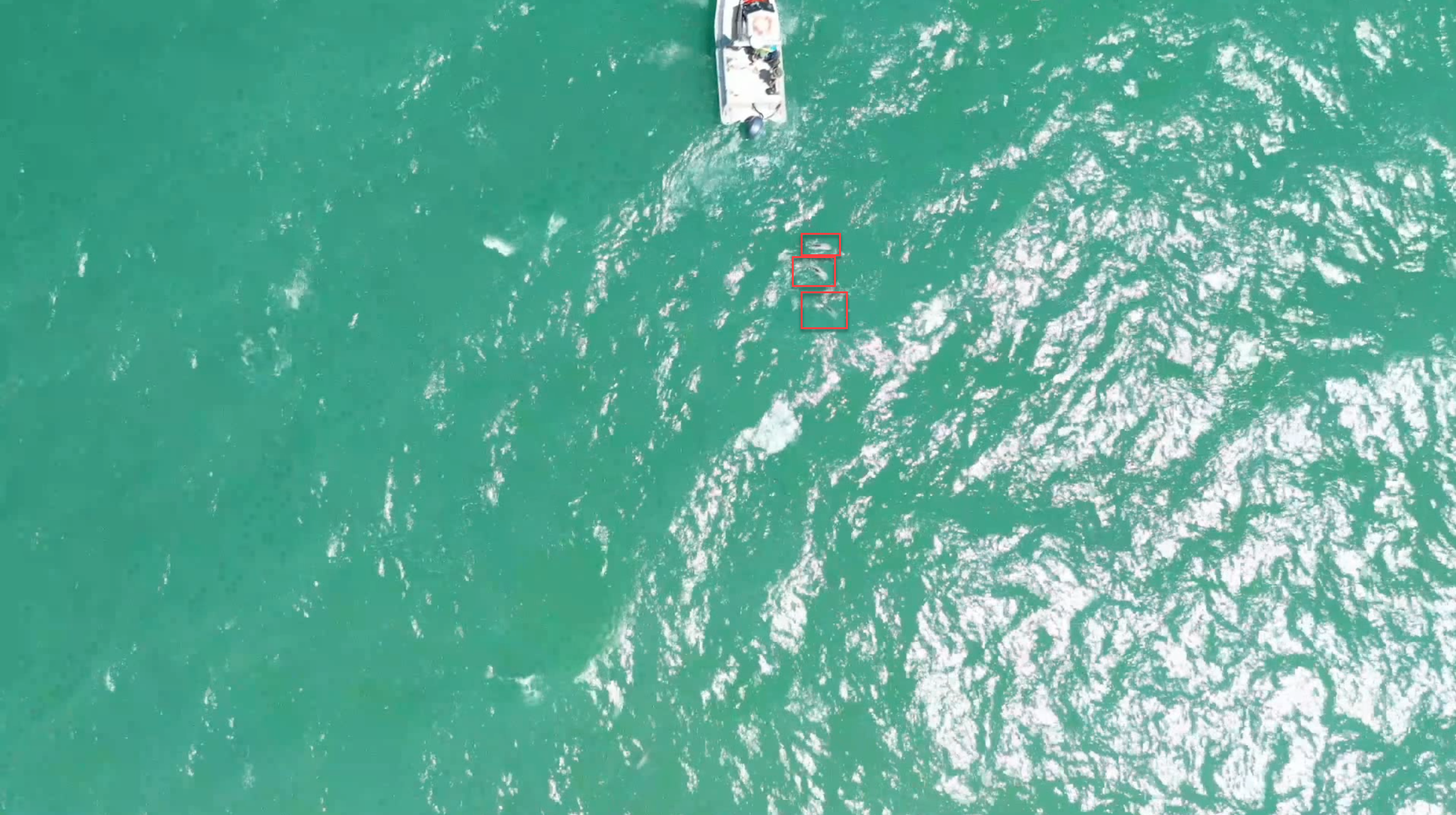
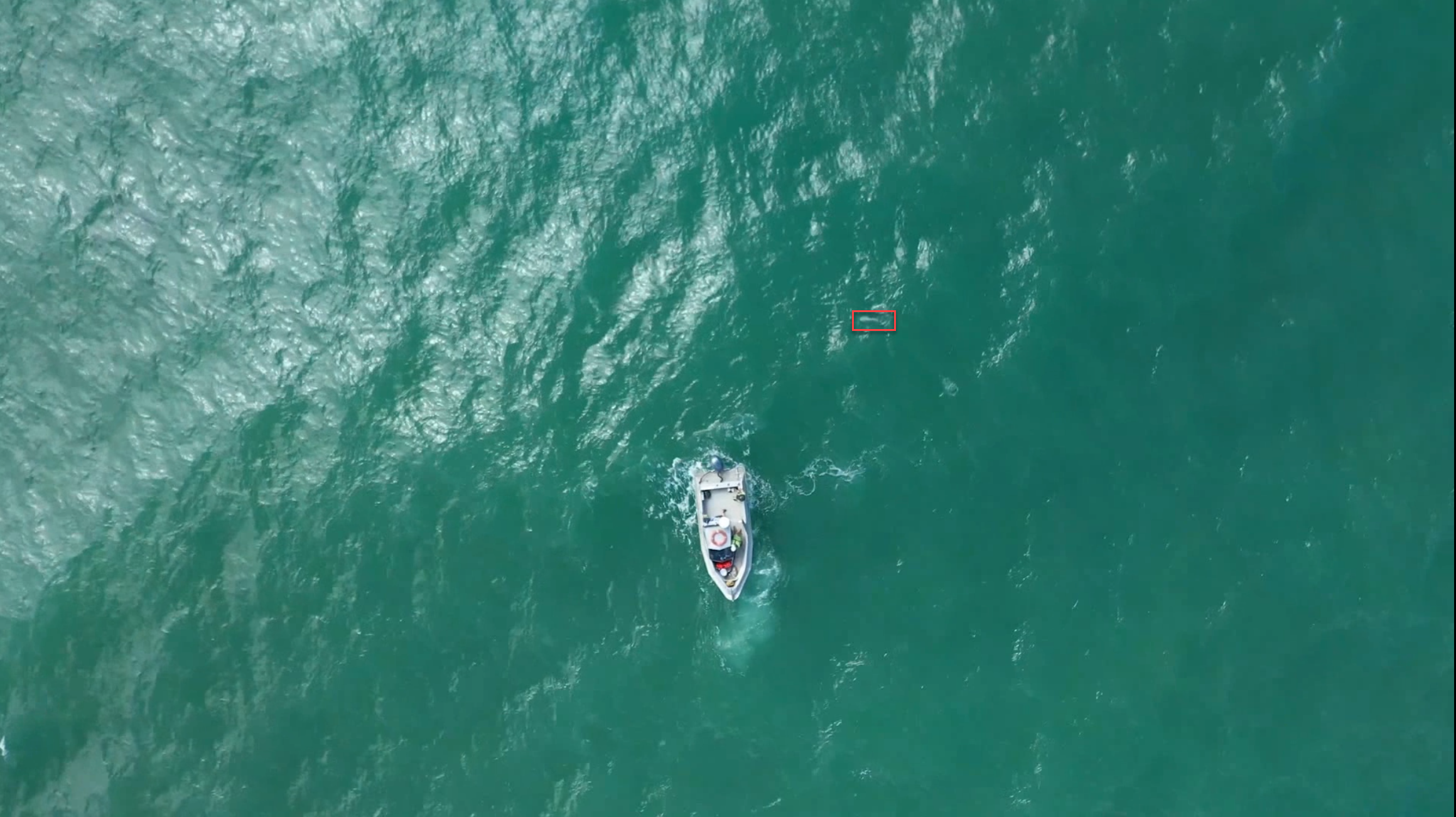
I have noticed it struggles with all angles of dolphins (as they turn), so I am going to create a new dataset based on more frames per second. Currently its using images from 6 frames per second. I could increase this to 10 or 20. This will increase training dataset size and potentially provide more angles of dolphins as they move. Any suggestion? I am guessing the more the better so will go for 20?
Note this training data is all I have at present, but the goal will be to detect much smaller dolphins, ideally (1/2 - 1/4) this size. Will need retraining.
As always, thanks for the help and amazing repo.
 pullmyleg
All 36 comments
This will increase training dataset size and potentially provide more angles of dolphins as they move. Any suggestion? I am guessing the more the better so will go for 20?
Yes, collect as many images as possible.
Download the latest Darknet version.
Then try to train these 2 new models:
If Nan will occur, then set adversarial_lr=0.001
 AlexeyAB
on 10 May 2020
AlexeyAB
on 10 May 2020
Thanks @AlexeyAB .
- yolo_v3_tiny_pan3_ciou_new.cfg.txt is running now and I will post results once complete.
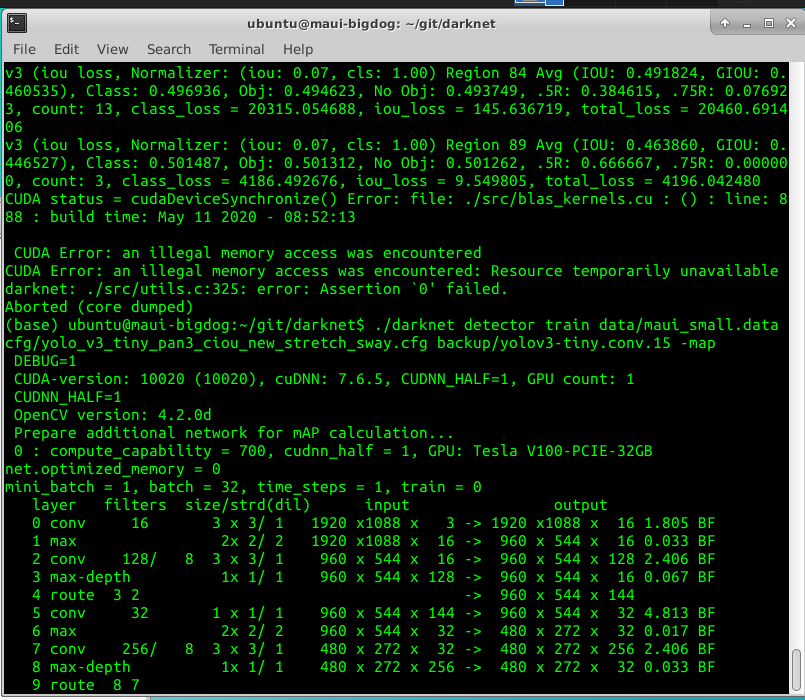
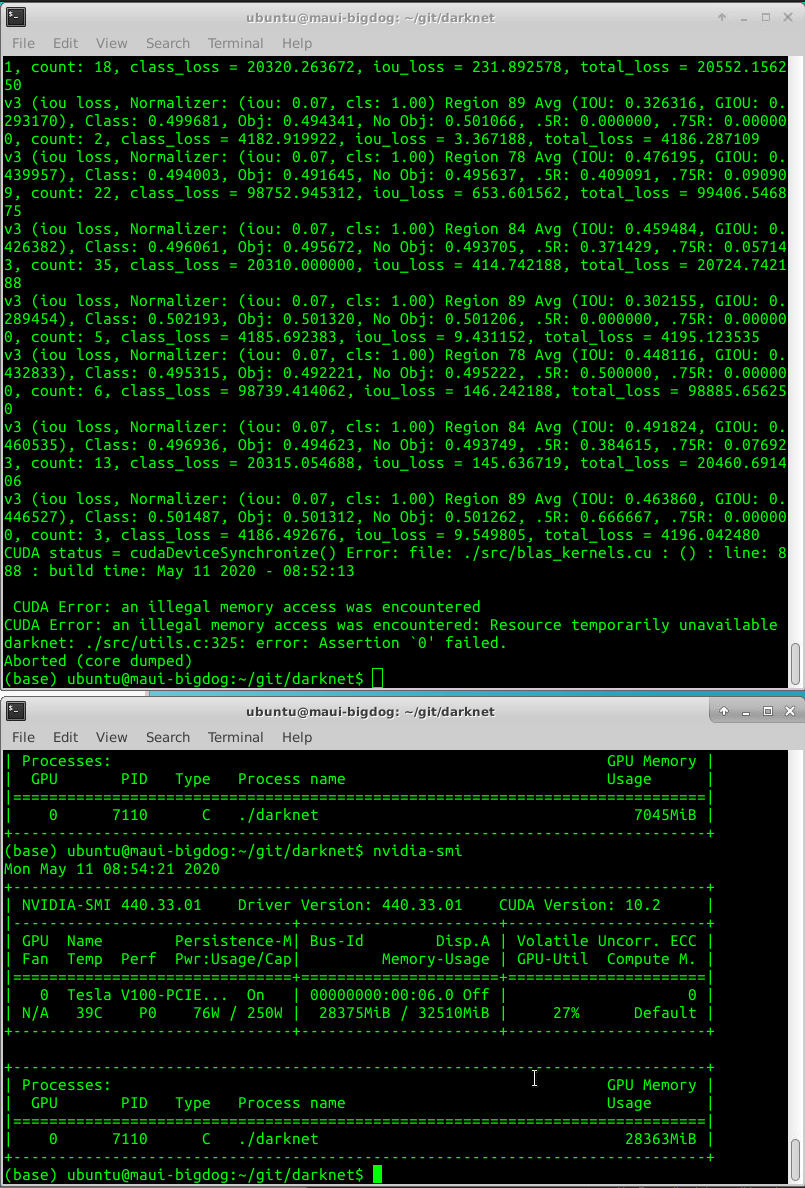
- yolo_v3_tiny_pan3_ciou_new_stretch_sway.cfg.txt after the first iteration causes an error: illegal memory access was encountered.
- Using the latest darknet, make clean, make.
- The configuration is the same as you posted apart from I increased the subdivision to 32 (out of memory).
- Also Tried "If Nan will occur, then set adversarial_lr=0.001" and no change.
Screenshots with debug=0 below:
pullmyleg
on 10 May 2020
Screenshots with debug=0 below:
- As I see you built Darknet with DEBUG=1
- As I see you built OpenCV in Debug mode too
- Rebuild OpenCV and Darknet in Release mode
- Rebuild Darknet with
DEBUG=0in Makefile, try to train, and if it doesn' help, then show such screenshot again
AlexeyAB
on 10 May 2020
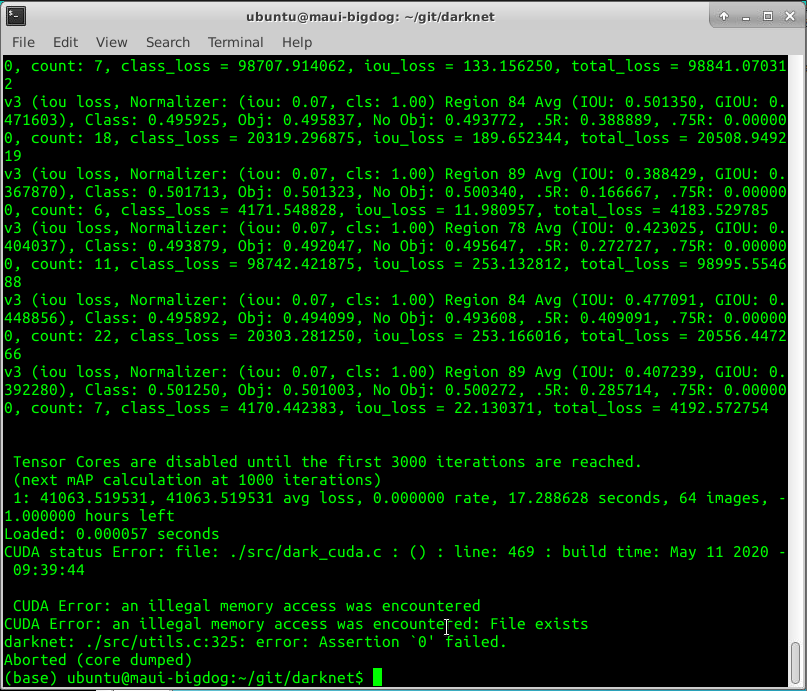
Hi @AlexeyAB done and the same result, please see below. I compiled with debug=1 before to try and get more detailed error screenshots.

pullmyleg
on 10 May 2020
AlexeyAB
on 10 May 2020
@AlexeyAB confirmed working now, Thanks!
pullmyleg
on 10 May 2020
- What is the Small and Complete datasets, what is the difference?
- Is it training or validation datasets?
- If thes are 2 different validation datasets, then do you use the same 1 Training dataset for all cases?
AlexeyAB
on 11 May 2020
@AlexeyAB
- The 2 x datasets are different training datasets. Small & Complete.
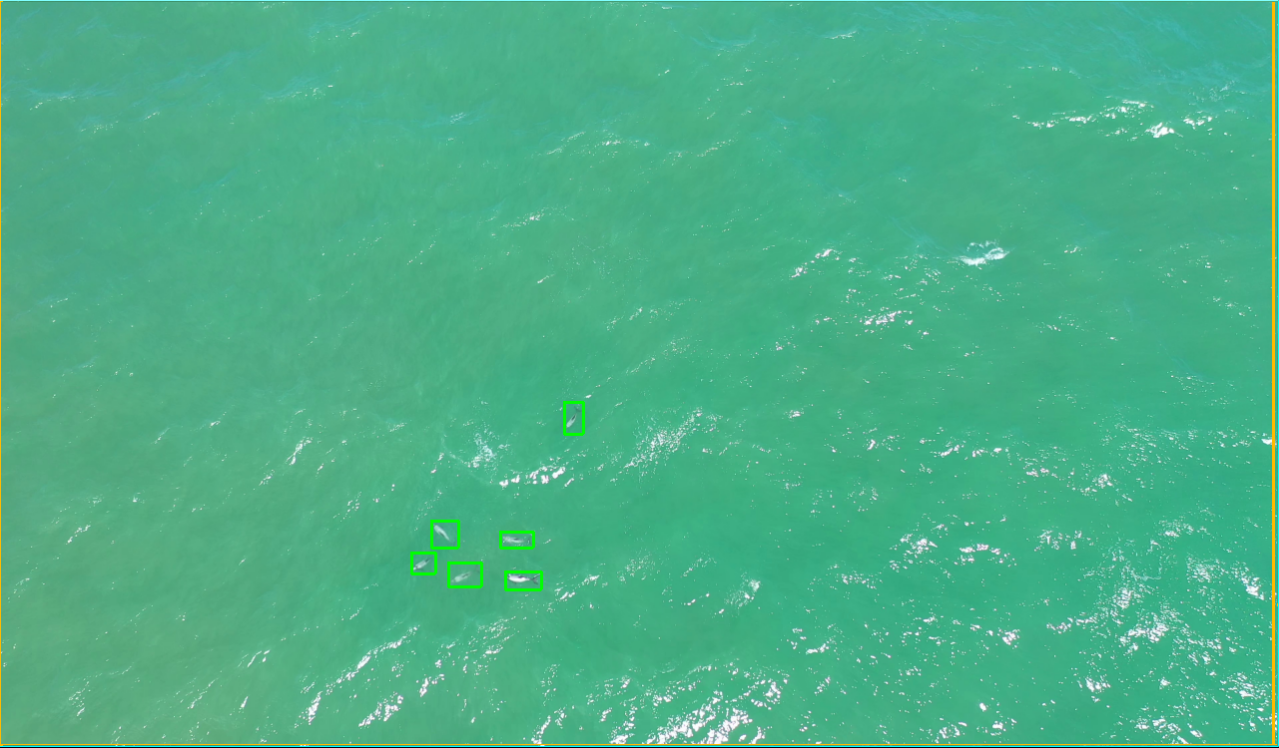
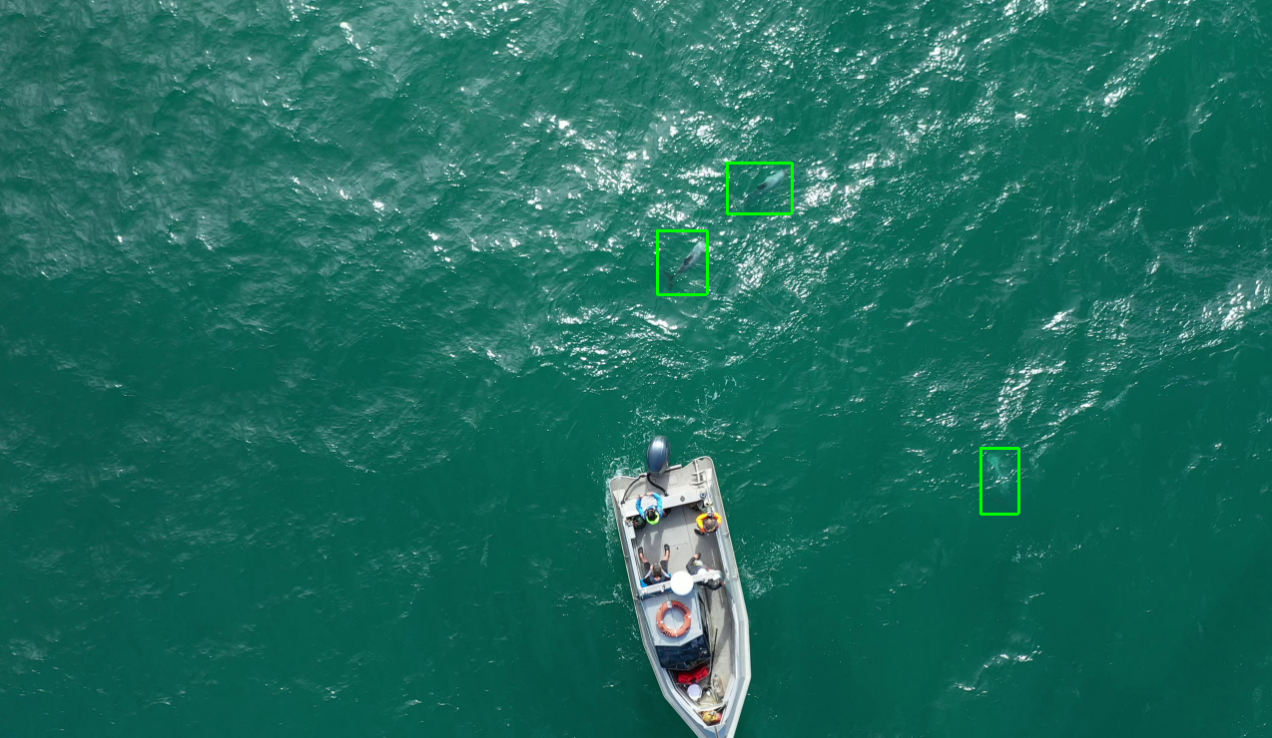
- All results are using the same validation dataset which is not included in the training set. 750 images. 40 - 50m drone height.
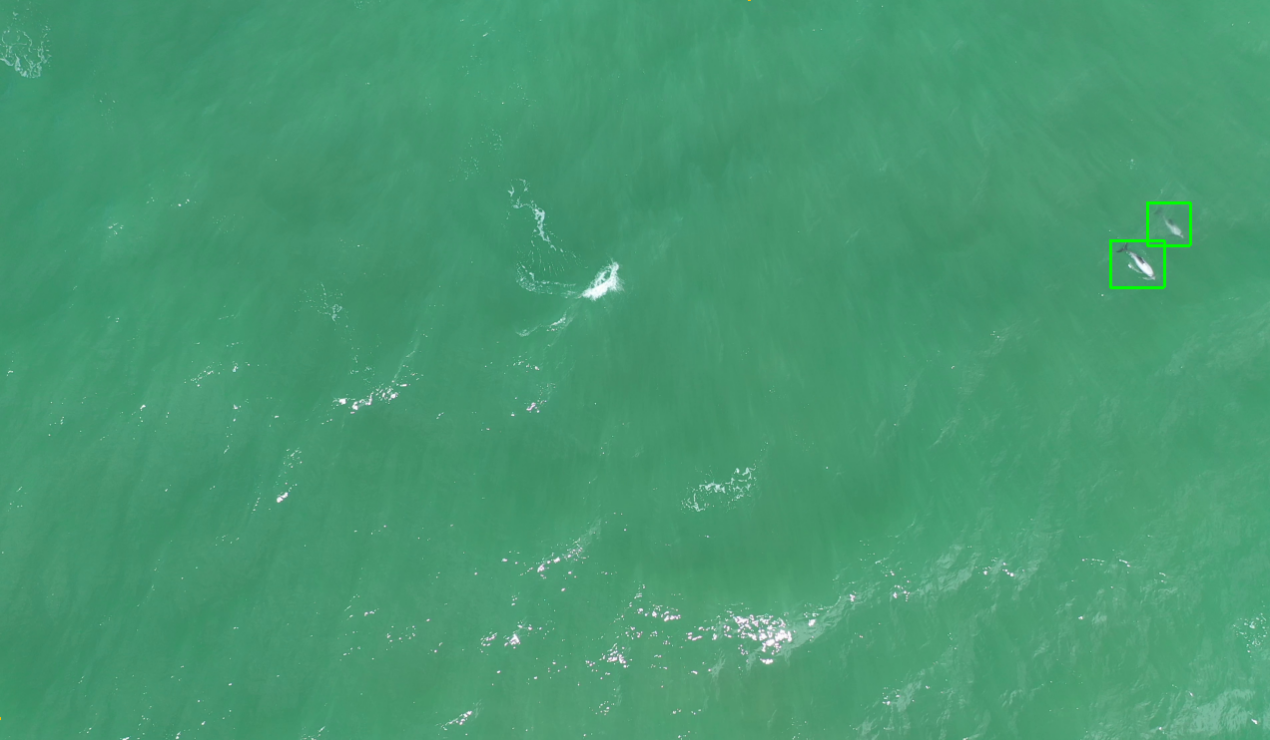
- The small dataset is only images with really small dolphins. 40 - 50m height drone height. 3200 images.
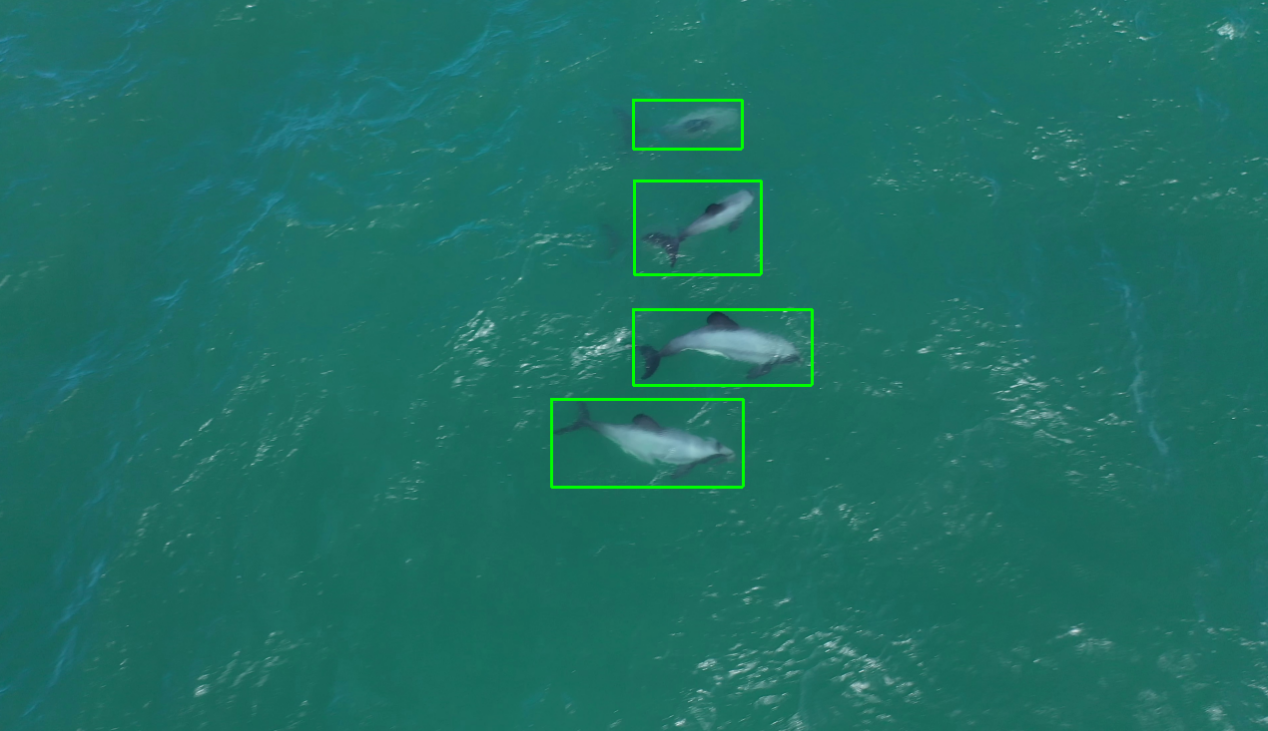
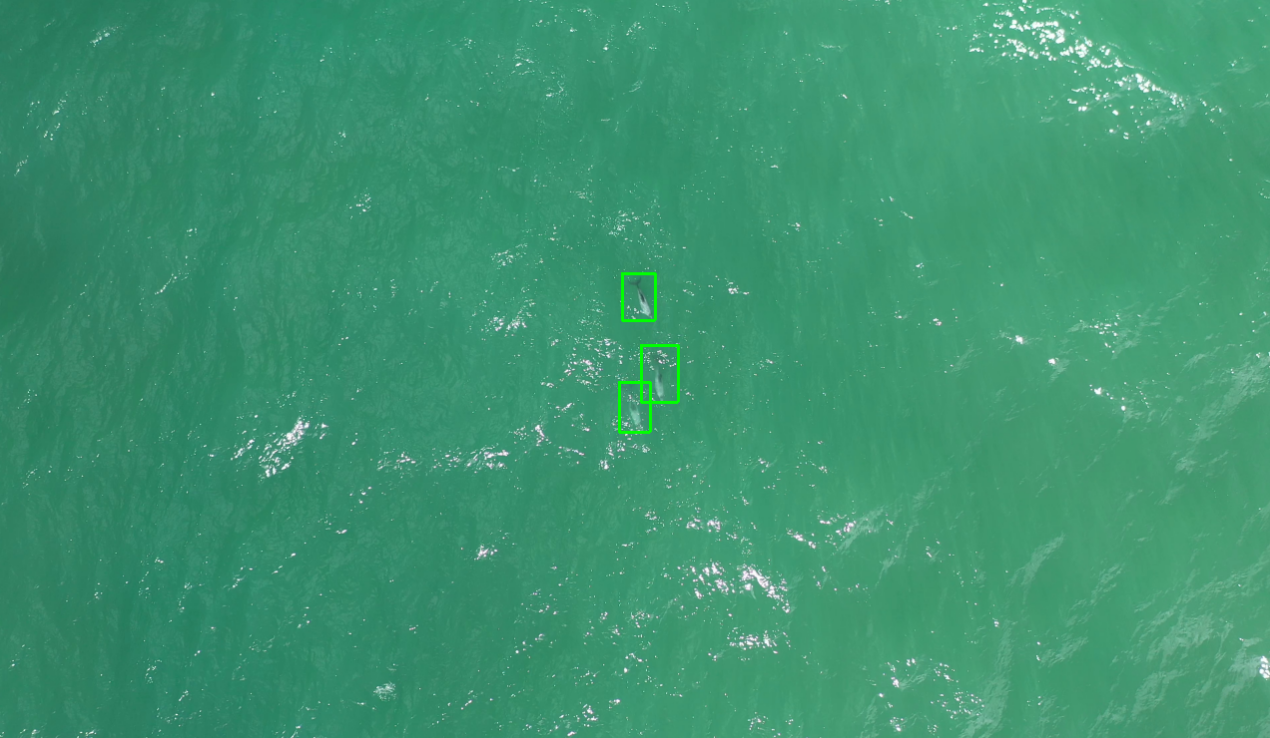
- The Complete dataset includes small dataset images plus images with larger dolphins from lower height. 10m - 30m drone height. 900 images.
- All data is frames from video footage @ 4k.
Small dataset examples:
Complete dataset examples:
pullmyleg
on 11 May 2020
Ok, so also try to train 3rd model - the same yolo_v3_tiny_pan3_ciou_new.cfg.txt
but change these lines for each of 3 [yolo] layers
resize=0.2
random=0
try to set lower subdivisions, since you don't use random=1 for this model.
and train this model on Complete dataset.
Also 2 observations:
Since, for the most models, the mAP increases for ~20% max_batches and then decreases, it seems that your training dataset isn't representative, and you should add more training images.
Since Loss continues to decrease up to 80% of max_batches, for example for
yolo_v3_tiny_pan3_scale_giou-sml.cfg.txt, so it seems that you can train this model longer
AlexeyAB
on 11 May 2020
@AlexeyAB thanks.
- I am training these 3 models in series now. Will post results in a few day's time when complete.
- I will also create a new small and complete dataset by extracting 4 x the frames from the videos. I will pseudo tag the images and review / re-tag them all manually. This will take a week or so :sweat_smile:.
- I will then retrain high performing configurations on the new datasets.
pullmyleg
on 11 May 2020
See #1774, adjusted cores and seeing much better performance
Using subdivisions 8 on below at 1920x1088 resolution slows training a lot due to CPU not being able to keep up 😅. Is there any way to utilise more than 6 threads or other suggestions to overcome the CPU bottleneck?
Current machine:
Intel Xeon (Skylake) 2.6ghz x 16.
48GB Ram
Tesla V100 (32gb).
[yolo_v3_tiny_pan3_ciou_new.cfg.txt]
```
resize=0.2
random=0
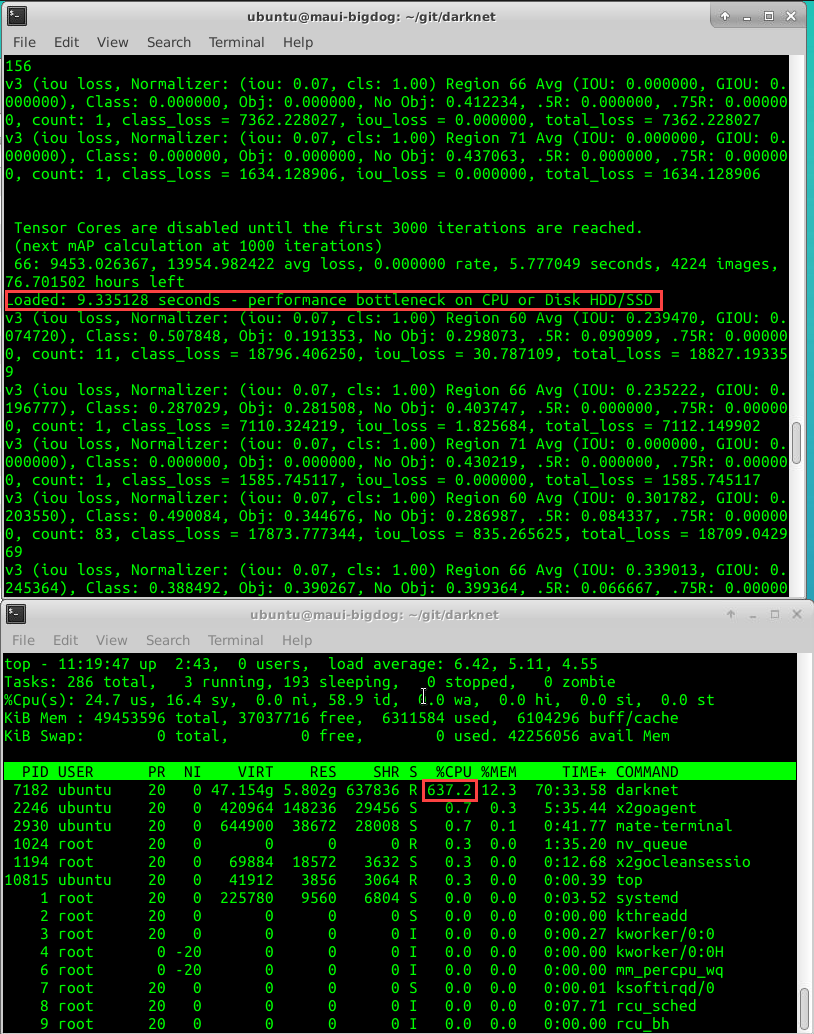
I also found this performance issue due to the resolution I was using when trying to use the #4386 for bigger batch sizes on a larger VM then currently using.
pullmyleg
on 11 May 2020
Try to change 6 to 12 and recompile https://github.com/AlexeyAB/darknet/blob/74134e5389f8804c1581988d3abe77bb0eb68537/src/detector.c#L152
Do you use SSD or HDD disk?
AlexeyAB
on 11 May 2020
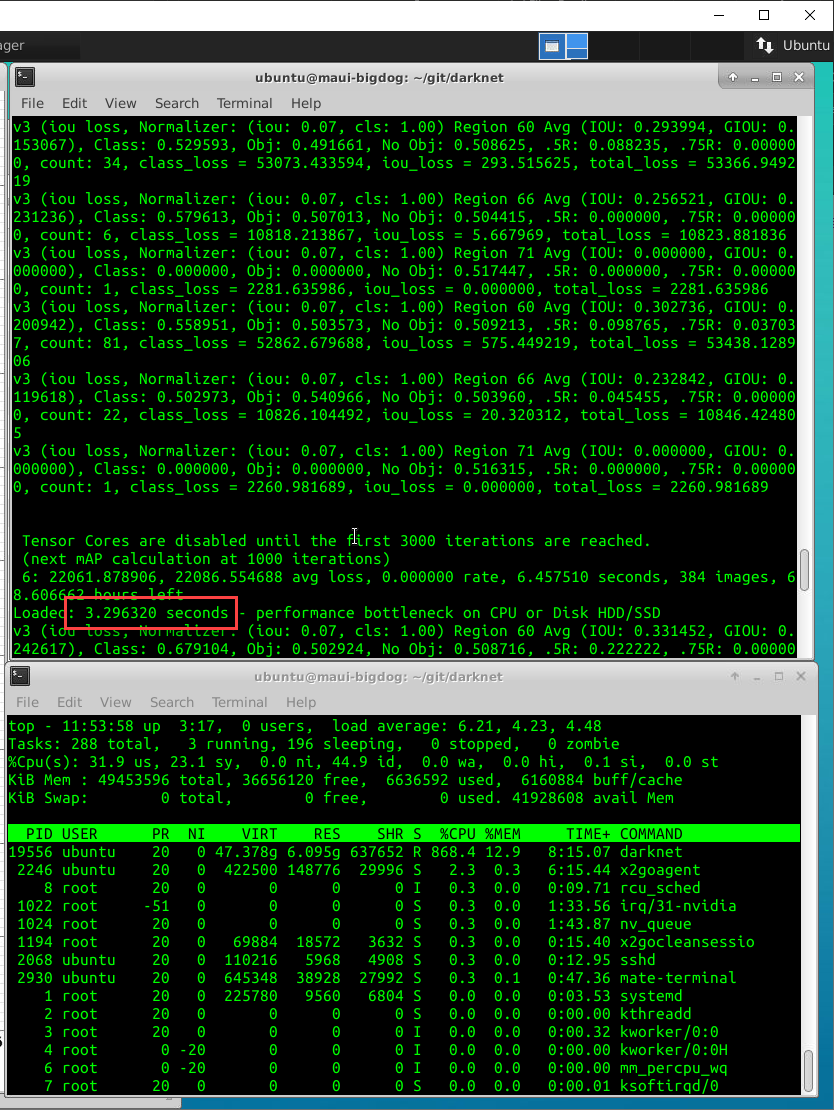
@AlexeyAB it is 3 x faster now thanks @ 12.
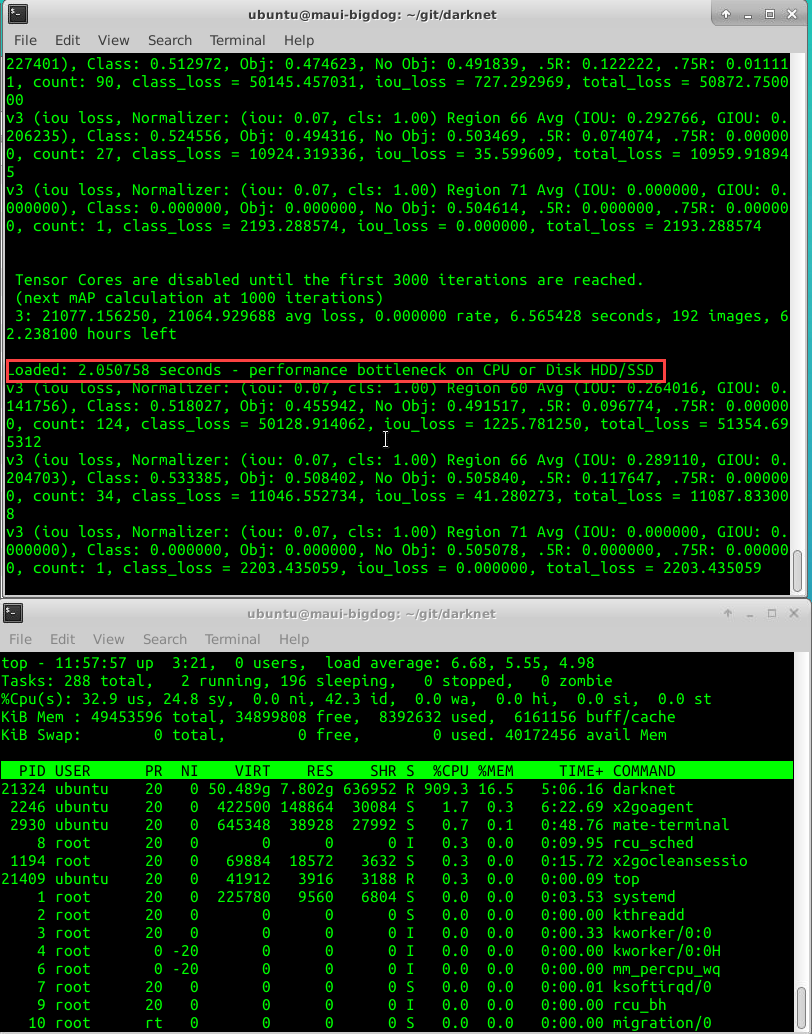
I increased further to 16 and its even faster. Assuming this is safe? In the future can I increase to all available CPU if more then 16 are available?
I am not sure about HDD, but I think its an SSD Raid Array. This VM is provided by the university.
@ 12:
@ 16:
pullmyleg
on 11 May 2020
I increased further to 16 and its even faster. Assuming this is safe? In the future can I increase to all available CPU if more then 16 are available?
Yes, but it's recommended to use (max_cores - 2), so there will be at least 2 CPU-cores for interaction with GPU.
I just added minor fix, so you can un-comment first 2 lines, and comment 3rd line, it will use automatically (max_cores - 2) CPU-cores
https://github.com/AlexeyAB/darknet/blob/0c7305cf638bd0e692c6195e412aff93200000e4/src/detector.c#L152-L154
AlexeyAB
on 11 May 2020
Awesome - thanks.
pullmyleg
on 11 May 2020
Can you tell me the meaning of com,prn,sml,edm,anc? Thanks @pullmyleg
 zys1994
on 13 May 2020
zys1994
on 13 May 2020
Hi @zys1994 most of this refers to columns in the graph and configuration settings.
Com and sml are different datasets. Anchors relate to different anchors used, you can see these in the configuration files.
Rdm is random scaling used or not in the configuration.
PRN - partial residual networks. My understanding is it aims to maximise the combinations of gradients of different layers.
pullmyleg
on 13 May 2020
Thank you very much for sharing @pullmyleg
zys1994
on 13 May 2020
Thanks for your excellent work. I have retrained and converted your yolo_v3_tiny_pan3_scale_giou-sml.cfg to openvino and got a Huge improvement. @pullmyleg
zys1994
on 15 May 2020
@zys1994 thank @AlexeyAB, this is just publishing my results. Note there is more to come, I am in the process of training 3 different models.
pullmyleg
on 15 May 2020
I fixed it: 74134e5
Hi @AlexeyAB, training final config
yolo_v3_tiny_pan3_ciou_new_stretch_sway-sml-rdm.cfg.txt and it is crashing now at ~1500 iterations with: CUDA Error: an illegal memory access was encountered: File exists
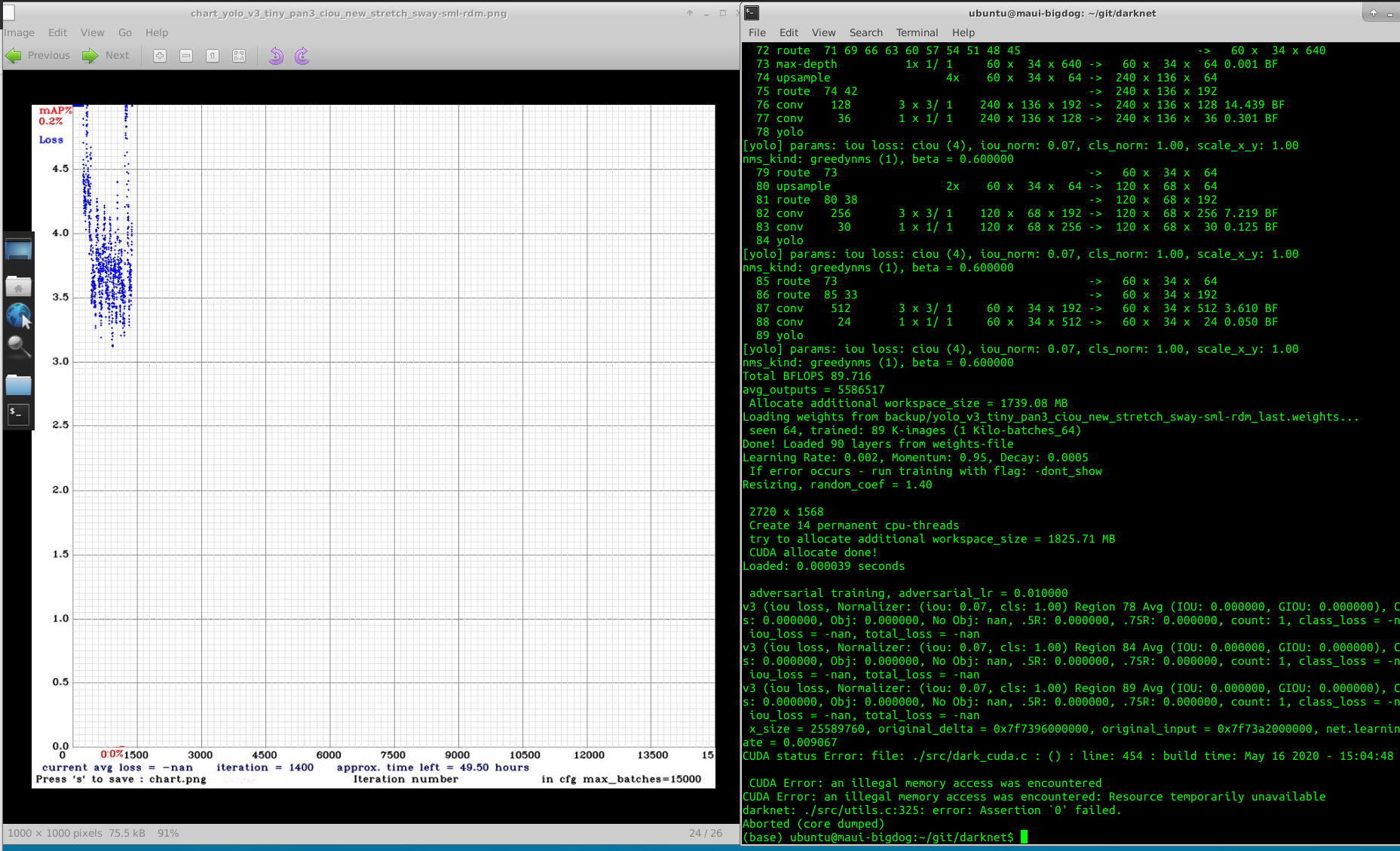
I have also pulled latest repo with make clean & then Make.
Thanks for your help!
pullmyleg
on 16 May 2020
Try to remove adversarial_lr=0.01 from cfg-file and train from the begining.
AlexeyAB
on 16 May 2020
@AlexeyAB
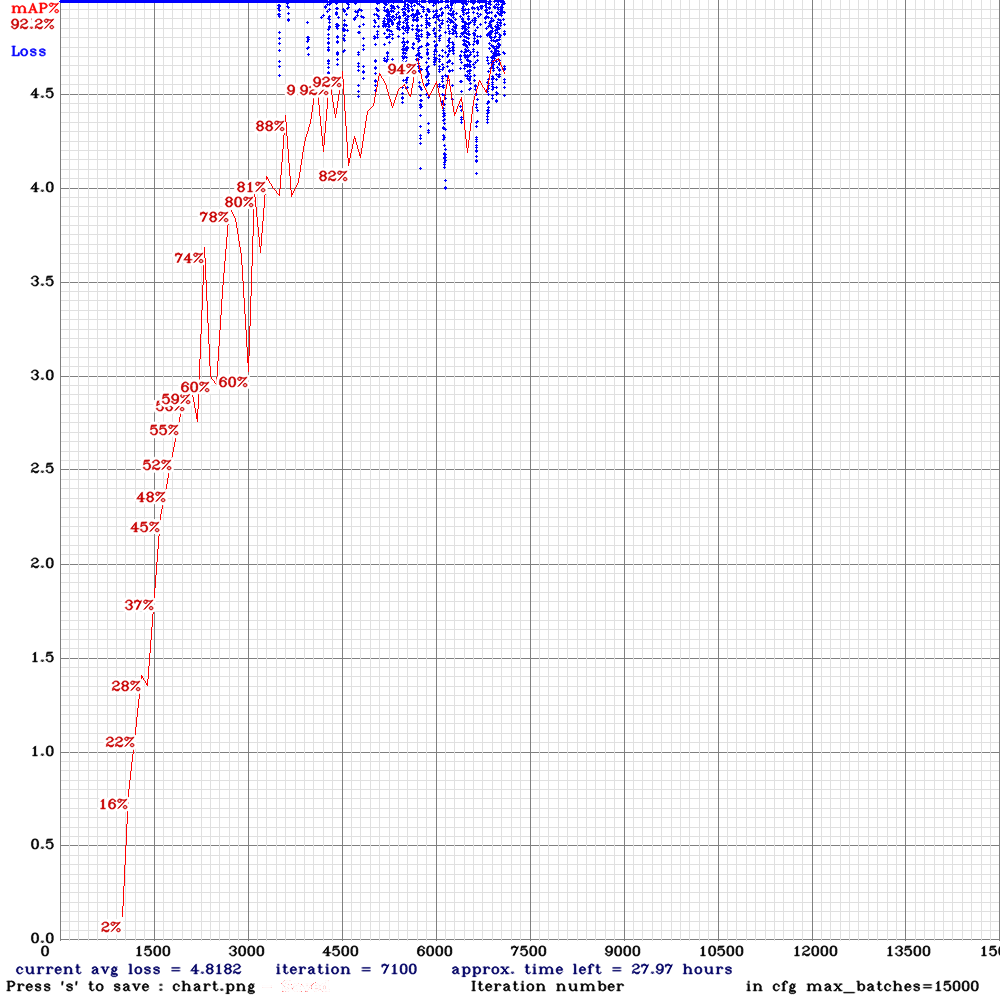
Hi,how are you?thanks for your remarkable work in Deep Learning!l am using your yolo_v3_tiny_pan3_ciou_new_stretch_sway.cfg and use my own calculated anchors for training to detection Colorectal polyp,which is resize 512*512 and the width of object range for 5 to 150,also heights,but l get not very good results,see chart below.
Looking forward to your reply,thank you!
 Jefflier
on 21 May 2020
Jefflier
on 21 May 2020
@Jefflier AP50 = 92% is a good result.
AlexeyAB
on 21 May 2020
@AlexeyAB Thanks for your time,it is important how can yolo go further in small object detection?
Jefflier
on 21 May 2020
@AlexeyAB I have updated the chart above to include the results from 3 new suggested models. Best results the same to date :).
Thing to note is we have calculated we really need a model that performs at > 20FPS on the Xavier AGX in order to find dolphins at 120km/h. This means we likely need to stay with a 2 layer model.
1) I am training a large batch (56) yolov3-tiny model to see if this increases accuracy. Config also in table.
2) I am still in the process of creating a dataset with more frames. I Will update with progress.
Any other suggestions or 2 layer models I should try to maintain speed but improve accuracy?
Thanks!
pullmyleg
on 25 May 2020
@pullmyleg How to compile for Jetson Xavier ,Can you share your Makefile , Thanks !
GPU=1
CUDNN=1
CUDNN_HALF=1
OPENCV=1
AVX=1
OPENMP=1
LIBSO=1

# Jetson XAVIER
ARCH= -gencode arch=compute_72,code=[sm_72,compute_72]
Is that right? Thanks!
 toplinuxsir
on 2 Jun 2020
toplinuxsir
on 2 Jun 2020
@toplinuxsir see below.
GPU=1
CUDNN=1
CUDNN_HALF=1
OPENCV=1
AVX=0
OPENMP=1
LIBSO=0
Makefile for download: Makefile.txt
Also, I upgraded to OpenCV 4.2, here is the script if you want it: install_opencv42.sh.txt
pullmyleg
on 2 Jun 2020
@pullmyleg Thanks!
toplinuxsir
on 3 Jun 2020
Hi@pullmyleg ,so thankful for your discussion and sharing.May I ask that have you calculated mAP for small object detection on Yolov4? If so, how could that be implement by adjusting the code?
 moonlightian
on 9 Jun 2020
moonlightian
on 9 Jun 2020
Hi @moonlightian, you can see yolov4 implementation example I used above in the first post of this thread. Yolov4-sml-rdm.
pullmyleg
on 10 Jun 2020
Hi @pullmyleg,
Great discussion and I think your use case is super cool!
For the network cfg's you are training, where are you getting all the weights for these models? Are they all using yolov3-tiny as the base for them all?
For instance: yolo_v3_tiny_pan3_aa_ae_mixup_scale_giou-sml.cfg.txt
Where is the pretrained model and weights for this?
Thank you!
 marvision-ai
on 11 Jun 2020
marvision-ai
on 11 Jun 2020
Hey @mbufi, thanks!
Correct all based off the original Yolov3-tiny.weights.
What you have just made me realised is that I was not adjusting them for the number of layers upon export. I will do some retraining and repost results. The 3L Yolo tiny models will all be somewhat incorrect and hopefully, get even better results.
Thanks
pullmyleg
on 14 Jun 2020
Hey @pullmyleg,
Great discussion! In your current best performer yolo_v3_tiny_pan3_scale_giou-sml I noticed that the anchor masks were reversed as opposed to standard YoloV3 cfg.
I.e.
########### [yolo-1]
mask = 0,1,2,3,4
########### [yolo-2]
mask = 4,5,6,7,8
########### [yolo-3]
mask = 8,9,10,11
as opposed to
########### [yolo-1]
mask = 8,9,10,11
########### [yolo-2]
mask = 4,5,6,7,8
########### [yolo-3]
mask = 0,1,2,3,4
I also understand that this has been changed in YoloV4 where the masks are indeed reversed as opposed to V3. This might have caused the confusion (at least it confused me).
I tried training both (your version and one with reversed masks) on my own similar (scale wise) problem. Both ended with exactly the same performance, which baffled me.
Anyways, maybe something to look into.
Keep up the good work and keep the results streaming - very useful!
yeah,me too.they all get maxmap=96%,it's confused.
Jefflier
on 15 Jun 2020
@perceptoid awesome thanks! Potentially @AlexeyAB can shed some light on the different mask arrangements in this config. Also a little baffled :).
I have just posted 1 new result based on using CPU memory to train large batches. It was just a test not based on best model but I saw a ~1 - 2% increase in map. It took 2 weeks to train though.. But worth it if you want to squeeze that little bit extra out of your model!
Because of the resolution of images/model I was still limited by the batch size but ended using about 84GB CPU memory, 31GB GPU memory with the config provided above.
pullmyleg
on 15 Jun 2020
anchors = 10,20, 40,50,, 100,200 - are sizes of objects in pixels
maks=0,1 - are indexies of anchors
[yolo] - layers with size (WxH) that 32 times smaller than the input network size - should use anchors bigger than 32x32
[yolo] - layers with size (WxH) that 16 times smaller than the input network size - should use anchors bigger than 16x16
It doesn’t matter in what order the layers go, what is the size of the layer.
AlexeyAB
on 15 Jun 2020
Related issues
 shootingliu
·
3Comments
shootingliu
·
3Comments
 bit-scientist
·
3Comments
bit-scientist
·
3Comments
 zihaozhang9
·
3Comments
zihaozhang9
·
3Comments
 kebundsc
·
3Comments
kebundsc
·
3Comments
 Jacky3213
·
3Comments
Jacky3213
·
3Comments
Most helpful comment
I fixed it: https://github.com/AlexeyAB/darknet/commit/74134e5389f8804c1581988d3abe77bb0eb68537